
Most SLA templates assume a human types back at another human. If an AI agent handles most of your first-touch volume, you need targets split by responder, not a single blended number that hides how your team is actually doing.
We've reviewed a lot of SLA templates while building out Kommunicate's own support targets, and most of them have the same problem: they were written for a world where support meant a person typing back at another person. That world still exists, but it's no longer the whole picture.
If your support stack includes an AI agent that's already resolving most of your incoming volume, a generic SLA template is going to give you a number that's technically accurate and practically useless.
Here's the specific failure mode. You set a first response time target of "under 2 minutes." Your AI agent answers in 8 seconds in 95% of conversations. Your human agents, working the hardest 5%, take an average of 40 minutes. This gives you a blended average of just over two minutes and zero visibility into whether your human team is actually doing well.
We've seen support managers report SLA compliance numbers that looked great on a dashboard and meant almost nothing about the customer experience their team was actually delivering.
This article gives you a free, editable SLA worksheet designed for exactly this situation, along with the reasoning behind its structure. We're going to cover:
A working SLA has four parts:
Most templates you'll find online bury these four things inside a contract. That's appropriate if you're drafting a legal agreement with an enterprise client. It's the wrong starting point if you're a support manager trying to set internal targets your team can actually be measured against. You shouldn't need a legal sign-off to tighten your resolution time targets.
Our recommendation: keep the legal shell, if you need one, as a separate one-page document that references your performance targets sheet. The targets sheet is the one your team actually works from, and it's the one you should expect to revise every quarter. Bundling both into a single contract means every small adjustment turns into a redline exercise nobody has time for.
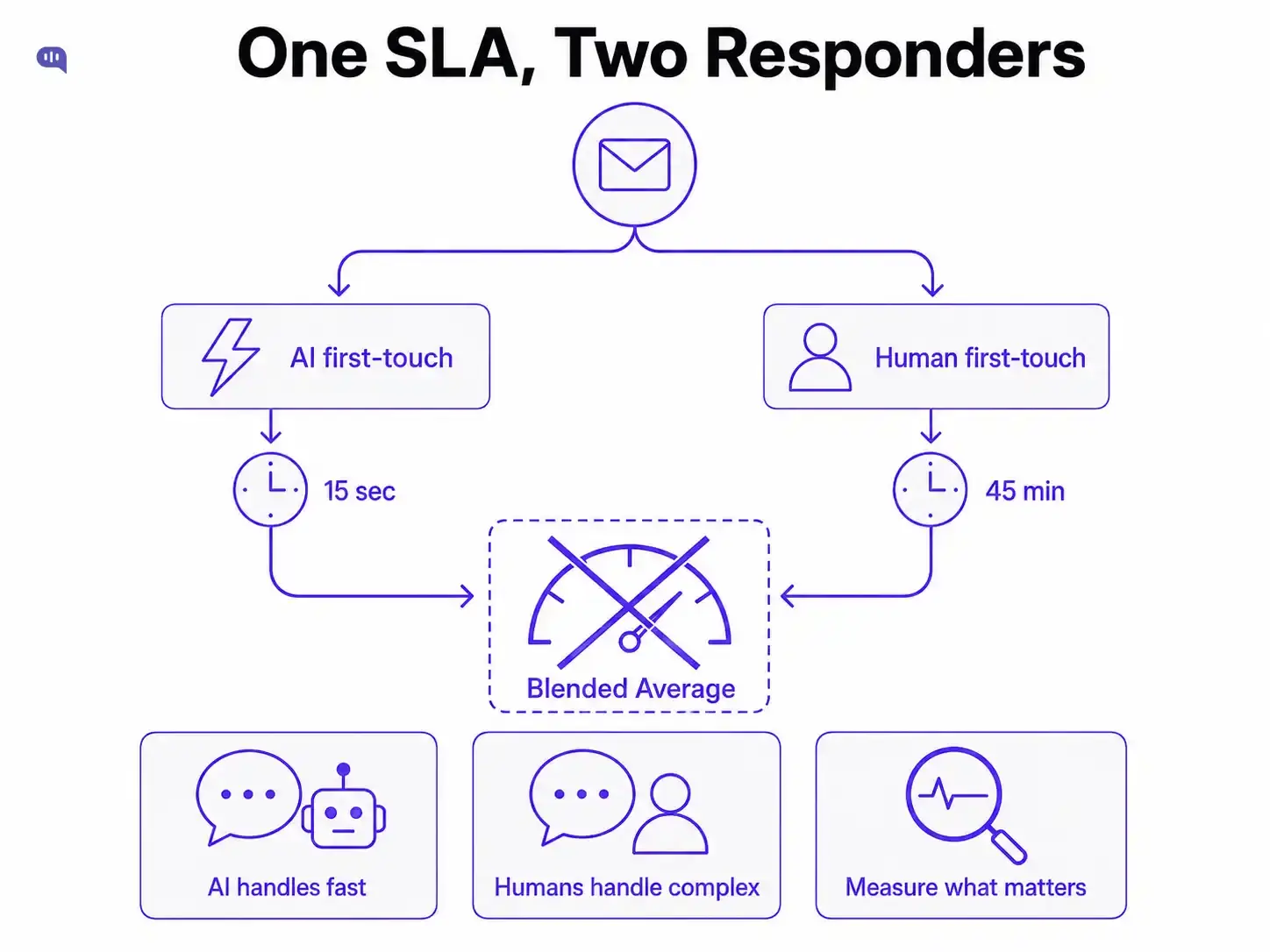
This is the part we feel strongly about, because it's where we've watched well-intentioned SLAs fail in practice. A single "first response time" metric assumes a single type of responder. The moment an AI agent handles first-touch on a meaningful share of your conversations, that assumption no longer holds.
The fix isn't complicated: track two numbers instead of one and assign them to different owners.
That last row matters. A blended average is fine for a board deck, but it's a bad number to hold a human support team accountable to: if your AI containment rate goes up, the blend improves even when your human team gets slower, and nobody notices until customers start complaining. Track it if you want, but set your actual targets and coaching conversations against the two underlying numbers.
This distinction is the spine of the worksheet below: it asks for AI and human targets separately by design, rather than giving you a single box to fill in.
A lot of SLA templates ask you to fill in a number without telling you where that number should come from. The honest version starts with what your team is already doing, not what you wish it were doing.
Pull your current first-response time and resolution time data, and, if you're tracking AI containment rate separately, that's your starting input for the AI first-touch target. Set your initial SLA at roughly your current 80th percentile, not your average and not your best day.
An average-based target means you're already failing it half the time before you've even published it. We've written about which metrics actually matter for this kind of baseline: first response time, resolution time, CSAT, and a few others worth tracking before you set anything in stone.
Once you have a baseline, give yourself room to tighten it. A 60-minute human response target you can hit 95% of the time is more useful and more credible to customers than a 15-minute target you hit 60% of the time. We've built an editable SLA worksheet below: fill in your current numbers, adjust the targets, and it gives you a clean, copy-pasteable block you can drop straight into whatever document your team actually reads.
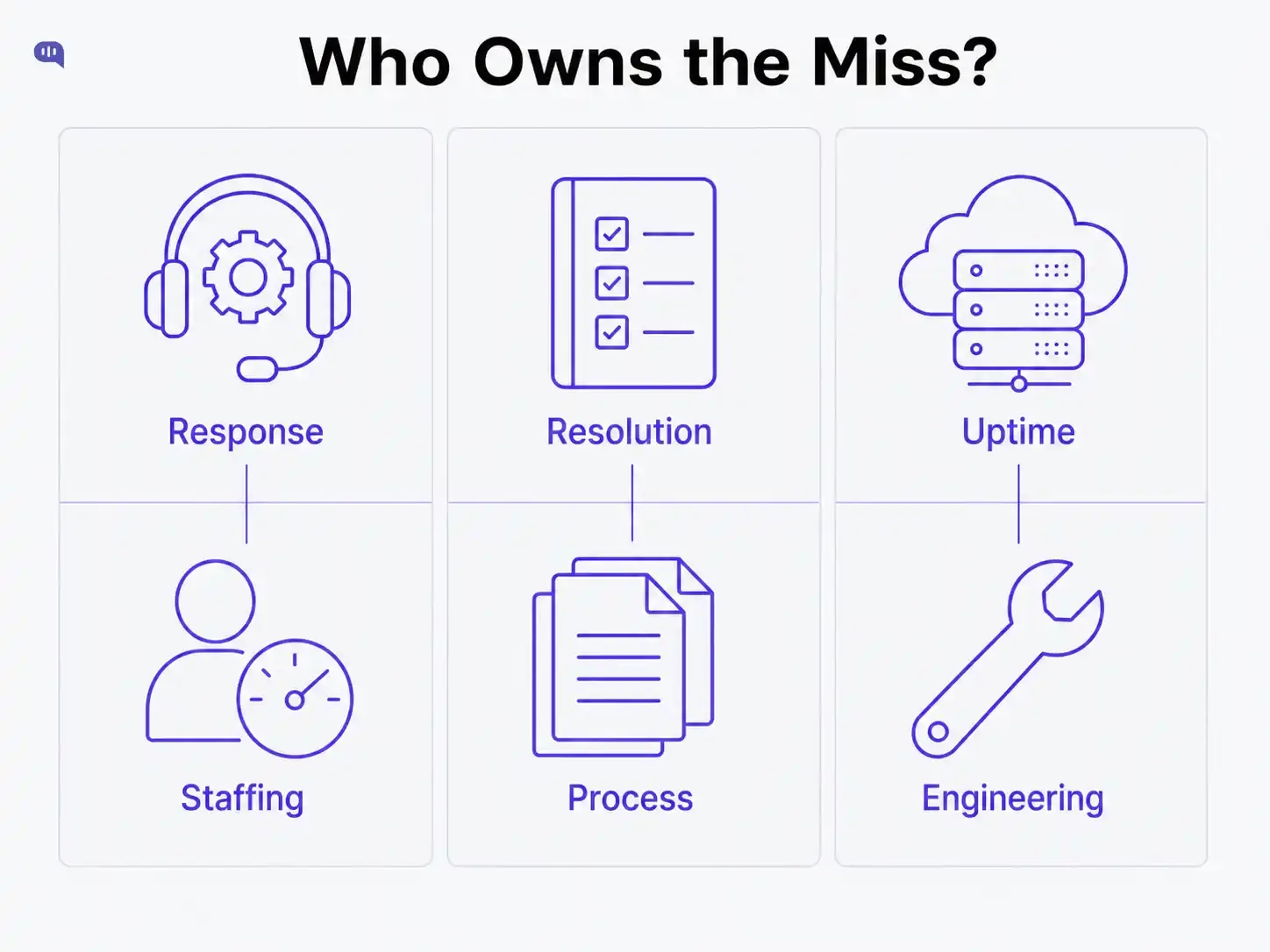
The biggest gap in most SLA templates is accountability. They list targets without saying who's responsible when a target gets missed, which means when something breaks, the support manager ends up holding the bag for problems that weren't theirs to fix.
This separation matters more than it sounds like it should. We've seen teams set a single combined SLA, miss it for reasons entirely outside support's control, and then watch the support manager get the blame in a quarterly review. Clear ownership up front prevents that conversation from ever needing to happen.
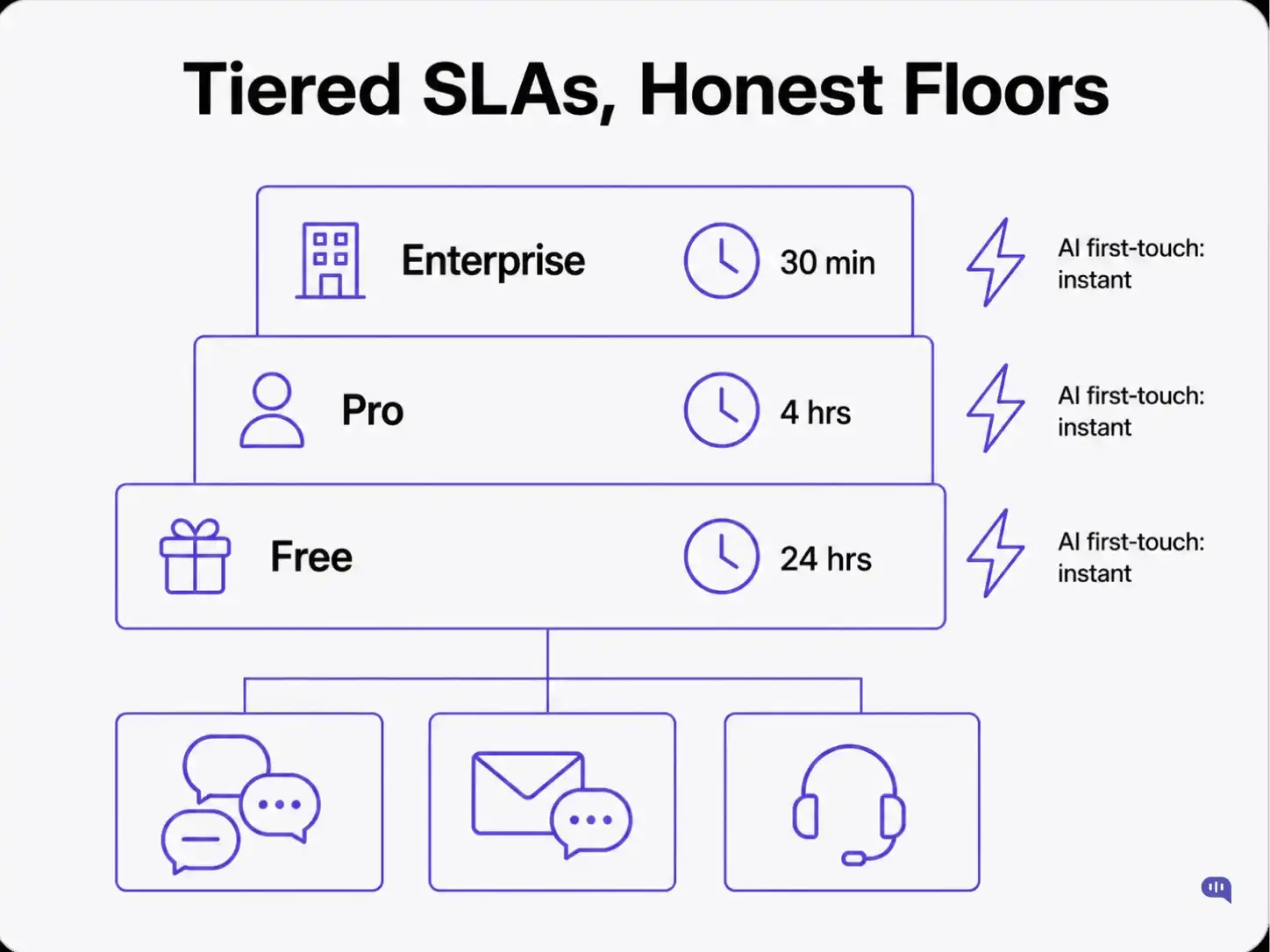
If you support multiple plan tiers, your SLA should reflect that honestly. The mistake teams make is failing to set any real floor for the lowest tier, so "free plan support" quietly becomes "we'll get to it eventually."
Notice the AI first-touch target doesn't change across tiers. What you're actually tiering is human attention and escalation depth.
Naming that explicitly avoids a common failure: customers on lower tiers feeling like the SLA is fake because nobody told them what "eventually" means in hours.
An SLA is only as good as your team's willingness to actually update it, and most templates work against that by locking performance targets inside a legal contract nobody wants to touch twice a year.
Separate the shell from the targets, split your response time by who's actually responding, and assign ownership before something breaks instead of after. This will give you a smaller document that's more useful to both your users and your support execs.