Updated on November 28, 2025
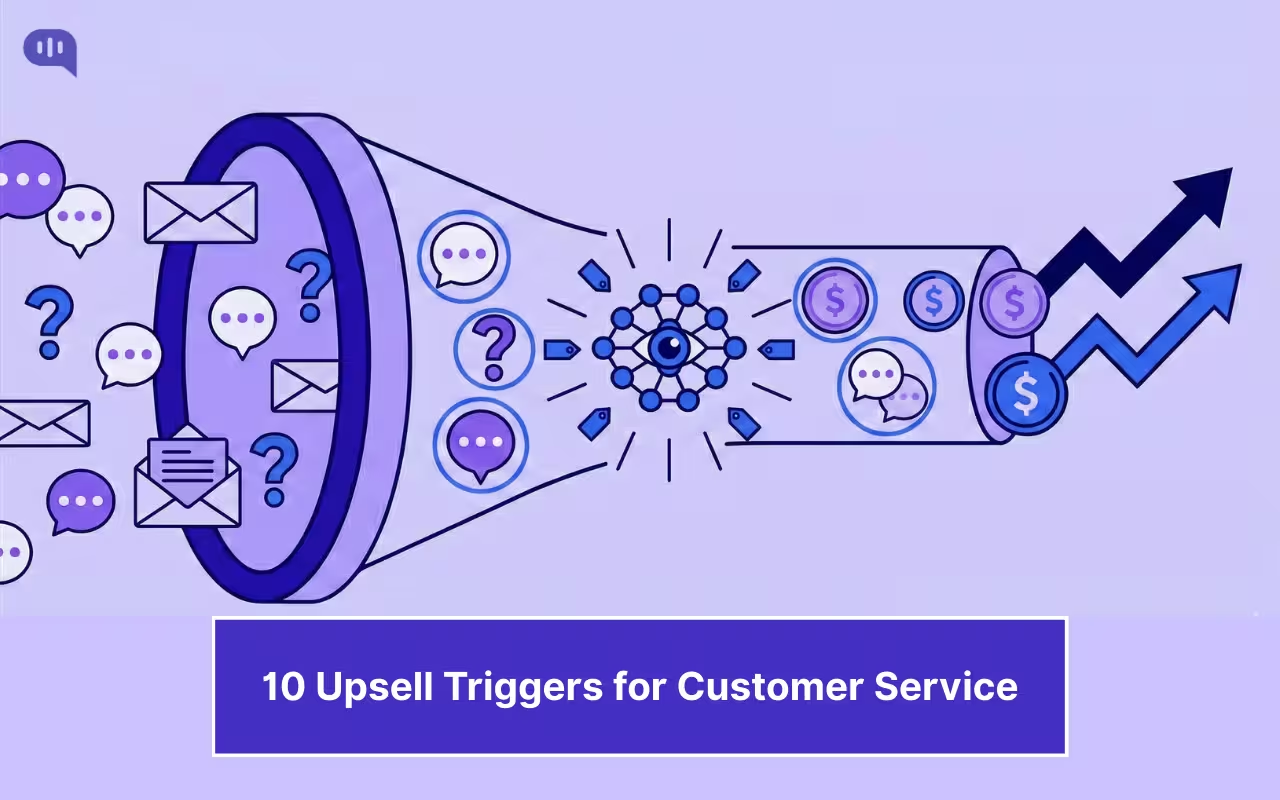
Customer support is typically viewed as a cost center, an expense aimed at keeping customers satisfied. That perception is changing as businesses are tapping into the potential of AI in customer service for revenue generation.
Every support conversation has important cues about customer needs, frustrations, and growth potential. We are usually overwhelmed with resolving issues, and rarely have the bandwidth to identify and act on these opportunities. This is where AI-powered customer service automation changes the equation.
This is where Modern AI agents can become helpful by listening, learning, and identifying the moments when a customer would genuinely benefit from an upgrade. When implemented thoughtfully, these systems can turn your support queue from a reactive expense into a proactive revenue engine without compromising the customer experience.
The Hidden Revenue Possibility in Your Support Queue
Consider the last time a customer reached out, asking, “Is there a way to bulk export my data?” or mentioning, “Our team keeps running into the file size limit.” They’re buying signals hiding in plain sight, with customers essentially saying, “We need more than what we have.”
According to the 2025 Salesforce State of Service Report, 79% of service leaders want to use AI agents to meet their business demand. However, beyond the efficiency benefits, it presents a more strategic opportunity to utilize AI in customer service for revenue expansion by understanding when customers are ready to upgrade.
Leading companies recognize that support interactions are two-sided conversations: fix what’s broken today, and listen for what the customer needs tomorrow. A question about limitations isn’t just a complaint but a strategy to understand customers’ unmet demands. Companies can make use of spotting these signs early and respond with efficiency.
What Data Does Your AI Agent Need to Spot Upsell Opportunities?
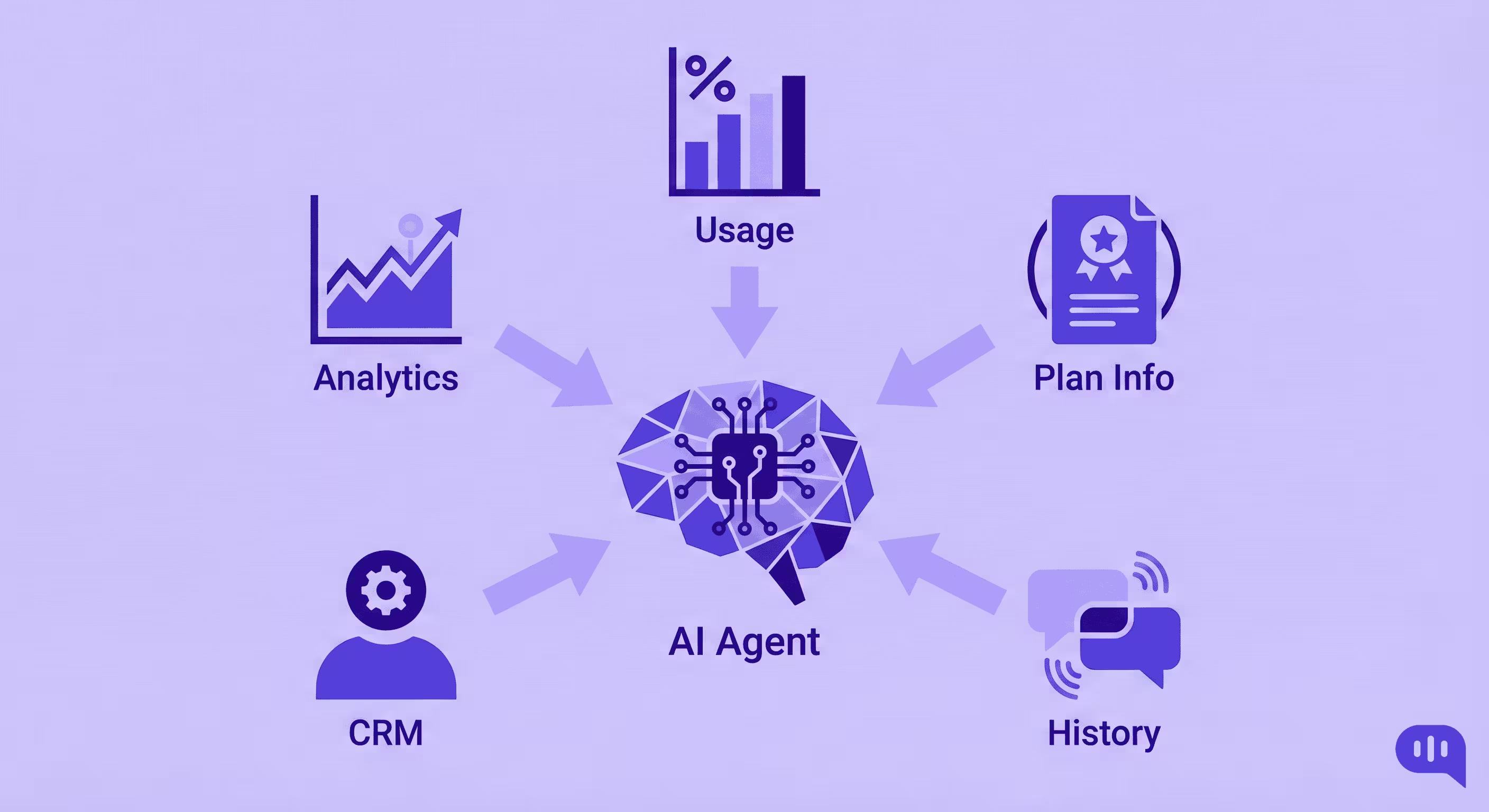
Before your AI agent can identify revenue opportunities, it needs access to the right data sources. Think of this as equipping your AI with the context it needs to understand not just what a customer is asking, but what it means for their relationship with your product.
Usage Data: Your AI agent should monitor how customers are using your product in real-time. This includes feature adoption rates, frequency of use, approaching plan limits, and patterns that indicate growing sophistication. When a customer is consistently at 95% of their storage quota or hitting API rate limits, that’s actionable intelligence.
Plan and Subscription Information: The agent needs to know what tier each customer is on, what features they have access to, when they last upgraded, and what’s available in higher tiers. This context prevents awkward situations like suggesting features they already have and enables precise recommendations.
Conversation History: Past support interactions reveal patterns. If a customer has asked about a premium feature three times in the past two months, that’s a much stronger signal than a one-off inquiry. AI excels at identifying these long-term patterns that humans might miss.
CRM and Customer Health Data: Integration with your CRM provides important context about account value, renewal dates, expansion opportunities, and customer health scores. An at-risk customer approaching renewal needs a different approach than a highly engaged power user.
Product Analytics: Understanding which features customers are actively using versus those they’re trying to access but can’t helps identify gaps between current capabilities and desired outcomes.
When these data sources work together, your AI agent develops a sophisticated understanding of each customer’s journey, needs, and readiness for expansion conversations.
The 10 Upsell Triggers Your AI Agent Should Monitor
Let’s explore the specific signals that indicate a customer is ready for an upgrade conversation. These triggers represent genuine customer needs, not pushy sales tactics.
1. Plan Limit Proximity
The Signal: A customer is consistently operating at 80-95% of their plan limits, whether that’s storage capacity, number of users, API calls, or any other metered resource.
Why It Matters: This is the most straightforward upsell trigger. The customer has clearly found value in your product and is on a trajectory to outgrow their current tier. Waiting until they hit the wall creates friction; proactive outreach indicates attentiveness.
The AI Response: “I noticed you’re using 92% of your monthly API quota. To avoid any service interruptions, our Professional plan offers 5x more calls and priority processing. Would you like to explore upgrading before the month-end?”
This approach positions the upgrade as helpful problem-prevention rather than a sales pitch.
2. Locked Feature Inquiries
The Signal: The customer repeatedly asks about features that exist in your product but are gated behind a higher tier. Common examples include advanced reporting, custom integrations, white-labeling, or priority support.
Why It Matters: When customers ask about premium features, they’re essentially pre-qualifying themselves. They’ve identified a need and are checking whether your product can meet it. This is a warm lead disguised as a support question.
The AI Response: “I can see you’re interested in our custom domain feature, which is available on our Business plan. Based on your usage patterns, the Business plan would also give you advanced analytics and API access—features that align well with how you’re using the platform. Would you like me to set up a brief call to discuss the upgrade?”
The key is connecting the feature they asked about with other benefits that match their usage profile.
3. Manual Workaround Detection
The Signal: The AI identifies that a customer is using cumbersome manual processes to accomplish tasks that premium automation features would handle effortlessly. This might include exporting and re-importing data, using third-party tools to bridge gaps, or repeatedly performing the same multi-step workflow.
Why It Matters: Customers often don’t realize there’s a better way. They’ve adapted to limitations without knowing that solutions exist. Pointing out these inefficiencies demonstrates that you understand their workflow and can save them significant time.
The AI Response: “I noticed you’re manually exporting reports each week and combining them in spreadsheets. Our Enterprise plan includes automated scheduled reporting that could handle this entire workflow for you—typically saves our customers 3-5 hours per week. Would you be interested in seeing how it works?”
This positions the upgrade in terms of ROI and productivity gains rather than just features.
4. Team Expansion Indicators
The Signal: Support conversations mention hiring new team members, references to “we” or “our team” when previously it was “I,” multiple people contacting support from the same organization, or requests about user management and permissions.
Why It Matters: Team growth is a natural expansion moment. As organizations add people, they need more seats, better collaboration features, and often more sophisticated access controls. This is an expected cost as businesses scale.
The AI Response: “Congratulations on growing your team! I see you mentioned bringing on two new marketing coordinators. Our Team plan supports up to 10 users with collaborative workspaces and role-based permissions—perfect timing for your expansion. Would you like to review the pricing for your new team size?”
Framing this around their success makes the upsell feel celebratory rather than transactional.
5. Integration and API Requests
The Signal: Customers inquire about connecting your product with other tools in their stack, ask about API documentation, mention wanting to build custom workflows, or express frustration with manual data transfers between systems.
Why It Matters: Integration requests indicate sophistication and commitment. These customers are trying to make your product central to their operations, which represents strong product-market fit and expansion potential.
The AI Response: “I can help you with that Salesforce integration! That feature is available on our Professional plan, which also includes webhook support and our full REST API. Since you’re building out your sales tech stack, these tools would give you complete flexibility. Would you like to discuss how other customers in your industry are using these integrations?”
This approach educates while positioning the upgrade as enabling their broader goals.
6. Performance and Speed Complaints
The Signal: Customers mention slow load times, express frustration with processing speeds, or ask if there’s a way to make things faster. This often happens as usage scales beyond what entry-level infrastructure can comfortably handle.
Why It Matters: Performance issues directly impact productivity and user satisfaction. Customers experiencing these problems are often highly motivated to resolve them, making this an emotionally urgent trigger.
The AI Response: “I understand the slow export times are frustrating, especially when you’re working with larger datasets. Our Business tier includes priority infrastructure and optimized processing that typically runs 3-4x faster. For the volume of data you’re working with, this would significantly improve your team’s workflow. Would you like to try it with a free 14-day upgrade?”
Offering a trial removes risk and lets the customer experience the improvement directly.
7. Seasonal and Project-Based Needs
The Signal: The AI detects mentions of upcoming launches, busy seasons, major projects, conferences, or time-sensitive campaigns that will temporarily increase demands on the system.
Why It Matters: These moments represent peak-need scenarios where customers are willing to invest more to ensure success. They’re also excellent opportunities for temporary upgrades that can demonstrate value.
The AI Response: “It sounds like your Q4 campaign is going to be significant! Many of our customers use our scalable Enterprise features during peak seasons to handle the increased volume and then adjust afterward. We can set up a temporary upgrade to ensure everything runs smoothly. Would that be helpful for your November launch?”
This flexible approach acknowledges the temporary nature while still capturing expansion revenue.
8. Competitive Feature Comparisons
The Signal: Customers ask questions that indicate they’re evaluating alternatives, mention features that competitors offer, or inquire whether your product can match specific capabilities they’ve seen elsewhere.
Why It Matters: These conversations are retention moments disguised as feature requests. The customer is checking whether they need to switch providers. Addressing this proactively can prevent churn while creating an upgrade opportunity.
The AI Response: “I see you’re asking about advanced permissions, which is something we hear customers comparing across platforms. Our Enterprise plan includes granular role-based access control that’s often more flexible than what competitors offer. Since you’re evaluating options, would it help to schedule a demo specifically focused on the security and permissions features you need?”
This takes the conversation seriously and positions your premium features as competitive advantages.
9. Compliance and Security Inquiries
The Signal: Questions about GDPR compliance, data residency, SOC 2 certification, SSO implementation, audit logs, or enterprise security features.
Why It Matters: Compliance requirements often come from organizational mandates, not nice-to-haves. These customers typically have budget approval for features that meet regulatory or security standards. The urgency is built in.
The AI Response: “Those GDPR data residency requirements are critical. Our Enterprise plan includes EU data center hosting, comprehensive audit logs, and full GDPR compliance tools that have helped similar companies meet their regulatory requirements. Given your compliance timeline, would you like me to connect you with our solutions team to ensure we can support your specific needs?”
This acknowledges the seriousness and offers specialized expertise.
10. Positive Outcome Sharing
The Signal: Customers enthusiastically share successes, mention how much value they’re getting, describe results they’ve achieved, or express strong satisfaction with the product’s impact on their business.
Why It Matters: Happy customers at peak satisfaction are most receptive to expansion conversations. They’ve experienced ROI and can easily justify further investment. This is the ideal emotional moment for an upgrade discussion.
The AI Response: “That’s fantastic that you’ve increased conversion rates by 34%! Given those results and how central our platform has become to your growth, have you considered our Growth plan? It includes advanced A/B testing and predictive analytics that our highest-performing customers use to optimize even further. Would you like to explore what those next-level tools could do for you?”
This builds on momentum and frames the upgrade as accelerating already-successful initiatives.
Guardrails: Keeping Upsell Conversations Helpful, Not Pushy
The difference between revenue-driving AI and sales automation comes down to guardrails. Here’s how to ensure your AI in customer service for revenue efforts enhances rather than damages customer relationships.
- Frequency Caps: Never suggest an upgrade more than once per conversation, and implement cooling-off periods between upgrade mentions. If a customer declines, respect that decision for at least 30-60 days unless circumstances materially change.
- Sentiment Analysis: Only trigger upsell conversations when customer sentiment is neutral to positive. Never pitch upgrades when a customer is frustrated, angry, or in the middle of resolving a critical issue. Timing is everything.
- Prioritize Resolution First: The primary goal of every support conversation must be solving the customer’s immediate problem. Upsell suggestions should feel like natural extensions of that solution, not distractions from it.
- Transparent Value Exchange: Always clearly explain what the customer gains and why it matters to their specific situation. Generic upgrade pitches feel like spam; personalized value propositions feel helpful.
- Easy Exit Routes: Customers should be able to dismiss upgrade suggestions with one click and continue with their original inquiry. Never make declining an upgrade difficult or guilt-inducing.
- Respect Explicit Opt-Outs: If a customer indicates they’re not interested in upgrades generally, honor that preference across all interactions. Build trust by respecting boundaries.
Configuring Revenue Triggers in Your Workflow
Implementing these upsell triggers requires more than just detecting signals; you need intelligent workflows that respond appropriately to each scenario. This is where modern customer service automation platforms become essential.
When configuring your AI agent, start by mapping out your customer journey and identifying where these triggers naturally occur. A platform like Kommunicate allows you to build sophisticated workflows that connect trigger detection to appropriate responses.
For example, you might create a workflow where the AI agent monitors usage data in real-time. When a customer crosses the 85% threshold on their plan limit, the system automatically:
- Flags the account in your CRM with an “expansion opportunity” tag
- Sends the customer a helpful in-app message about upgrading to avoid interruptions
- Notifies your customer success team if the account value exceeds a certain threshold
- Tracks whether the customer engages with the upgrade suggestion for follow-up
The beauty of intelligent automation is that it scales this detection and response across your entire customer base simultaneously. Where human agents might spot one or two of these opportunities per day, AI can identify hundreds and respond with consistent, appropriate messaging.
Integration is key. Your automation platform should connect your helpdesk with your CRM, product analytics, billing system, and communication channels. This creates the 360-degree view necessary for smart revenue triggers.
Measuring Success: Beyond Just Revenue
When you’re using AI in customer service for revenue generation, tracking the right metrics ensures you’re building sustainable growth rather than burning customer goodwill.
Upgrade Conversion Rate: What percentage of customers who receive upgrade suggestions actually convert? This tells you whether your targeting and messaging are effective.
Time to Upgrade: How long does it take from the first trigger to actual conversion? Shorter cycles indicate strong product-market fit for your premium tiers.
Customer Satisfaction Post-Upsell: Are customers who upgrade through support-triggered conversations more or less satisfied than those who upgrade through other channels? This metric reveals whether the experience feels helpful or pushy.
Retention Rate of Upgraded Customers: Customers who upgrade through these triggers should have equal or higher retention than other cohorts. If retention drops, it suggests the upgrades weren’t actually good fits.
Agent Efficiency Alongside Revenue: Your support team’s efficiency metrics shouldn’t decline as you add revenue responsibilities. If resolution times increase significantly, you’ve added too much friction to the support experience.
The goal is to find the balance where revenue opportunities enhance rather than detract from the core support mission.
From Cost Center to Profit Center
The transformation from viewing support as pure expense to recognizing it as a revenue channel represents a fundamental shift in how businesses think about customer success. AI in customer service for revenue generation isn’t about making your support team into salespeople; it’s about using technology to identify and act on natural expansion moments that genuinely serve customer needs.
When a customer is hitting limits, working around missing features, or expressing needs that premium capabilities would solve, suggesting an upgrade isn’t pushy but helpful. The key is having the intelligence to spot these moments and the sensitivity to respond appropriately.
As AI agents become more sophisticated, they’ll get better at understanding context, timing, and customer readiness. The platforms that succeed will be those that balance commercial objectives with genuine customer advocacy, using automation to scale personalized, thoughtful conversations that drive mutual value.
Your support queue is already full of revenue signals. The question is whether you have the systems in place to recognize and act on them. With the right AI-powered customer service automation software and thoughtfully configured workflows, every support conversation becomes an opportunity not just to resolve issues, but to deepen customer relationships and grow your business simultaneously.