Updated on June 19, 2026
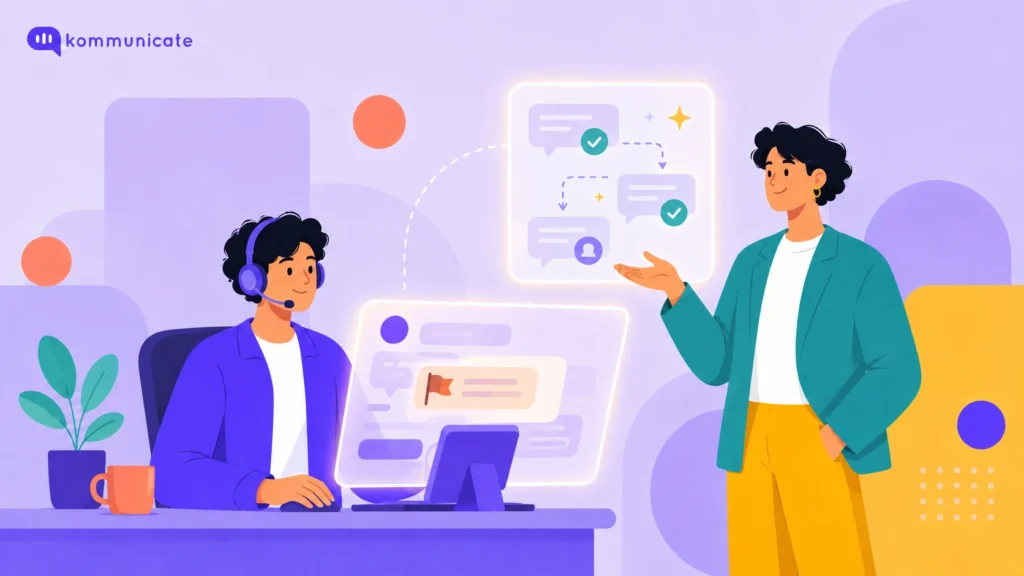
If your support queue fills up with the same handful of questions every day, password resets, order status, billing balances, you already know the problem AI self-service is built to solve. What is less obvious is which parts of that queue are safe to hand to an AI agent right now, which still need a person, and how four real companies drew that line in practice. This guide covers both.
- AI self-service lets customers resolve routine issues on their own, through an AI agent, voice assistant, knowledge base, or self-service portal, without removing the option to reach a human.
- The technology behind it, natural language processing, machine learning, and knowledge retrieval, matters less than how clearly a business defines what it will and will not automate.
- The strongest deployments start with one well-defined query type rather than a full rollout across every channel at once.
- Chat, voice, email, and account portals each suit different kinds of self-service, and most teams end up using more than one.
- A clear, fast handoff to a human matters more to customer trust than how advanced the AI agent sounds.
- Tracking resolution rate and customer satisfaction together shows whether automation is actually working, not just running.
What is AI self-service for customer support?
AI self-service for customer support is a set of tools, including AI agents, voice assistants, automated knowledge bases, and self-service portals, that let customers resolve account and product issues on their own, without waiting for a human representative to respond. The AI handles a question when it has a confident, accurate answer, and routes the customer to a person when it does not.
This is a narrower idea than customer service automation as a whole. Automation can also touch internal workflows, like ticket routing or agent assist tools that help a human respond faster. AI self-service specifically describes the customer-facing layer: the parts of support a customer can complete entirely on their own, end to end.
What technology powers AI self-service?
AI self-service depends on a small set of underlying technologies working together: natural language processing to understand a query, machine learning to improve responses over time, a knowledge retrieval layer to find the right answer, and predictive analytics to flag problems before a customer even raises them.
Natural language processing is what lets a customer type or say a question in their own words, rather than selecting from a fixed menu, and still get matched to the right answer. Machine learning is what makes that matching improve over time, since every escalated or corrected conversation becomes training signal for the next one instead of disappearing into a transcript. Underneath both is a retrieval layer, the structured, searchable version of a business’s help center, policies, and product documentation that the AI agent checks against in real time. Kommunicate calls this a Knowledge Source, and it can be built from a website, a set of PDFs, or an existing help center without any manual rewriting.
Predictive analytics is the newest piece of this stack, and the least visible to customers. Instead of waiting for someone to report a problem, the system can flag a pattern, a spike in failed payments or a cluster of shipping delays, and proactively surface the relevant self-service flow before the support queue fills up with the same complaint.
Why does self-service matter for support teams right now?
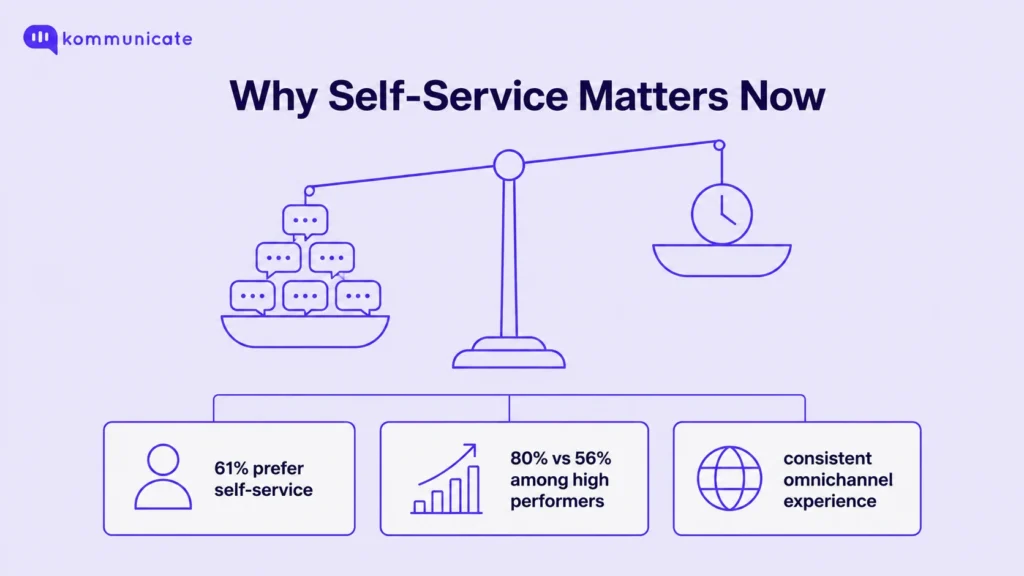
Self-service matters because customer expectations for speed have outpaced what most teams can staff for, and recent research backs that up directly. According to Salesforce’s customer service research, 61% of customers say they would prefer to resolve simple issues through self-service rather than contacting a representative. The same research found that 80% of high-performing service organizations offer a self-service option, compared with just 56% of underperforming ones, a meaningful gap between teams that treat self-service as core infrastructure and teams that treat it as an afterthought.
This pressure is not new, but it is intensifying. McKinsey’s AI-enabled customer service research found that two-thirds of millennials expect real-time service, and three-quarters of customers expect a consistent experience across whichever channel they pick. Hiring more agents to keep pace with that expectation is rarely the most efficient answer, which is why most growing support teams now treat self-service as the front line rather than a side project.
What are the main types of AI self-service tools?
Most AI self-service deployments rely on four tool types: AI agents for chat and FAQs, voice AI for phone support, AI email ticketing for inbound mail, and self-service portals for account management. Each suits a different channel and a different kind of query, and most support teams end up running more than one at the same time.
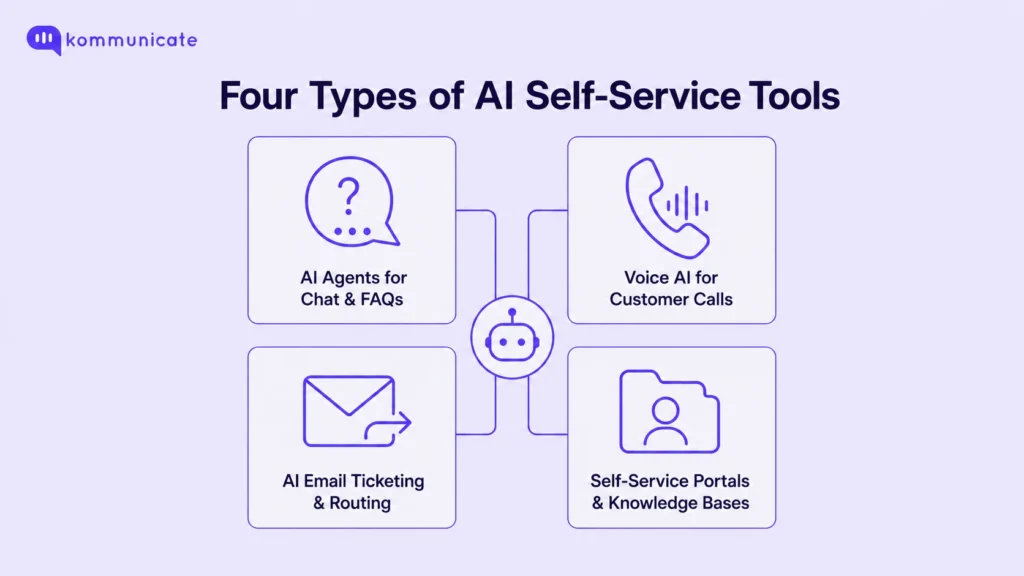
| Tool type | What it handles | Best for |
|---|---|---|
| AI agent for chat and FAQs | Website and app questions, account FAQs, basic troubleshooting | High-volume, repetitive queries with a clear answer |
| Voice AI (conversational IVR) | Phone-based account, billing, and status queries | Call centers replacing rigid, menu-based IVR |
| AI email ticketing | Inbound email triage, categorization, and routing | Teams with high email volume and slow first response |
| Self-service portal and knowledge base | Account management, order history, documentation | Customers who would rather not talk to anyone at all |
AI agents for chat and FAQs
An AI agent for chat and FAQs answers a customer’s question directly on a website or in an app, using content the business has already written. It works by training on a business’s Knowledge Sources, its website, PDFs, and help center articles, then matching incoming questions against that material in natural language rather than rigid keyword search. The same underlying agent can also act as a more complex virtual assistant, handling multi-step requests and personalized suggestions, once it is connected to account-level data rather than just static documentation. Kommunicate’s FAQ AI agent is built specifically for the simpler layer, and the no-code AI agent builder behind it lets a team retrain the agent the moment a policy or product detail changes.
Voice AI for phone support
Voice AI replaces a rigid, menu-based IVR with a system that understands natural speech and responds in real time, so customers can ask a question instead of pressing through a phone tree. Kommunicate’s Voice AI agent is built to handle this layer specifically, and the product’s own benchmarks show why call centers are adopting it: 60% lower contact center costs, 99.9% accuracy on answers pulled from a business’s own data, and 40% of incoming calls resolved within the first 30 days of deployment.
AI email ticketing
AI email ticketing automatically sorts, categorizes, and routes inbound support email, so a message about a billing dispute reaches billing and a message about a broken feature reaches the right technical queue without a human triaging it first. Kommunicate’s AI email ticketing handles this sorting layer and can auto-resolve straightforward requests entirely.
Self-service portals and knowledge bases
A self-service portal gives customers a single place to manage their own account: checking order status, updating billing details, or reviewing past tickets without contacting anyone. Community forums and self-checkout kiosks fall into this same broad category in physical or peer-support settings, though they sit outside what most software platforms, including Kommunicate, directly provide.
What are the benefits of AI self-service?
The clearest way to see what AI self-service actually delivers is through real deployments rather than industry averages. Four examples illustrate four different outcomes.
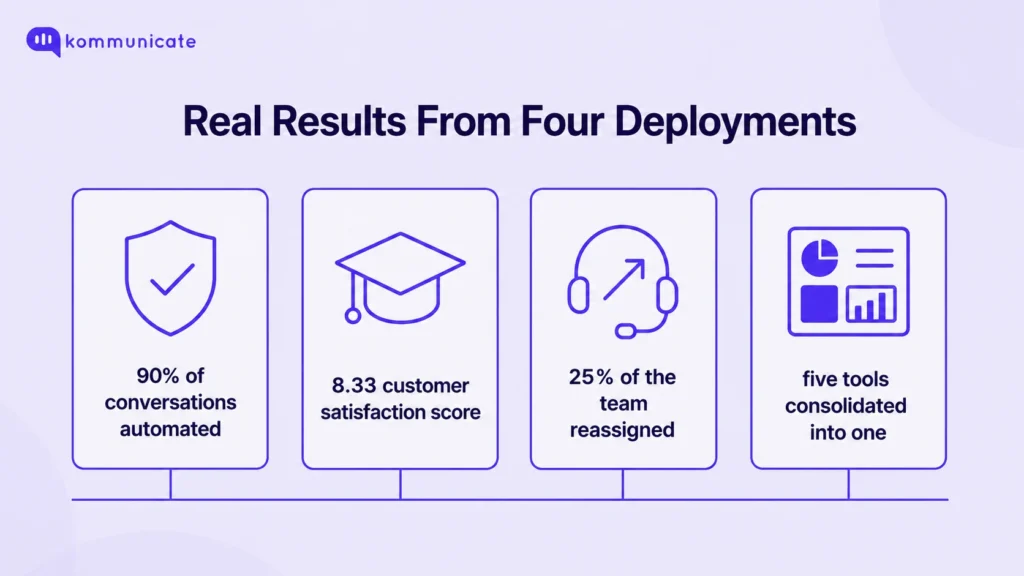
Lower ticket volume. Conte.IT, an Italian insurance company with roughly 500 employees, built a self-service AI agent so customers could renew, cancel, or manage policies without calling a representative. The company automated 90% of conversations related to insurance purchases, renewals, and refunds, freeing its agents to focus on the more complex cases that actually need a person.
Faster, round-the-clock resolution. Oklahoma City Community College, a school of roughly 19,000 students, deployed an AI agent nicknamed Professor Turing to handle password resets, course navigation, and exam support inside its Moodle learning platform. In its first year of use, the agent handled more than 3,000 student conversations and reached a customer satisfaction score of 8.33 out of 10, with usage peaking during the first week of each semester when phone lines would otherwise be overwhelmed.
Better use of a human team. TelOne, Zimbabwe’s largest telecom provider, deployed an AI agent on WhatsApp to handle account balance checks, recharge requests, and broadband usage queries. With the AI agent now handling 90% of incoming conversations directly across more than 20,000 monthly conversations, TelOne reassigned a quarter of its support team from repetitive self-help queries to the more complex issues that still need a specialist.
Consolidated visibility across a fast-growing operation. Lula, a ride-sharing operator serving roughly 4,000 riders a day across four South African cities, used an AI agent to triage and resolve repetitive rider questions automatically, detailed in Lula’s case study. Before deploying it, Lula’s operations team had to check five separate platforms to track support performance. Afterward, resolution time and first response time were visible on one dashboard, making it possible to hold the AI agent to the same response-time targets the human team had always worked toward.
How does AI self-service apply across industries?
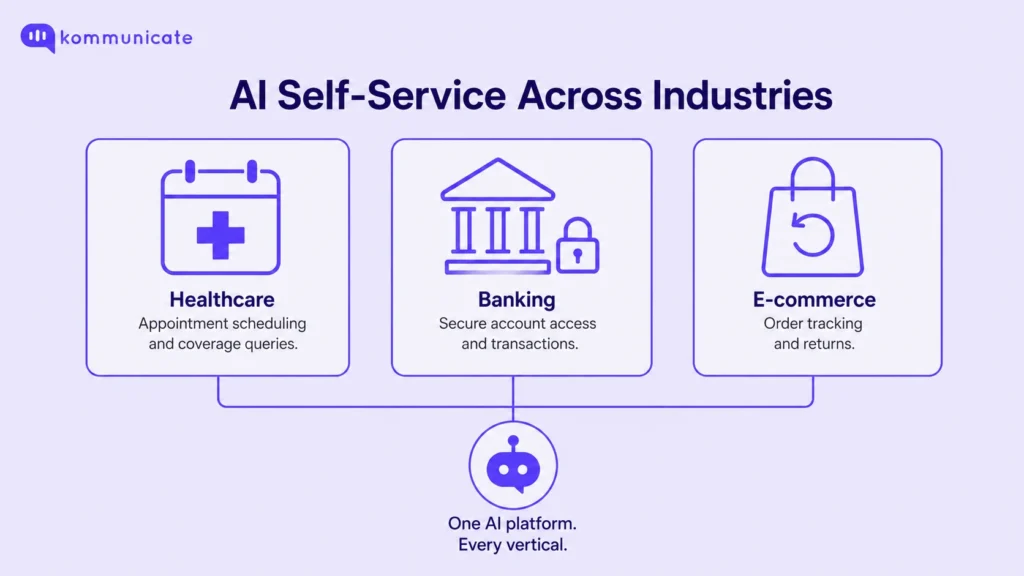
AI self-service looks different depending on the industry, mainly because the query types and the compliance requirements differ. Three industries illustrate that range clearly.
In healthcare, AI self-service is typically scoped to appointment scheduling, prescription refill status, and FAQs about coverage or procedures, while anything touching a diagnosis or treatment decision is routed straight to a clinician. Kommunicate’s healthcare AI agent is built around that boundary, and any deployment in this space needs to run on HIPAA-compliant infrastructure.
In banking, the highest-volume self-service queries are balance checks, transaction lookups, and card management, repetitive enough to automate but sensitive enough that most banks pair the AI agent with strict authentication and audit logging before allowing any account changes. Kommunicate’s banking AI agent is built with that authentication layer in mind.
In e-commerce, AI self-service centers on order tracking, returns, and product questions, the queries most likely to spike around sales events and shipping delays, which makes round-the-clock availability a bigger advantage than in steadier industries. Kommunicate’s e-commerce AI agent is built for that kind of demand spike.
Insurance, education, telecom, and mobility follow a similar logic, and the Conte.IT, OCCC, TelOne, and Lula examples above show what that looks like once it is actually running.
What should you plan for before rolling out AI self-service?
Self-service fails when it tries to replace human support entirely rather than complement it, so the planning that matters most is around trust and escalation, not the AI’s raw capability.
A customer needs to know, quickly, when they are talking to an AI agent and how to reach a person if it cannot help. Human handoff needs to preserve full conversation context when it happens, so a customer never has to repeat themselves to a live agent after the AI agent has already gathered their details.
AI self-service also needs regular review for bias and consistency, not just accuracy. A model trained on historical support transcripts can quietly learn a company’s worst habits, an overly cautious refund policy or an outdated escalation rule, and apply it uniformly until someone audits the responses against current policy. It is also worth being honest about where the emotional limits are. AI self-service is well suited to a billing question, but poorly suited to a complaint where the customer mainly wants to feel heard before anything gets fixed. The strongest deployments do not try to make the AI sound more empathetic; they route those conversations to a person sooner.
Data handling is the other piece that needs to be settled before launch, not after. Any AI self-service tool touching account or payment information should run on infrastructure that is GDPR compliant at minimum, with HIPAA compliance specifically required if the business operates in healthcare. Kommunicate’s platform holds ISO 27001, SOC 2, GDPR, and HIPAA certifications for exactly this reason.
Where is AI self-service heading next?
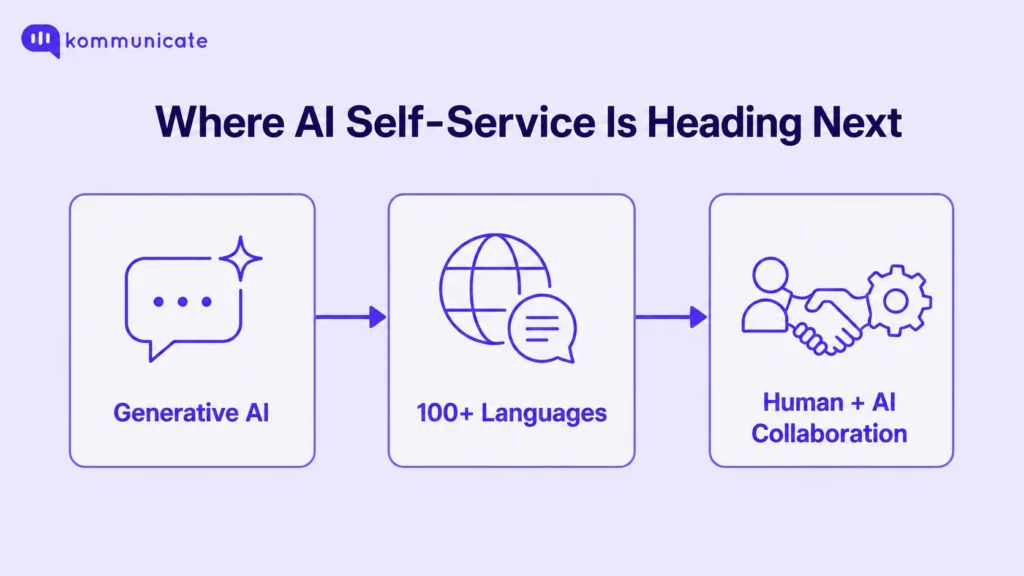
Three shifts are changing what AI self-service can realistically handle: more natural generative responses, multilingual self-service at real scale, and a tighter loop between the AI layer and the humans supervising it.
Generative AI has moved self-service away from rigid decision trees and toward responses that adapt to how a specific customer phrased their question, which is why Kommunicate’s generative AI agent is built on top of models like OpenAI’s GPT, Google’s Gemini, and Anthropic’s Claude rather than a fixed script.
Multilingual support has moved from a nice-to-have to a baseline expectation for any business operating across borders. Kommunicate’s platform supports self-service in over 100 languages, which matters more for global support teams than almost any single feature, since it removes the need to staff native speakers around the clock for every region.
The clearest trend, though, is less about the AI getting smarter and more about the relationship between AI and human agents getting tighter: AI handling the first pass, a human supervising exceptions, and the boundary between the two shifting only as trust is earned, not assumed.
How do you choose the right AI self-service tools?
Start with the single highest-volume, most repetitive query type in your support queue, not the most ambitious one. A password reset flow or an order-status check is a safer first deployment than a billing dispute, because the failure mode of getting it wrong is far less costly to the customer relationship.
From there, match the tool to the channel where that query already happens: an AI agent for a website FAQ, voice AI for a phone-heavy support line, AI email ticketing if the bottleneck is inbound mail. Kommunicate’s pricing plans are structured around this kind of staged rollout, starting at $34 a month on an annual Starter plan for a single AI agent, scaling to a Professional tier built for teams running automation across multiple channels with human oversight, and an Enterprise tier for organizations running AI as a core part of their support layer. Every tier includes a 30-day free trial with no credit card required, specifically so a team can test containment and customer satisfaction before committing further.
Conclusion
AI self-service works best as a complement to a human team, not a replacement for one, whether it runs through chat, voice, or email, and whether the industry is healthcare, banking, or ride-sharing. The deployments that hold up over time start with a single, well-defined query type, measure resolution rate and customer satisfaction side by side, and expand only once that first slice is genuinely working, the same pattern behind Conte.IT’s 90% automation rate, OCCC’s 8.33 CSAT, and TelOne’s team reallocation. You do not need to bet your entire support operation on AI to see the benefit. Start with the conversations that are safe to automate, and expand as confidence grows.
Frequently asked questions
The main benefits are lower ticket volume for routine queries, faster resolution since customers do not wait for an agent to become available, round-the-clock availability outside business hours, and a better use of a human team’s time on the issues that genuinely need a person.
Start by identifying the single highest-volume, lowest-risk query type in your support queue. Train an AI agent on your existing knowledge sources for that specific query, set a clear handoff trigger for anything outside its confidence, launch to a small segment of traffic, and expand to additional query types only after measuring resolution rate and customer satisfaction on the first one.
The right tool depends on the channel. Chat and FAQ-heavy support benefits most from an AI agent trained on a knowledge base, phone-heavy support benefits from voice AI, and email-heavy support benefits from AI email ticketing. Most established support teams end up combining more than one.
Not reliably, and it should not be asked to. The strongest deployments deliberately limit AI self-service to well-defined, lower-risk queries and route anything emotionally sensitive, financially significant, or ambiguous straight to a human agent with full context attached.
Pricing varies by vendor and scale. Kommunicate’s plans start at $34 a month billed annually for a single AI agent on the Starter tier, with Professional and Enterprise tiers available as conversation volume and channel complexity grow.
Healthcare, banking, e-commerce, telecom, insurance, and education see the heaviest use today, mainly because each has a high volume of repetitive, well-defined queries: appointment and balance checks, order tracking, billing questions, and account management. The right fit depends less on the industry label and more on how repetitive and well-defined the query volume actually is.

Devashish Mamgain is the CEO & Co-Founder of Kommunicate, with 15+ years of experience in building exceptional AI and chat-based products. He believes the future is human and bot working together and complementing each other.

Aditi is an MBA candidate at IIM Bodhgaya, specializing in Marketing and Strategy. As a dedicated marketer, she brings practical experience in market research, data analytics, and B2B execution to her work. Her expertise in refining product positioning and driving go-to-market strategies consistently supports insight-driven business growth.