
Updated on March 13, 2026
ChatGPT has reached approximately 800 million weekly active users and processes over 2.5 billion queries every day — a dramatic leap from the figures from a year ago.
Meanwhile, WhatsApp has surpassed 3.3 billion monthly active users as of January 2026, with projections to cross 3.5 billion by year-end. Together, they represent the most powerful combination for customer engagement in 2026.
If your business isn’t already using AI-powered chatbots for WhatsApp, chances are your competitors are. Integrating ChatGPT into WhatsApp can help you:
- Streamline customer support with instant, 24/7 resolutions
- Engage customers on the world’s most used messaging platform
- Reduce operational costs while improving CSAT and response time
In this article, we’ll cover:
- Why integrating ChatGPT with WhatsApp benefits enterprises
- Step-by-step instructions to integrate ChatGPT with WhatsApp
- Common challenges in integration (and how to overcome them)
- Conclusion
As an enterprise leader, staying ahead in AI-driven customer service is critical to maintaining a competitive edge. The good news? Integrating ChatGPT with WhatsApp is easier than you think especially with platforms like Kommunicate that simplify setup, automation, and scaling.
Let’s dive into the benefits before exploring the integration steps.
Looking for different types of whatsapp implementation help your business grow? Check out these articles:

1. Build a WhatsApp Chatbot Using Node.JS – A Step-By-Step Tutorial

2. How To Create FAQ Chatbot For WhatsApp

3. How to Set Up a WhatsApp Auto Reply
Why Integrating ChatGPT With WhatsApp Benefits Businesses
Modern businesses compete on personalization, speed, and scalability. By combining ChatGPT’s AI capabilities with WhatsApp’s 3B+ user base, businesses can elevate customer experience and drive measurable impact. Here’s how:
1. Personalized Customer Support at Scale
- ChatGPT delivers AI-powered, contextual responses in WhatsApp conversations.
- Enterprises can tailor replies to each customer’s history, preferences, and intent, boosting engagement, loyalty, and CSAT scores.
2. Always-On, 24/7 Availability
- A ChatGPT-powered WhatsApp chatbot ensures round-the-clock support.
- Customers get instant resolutions anytime, reducing wait times and cutting support costs by up to 30%.
3. Multilingual, Global-Ready Service
- ChatGPT can auto-translate queries and responses across multiple languages.
- This enables enterprises to seamlessly expand into new markets and serve a global customer base without additional staffing.
4. Actionable Insights from Customer Data
- Every WhatsApp interaction becomes a valuable data point.
- Enterprises can analyze FAQs, buying patterns, and sentiment to optimize product offerings and marketing strategies.
- With AI-driven analytics, businesses gain the intelligence needed to proactively improve CX.
Bottom Line: Integrating ChatGPT with WhatsApp allows enterprises to deliver personalized, always-on, multilingual customer service while collecting insights that fuel continuous business growth.
Next, let’s look at how to integrate ChatGPT with WhatsApp step by step.
Steps to Integrate ChatGPT with WhatsApp
In this tutorial, we’ll walk you through how to integrate ChatGPT with WhatsApp using Kommunicate. This integration enables businesses to deliver AI-powered, real-time support at scale.
Step 1: Create a Chatbot on Kommunicate
To create a chatbot in Kommunicate, you will first need to sign up for an account. You can sign up for a free trial or choose from one of Kommunicate’s paid plans that best fit your business needs.
Step 1: Create a Chatbot on Kommunicate
After signing up, you will need to create a new bot. You can do this by navigating to the “Bot Integrations” section in your Kommunicate dashboard and clicking on the “Create Bot” button. You can access the page from here
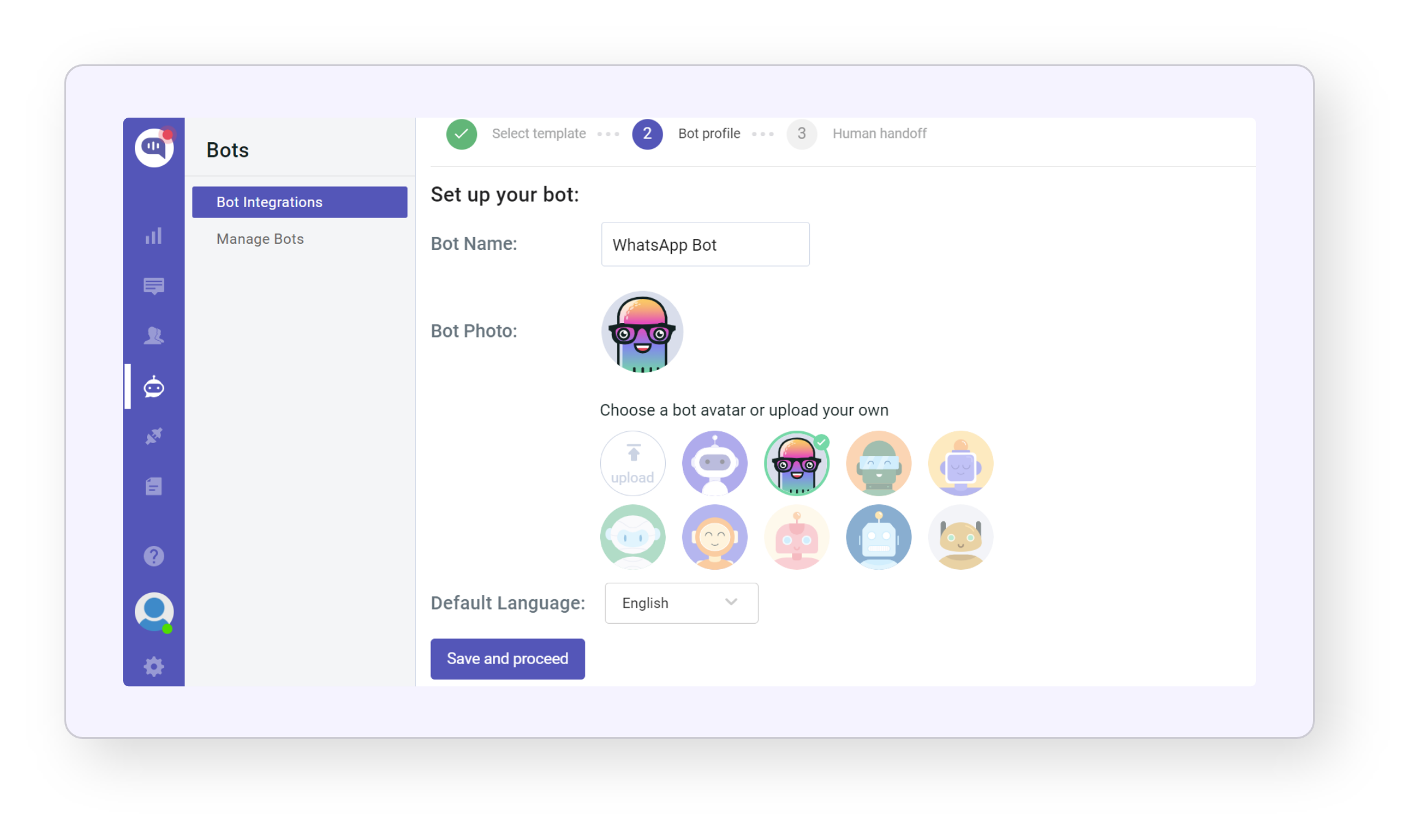
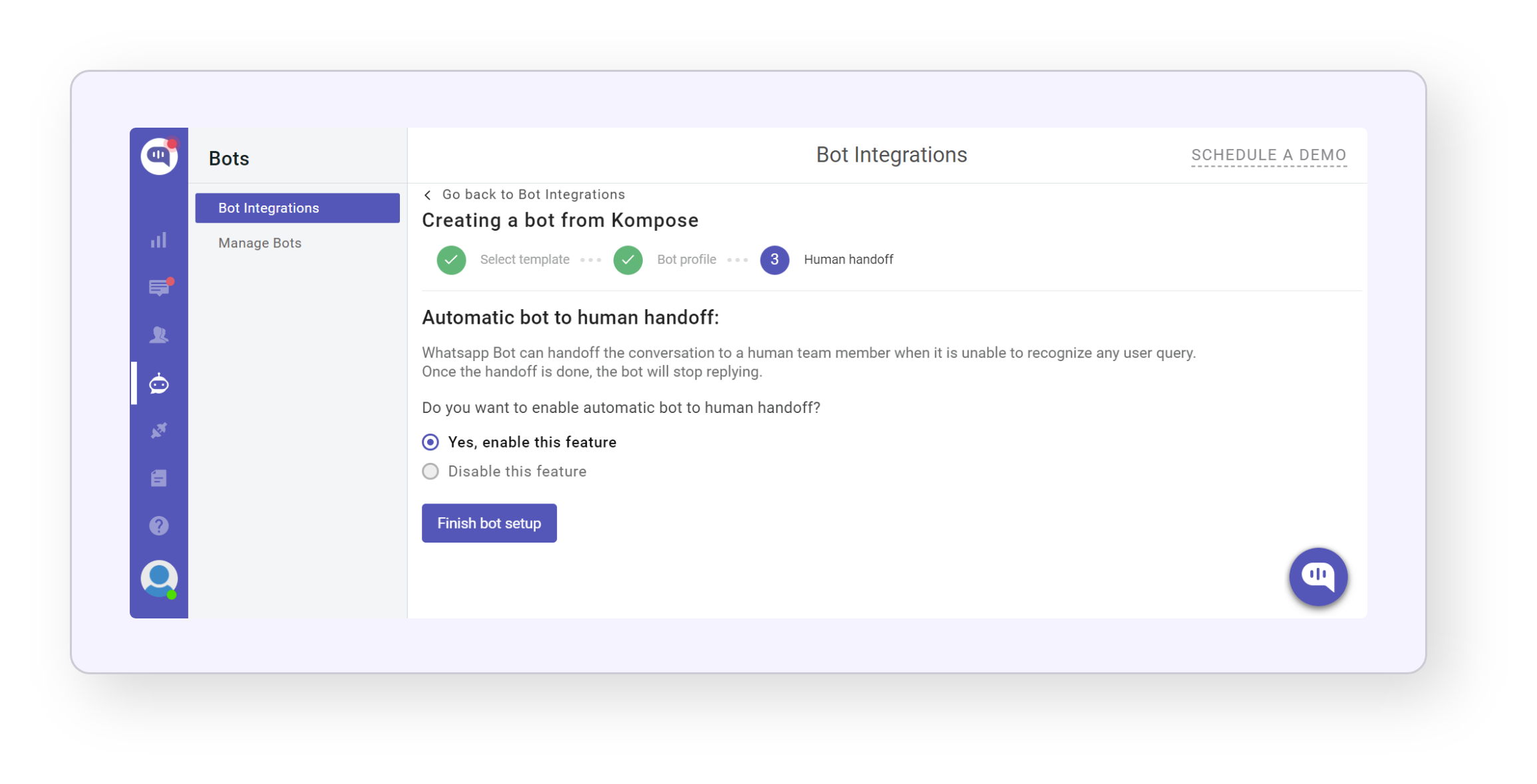
Once you have completed the bot setup, the next step is to ensure that the bot can transfer conversations to a human agent when it encounters a query that it cannot answer. To enable this feature, simply click on the “Enable bot to human transfer” option and then click “Finish Bot Setup.”
On the next page, you can select whether you want the bot to handle all incoming conversations or just the ones it can answer.
If you choose to let the bot handle all conversations, simply click on “Let this bot handle all the conversations” and you are ready to go.
Step 2: Connect Your Chatbot with ChatGPT
Integrating ChatGPT with Kommunicate is a breeze, as it allows customers to incorporate ChatGPT responses seamlessly into their Kommunicate chatbot. The best part is that all it takes is a simple toggle to activate the integration – no need for lengthy and complicated documentation.
To get started, follow these easy steps:
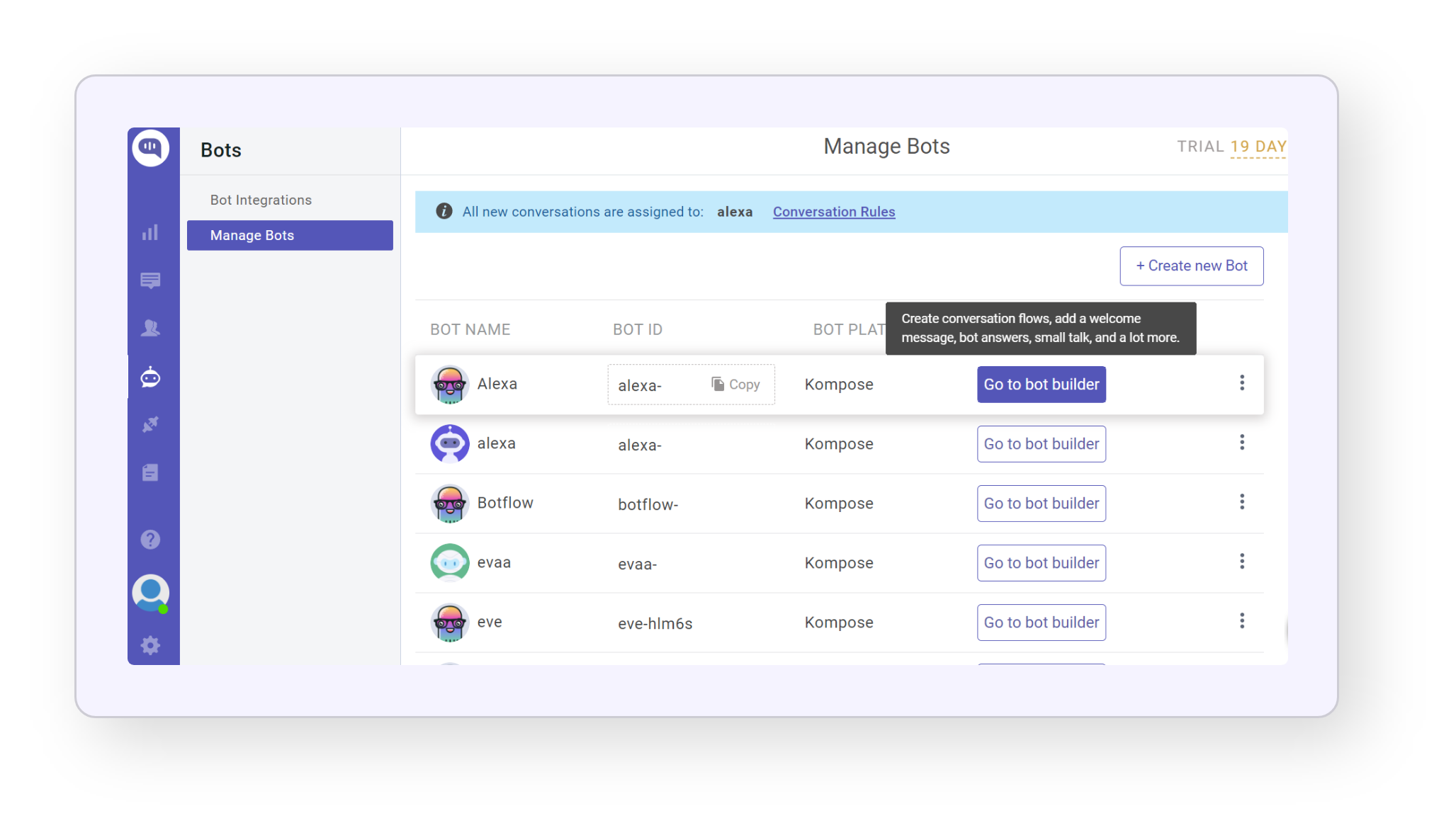
Once you create a new bot, you can edit the bot by clicking on Go to Bot Builder Button.
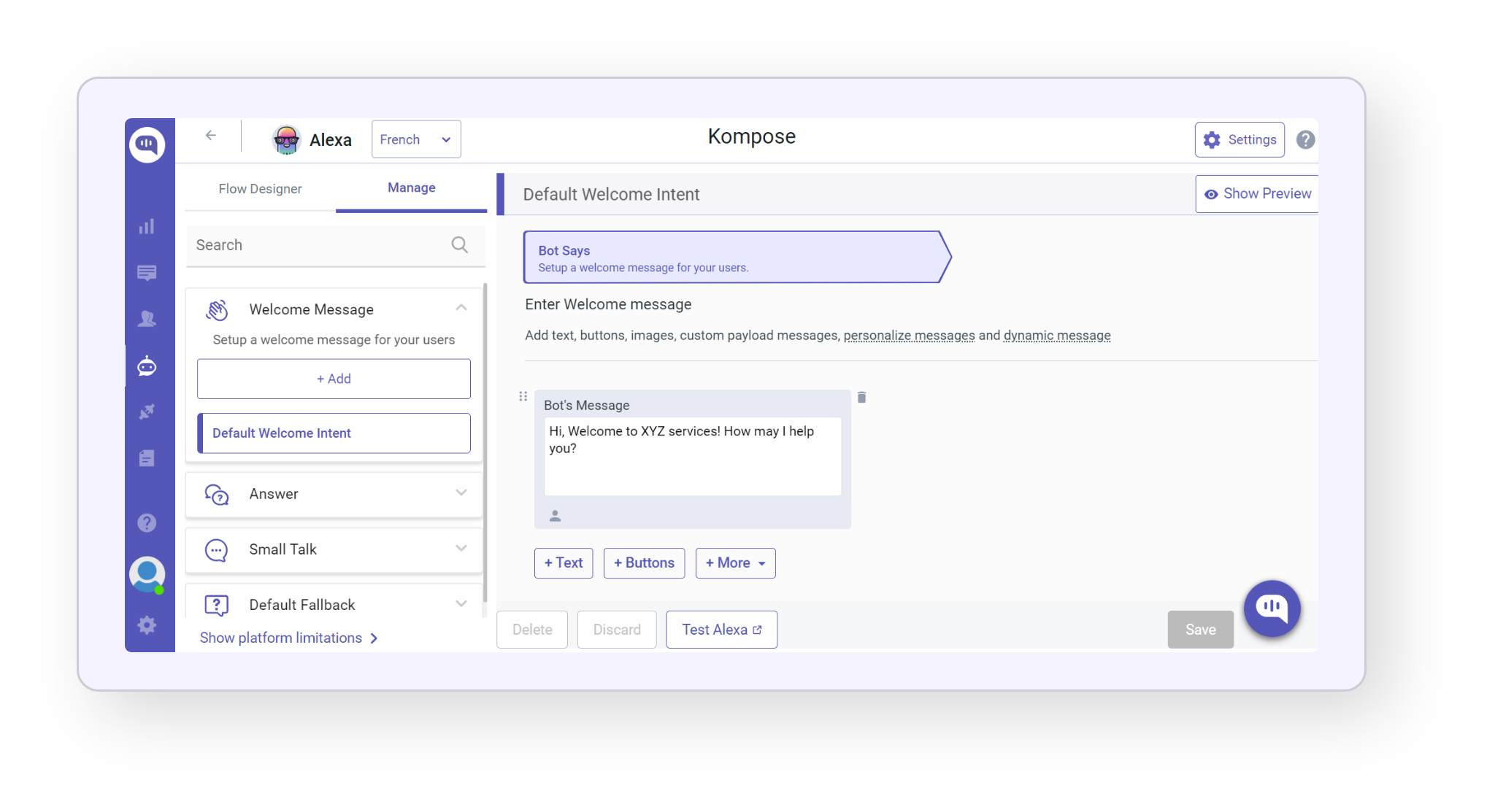
Click on Settings in the top-right corner of the page.
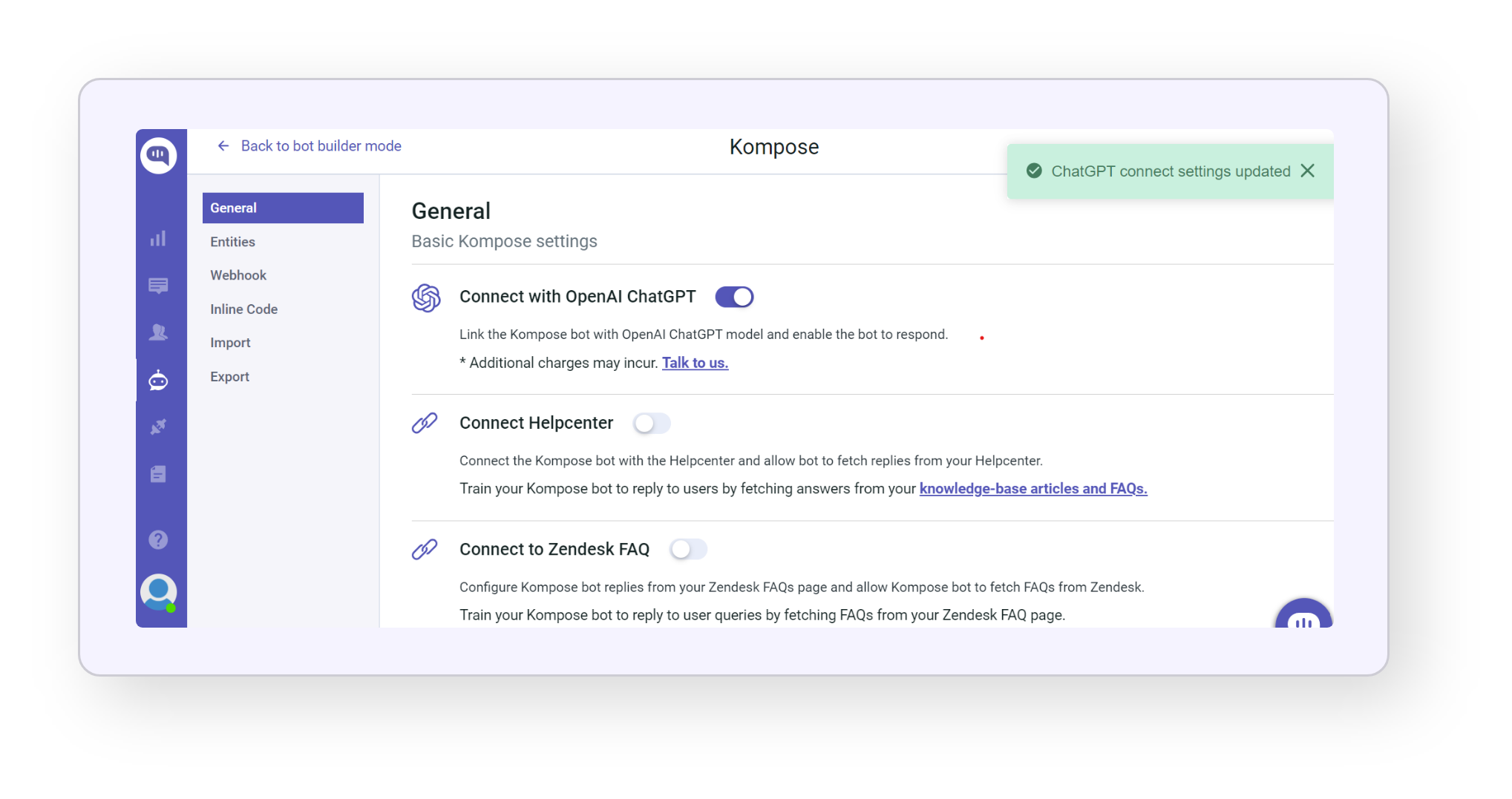
Turn the toggle on for Connect with OpenAI ChatGPT. Please disable the toggle for Small Talk when you turn on ChatGPT.
Now that the integration is active, try it out by going back to your bot builder page and clicking on the Test Bot button.
Step 3: Integrate WhatsApp with Kommunicate
Since you have already logged in Kommunicate and created the bot. Now, Go to Integrations > WhatsApp>and then click on Go Live.
- Firstly, to connect your WhatsApp number with WhatsApp Business API you need to create a free account on our partner 360Dialog page. Click here to create an account
- After signing up on 360Dialog fill in the below details.
- WhatsApp Number: Enter the number that you’ve used with your 360Dialog account
- API Key: In your 360Dialog account, go to Whatsapp account and generate the API Key
- Namespace: In your 360Dialog account, go to the WhatsApp account section and click on Show Details. In the details tab scroll down to WhatsApp Business Account section to find Namespace.
Now Kommunicate is successfully integrated with the WhatsApp account, try sending messages to the number linked to the account. These messages will be sent to Kommunicate chat as well. If the chatbot is already integrated, the bot will start replying to your WhatsApp chat queries.
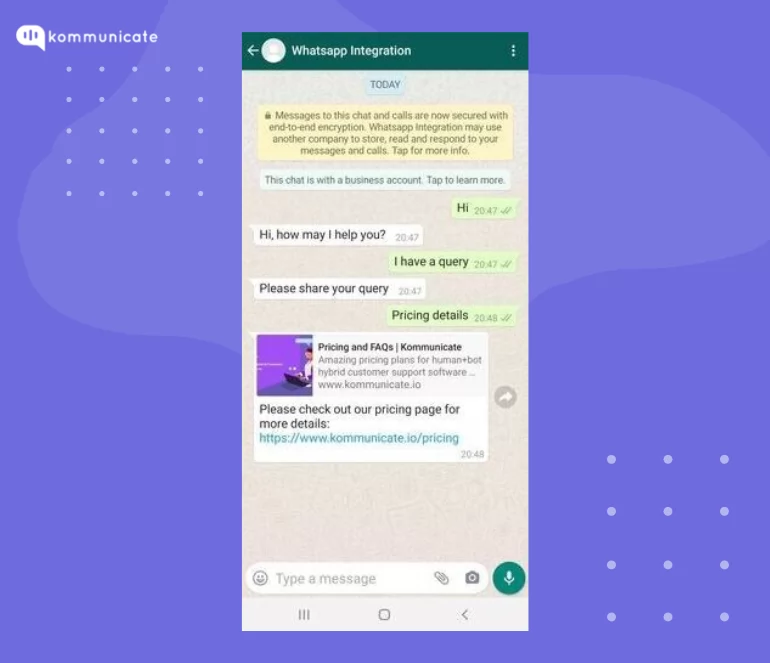
The integration of ChatGPT with a WhatsApp chatbot through Kommunicate brings several benefits for businesses. Firstly, it allows businesses to provide quick and accurate responses to customer queries, which can improve customer satisfaction and retention.
Secondly, it can reduce the workload on customer service teams by automating simple and repetitive tasks. Thirdly, it enables businesses to gather valuable insights into customer preferences and behavior, which can help them improve their products and services.
Business Benefits of This Integration
By integrating ChatGPT with WhatsApp via Kommunicate, enterprises can:
- Provide instant, accurate responses → reducing customer wait times.
- Scale support without scaling headcount → automating FAQs & repetitive queries.
- Offer multilingual, personalized experiences → powered by AI-driven translation & context.
- Gain actionable insights → from customer interactions to improve services and products.

Common Challenges in ChatGPT–WhatsApp Integration (and How to Fix Them)
Even though integrating ChatGPT with WhatsApp is straightforward using platforms like Kommunicate, businesses may still face technical hurdles during setup. Here are the most common issues and how to solve them:
1. Webhook Configuration Errors
Problem: Webhook URL not accessible or not handling messages correctly.
Solution:
- Ensure your webhook URL is publicly accessible (via ngrok or a hosted server).
- Verify your webhook endpoint can handle POST requests and return valid HTTP response codes.
- Test connectivity using tools like Postman.
2. Message Processing Timeout
Problem: ChatGPT response takes too long, causing delays or failures.
Solution:
- Optimize message workflows for low-latency responses (WhatsApp requires replies within a strict time window).
- Offload heavy computations (e.g., database queries, AI model calls) to asynchronous processes.
- Use a queuing system (like Redis or RabbitMQ) to avoid blocking requests.
3. Network Connectivity Errors
Problem: Server cannot communicate reliably with WhatsApp Business API.
Solution:
- Check connectivity between your server and WhatsApp’s cloud API.
- Ensure your server supports HTTPS (TLS 1.2+).
- Monitor logs for dropped connections and retry failed requests with exponential backoff.
4. Authentication Failures
Problem: Invalid or expired WhatsApp Business API credentials.
Solution:
- Double-check API keys, tokens, and namespaces in your 360Dialog or Meta setup.
- Refresh credentials if expired, and ensure the right permissions are enabled in WhatsApp Business Manager.
- Follow WhatsApp’s authentication guidelines to prevent account suspension.
5. Exceeding Rate Limits
Problem: Sending messages too frequently, leading to throttling or rejection.
Solution:
- WhatsApp enforces strict messaging limits based on your account tier.
- Implement rate limiting at your end to queue excess messages.
- Upgrade your messaging tier through Meta’s Business API if your traffic volume increases.
Pro Tip for Businesses
Set up monitoring and alerting (using tools like Datadog, New Relic, or Grafana) to detect errors in real time. Proactive monitoring helps you resolve issues before they impact customers.
Conclusion
Integrating ChatGPT with WhatsApp via Kommunicate is more than a technical upgrade, it’s a strategic advantage. By combining the world’s most popular messaging platform with the intelligence of ChatGPT, enterprises can:
- Deliver instant, 24/7 support to customers worldwide
- Provide personalized, multilingual conversations at scale
- Reduce agent workload by automating repetitive queries
- Unlock data-driven insights into customer behavior and preferences
- Scale seamlessly across WhatsApp, websites, and mobile apps
With Kommunicate’s AI-powered chatbot platform, deployment is simple, integration is seamless, and scaling across channels takes just a few clicks.
Next Step: Ready to transform customer support with WhatsApp + ChatGPT? Start your free trial with Kommunicate and experience enterprise-grade AI automation today.




Comments are closed.