Updated on August 17, 2026
You’re building something in Node.js: a customer support bot, a smart search feature, a chat interface, and you hit the NLP wall. Every tutorial you find is for Python. Every guide recommends spaCy, NLTK, or Hugging Face’s Python SDK. You don’t want to bolt a Python microservice onto your stack just to parse a sentence.
Here’s the thing: you don’t have to. The JavaScript NLP ecosystem has matured significantly, and in 2026, it spans everything from lightweight text parsers to full transformer models running directly in Node.js. This guide maps the entire landscape for JavaScript and Node.js developers — what each library does, when to reach for it, and how it fits into building a production AI chatbot.
We’ll explore the Node.js and JavaScript NLP ecosystem in this article. We’ll cover:
- What Is NLP — and Why It Matters for JavaScript Developers
- The JavaScript NLP Landscape in 2026: 3 Tiers to Know
- The 7 Best NLP Libraries for JavaScript and Node.js
- From NLP Library to Production Chatbot: What’s Missing
- How Kommunicate Plugs Into Your NLP Stack
- Choosing the Right NLP Library: A Decision Guide
- Conclusion
What is Natural Language Processing (NLP)?
Natural Language Processing (NLP) is the branch of AI that enables computers to understand, interpret, and generate human language. It powers search engines, chatbots, voice assistants, sentiment analysis tools, translation services, and autocomplete, essentially any software that must make sense of human text.
The scale of the opportunity is hard to overstate. The global NLP market was valued at $36.8 billion in 2025 and is projected to grow to $193.4 billion by 2034, at a CAGR of nearly 20%.
Much of that growth is driven by the explosion of AI-powered applications in customer service, healthcare, and enterprise software — all of which require some form of language understanding at their core.
For JavaScript developers, this matters directly: JavaScript has been the most popular programming language in the Stack Overflow Developer Survey every year since 2011, used by 62% of developers globally in 2024.
More JavaScript developers are building AI features than ever before, and the demand for solid NLP tooling in the JavaScript ecosystem has never been higher.
How does NLP Actually Work?
Modern NLP systems perform several layers of language processing, often in combination:
- Tokenization — Splitting text into individual words or phrases (tokens) so a program can operate on them
- Intent Detection — Identifying what a user is trying to accomplish (“I want to cancel my order” → intent:
order_cancellation) - Named Entity Recognition (NER) — Extracting structured information like names, dates, locations, and amounts from free text
- Sentiment Analysis — Determining whether a piece of text is positive, negative, or neutral in tone
- Language Detection — Identifying which language a given string is written in, essential for multilingual apps
- Text Classification — Assigning categories to documents or messages based on their content
These are the building blocks of anything that talks to users intelligently. A chatbot that can’t detect intent is just pattern-matching keywords. A support tool that can’t extract entities from a ticket can’t route it correctly. NLP is what separates reactive software from software that actually understands.
NLP in the LLM era: what changed
It’s worth being direct: large language models (LLMs) like GPT-5.4 and Claude Opus 4.6 are advanced NLP systems. They don’t replace the concept of NLP; they represent its most capable form. Traditional NLP libraries are still extremely relevant for:
- Lightweight, fast tasks where calling an LLM API would be overkill (e.g., tokenizing text, detecting language)
- Offline or privacy-sensitive environments where data can’t leave the server
- High-throughput pipelines where per-token API costs would be prohibitive
- Preprocessing steps that feed into a larger ML pipeline
Understanding this layered picture is exactly what this guide will help you navigate.
The JavaScript NLP landscape in 2026: 3 Tiers
Not all NLP libraries solve the same problem, and picking the wrong one for your use case is one of the most common mistakes JavaScript developers make. Someone reaching for Transformers.js to detect the language of a 10-word string is wildly over-engineering the problem. Someone using Compromise to power a multilingual chatbot intent classifier will hit a wall immediately.
The JavaScript NLP ecosystem in 2026 is best understood as three distinct tiers, each suited to a different class of problem:
Tier 1 — Classical NLP
These libraries handle the foundational layer of text processing. They tokenize sentences, stem words, calculate string similarity, run phonetic matching, and do language detection. They don’t use neural networks or require a GPU — they run anywhere JavaScript runs, including the browser, with minimal memory overhead and sub-millisecond latency.
Reach for Tier 1 when you need preprocessing steps (cleaning and normalizing text before it hits your ML model), when you’re working in a resource-constrained environment, or when the task itself is genuinely simple — language detection, tokenization, stop-word removal, basic text statistics.
Libraries in this tier: Natural, Compromise, Wink NLP, Franc
Tier 2 — ML-powered NLP
This tier introduces actual machine learning — specifically, statistical classifiers and neural networks trained on your own labeled data. These libraries let you define intents, provide example utterances, train a model, and then classify user input against that model in real time. This is the backbone of traditional chatbot NLU (Natural Language Understanding).
The JavaScript ML ecosystem has grown rapidly, and Tier 2 libraries like NLP.js represent a mature point in that growth: you get real intent classification, entity extraction, sentiment analysis, and multi-language support without leaving the JavaScript runtime.
Reach for Tier 2 when you’re building a chatbot that needs to map user messages to specific intents, when you want to train on your own domain-specific data, or when you need NLU to run fully on your server without external API calls.
Libraries in this tier: NLP.js, Brain.js
Tier 3 — Transformer-era NLP
This is the tier that didn’t meaningfully exist for JavaScript developers three years ago. Transformer-based models can now run directly in Node.js, Bun, Deno, and the browser, without a Python backend.
Transformers.js v4, released in early 2026, introduced a new WebGPU runtime rewritten in C++, enabling WebGPU-accelerated model inference directly in Node, Bun, and Deno. The library supports a wide range of NLP tasks, including text classification, named entity recognition, question answering, summarization, translation, and text generation.
There’s also the LLM API option, which sits at this same tier but offloads the model entirely: instead of running a transformer model locally, you call OpenAI, Anthropic, or Google’s API and get GPT-class NLP as a service. This trades latency and cost-per-call for zero infrastructure overhead.
Reach for Tier 3 when you need state-of-the-art accuracy, and you’re prepared to manage the associated compute or API costs.
Libraries and tools in this tier: Transformers.js, LLM API integration (OpenAI, Anthropic, etc.)
Quick-Reference Comparison Table
| Library | Tier | Best for | Runs in browser? | Multilingual? | Approximate bundle size |
|---|---|---|---|---|---|
| Natural | 1 — Classical | Tokenization, stemming, TF-IDF | No (Node only) | Limited | ~1 MB |
| Compromise | 1 — Classical | Lightweight text parsing | Yes | English only | ~260 KB |
| Wink NLP | 1 — Classical | Production text pipelines | Yes | English only | ~140 KB |
| Franc | 1 — Classical | Language detection | Yes | 300+ languages | ~330 KB |
| NLP.js | 2 — ML-powered | Chatbot intent & entity training | Partial | 40+ languages | ~3 MB |
| Brain.js | 2 — ML-powered | Custom neural classifiers | Yes | Any | ~2 MB |
| Transformers.js | 3 — Transformer | State-of-the-art NLP tasks | Yes (v4+) | 100+ languages | Model-dependent |
Now that we understand the overall ecosystem, let’s dive into individual libraries.
7 NLP Libraries for Node.js and JavaScript
The libraries below are organized by tier, roughly in the order you’d reach for them, as you build a real AI product — from fast preprocessing tools to full transformer-powered pipelines.
Automate support workflows and resolve queries faster with AI-powered email ticketing from Kommunicate!1. Natural — Best All-Around Classical NLP Toolkit
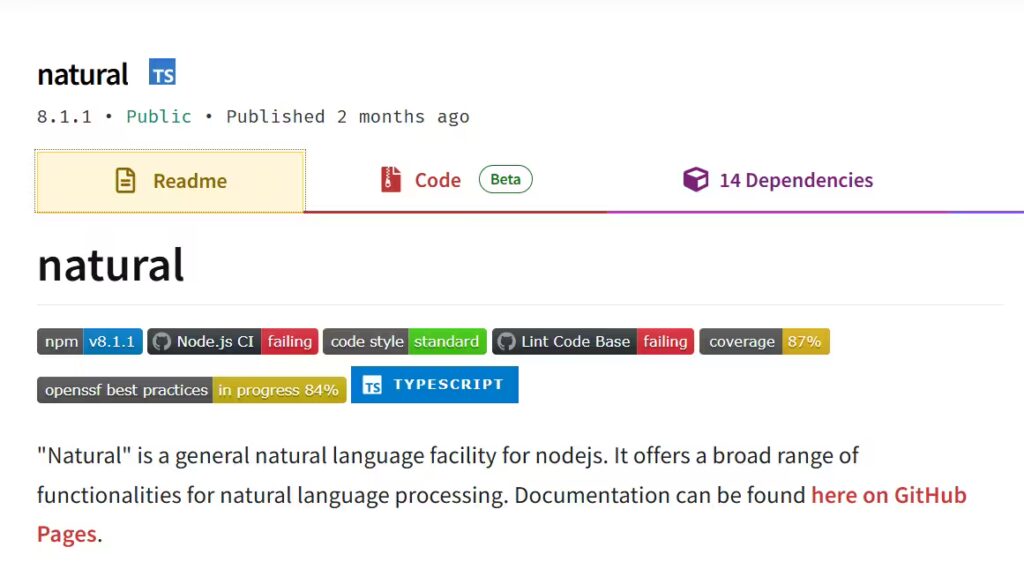
Natural has over 210,000 weekly npm downloads and more than 10,800 GitHub stars, making it the most widely adopted general-purpose NLP library in the Node.js ecosystem. It covers a broad range of tasks: tokenization, stemming, classification, phonetics, TF-IDF scoring, WordNet lookups, and string distance algorithms — all in one package, all for Node.js.
If you’re building a data pipeline that needs to clean, normalize, and analyze text before passing it to a classifier or LLM, Natural is a strong first stop. It’s not designed for browser use, but on the server side, it’s mature, well-documented, and actively maintained.
What it covers:
- WordNet interface for semantic lookups
- Word and sentence tokenization
- Porter and Lancaster stemming
- Naive Bayes and logistic regression classification
- TF-IDF for document relevance scoring
- Levenshtein and Hamming distance for fuzzy string matching
Install
npm install naturalCode Example (Tokenization and Stemming)
const natural = require('natural');

// Tokenize
const tokenizer = new natural.WordTokenizer();
const tokens = tokenizer.tokenize('Your support ticket has been escalated to our team.');
console.log(tokens);
// ['Your', 'support', 'ticket', 'has', 'been', 'escalated', 'to', 'our', 'team']

// Stem words back to their root form
tokens.forEach(token => {
  console.log(`${token} → ${natural.PorterStemmer.stem(token)}`);
});
// support → support | ticket → ticket | escalated → escal

// Calculate string similarity (useful for typo-tolerant matching)
console.log(natural.JaroWinklerDistance('refund', 'refunds'));
// 0.971...
Verdict: Reach for Natural when you need a solid preprocessing and classical classification toolkit on the server. Not suited for multilingual chatbots at scale, but excellent for text analytics, preprocessing pipelines, and lightweight intent classification.
2. Compromise — Best Lightweight Browser-Side NLP
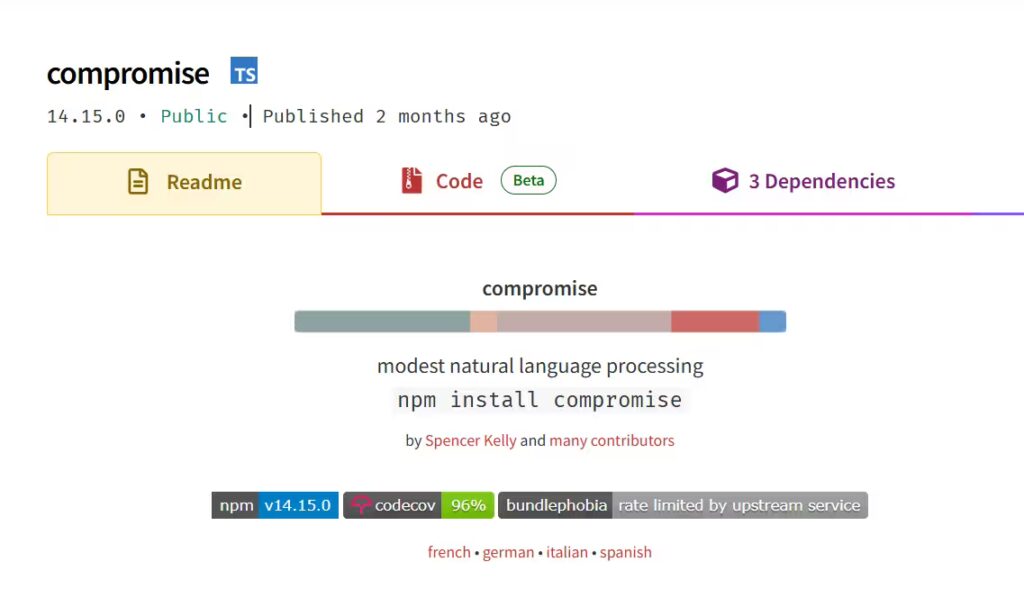
Compromise has over 107,000 weekly downloads and more than 11,700 GitHub stars. It describes itself as “a crowbar for words” — intentionally narrow in scope, extremely fast, and designed to run anywhere JavaScript runs, including the browser. Its sweet spot is English-language text parsing, where you need to extract structure (nouns, verbs, dates, values) from a sentence in real time.
One important limitation: Compromise only works in English. If you need multilingual support, you’ll need a different library for detection and then potentially route to a separate pipeline.
Install
npm install compromiseCode Example (Entity and POS Extraction)
import nlp from 'compromise';

const doc = nlp('John booked a refund for his order on Monday.');

// Extract named people
console.log(doc.people().json());
// [{ text: 'John', ... }]

// Extract dates mentioned
console.log(doc.dates().json());
// [{ text: 'Monday', ... }]

// Extract verbs
console.log(doc.verbs().json());
// [{ text: 'booked', ... }]

// Check if a pattern exists
if (doc.has('#Noun booked a refund')) {
  console.log('Refund intent detected');
}
Verdict: Compromise is ideal for browser-side NLP features — real-time text highlighting, quick entity extraction, autocomplete enrichment — where bundle size and latency matter. Don’t use it for multilingual apps or when you need trained intent classification.
3. Wink NLP – Best for Production-Grade NLP Pipelines

Wink NLP is designed to process text at over 650,000 tokens per second on modern hardware, runs in both Node.js and the browser, and is built with no external dependencies. That combination of speed, self-containment, and a clean API makes it a strong choice when you’re moving from prototype to production.
Where Compromise is fast but intentionally lightweight, Wink NLP goes deeper: it includes a full NLP pipeline covering tokenization, sentence boundary detection, part-of-speech tagging, named entity recognition, negation handling, and sentiment analysis. It also has full TypeScript support.
Install
npm install wink-nlp
npm install wink-eng-lite-web-model
Code Example – Full NLP Pipeline
const winkNLP = require('wink-nlp');
const its = require('wink-nlp/src/its.js');
const as = require('wink-nlp/src/as.js');
const model = require('wink-eng-lite-web-model');

const nlp = winkNLP(model);

const text = "The customer hasn't received their order yet and is quite frustrated.";
const doc = nlp.readDoc(text);

// Sentence-level sentiment
doc.sentences().each(s => {
  console.log(s.out(its.value), '→ sentiment:', s.out(its.sentiment));
});
// "The customer hasn't received their order yet and is quite frustrated."
// → sentiment: -0.4

// Named entity recognition
doc.entities().out(its.detail);
// [{ value: 'customer', type: 'PERSON' }, ...]

// Token-level POS tagging
doc.tokens().out(its.pos);
// ['DT', 'NN', 'VBZ', ...]
Verdict: Wink NLP is the right pick when you need a self-hosted, production-grade NLP pipeline with no external API dependencies. Its speed and accuracy make it suitable for high-throughput server-side processing where latency and cost matter.
4. Franc – Best for Language Detection

Franc does exactly one thing: it tells you what language a piece of text is written in. It uses statistical methods to identify, from a list of more than 180 languages, which language a piece of user-generated content is in: support tickets, chat messages, reviews, or form inputs that may arrive in any language.
It’s tiny, fast, and trivially simple to integrate. Use it as a routing layer: detect the language first, then pass the text to the right model or translation pipeline.
Install:
npm install francCode Example: Routing Multilingual User Input
import { franc } from 'franc';

function routeByLanguage(userMessage) {
  const langCode = franc(userMessage, { minLength: 5 });

  const routes = {
    eng: 'english-support-agent',
    spa: 'spanish-support-agent',
    fra: 'french-support-agent',
    deu: 'german-support-agent',
    hin: 'hindi-support-agent',
  };

  return routes[langCode] || 'multilingual-fallback-agent';
}

console.log(routeByLanguage('I need help with my order'));
// 'english-support-agent'

console.log(routeByLanguage('Necesito ayuda con mi pedido'));
// 'spanish-support-agent'

console.log(routeByLanguage('मुझे मेरे ऑर्डर में मदद चाहिए'));
// 'hindi-support-agent'
Verdict: Franc belongs in virtually every multilingual app as a preprocessing step. It’s not a full NLP library but a sharp, single-purpose tool. Use it before tokenization, classification, or translation to make sure you’re sending text down the right pipeline.
5. NLP.js — Best for Chatbot Intent Training in JavaScript
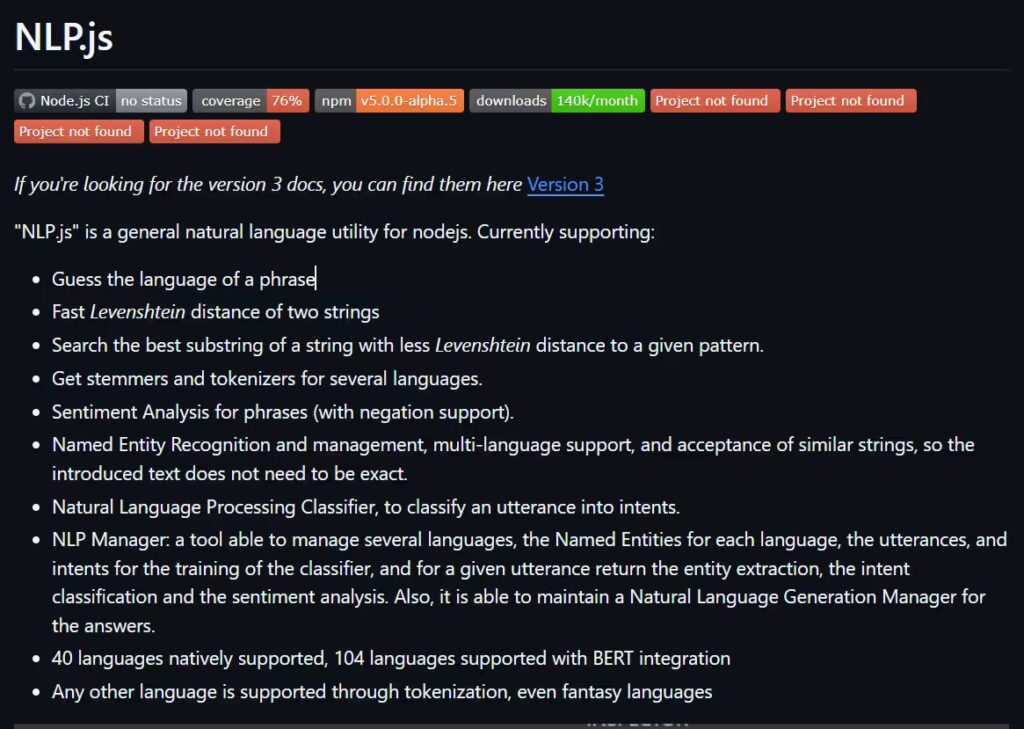
NLP.js, maintained by the AXA group, is the most complete NLP library for building chatbots natively in Node.js. It supports connectors for console, Microsoft Bot Framework, and web chat, and allows per-language and per-domain plugin registration so different NLU models can handle different areas of your chatbot’s knowledge.
It covers 40+ languages and includes intent classification, entity extraction, sentiment analysis, and a natural language generation layer for responses.
There is also a version of NLP.js that works in React Native, allowing chatbots to be trained and run on mobile devices without an internet connection.
Install:
npm install node-nlpCode Example – Training an Intent Classifier
const { NlpManager } = require('node-nlp');

const manager = new NlpManager({ languages: ['en'], forceNER: true });

// Define intents with training utterances
manager.addDocument('en', 'I want to cancel my order', 'order.cancel');
manager.addDocument('en', 'Can I cancel this purchase', 'order.cancel');
manager.addDocument('en', 'Cancel order #12345', 'order.cancel');

manager.addDocument('en', 'Where is my package', 'order.track');
manager.addDocument('en', 'Track my delivery', 'order.track');
manager.addDocument('en', 'Has my order shipped yet', 'order.track');

// Add response templates per intent
manager.addAnswer('en', 'order.cancel', 'I can help you cancel that. Can you share your order number?');
manager.addAnswer('en', 'order.track', 'Let me pull up your tracking info. What\'s your order number?');

// Train, save, and run
(async () => {
  await manager.train();
  manager.save('./model.nlp');

  const result = await manager.process('en', 'Can I still cancel this?');
  console.log(result.intent);    // 'order.cancel'
  console.log(result.score);     // 0.97...
  console.log(result.answer);    // "I can help you cancel that. Can you share your order number?"
})();
Verdict: NLP.js is the go-to for teams building a custom-trained chatbot NLU layer entirely in JavaScript, without relying on a managed service like Dialogflow or LUIS. It’s well-suited for domain-specific bots where you control the training data and want full transparency into the model. For more complex conversational flows, you’ll want to pair it with a platform like Kommunicate for session management, multi-channel delivery, and human handoff.
6. Brain.js — Best for Custom Neural Network Classifiers
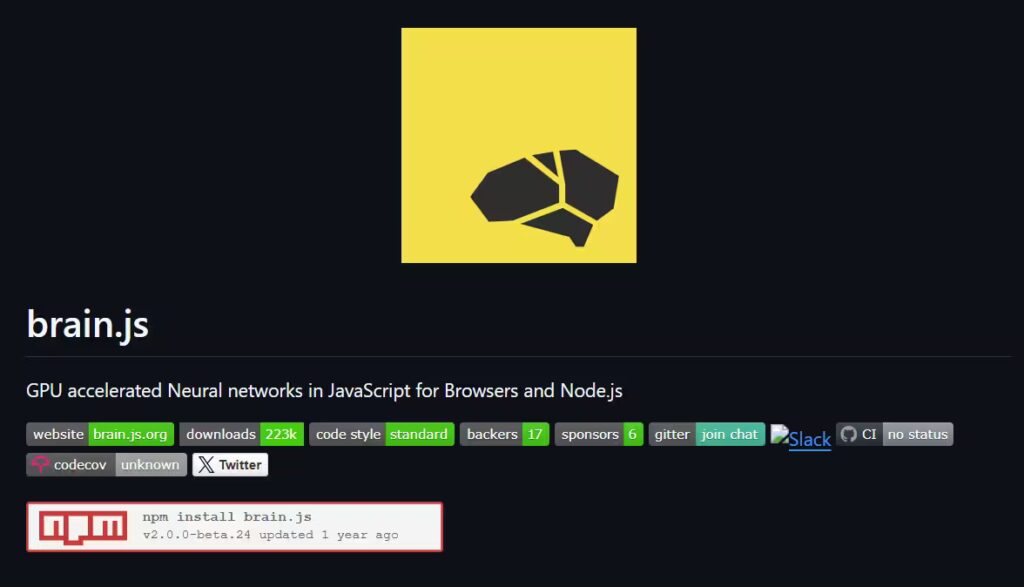
Brain.js brings straightforward neural network training to JavaScript, and while it’s not an NLP library in the traditional sense, it’s highly relevant when you need to train a custom text classifier on your own labeled data without the full weight of NLP.js.
Its strength is flexibility: you define the network architecture, provide your own feature vectors (generated using a Tier 1 library), and train a model that maps those features to output labels. This makes it a good fit for specialized classification tasks — routing a support ticket to the right team, scoring email urgency, or categorizing product feedback — where off-the-shelf intent classifiers don’t fit your label schema.
Install:
npm install brain.jsCode Example – Training a Simple Text Intent Classifier
const brain = require('brain.js');
const natural = require('natural'); // for feature extraction

const net = new brain.NeuralNetwork();

// Simple bag-of-words feature extractor
const vocab = ['great', 'love', 'excellent', 'terrible', 'awful', 'broken'];

function textToVector(text) {
  const tokens = new natural.WordTokenizer().tokenize(text.toLowerCase());
  return vocab.reduce((vec, word) => {
    vec[word] = tokens.includes(word) ? 1 : 0;
    return vec;
  }, {});
}

// Training data
const trainingData = [
  { input: textToVector('great product love it'), output: { positive: 1 } },
  { input: textToVector('excellent service'), output: { positive: 1 } },
  { input: textToVector('terrible experience broken item'), output: { positive: 0 } },
  { input: textToVector('awful quality'), output: { positive: 0 } },
];

net.train(trainingData, { iterations: 2000, log: false });

const result = net.run(textToVector('great excellent love'));
console.log(result);
// { positive: 0.94... }
Verdict: Brain.js works best when paired with a preprocessing library like Natural for feature extraction. It gives you full control over your model architecture but requires more setup than NLP.js. Consider it when your classification task is too specific for a general-purpose NLU library for chatbots.
7. Transformers.js – Best for State-of-the-Art NLP in JavaScript
This is where the JavaScript NLP landscape fundamentally changed. Transformers.js is a JavaScript library from Hugging Face that allows you to run pre-trained AI models directly in the browser or in a JS runtime, including Node.js, Bun, and Deno. It supports a wide range of models and use cases, including natural language processing, computer vision, audio, and more.
Transformers.js v4, released in early 2026, introduced a new WebGPU runtime rewritten in C++, enabling WebGPU-accelerated model inference directly in Node, Bun, and Deno. This delivers up to 100x faster inference compared to previous WebAssembly-based implementations.
In practical terms, any NLP task you could previously only run in Python with Hugging Face can now run locally in your Node.js application with no Python dependency and no external API call.
Install
npm install @huggingface/transformersCode Example – Zero-Shot Intent Classification
import { pipeline } from '@huggingface/transformers';

const classifier = await pipeline('zero-shot-classification');

const userMessage = 'I need to get a refund for my damaged item';

const result = await classifier(userMessage, {
  candidate_labels: ['order_cancel', 'refund_request', 'order_status', 'product_complaint'],
});

console.log(result.labels[0]);  // 'refund_request'
console.log(result.scores[0]);  // 0.87...
Verdict: Transformers.js is the right choice when accuracy is the priority, and you’re willing to manage model size and cold-start latency. It’s particularly powerful for zero-shot classification (no training data needed), semantic search, and any task where a classical classifier simply isn’t accurate enough.
For teams that want Transformers.js as the NLU layer and Kommunicate as the conversation delivery layer, the two pair naturally — Kommunicate handles sessions, channels, and handoffs, while your model handles the language understanding.
From NLP Library to Production Chatbot: What’s Missing
Getting a library to correctly classify an intent in a Node.js script is genuinely satisfying. You feed it a sentence, it returns a label, and the label is right. It feels like the problem is solved.
It isn’t. Intent classification is roughly 10% of what a production chatbot needs to do.
This isn’t a knock on the libraries covered in this guide: they do exactly what they’re designed to do. But there’s a significant gap between “an NLP model that understands input” and “a chatbot that works reliably for real users across real channels.” Understanding that gap before you start building will save you significant time.
Here’s what raw NLP libraries give you, and what they don’t.
What do you get from an NLP Library
- A model that maps user input to an intent label
- Entity extraction (names, dates, order numbers) from a string
- Sentiment scoring on a piece of text
- Language detection
- Text preprocessing utilities
This is the understanding layer. It answers the question: What does the user want?
What does a Production Chatbot Need?
- Conversation Session Management – A real user conversation is a thread of messages over time, often across multiple sessions. Your NLP library has no concept of session state. It doesn’t know that the user asking “what’s the status?” is referring to the order number they mentioned three messages ago. Building session management from scratch is non-trivial, and it’s work that happens entirely outside the NLP library.
- Multi-Channel Delivery – Users don’t live in your test terminal. Users expect conversations to flow fluently across channels without losing context or repetition. Wiring your NLP model to all of those channels individually, maintaining consistent behavior across each, and handling the delivery infrastructure is a major engineering project in its own right.
- Human Handoff – The chatbot signals that it’s handing the conversation over and a human agent takes over the chat. The key is that this transfer is smooth: the agent has the full chat history and user info, and the customer doesn’t have to start from scratch. Building that handoff mechanism is a product feature, not an NLP problem.
- Analytics and Fallback Monitoring. The essential metrics are performance KPIs like goal completion rate, fallback rate (how often the bot fails to understand a user), and human handoff rate, alongside engagement data and customer feedback. Your NLP model doesn’t surface any of this. Without monitoring, you can’t tell when your intent model is degrading, which topics are falling through to human agents, or whether your chatbot is actually resolving user problems.
- Mobile SDK support. If your users are on iOS or Android, you need a mobile-native chat interface that handles push notifications, offline states, background syncing, and native UI components. This is entirely outside the scope of any NLP library.
- Reliability and security at scale. Enterprise deployments require SOC 2 compliance, GDPR readiness, SSO integration, and granular access controls. They also need 99.9%+ uptime and consistent sub-second response times under load, infrastructure concerns that have nothing to do with the quality of your language model.
The Build-vs-Buy Decision
Putting this concretely: if you build all of these layers yourself on top of an NLP library, you’re building a chatbot platform. That’s a multi-month engineering project with ongoing maintenance costs, and it’s orthogonal to whatever AI product you actually intended to ship.
The more common and practical architecture is to use an NLP library or LLM as your understanding layer, and a dedicated platform as your delivery, management, and analytics layer. The NLP library answers the user’s query. The platform handles everything else: how do we respond, where, to whom, and with what context?
The table below maps each production requirement to whether it’s something you build on top of an NLP library, or something a platform like Kommunicate provides out of the box:
| Requirement | DIY with NLP Library | With Kommunicate |
|---|---|---|
| Intent classification | ✅ You build this | ✅ Bring your own model or use built-in AI |
| Session & context management | 🔨 Build from scratch | ✅ Included |
| Web chat widget | 🔨 Build from scratch | ✅ Included |
| WhatsApp / Messenger / Slack | 🔨 Each channel separately | ✅ All channels, one integration |
| Mobile SDK (iOS + Android) | 🔨 Build from scratch | ✅ Kommunicate Mobile SDK |
| Human handoff & agent inbox | 🔨 Build from scratch | ✅ Included |
| Conversation analytics | 🔨 Build from scratch | ✅ Included |
| Fallback & escalation rules | 🔨 Build from scratch | ✅ Included |
| GDPR / SOC 2 compliance | 🔨 Your responsibility | ✅ Handled |
So this would give you a brief understanding of how to use NLP libraries and Kommunicate to build your chatbot. Let’s take a deeper look at the mechanism.
How Kommunicate Plugs into Your NLP Stack
The NLP libraries in this guide handle language understanding. Kommunicate handles everything that happens after understanding: delivering the response, managing the conversation, routing to a human agent when needed, and doing all of it across every channel your users are on, including mobile.
The two layers are intentionally separate, which means they’re also composable. You can bring your own NLP model and drop Kommunicate in as the delivery and management layer on top. Alternatively, if you want language understanding handled as well, Kommunicate’s built-in Generative AI Chatbot covers that end of the stack as well.
Here’s how each path looks in practice.
Path 1: Use Kommunicate’s Generative AI Chatbot
For teams that don’t want to build and maintain a custom NLP model, Kommunicate’s Generative AI Chatbot handles the language-understanding layer as well. It’s built on LLM-powered NLU, meaning it can handle open-ended, multi-turn conversations without needing you to pre-define intents or train on labeled utterances.
You connect it to your knowledge base, and the AI generates accurate, contextual responses from that content. This approach is particularly well-suited for customer support, where the scope of possible questions is too broad for a rule-based intent classifier to cover reliably.
The Kompose Chatbot Builder gives you a visual interface for designing conversation flows, setting escalation rules, and defining the boundaries of what the bot should and shouldn’t handle — without touching code.
Path 2: Add Kommunicate to a Mobile App
If your users are on iOS or Android, Kommunicate’s Mobile SDK brings the same conversation management, human handoff, and omnichannel delivery to native mobile apps with a small footprint and a purpose-built mobile UI.
The SDK is available for every major mobile stack:
# Android (Gradle)
implementation 'io.kommunicate.sdk:kommunicateui:latest_version'

# iOS (CocoaPods)
pod 'Kommunicate'

# React Native
npm install kommunicate-rn

# Flutter
flutter pub add kommunicate_flutter

# Ionic / Cordova
ionic cordova plugin add kommunicate-plugin
React Native – Initialize the Chat Experience
import Kommunicate from 'kommunicate-rn';

// Launch the chat on a button press
const openChat = async () => {
  try {
    await Kommunicate.buildConversation({
      appId: 'YOUR_APP_ID',
      withPreChat: false,   // Skip the pre-chat form if user is already authenticated
      isSingleConversation: true,  // One continuous thread per user
    });
  } catch (error) {
    console.error('Chat launch failed:', error);
  }
};
The SDK handles push notifications for background message delivery, offline message queuing, and native UI rendering, all of which would take weeks to build and maintain from scratch.
Full Architecture Overview
The cleanest way to visualize this is as three layers that each do one job:
┌─────────────────────────────────────────────┐
│           USER (web, iOS, Android,           │
│         WhatsApp, Messenger, Slack)          │
└───────────────────┬─────────────────────────┘
                    │
┌───────────────────▼─────────────────────────┐
│              KOMMUNICATE                     │
│  Channel delivery · Session management       │
│  Human handoff · Analytics · Mobile SDK      │
└───────────────────┬─────────────────────────┘
                    │
┌───────────────────▼─────────────────────────┐
│           YOUR NLP / AI LAYER                │
│  NLP.js · Transformers.js · Dialogflow       │
│  OpenAI / Anthropic API · Custom model       │
└─────────────────────────────────────────────┘
Your NLP library sits at the bottom — doing the language work it’s designed for. Kommunicate sits in the middle, handling all operational concerns other than language understanding. Users interact at the top, from wherever they are, through whatever interface they’re using. None of those layers needs to know the implementation details of the others.
This separation also means you can swap out the NLP layer independently without touching the delivery infrastructure, and without your users noticing anything except that the bot got better.
Choosing the Right NLP Library: Decision Guide
The seven libraries covered in this guide solve different problems at different layers of the stack. The question isn’t which one is “best,” it’s which one fits the specific constraints of your project. Work through the questions below to find your answer quickly.
Step 1: What environment does your NLP need to run in?
If you need NLP to run in the browser (no server round-trip, client-side only), your options are Compromise, Wink NLP, Franc, Brain.js, and Transformers.js. Natural and NLP.js are Node.js-only.
If you’re on Node.js, Bun, or Deno server-side, all seven libraries are available to you.
If you’re building for React Native or mobile, NLP.js has a React Native build that runs on-device with no internet connection — the only library in this list with first-class mobile NLP support.
Step 2: Do you need to classify user intent or process text?
These are different problems that map to different library tiers.
Text processing — tokenizing, stemming, string similarity, language detection, POS tagging, sentiment scoring on pre-existing text — reach for a Tier 1 library: Natural (Node.js), Compromise (browser, English), Wink NLP (both), or Franc (language detection only).
Intent classification — mapping what a user typed to what they want: requires a Tier 2 library (NLP.js or Brain.js) or a Tier 3 approach (Transformers.js or an LLM API).
Step 3: How much training data do you have?
| Situation | Recommended approach |
|---|---|
| You have labeled intent examples (50+ per intent) | Train NLP.js or Brain.js on your data |
| You have some examples but want higher accuracy | Fine-tune a model via Transformers.js |
| You have no training data at all | Use Transformers.js zero-shot classification or an LLM API |
| Your task is too specific for general-purpose models | Collect data, then train Brain.js with custom feature vectors |
Step 4: Does your app need to handle multiple languages?
- English only: Compromise, Wink NLP, Natural (limited multilingual support)
- 40+ languages with trainable intents: NLP.js
- 300+ languages, detection only: Franc
- 100+ languages, transformer-quality: Transformers.js
If your user base spans multiple languages, run Franc first as a routing layer, then pass the detected language to the appropriate model or pipeline.
Step 5: Is this a preprocessing step or a full chatbot NLU layer?
If you’re building a preprocessing step, a Tier 1 library is almost always the right choice. They’re fast, small, and don’t carry the weight of a full NLU system.
If you’re building the NLU layer for a chatbot, you need Tier 2 or Tier 3. NLP.js is the pragmatic default for teams that want something trainable and fully JavaScript-native. Transformers.js is the right call if accuracy is the primary concern and you can absorb the model loading overhead.
Quick-pick summary
| I need to… | Reach for… |
|---|---|
| Tokenize, stem, or score text on the server | Natural |
| Parse English text quickly in the browser | Compromise |
| Run a full NLP pipeline with POS and NER | Wink NLP |
| Detect which language a message is in | Franc |
| Train a chatbot intent classifier in Node.js | NLP.js |
| Build a custom neural classifier from labeled data | Brain.js |
| Run transformer-quality NLP without Python | Transformers.js |
| Handle open-ended multi-turn conversation | LLM API + Kommunicate |
Conclusion
The JavaScript NLP ecosystem in 2026 is the strongest it has ever been. The three-tier structure means that JavaScript developers no longer need to turn to Python to incorporate sophisticated language features into their applications.
For most production chatbot projects, the practical stack looks like this: a Tier 1 library for preprocessing, a Tier 2 or Tier 3 model for intent understanding, and a delivery layer that handles everything the NLP library was never meant to do: session management, multi-channel support, human handoff, mobile, and analytics.
Building that delivery layer yourself is possible, but it’s rarely the right use of engineering time. The NLP work is the interesting part. The infrastructure around it is the expensive part.
If you’re a JavaScript developer building a chatbot or adding conversational AI to a mobile app, the fastest path from working NLP model to shipped product is to keep your NLP layer in JavaScript and let Kommunicate handle the rest.
Ready to go beyond the NLP library?
Try Kommunicate free → Connect your NLP model, set up a web or mobile chat widget, and get to a working chatbot in minutes.

Adarsh Kumar is the CTO & Co-Founder at Kommunicate. As a seasoned technologist, he brings over 14 years of experience in software development, artificial intelligence, and machine learning to his role. His expertise in building scalable and robust tech solutions has been instrumental in the company’s growth and success.
At Kommunicate, we are envisioning a world-beating customer support solution to empower the new era of customer support. We would love to have you on board to have a first-hand experience of Kommunicate. You can signup here and start delighting your customers right away.