Updated on July 23, 2026
Before choosing a Flutter chatbot tool, decide whether chat is a product feature you want to build or a support channel you need to run.
-
If chat is part of the product, raw packages like Flutter AI Toolkit,
flutter_chat_ui,dash_chat_2, andchat_gpt_sdkgive you control over the UI, backend, model behavior, and user experience. You also stay in control of training and human handoff. - If chat is for customer support or sales, a platform like Kommunicate, Sendbird, or ChatMaxima is arguably the better fit. These tools come with bot training, dashboards, team routing, and escalation workflows already built in.
The biggest difference is what happens when the bot cannot answer. A chat UI can keep replying, but a support platform knows when to bring in a human with the conversation context intact.
| Tool | Best Fit | Native Flutter Path | Backend Responsibility | Human Handoff |
|---|---|---|---|---|
| Kommunicate | AI customer support with human escalation | Yes | Vendor | Built in |
| Sendbird | Enterprise-grade chat infrastructure with AI support | Yes | Vendor infrastructure, with product logic on your side | Available through its AI and CX products |
| ChatMaxima | Omnichannel AI and human engagement | Yes | Vendor | Built in |
| Flutter AI Toolkit | AI chat as an in-app product feature | Yes | You | No |
| flutter_chat_ui | Polished chat UI for your own backend | Yes | You | No |
| dash_chat_2 | Fast chat UI setup | Yes | You | No |
| chat_gpt_sdk | Direct OpenAI API access from Dart or Flutter | Yes | You | No |
| flutter_ai_chatbot | Quick AI assistant prototype | Yes | You | No |
| Dialogflow in Flutter | Can act as a signal source | Partial | You or the wrapper platform | Raw Dialogflow signals handoff, but your system must act on it |
If you’re adding a chatbot to a Flutter app, you’ll find no shortage of options.
Most of them, though, fall into one of two categories.
The first is packages like flutter_chat_ui and dash_chat_2 which give you a chat interface. They handle the front end well. What they leave to you is everything behind it such as training the bot on your content and deciding what happens when a question falls outside what it knows.
The second option includes dedicated platforms like Kommunicate which are built around that handoff. They handle bot training, routing rules, agent dashboards, and escalation.
So which one do you choose?
Neither category is universally better.
In this article, we’ll walk through both paths in detail: what the leading Flutter chat packages give you and where they run out, and what platforms like Kommunicate add on top. We’ll cover:
- How we evaluated the Flutter chatbot tools
- The differences between raw packages and engagement platforms
- Best engagement platforms for Flutter AI chatbots
- Best raw Flutter packages for building an AI chatbot
- How to choose the right option for your team
- A practical build comparison of Package Stack vs Platform Setup
- Conclusion
How We Evaluated These Tools
A chat window is the easy part. Many tools can add one to a Flutter app in a few hours. What’s harder to see is what happens once questions get complicated and someone on your team has to keep the thing running.
So here are the criteria we actually used to compare these tools, and why each one matters.
- Flutter integration
We gave weight to tools with a native Flutter SDK or an actively maintained pub.dev package, like kommunicate_flutter, Sendbird’s Flutter SDK, Flutter AI Toolkit, and flutter_chat_ui.
A native SDK means someone else has already handled the platform quirks. Moreover, tools that only offer a generic API and expect you to wrap it yourself start from a weaker position, because that wrapping work is now your team’s job, indefinitely.
- Backend ownership
This one’s about who’s on the hook when something breaks. With raw packages, that’s you, as your team owns the backend, the model calls, storage, retrieval, security, and what happens when a request fails.
That’s not automatically bad. If chat is a core part of your product, you probably want that control anyway. But it costs engineering time, ongoing maintenance, and the fact that a chat SDK doesn’t turn itself into a support operation. Someone still has to build that.
- AI flexibility
We looked at how easily each tool lets you work across model providers, OpenAI, Gemini, Claude, DeepSeek, Firebase AI Logic, or your own endpoint, versus locking you into one.
This mattered to our evaluation because the model landscape doesn’t sit still. Whatever provider is cheapest or best today might not be in six months, and a chatbot architecture that forces a rebuild every time you switch models is a cost down the line.
- Training on your own data
In a support context, any chatbot is only useful if it can answer from your product docs, policies, help center, and internal knowledge base and not just from what the underlying model already knows.
This usually works via retrieval, where the bot looks up relevant content before answering. We paid attention to how much of that each tool handles out of the box, because if every knowledge update needs a developer, your support team will eventually stop updating it.
- Escalation
Escalation is an important factor because every chatbot can answer questions. What happens when it cannot? Does the conversation go to an actual person, and does that person walk in already knowing what was said?
Good escalation also means routing; a billing issue shouldn’t end up in the same queue as a technical bug. We factored this in heavily because a chat widget that goes silent, or loops the customer back to square one, is worse than not having a chatbot at all.
The Differences Between Raw Packages and Engagement Platforms
Once you know what to evaluate, the next question is where each tool fits. Most Flutter chatbot tools fall into one of two categories we discuss below.
What are raw packages?
Raw packages are what they sound like. They contain a chat UI, an SDK, or a way to connect to a model, shipped as code you drop into your app. You decide how everything around that code works.
This is the right choice when chat is part of your product itself, like an AI tutor or an assistant your users are paying for. The tradeoff is that you are responsible for the backend, the data pipeline, the safety rules, and what happens when the bot can’t help. Nothing here is handed to you.
What are engagement platforms?
Engagement platforms work the other way around. Instead of giving you pieces to assemble, they give you a working system complete with bot training, a dashboard, routing rules, and escalation, already built and ready to configure.
That makes sense when chat is not the product but a channel for support, sales, or lead qualification, where the workflow behind the chat matters as much as the chat itself.
Here is a clearer comparison:
| Raw Packages | Engagement Platforms | |
|---|---|---|
| Who runs the backend | You | The vendor |
| Training on your data | You build the pipeline | Built in, usually no-code |
| Analytics | You instrument it | Dashboard included |
| Human handoff | You architect it | Built in |
| Cost shape | Free code, plus infrastructure and engineering time | Subscription |
| Best when | Chat is a core product feature | Chat is a support or sales channel |
Both of these can look identical in a demo, as both have a clean chat window and a fast AI reply. What tells them apart is what happens once a user asks something the bot can’t answer on its own. That’s when a raw package hands the problem back to your team, and a platform hands it to an agent instead.
Best Engagement Platforms for Flutter AI Chatbots
Let’s begin with our selection of platforms, starting with the ones built to handle a real support conversation, not just a demo. Kommunicate, Sendbird, and ChatMaxima all fall into this category.
These tools help you do the bot training on your content, routing what it can’t handle, and getting a human into the conversation with context intact. So here’s how each one holds up.
1. Kommunicate
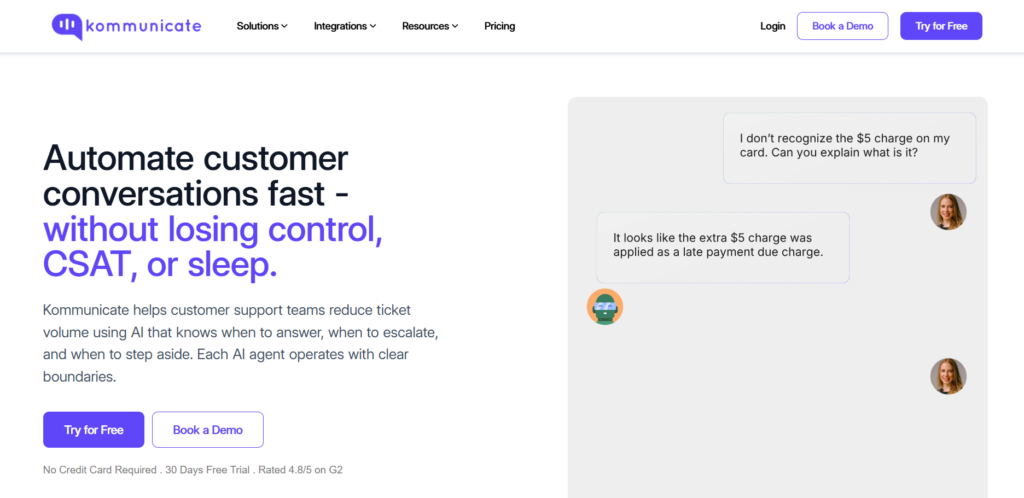
Kommunicate is an AI and-human customer service platform with a native Flutter SDK, kommunicate_flutter. The package is listed on pub.dev and supports AI chatbot and live chat use cases, including bot-human handoff, conversation management, a dashboard, and reporting.
Kommunicate is a good fit for teams building a Flutter app for e-commerce, fintech, healthcare, or SaaS, and support tickets are already piling up. Drop it into your app, and it can answer the questions that eat up most of your support queue, like order status, refund policy, account setup, plan pricing, and app troubleshooting. It pulls those answers from your approved content instead of generating unsupported answers.
When a question needs a decision, like someone asking for an exception to your refund window, a user locked out of their account, or even a billing dispute, the conversation routes to a human agent instead of forcing the customer into another loop.
The platform also has a rich integration library, with popular social media platforms, AI model providers, CRMs, content management systems, and more.
The basic setup is simple. Add the SDK to pubspec.yaml, install the package, and import it wherever you want to launch the conversation.
Start by adding Kommunicate’s Flutter SDK to your pubspec.yaml file:
| dependencies: kommunicate_flutter: ^2.1.0 |
Then import the package in the Dart file where you want to launch the chat:
| import ‘package:kommunicate_flutter/kommunicate_flutter.dart’; |
For iOS apps, make sure the platform version is set to 13.0 or later in your Podfile:
| platform :ios, ‘13.0’ use_frameworks! |
Once the SDK is installed, launch a conversation with buildConversation. This creates and opens the chat from your Flutter app without separately handling conversation setup.
| Future<void> launchSupportChat() async { try { dynamic conversationObject = { ‘appId’: ‘<APP_ID>’, ‘isSingleConversation’: true, }; dynamic result = await KommunicateFlutterPlugin.buildConversation( conversationObject, ); print(‘Conversation launched: $result’); } catch (error) { print(‘Conversation launch failed: $error’); } } |
For lead qualification or sales chat, add withPreChat to collect a visitor’s name, email, or phone number before the conversation begins.
| dynamic conversationObject = { ‘appId’: ‘<APP_ID>’, ‘withPreChat’: true, ‘isSingleConversation’: true, }; |
For logged-in users, pass user details through kmUser. This helps agents see who they are speaking with instead of receiving a message from an anonymous visitor.
| import ‘dart:convert’; dynamic user = { ‘userId’: userId, // ‘password’: ‘<PASSWORD>’, // Optional }; dynamic conversationObject = { ‘appId’: appId, ‘kmUser’: jsonEncode(user), ‘isSingleConversation’: true, }; |
You can also pass chat context, such as a user’s plan, account ID, workspace ID, last screen, or order ID. This gives the bot and the human agent more context when the conversation escalates.
| dynamic chatContext = { ‘plan’: plan, ‘accountId’: accountId, ‘lastScreen’: lastScreen, }; KommunicateFlutterPlugin.updateChatContext(chatContext); |
That context-aware handoff is what actually sets Kommunicate apart in this list. Most raw chat packages can fake a support experience in a demo, but they hand you the interface and stop there. Kommunicate goes further in three specific ways.
- It trains directly on your own content, pulling from documents, help center articles, and your website, instead of relying on generic model knowledge.
- When it can’t resolve something, it passes the conversation to a human agent along with everything said so far, so nobody on the support side is starting cold.
- And it routes conversations to the right team automatically; issues don’t sit in a queue waiting for someone to notice they went to the wrong place.
That combination of trained answers, a smooth handoff, and smart routing is what a raw UI package simply can’t replicate on its own.
Pros
- Kommunicate treats handoff and context preservation as core to the support workflow
- The Flutter SDK connects the in-app chat experience to conversation management, reporting, and live chat.
- You can train the bot on your own knowledge sources without writing code, using the Kompose bot builder.
- Routing rules assign conversations to the right team, and it’s compliance-friendly for regulated sectors.
Cons
- It is a subscription product, so it is unnecessary if all you need is a simple prototype or decorative AI chat bubble.
- Teams that want complete control over every backend, prompt, routing, and UI decision may prefer building their own stack.
Pricing
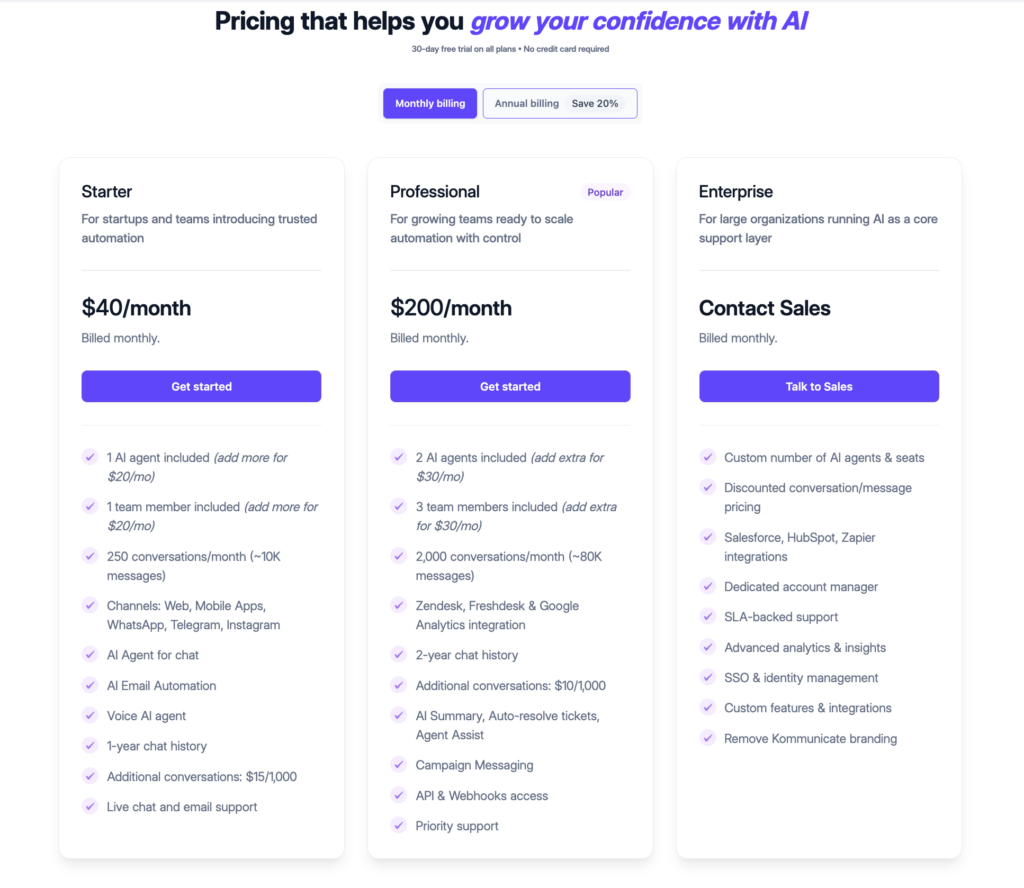
Kommunicate’s public pricing lists Starter at $40/month on monthly billing, or $34/month when billed yearly. The Professional Plan starts from $200/month ($167 when billed annually). There’s a separate Enterprise Plan for large organizations running AI as a core support layer.
Verdict
Kommunicate is the strongest option when support is a channel inside your app, not the product itself. It trains on your own content, hands-off with full conversation history intact, and routes by team, all with compliance credentials that hold up in regulated industries.
2. Sendbird
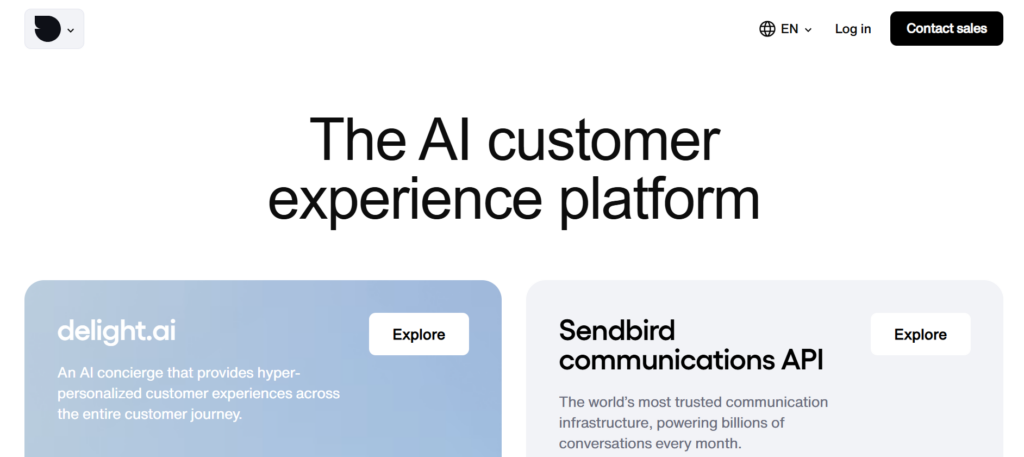
Sendbird is a chat API and messaging infrastructure platform for building in-app chat, support chat, and AI-assisted customer conversations.
For Flutter teams, its main strength is reliable in-app messaging. The Flutter Chat SDK supports essentials such as authentication, push notifications, threads, event handling, and channel management. Sendbird also offers support tools through Sendbird Desk, including an agent dashboard and ticketing features.
It works best when chat is a core part of the app experience. Marketplaces, delivery apps, healthcare apps, communities, and fintech products may need messaging, moderation, user management, support workflows, and AI assistance in one setup. For teams that only need a simple AI support bot with human handoff, Sendbird may feel heavier than necessary.
Pros
- Strong Flutter SDK for building in-app messaging into mobile products.
- Good fit for apps where user-to-user or user-to-business chat is central.
- Sendbird Desk adds support tools such as ticketing, routing, CSAT, reporting, and an agent dashboard.
Cons
- May be too broad if the main need is only a support chatbot.
- Pricing is higher than that of many support-first chatbot tools.
- Setup can involve more product decisions around chat, support workflows, AI agents, moderation, and integrations.
Pricing
Sendbird’s public Chat pricing lists Starter 5K at $349/month when billed annually, or $399/month when billed monthly. The Pro 5K plan is listed at $499/month annually, or $599/month monthly, with overages possible on both plans.
Verdict
Sendbird is an ideal choice if messaging is core to your app, not just support; it’s the same infrastructure behind Reddit and Hinge, which is more power than a simple support bot needs.
3. ChatMaxima
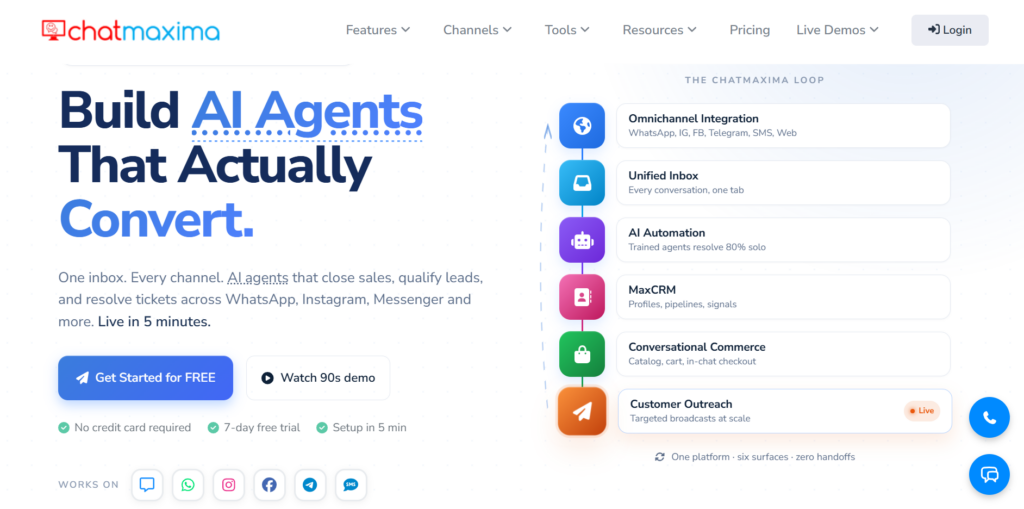
ChatMaxima is an omnichannel customer engagement platform with AI chatbots, live chat, voice AI, a unified inbox, no-code bot training, and mobile app support.
For Flutter apps, its main differentiator is the Mobile App SDK. It’s a single Flutter SDK that adds text AI, voice AI, and live human support to your Android and iOS app. Moreover, it feeds those in-app conversations into the same workspace as your web chat, WhatsApp, Instagram, Messenger, email, Telegram, and SMS channels.
That makes ChatMaxima most relevant if you want every customer conversation, across every channel, to land in one place. It goes well beyond a simple chat widget, since it also handles AI training, human support, and sales or support inbox management. The one caution is maturity. Its Flutter SDK presence is newer than some competitors’, so it’s worth testing the SDK, documentation, handoff flow, and dashboard yourself before leaning on it in production.
Pros
- Flutter-focused Mobile App SDK for Android and iOS apps.
- Combines text AI, voice AI, and live human support in one setup.
- Unified inbox helps teams manage conversations across multiple channels.
Cons
- Flutter SDK maturity should be validated before production use.
- Smaller developer footprint than platforms such as Sendbird.
- The feature set may be more than teams need for simple in-app support.
Pricing
ChatMaxima’s public pricing lists monthly plans at $19/month, $99/month, $299/month, and $499/month. Annual pricing starts at $99/year for Starter, with higher tiers at $499/year, $1,499/year, and $2,499/year.
Verdict
ChatMaxima is a strong option if your support already runs across WhatsApp and web, since your Flutter app just joins that same inbox, though its Flutter SDK is still new enough to test before trusting in production.
Best Raw Flutter Packages for Building an AI Chatbot
Raw Flutter packages make sense when your team wants to build the chatbot experience from scratch.
That’s the right call for an AI tutor, copilot, research tool, or companion app, anything where chat isn’t a support add-on but the core of what you’re building, and you need control over the interface, prompts, model calls, memory, and state.
In raw packages, the chat window comes together fast, but everything behind it, retrieval, safety limits, escalation, is still yours to build.
1. Flutter AI Toolkit
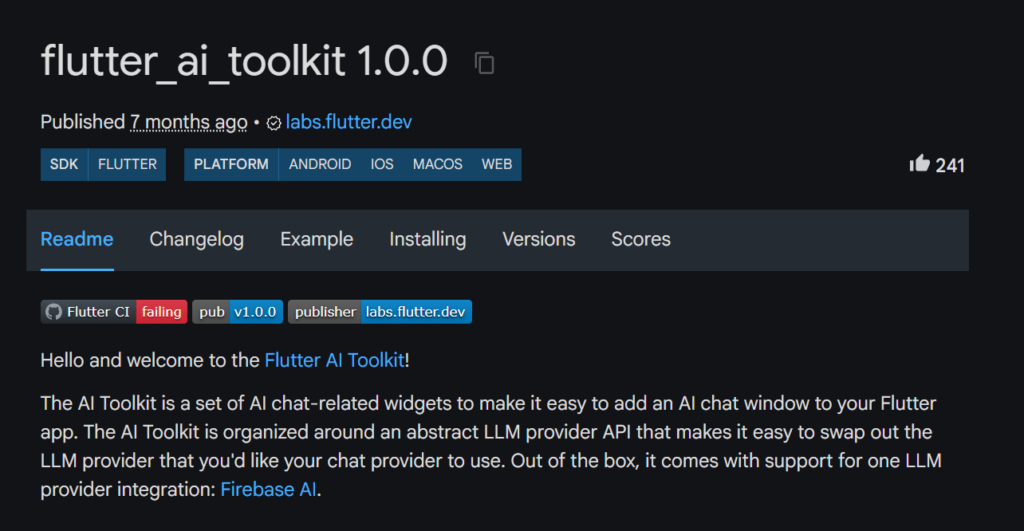
Flutter AI Toolkit is a Flutter package for adding AI chat widgets to a Flutter app. It gives developers a ready chat surface while still leaving the product logic, backend, and model behavior in their control.
It’s built around a swappable LLM provider API, so you’re not locked into one model. Firebase AI works out of the box, and other providers can be added in with extra setup.
Here is how to add the package to a chat view:
| dart import ‘package:firebase_ai/firebase_ai.dart’; import ‘package:flutter_ai_toolkit/flutter_ai_toolkit.dart’; class ChatPage extends StatelessWidget { const ChatPage({super.key}); @override Widget build(BuildContext context) => Scaffold( appBar: AppBar(title: const Text(App.title)), body: LlmChatView( provider: FirebaseProvider( model: FirebaseAI.googleAI().generativeModel( model: ‘gemini-2.5-flash’, ), ), ), ); } |
This package is very useful for AI tutors, coaches, internal copilots, learning assistants, and other product-led chat experiences. It is not a support platform, though. It does not include live agent handoff, routing, support analytics, or an agent inbox.
Pros
- Flutter-oriented package for adding AI chat widgets.
- Provider abstraction makes it easier to change the model layer later.
- Good fit when AI chat is part of the core product experience.
Cons
- Built-in provider support is centered on Firebase AI.
- Does not include support workflows such as routing, handoff, or an agent dashboard.
- Your team still owns retrieval, analytics, safety rules, and conversation storage.
Pricing
The package is free. The cost comes from model usage, Firebase or cloud infrastructure, and the engineering work needed to build the rest of the system.
Verdict
Flutter AI Toolkit works well when the chat itself is the product, like a tutor or copilot, but it won’t help you run support since there’s no handoff or routing built in.
2. Flutter_chat_ui
flutter_chat_ui is an open-source Flutter chat UI SDK for building real-time chat apps and generative AI agent interfaces. It gives teams a polished chat surface without forcing them into a specific backend or AI provider.
The package is part of the Flyer Chat ecosystem and supports Flutter across Android, iOS, Linux, macOS, web, and Windows. It works well for AI assistants, messaging products, internal copilots, or apps where the chat interface needs to feel custom and reliable.
Here’s the minimal setup:
| dart import ‘dart:math’; import ‘package:flutter/material.dart’; import ‘package:flutter_chat_core/flutter_chat_core.dart’; import ‘package:flutter_chat_ui/flutter_chat_ui.dart’; class Basic extends StatefulWidget { const Basic({super.key}); @override BasicState createState() => BasicState(); } class BasicState extends State<Basic> { final _chatController = InMemoryChatController(); @override void dispose() { _chatController.dispose(); super.dispose(); } @override Widget build(BuildContext context) { return Scaffold( body: Chat( chatController: _chatController, currentUserId: ‘user1’, onMessageSend: (text) { _chatController.insertMessage( TextMessage( id: ‘${Random().nextInt(1000) + 1}’, authorId: ‘user1’, createdAt: DateTime.now().toUtc(), text: text, ), ); }, resolveUser: (UserID id) async { return User(id: id, name: ‘John Doe’); }, ), ); } } |
The downside is that flutter_chat_ui only handles the interface. It is not an LLM client, bot builder, or support platform. Your team still needs to manage model connections, retrieval, identity, storage, analytics, safety controls, and human fallback.
Pros
- Polished and customizable Flutter chat UI.
- Free, open-source, and cross-platform.
- Good fit when your team already has a backend.
Cons
- Does not connect to an LLM by itself.
- Does not include bot training, analytics, routing, or human handoff.
- Your team still owns conversation state, storage, safety, and backend logic.
Pricing
Free and open source.
Verdict
flutter_chat_ui is great when you want a chat interface that feels very custom, but everything past the UI, the model, storage, and handoff, is still on you.
3. dash_chat_2
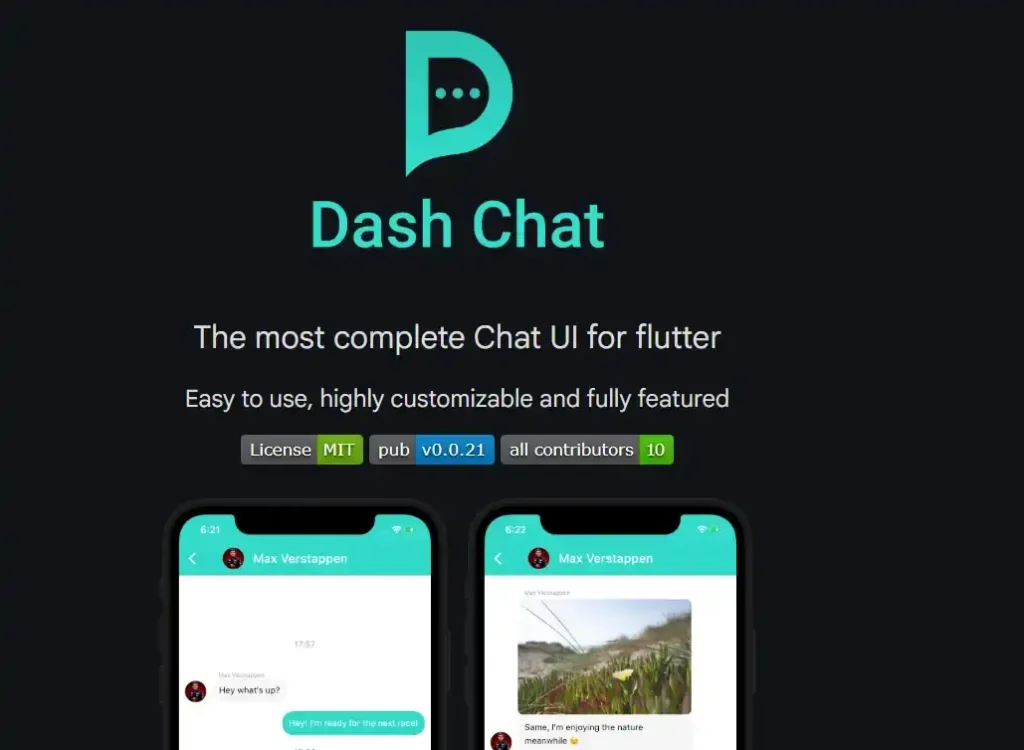
dash_chat_2 is a Flutter chat UI package for building customizable chat screens quickly. It is useful when your team wants a clean chat interface without designing every component from scratch.
The package includes practical UI features such as multi-line input, markdown support, quick replies, media support, typing indicators, and message list options. This makes it a good fit for prototypes, internal tools, and simple chat experiences that still need to feel finished.
For AI chatbot work, dash_chat_2 should be treated as the UI part only. It does not call an LLM, train a bot, measure support outcomes, or hand unresolved conversations to a human agent. Those parts need to come from your backend or other tools.
Pros
- Quick way to build a standard Flutter chat interface.
- Includes useful UI features such as markdown, quick replies, typing indicators, and media support.
- Good fit for prototypes and simple chat layouts.
Cons
- Not an AI chatbot system by itself.
- Does not include LLM connection, retrieval, analytics, or human handoff.
- Teams should check Flutter compatibility before using it in a new production build.
Pricing
Free package under the MIT license.
Verdict
dash_chat_2 is best for prototypes and internal tools that need to look finished fast. It is not for anything that needs a model or a handoff built in.
4. chat_gpt_sdk
chat_gpt_sdk is a Dart and Flutter SDK for connecting apps to OpenAI APIs. It supports chatbot use cases, generative models, and streaming through SSE.
This package is useful when your team wants direct control over the model layer. You can shape prompts, call OpenAI APIs, handle responses, and connect model behavior to your own Flutter experience.
Here’s what streaming a chat response looks like:
| dart void chatCompleteWithSSE() { final request = ChatCompleteText(messages: [ Map.of({“role”: “user”, “content”: ‘Hello!’}) ], maxToken: 200, model: Gpt4ChatModel()); openAI.onChatCompletionSSE(request: request).listen((it) { debugPrint(it.choices.last.message?.content); }); } |
However, chat_gpt_sdk only solves one part of the stack. It does not include a chat UI, knowledge-base training, escalation logic, support analytics, or an agent workspace. If you use it for customer support, your team still has to build the support workflow around it.
Pros
- Direct OpenAI API access from Dart and Flutter.
- Good control over prompts, model calls, streaming, and responses.
- Useful for custom chatbot products built around OpenAI.
Cons
- Limited provider flexibility because it is focused on OpenAI.
- Community-maintained, not an official OpenAI Dart SDK.
- Does not include chat UI, support analytics, or human handoff.
Pricing
The package is free. OpenAI API usage is billed separately.
Verdict
chat_gpt_sdk is right if you want direct, low-level control over OpenAI calls from Dart. Keep in mind that it’s just the model layer with nothing else attached.
5. flutter_ai_chatbot
flutter_ai_chatbot is a Flutter package for adding an AI chatbot widget with minimal setup. It supports OpenAI, Gemini, and DeepSeek.
The package includes customizable UI, chat history, real-time responses, error handling, retries, response caching, and rate limiting. This makes it useful for demos, proof-of-concept builds, and lightweight assistants.
The problem is maturity. Its pub.dev footprint is small, and the publisher is listed as unverified. Teams should review the code, maintenance history, and issue handling before using it in production.
Pros
- Fast setup for a basic AI chatbot widget.
- Supports multiple AI services, including OpenAI, Gemini, and DeepSeek.
- Useful for demos, prototypes, and lightweight internal assistants.
Cons
- Small package footprint and low adoption.
- Publisher is listed as unverified.
- Does not include a full support workflow, agent inbox, or advanced routing.
Pricing
Free package under the MIT license. Model provider usage is billed separately.
Verdict
flutter_ai_chatbot is fine for a quick demo, but it’s a small, unverified package worth reading through before you trust it in production setups.
6. flutter_dialogflow and Dialogflow on Flutter today
Note: Dialogflow does not fit into either category in this guide. It is not a chat UI package like dash_chat_2, and it is not a full support platform like Kommunicate. We are covering it here because, like the other raw packages, your team ends up owning the backend and the workflow around it.
flutter_dialogflow is a Flutter package for integrating Dialogflow into Flutter apps, but it is not a strong default choice for new projects. The package is old, Dart 3 incompatible, and listed under an unverified uploader.
Dialogflow itself can still be useful, especially for structured conversational flows and teams already using Google Cloud. Dialogflow CX can also signal when a conversation should move to a live agent.
The important point is that handoff is only a signal. Dialogflow does not provide the full support workflow by itself. Your team still needs routing, context transfer, an agent workspace, reporting, and a backend or platform that can complete the handoff.
Pros
- Useful for structured intent handling.
- Good fit for teams already invested in Google Cloud.
- Dialogflow CX can signal live agent handoff.
Cons
- The older flutter_dialogflow package is not suitable for most new Flutter projects.
- Handoff is a signal, not a complete support workflow.
- Your team still needs routing, reporting, context preservation, and an agent workspace.
Pricing
Dialogflow pricing depends on Google Cloud usage. If used through another customer engagement platform, that platform will add its own pricing.
Verdict
flutter_dialogflow isn’t worth building on today. It is old and Dart 3 incompatible, though Dialogflow itself still holds up for teams already on Google Cloud.
How to Choose the Right Option for Your Team
Do not compare every Flutter chatbot option as if it solves the same problem. A raw package and a platform can both place chat inside your app, but they are built for different jobs.
- Go with a raw package when chat is part of the product itself
If your use cases include AI companions, tutors, copilots, or internal tools that need control over the interface, model behavior, memory, and backend logic, choose a raw package.
- Go with a platform when chat is a support or sales channel
Here, the bot needs to answer from your approved content, escalate what it can’t handle, and hand off to an agent with context intact. Building that from scratch rarely makes sense unless support is your actual product.
Here’s how each situation maps to the better fit, and why:
| Your Situation | Better Fit | Why |
|---|---|---|
| You are building an AI companion, tutor, assistant, or copilot | Raw package | Chat is the product experience, so control matters. |
| You need customer support chat live quickly | Platform | Bot training, routing, analytics, and handoff are already part of the system. |
| Backend engineers are assigned to the chatbot | Raw package | Your team can build retrieval, safety, analytics, and escalation. |
| You have limited engineering bandwidth | Platform | The support workflow does not have to be built from scratch. |
| You need Customer Satisfaction Ratings (CSAT), resolution tracking, and fallback reporting | Platform | Support analytics are available through the dashboard. |
| You only need a prototype or internal demo | Raw package | A package is faster when the workflow does not need to handle production volume. |
| You work in a regulated or policy-heavy industry | Platform | Escalation, context preservation, and answer control matter more. |
| In-app messaging is central to your product | Raw package or messaging platform | Choose based on whether you need custom chat or full messaging infrastructure. |
This simple rule works well:
Build when chat is the product. Buy when chat supports the product.
That rule prevents the common mistake of choosing a package because the demo looks simple, then realizing the real work was never the chat bubble.
A Practical Build Comparison of Package Stack vs Platform Setup
Let’s compare both paths against the same goal of adding an in-app support chatbot that answers common questions and hands unresolved issues to a human agent.
The app experience may look similar, but the difference is how much your team must build behind that screen.
Building with a package stack
Here, you control the UI, model calls, and data flow directly. For production, that also means building four things yourself.
- Session storage and message history, so the bot holds context across turns instead of treating each message as new
- A retrieval pipeline that embeds your docs into a vector database and pulls the relevant chunks before each answer
- Safety rules that define what the bot can answer, refuse, or escalate
- A handoff trigger, plus a way to pass the human agent the full message history
This works best for product-led AI experiences, internal copilots, and prototypes where engineering wants full control. The risk is that the chat window works long before the support workflow behind it does.
Using a platform setup
Here, you add the SDK, point the bot at your content, and configure routing and handoff from a dashboard. Retrieval, storage, and conversation state are handled already.
This works best for customer support, sales chat, and teams that need dashboards, routing, and reporting without building them. The risk is paying for a workflow you didn’t need when the goal was a custom product feature.
Side-by-side comparison
| Requirement | Package Stack | Platform Setup |
|---|---|---|
| Time to demo | Fast | Fast |
| Time to production support workflow | Longer | Shorter |
| UI control | High | Moderate |
| Backend control | High | Lower |
| Bot training | You build it | Built in or dashboard-driven |
| Human handoff | You build it | Built in |
| Analytics | You instrument it | Dashboard included |
| Agent inbox | You build or connect it | Included |
| Maintenance | Your team owns it | Vendor handles much of it |
| Best for | Product features and custom AI experiences | Support and sales channels |
- If chat is the feature users are paying for, the package path gives your team the control to build it properly.
- If chat is there to support users, qualify leads, or reduce repetitive tickets, a platform is usually the better choice.
No One Wants to Argue With a Widget. Here’s How You Can Do Better
A Flutter chatbot demo is easy to ship, but a reliable support channel takes more than that.
So far, we’ve seen that raw packages are great when your team wants to build the chat experience from the ground up, and platforms make more sense when customers need answers, agents need context, and support leaders need visibility.
So choose based on the work behind the chat window, not the chat window alone.
If your Flutter app needs AI support with clean human handoff, book a Kommunicate demo and test the escalation flow yourself.

Aryan is an engineer turned writer who loves writing about technology and SaaS. He’s an avid reader who also happens to enjoy coding. His hobbies include playing football , traveling, and savouring different cuisines.