Updated on August 30, 2026
| Tool | Best for | Starting price | Handoff quality |
|---|---|---|---|
| Kommunicate | AI-powered customer support with context-rich human handoffs | $40/month | ✓ Built-in AI Summary passes the full transcript and escalation reason to the agent automatically |
| Intercom (Fin) | SaaS and product-led businesses | $29/seat/month + $0.99/resolution | ✓ Fin passes full conversation context and a structured handoff note by default with no configuration required |
| Comm100 | Enterprises and regulated industries | $39/month | ✓ Escalates on defined triggers and sends a conversation summary to the human agent at handoff |
| Kayako | Teams that prioritize customer history and context | $1/AI-resolved ticket | ✓ SingleView surfaces the full customer history to the agent at the moment of escalation |
| Freshdesk | Growing support teams that need an easy-to-use help desk | $29/agent/month | ! Handled by Freddy AI Copilot, a $29/agent/month add-on not included at entry |
| Zendesk | Enterprise support teams with complex workflows | $55/agent/month | ! Capped free usage of 5 uses per agent per month on Professional and above with full unlimited Copilot available as a $50/agent/month add-on |
| Tidio | Small businesses and e-commerce support | $24.17/month | ! Lyro AI is billed separately with pricing that scales independently of the base plan |
| Genesys Cloud CX | Enterprise contact centers with advanced AI and routing | $75/user/month | ! Agent Copilot is an add-on with CX 2 starting at $115/user/month for digital channels and omnichannel routing |
| HubSpot Service Hub | Businesses already using HubSpot CRM | $15/seat/month | ! Starter preserves CRM context while Customer Agent and configurable AI handoff require Professional or Enterprise |
| LiveAgent | Budget-conscious teams needing an all-in-one help desk | $15/agent/month | ! Agents join through Chats Overview with the full transcript retained but no automatically generated handoff summary |
When you think of buying an “omnichannel” platform, you think of coverage across channels. But what happens when a customer opens a chat, explains their problem to the bot, and gets escalated to a human? The agent’s first message is “Hi, how can I help you today?” and the customer has to repeat themselves.
That’s the moment most support teams lose the customer. Every platform on this list, and pretty much every platform on the market in 2026, covers the same table stakes: web chat, WhatsApp, email, social, and sometimes voice.
However, what none of the standard buying guides check is what happens the moment a customer needs a human.
For instance, what happens the instant a bot can’t finish the job and has to hand the conversation to a person? Does the agent see the full thread and the reason for escalation, or does the customer start over?
This piece checks for that failure before you buy. We evaluated each platform below against that handoff test specifically, as well as pricing, before ranking them.
- Methodology
- Best Omnichannel Chatbot Platforms: At a Glance
- Top 10 AI Chatbots and AI Agents for Customer Support
- How to Choose the Right Omnichannel Chatbot Platform
- Questions to Ask Before You Buy
- Conclusion
Methodology
We scored each platform on 5 criteria. Handoff quality carries the most weight because most buying guides skip it entirely, and it is the one factor that separates a platform that works from one that frustrates customers at the worst possible moment.
Each platform is scored out of 100, and the weighted total determines the ranking.
| Criterion | Weight | What we looked for |
|---|---|---|
| Handoff and Context Preservation | 35% | Does the agent get a summary and full context when AI escalates, or a raw transcript to scroll through? Platforms that spare the customer from repeating themselves scored higher |
| AI Capabilities | 30% | How well the AI answers questions, learns from a knowledge base, automates routine requests and escalates what it cannot handle |
| Channel Coverage | 20% | Native support for website chat, email, WhatsApp, social, SMS and voice, and whether those channels ship in the core product or require an upgrade |
| Pricing Transparency | 10% | Whether pricing is public, what is included at the base tier and what gets sold separately as an add-on |
| Ease of Setup | 5% | How fast a non-technical support manager can deploy the platform and start getting value |
Best Omnichannel Chatbot Platforms: At a Glance
| Tool | Best For | Starting Price | Standout Feature | Overall Score |
|---|---|---|---|---|
| Kommunicate | AI-first support teams | $40/month | AI-generated conversation summaries | 89 |
| Intercom (Fin) | SaaS and product-led businesses | $29/seat/month + $0.99/resolution | Workflow builder and in-app messaging with Fin AI agent | 87 |
| Comm100 | Regulated industries and large organizations | $39/month | Security and compliance posture aimed at enterprise buyers | 69 |
| Kayako | Teams prioritizing customer history | $1/resolved ticket | SingleView unifies channel history into one customer timeline | 68 |
| Freshdesk | Growing support teams | $29/agent/month for Omni | Unified inbox across chat, email and social in one Freshworks product | 65 |
| Zendesk | Enterprise support teams | $55/agent/month for the omnichannel tier | Mature ticketing and a large third-party app marketplace | 64 |
| Tidio | Small businesses and e-commerce teams | $24.17/month | Visual flow builder with more than 40 e-commerce templates and Lyro AI available as an add-on | 64 |
| Genesys Cloud CX | Enterprise contact centers | $75/user/month for CX 1 | Predictive AI routing matches conversations to agents using skills and customer history | 64 |
| HubSpot Service Hub | HubSpot CRM users | $15/seat/month | Full customer record shared across support, sales and marketing | 61 |
| LiveAgent | Budget-conscious teams | $15/agent/month | Built-in call center and AI Answer Assistant available from the entry plan | 55 |
Top 10 AI Chatbots and AI Agents for Customer Support
1. Kommunicate
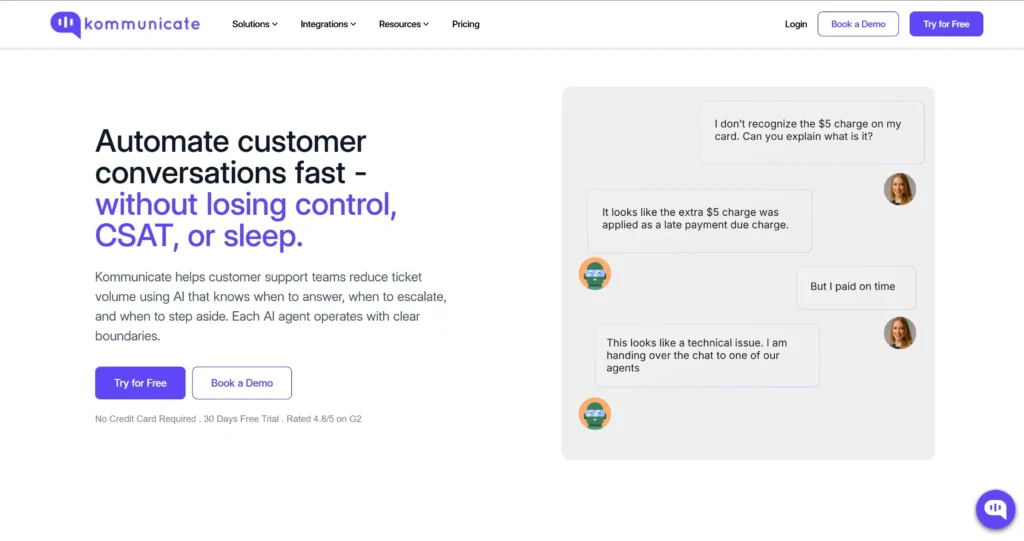
Kommunicate deploys one AI agent across web, WhatsApp, mobile apps, and email. Support teams set the routing rules, define the handoff triggers, and keep full visibility into every conversation. When the AI hands off, the agent gets the full context. No black boxes or repeat questions leading to frustrated customers.
Pros
- AI-generated handoff summaries mean agents start from the customer’s issue, not a blank inbox
- Native web chat, email, WhatsApp, and mobile app coverage from one platform
- Flexible routing across support teams without losing conversation context
- Trains on existing help center and documentation content, cutting setup time
Cons
- Initial learning curve for teams new to AI-first support tooling
- More automation than a team needs if they only want basic live chat
Pricing
- Starter: $40/month or $34/month billed annually: Best for startups introducing AI automation across web, mobile apps, WhatsApp, Telegram, Instagram and email
- Professional: $200/month or $167/month billed annually: Best for growing teams needing AI Summary, Agent Assist, phone call AI, APIs and integrations
- Enterprise: Custom pricing: Best for large organizations needing SSO, advanced analytics, custom integrations and SLA-backed support
Overall platform score: 89/100
Verdict
Kommunicate is best suited to mid-market and enterprise support teams that want AI automation and human support in the same platform. Human escalation is available from the start, while AI Summary, Agent Assist, API access, and advanced integrations are available on Professional and Enterprise plans.
It ranks first in this comparison because context-preserving handoff is the primary evaluation criterion.
If handoff quality is the priority, this is the clear pick.
2. Intercom (Fin)
Fin is Intercom’s AI agent, built around the same record architecture: Fin and the human team pull from one customer record, so a handoff carries full context by default.
When Fin escalates, it passes a structured note covering what the customer asked, what it already checked, and why it escalated, plus a recommended next step for the agent.
Pros
- Handoff notes cover what Fin found and why it escalated, not just a raw transcript dump
- Native coverage across chat, email, voice, WhatsApp, and Messenger
- No separate context-sync step between Fin and human agents
Cons
- $0.99/resolution stacks on top of seat costs, and costs become unpredictable at volume
- Minimum monthly commitment of 50 outcomes means you’re paying for resolutions before you’ve confirmed Fin works for your use case
Pricing
- Essential: $39/seat/month or $29/seat/month billed annually: Best for startups and small teams needing Fin, live chat, ticketing and a shared inbox
- Advanced: $99/seat/month or $85/seat/month billed annually: Best for growing teams needing workflows, custom reports, round-robin routing and multiple inboxes
- Expert: $139/seat/month or $132/seat/month billed annually: Best for large teams needing SSO, SLAs, multibrand support and workload management
- Fin AI Agent: $0.99 per outcome: Usage charge applied alongside Intercom plans or when Fin connects to another help desk
Overall platform score: 87/100
Verdict
Intercom is a strong choice for SaaS and product-led teams that already want messaging, ticketing, in-app support, and Fin in one environment. Conversation context remains available after handoff, but teams that require an automatically generated handoff summary need the Expert plan and a configured Workflow.
3. Comm100
Comm100 is built for organizations that need live chat, ticketing, and omnichannel support under real compliance pressure, in industries where security review happens before anyone looks at features. The AI Agent handles routine queries and, when it escalates, is documented to pass the full conversation history to the human agent rather than a bare transcript.
Pros
- AI Agent handoff carries full conversation context, not just a transcript
- SOC 2 Type II, ISO 27001, GDPR, and WCAG compliance are included as standard, confirmed across independent listings
- Native coverage across live chat, email, SMS, and major messaging apps
- 90+ language support with NLP across channels
Cons
- HIPAA and PCI DSS sit behind the Ultra tier, which is quote-only, not the published Startup or Plus price
- The omnichannel messaging layer and the AI Agent are priced separately from live chat and aren’t public
- Voice is available as a separately priced Comm100 product and can be managed from the unified agent console
Pricing
- Live Chat Startup: $39/agent/month or $31/agent/month billed annually: Best for smaller teams needing customizable multilingual live chat
- Live Chat Plus: $69/agent/month or $55/agent/month billed annually: Best for teams needing chat routing, advanced reporting and audio-video chat
- Live Chat Ultra: Contact sales: Best for enterprises needing advanced routing, screen sharing and shift management
- AI Agent: Contact sales: Best for organizations needing AI automation across multiple customer service channels
Overall platform score: 69/100
Verdict
Comm100 is relevant for regulated and enterprise organizations that need live chat, messaging, ticketing, voice, and strong governance options. The platform preserves cross-channel customer history, but buyers should confirm whether an automatic AI-generated escalation summary is included in their quoted package.
4. Kayako
Kayako gives agents a full picture of who they’re talking to before a conversation starts. SingleView pulls a customer’s tickets, purchases, and site activity into one timeline, removing the tab-switching that slows most support teams down.
Kay, Kayako’s AI agent, handles the automation layer and can take real actions like processing refunds or updating shipping details.
Pros
- SingleView gives agents full customer context before a conversation starts
- Kay takes real actions (refunds, account updates, address changes), not just scripted replies
- Pricing is per resolution, not per seat, so cost doesn’t scale with headcount
- SOC 2 compliant
Cons
- SingleView solves customer history, not live handoff. What Kay actually hands an agent mid-escalation isn’t clearly documented anywhere
- Kayako One, the full platform bundle, has no published price. Only Kay’s $1/resolution rate is public
Pricing
- Kay AI Agent: $1 per resolved ticket: Best for teams wanting outcome-based AI pricing with no charge for escalations or partial resolutions
- Kayako One: Contact sales: Best for teams needing a complete help desk with unified inbox, ticketing, live chat, automation and Kay AI
Overall platform score: 68/100
Verdict
Kayako is worth considering for teams that want an AI agent capable of taking actions such as refunds, account updates, and order changes. Pricing is transparent at $1 per resolved ticket, with no charge for escalations or partial resolutions. However, teams that prioritize structured AI-to-human handoff should confirm the live escalation experience during a product demo.
5. Freshdesk Omni
Freshdesk and Freshdesk Omni are two separate products. Freshdesk handles ticketing only: email, a knowledge base, and automation. Freshdesk Omni adds the omnichannel layer, live chat, WhatsApp, social, and Freshworks prices it separately and higher.
Pros
- Freddy AI Copilot’s Summary Generator condenses ticket threads for handovers and escalations. Freshworks documents this directly on its own product page
- Freshdesk keeps setup simple and the learning curve short
- Omni covers email, chat, phone, social, and messaging from one workspace
- Session-based AI Agent pricing scales with actual usage instead of charging a flat seat tax
Cons
- Base Freshdesk covers ticketing only and is a dead end for omnichannel. Freshdesk Omni is the relevant product for this use case, starting at $29/agent/month
- Freshworks sells Freddy AI Copilot, the add-on that generates handoff summaries, separately (~$29/agent/month annually) and restricts it to Pro/Enterprise or Omni tiers
Pricing
- Growth: $29/agent/month billed annually: Best for growing teams needing omnichannel support, ticketing, reporting and Freddy AI Agent
- Pro: $79/agent/month billed annually: Best for teams needing multilingual support, intelligent routing and advanced analytics
- Enterprise: $119/agent/month billed annually: Best for large teams needing skill-based routing, audit logs, custom objects and a sandbox
- Freddy AI Copilot: $29/agent/month add-on: Best for Pro and Enterprise teams needing AI-assisted replies, summaries and agent guidance
Relevant add-ons:
- Freddy AI Copilot costs $29/agent/month and is only available on Pro, Enterprise, or Omni tiers
- New customers receive a one-time complimentary allocation of 500 Freddy AI Agent sessions. Additional sessions cost $49 per 100 sessions
- Freddy AI Copilot is available on Freshdesk Omni Pro and Enterprise. The lowest published combination is Omni Pro at $79 per agent/month plus Copilot at $29 per agent/month, for a total of $108 per agent/month when billed annually, before additional AI Agent session costs
Overall platform score: 65/100
Verdict
Freshdesk Omni is a strong option for growing teams that need email, chat, phone, social, and messaging in one workspace. The omnichannel platform starts at $29 per agent/month, but AI-generated agent summaries require Freddy AI Copilot on Pro or Enterprise.
See our vs Freshdesk Omni pricing breakdown for the full cost comparison against Kommunicate.
6. Zendesk
Zendesk is the default choice for large support teams that need mature ticketing. Organizations at this scale have already solved for channel coverage and agent workflows. What they need is stability, audit trails, and routing logic that holds up at volume instead of the newest AI feature.
Its workflow automation, routing, and marketplace of integrations are built for exactly that. Suite Team is the cheapest tier that actually includes omnichannel messaging rather than ticketing alone.
Pros
- Comprehensive omnichannel coverage across chat, email, voice, social, and messaging apps (Suite plans only)
- Mature ticketing and workflow automation built for high-volume teams
- AI Agent capabilities are available across Zendesk Suite plans. Each plan includes a baseline resolution allowance, and additional AI usage may require more allowance or usage charges
- Large marketplace of third-party integrations and apps
Cons
- Suite and Support Professional plans and above include a shared allowance of five Copilot writing or summary uses per agent each month. Unlimited Copilot usage costs $50 per agent/month when billed annually
- Stacking Copilot with the Quality Assurance and Workforce Management add-ons brings Suite Professional to roughly $215/agent/month, about 87% above the base price
- Setup and administration get complex fast at scale, and smaller teams often find it more complicated than needed
Pricing
- Support Team: $19/agent/month billed annually: Best for email-based teams needing ticketing, routing and basic automation
- Suite Team: $55/agent/month billed annually: Best for teams needing messaging, live chat, telephony, omnichannel routing and AI Agents
- Suite Professional: $115/agent/month billed annually: Best for larger teams needing skills-based routing, advanced automation and AI insights
- Suite Enterprise + Copilot: Contact sales: Best for enterprises needing advanced security, governance, sandboxes and proactive AI assistance
- Copilot: $50/agent/month billed annually: Best for teams needing unlimited agent-facing AI assistance
Overall platform score: 64/100
Verdict
Zendesk is best suited to large teams that prioritize mature ticketing, routing, reporting, and marketplace integrations. See our vs Zendesk pricing breakdown for the full cost comparison against Kommunicate. It retains the complete ticket context during escalation, but its AI ticket summaries should not be described as an automatic bot-to-human handoff note on every plan.
7. Tidio
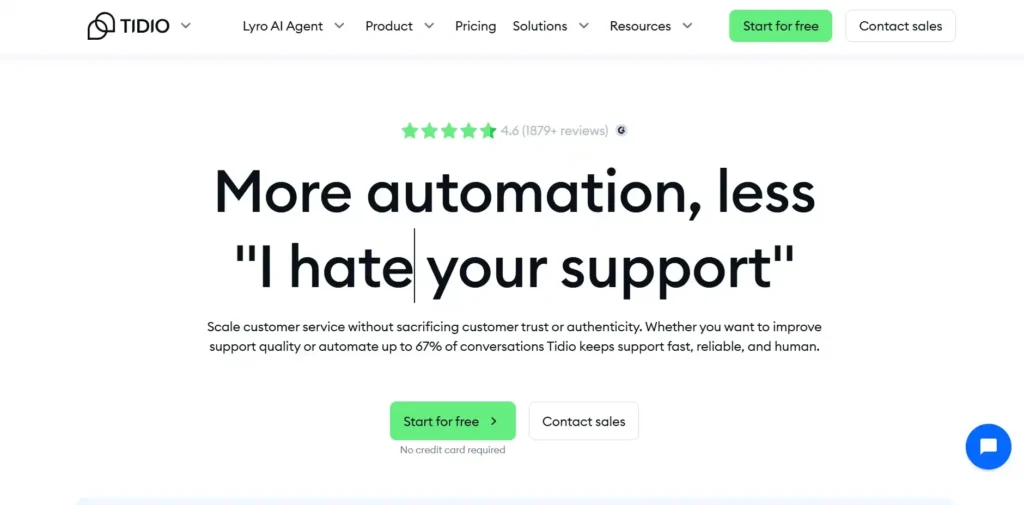
Tidio is a live chat and ticketing platform built for fast setup. Lyro, its AI agent, handles FAQs and routine requests as a separately billed add-on, then hands off to a human with the conversation context attached, so the customer doesn’t repeat themselves.
Pros
- Human handoff carries conversation context to the agent automatically
- WhatsApp, Instagram, and Messenger ship on every tier, including Free
- Fast setup with minimal technical work
Cons
- Three separate usage meters (conversations, Lyro AI, Flow visitors) make the total cost harder to predict than a flat per-seat price
- Ticketing automations, macros, and permissions don’t unlock until Growth ($49.17/month and up)
- The jump from Growth to Plus goes from roughly $49/month to $300/month base plus usage, with no tier in between
Pricing
- Free: $0/month: Best for very small teams testing live chat, ticketing and limited automation
- Starter: $24.17/month billed annually: Best for small businesses needing live chat, ticketing, operating hours and basic analytics
- Growth: From $49.17/month billed annually: Best for growing teams needing assignment rules, permissions, automations and advanced analytics
- Plus: From $300/month plus usage: Best for businesses needing custom limits, premium support, OpenAPI access and a dedicated success manager
- Premium: Contact sales: Best for enterprises needing managed Lyro deployment, SSO, custom analytics and pay-per-resolution billing
- Lyro AI Agent: From $32.50/month: Best for teams purchasing Lyro separately with a renewable monthly AI conversation allowance
Overall platform score: 64/100
Verdict
Tidio is a practical option for small businesses that need quick setup, live chat, ticketing, and basic AI automation. Its multiple usage limits can make costs harder to forecast as conversation volume grows.
8. Genesys Cloud CX
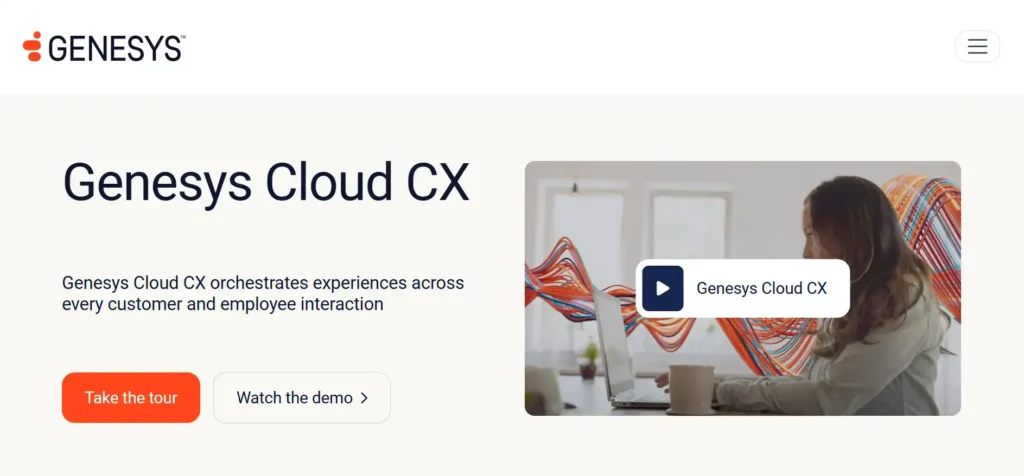
Genesys Cloud CX is designed primarily for enterprise contact centers. CX 1 is aimed at voice-first operations, while CX 2 adds digital channels and native omnichannel routing for teams handling conversations across voice, email, messaging, SMS, and other digital touchpoints.
Its Virtual Agent and Agent Copilot capabilities support AI-assisted customer conversations and agent workflows. When configured, agents can access the conversation transcript and AI-generated summaries within their workspace. Some AI features consume Genesys Cloud AI Experience tokens, so teams should account for both licensing and usage when estimating costs.
Pros
- Virtual Agent handoff includes a generated summary, not just a transcript
- The summary and transcript both surface directly in the agent’s interaction panel
- Agent Copilot also handles post-call summaries and wrap-up code suggestions
- Deep native omnichannel routing across voice and digital
Cons
- The summary only appears if Agent Copilot is licensed and configured on that specific queue. Unconfigured queues get a transcript with no summary
- Genesys combines Virtual Agents, Agent Copilot, transcript visibility, and AI-generated summary capabilities within its contact center platform. Some AI functionality consumes Genesys Cloud AI Experience tokens, and implementation requirements vary according to the channels and capabilities enabled.
- Implementation and administration require dedicated staff, this isn’t a self-serve setup
Pricing
- Genesys Cloud CX 1: $75/user/month – Best for voice-first contact centers; digital channels and omnichannel routing are add-ons
- Genesys Cloud CX 2: $115/user/month – Best for contact centers needing voice, digital channels, omnichannel routing, and quality management
- Genesys Cloud CX 3: $155/user/month – Best for larger teams needing workforce management, forecasting, scheduling, and employee performance tools
- Genesys Cloud CX 4: $240/user/month – Best for enterprises needing CX 3 features, journey management, and higher included AI usage
Overall platform score: 64/100
Verdict
Genesys Cloud CX is best suited to enterprise contact centers with complex routing, voice operations, digital support channels, compliance requirements, and dedicated administrators. CX 1 is appropriate for primarily voice-based teams, while CX 2 is the more relevant starting point for a true omnichannel deployment.
The platform includes sophisticated virtual-agent, agent-assistance, routing, and summarization capabilities, but implementation and AI Experience token usage make it more complex to price and manage than a self-service chatbot platform.
9. HubSpot Service Hub
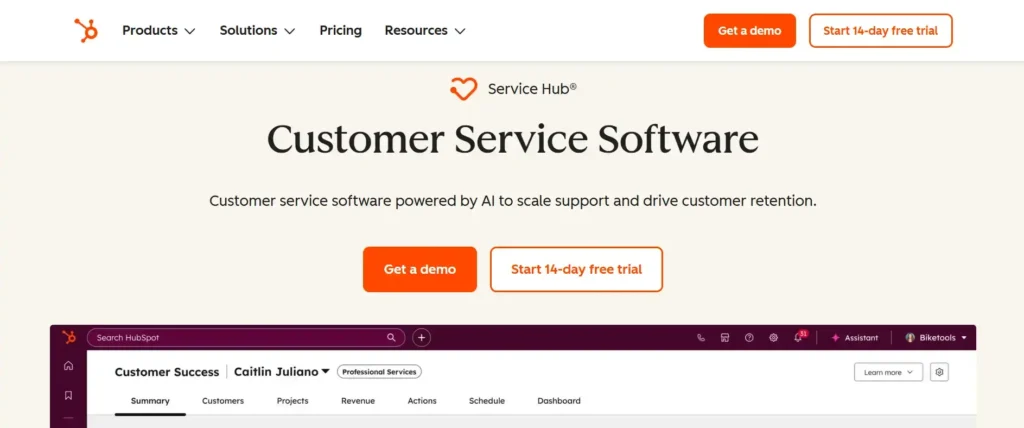
HubSpot Service Hub manages customer support within the same CRM record used by sales and marketing. This means support agents can see relevant contact details and previous interactions without switching between separate systems.
Service Hub Starter provides basic help desk, live chat, ticketing, and conversation-routing capabilities. However, Breeze Customer Agent, HubSpot’s autonomous AI support agent, is available only on Professional and Enterprise. The Customer Agent can answer questions across supported channels and escalate conversations to a human according to configured routing and handoff rules.
Pros
- Support, sales, and marketing pull from one CRM record, so context travels automatically across teams
- Handoff behavior is admin-configurable, not a fixed default
- Free rule-based chatbot (Chatflows) available at every tier, including Free
Cons
- Free and Starter tiers ($15/seat/month) don’t include Breeze Customer Agent at all. Handoff capability starts at Professional
- Professional carries a $1,500 onboarding fee on top of the $90/seat/month price
- Breeze runs on a separate credits system, at $0.50/resolved conversation, so the real cost is seats plus usage, not seats alone
Pricing
- Free: $0/month: Best for very small teams needing basic ticketing, shared inbox and live chat
- Starter: $15/seat/month: Best for small teams needing CRM context, ticketing, routing and basic support automation
- Professional: $90/seat/month: Best for growing teams needing Customer Agent, workflows, a knowledge base and configurable human handoff
- Enterprise: $150/seat/month: Best for large teams needing skill-based routing, conditional SLAs and stronger governance
Overall platform score: 61/100
Verdict
HubSpot Service Hub is a strong choice for businesses already managing customer data, marketing, sales, and support in HubSpot CRM. Starter is suitable for small teams that need basic ticketing, live chat, and routing, but it should not be evaluated as an AI-agent plan.
Professional is the relevant starting point for teams that need Breeze Customer Agent, automated resolutions, and configurable AI-to-human handoff. Enterprise is better suited to larger support operations that require skill-based routing, conditional SLAs, advanced reporting, and stronger governance.
10. LiveAgent
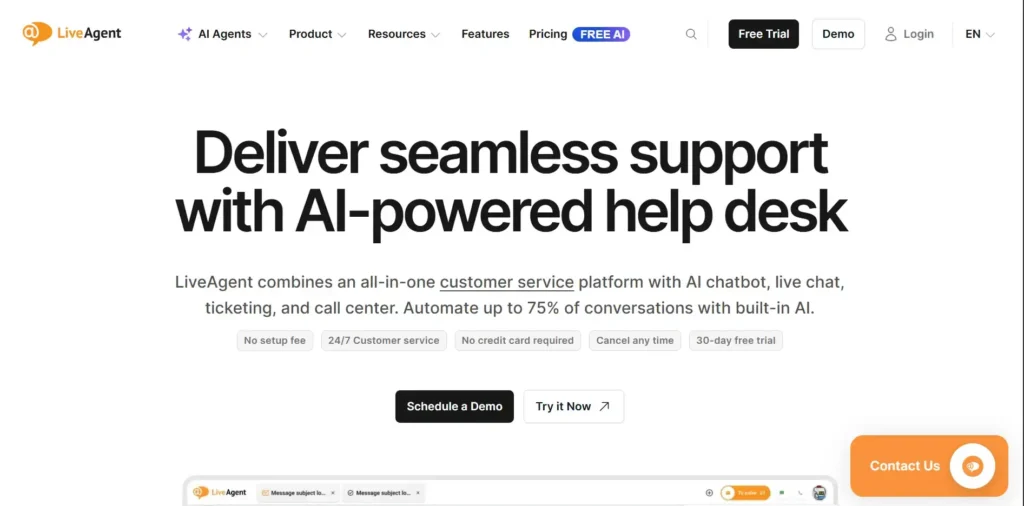
LiveAgent bundles ticketing, live chat, call center, and social channels into one dashboard. Its handoff mechanism is manual rather than proactive: an agent sees chatbot conversations queued in the Chats overview, opens one, and clicks “Stop chatbot and join” to take over.
The visitor can also request a human directly and get placed in a wait queue like any other chat. What carries over is the raw chat history, so the agent reads the transcript rather than getting a condensed brief of what happened and why it escalated.
Pros
- Full chat history is visible to the agent on takeover, so nothing gets lost
- Visitors can request a human directly from inside the chat
- AI features are available through LiveAgent’s FlowHunt integration. An active FlowHunt subscription and credits are required to use features such as AI Chatbot, AI Human Handover, Answer Assistant, and Ticket Summary
- Cheapest entry point on this list
Cons
- Handoff is agent-initiated, not bot-triggered. An agent has to notice the chat and manually take over, not the chatbot proactively escalating it
- LiveAgent offers an AI Ticket Summary feature, but an agent must generate it from the ticket. It is not automatically created when a chatbot hands the conversation to a human
- WhatsApp, Instagram, Facebook, and X cost extra on Small and Medium plans; they’re only bundled on Large and up
Pricing
- Small Business: $15/agent/month billed annually: Best for smaller teams needing ticketing, live chat, a knowledge base and basic AI tools
- Medium Business: $29/agent/month billed annually: Best for teams needing a call center, IVR, SLAs, reports and proactive chat
- Large Business: $49/agent/month billed annually: Best for omnichannel teams needing WhatsApp, social channels, SSO and custom roles
- Enterprise: $69/agent/month billed annually: Best for large organizations needing priority support, a dedicated account manager and custom billing
Overall platform score: 55/100
Verdict
The handoff here is a queue that an agent has to watch. It preserves the full history but skips the summary. Fine at this price if your team is small enough to monitor the queue closely.
How to Choose the Right Omnichannel Chatbot Platform
| Segment | Best fit |
|---|---|
| Mid-market to enterprise in BFSI, healthcare and tech | Kommunicate |
| Enterprise with complex compliance requirements | Comm100 |
| Teams prioritizing customer history over handoff summaries | Kayako |
| Growing support teams needing omnichannel | Freshdesk Omni |
| Enterprise contact centers | Genesys |
| Large enterprise support | Zendesk |
| Budget-conscious small teams | Tidio |
| SaaS and product-led teams | Intercom |
| Businesses already using HubSpot CRM | HubSpot |
| Budget-conscious teams needing an all-in-one help desk | LiveAgent |
Questions to Ask Before You Buy
- Does the base plan include handoff summaries, or is that a separate add-on?
- Which channels are in the plan you’re actually pricing, not the cheapest plan on the page?
- Does the handoff feature require ongoing configuration to keep working?
- Can you get a real price without a sales call?
Conclusion
Most platforms in this comparison support multiple customer service channels, but they differ significantly in how they preserve context when AI transfers a conversation to a human.
Teams should evaluate more than whether human handoff exists. Check whether the agent receives the complete conversation, an automatic summary, the reason for escalation, relevant customer data, and a clear recommended next step. Also confirm which plan and add-ons are required for those capabilities.
Kommunicate ranks first under this methodology because it combines AI automation, multichannel support, and human escalation within one platform. AI Summary and additional agent-assist capabilities are available on the Professional and Enterprise plans.
Before purchasing any platform, test it with a real escalation scenario from your support operation. Ask the AI a question it cannot resolve, request a human, and inspect exactly what the receiving agent sees.
If handoff quality is the deciding factor for your team, book a demo to see how the AI-to-human handoff actually works before you commit to anything on this list.

A Content Marketing Manager at Kommunicate, Uttiya brings in 11+ years of experience across journalism, D2C and B2B tech. He’s excited by the evolution of AI technologies and is interested in how it influences the future of existing industries.