Updated on October 28, 2026
To measure the ROI of AI customer support automation, you need five inputs: a pre-automation baseline, a complete cost inventory, a confirmed AI resolution rate, agent hours saved, and a quality metric such as CSAT that proves you are not trading speed for frustrated customers. With those, ROI is simple: (savings minus total cost) divided by total cost.
The math is not the hard part. What trips teams up is missing one input, which turns the final number into a guess. Most teams deploy automation and then scramble to justify it. The cleaner path is to decide what to measure before the first AI conversation goes live, so your 90-day report reads like a business case instead of a collection of impressions. If you have clean 90-day ticket data and a full cost inventory, you can run the calculation in an afternoon.
Key takeaways
- Five inputs drive everything. Baseline cost, full cost inventory, AI resolution rate, handle time reduction, and CSAT must be tracked together.
- Count resolutions, not deflections. A conversation that never reached a human is not necessarily a solved problem. Pair resolution rate with recontact rate and CSAT.
- Include every cost. Licensing alone overstates returns. Data preparation, integration, quality review, and ongoing maintenance belong in the model.
- Model three scenarios. Present conservative, base, and optimistic cases so the business case does not rest on a vendor’s best-case number.
- Set Year 1 targets conservatively. Published benchmarks conflict widely, so use them as context and let your own data set the target.
Which metrics translate into dollar savings?
Track the metrics that either cut cost directly or protect revenue through customer satisfaction. Everything else on your dashboard is context, not evidence. For a wider view of both sides of the equation, see our guides on how to reduce support costs and the ROI of AI in CX.
| Metric | What it measures | How it turns into dollars |
|---|---|---|
| AI resolution rate | Share of tickets fully resolved by AI with no human and no recontact | Resolved tickets multiplied by your human cost per ticket |
| Cost per ticket | Total support cost divided by tickets resolved | The unit you save on each automated ticket |
| Average handle time (AHT) | Agent minutes per escalated ticket | Minutes saved multiplied by loaded hourly cost |
| First contact resolution | Issues solved without a follow-up | Fewer repeat contacts, lower cost per issue |
| Recontact rate | Customers returning about the same issue | The check on whether resolutions are real |
| CSAT | Customer satisfaction after contact | The quality guardrail that protects retention |
A high automation rate that triggers a surge in recontacts can increase total cost, because customers return when the AI gave a wrong or incomplete answer. Always read resolution rate beside recontact rate and CSAT.
How do you build a reliable baseline?
Your baseline is the most important number in the model, because every later metric is measured against it. Pull 90 days of ticket data and calculate three things:
- Total monthly ticket volume.
- Median resolution time. Use the median, not the mean, so a few outliers do not distort it.
- Fully loaded cost per agent hour, including salary, benefits, payroll taxes, tools, training, and management overhead, using your own payroll data.
Multiply agent minutes per ticket by the loaded hourly rate to get your true cost per ticket. Most teams find it higher than they assumed. As a cross-check, IrisAgent puts typical B2B cost per ticket at $30 to $60, though your own number matters more than any range.
Then segment the 90 days of history into three groups, because not every ticket is an automation candidate:
- Highly automatable: password resets, order status, billing FAQs, account updates.
- AI-assisted: troubleshooting, data lookup, guided workflows.
- Human-led: complaints, exceptions, compliance issues, complex escalations.
The share of volume in the first group, along with the quality of your knowledge base, is the best predictor of your Year 1 resolution rate.
What does AI customer support automation actually cost?
Build the full cost inventory before you run any formula. An ROI calculation based on platform licensing alone will overstate returns, and finance will spot the gap the moment you present it.
- Platform and usage fees. Flat plans, per-seat fees, or per-resolution charges. Kommunicate’s plans start at $34 per month billed annually, and usage-based pricing elsewhere can scale with your success, so ask what a threefold volume increase would cost.
- Implementation and integration. Connecting the AI to your helpdesk, CRM, and order systems. Cost depends on the number of systems and the actions the AI may take, so get written quotes.
- Data preparation. Cleaning help docs, tagging intents, and building evaluation sets. Pertama Partners puts data work at 15 to 20% of an AI project, and it can run higher when source content is poor.
- Quality review and training. Human review of AI answers, plus training and change management for your team.
- Ongoing maintenance. Retraining, monitoring, and content updates. The same source budgets 15 to 25% of the initial implementation cost every year.
Our ROI calculator lets you plug in your own volume and costs before you commit.
What is the ROI formula, and how do you calculate payback?
Two savings streams drive the model. The first is resolution savings, the second is agent time savings on tickets that still reach a human.
Gross monthly savings = (AI-resolved tickets × human cost per ticket) + (escalated tickets × minutes saved ÷ 60 × loaded hourly cost)
Net monthly savings = gross monthly savings − monthly AI run cost
First-year ROI = (12 × gross savings − first-year total cost) ÷ first-year total cost, where first-year total cost = (12 × run cost) + implementation cost
Payback (months) = implementation cost ÷ net monthly savings
Count a ticket as resolved only if the customer does not return about the same issue within a set window, such as seven days. Also remember that saved agent hours are capacity until you use them to avoid hiring, cut overtime, or absorb growth.
A worked example
These assumptions are illustrative, so replace them with your own. A team handles 10,000 tickets a month, with 12 minutes of agent time per ticket at a loaded cost of $40 per hour, which is $8 per ticket or $80,000 a month. Monthly AI run cost (platform, usage, quality review, maintenance) is $8,000, and one-time implementation is $120,000.
| Scenario | AI resolution | AHT reduction | Gross savings / month | Payback | Year 1 ROI |
|---|---|---|---|---|---|
| Conservative | 15% | 10% | $18,800 | 11.1 months | 4% |
| Base case | 30% | 20% | $35,200 | 4.4 months | 96% |
| Optimistic | 50% | 25% | $50,000 | 2.9 months | 178% |
AI resolution is the share of tickets fully resolved by AI. AHT reduction is the cut in agent handle time on the tickets that still reach a human.
In the base case, 3,000 resolved tickets save $24,000, and a 20% handle time reduction on the 7,000 escalated tickets saves another $11,200. After the $8,000 run cost, net monthly savings are $27,200. First-year savings of $422,400 against a first-year cost of $216,000 give a net gain of $206,400, or 96% ROI.
The conservative case barely breaks even in Year 1, which is exactly why you should show it. Presenting all three scenarios keeps the business case from resting on a single best-case assumption.
What benchmarks should guide your targets?
Be careful with published benchmarks, because they conflict and rarely share a definition of “resolution.” One analysis from Digital Applied notes that vendor-quoted rates of 40 to 60% often shrink to 10 to 20% in production, and that an 8 to 12 month payback is the honest baseline for most first-year deployments. Anything faster usually omits implementation cost or overstates automation.
Real deployments show the range that is possible when an AI agent is trained on a company’s own policies and measured on resolution, not just containment:
- Conte.it automated 90% of conversations with Kommunicate.
- TelOne cut agent workload by 25% across web and WhatsApp.
- Lula saw a 40% increase in CSAT.
- Oklahoma City Community College reached a CSAT of 8.33.
For your own plan, set Year 1 targets deliberately below mature-deployment numbers. Keep CSAT at or above your pre-automation baseline while you grow resolution rate, then raise targets in Year 2 as intent coverage improves and the model is refined with real conversations.
How do you build a dashboard stakeholders will trust?
Structure the dashboard in four layers, each with its own audience and cadence.
- Operational (weekly, support team): AI resolution rate, average handle time, first contact resolution, recontact rate.
- Financial (monthly, finance and leadership): cost per ticket, gross savings, net ROI.
- Quality (monthly QA review): CSAT, escalation rate, AI answer accuracy.
- Trend (quarterly, executives): resolution rate over time, and ticket volume growth versus headcount growth.
Report resolution rate beside recontact rate, and cost savings beside CSAT, never either metric alone. Those pairings stop the dashboard from reading like a success story when the customer experience has quietly degraded. Platforms that show the reasoning behind each AI answer, as Kommunicate does, make the quality layer much easier to audit.
A concise executive summary leads with the hard ROI, then confirms that the gains came with acceptable quality: cost per ticket down, AI resolution up, CSAT stable, agent hours released.
Model your own ROI
Train an AI agent on your help docs and measure resolution against your real ticket volume.
Start with the framework, not the vendor’s number
The sequence is straightforward: baseline your current costs, segment your automatable volume, build a complete cost inventory, run the savings formula with realistic resolution and handle time assumptions, and track results against quality guardrails like CSAT and recontact rate. Teams that build this framework before deployment can show credible results at the 90-day and 12-month marks.
If you are evaluating platforms, choose one that gives you direct visibility into these metrics from day one, without a separate analytics stack. Talk to our team about what this framework looks like for your support operation.
Walk through your ROI model with a specialist
Bring your ticket volume and costs, and we will map the baseline and scenarios together.
Frequently asked questions
With clean 90-day ticket data and a complete cost inventory, you can often finish in an afternoon. You will establish the baseline, segment automatable volume, and apply the savings formula. Teams with missing cost records or poorly categorized tickets need more time to fill those gaps first.
Fill the gaps before trusting the result, because missing any of the five inputs turns the number into a guess. Pull 90 days of ticket data first, then build the cost inventory, then estimate resolution rate and agent hours saved using conservative assumptions you can defend.
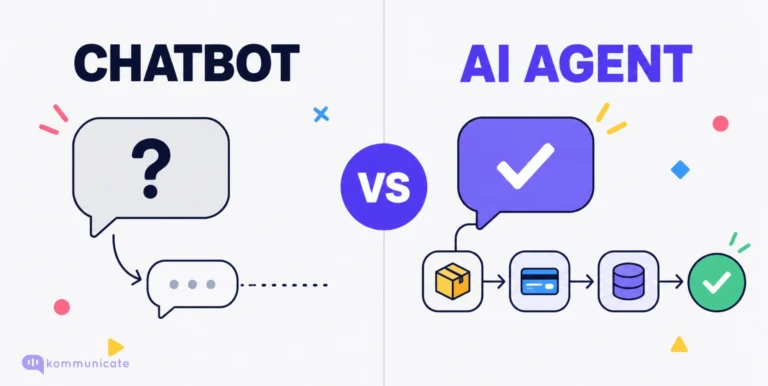
Deflection counts conversations that never reached a human agent. Resolution counts conversations where the customer’s problem was actually solved. Deflection can look healthy while customers abandon or return later, so measure resolution and recontact rate instead of deflection alone.
Plan for roughly 6 to 12 months in a first-year deployment, and treat anything faster with caution. Faster results usually come from high-volume, narrowly scoped use cases. Payback equals implementation cost divided by monthly net savings, so include every cost in the calculation.
Data preparation, integration work, quality review, and ongoing maintenance. One consultancy budgets 15 to 25% of implementation cost per year for maintenance alone. Leaving these out makes ROI look better than it is, and finance will notice.
Present three: conservative, base, and optimistic. Show the assumptions behind each, including resolution rate, handle time reduction, and total cost. This keeps the business case from resting on a vendor’s best-case figure and shows leadership the downside as well as the upside.

Devashish Mamgain is the CEO & Co-Founder of Kommunicate, with 15+ years of experience in building exceptional AI and chat-based products. He believes the future is human and bot working together and complementing each other.