Updated on September 25, 2026
Most support teams don’t have a shortage of automation tools. They have a shortage of clarity about what to automate, in what order, and where to draw the line. The result is one of two failure modes: teams automate too broadly, generating wrong answers that destroy customer trust, or they automate too narrowly, leaving agents buried in tickets that a well-configured system could have handled in seconds.
To automate support tickets effectively, you need a concrete target. Industry benchmarks point to 40-60% full automation, tickets resolved without any human intervention, as an optimized goal, though many teams fall short due to implementation gaps rather than technology limitations. Good ticket automation isn’t about doing more automatically. It’s about being precise about what your system can handle confidently, and stopping cleanly when it can’t.
This playbook covers the essentials: which tickets to automate first, how to build a routing system that scales, how to configure confidence thresholds, and which KPIs prove your system is working.
Which support tickets to automate first
High-confidence, repeatable ticket types
The safest automation candidates share two qualities: high volume and a predictable outcome. For SaaS companies, that typically means password resets, billing FAQs, subscription changes, account status checks, and common “how do I…” questions.
For e-commerce teams, it’s order tracking, refund status, return authorizations, and shipping updates. In most cases, the answer is consistent, the outcome is predictable, and there’s little ambiguity about what the customer needs.
These categories belong in your first tier because they let you build automation confidence without risking edge cases. A customer asking “where is my order?” has one expected answer: the current status of their shipment. Get that right automatically and you’ve saved an agent touch without any risk to CSAT. Start here before you touch anything more complex.
The middle ground and what to avoid automating
Semi-structured tickets, complaints missing key context, billing disputes, and security-related access requests sit in a different category. These aren’t full automation candidates. They’re candidates for automation assist: the system drafts a reply or pulls account data for a human agent, but a person makes the final call. That distinction matters because the cost of a wrong auto-reply on a billing dispute is far higher than the cost of routing it to a human.
Some categories should never be fully automated: complex bugs, high-stakes escalations, regulated-industry queries, and anything where the right answer depends on human judgment about intent or risk. Keeping these off your automation roadmap isn’t a limitation. It’s a deliberate architecture decision that protects your CSAT and your customers.
How to automate support tickets with a triage and routing system that scales
Intent classification and auto-tagging logic
Before any routing rule fires, the system needs to understand what the ticket is about. NLU-based triage reads the incoming message, classifies it by topic, sentiment, language, and urgency, then tags it before any human sees it. A billing inquiry submitted via email and the same question sent over WhatsApp may need different routing paths, even though the topic is identical. Channel context shapes urgency, and sentiment flags ensure frustrated customers reach senior agents faster. This kind of helpdesk automation depends entirely on getting classification right before routing begins.
Clean tagging is the foundation everything else depends on, downstream routing, auto-replies, SLA assignment, and reporting all operate on those tags. If the classification is wrong, every subsequent rule misfires. Invest the time to validate your tagging logic against real ticket samples before you build routing rules on top of it.
Routing rules by channel, keyword, and account tier
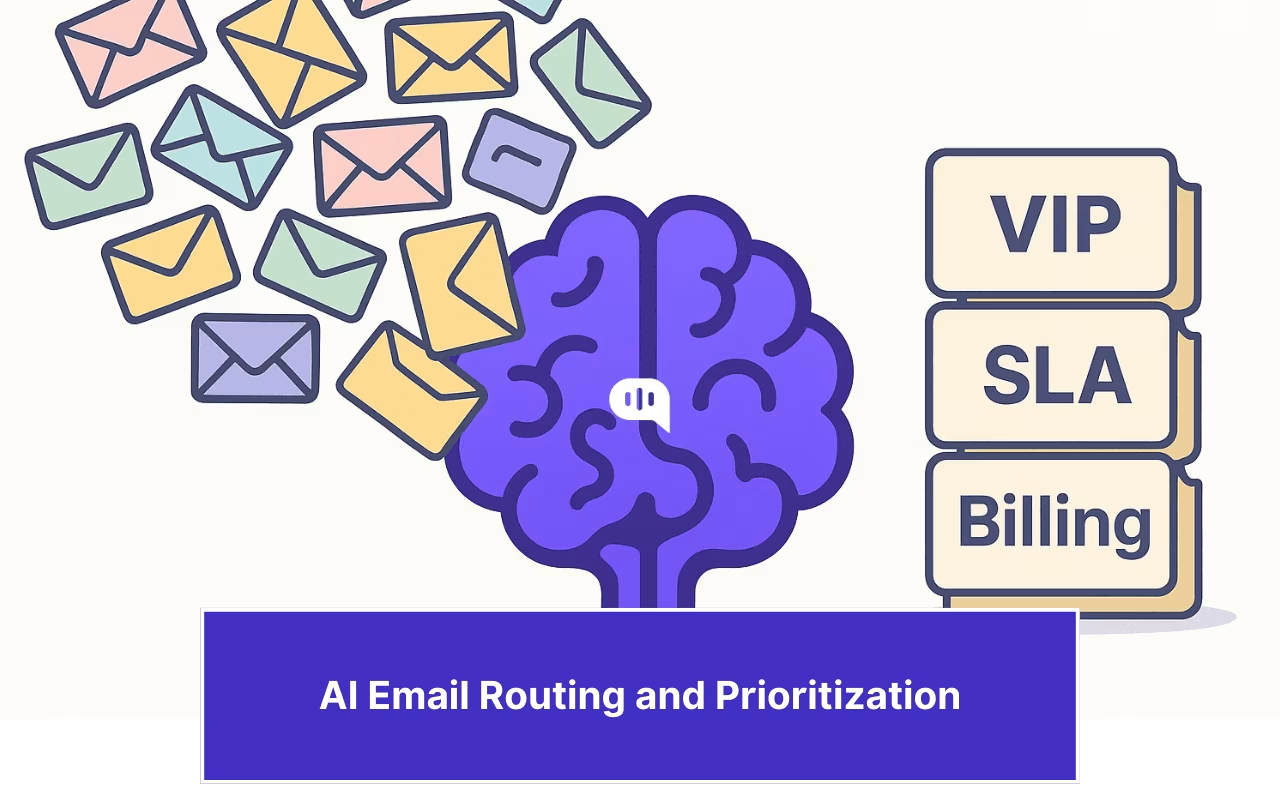
Once classification is working, translate it into action. Emails containing “invoice” go to the finance queue. Messages from enterprise accounts get a VIP priority assignment. Tickets in Spanish route to the regional team. Frustrated sentiment flags push conversations to senior agents without waiting for a supervisor to notice manually. These aren’t complex rules, but chaining them together correctly is what cuts misroute rates.
The results of systematic routing automation can be substantial. In one published SaaS support case study, misrouting dropped from 23% to 3.8% after routing automation was introduced, with first-response time falling from 6.4 hours to 1.2 hours. The full chain driving those results is: detect, classify, tag, assign queue, set priority. That sequence matters because each step feeds the next. Skip the tagging step and your priority assignment has nothing reliable to act on. Well-implemented ITSM ticket automation follows the same sequence, even at enterprise scale.
Confidence thresholds: when to resolve, when to hand off
What confidence thresholds mean in practice
A confidence threshold is the score a system assigns to its own answer before deciding whether to respond, draft for human review, or route directly to an agent. Many teams under-configure this setting, letting the AI respond regardless of certainty, which is how you get plausible-sounding wrong answers that burn CSAT and erode trust in automation entirely.
A practical three-tier model works well for most teams. High confidence means the system resolves the ticket end-to-end. Medium confidence means it drafts a response for agent review before sending. Low confidence means it routes to a human immediately, with full conversation context attached. The exact score bands need calibration against your real ticket data, not a vendor default, because the acceptable error rate on a billing question is very different from a password reset.
The “refuse to guess” approach and why it protects quality
When an AI system doesn’t know the answer, the right behavior is to say so and hand off cleanly. Fabricating a confident-sounding response is worse than not responding at all. Research on AI-driven customer interactions consistently shows that a single wrong AI answer can damage customer trust far more than routing ten tickets to a human agent. This is the single biggest differentiator between automation systems that build customer trust and ones that destroy it.
Kommunicate is built around this principle. AI agents handle high-confidence tickets end-to-end and explicitly decline queries outside their configured scope, handing off with full conversation context so the customer never has to repeat themselves. For support teams that have been burned by chatbots that fabricated answers, that architecture is the foundation for rebuilding automation trust. Start a 30-day free trial, no credit card required, to test this approach against your real ticket mix before committing.
Escalation triggers that preserve context
The triggers that should kick off a human handoff include: low confidence score, ambiguous intent, detected customer frustration, SLA near-breach, or a topic outside the configured scope. But the trigger is only half the equation. The quality of the handoff matters just as much. The human agent should receive the full conversation history, a summary of what the customer was trying to accomplish, and the specific reason for escalation. A cold transfer with no context isn’t a handoff. It’s a restart, and customers notice.
A sample automation ruleset you can implement today
The routing-to-resolution chain
Here’s a billing example you can adapt immediately. The system detects billing-related keywords in the incoming ticket. It tags the ticket as billing and assigns it to the finance queue. If the ticket matches a known FAQ pattern, it sends the relevant knowledge base article automatically. If the ticket remains unresolved after a set time window, it escalates to a human agent with the full conversation attached. The customer gets a fast response for standard questions and a smooth escalation for anything more complex.
For e-commerce order tracking, the chain looks like this: the system detects “where is my order” intent, pulls tracking data via integration, sends an automated reply with the current status, and closes the ticket if the customer confirms the issue is resolved. Chaining these rules together, rather than using isolated triggers, is what reduces total agent touches. Each rule passes context to the next, so the system can act intelligently rather than just pattern-matching on keywords.
Auto-reply templates and smart deflection patterns
The auto-reply scenarios that reliably reduce volume without frustrating customers include receipt confirmation with an expected response time, knowledge base article suggestions based on topic tags, missing information requests before routing, and status updates pulled from live data integrations. These work because they give customers something useful immediately, even before a human is involved. When you auto-create support tickets from these interactions, that same tagging logic carries through to reporting and SLA tracking.
There’s a meaningful quality gap between templated canned replies and AI-drafted responses trained on your actual documentation. Canned replies are faster to configure but create more edge cases. AI-drafted responses handle variation better but require a platform trained on your specific policies and help content, not generic scripts. That capability difference becomes relevant quickly as your ticket mix grows more varied.
The KPIs that prove your support ticket automation is working
Four metrics tell you whether your automation investment is producing real results. Automation rate is the percentage of tickets fully resolved without any human intervention. First-response time measures how quickly customers get an initial answer. Resolution time tracks how long it takes to close the ticket completely. SLA compliance rate shows whether your team is meeting its response and resolution commitments at scale.
Calculate automation rate carefully: only count tickets that were fully resolved without an agent touch. Deflections and partial assists don’t belong in that number. They’re useful to track separately, but blending them into your automation rate inflates the figure and makes it harder to identify where the system is falling short. Add CSAT as a lagging indicator. It confirms whether your automation quality held up on edge cases, particularly the ones where the AI answered a low-confidence query it should have declined.
Real-world benchmarks give you directional targets. Based on published case studies, teams implementing routing automation have reported first-response time reductions of 60, 81%, resolution time reductions of 65, 77%, and SLA compliance improvements of 23, 31 percentage points. Your results depend on ticket complexity, integration depth, and how precisely you’ve calibrated your confidence thresholds. Set a 90-day review cadence: check your automation rate monthly, and audit any tickets where CSAT dropped to catch where the system is overreaching.
Conclusion: build the foundation right, then scale it
When you automate support tickets with this kind of triage architecture, the gains compound. The teams hitting 60%+ automation rates aren’t automating more aggressively, they’re automating more precisely, with clear confidence thresholds, clean routing chains, and a system that hands off gracefully when it reaches its limits. The teams that aren’t there yet are usually trying to automate too broadly, too fast, without the triage foundation underneath.
Start by auditing your top ten ticket categories by volume. Identify which three are fully automatable today based on the criteria in this playbook. Build your routing chain for those, validate with real ticket data, and then expand. The goal isn’t zero agent touches. It’s fewer unnecessary ones, faster responses for customers, and agents spending time on work that actually requires human judgment.
As knowledge bases improve and confidence models get better calibrated, that 40, 60% automation floor moves up. But it only moves up if the foundation is built right from the start. Kommunicate is designed around that exact principle, a “refuse to guess” architecture that keeps CSAT intact while scaling resolution rates. The free trial is a practical place to see how it performs against your real ticket mix.

Devashish Mamgain is the CEO & Co-Founder of Kommunicate, with 15+ years of experience in building exceptional AI and chat-based products. He believes the future is human and bot working together and complementing each other.