Updated on April 7, 2026

February was all about giving you more control over your AI agents. We focused on smarter agent customization, better user context handling, and a more streamlined Agent Builder experience; all while squashing some key bugs and polishing the overall product. Here’s everything that shipped this month.
Features
Custom Instructions and Sample Templates in Agent Builder
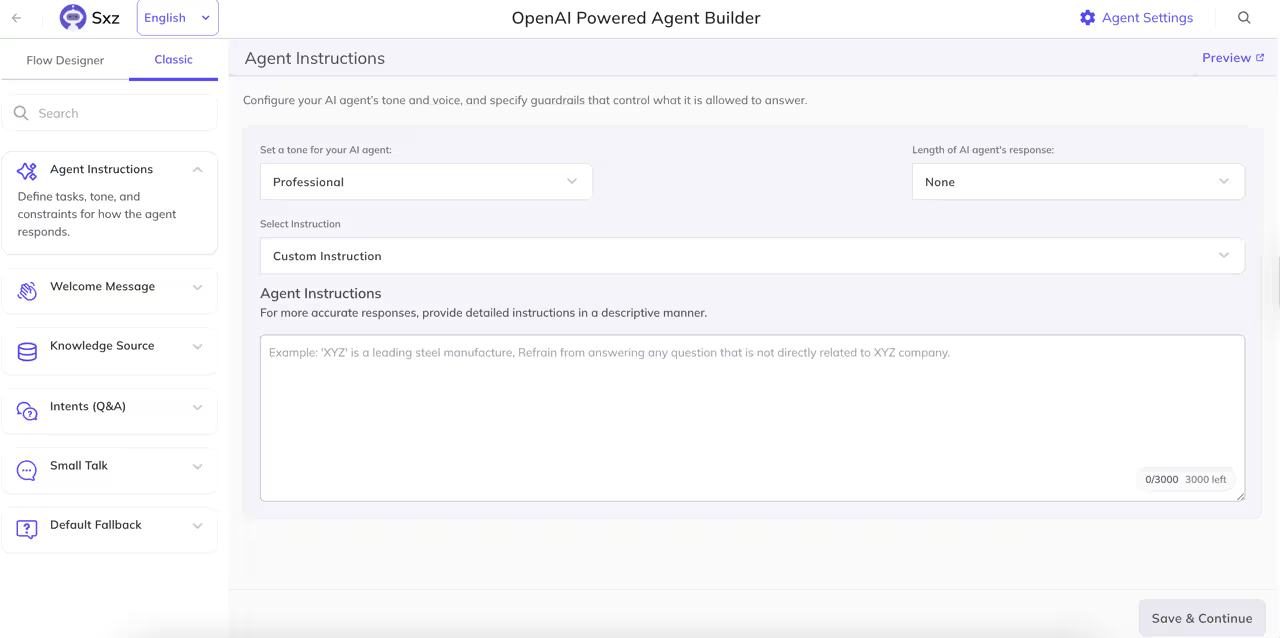
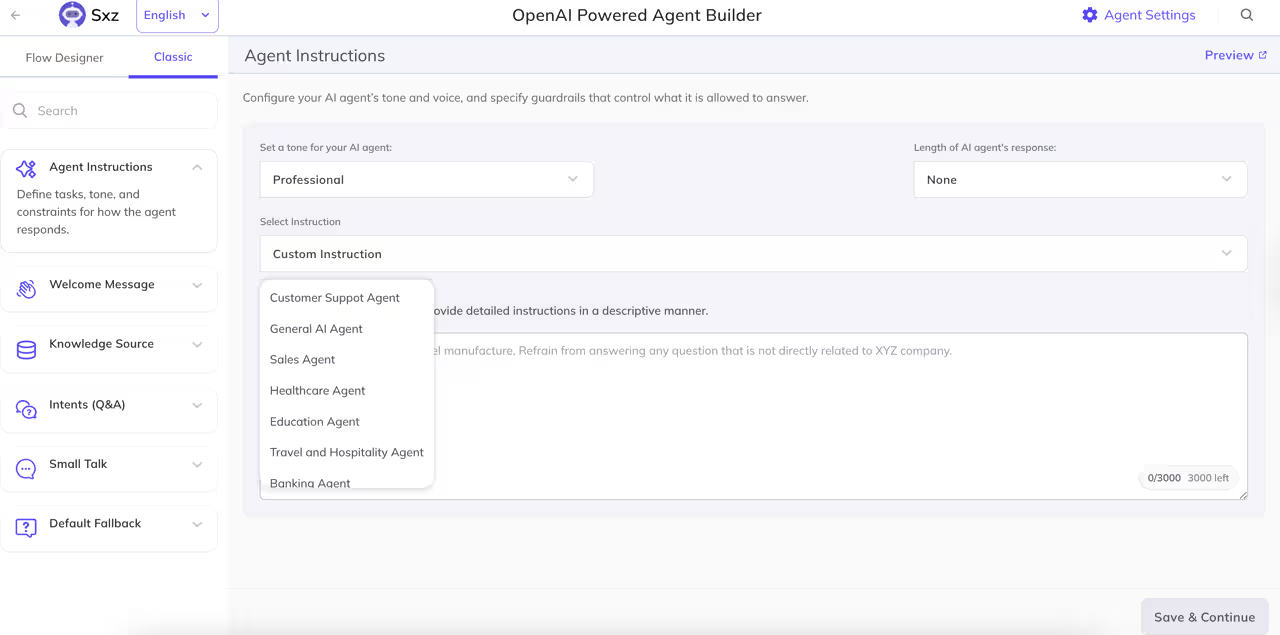
Custom Instructions have moved into the Agent Builder for a more focused, intuitive setup experience. You’ll now find the section within your agent builder.
To help you get started faster, we’ve also added a set of sample instructions under the “Select Instruction” dropdown, tailored for different agent types such as support agents, sales bots, and onboarding assistants. Simply pick a template and customize it to fit your use case.
Moved Help Centre into Knowledge Source
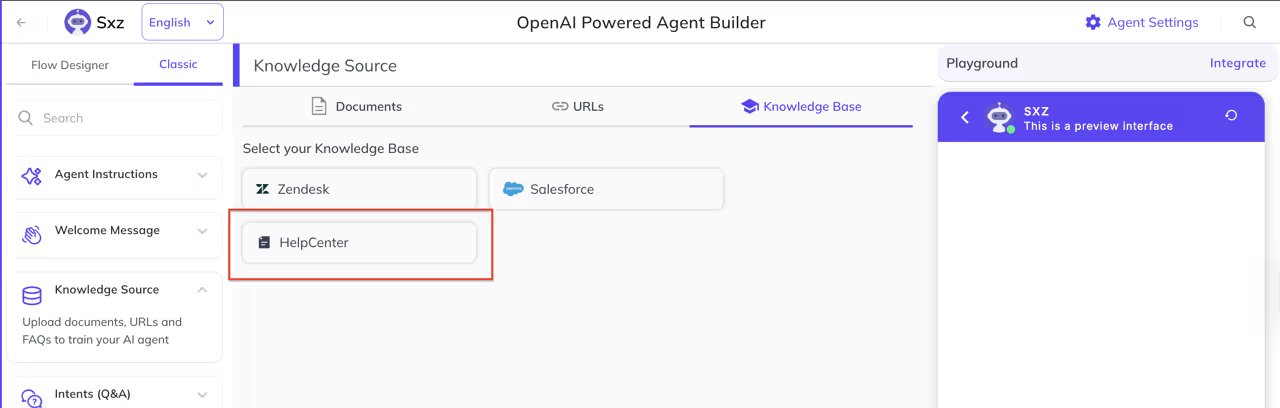
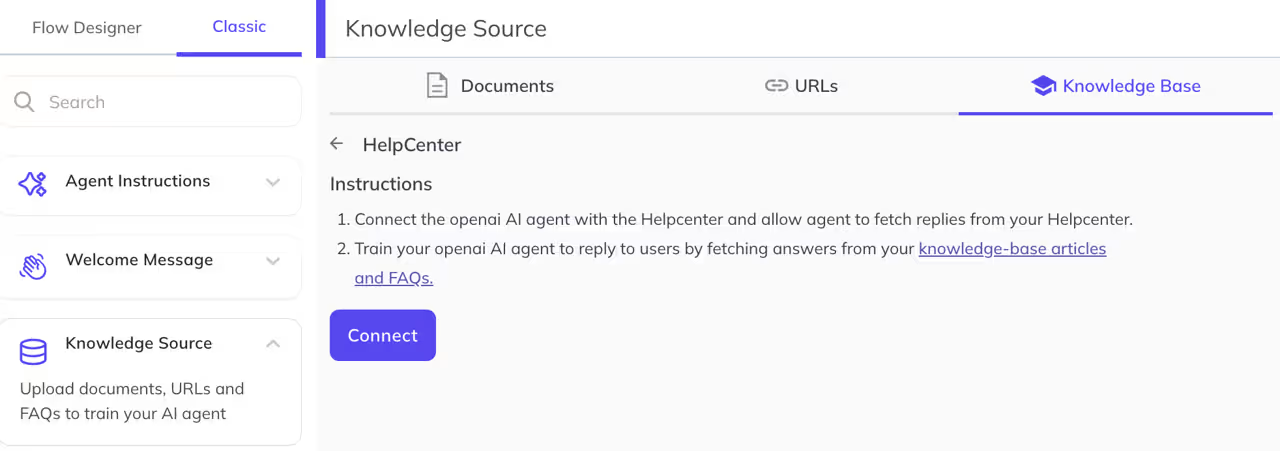
“Connect Help Centre” has moved from Settings into the Knowledge Source section within Agent Builder. This makes it easier to manage all documents, URLs, and your Help Centre from a single, unified place.
Go to Manage Agents → Agent Builder → Knowledge Source to find it.
Capture End User Location from the Dashboard

A new setting, captureLocation, is now available in the Dashboard. When enabled, it allows your AI agent to access the end user’s location.
Pass User Info Dynamically in Agent Instructions
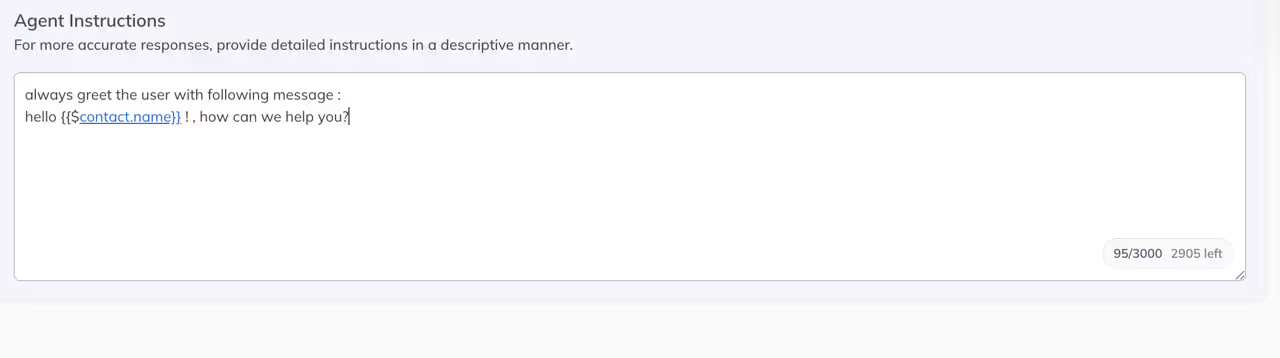
Your AI agents can now pull in real user data directly from agent instructions using dynamic parameters. If user information has been provided, you can reference it inline using:
- {{$contact.name}} — full name
- {{$contact.email}} — email address
- {{$contact.firstname}} — first name
- {{$contact.lastname}} — last name
This enables more personalized, context-aware conversations without extra configuration.
Improvements
- Improved Intent Matching Accuracy. AI agents now better understand what users are asking, leading to more accurate and relevant responses.
- Frictionless Location Capture in Chat Widget. User location is now captured in the chat widget without triggering a browser permission prompt, making the experience smoother for end users.
- preCreateUser Now Defaults to False for Existing Customers. The preCreateUser flag in app settings will be set to false for existing customers if it hasn’t been explicitly configured, reducing unintentional user record creation.
- Auto-Sync Help Centre Articles. When a new article is added or updated in the Kommunicate Help Centre, training data is automatically refreshed.
- AI Agents Respond Using Custom Instructions Alone. Even without a knowledge source connected, AI agents can now generate meaningful responses based on their custom instructions.
- User Info Passed via Webhook for Custom Bots. User context is now included when passing data to custom bots via webhook, enabling richer integrations.
- File Extension Restrictions. You can now configure which file extensions are allowed for uploads, giving you better control over what gets shared through your widget.
- Better AI Responses When No Answer Is Found. Instead of generic fallback messages, the AI agent now gives more helpful and contextually appropriate responses when it can’t find a direct answer.
Bug Fixes
- Sources now display correctly in replies — fixed an issue where citation sources were missing or incorrect.
- Greeting message no longer blocks background clicks — the widget is now fully interactive when the greeting is displayed.
- Mailbox cache issue with multiple email integrations resolved — fixed conflicts affecting accounts with more than one email integration.
- Away Message now appears reliably in the widget — fixed a bug where the Away Message was not showing up when agents were unavailable.
- AI Agent response inconsistency fixed — resolved an issue where AI Agents occasionally gave incorrect or inconsistent replies.
- Duplicate check added for training phrases in Agent Builder — prevents the same training phrase from being added more than once.