Updated on August 4, 2026
Collect data through WhatsApp forms, train your AI agent on Freshdesk help articles, mask sensitive customer data automatically, and pull in every tab of a spreadsheet – not just the first one.
Here’s everything we shipped in July 2026 at Kommunicate.
New Features
Capture data with forms in WhatsApp
You can now collect information from customers directly inside a WhatsApp conversation using forms – no need to send them to an external page.
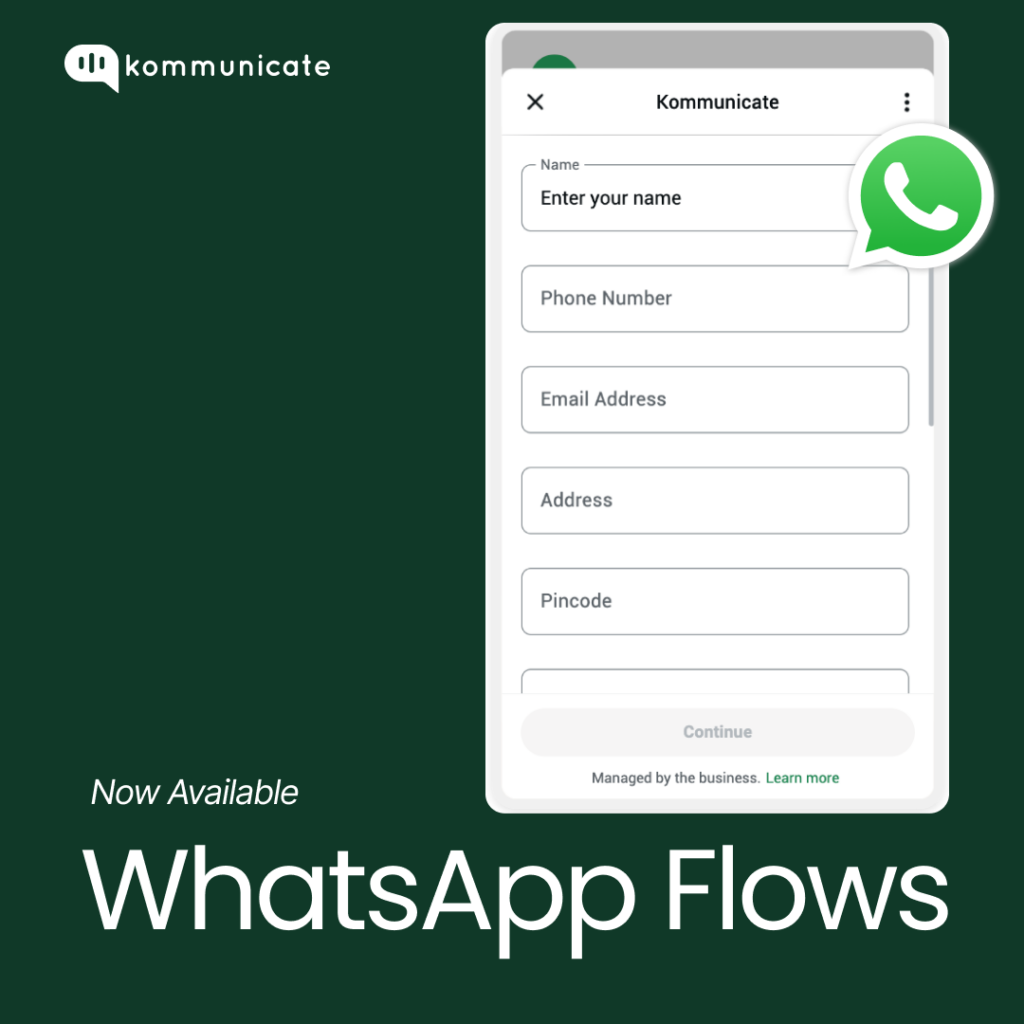
Use it for:
- Collecting customer feedback
- Capturing and qualifying leads
- Scheduling appointments
- Registering users for events
How to turn it on
Forms are activated through a payload in Kommunicate. Below is a sample payload your developer can use as a starting point – the key fields are the form’s message text (body.text) and its flow ID (flow_id).
{

"platform": "kommunicate",

"metadata": {

    "contentType": "300",

    "templateId": "18",

    "flowData":

  {

"type": "flow",

"body": {

  "text": "Please fill out the registration form"

},

"action": {

  "name": "flow",

  "parameters": {

    "flow_message_version": "3",

    "flow_id": "123456789012345",

    "flow_cta": "Open Form",

    "flow_token": "user-123",

    "flow_action": "navigate"

  }

}

}

}

}
Train your AI agent on Freshdesk Knowledge Base articles
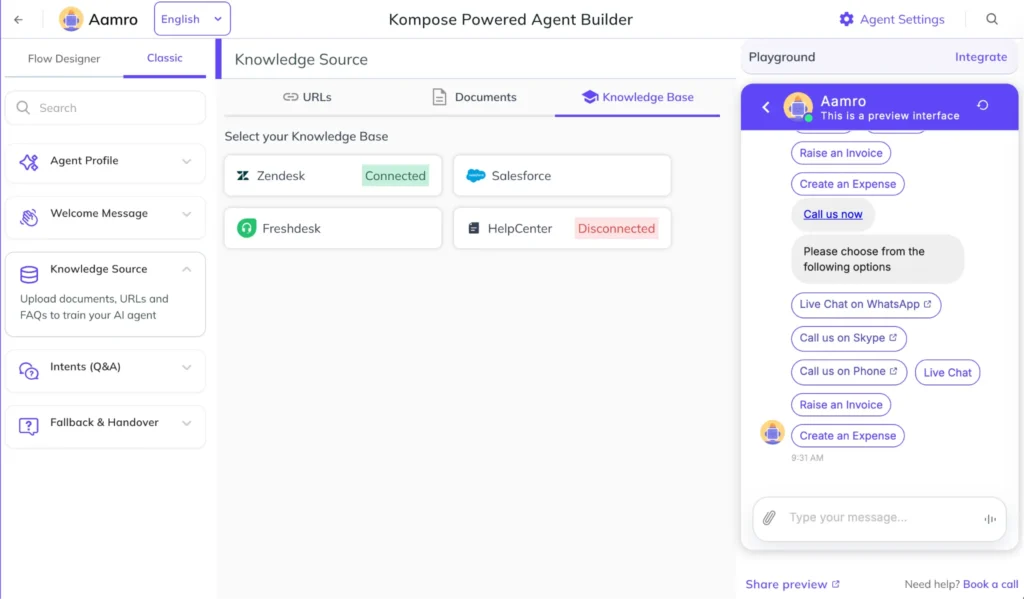
Your AI agent can now learn directly from your Freshdesk Knowledge Base, so it can answer customer questions using the same help articles your support team already relies on.
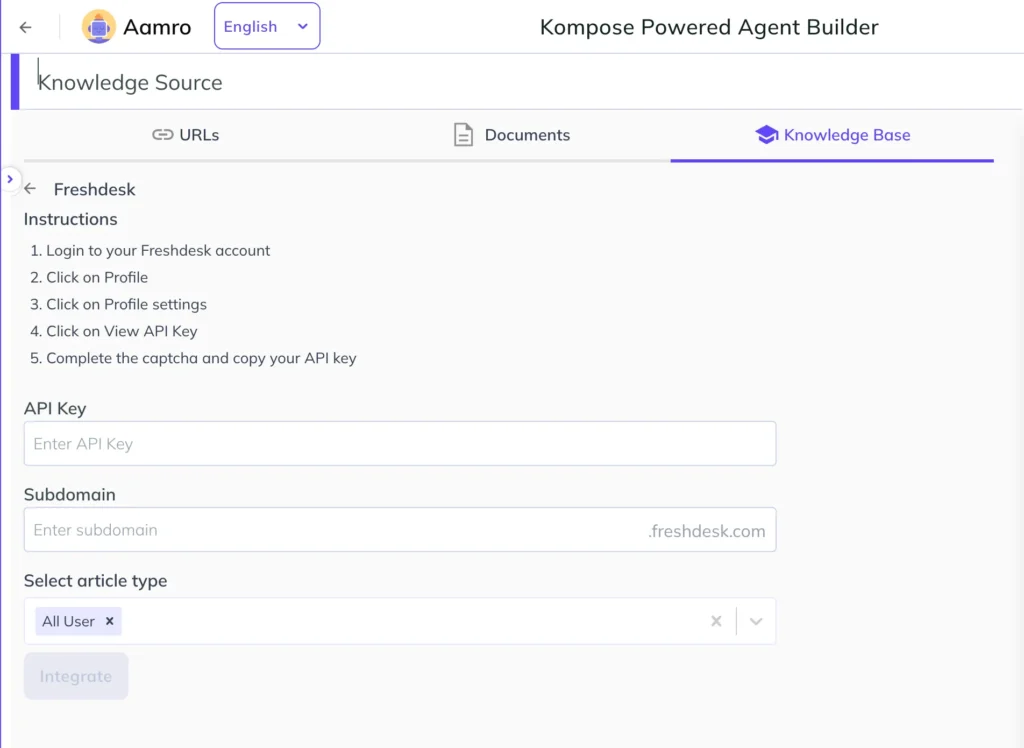
All you need is your Freshdesk API key, your subdomain, and the article category you’d like the agent trained on.
How to connect it
- Go to your AI Agent, then open Knowledge Source.
- Select Freshdesk.
3. Enter your API key and subdomain, then choose the article category to train on.
Data masking for secured conversations
We’ve added data masking so personal information shared in a conversation – like phone numbers, emails, or card details stays protected. Your customers’ personal data can no longer be viewed on the Kommunicate platform.
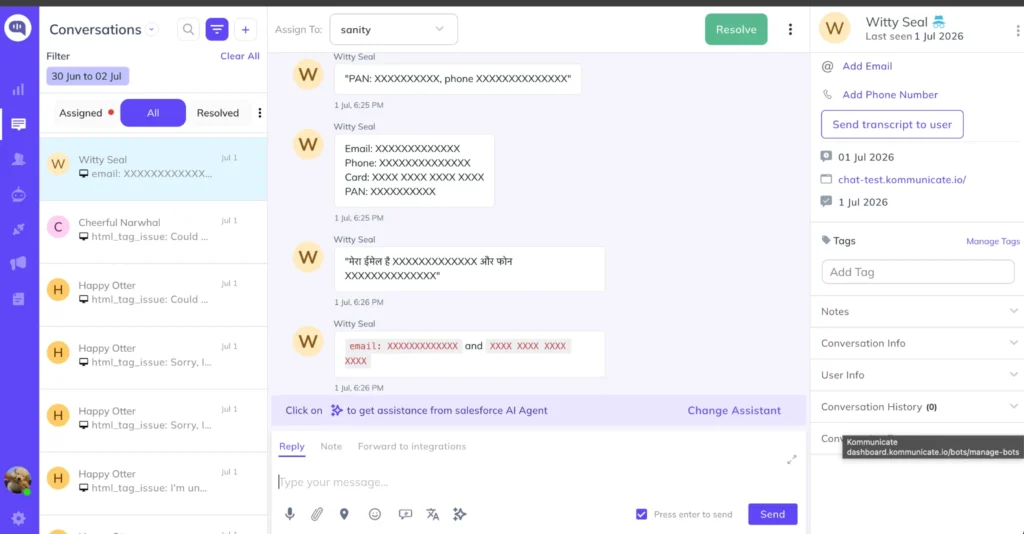
To enable data masking, follow the below steps:
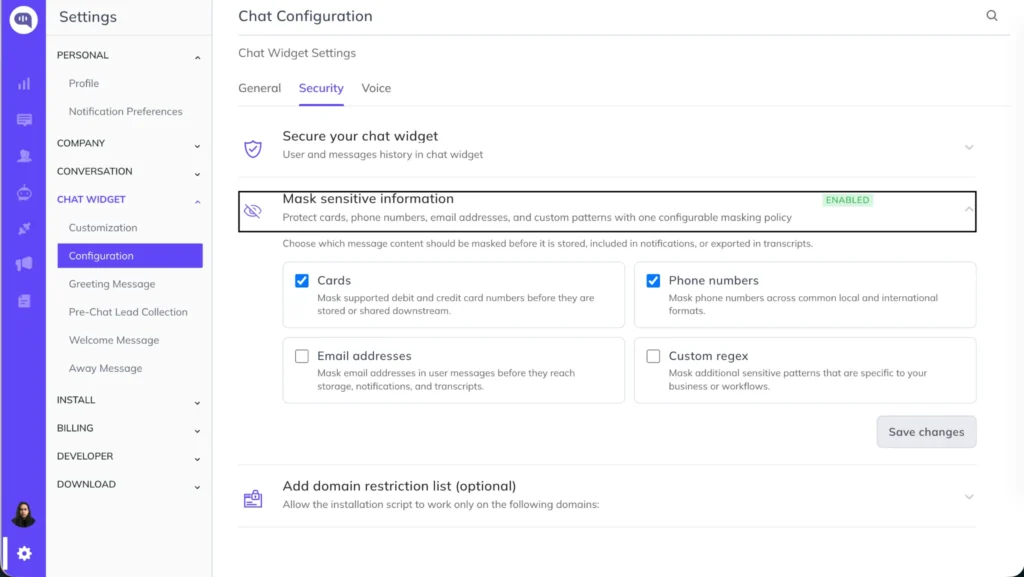
- Click on Settings > Chat Widget > Configuration > Security > Mask sensitive information
- Select the type of data you would like to hide
Train your AI agent on multiple spreadsheet tabs
Previously, your AI agent could only train on a single tab of an uploaded spreadsheet. Now it can train on every tab in the file at once.
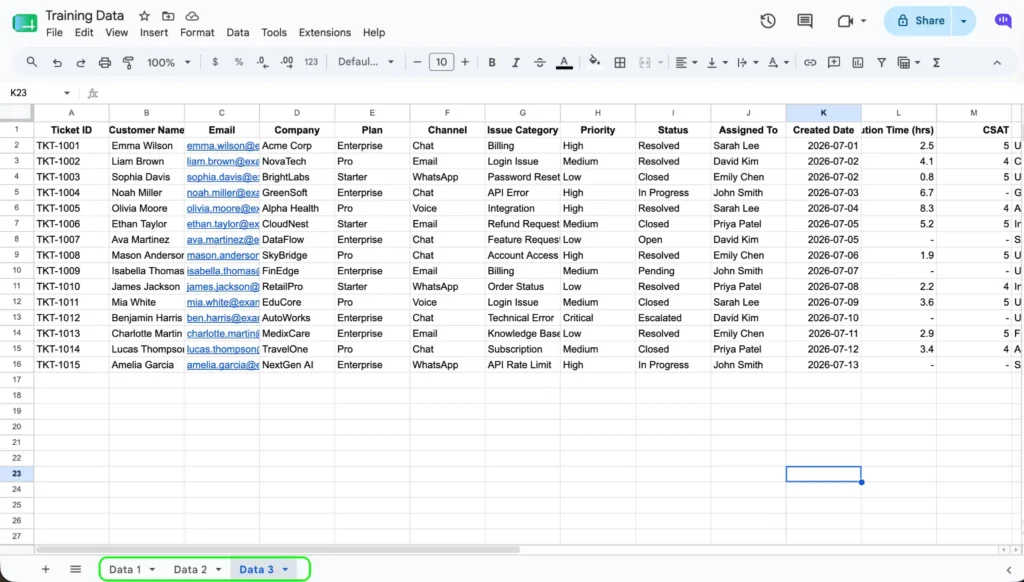
This makes it easier to keep training data organized by product line or use case, without the extra step of splitting each tab into its own file before uploading it as a knowledge source.
Bug Fixes
- Fixed the extra white space near the user name in the conversation section
- Fixed the TypeError: n.map is not a function
- Fixed the greeting message pop-up breaking in the preview window
- Fixed the Twilio templates that were not working
- Fixed the issue with the “Answer from Web” feature toggle