Updated on April 7, 2026

March was all about giving you sharper control over your knowledge sources, a faster path to launching AI agents, and a cleaner experience across the board. From smarter filtering in Knowledge Source to one-click agent creation, we shipped a lot of quality-of-life improvements this month, along with fixes for some long-standing bugs. Here’s everything that shipped.
Features
Status Filters for Documents and URLs in Knowledge Source
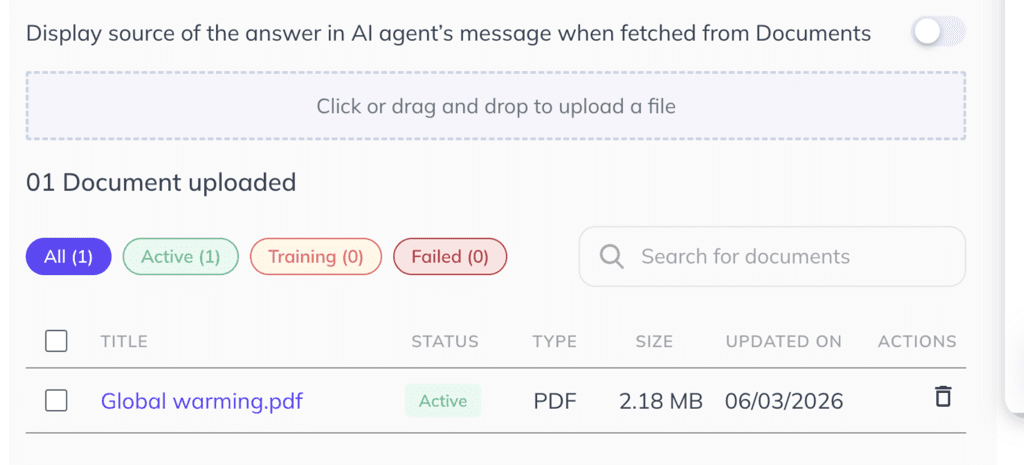
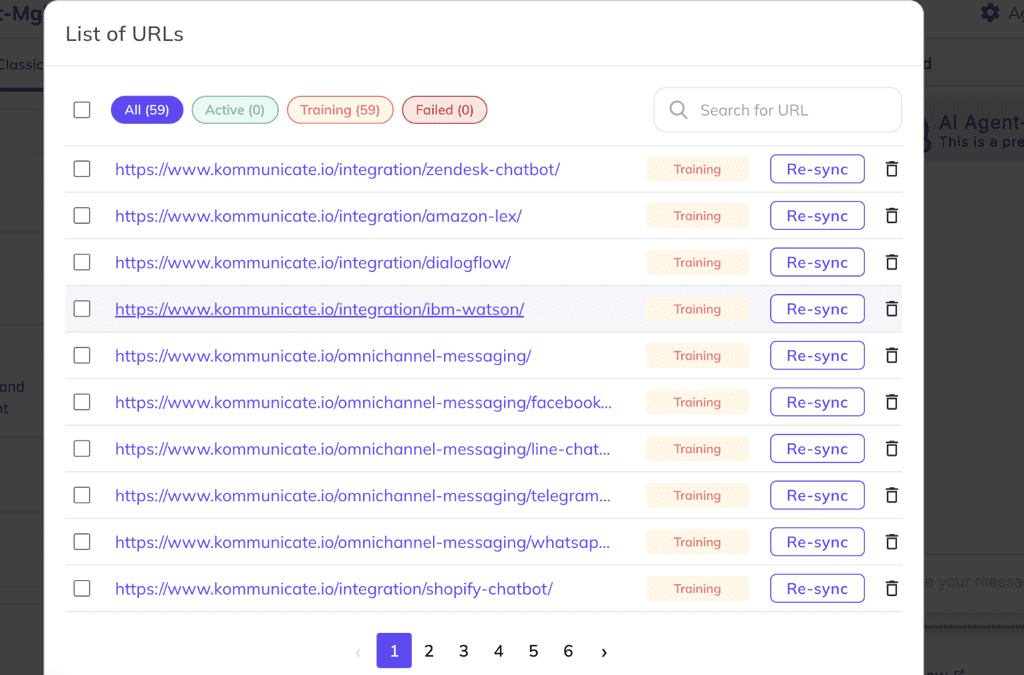
Managing your knowledge base just got easier. You can now filter uploaded documents and URLs by their current status (All, Active, Training, or Failed) directly within the Knowledge Source section. This makes it faster to spot training errors, track what’s live, and clean up stale content without having to scroll through everything at once.
Choose Article Type for Zendesk Training
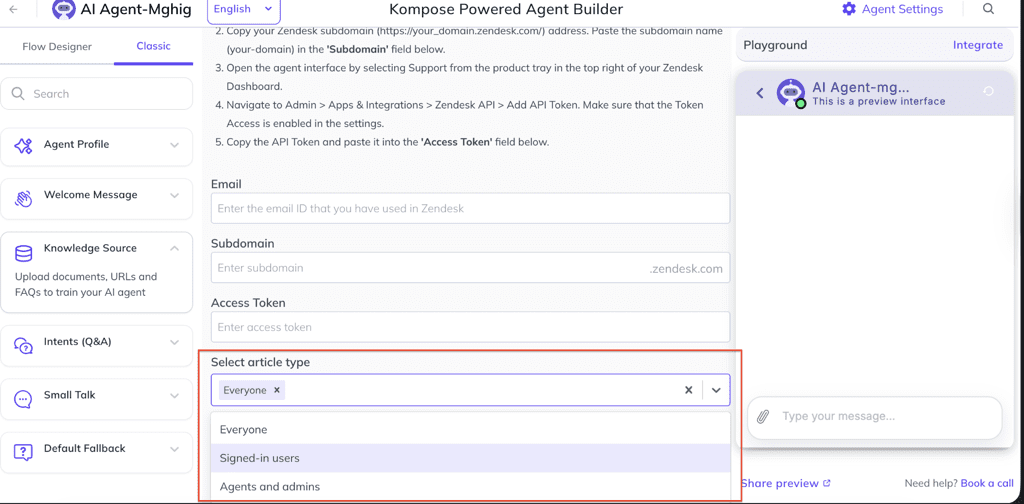
When connecting Zendesk as a knowledge source, you can now select which article type should be used to train your AI agent. A new dropdown in the Zendesk connection flow lets you specify the exact content category you want your agent to learn from, giving you more targeted control over what it knows and how it responds.
Simplified Agent Creation Flow
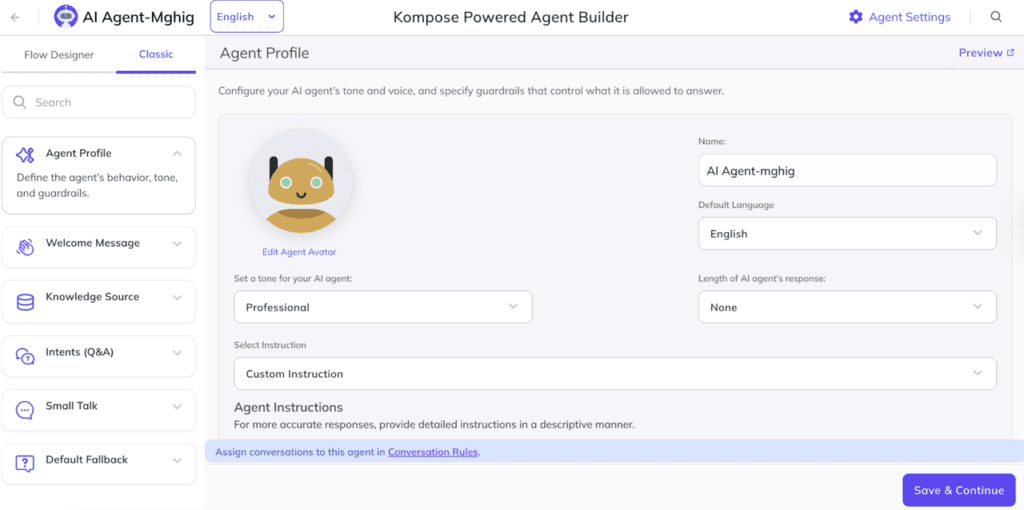
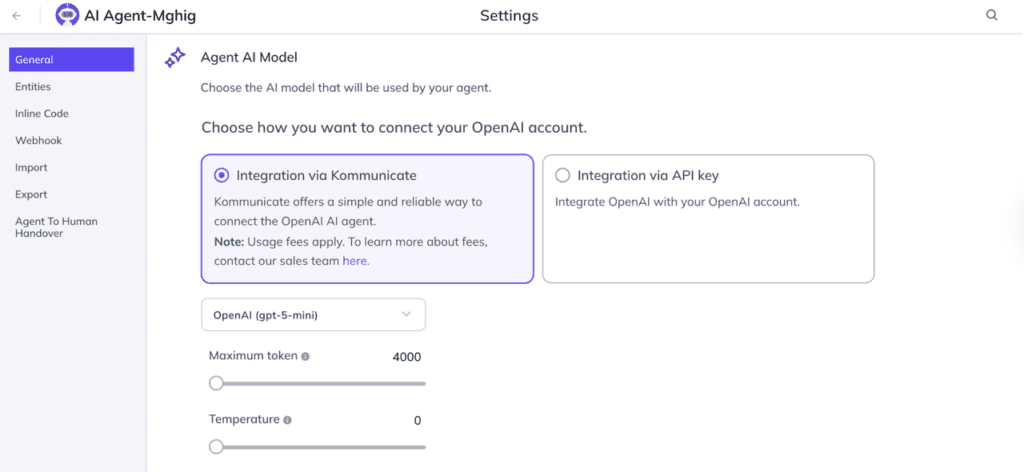
Creating an AI agent is now a single step. Once created, you can update the agent’s profile directly inside the Agent Builder, and change the model from Agent Settings — no need to jump between screens during setup.
This applies across all supported providers: Kompose, OpenAI, Gemini, and Anthropic. Simply create the agent in one click, then refine everything from within the Builder itself.
Improvements
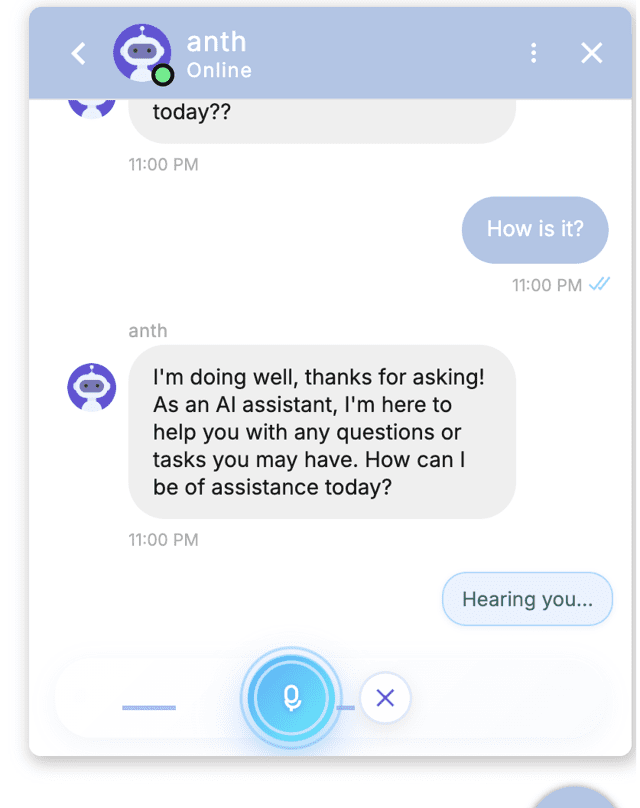
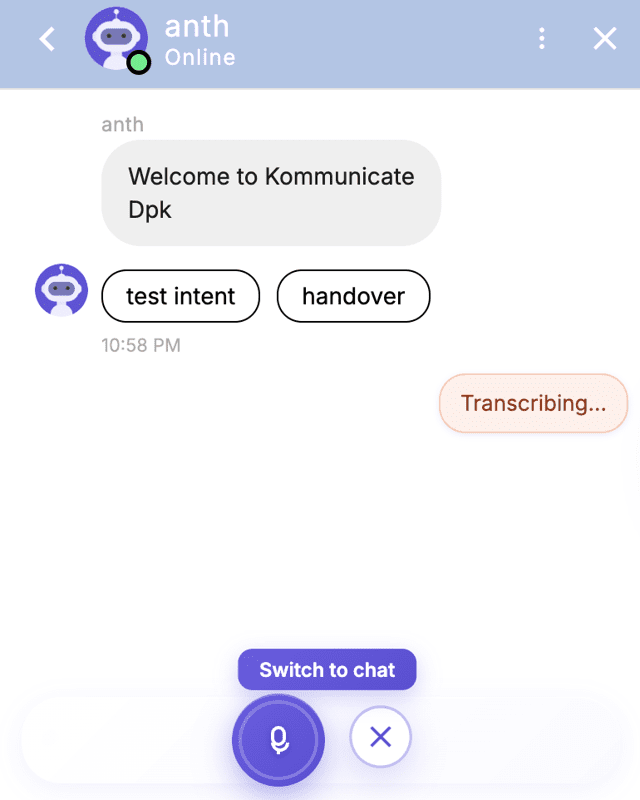
- Improved Voice Chat Mode in Web Widget. The UI for voice chat has been redesigned, and bot response latency has been significantly reduced, making voice interactions feel faster and more natural.
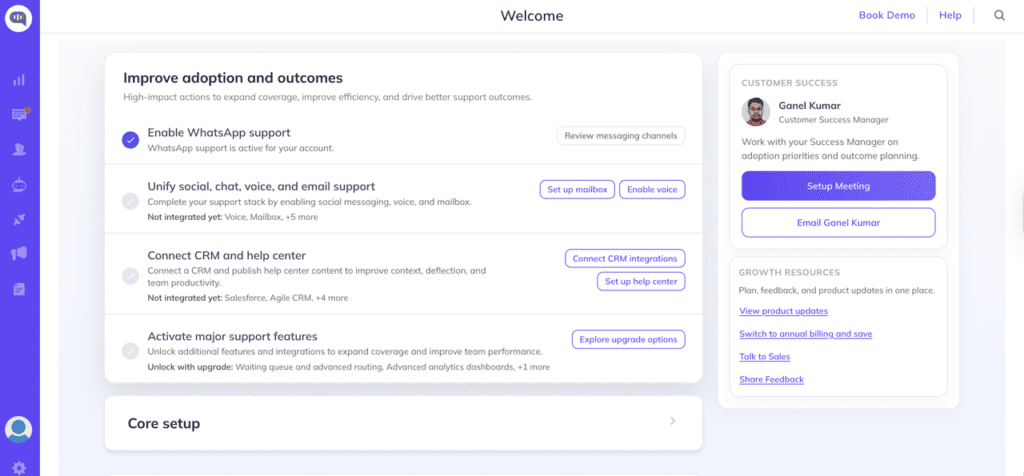
2. Onboarding Getting Started Screen for Existing Customers. Existing customers now see a dedicated getting started screen that recommends available integrations, helping teams discover and activate features they may have missed.
3. Install Section Now Redirects to Integrations. The install section has been consolidated into the Integrations section for a more unified navigation experience.
4. Updated AI Models for Gemini, Anthropic, and OpenAI. The dashboard now reflects the latest available models across all three providers, ensuring your agents are always running on up-to-date AI.
5. Chat Widget Full-Width Support Within Container Layout. The chat widget now supports full-width rendering when placed inside a container layout, making it easier to embed in custom page designs.
6. Improved Sound Notification Behaviour. Sound notifications are now more consistent and reliable, with fixes for scenarios where alerts were firing unexpectedly or not at all.
7. Improved Intent Cross-Styling and Mobile Logo Styling. Visual polish across the Intent section and the install screen’s mobile logo display has been applied for a cleaner look on all screen sizes.
8. Updated “Fetch Availability” Payload. The payload used to retrieve an agent’s online or offline status has been updated to improve accuracy and reduce edge-case inconsistencies.
9. Warning Modal When Deleting Inline Code Used in an Intent. A confirmation modal now appears before deleting inline code that is actively referenced in an intent, preventing accidental removal.
10. Multiple Templates Added in Agent Builder for Custom Instructions. Agent Builder now includes a set of pre-built instruction templates to help you get your agent configured faster across common use cases.
11. Knowledge Base Source URLs Now Rendered as Hyperlinks. When an AI agent cites a source from the Knowledge Base, the URL is now displayed as a clickable hyperlink in markdown format instead of a raw URL string.
Bug Fixes
- Chat Widget not opening in Chat Widget customisation – Resolved an issue where the widget failed to render during the customisation preview flow.
- Summary not generating during cross-team assignment – Fixed a bug where conversation summaries were skipped when a chat was reassigned across teams.
- Hold message incorrectly accounting for Waiting Queue Time – The Hold message now calculates timing correctly and no longer factors in queue wait time.
- Help Centre response format issues – Resolved formatting inconsistencies in replies generated from Help Centre content.
- Help Centre throwing continuous errors – Fixed a recurring error loop that was causing repeated failures in the Help Centre integration.
- FCM/GCM push notification errors on payload limit exceeded – Push notification errors caused by oversized payloads are now handled gracefully.
- Duplicate messages appearing in Chat Widget on slow connections – Added deduplication logic to prevent the same message from rendering twice when the internet speed is poor.
- Recipient email not updating in user info on conversation page – The email field in the user info panel now reflects updates correctly during an active conversation.
- Help Centre preview article content disappearing after page refresh – Article content now persists correctly when a Help Centre preview page is refreshed.
Want to explore what’s new? Log in to your Kommunicate dashboard or book a demo to see these updates in action.