Updated on January 12, 2026
In December, we focused on elevating the end-user experience across the web SDK and bot-building workflows while continuing to strengthen usability and response quality across the platform. We introduced a redesigned, modern web SDK layout with deeper customization controls, live widget previews, and support for surfacing product updates directly within the chat experience. These changes give teams greater confidence in how their widget looks and behaves before going live.
On the builder side, we added live playgrounds to test intents and flows in real time, improved table-based FAQ management, and made knowledge sources easier to navigate with document search. Alongside these enhancements, we addressed several stability issues and rolled out response reranking internally to ensure more relevant and reliable bot replies.
Let’s take a closer look!
Features
Redesigned Web SDK with a Modern Layout
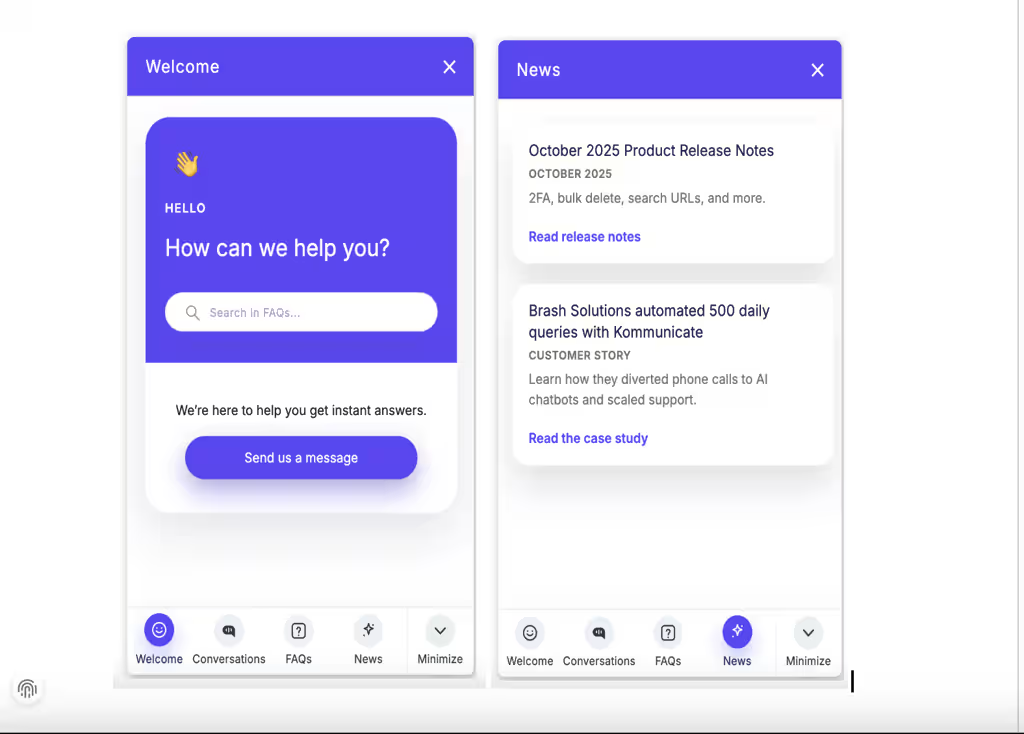
We’ve introduced a refreshed, modern Web SDK layout designed to deliver a cleaner and more contemporary chat experience. You can now enable the new layout directly from the dashboard and enrich your widget by surfacing updates such as product news or release notes via the install script using kommunicateSettings.
Example:
| whatsNewList: [ { title: ‘October 2025 Product Release Notes’, description: ‘2FA, bulk delete, search URLs, and more.’, meta: ‘October 2025’, link: ‘https://www.kommunicate.io/blog/product-release-notes-october-2025/’, linkText: ‘Read release notes’, } ] |
This makes it easier to keep end users informed while maintaining full control over the widget’s look and behavior.
Enhanced Web SDK Customization Controls
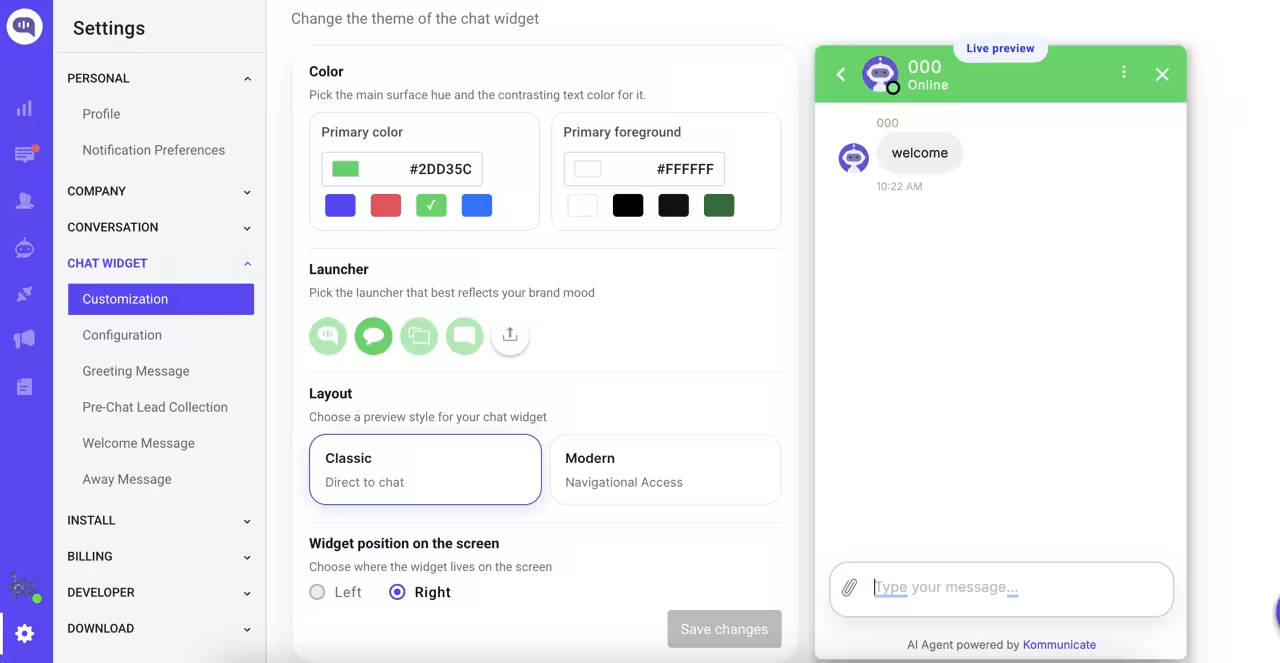
You can now customize both the classic and modern Web SDK layouts with greater flexibility.
The updated Customization section lets you:
- Adjust widget and text colors
- Switch seamlessly between layouts
- Interact with a live widget preview to validate changes.
Added Live Widget Preview and Playground in Bot Builder
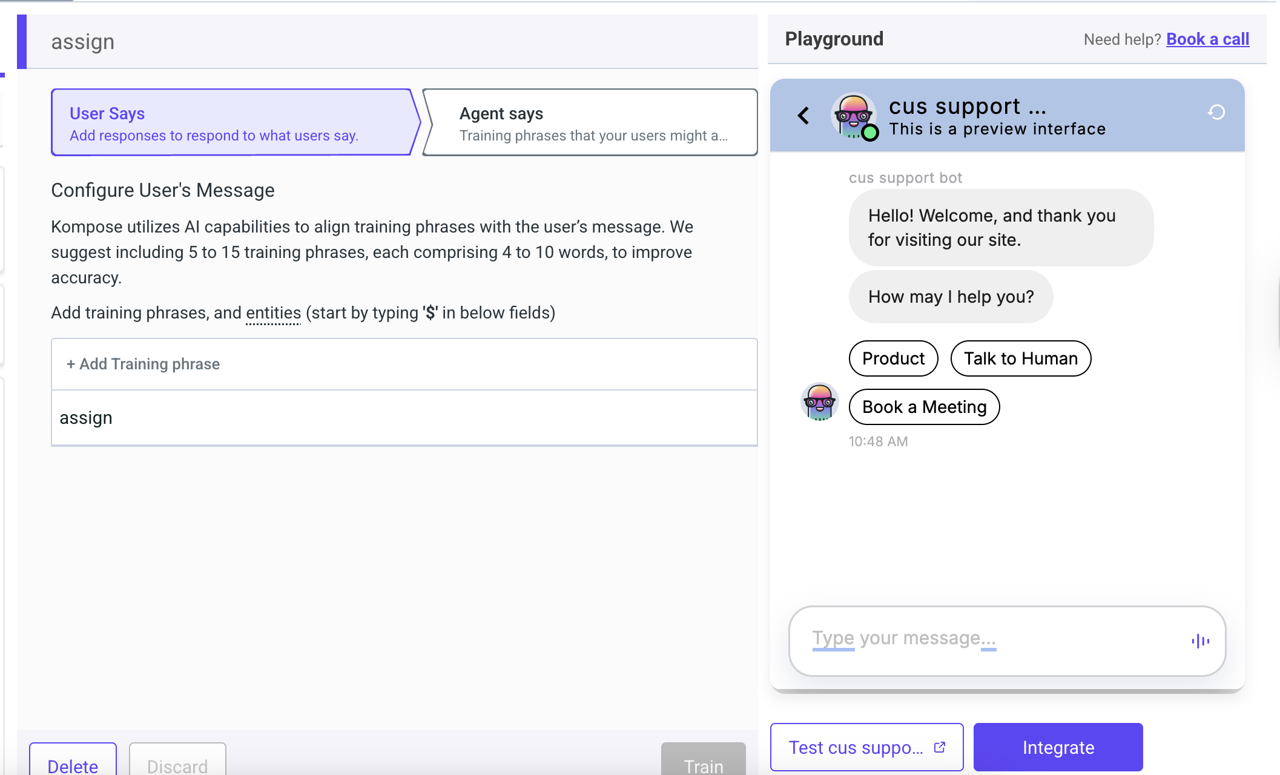
We’ve added a live Widget Preview directly inside the bot builder, along with an interactive playground for intents and flows.
This allows you to test conversations and perform live actions on the same page where you build, making iteration faster and reducing the gap between configuration and real-world behavior.
Improvements
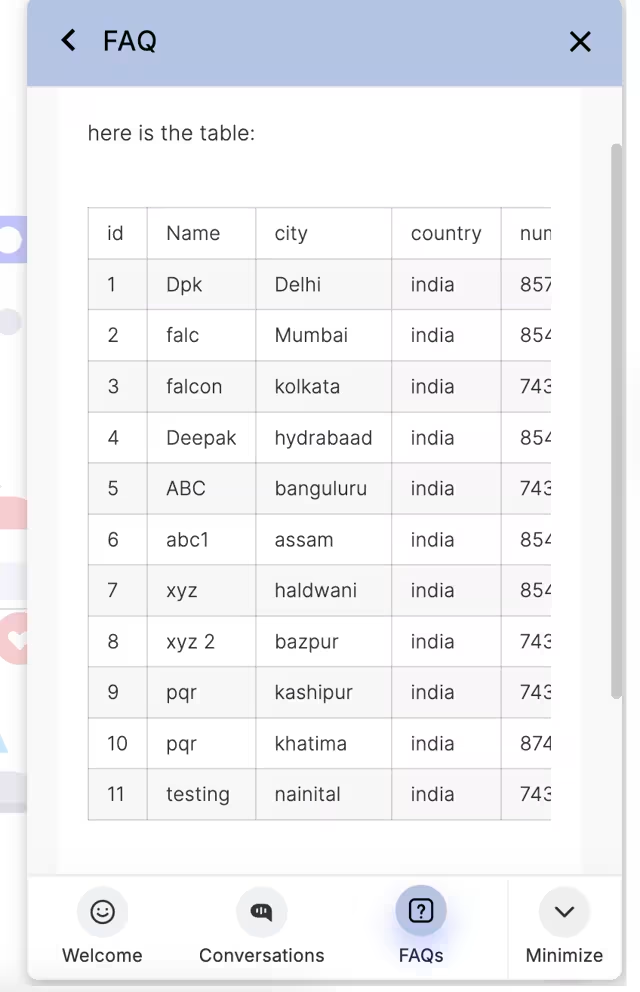
- New Table UI in FAQs – We’ve improved the table view for FAQs to make large knowledge bases easier to scan, manage, and update with better visual structure and readability.
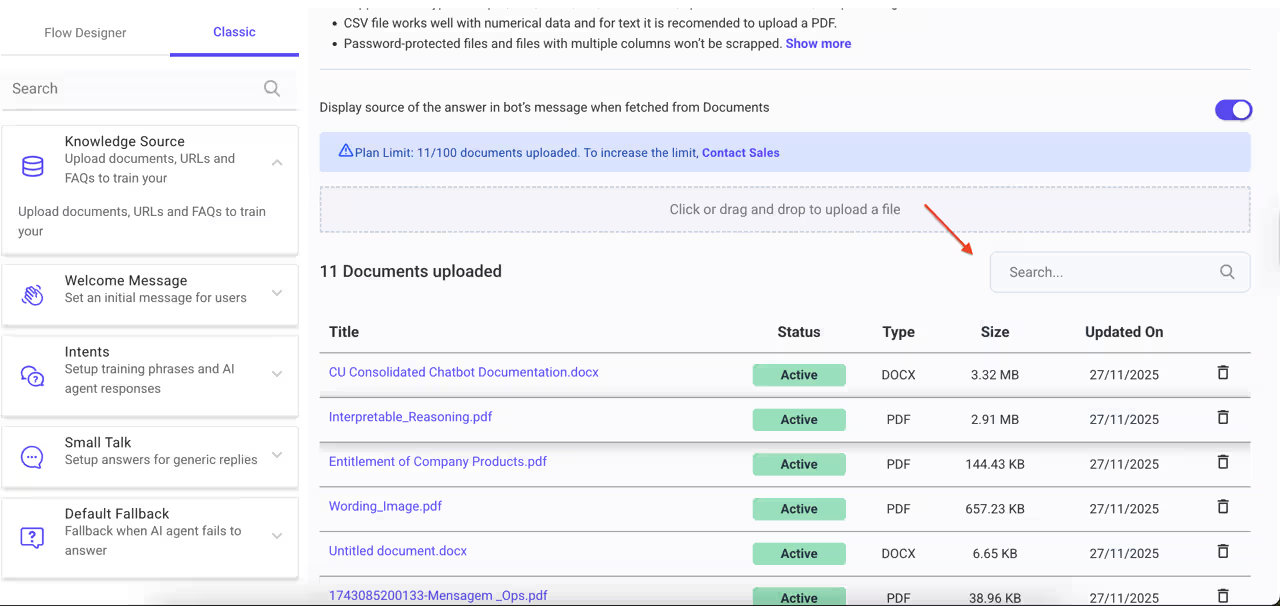
- Knowledge Source Search – You can now search across uploaded documents within knowledge sources, making it faster to locate, verify, and maintain the content your AI agents rely on.
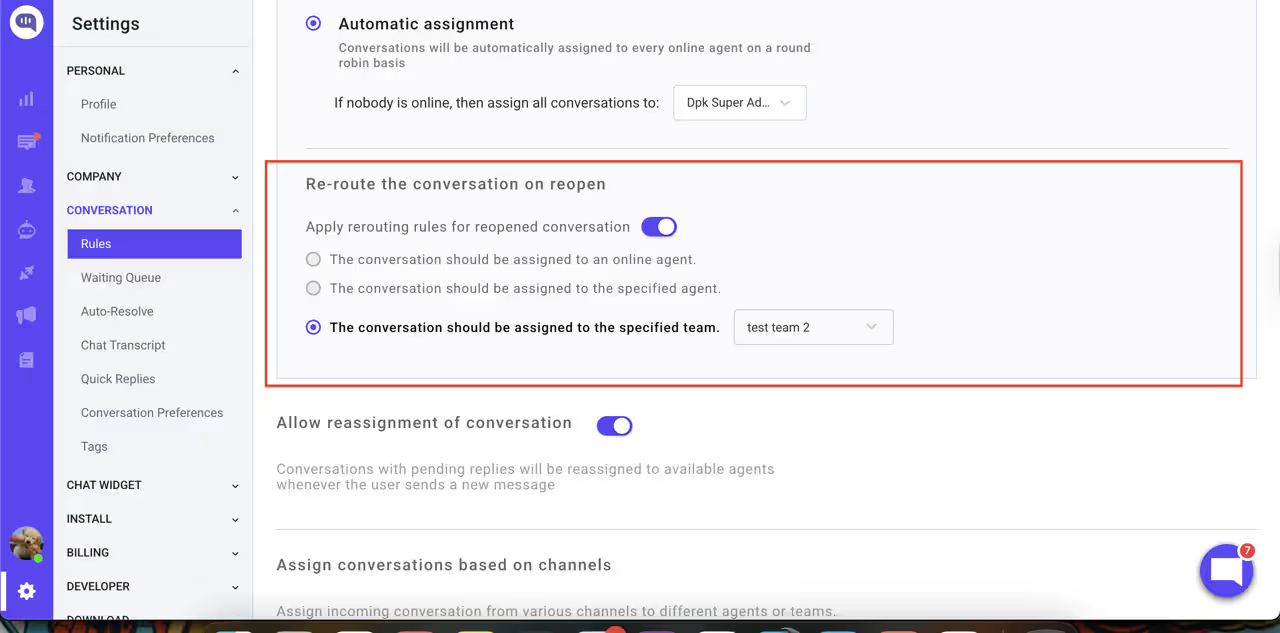
- Conversation Rules on Reopen – We’ve added a new setting that lets you reapply conversation rules when a chat is reopened, giving you more predictable automation behavior across repeat interactions.
- Facebook Page Toggle Feedback – We’ve added a clear system message when the Facebook page toggle is clicked multiple times, reducing confusion and preventing accidental misconfiguration.
Bug Fixes
- We’ve fixed an issue where the dashboard could crash when deleting an intent from search results, improving overall stability during bot management.
- We’ve resolved a payload inconsistency that caused button messages to change unexpectedly in Kommunicate conversations.
- We’ve fixed a JavaScript error that could trigger an uncaught undefined status exception, preventing interruptions in widget and dashboard workflows.
- We’ve fixed an issue where messages were not visible in the Conversation List screen within the chat widget, ensuring conversations display reliably.