Updated on November 9, 2025
In October, we focused on enhancing our security and optimizing our agent building and inbox management processes. You can now enforce account-level 2FA and toggle it per teammate from the Teammates section.
Our AI agent builder got two big upgrades that will help you launch guided conversations faster. On the operations side, we’ve added a bulk delete option in Conversations to keep your queue tidy. The Knowledge Source section now features a search bar, allowing you to search and update specific URLs. Let’s dive in!
Features
You Can Now Enable 2FA for Your Organization from the Dashboard
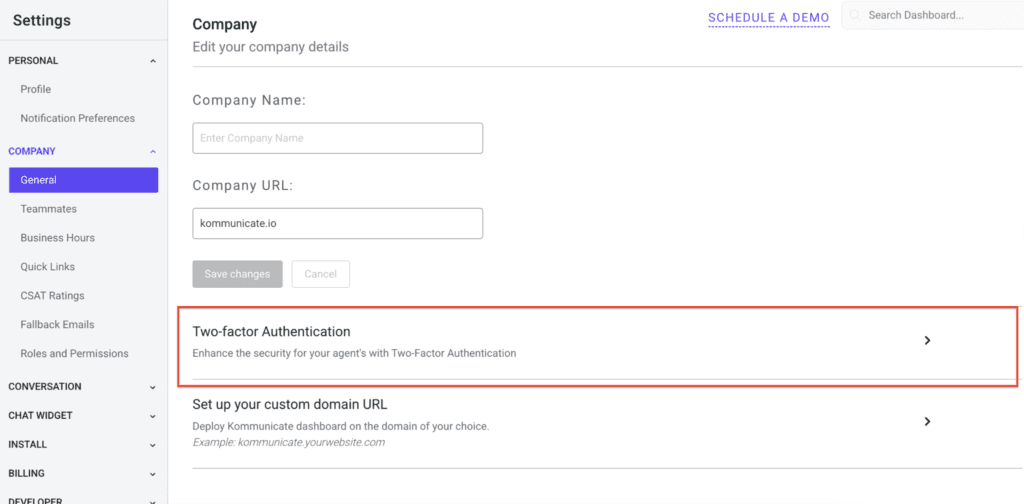
Super admins can now enable 2FA (Two-Factor Authentication) across their entire organization by going to Settings → Company → General.
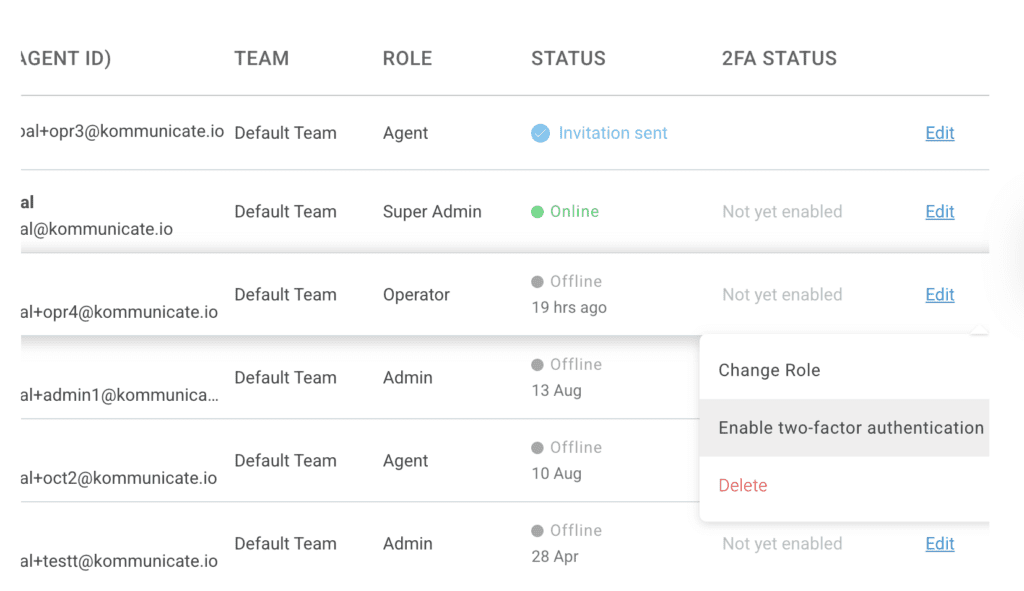
You can also navigate to the Teammates section under Settings → Company to disable or enable two-factor authentication for a particular teammate.
We’ve Added Support for Multiple Welcome Messages and a Flow Designer to the Agent Builder
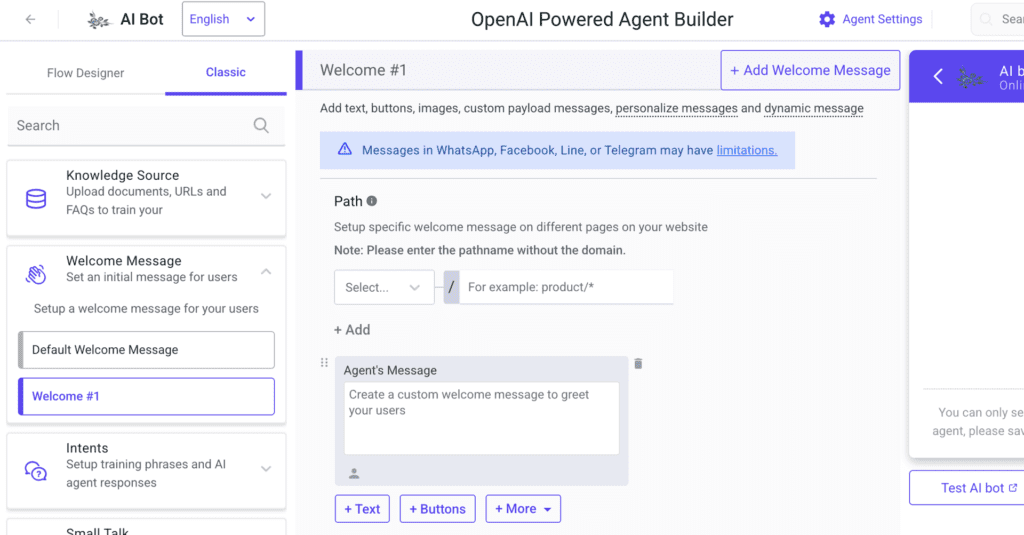
We’ve added support for multiple welcome messages to the Agent Builder dashboard. We’ve also added our Flow Designer to the same dashboard so you can design your customer conversations intuitively.
You Can Now “Bulk Delete” Conversations
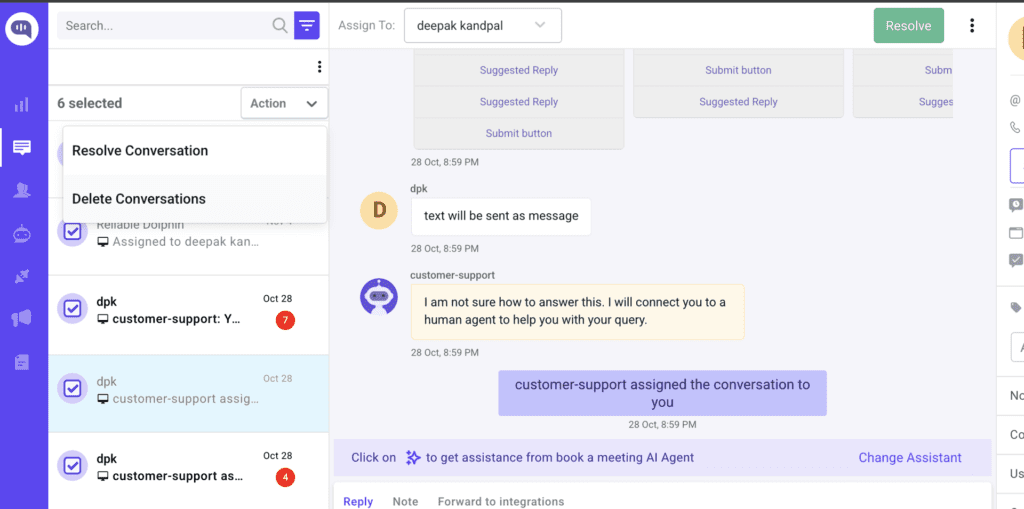
You can now bulk delete conversations from your conversation list to tidy up your queue.
Improvements
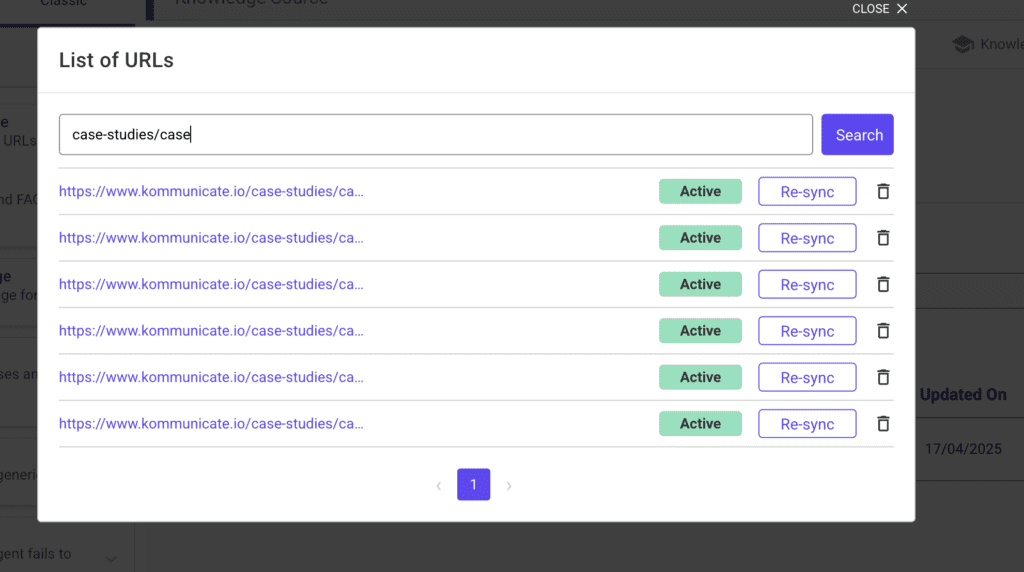
- Search Through URLs in Knowledge Source: You can now find and manage learned pages instantly if you want to resync or delete particular pages.
- Day Filters in Chat Widget: You can now view conversations by specific days, allowing teams to quickly triage time-bound threads and identify spikes.
- Drag-and-Drop to Start Chat (Web SDK): Customers can now initiate a chat by simply dropping a file on the icon, streamlining the process for file-based support.
- Reapply Rules on Reopen: We now automatically run conversation rules whenever threads are reopened to maintain consistent routing and tags.
Bug Fixes
- WhatsApp replies showing up in old chats: We stopped a glitch that could place new bot replies in previous conversations. Now replies land in the right thread, every time.
- Channel button not working: We have fixed a disabled button that previously blocked agents from switching channels, allowing your team to move smoothly between WhatsApp, web, and other channels.
- Agent Assist screen background issue: We have resolved a visual bug, making Agent Assist clearer and easier to read during live chats.
- Model “max tokens” error: We corrected a settings mismatch that could affect long answers. Responses are now the right length and more reliable.
- Broken images from Help Center articles: Images now display correctly within the chat, allowing customers to view the guides and screenshots you intended.
- Bot Integrations page navigation: We have fixed the page links, allowing you to navigate the integrations area without any issues.