Updated on October 7, 2026
Chatbot development frameworks help developers design, build, test, deploy, and manage chatbots across websites, apps, messaging channels, and backend systems.
A chatbot framework is the underlying infrastructure that determines how a chatbot understands language, manages conversation logic, connects to external systems, and generates responses. Choosing the right one is one of the most consequential technical decisions in a chatbot project — the wrong choice costs months of rebuilding.
The global chatbot market is projected to hit $9.5 billion in 2025, growing around 23% annually — and the tools powering these chatbots have changed dramatically. The old generation of frameworks — Dialogflow, Watson, Amazon Lex — was built around defining intents, training NLU models, and mapping conversation flows manually. The new generation is built around large language models (LLMs), where the model itself handles understanding, and the framework’s job is orchestration: managing memory, connecting to tools and APIs, routing between agents, and keeping responses grounded in your data.
Frameworks like LangChain, Botpress, and Rasa are now enabling chatbots that go beyond Q&A dialogue — AI agents that can reason, use tools, and carry out multi-step tasks.
This guide covers both worlds: the developer-first open-source frameworks for teams that need full control, and the no-code/low-code platforms for support and operations teams that need to deploy fast. We’ve updated every tool entry with current pricing, real use cases, and honest pros and cons for 2026.
What you’ll find here:
- What a chatbot framework is — and how it differs from a chatbot platform
- A clear decision framework for choosing the right tool
- The 7 best developer frameworks (with LangChain, Rasa CALM, Botpress, and more)
- The 6 best no-code platforms (including Kommunicate)
- A side-by-side comparison table
- FAQs
What is a Chatbot Framework?
A chatbot framework is a set of libraries, tools, and APIs that provide the building blocks for creating conversational AI applications. It handles the core technical complexity so developers don’t have to build from scratch — things like parsing user input, managing conversation state, connecting to messaging channels, and calling external services.
Every chatbot framework includes three foundational components:
Natural Language Understanding (NLU): Interprets what the user is saying — identifying intent (“I want to track my order”) and extracting entities (“order #12345”). Modern LLM-based frameworks handle this natively through the language model itself, rather than requiring manual intent training.
Dialogue Management: Decides what the bot should do or say next, based on the current message and conversation history. This ranges from simple decision trees (rule-based) to LLM-driven reasoning that can handle ambiguous, multi-turn conversations.
Integration layer: Connects the bot to external systems — your CRM, knowledge base, ticketing system, databases, and messaging channels like WhatsApp, Slack, or your website.
Think of a chatbot framework as the blueprint for building a house — it provides the foundational structure, tools, and guidelines without which you’d be starting from scratch on every project.
Chatbot Framework vs. Chatbot Platform: What’s the Difference?
This is one of the most searched questions in the space — and the distinction matters enormously for how much time and money you’ll spend.
A chatbot framework is a developer tool. It gives you the raw components to build a chatbot in code. You control the architecture, you host it, and you’re responsible for the full deployment pipeline. Examples: Rasa, LangChain, Microsoft Bot Framework.
A chatbot platform is a complete product. It includes a visual interface, hosting, analytics, integrations, and support out of the box. Non-technical teams can configure and deploy bots without writing code. Examples: Kommunicate, Chatfuel, Tidio.
| Chatbot framework | Chatbot platform | ||
| Who uses it | Developers | Support/ops teams | |
| Customization | Unlimited | Template-based | |
| Time to deploy | Weeks–months | Days | |
| Hosting | Self-managed | Included | |
| Data control | Full | Shared/vendor | |
| Cost structure | Infrastructure + dev time | Monthly SaaS fee | |
| Best for | Complex, custom requirements | Speed, ease of use |
Commercial platforms offer ready-made chatbot builders with hosting, UI, and analytics included — but at the cost of customization and data control. Open-source frameworks give teams full flexibility to modify code, deploy on their own servers, and integrate deeply with enterprise systems.
The right choice depends on three things: your team’s technical capacity, how much customization you need, and your data privacy requirements.
How to Choose the Right Chatbot Framework in 2026
Before evaluating specific tools, answer these five questions:
- Do you have developer resources? If yes, a framework gives you more control and lower long-term cost. If no, a platform will get you live faster with less risk.
- What’s your primary use case? Customer support automation, lead generation, internal helpdesk, and voice assistants each favor different tools. Rasa and LangChain excel at complex, multi-turn support. Kommunicate and Tidio are optimized for live-chat + bot hybrid workflows.
- Do you need full data ownership? If you’re in healthcare, finance, or a regulated industry, self-hosted open-source frameworks (Rasa, Botpress on-prem) give you GDPR and HIPAA compliance control that cloud platforms may not. Note: the EU AI Act’s transparency rules — requiring disclosure that users are interacting with AI — become enforceable in August 2026, making compliance planning urgent.
- Will you need LLM integration? Most established frameworks are now adding LLM capabilities — Rasa supports plugging in transformer-based response generation, and platforms like those using OpenAI, Claude, and Gemini can power actionable agents that understand customer queries, access knowledge bases, and execute actions like order tracking. If generative AI responses are central to your use case, prioritize frameworks with native LLM support.
- Are you building one bot or many? LangGraph is used by companies like Klarna, Replit, and Elastic for complex multi-agent workflows in 2026 — if you’re orchestrating multiple AI agents across a workflow, your needs are very different from someone deploying a single FAQ bot.
List of Best Chatbot Frameworks
LangChain

LangChain is the leading open-source LLM framework today, written in Python and JavaScript/TypeScript. It provides prebuilt AI agent architectures and model integrations, allowing developers to connect to OpenAI, Anthropic, or Google LLMs in fewer than 10 lines of code.
Pricing:
Starts at $39/month for up to 10k base traces/month, then pay-as-you-go. Developers get 5k base traces/month for free.
LangChain is Best for:
Teams building custom LLM-powered customer service agents, RAG (retrieval-augmented generation) bots that answer from your knowledge base, and multi-step task automation.
Pros of LangChain:
Massive ecosystem, integrates with virtually every LLM and vector database, fast prototyping, extensive documentation. Cons: Production reliability requires significant engineering effort for guardrails and monitoring. Not suitable for non-technical teams.
LangGraph

LangGraph is a companion to LangChain, best suited for building multi-agent applications requiring high levels of control — supporting complex workflows with cycles, branching, and fine-grained control over state.
Pricing:
Open-source and free.
LangGraph is best for:
Enterprise teams running multi-agent workflows, human-in-the-loop systems, and long-running autonomous agents.
Pros of LangGraph:
Excellent for stateful, complex agent orchestration. Battle-tested in production at scale. Cons: Steep learning curve. Overkill for simple single-bot deployments.
Google Dialogflow Framework
This framework allows developers to create intelligent chatbots that understand various language dynamics because it is supported by Google’s Cloud Natural Language.
Their chatbots can be integrated with Google Assistant, Cortana, Telegram, Facebook Messenger, etc. The framework offers two packages. These are the standard edition and a paid version.
Pricing of Google Dialogflow.
The standard edition is free but you can always swap to a paid version if you have a regular query workload. The charges are $0.002 per text request, but the prices vary and can rise to $0.075 per minute for all processed phone calls.
Pros of Google Dialogflow
- The framework supports more than 20 languages worldwide.
- The framework also offers Software Development Kits (SDKs) for more than 14 platforms.
Cons of Google Dialogflow
- It does not offer live customer support.
Wit.AI by Meta
Wit.ai is an open-source chatbot framework with advanced natural language processing or NLP capabilities. Wit.ai is owned by Meta (Facebook) and is a popular choice for NLP-based Facebook Messenger bots.
Pricing of Facebook Wit.ai
- Wit.ai provides custom pricing for their software.
Pros of Facebook Wit.ai
- Wit.ai makes it easy for developers to create applications and devices that can talk or text with
- Since wit.ai is an open-source framework (and open application), they also benefit from a large developer community. . Developers can see what other people have done, learn from it, and use it for their own robots.
- Wit.ai features include a well-designed developer user interface and a dialog flow tree that is easy to edit visually.
Cons of Facebook Wit.ai
- The training of the NLP engine in Wit.ai is complicated.
IBM Watson Assistant Framework
IBM Watson’s AI-powered chatbot framework uses modern technologies like machine learning and artificial intelligence. The framework uses Watson AI, Machine Learning, and Natural Language Understanding to learn from previous client conversations.
The framework allows businesses to keep data that flows through it. This is a unique feature since other proprietary vendors of chatbot frameworks collect the information gathered by their chatbots. IBM’s privacy offer isolates the information gathered by their assistants in a private cloud. This is done to secure proprietary insights acquired from the user interaction.
Pros of IBM Watson Assistant
- IBM’s stringent security policies promote data privacy. Data privacy has become a huge concern in this era of technological advances, and IBM is spearheading the change.
- It allows seamless phone integration. When the chatbot gets a request that it cannot solve, it connects the client to a telephony platform to get further help.
Cons of IBM Watson Assistant
- The framework is complex. It encompasses many features and capabilities. This means that for a user to understand how to develop their chatbot based on it, they need to have developer expertise to unlock its full potential.
- It does not allow the end-user to access chat history.
Pricing of IBM Watson Assistant
The framework offers three product plans, that is Lite, Plus, and Enterprise. The Lite plan is free but lacks a Voice Add-On channel and supports 1000 monthly active users only.
The Plus plan supports all channels and allows more than 1000 monthly active users. The extra number of users is charged at $14 per 100 users. The plan starts at $140 per month.
The Enterprise plan offers enterprise-scale performance for data governance and support. It allows more than 50,000 monthly active users. The pricing of the plan depends on the features that the client will choose. The prices, therefore, vary based on the needs of the client.
Amazon Lex Framework
Amazon Lex Framework is a chatbot-building framework offered by Amazon Web Services(AWS). The framework uses the artificial intelligence suite offered by Amazon (Amazon AI).
The framework incorporates numerous technologies offered by Amazon to aid in its functionality. It uses Amazon Cognito for the user authentication process. It then uses Automatic Speech Recognition to convert audio into text.
For converting text to human speech, the framework uses Amazon Polly services. The interconnection of these various technologies improves the functionality of chatbots developed using this framework.
Pros of Amazon Lex Framework
- It has automatic scaling capabilities thereby alleviating the need for the developer to manage the infrastructure and hardware to scale the bot.
- It supports various platforms and deployment to them is through a one-click process.
Cons of Amazon Lex Framework
- It is not multilingual. The framework supports English only.
- The process of data preparation using the framework is complicated.
Pricing of Amazon Lex Framework
Amazon Web Services charges this framework based on the number of requests, unlike other frameworks which have a stipulated monthly rate.
The framework has a free package that supports 10,000 message requests and 5,000 speech requests per month for a year.
The second package offered for Amazon Lex Framework is the Request and response package. This package charges $0.004 per speech request and $0.00075 per text request.
The framework also supports streaming conversation packages whereby all the user inputs across various turns as one API call. In this package, the bot continuously listens for any user input then the time usage is calculated into 15-second speech intervals. The framework charges $0.0065 per speech interval and $0.0020 per text request.
RASA (CALM Architecture)
As of 2025, the classic Rasa Open Source framework has entered maintenance mode, with active development shifting to Rasa Pro and the new CALM (Conversational AI with Language Models) engine. CALM represents a major architectural shift: instead of traditional intent-based NLU pipelines, it uses LLMs for dialogue understanding while developers define business logic flows.
This means Rasa is now a hybrid: the reliability and control of a rule-based framework, with the language understanding power of a large model underneath.
Pricing:
Rasa’s pricing are not public. But they have a free option where they provide one bot per company, with up to 1000 external conversations/month or 100 internal conversations/month.
Best for:
Enterprise teams with strict data privacy requirements, regulated industries, or existing Rasa deployments migrating to LLM-native architecture.
Pros of Rasa:
Best-in-class customization, self-hosted, active enterprise community (22,500+ GitHub stars). Cons: Rasa Open Source is now in maintenance mode — new features require Rasa Pro. Higher engineering overhead than platforms.
Azure Bot Framework
The Azure Bot Framework is best for businesses that already use other Microsoft Services like Cortana, Skype, Microsoft Teams, etc. This framework seamlessly integrates with existing Microsoft services.
The framework uses Microsoft’s LUIS to comprehend speech. LUIS is a cloud-based artificial intelligence service that uses Natural language processing technologies and machine learning. This is used to understand conversations with humans and extract necessary information.
Pros of Microsoft Bot Framework
- It supports seamless integration with other existing Microsoft services.
- Azure Bot Framework provides several SDKs for various computer languages.
Cons of Microsoft Bot Framework
- It requires a developer to choose between two development platforms is Node.js or C#. The two platforms offer different functionalities, therefore a choice between the two should be based on the needs of the client and how conversant the developer is with either of them.
- The framework is complex. A developer also has to write too much code to implement a basic function with the framework.
Pricing of Azure Bot Framework.
In terms of pricing, the framework offers a free and a paid version. The free version offers up to 1000 messages per month. The paid version operates based on pay as you use. It charges $0.50 per 1,000 messages that are exchanged via the Chatbot. Microsoft also offers additional features on the paid plan that a user can add.
Botpress Framework

Botpress is an open-source framework used to develop AI applications such as chatbots. Languages required to develop using the Bottpress framework are React, NodeJS, JavaScript, and Typescript.
The framework is mostly used by governments, insurance companies, and companies that offer financial services. This is because the framework offers on-site chatbots that improve security unlike when using cloud-based chatbots.
Pros of Botpress Framework.
- It is easily customizable.
- Documentation offered with the framework is easy to understand and use.
Cons of Botpress Framework.
- The framework has limited features as compared to other frameworks.
- The framework uses a high learning curve.
Pricing of Botpress Framework.
Botpress offers two packages, that is the Open-Source package and the Enterprise package. The open-source package is free though it has limited features as compared to the Enterprise package.
The Enterprise package offers the user various features to choose then the pricing is calculated based on the chosen features. This package is designed and developed for use by large organizations.
The features offered by the framework are listed here.
Best AI Chatbot Platforms
Kommunicate
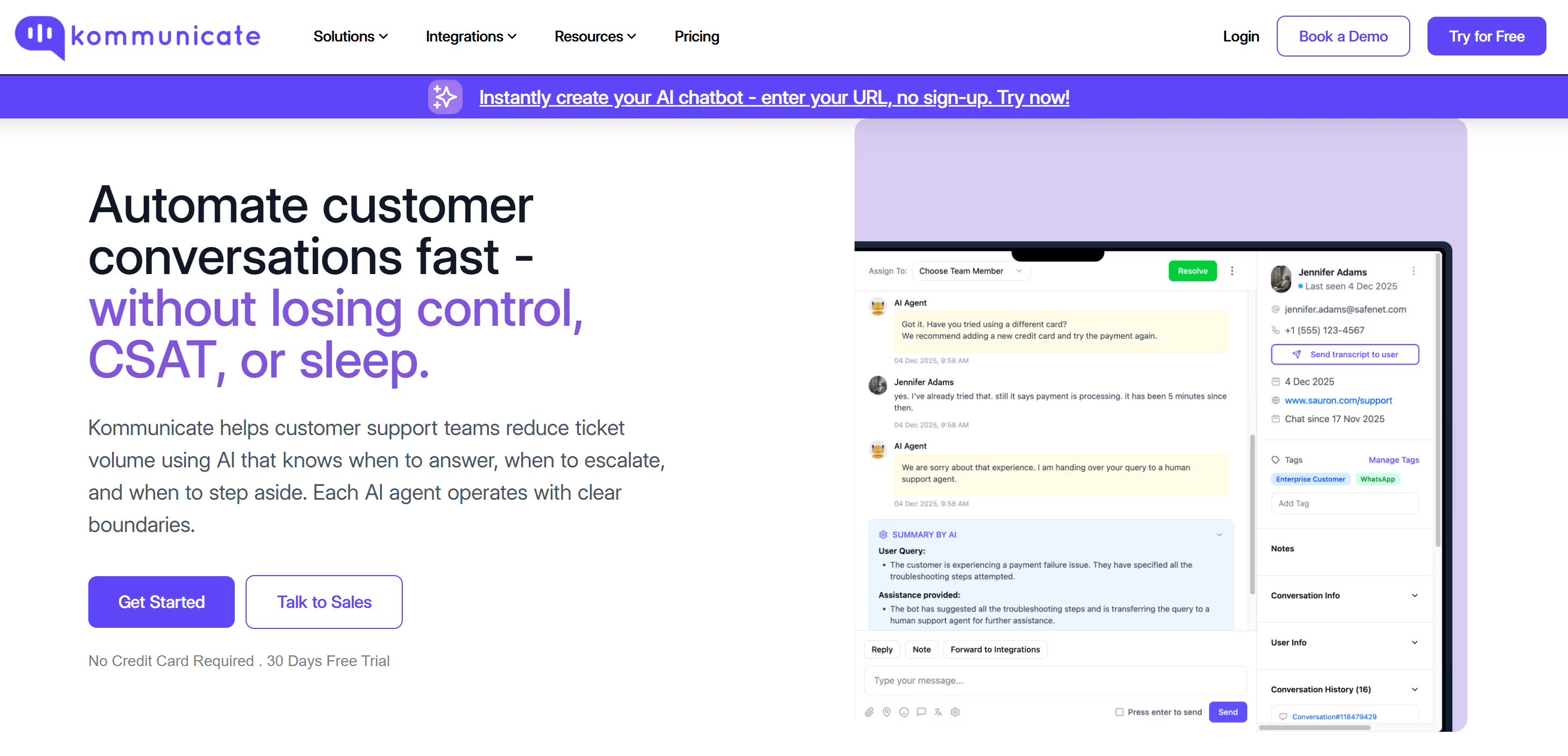
Kommunicate is a no code customer service automation platform built for teams that want to operationalize AI driven support at scale. It is designed primarily for support and operations teams that need to automate repetitive customer queries while maintaining reliability, visibility, and human control across conversations.
Kommunicate supports native integration with multiple large language models and NLP engines such as OpenAI, Anthropic, Gemini, Dialogflow, Amazon Lex, and IBM Watson. This allows teams to work with different models simultaneously while keeping conversation logic, workflows, and escalation rules consistent.
The platform focuses on helping teams automate real customer conversations rather than experiment with isolated chatbot logic. By combining AI agents, live chat, and ticketing in a single workflow, Kommunicate enables support teams to resolve high volume queries faster without breaking customer experience.
AI agents built with Kommunicate can be deployed across channels such as web, mobile apps, WhatsApp, Instagram, Telegram, WordPress, Squarespace, and Facebook Messenger. The platform also supports ecommerce use cases by integrating conversational automation directly into online shopping journeys.
Pricing
Kommunicate offers a 30 day free trial with access to all core features.
- Starter plans start from $34 and are designed for teams getting started with AI agents on websites, web apps, and WhatsApp
- Professional plans start from $167 and support advanced integrations across mobile platforms and customer support tools such as Zendesk, Freshdesk, and HubSpot
- Enterprise plans offer fully customizable pricing and include capabilities such as single sign on, region based data hosting, and dedicated support for large scale deployments
Pricing is designed to scale with usage, allowing teams to adopt automation gradually while maintaining predictable operational costs.
For more details, click here.
Begin Your Chatbot Journey Now Without Sign UpChatfuel
Chatfuel is a bot-building system that offers individuals and enterprises a single and centralized platform from which to create AI conversational chatbots.
| Pros | Cons |
| 1. Automate responses 2. Link to resources 3. Provide a phone number | 1. Setting it up is time-consuming. |
Pricing:
- Free – $0/m
- Pro- $15/m
- Premium – Contact
- Agency – Contact
For more details click here
Botsify
It is a managed chatbot platform that provides unified chat automation for your business. With omnichannel live-chat service connected with multiple platforms to set auto-responses
| Pros | Cons |
| 1. Pre-built templates for building a chatbot quickly. 2. Easily integrates with websites and other services. | 1. UI is not as intuitive as other options |
Pricing
Free trial of 14days
- Personal- $40/m
- Professional- $124/m
- Business- $415/m
- Custom- Contact
For more details click here
Landbot
Landbot is a no-code tool to create conversational websites visitors love. Engage and boost conversion with conversations, at scale.
| Pros | Cons |
| 1. Simple visual constructor for your bots. 2. Many bot patterns. | 1. Only available in English |
Pricing
- Sandbox – Free
- Starter – $30/month
- Professional – $80/month
- Business – Custom
For more details click here
Tidio
Tidio is a communicator for businesses that keeps live chat, chatbots, Messenger and e-mail in one place.
| Pros | Cons |
| 1. Tidio offers a very simple, clean, robust and customizable interface 2. Automation of new chat widget design is super simple chatbot administration. | 1. There is no ticketing system |
Pricing
- Free: $0/month
- Chatbots: $39/month
- Communicator: $15/month
- Mailing: $25/month
For more details click here
ProProfs
ProProfs Chatbot is an AI-powered tool that is designed to boost website engagement and customer support. It has wide use cases in various industries like finance, education, and e-commerce.
The tool offers numerous integrations with the most popular CRMs— Microsoft Dynamics, Salesforce, Zoho CRM, etc. Its customization features allow you to create decision trees consisting of multiple choice and open response questions.
| Pros | Cons |
| 1. Robust reporting capabilities allow you to measure and improve the chatbot’s performance. 2. User-friendly interface 3. Supports over 90 languages to help you cater to a diverse audience. | 1. It has limited integrations with social media platforms. 2. There is no option to generate social media tickets from the chatbot. 3. It doesn’t integrate with Zapier. |
Pricing
The pricing of ProProfs Chatbot is quite affordable and is perfectly suitable for small and medium businesses.
- 15 Days Free trail
- Essentials plan-$10/month
- Premium plans – $15/operator/month
What to Choose chatbot framework or chatbot platform to build your first bot?
Once you decide the best way to boost your website or application is through the use of a chatbot, the first thing to decide on should be the framework to use the platform?
Choosing tools for developing a chatbot, you need to consider your business goals and requirements. After that, you can decide what type of chatbot is required rule-based or AI chatbot.
You should choose the chatbot framework or platform based on the features you need for your chatbot and the pricing. If you lack the knowledge or expertise required to make an informed decision, you should consult a developer. The framework used for your chatbot can be the determining factor that will either make or break your business. You should, therefore, put much thought into it.
Suggested Read: Chatbot Development From The Scratch

Manab is the Head of Go-To-Market (GTM) at Kommunicate, with over 12 years of professional experience. He collaborates closely with the engineering, sales, and marketing teams to deliver and position Kommunicate’s AI solutions effectively in the market.
Prior to joining Kommunicate, he worked at Cvent, an enterprise event management software company, and Entropik, an emotion AI company that helps brands understand and interpret consumer emotions.
At Kommunicate, we envision a world-beating customer support solution to empower the new era of customer support. We would love to have you on board to have a first-hand experience of Kommunicate. You can signup here and start delighting your customers right away.