Updated on August 27, 2026

TL;DR: ChatGPT Agent Mode is a permission-based, task-doing mode that lets ChatGPT operate a browser and workspace to complete multi-step work—research, form-fills, code runs, and file creation.
It turns prompts into outcomes with human-in-the-loop control, making it especially useful for customer service workflows and marketing ops. Kommunicate builds similar workflow automation agents across every department on one platform.
Agent Mode from ChatGPT is built to take actions on your behalf. Instead of stopping at a draft or suggestion, it can carry out the following steps: navigating pages, extracting data, filling forms, generating artifacts (docs, slides, sheets), and reporting its progress so you can pause or take over at any time. The result is faster execution on repetitive, rules-based tasks without sacrificing oversight.
For customer service leaders, that means triage, tagging, agent-assist replies, knowledge upkeep, QA reviews, and incident summaries. For marketing teams, it means SERP/competitor briefs, content repurposing, campaign QA, PR/news monitoring, and on-page messaging tests. This guide’ll show you how to access Agent Mode, set guardrails, and deploy high-leverage playbooks that deliver measurable wins.
What we’ll cover:
- What Is ChatGPT Agent Mode, and How Is It Different From Regular ChatGPT?
- Who Can Access ChatGPT Agent Mode, and How Do You Turn It On?
- What Permissions and Guardrails Should We Set Before Running an Agent?
- How Do We Write a “Runbook” Prompt That Agent Mode Can Follow Reliably?
- How Can Customer Service Teams Use Agent Mode for Triage, Agent-Assist, Knowledge Updates, QA, and Incident Reports?
- How Can Marketing Teams Use Agent Mode for SERP Research, Repurposing, Campaign QA, PR Monitoring, and Messaging Tests?
- Which Connectors and Data Sources Work Best and Which Should We Avoid?
- What Are the Practical Limitations and Failure Modes to Plan For?
What Is ChatGPT Agent Mode, and How Is It Different From Regular ChatGPT?
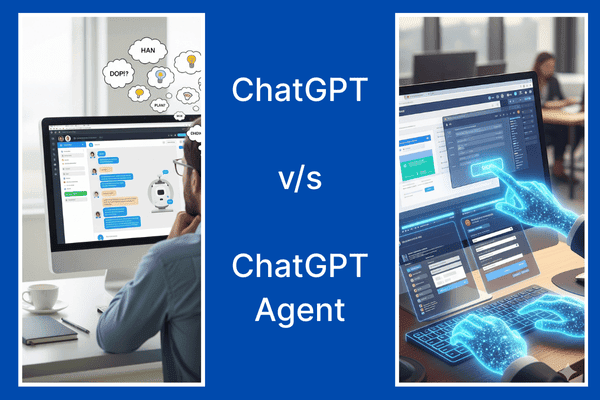
ChatGPT Agent Mode is like giving ChatGPT a pair of hands and a laptop. Instead of just telling you how to do something, it can do the steps you approve: open pages, click buttons, fill forms, run code, and save files.
How it’s different from regular ChatGPT: the normal chat is an innovative conversation partner that returns text: ideas, drafts, plans. Agent Mode is a doer. It spins up a safe, permission-based workspace (think: browser + mini desktop) and follows your “runbook” to complete multi-step tasks. It will pause at essential moments—before submitting a form or changing something—and ask for your OK. You can also take over manually if you want the wheel.
Use regular ChatGPT when you need thinking, brainstorming, or content. Use Agent Mode when you want execution: researching competitors, pulling data into a table, QA-ing a campaign, or drafting a reply from linked context—end to end, with you in control.
Now that you know what Agent Mode is, let’s get you started on using it with ChatGPT.
Who Can Access ChatGPT Agent Mode, and How Do You Turn It On?
Who can access it?
Agent Mode is available in supported regions on paid ChatGPT plans (Plus, Pro, Business, Enterprise, and Edu). It isn’t offered on the Free plan.
How do you turn it on?
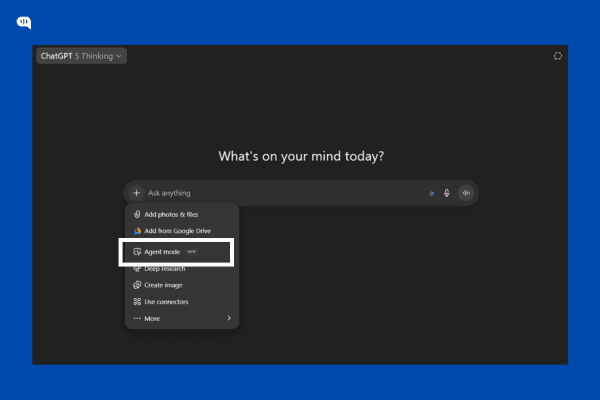
In any chat, open the Tools menu and pick Agent mode, or type /agent in the message box. Describe the task, then approve steps as the agent works; you can pause or take over at any time. It’s supported on web, mobile, and desktop apps.
For admins (Enterprise/Edu): Workspace owners can toggle Agent Mode for the org and use role-based access to control who gets it.
Now that you know how to use the Agent mode, let’s build basic security guardrails that will help keep your personal and business information safe.
What Permissions and Guardrails Should We Set Before Running an Agent?
Here’s a simple, safe-by-default checklist you can set before pressing “Run Agent.”
- Decide What the Agent is Allowed to do (and not do) – Write this in plain English while prompting: “You may browse, scrape public info, draft docs. May not submit forms, purchase, or message customers.” Agent Mode asks for confirmation before consequential actions, but spelling this out reduces surprises.
- Use “Approval Gates” for Anything Irreversible – Mandate a yes or no from you before the agent submits a form, sends an email, or changes data. These pausing prompts are built-in—treat them as your seatbelt.
- Start in “Watch/Read-Only” for Sensitive Tasks – Let the agent navigate and collect info, but hold back actions until you review. There’s a “watch mode” pattern for high-risk contexts.
- Limit Where it’s Allowed to go – For Enterprise/Edu, ask your admin to block risky sites or whole domains from agent browsing/actions; this gives you a clean allow/deny list.
- Connect Only the Data You Need – Use Connectors (e.g., Drive, GitHub) with least-privilege access. I prefer read-only scopes and sharing only the folders/files required.
- Control who can Run Agents – In workspaces, use role-based access control (RBAC) so only specific roles can enable Agent Mode or use particular connectors.
- Keep Secrets out of the Prompt – Don’t paste API keys, customer PII, or passwords. If a login is essential, you (not the agent) should handle it, or provide a limited, test-only account.
- Write a Runbook – One paragraph is enough: goal → key steps → what to avoid → success criteria → when to stop and ask.
- Set Time/Budget Guardrails – Cap browsing steps (“Try up to 10 pages”), set a timer (“Stop after 8 minutes”), and require a summary before continuing.
- Review Outputs Before Use – Treat drafts, tables, and findings as proposals. You decide what ships to customers, dashboards, or production systems.
You’re all set to use your ChatGPT agent to automate your work. However, having a ready “runbook” is also a good practice that helps you optimize the process.
How Do We Write a “Runbook” Prompt That Agent Mode Can Follow Reliably?
Breaking down your tasks into small atomic parts makes it easier for the ChatGPT agent to follow your instructions. This short bullet-pointed list is known as the runbook. Let’s talk about what you should include in your runbook:
- Goal: One sentence on the outcome (“Create X for Y audience”). For example, “Create a 1-page SERP brief for CX directors”
- Inputs: Links/files it may use; anything off-limits. (e.g., “Zendesk > Today’s Unassigned”).
- Allowed tools/actions: e.g., browse, read docs, draft only (no submissions). Be explicit: “browse + read-only connectors + create files; do not submit forms or message customers.”
- Steps: Numbered actions the agent should follow. For example, “Visit top 10 results → extract H2/H3 → list gaps”
- Approval gates: “Pause and show me the draft before submitting any form/email.”
- Constraints: Time/page caps, budget caps, site scope. “15 minutes, 10 pages max, stay within docs.kommunicate.io + answers.kommunicate.io”
- Deliverable format: Exact file/table/report structure and naming. Define schemas: columns, headings, and required fields.
- Quality bar: Acceptance criteria (bullet list). For example, “≥ six credible sources; all claims cited; no PII; reading level ~Grade 8.”
- Stop/hand-off conditions: When to ask for help or exit with a summary. For example, “If paywalled or access denied, summarize progress, list what’s missing, and ask three specific questions.”
Tips for Better Prompting
To improve and optimize the process, you can follow the following tips:
- Use imperatives (“Collect… Sort… Output…”).
- Use numbers to set limits (“top 10 results,” “first three pages”).
- Make it repeatable (“Skip items already tagged today”).
- Specify sorting keys to understand how your output should be ordered. (“Sort by SLA breach risk desc; tie-break by created date”).
- Require citations or screenshots when evidence matters.
- Define red lines plainly (“Never paste tokens or customer PII into the chat.”)
Copy and Paste Runbook Template
Goal: <clear outcome in one sentence>.

Inputs: <links/files>; Avoid: <PII, logins, off-limits sites>.

Allowed actions/tools: <browse | read-only connectors | code | file creation>. Do NOT <submissions/purchases>.

Steps:
1) ...
2) ...
3) ...

Approval gates: Pause before <submissions/edits>. Ask me to review drafts.

Constraints: Max <N> minutes, visit up to <N> pages, stay within <domains>.

Deliverable: <filename + format>, include <sections/columns>, save to <location>.

Quality bar: Must include <criteria>, with <citations/screenshots> if relevant.

Stop if: <missing access, paywall, conflicting info>. Provide a brief status and questions.
Small Examples
Customer Service — triage & reply draft
- Goal: Triage today’s 50 tickets and draft first replies.
- Inputs: Zendesk view link (read-only). Avoid editing tickets.
- Allowed: Browse; read tickets; create a CSV + reply drafts.
- Steps: Tag by issue → flag SLA risks → draft reply per macro → pause for review.
- Constraints: 15 minutes, first three pages only.
- Deliverable: triage_<date>.csv + drafts.md.
- Quality: 95% macro match; clear next step; no PII changes.
Marketing — SERP brief
- Goal: 1-page brief for “AI chatbot for education.”
- Inputs: Keyword, target URL.
- Allowed: Browse the top 10 results; make a doc—no contacting sites.
- Steps: Collect H2/H3s → find gaps → outline.
- Constraints: 20 minutes, 10 pages max.
- Deliverable: brief_<keyword>.md with sources.
- Quality: At least six credible sources; add an actionable outline.
Since we’ve already teased it, let’s discuss how customer service teams can use the ChatGPT agent.
How Can Customer Service Teams Use Agent Mode for Triage, Agent-Assist, Knowledge Updates, QA, and Incident Reports?
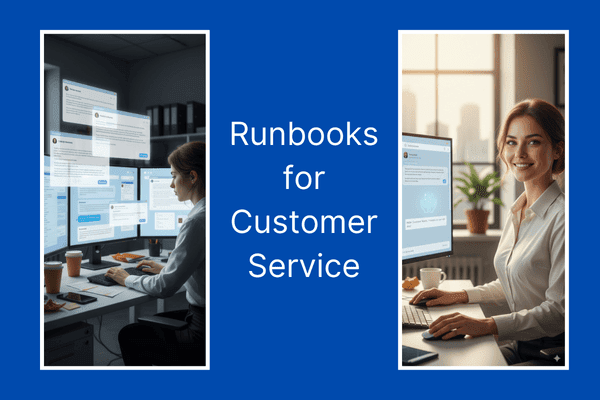
We’ve prepared some basic runbooks that you can use to do some basic customer service tasks.
1. Triage & Tagging (For Queue Hygiene & SLA Focus)
Outcome: Your team will have cleaner queues and predictable SLAs.
- Inputs & guardrails: Read-only access to your helpdesk (Zendesk/Intercom/Freshdesk/Kommunicate), macros/issue taxonomy, and SLA rules.
Disallow ticket edits and outbound sends; approve the gate before any field change. - Runbook starter:
Goal: Triage the next 200 new tickets.
Steps: Read → classify issue type → predict SLA risk → suggest priority/tags → pause for approval → export CSV. - Sorting keys: sla_risk desc (High>Med>Low), then created_at asc, then plan desc (Ent>Pro>Free).
- Deliverables: triage_<yyyy-mm-dd>.csv with ticket_id, issue_type, priority, sla_risk, suggested_tags, reason.
- Metrics: First-response time (FRT), % tickets correctly tagged, % high-risk surfaced in first pass, backlog delta.
2. Agent-Assist Replies (Improves Response Speed & Consistency)
Outcome: Your customers will get faster, on-brand first responses without losing human judgment.
- Inputs & guardrails: Macros, tone guide, KB articles, order/plan context (read-only). Approval gate before any reply is posted.
- Runbook starter:
Goal: Draft first replies for the 100 oldest unresponded tickets.
Steps: Pull context → choose macro → personalize intro, confirm next step, add KB link → present drafts for agent one-click send. - Deliverables: reply_drafts_<date>.md with sections per ticket; summary.md with blockers/edge cases.
- Metrics: Time-to-first-draft, send rate after review, CSAT for first-reply tickets, re-open rate.
3. Knowledge Updates (Addressing the “KB gap”)
Outcome: You will get fewer repeats/escalations, and your agents will trust the KB.
- Inputs & guardrails: KB URLs, release notes/changelog, last 14–30 days of ticket themes. Read-only crawl; needs approval on any KB change proposal.
- Runbook starter:
Goal: Identify stale answers and propose diffs.
Steps: Cluster recurring issues → map to KB entries → compare KB answer vs latest product behavior → draft diff (what to add/remove) with citations → pause for approval. - Deliverables: kb_diffs_<date>.md (before/after blocks) + coverage_report.csv (issue → KB URL → status).
- Metrics: % issues with KB coverage, deflection rate (self-serve), repeat-contact rate, time-to-update KB.
4. QA & CSAT Review (Delivering Quality Customer Service at Scale)
Outcome: Consistent tone/compliance for your customers and targeted coaching for customer service reps.
- Inputs & guardrails: Sample of recent transcripts/chats/emails, QA rubric, “do/don’t” phrases—Read-only; no edits.
- Runbook starter:
Goal: Score 200 conversations and surface coaching moments.
Steps: Sample by channel/priority → score on rubric (accuracy, empathy, policy) → flag risk language → extract good/bad exemplars → produce team/agent roll-ups. - Deliverables: qa_scores_<date>.csv, coaching_snippets.md, team_rollup.md.
- Metrics: Average QA score, % policy-compliant, CSAT trend vs control, time saved in manual QA.
5. Incident Summaries & RCAs(Root Cause Analysis) ( For faster learning loops)
Outcome: Clear timelines and owners after spikes/outages.
- Inputs & guardrails: Ticket surge window, deploy notes, status page updates, internal chat exports (read-only). Needs approval before sharing externally.
- Runbook starter:
Goal: Produce an internal RCA draft for <incident name>.
Steps: Collect time-stamped events → build timeline → identify top themes/impacted cohorts → outline causes, mitigations, action items (owner + due date) → pause for review. - Deliverables: RCA_<incident>_<date>.md with Timeline, Impact, Root Causes, Actions, Follow-ups.
- Metrics: Time to first RCA draft, # actionable items with owners, recurrence rate of similar incidents.
Similarly, we’ve also prepared runbooks for the marketing team.

How Can Marketing Teams Use Agent Mode for SERP Research, Repurposing, Campaign QA, PR Monitoring, and Messaging Tests?
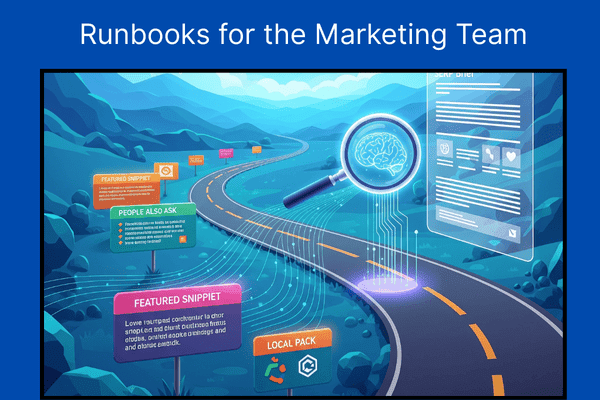
Now, let’s look at some runbooks you can use to improve the productivity of your marketing team.
1. SERP Research & Briefs (Taking You from Query to Outline)
Outcome: Get fast, repeatable briefs that de-risk content bets.
- Inputs & guardrails: Target keyword(s), your target URL, competitor list (if any). Read-only browsing; no logins.
- Runbook starter:
Goal: Produce a 1-page brief + outline for <keyword>.
Steps: Query → open top 10 organic results (exclude ads) → extract title/H2/H3, last updated, CTA, approx word count → identify gaps by theme → draft outline.
Sorting keys: rank asc, then last_updated desc, then word_count desc. - Deliverables: serp_brief_<keyword>.md with Overview / Competitor Snapshots (table) / Gaps / Outline / Sources.
- Metrics: Time-to-brief, outline adoption rate, publish velocity, organic clicks/impressions after publish.
2. Content Repurposing Engine (Repurpose Your Content for Multiple Platforms)
Outcome: Reach more customers with assets that have a consistent voice.
- Inputs & guardrails: Source asset (post, webinar, deck), brand voice/tone guide, channel constraints (character limits). Read-only files; needs approval before scheduling.
- Runbook starter:
Goal: Repurpose <asset> into social threads, newsletter blurbs, and a slide summary.
Steps: Extract key claims → map to channel formats → generate drafts → create a content calendar CSV.
Sorting keys: Prioritize channels by impact (email > LinkedIn > X > others). - Deliverables: repurpose_<asset>.md, calendar_<month>.csv (date, channel, copy, CTA, asset link).
- Metrics: Draft-to-approve rate, time saved per asset, CTR by channel, assisted pipeline.
3. Campaign QA & UTM Hygiene (To Fix Leaks Before Launch)
Outcome: Clean tracking and fewer broken experiences.
- Inputs & guardrails: Link list (ads + emails + LPs), UTM rules, target pages. Do not modify live pages; pause before any suggested change list is finalized.
- Runbook starter:
Goal: Validate links, UTMs, and basic page health for <campaign>.
Steps: Crawl link list → check HTTP status/redirects → verify UTM schema (source/medium/campaign/content) → spot duplicate tags → sample page performance (LCP/CLS from public tools) → compile fix plan.
Sorting keys: severity desc (broken>redirect>slow), then channel desc (paid>email>organic). - Deliverables: qa_findings_<campaign>.csv (url, issue, severity, fix) + qa_summary.md.
- Metrics: % links fixed pre-launch, analytics consistency (sessions vs clicks), bounce rate deltas, CVR lift.
4. PR/News Monitoring & Rapid Briefs (Stay timely and On-Message)
Outcome: Rapid, on-brand reactions to relevant news.
- Inputs & guardrails: Topic list, credible outlets list, past statements/positioning. Read-only browsing; no outreach.
- Runbook starter:
Goal: Create a 1-page PR brief on <topic> in the last 7 days.
Steps: Scan top outlets → summarize key angles → map stances (who says what) → risks & opportunities → draft 2–3 reactive statements + talking points → pause for comms/legal review.
Sorting keys: publisher_priority desc (tier-1>tier-2), then publish_date desc. - Deliverables: pr_brief_<topic>_<date>.md with Summary / Landscape / Quotes / Risks / Draft responses.
- Metrics: Time-to-brief, pickup rate of approved statements, share of voice trend.
5. Landing-Page Messaging Tests (Structured Variation to Learn Faster)
Outcome: Sharper value props and higher conversion rates.
- Inputs & guardrails: Current LP URL, ICP notes, objections list, analytics target. Approval is needed before any A/B test plan is pushed to tools.
- Runbook starter:
Goal: Produce 3–5 hero/message variants + objection handling for <LP>.
Steps: Read page → extract current promise/proof/CTA → draft variants (headline + subhead + CTA + proof point) → generate objections & answers → assemble a simple test plan with success criteria.
Sorting keys: evidence_strength desc (case study>demo data>expert quote), then reading_ease desc. - Deliverables: messaging_variants_<LP>.md, ab_test_plan_<LP>.md (hypotheses, segments, metrics, runtime).
- Metrics: CTR to CTA, sign-up/demo CVR, lift vs control, time-to-significance.
Now, with these runbooks in mind, let’s talk about the connectors and data sources you can use with the ChatGPT agent.
Which Connectors and Data Sources Work Best and Which Should We Avoid?
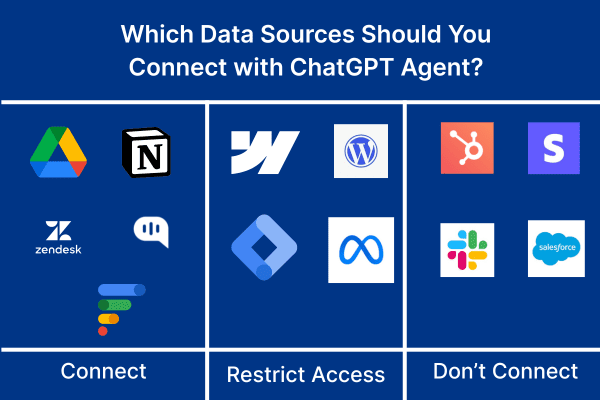
You need to add more data sources to use the ChatGPT agent with full efficacy. You must add connections to other sources, including Google Docs and your SaaS tools. Here’s a short primer on the tools that you should and should not use:
Great to connect (start here)
- Docs/KB (Google Drive, Confluence, Notion) – Read-Only. Perfect for drafting replies, briefs, and diffs from a single source of truth.
- Helpdesk views (Zendesk/Intercom/Freshdesk/Kommunicate) – Read-Only. For triage, tagging suggestions, and reply drafts without touching live tickets.
- Analytics snapshots (GA4/Looker exports, CSVs) – Read-Only. Let the agent summarize trends without poking real dashboards.
- Code/Release notes (GitHub, changelogs) – Read-Only. Great for RCA timelines and KB updates.
- Public web. SERP research, competitor scans, and press monitoring.
Use with caution (only in sandboxes or with approvals)
- CMS/LP editors (Webflow, WordPress). Draft in files; humans publish.
- Ad/Email platforms (Google Ads, Meta, ESPs). QA links/UTMs from exports; no scheduling/sending.
Generally avoid (early on)
- CRMs and billing systems with write access. It is too easy to create messes; pipe in filtered, read-only reports if needed.
- PII lakes or unrestricted Slack/DM history. High risk, low marginal value—curate datasets instead.
Rule of thumb: start read-only, least-privilege, narrow scope (one folder/view). If it’s something you wouldn’t paste into a chat, don’t connect it and use a redacted export or sandbox.
Additionally, before you start implementing your workflows into the platform, it’s essential to know the limitations of the platform.

What Are the Practical Limitations and Failure Modes to Plan For?
Some practical limitations of the tool are as follows: we’ve also included some basic tips on how to prevent them from hurting your workflows:
- Web friction: Logins, MFA, CAPTCHA, paywalls—agents can’t bypass these—plan for human takeover at those steps.
- Fragile flows: Site/DOM changes break click-by-click scripts. Write goal-driven steps, not pixel-perfect ones; allow a retry.
- Drift & loops: Endless browsing or over-collecting happens. Set time/page caps and a “summarize & stop” rule.
- Wrong facts: Models can sound confident and be bad. Require citations and prefer first-party docs.
- Prompt-injection & data leakage: Don’t paste secrets; use read-only connectors and approval gates before any submission.
- Environment variance: Personalized SERPs, geo walls, A/B tests mean results differ. Log sources and accept some variance.
- Quotas & throttling: Plan caps and site rate limits exist—batch work and schedule runs.
- Write risks: Form fills and edits can misfire. The default is draft-only humans publish/send.
These risks must be dealt with proactively to achieve real results with the ChatGPT agent.
Conclusion
Agent Mode turns “write me a plan” into “get it done”—with permissions, pause points, and clear outputs. Suppose you set simple guardrails and use runbooks. In that case, it becomes a reliable co-pilot for customer service and marketing: triage, drafts, KB upkeep, QA, SERP briefs, repurposing, and more—fast, auditable, and human-in-the-loop.
Let’s talk if you want an agent specialized in customer service (triage, tagging, agent-assist replies, WhatsApp/omnichannel handoffs, SLA workflows). Book a 15-minute demo with Kommunicate and we’ll show you how to deploy a production-ready AI agent in your stack.

Devashish Mamgain is the CEO & Co-Founder of Kommunicate, with 15+ years of experience in building exceptional AI and chat-based products. He believes the future is human and bot working together and complementing each other.