Updated on September 23, 2026
Growing an ecommerce business creates a customer service problem that is easy to underestimate.
Orders can increase quickly after a successful campaign, product launch, holiday sale, or viral promotion. Support capacity usually cannot.
Suddenly, your team is dealing with more order-status questions, return requests, delivery issues, payment problems, and product queries at the same time. Response times increase, agents get overloaded, and customer experience starts to suffer.
The traditional response is to hire more people.
But adding headcount every time ticket volume increases creates another problem. You are adding fixed costs to handle demand that may only last for a few days or weeks.
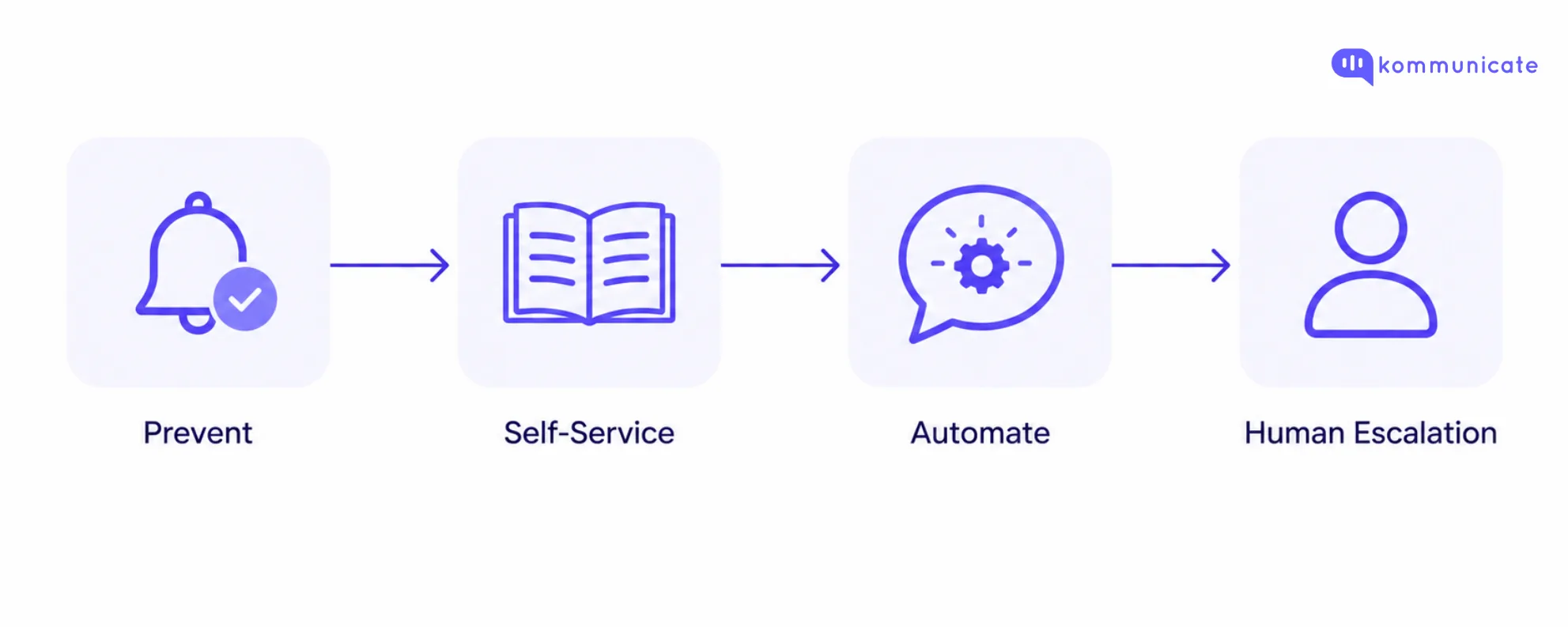
A more scalable approach is to decide which interactions need people, which can be prevented through better self-service, and which can be automated safely.
In this guide, we will look at how ecommerce teams can scale customer service without increasing support headcount at the same rate as order volume.
What ecommerce customer service involves
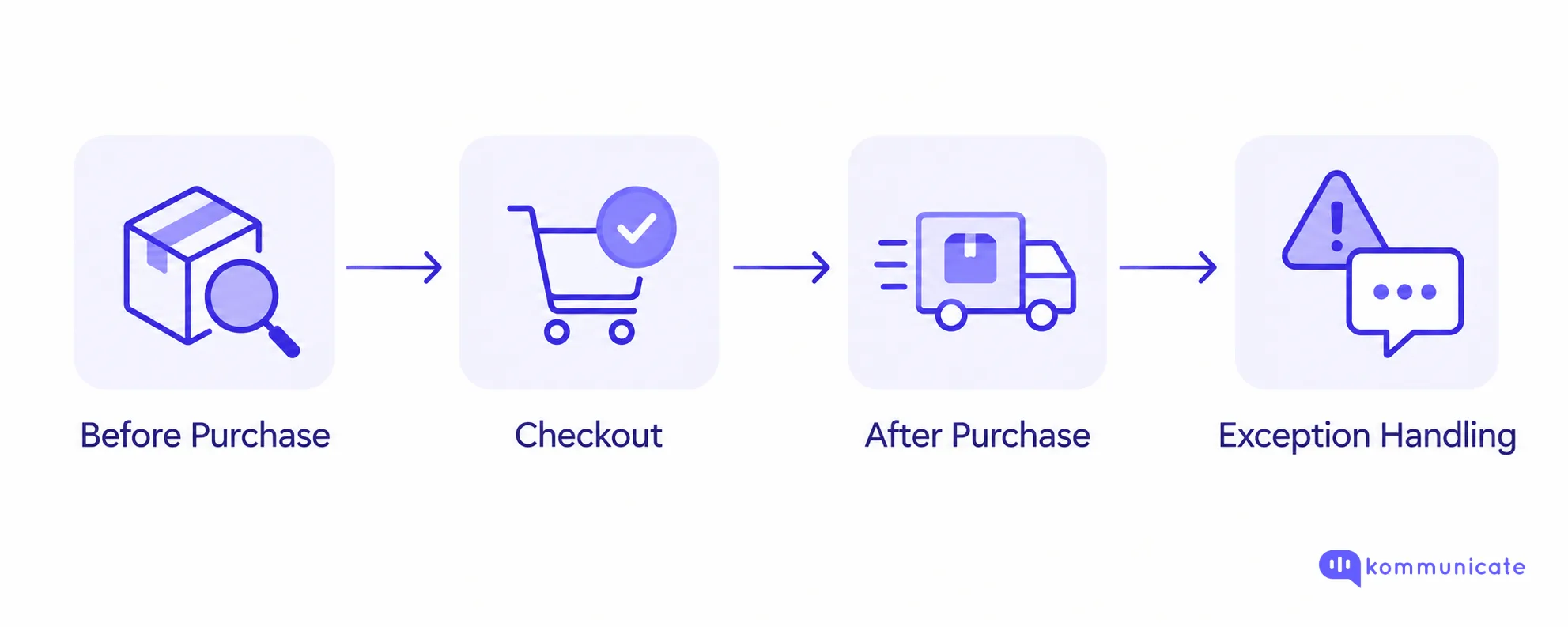
Ecommerce customer service is the people, processes, and technology used to help shoppers before, during, and after a purchase.
Unlike support in a physical store, ecommerce support often happens remotely across email, website chat, messaging apps, social channels, and phone.
The type of help customers need also changes throughout the buying journey.
Before a purchase
Customers may need help with:
- Product specifications
- Sizing and fit
- Compatibility
- Stock availability
- Shipping costs
- Delivery timelines
- Return policies
These interactions can directly affect conversion. If a shopper cannot determine whether a product fits their needs, they may leave without purchasing.
During checkout
Common support issues include:
- Failed payments
- Discount codes
- Shipping options
- Address validation
- Account problems
These conversations are particularly important because the customer is already trying to complete a purchase.
After a purchase
This is where many ecommerce support teams see their highest ticket volumes.
Typical requests include:
- WISMO, or “Where Is My Order?”
- Delivery delays
- Address changes
- Order cancellations
- Returns and exchanges
- Refund status
- Damaged or missing products
For scaling purposes, these transactional and order-specific requests are often the best place to start because they happen frequently and usually follow more predictable processes.
For additional industry context, see Salesforce’s ecommerce customer service guide.
Why ecommerce support becomes harder as order volume grows
Support demand rarely increases in a smooth, predictable line.
An ecommerce team may handle a stable queue for weeks and then see ticket volume double after a large promotion.
Three problems make it difficult to solve these spikes through hiring alone.
Support demand is seasonal
Customer service volume changes around holidays, product launches, flash sales, promotions, and other high-order periods.
Your payroll does not.
If you hire enough people to handle the busiest week of the year, you may have more capacity than you need for much of the year.
If you staff only for normal demand, the team may become overwhelmed during peak periods.
New agents take time to become productive
Hiring does not create immediate capacity.
New agents need to learn your:
- Product catalog
- Return and refund policies
- Shipping processes
- Support systems
- Brand voice
- Escalation rules
By the time a new agent becomes fully productive, the volume spike that caused the hiring need may already be over.
More agents do not eliminate repetitive work
If a large part of your support queue consists of the same questions every day, adding people simply means paying more agents to repeat the same answers.
Hiring still has an important role in ecommerce customer service, particularly for complex, sensitive, or high-value interactions.
But it should be one part of your capacity strategy rather than the only way you scale support.
What scalable ecommerce customer service looks like
A scalable support operation does not try to automate every conversation.
Instead, it reduces unnecessary contacts, automates predictable work, and preserves human attention for situations where judgment matters.
| Support need | Best approach |
|---|---|
| Customer can find the answer independently | Self-service |
| Answer depends on live order or customer data | AI connected to business systems |
| Request follows clear business rules | Automated workflow |
| Situation needs judgment, empathy, or an exception | Human agent |
| Volume temporarily exceeds normal capacity | Outsourcing or temporary staffing |
The goal is not maximum automation.
The goal is to keep service quality stable while order and ticket volume grow.
Hire, outsource, or automate: choosing the right capacity lever
When ecommerce support volume increases, you generally have three ways to add capacity: hire more in-house agents, outsource part of the queue, or automate predictable requests.
| Capacity lever | Best suited for | Main trade-off |
|---|---|---|
| In-house agents | Complex cases, VIP customers, sensitive issues, and policy exceptions | Higher fixed cost and slower ramp-up |
| Outsourced support | Seasonal overflow, extended hours, and multilingual coverage | Quality depends on training, context, and system access |
| Automation | High-volume, repetitive, and predictable requests | Requires reliable data, guardrails, and escalation |
Hire more in-house agents
Hiring makes sense when you need people who deeply understand your brand, customers, products, and internal processes.
In-house agents are particularly useful for:
- VIP customers
- High-value purchases
- Complex complaints
- Sensitive escalations
- Fraud or payment disputes
- Policy exceptions
The disadvantage is that hiring is relatively slow and adds fixed cost.
Outsource part of the queue
Business process outsourcing can add capacity faster than internal hiring.
It can be useful for:
- Seasonal overflow
- Extended support hours
- Large promotional periods
- Multilingual coverage
- Routine support categories
However, quality depends heavily on vendor training, system access, and how much customer context outsourced agents receive.
Outsourcing works best when the scope of work and escalation rules are clearly defined.
Automate repetitive support
Automation works best when the correct answer or action can be determined from reliable data and clear business rules.
Typical examples include:
- Order tracking
- Shipping policies
- Return eligibility
- FAQ questions
- Cancellation requests within an approved window
- Address changes before fulfillment
Automation can absorb increases in volume without requiring a new agent for every increase in ticket demand.
For many growing ecommerce businesses, the most effective support model combines all three approaches.
Keep an experienced internal team for judgment-heavy work, automate predictable requests, and use outsourced capacity when temporary demand exceeds what the first two can handle.
Reduce support tickets before automating them
Before asking how many tickets AI can resolve, ask a simpler question:
A portion of ecommerce support demand comes from customers looking for information that could already be available through a better customer experience.
Improve self-service
Useful self-service options include:
- Order tracking pages
- Searchable FAQs
- Return policy pages
- Sizing guides
- Product information
- Return and exchange portals
- Delivery estimates
If a customer can find the correct answer in a few seconds, they do not need to contact support.
Salesforce’s current ecommerce customer service guidance also identifies self-service, including FAQs and automated support, as an important part of ecommerce service delivery. View the source.
Use proactive communication
Some customer questions can be prevented by providing information before the customer asks.
Examples include:
- Order confirmations
- Shipping confirmations
- Delivery-delay notifications
- Backorder updates
- Return-status updates
- Refund confirmations
This is particularly useful for WISMO tickets.
A customer who already knows that a shipment has been delayed is less likely to contact support asking where the order is.
That creates a healthier support operation than simply putting automation on top of an inefficient queue.
Which ecommerce support tickets should you automate first?
Not every support request should be treated the same way.
A useful way to prioritize automation is to evaluate two things:
- How much risk is created if the automated decision is wrong?
- How easy is the action to reverse?
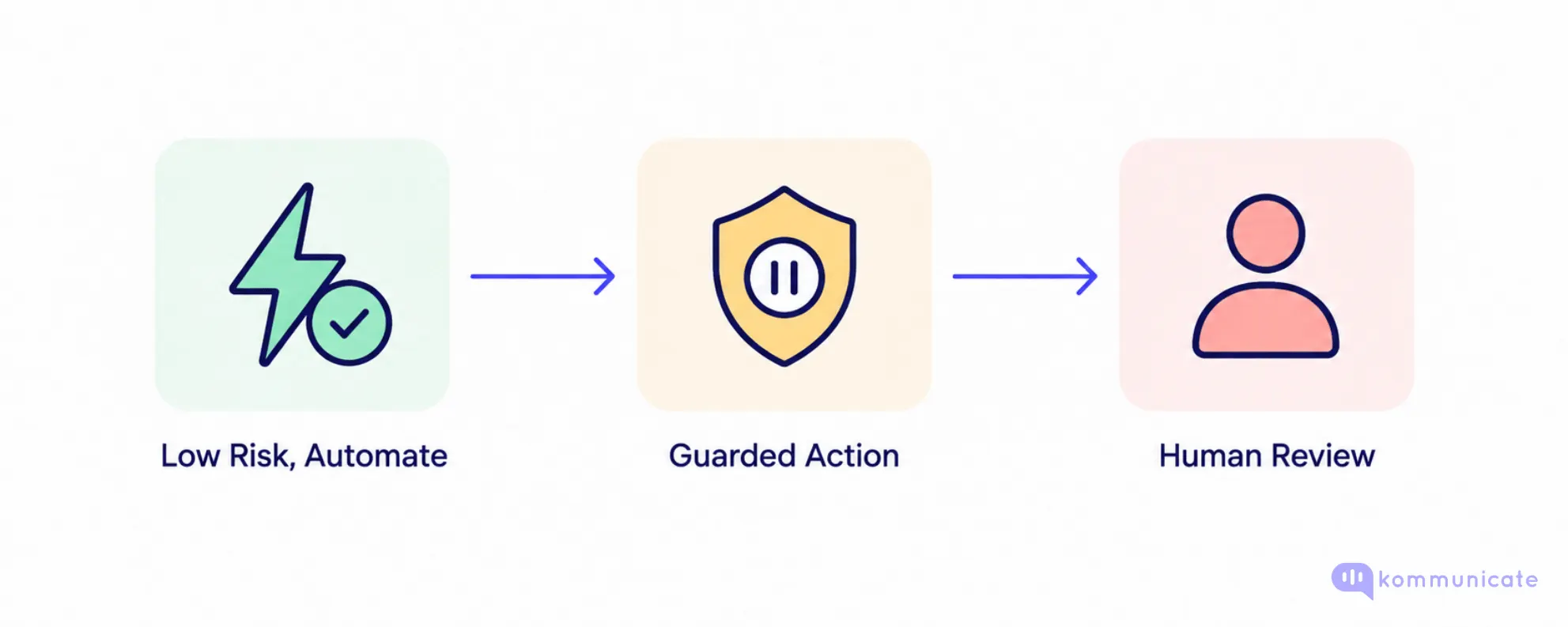
Automate now: low risk and highly reversible
These requests generally rely on information that already exists in an authoritative business system or policy.
Examples include:
- Order status
- Tracking updates
- Shipping costs
- Return-window questions
- Warranty information
- Store policies
- General FAQs
These are good starting points because the AI can ground its answer in system or policy data.
For example, an AI agent can retrieve the latest order status from an order system and communicate it to the customer.
If the system cannot retrieve the information, the conversation can be escalated instead of guessing.
Automate with guardrails: medium risk
These workflows involve taking actions rather than simply answering questions.
Examples include:
- Starting a return
- Updating an address
- Cancelling an order
- Generating a return label
The action should only happen when clearly defined conditions are met.
A return can be initiated when the item is inside the return window and is not marked as final sale.
An order can be cancelled when fulfillment has not started.
An address can be changed when the shipment has not yet passed the appropriate fulfillment stage.
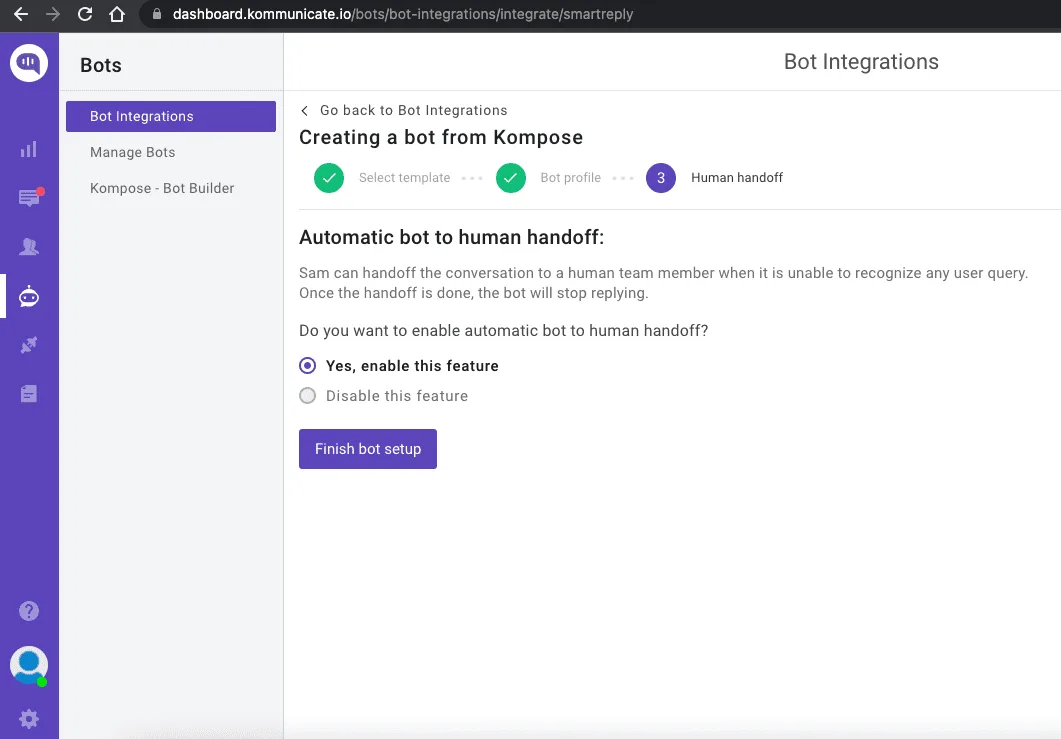
If those conditions are not met, the workflow should stop and escalate the conversation to a human agent.
Keep it human: high risk and difficult to reverse
Some situations should remain human-led.
Examples include:
- High-value refunds
- Chargebacks
- Fraud concerns
- Damaged-product disputes
- Policy exceptions
- Unusual delivery claims
- Highly frustrated customers
Automation can still help with the initial intake.
It can collect the order number, customer details, relevant documents, photos, and conversation history before routing the case to an agent.
But the final decision should remain with a person when the outcome requires judgment.
Automation priority should be based on risk and reversibility, not ticket volume alone. A high-volume request can still be a poor candidate for full automation if an incorrect decision creates significant financial or customer-experience risk.
How to design AI-to-human escalation
Automation usually creates the most frustration when customers become trapped inside it.
An AI agent that cannot answer a question is inconvenient.
An AI agent that cannot answer the question and also prevents the customer from reaching a person creates a much worse experience.
A good escalation process needs three things.
Clear escalation triggers
Your AI agent should know when to stop trying to resolve the conversation on its own.
Triggers can include:
- Missing information
- Low confidence
- Failed API or workflow action
- Policy exceptions
- Customer frustration
- High-value transactions
- Repeated failed attempts
- Explicit requests for a human
If escalation happens too quickly, you lose much of the benefit of automation.
If it happens too late, customers spend unnecessary time trying to get help.
Full context transfer
The customer should not need to repeat everything after escalation.
Zendesk’s 2026 CX research found that 74% of consumers are frustrated when they have to repeat information, while 81% want agents to continue the conversation without backtracking.
Source: Zendesk CX Trends 2026 research.
The human agent should receive:
- Conversation history
- Customer details
- Relevant order information
- Actions already attempted
- Applicable policies
- A summary of the issue
This is particularly important in ecommerce because many conversations depend on a specific order, shipment, return, or payment.
An agent who can act immediately
Passing a conversation to a person is not enough.
The receiving agent also needs access to the information and systems required to resolve the problem.
A well-designed handoff allows the human agent to continue the conversation rather than restart it.
How to plan ecommerce support capacity for peak season
Peak-season staffing should not be based on guesswork.
Use historical order and support data to estimate what the next volume spike could look like.
Step 1: Pull historical ticket volume by day
Do not rely only on monthly averages.
Daily data shows:
- When the volume spike begins
- How high the peak becomes
- How long elevated demand continues
Step 2: Calculate your peak-to-baseline ratio
Use:
If a normal day generates 220 tickets and the busiest day generates 770:
Your peak support demand is therefore approximately 3.5 times your normal daily volume.
Step 3: Break peak volume down by ticket type
Do not assume every support category increases at the same rate.
During a peak period, you may see:
- More WISMO questions
- More payment failures
- More delivery exceptions
- More product questions
- A later increase in returns
Understanding the mix matters because different ticket categories require different types of capacity.
For example, suppose your 770 peak-day tickets look like this:
| Ticket type | Share | Approx. tickets |
|---|---|---|
| WISMO | 45% | 345 |
| Returns | 20% | 154 |
| Sizing and product questions | 15% | 115 |
| Other requests | 20% | 156 |
Step 4: Estimate what automation can absorb
Use your automation categories to determine how much of that peak volume can be resolved reliably without an agent.
Suppose your AI and automated workflows can handle most WISMO requests and straightforward returns.
Approximately 500 requests might stay out of the human queue.
Instead of asking your team to handle 770 tickets, they may need to deal with approximately 270.
Step 5: Convert the remaining tickets into agent capacity
Reducing the queue is useful, but support leaders ultimately need to know how much human capacity is required.
Use:
For example:
That equals 36 hours of active ticket-handling time.
If an agent has approximately six productive ticket-handling hours during an eight-hour shift:
The average handle time and productive hours here are illustrative. Use your own support data for actual capacity planning.
Run the same calculation before major promotional periods, product launches, and seasonal peaks.
What to look for in ecommerce customer service software
Once you know which requests should be automated and which should remain human, evaluating software becomes much easier.
Do not start with the platform that has the longest feature list.
Start with the workflows creating the most work for your support team.
Ecommerce and order-system integrations
Your support platform should be able to access the systems that hold relevant customer and order data.
That may include:
- Order management systems
- Ecommerce platforms
- CRMs
- Shipping providers
- Return-management systems
- Internal APIs
Without access to live information, AI may be able to explain your shipping policy but not tell a customer where their specific order is.
When evaluating a platform, also check whether it can integrate with the systems already in your support stack.
Support for the channels your customers actually use
Different ecommerce businesses need different channel mixes.
Common channels include:
- Website chat
- Mobile messaging
- Social messaging
- Voice
Do not choose software simply because it supports the largest number of channels.
Look at where your customers actually contact you and where support volume is growing.
Context-preserving human handoff
When an automated conversation reaches a person, the platform should transfer the context required to continue the interaction.
That includes:
- Customer identity
- Conversation history
- Order context
- Previous actions
- AI-generated summaries where appropriate
The customer should not need to start again.
Action-taking capability
Modern ecommerce support automation should do more than answer questions.
For approved workflows, the AI should be able to interact with connected business systems.
Potential actions include:
- Looking up an order
- Checking return eligibility
- Triggering an approved workflow
- Updating customer information
- Creating or routing a support request
The specific actions you automate should depend on your business rules and risk tolerance.
Guardrails and escalation controls
Support teams should be able to define where the AI can act independently and where it must stop.
This becomes particularly important when automation touches:
- Refunds
- Cancellations
- Address changes
- Account information
- Other revenue-sensitive workflows
Pricing that still works during peak volume
A pricing model that looks affordable during a normal month may behave very differently when support volume doubles or triples.
Evaluate pricing against peak usage rather than average usage alone.
Check how the vendor charges for:
- Automated resolutions
- Conversations
- Agent seats
- AI usage
- Integrations
- Additional channels
Metrics that show whether your support operation is actually scaling
The objective is not simply to automate more tickets.
You want to reduce support effort and cost without damaging customer experience.
| Metric | What it tells you |
|---|---|
| Cost per resolved ticket | Whether the support model is actually lowering resolution costs |
| Automated resolution rate | How many requests are completely resolved without human intervention |
| First contact resolution | How often the customer’s issue is solved in the first interaction |
| First response time | Whether queues are growing faster than available capacity |
| Contact rate | Whether support demand is growing faster than order volume |
| Repeat-contact or reopen rate | Whether conversations are being closed without solving the underlying issue |
| CSAT by resolution type | Which support paths create satisfaction or friction |
| Escalation rate by intent | Which automated workflows need better knowledge, integrations, or guardrails |
Cost per resolved ticket
Compare the cost of:
- AI-resolved tickets
- Human-resolved tickets
- Outsourced tickets
This helps determine whether your operating model is actually lowering support costs.
Automated resolution rate
Measure the percentage of requests completely resolved without human intervention.
Do not count simple redirects or links as successful automated resolutions if the customer still needs to contact support.
First contact resolution
Track how often a customer gets the issue fully resolved during the first interaction.
A fast first response is useful. A complete resolution is more valuable.
First response time
Monitor how long customers wait before receiving a meaningful response.
If response time increases sharply during peak periods, the support operation may be running out of capacity.
Contact rate
Measure:
This separates business growth from support inefficiency.
For example, doubling support volume is not necessarily a problem if order volume also doubled.
But if orders rise by 20% while tickets rise by 80%, something in the customer journey may be generating unnecessary support demand.
Repeat-contact or reopen rate
A ticket should not be treated as resolved if the customer returns shortly afterward with the same issue.
A high reopen rate may indicate that support is closing conversations without solving the underlying problem.
CSAT by resolution type
Do not rely only on one blended customer satisfaction score.
Compare satisfaction across:
- AI-resolved conversations
- Human-resolved conversations
- Escalated conversations
- Outsourced conversations
This makes it easier to identify where the support journey is creating friction.
Escalation rate by intent
Track which automated workflows most frequently require human intervention.
A high escalation rate for one intent may point to:
- Missing knowledge
- Missing integrations
- Weak workflow rules
- Poor escalation design
- A ticket type that should not be automated
These metrics help you optimize for successful resolution rather than automation volume alone.
How Kommunicate helps ecommerce teams scale support
Kommunicate is designed for businesses that want AI to handle repetitive customer conversations while keeping human agents involved when judgment is required.
Answer repetitive customer questions
Kommunicate AI agents can use websites, help centers, FAQs, and business documents as knowledge sources for customer conversations.
This makes them useful for repetitive questions around areas such as:
- Shipping
- Returns
- Product policies
- Warranty information
- General FAQs
Connect AI to ecommerce workflows
For order-specific customer service, knowledge-base content alone is not enough.
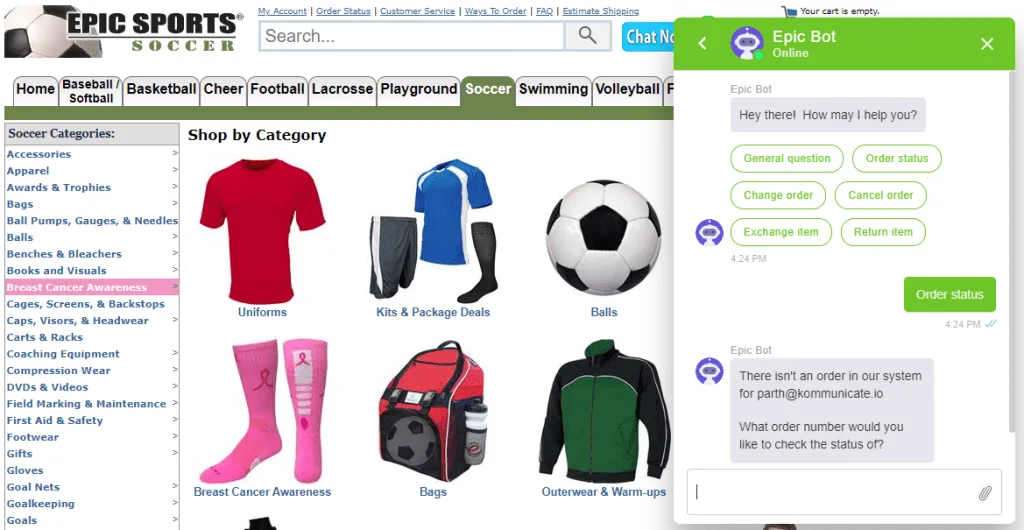
Kommunicate’s ecommerce AI agents can work with APIs and workflows so support automation can retrieve business information or trigger approved actions.
That can help ecommerce teams build workflows around use cases such as order-status requests rather than limiting the AI to static answers.
Escalate complex conversations to human agents
When automation reaches its limit, conversations can be transferred to a human agent.
Configurable escalation rules allow teams to decide when the AI should hand the conversation over.
The conversation history and customer context can move with the interaction so the receiving agent does not have to restart the support process.
AI-generated summaries and suggestions can also help agents understand the conversation more quickly.
Support customers across multiple channels
Kommunicate supports customer conversations across web, mobile, email, WhatsApp, and other messaging channels through its integration ecosystem.
This allows ecommerce teams to apply their automation and escalation strategy across multiple customer touchpoints.
Use different AI models within your support setup
Kommunicate supports integrations with AI providers including OpenAI, Anthropic Claude, and Google Gemini.
But the model itself is only one part of a successful ecommerce automation strategy.
The more important questions are:
- Does the AI have access to the right business information?
- Can it trigger approved workflows?
- Does it stay within defined guardrails?
- Does it know when to escalate?
- Does the human agent receive the full context?
Those factors determine whether AI actually reduces support workload.
Scale ecommerce customer service without rebuilding your team
Ecommerce customer service does not become scalable simply because you add a chatbot.
It becomes scalable when you redesign how work moves through the support operation.
Prevent avoidable tickets. Give customers better self-service. Automate low-risk and repeatable requests. Use guardrails when automation triggers business actions. Keep human agents involved when judgment matters.
And plan human capacity using actual order and ticket data instead of waiting for the next peak to expose the gap.
You do not need to automate every customer interaction. You need to automate enough routine work that your support team can spend more time on the conversations where human expertise creates the most value.
Frequently asked questions
What is ecommerce customer service?
Ecommerce customer service is the support an online business provides to customers before, during, and after a purchase. It can include product questions, checkout help, order tracking, delivery issues, returns, refunds, and other customer requests across channels such as chat, email, messaging, and phone.
How can ecommerce businesses scale customer service?
Ecommerce businesses can scale customer service by combining better self-service, proactive communication, AI automation, workflow automation, human escalation, and flexible staffing. The objective is to prevent unnecessary tickets and automate predictable requests while keeping human agents available for complex cases.
Which ecommerce customer service tickets can be automated?
Good automation candidates typically include order-status requests, shipping questions, return-policy questions, FAQs, and other requests where the answer comes from reliable business data. Actions such as returns, cancellations, and address changes can also be automated when clear business rules and guardrails are in place.
When should an ecommerce support conversation be escalated to a human?
A conversation should usually be escalated when the AI does not have enough information, a workflow fails, the request falls outside policy, the customer becomes frustrated, or the issue involves financial risk, exceptions, or subjective judgment.
What metrics should ecommerce customer service teams track?
Useful metrics include cost per resolved ticket, automated resolution rate, first contact resolution, first response time, contact rate, repeat-contact rate, CSAT by resolution type, and escalation rate by intent.

Harsh Zavery is the SEO Manager at Kommunicate, where he drives organic growth through strategic content and search optimization. With deep expertise in conversational AI and customer support automation, Harsh helps businesses discover smarter, scalable solutions for customer engagement.