Updated on July 29, 2026
Most patient experience software proposals fail in budget meetings because they lead with features rather than costs.
- This article gives you a cost-of-inaction framework anchored in real cost drivers, structured for a CFO budget conversation.
- Use the interactive calculator below to quantify your current monthly losses across call handling, no-shows, turnover, overtime, and ticket resolution.
- Then follow the CFO presentation guide to walk finance through your 12-month payback timeline without losing the room.
It’s hard to justify the costs of patient experience software. We’ve seen this across many clinics: an operations director or a practice manager puts together a proposal for the software, and the finance department rejects it.
The problem here doesn’t lie with finance. Your CFO’s primary mandate is ROI, and a proposal geared towards improving patient experience doesn’t always convey that.
Patient experience proposals should be created with a focus on ROI. This article gives you that number and grounds it in research. We’re going to cover:
- Why does “better patient experience” not survive a budget meeting?
- The five costs you’re already carrying
- The ROI calculator
- How to present this to a CFO?
- What does the first 90 days look like?
- Conclusion
Why does “better patient experience” not survive a budget meeting?
The problem is that they lead with projected returns without ever establishing the current cost of inaction, which is the only number a finance team already trusts.
“Improved patient satisfaction” isn’t a line item in the budget.
Three things kill software proposals in budget meetings, every time.
- No baseline. The proposal says the software will reduce no-shows by 50%, but doesn’t establish what no-shows are currently costing the practice. The finance team has no frame of reference, so the numbers sound made up.
- Vague ROI framing. “Improved efficiency” and “better patient outcomes” matter clinically and operationally, but they don’t translate to a cost-center review. A CFO needs a dollar figure, not a sentiment.
- No payback timeline. Even a compelling ROI argument fails if there’s no answer to “when do we break even?” Finance needs to know whether this is a six-month payback or a three-year one.
The fix is a document that starts with what the practice is already spending, before it ever mentions the software.
The five costs you’re already carrying
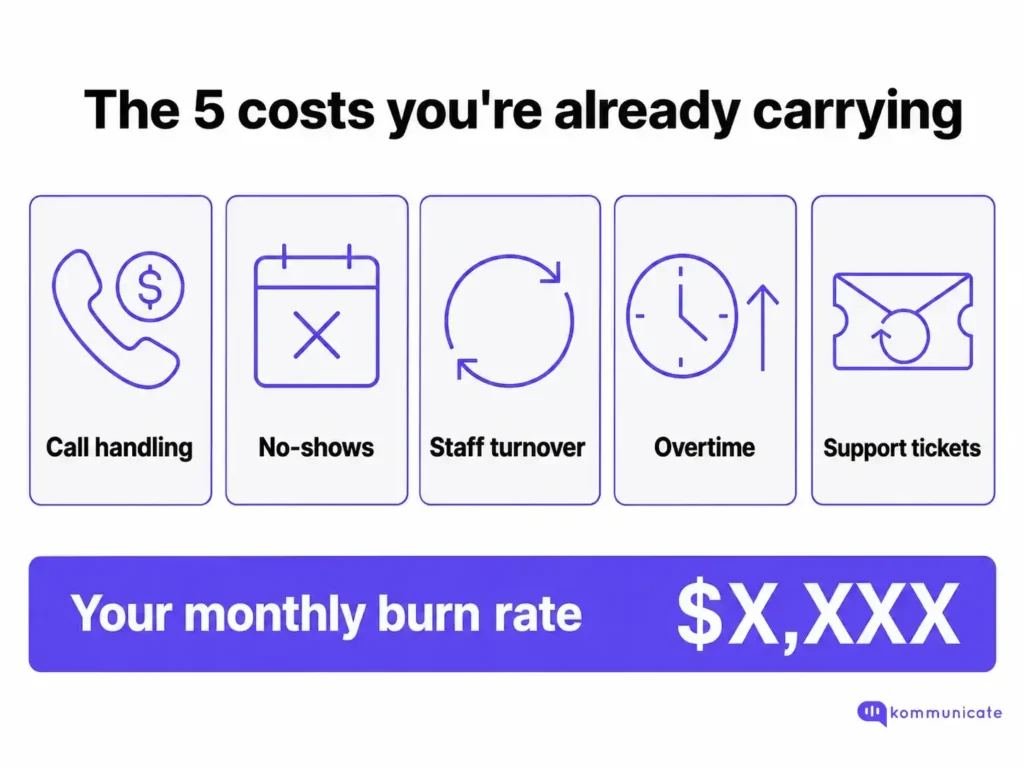
Every clinic running on manual processes and reactive patient communication is absorbing costs that rarely get measured because they don’t arrive as invoices. They’re embedded in:
- Headcount
- Lost revenue
- Overtime hours
- Constant cycle of recruiting and retraining staff.
Here’s what those costs look like, broken down.
1. Call handling
The average cost to handle a healthcare call is $4.90 when you factor in staff time, technology, and overhead (DialogHealth, 2025). For a mid-size practice fielding 1,800 calls a month, that’s $8,820 in monthly call handling costs.
The majority of those calls are appointment scheduling, prescription refills, and billing questions: all tasks that can be automated without degrading the patient experience.
The secondary cost is less visible but just as real. A 2025 study found that patients make an average of 3.5 calls for each scheduling need. That’s not a patient satisfaction problem. It’s a process problem, and it compounds every month.
2. No-shows
No-shows cost the U.S. healthcare system $150 billion annually, with the average missed appointment representing $200 in lost revenue per physician (Clearwave, 2025). The national average no-show rate is roughly 18-23%, depending on specialty. Rates by type include:
- Primary care at 19%
- Pediatrics at 30%
- Dermatology at 30%
For a practice booking 1,000 appointments a month with a 20% no-show rate, that’s 200 empty slots and $40,000 in lost monthly revenue.
Independent physician practices incur an estimated annual loss of $150,000 due to no-shows alone.
3. Staff turnover
Front-office and medical assistant roles are among the highest-turnover positions in healthcare. MGMA’s 2025 Stat polling confirmed that front-office staff and medical assistants are the most frequently cited turnover hotspots in medical practices. Industry data for 2025 puts overall healthcare turnover at 22.7% across all roles.
Replacing a single front-desk employee costs between $3,000 and $5,000 once you account for recruitment, onboarding, and the productivity dip during training (Turnozo, 2026). For a practice with six front-desk FTEs and a 30% annual turnover rate, that’s roughly two staff replacements per year: $6,000 to $10,000 in direct replacement costs, not counting the burnout pressure on the staff who stayed.
Turnover in these roles is rarely random. It tracks closely with workload, repetitive tasks, and constant patient frustration. The same manual processes that drive up call volume and no-show rates are often the primary driver of front-desk burnout.
4. Overtime
When call volume spikes, the tab goes somewhere. Usually it goes to overtime. At a blended rate of $34 to $38 per overtime hour for administrative healthcare staff, 48 hours of monthly overtime for a front-desk team costs $1,700 per month, or roughly $20,000 per year.
Overtime is the most visible symptom of a staffing model that’s calibrated for average demand and unable to absorb spikes. The cost is real, the source is structural, and it doesn’t go away until the underlying volume driver changes.
5. Ticket and complaint resolution
Every unresolved phone interaction or failed scheduling attempt generates a downstream support event: a callback, a complaint, a portal message, or an escalation. Healthcare call centers resolve only about 51% of patient requests on first contact (Confido Health, 2026), meaning roughly half of all patient inquiries require at least one additional touchpoint.
At an average agent cost of $24 per hour and an average resolution time of 2 to 3 hours per ticket, a practice handling 300 to 400 support interactions a month is spending $7,000 to $10,000 in staff time just to close loops that shouldn’t have opened in the first place.
This translates directly into real ROI numbers you can see with our tools.
The ROI calculator
Fill in your numbers below to see your ROI.
Patient experience software ROI calculator — see your monthly cost of inaction and projected savings
is a number your CFO can read.
How to present this to a CFO?
Once your calculations show the monthly burn rate, the next step is to present it in a way finance can act on. You are not just making a case for new software. You are showing what the current patient experience is already costing, what could realistically improve, and how quickly the investment can pay back. That is what turns the analysis into a healthcare proposal your CFO can take seriously.
Here’s how to use the monthly burn rate without losing the room.
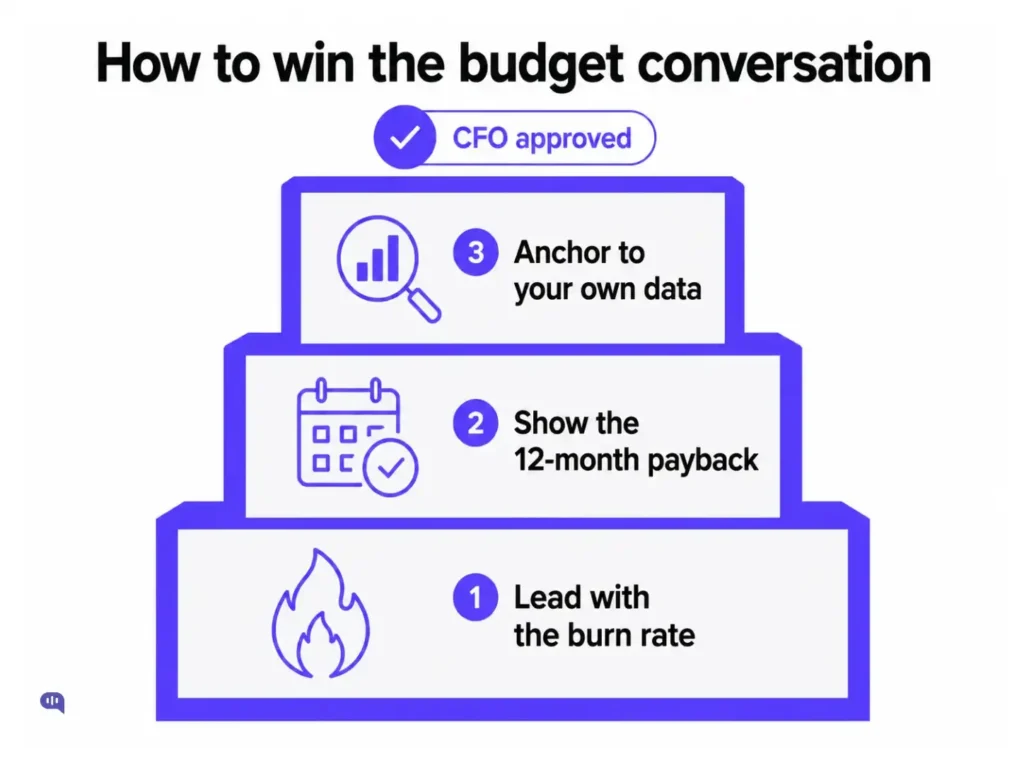
- Lead with the burn. The single most effective reframe in a budget meeting is to open with the cost of inaction, rather than what the software does. “We are spending an estimated $X per month on avoidable call handling, no-show revenue loss, and staff turnover” is a different conversation opener than “this software reduces friction across the patient journey.” One is a problem statement. The other is a vendor pitch.
- Show the 12-month payback. CFOs are trained to be skeptical of projections that stretch too far into the future. A 24-month ROI number is easy to dismiss as speculative. A 12-month payback timeline is harder to argue with. Lead with the 12-month figure, then let the 24-month number serve as a secondary point.
- Pre-empt the “are these numbers real” question. Every benchmark in this model traces to a published source: MGMA, DialogHealth, NSI, and Clearwave. Before the meeting, identify which of the five cost categories is most clearly visible in your own operations data and anchor the conversation there. If you can say “our actual no-show rate last quarter was 22%, and our average slot value is $185,” the model becomes a verification tool, not an estimate.
- Don’t oversell the reduction percentages. The projection assumptions in the calculator are conservative, based on industry benchmarks. Automated reminders reduce no-shows by 20-30% across most studies; the calculator assumes 55% for a fully deployed patient experience platform.
If your CFO pushes back on the upside numbers, that’s a healthy conversation. The point is to get the project into the budget. A more conservative 30% no-show reduction still makes a financial case.
What does the first 90 days look like?
The second reason software proposals die after the ROI conversation is implementation risk. “We don’t have the bandwidth to set this up” is a real objection, and it deserves a real answer.
Modern patient experience platforms are not multi-quarter IT projects. A typical mid-size clinic deployment takes two to four weeks from sign-off to go live, with the first automated reminders and call-deflection flows running within the first month. No EHR replacement, no infrastructure overhaul.
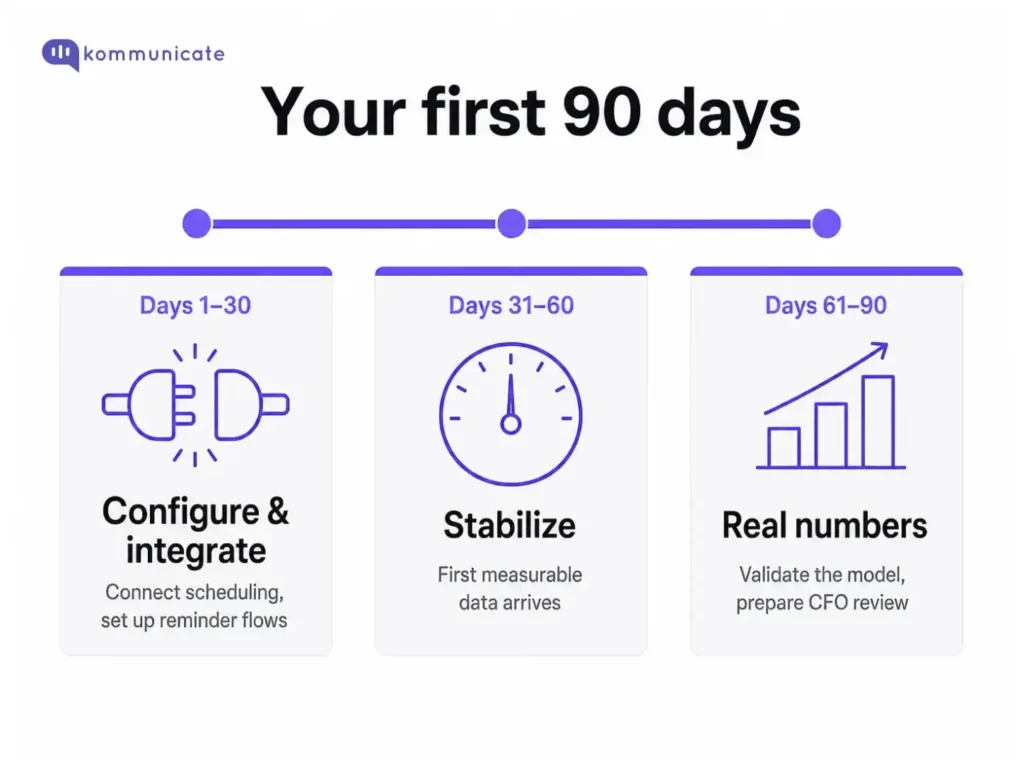
The first 30 days are configuration and integration
Connecting the platform to your existing scheduling system, setting up automated reminders and callback flows, and training front-desk staff on the handoff model.
Days 31–60: Stabilization
The team adjusts, edge cases are addressed, and the first measurable data starts coming in: call volume reduction, no-show rate movement, and first-contact resolution rates.
By day 90, you have real numbers.
The cost-of-inaction model you took into the budget meeting now has actual results to validate it.
That’s the document you bring to the CFO’s next quarterly review.
Conclusion
The model in this article doesn’t require patient experience software to make sense. It requires an honest accounting of what the current state costs.
The gap between what your practice spends on avoidable inefficiency today and what it would spend on a platform that eliminates most of that inefficiency is, for most mid-size practices, substantial enough to pay for the software several times over in the first year.
This proposal focuses solely on explaining the real costs of failing to implement patient experience software.
Having trouble? Book a 20-minute demo with the Kommunicate team, and we’ll help you create a CFO-ready patient experience proposal. Book your free demo →

Devashish Mamgain is the CEO & Co-Founder of Kommunicate, with 15+ years of experience in building exceptional AI and chat-based products. He believes the future is human and bot working together and complementing each other.