Updated on August 10, 2026
TL;DR
- Voice AI agents answer calls in natural language and skip the rigid and numbered menus that traditional IVR systems rely on.
- They handle predictable calls well, including order status checks and appointment changes.
- Human agents still matter most for emotional situations and anything requiring regulatory sign-off.
- Pricing usually falls into per-minute, per-resolution, or flat monthly models.
- A good handoff passes full conversation context to the human agent, so callers never have to repeat themselves.
- Most teams should pilot on one narrow use case first, then expand once resolution rates and customer feedback hold up.
For years, customer support leaders have been forced into an impasse.
Either sacrifice team sanity to handle soaring ticket volumes, or blow past budget constraints to maintain customer satisfaction.
Today, that tension has reached a tipping point.
Modern customers demand immediate answers around the clock, yet expanding headcount remains off the table for most organizations.
This is why voice AI agents have moved out of the experiments and straight into core budget discussions.
In fact, 85% of customer service leaders now plan to explore or pilot conversational GenAI solutions, with 44% specifically evaluating GenAI voicebots and another 16% already actively piloting or deploying them.
The central debate for support leaders has changed. The question is no longer whether voice AI is viable, but whether a given platform can handle real-world call volume and deliver an experience customers find valuable.
This guide breaks down the practical realities of deploying voice AI in 2026.
What are voice AI agents? (And how they differ from IVR)
A voice AI agent is software that answers a phone call and understands what the caller is asking in natural language, then responds with a spoken answer, all without a human on the line.
This is a big departure from the phone systems most of us grew up dreading. Traditional IVR (interactive voice response) systems work off rigid decision trees: press 1 for billing, press 2 for tech support. If you’ve lost your patience, you might try saying “representative” and hope it connects you to an actual person.
Voice AI agents skip the menu entirely. A caller states their problem in everyday language, and the agent uses speech recognition and a language model to figure out the caller’s intent and pull any relevant account or order data, then responds conversationally. Some systems can also handle interruptions and follow-up questions mid-call, closer to how a real conversation goes.
Voice AI agents are different from two other tools you’ll often hear mentioned in the same breath:
- Voice bots: an older category, often scripted and less flexible, that can recognize a limited set of phrases but struggles outside a narrow script.
- Agent-assist tools: software that listens to a human-to-human call and suggests answers or pulls up information for the agent, rather than handling the conversation itself.
Voice AI agents, by contrast, run the conversation on their own and only bring in a human when the situation calls for it.
What voice AI agents can replace in customer support
Not every call needs a human on the other end, and this is where voice AI agents earn their budget line fastest. The best candidates for automation follow a predictable pattern, even when the specific details change from caller to caller.
Common calls that voice AI agents handle well:
- Checking an order status or delivery estimate
- Resetting a password or verifying account details
- Answering billing questions like due dates and balances, along with payment confirmations
- Rescheduling or canceling an appointment
- Providing store hours and policy details, along with basic troubleshooting steps
- Routing a caller to the right department without a phone tree
These are calls that pile up during peak hours and burn out support teams, since most of them call for a quick and accurate lookup rather than a judgment call. Automating them frees human agents to spend their time on calls that actually need a person.
Customers seem ready for this shift too. In a Gartner survey of nearly 5,000 consumers, 51% said they’d be willing to let a GenAI assistant handle a customer service interaction on their behalf.
That’s a meaningful signal about what customers now expect from voice automation, well beyond simple cost savings for the businesses deploying it.
What voice AI agents cannot replace in customer support
Automation has limits. Don’t pretend otherwise, if you don’t want to end up with angry customers and viral complaint threads. Voice AI agents struggle with anything that requires empathy or judgment, along with context a script can’t anticipate.
These are the situations where a human agent should stay in the loop:
- A customer who is upset or in emotional distress
- A complex dispute involving multiple past interactions or exceptions to policy
- A high-value account where the wrong answer creates real financial or legal risk
- A request that falls outside what the AI was trained on, where guessing is worse than admitting uncertainty
- Any interaction where regulation requires human sign-off, such as certain financial or healthcare decisions
A Gartner survey of 321 customer service leaders found that only 20% had reduced headcount because of AI, while 55% reported stable staffing even as call volume grew.
Most teams, in other words, are using voice AI to absorb more volume while keeping their existing staff in place.
That’s a healthier way to think about this technology than treating it as a full replacement for your support floor.
How human handoff actually works in a voice AI system
The quality of a voice AI agent shows up most clearly in the moments it decides to step aside. A well-designed handoff feels almost seamless to the caller. A poorly designed one means the customer repeats their entire problem to a human agent who has no idea what already happened on the call.
Here’s roughly how a good handoff process works:
- Detection: The AI agent recognizes a trigger for escalation. Common triggers include:
- The caller explicitly asks for a person
- Repeated failed attempts to resolve the issue
- Frustration detected in tone or word choice
- A topic flagged as out of scope
- Context capture: Before the transfer happens, the system compiles a summary of the conversation so far, including what the caller asked and what the AI already tried, along with any account details already verified.
- Warm transfer: The call routes to an available human agent along with that summary, so the agent can pick up the conversation without asking the caller to start over.
- Confirmation: The human agent briefly confirms what they understand about the issue, which reassures the caller that nothing got lost in the handoff.
This is one area where the gap between vendors is largest. Some platforms treat handoff as a workaround added onto the AI layer, which shows up as dropped context and frustrated callers.
Kommunicate, for one, builds handoff into the core of its Voice AI agent, passing full conversation context to the human so the customer never has to repeat themselves.
Voice AI agents pricing models and hidden expenses
Pricing in this category still varies quite a bit, since vendors are experimenting with what actually maps to value for buyers. Understanding the common models helps you compare quotes on equal footing.
- Per-minute pricing: You pay based on total call minutes handled by the AI agent. This scales naturally with your volume, though it can get expensive fast during high-traffic seasons.
- Per-resolution pricing: You pay only when the AI successfully resolves a call without escalation. This aligns cost with value, though vendors define “resolution” differently, so ask for specifics.
- Flat monthly or tiered pricing: A set fee covers a bucket of calls or minutes, with overage charges beyond that. This works well for teams with predictable volume.
Beyond the base pricing model, watch for these additional costs that don’t always show up in the initial quote:
- Setup and integration fees for connecting the AI agent to your CRM and ticketing system, along with your telephony provider
- Charges for training the AI on your knowledge base or updating it as policies change
- Costs tied to call volume spikes during holidays or promotional periods
- Fees for additional languages or voice customization
- Ongoing monitoring or analytics add-ons
A useful exercise before you shop: calculate your current cost per call, including agent time and average handle time, along with overhead costs. Compare that against a vendor’s quoted cost per automated call, factoring in the share of calls you realistically expect to resolve without a human. Some vendors, including Kommunicate, offer a built-in calculator for this comparison so you can see projected savings before committing to a contract.
Realistic deployment timelines for voice AI agents
How long a voice AI deployment actually takes depends heavily on scope. A narrow pilot handling one type of call looks very different from an enterprise-wide rollout across every support line.
Pilot phase (typically 1 to 4 weeks)
You pick one or two high-volume and low-risk call types, connect the AI to a knowledge base, and test it on a small slice of real traffic. This is where you catch obvious gaps before wider exposure.
Integrated deployment (typically 1 to 3 months)
The AI agent connects to your CRM, ticketing system, and telephony setup, and starts handling a broader set of call types. This stage usually involves more testing and refinement of escalation triggers.
Enterprise rollout (typically 3 to 6 months or longer)
Full-scale deployment across multiple departments and languages takes longer, especially in regulated industries like healthcare or finance where every workflow needs sign-off.
Keep in mind that legacy telephony systems often need custom integration work, and internal approval processes at larger companies add their own delay. The sheer amount of content needed to train the AI accurately on niche products or policies can slow things down too.
How to choose between building, buying, or using an existing support platform
Once you’ve decided voice AI agents make sense for your team, the next decision is how to get there. There are three broad paths.
- Building in-house
You assemble your own voice AI system using speech-to-text APIs, a language model, and custom integration code. This gives you maximum control over behavior and data handling. It also demands a real engineering team and ongoing maintenance, which makes sense mainly for companies with unusual requirements that off-the-shelf tools can’t meet.
- Buying a specialized point solution
You purchase a voice-only AI product built by a vendor focused entirely on voice automation. This often gets you strong voice-specific features quickly, though it may mean managing a separate tool outside your existing support platform.
- Using an existing support platform’s voice AI layer
You add voice automation to a platform that already handles your chat, email, and ticketing. This keeps conversation history and customer context in one place across channels, which tends to matter more than buyers expect once the pilot phase ends and you’re managing real customer relationships across multiple touchpoints.
Gartner predicts that 30% of Fortune 500 companies will offer service only through a single, AI-enabled channel by 2028. This points toward consolidation rather than fragmentation across separate support tools. If your team is already using one platform for chat and a different one for voice, you have to fix that disconnect sooner rather than later.
How to evaluate voice AI agents before you buy
With a shortlist of vendors in hand, you have to evaluate them against a consistent set of criteria rather than getting swayed by whichever demo sounded most polished. Pay attention to these factors:
- Conversation quality: The AI should be able to understand different accents and background noise without constantly asking callers to repeat themselves, even when they interrupt mid-sentence. Test this with real recordings from your own call center, not scripted demo scenarios.
- Integrations: The AI should connect to your CRM, ticketing system, and telephony provider without months of custom development. Ask for a list of pre-built integrations versus ones that require engineering work.
- Reliability and uptime: Figure out the vendor’s track record for uptime, and what happens to a call if the AI system goes down mid-conversation.
- Scalability: The system should be strong enough to handle a sudden spike in call volume, such as during a product outage or a holiday sale, without a drop in response quality.
- Security and compliance: The vendor must meet the compliance standards relevant to your industry, such as HIPAA for healthcare or GDPR for European customers.
You have to askhave ask each vendor for real numbers tied to these categories rather than accepting marketing language at face value. A vendor claiming high resolution accuracy should be able to show you how that number is measured and on what call types.
How to start a voice AI deployment Phase-by-Phase
A phased rollout reduces risk and gives your team time to build confidence in the system, since you don’t need to commit your entire support operation to AI right away. Here’s how to proceed:
- Pick a narrow, safe use case. Start with something high-volume and low-risk, like order status checks or appointment confirmations, where a wrong answer causes minimal damage.
- Test against real call recordings. Run the AI against actual past calls before it handles any real customer traffic, and review where it struggled.
- Launch to a small percentage of calls. Route a portion of real inbound traffic to the AI agent while monitoring closely, keeping a fast path to human escalation available.
- Review outcomes and refine. Look at resolution rates, handoff frequency, and customer feedback, then adjust the AI’s training and escalation rules based on what you find.
- Expand gradually. Add new call types and channels once the initial use case performs reliably, rather than automating everything at once.
This staged approach matches how most successful deployments actually go. Teams that try to automate everything right away tend to hit trust problems fast, while teams that start small and expand based on evidence build a system that holds up under real pressure.
Questions to ask voice AI vendors before you sign
Bring this list to your vendor calls, and pay attention to how directly each question gets answered.
On pricing:
- What’s included in the base price, and what triggers additional charges?
- How is “resolution” defined and measured for billing purposes?
On implementation:
- What does a typical pilot timeline look like for a company our size?
- What integration work falls on us versus your team?
On handoff:
- How does the AI decide when to escalate to a human?
- What context gets passed along during a handoff, and in what format?
On data handling:
- Where is voice data stored, and for how long?
- What compliance certifications do you hold, and can we see documentation?
On ongoing support:
- Who do we contact if something breaks after launch?
- How often can we update the AI’s training as our policies change?
A vendor with nothing to hide will answer these clearly and quickly. Vague or evasive answers on data handling or pricing structure are worth treating as a warning sign, regardless of how good the demo looked.
See how Kommunicate handles voice AI differently
Voice AI has earned an important place in modern customer support, provided it is implemented thoughtfully.
Rather than treating AI as an immediate replacement for your entire phone operation, the most effective deployments start with high-volume, predictable calls and integrate seamless context retention during human handoffs.
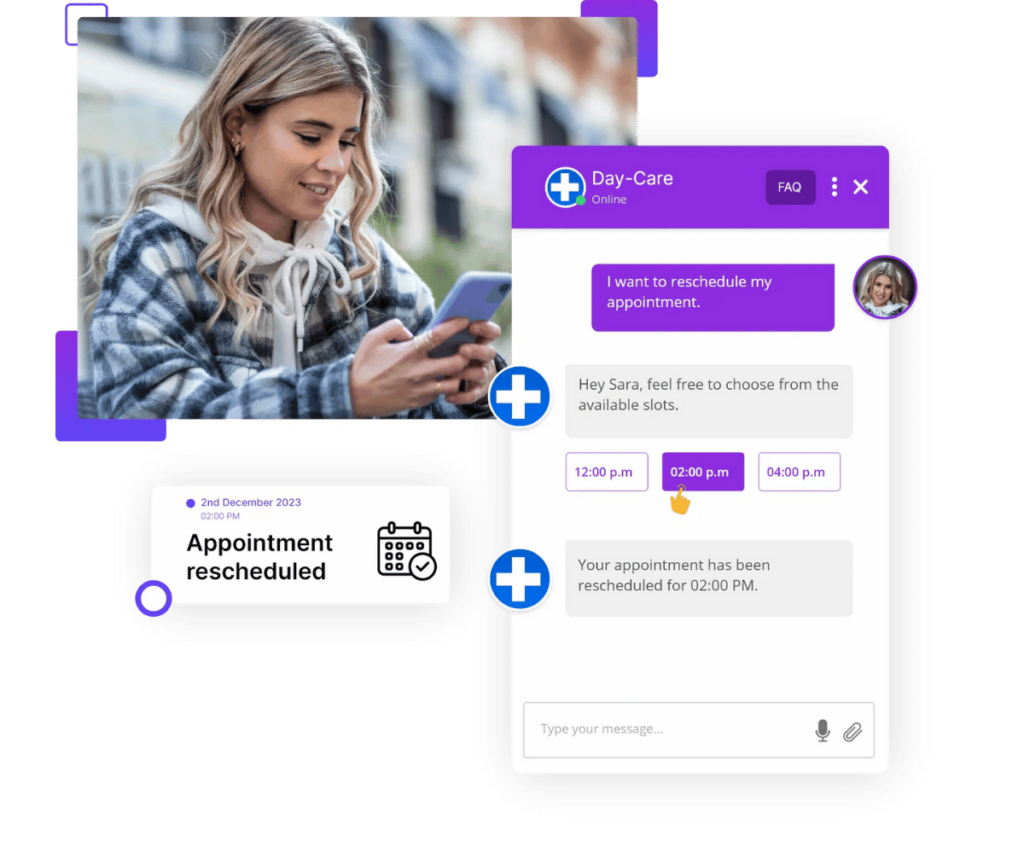
Kommunicate delivers on this approach through a unified, omnichannel framework:
- Unified Omnichannel Context: Phone support operates inside the same user-friendly platform as chat, email, and social messaging. Interaction history and background context carry across every channel, so when a call requires a human agent, they pick up with full visibility.
- Instant, No-Code Training: Automatically train and update your voice AI directly from website URLs and knowledge bases without engineering support or manual intervention.
- Multi-LLM Flexibility: Choose from leading AI models, including OpenAI, Google Gemini, and Anthropic for full control over your AI stack without vendor lock-in.
- Speed, Accuracy and Compliance: Get human-like voice interactions with low latency and 99.9% accuracy. Kommunicate supports over 100 languages, integrates via native APIs, and secures PII data with enterprise-grade HIPAA and GDPR compliance.
Organizations using Kommunicate report up to a 90% automation rate on routine inquiries (such as insurance renewals and claims), a 90% faster First Response Time, and a 25% to 70% reduction in overall workload and First Contact Resolution (FCR) improvements.
Book a demo with Kommunicate to test our Voice AI agent against your actual call volume.

Aryan is an engineer turned writer who loves writing about technology and SaaS. He’s an avid reader who also happens to enjoy coding. His hobbies include playing football , traveling, and savouring different cuisines.