Updated on June 16, 2026
Estimated reading time: 8 minutes
- Automate repetitive, rule-based interactions first. Hire only for what requires human judgment.
- Team structure should map to product complexity and query type, not just ticket volume.
- Tier 1 is the strongest automation candidate. Tier 2 and Tier 3 require specialists, not generalists.
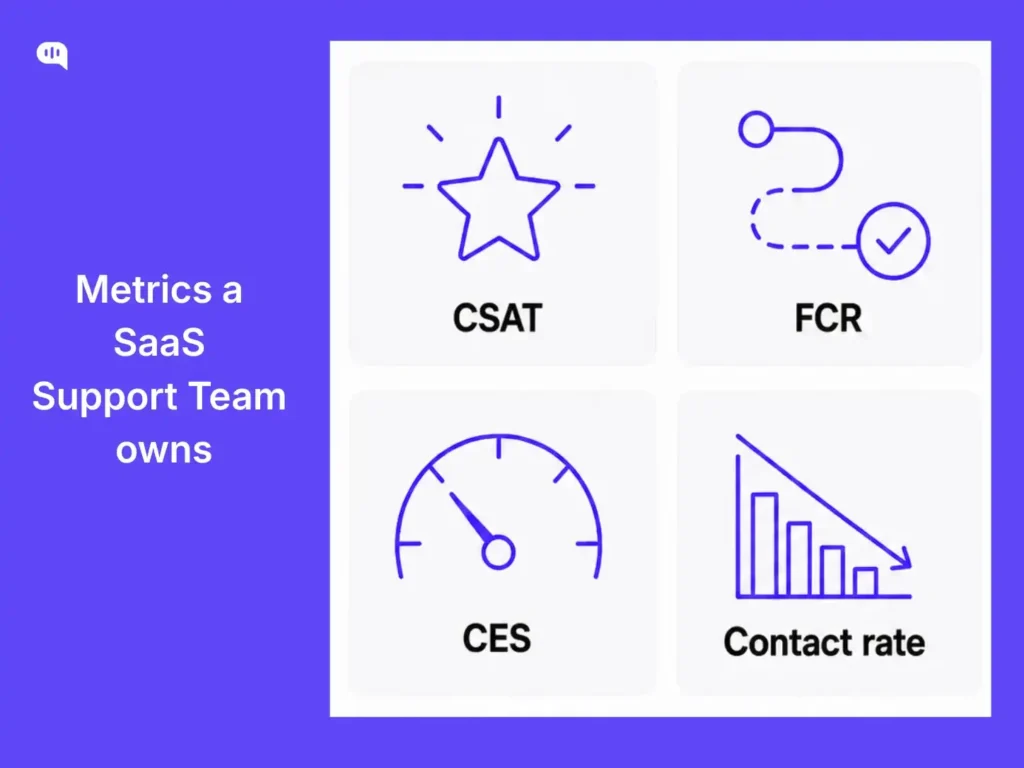
- The metrics your team actually controls are CSAT per conversation, CES at resolution, and first contact resolution rate. NPS is not a support metric.
- Scaling SaaS support means reducing your contact rate over time, not just adding agents.
Most SaaS companies treat support scaling like a staffing problem:
- You hire when the ticket volume grows
- You hire when more users are onboarded
At some point, the cost of headcount becomes uncomfortable, and you bolt automation onto a broken structure and hope for the best.
We’ve seen this pattern across hundreds of support teams. It doesn’t work because it gets the sequence backwards. The right question is “what should agents never be doing in the first place?”
This article is for support managers who are past the basics and ready to make hard structural calls. We’re going to talk about:
- What makes SaaS support different?
- How to structure your support team?
- Should you hire or automate?
- Who should you hire and when?
- Which metrics should you own?
- Conclusion
What makes SaaS support different?
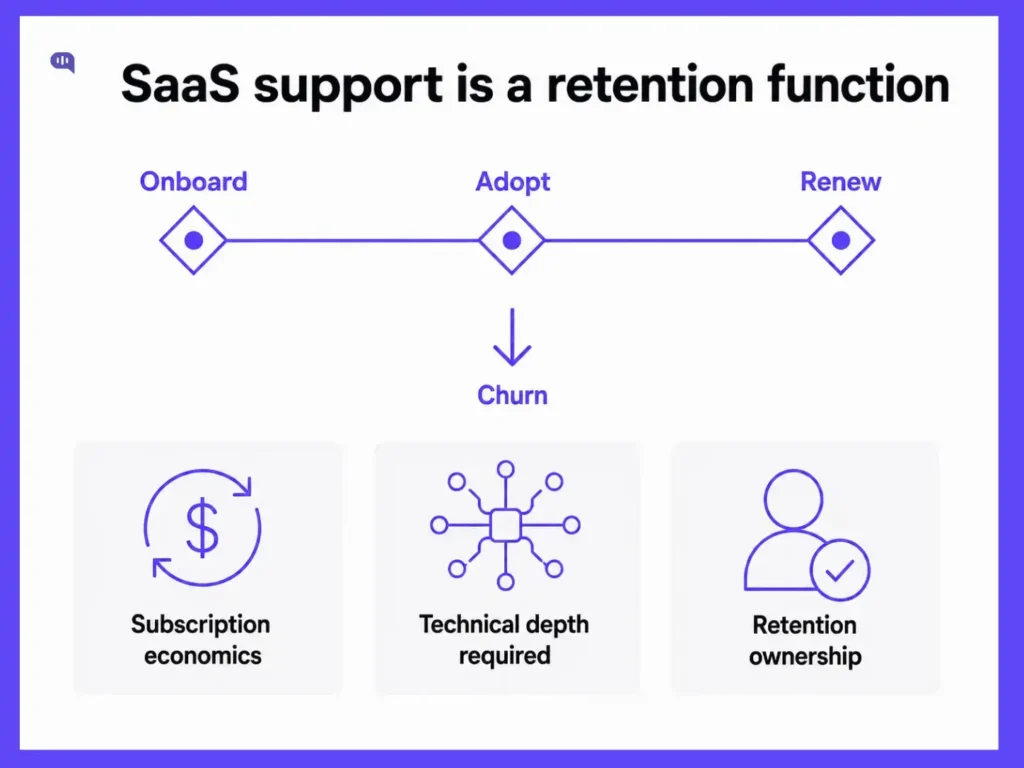
SaaS support isn’t retail support with a different product. The economics, the customer expectations, and the failure modes are fundamentally different.
In e-commerce, a bad support interaction is frustrating. In SaaS, it compounds directly into churn. Customers pay monthly or annually for software they’re supposed to adopt into their workflows.
So, if they get stuck and can’t get help, they quietly stop using the product and stop paying. That’s why we treat support as a retention function, not a cost center.
The other difference is technical depth. SaaS customers are often technical users or decision-makers evaluating ROI on a tool their team uses daily. They ask harder questions, and can tell immediately when they’re talking to someone who doesn’t understand the product.
A generic agent reading from a knowledge base rarely survives first contact with a frustrated enterprise customer mid-integration.
This customer experience shapes everything: how you structure the team, what you hire for, and what you automate.
How to structure your support team?
There are three common structures in SaaS support, and each makes sense in a specific context.
| Structural Component | Role | Optimal Ratio |
|---|---|---|
| Frontline management | Manager to agents | 1:7-10 |
| Team leads | Lead to agents | 1:6-8 |
| QA coverage | QA specialist to agents | 1:15-20 |
| Ops coverage | Ops analyst to agents | 1:20-30 |
| AI oversight | Automation led to AI-handled volume | 1 per 10K+ monthly AI interactions |
- Tiered is fine to start. It gives you a clear escalation path and lets you staff to volume without over-engineering the org. The problem is that most teams stay in tiered mode too long. When L1 is resolving only 60% of tickets on first contact, you have a routing and specialization problem.
- Product-specialist routing is where well-run SaaS support teams land. Instead of routing by ticket priority, you route by query type and product surface. Onboarding issues go to onboarding specialists. API or integration failures go to technical support engineers. Enterprise escalations go to senior agents with the account context. Resolution quality goes up, handle time goes down, and agents become genuinely expert instead of perpetually underprepared.
If you want to learn which structure best fits your team, you can use the following tool.
Which structure fits your team?
Once you get this structure right, the next question is what belongs in it at all.
What should your support team look like?
Answer three questions to get a recommended structure, automation priorities, and your next hire.
Current team size
Product complexity
AI / automation in place?
Should you hire or automate?
This is the most consequential operational call a support manager makes, and most teams default to intuition instead of a framework.
Our rule is simple: Automate anything repetitive, rule-based, and that doesn’t require reading emotional or situational context. Hire for everything that requires judgment.
| Query Type | Examples | Recommended Handling |
|---|---|---|
| FAQ and self-service | Password resets, plan FAQs, billing status, and feature documentation | AI agent or self-service help center |
| Transactional lookups | Order status, subscription changes, and invoice copies | AI agent with product/CRM integration |
| Guided onboarding flows | Set up walkthroughs, integration steps, and first-use checklists | AI agent with escalation trigger |
| Technical troubleshooting (known issues) | Bug reproduction with documented workaround, or known error codes | AI agent with L2 handoff if unresolved |
| Complex technical issues | Undocumented bugs, integration failures, edge-case configuration | Technical support specialist (human) |
| Churn risk and escalations | Cancellation intent, frustrated enterprise accounts, and SLA breach follow-up | Senior human agent with CRM context |
| Relationship management | QBRs, onboarding check-ins, and expansion conversations | Customer success (separate from support) |
If your AI agent is handling escalations, something is misconfigured. AI should resolve or hand off. And if your senior agents are answering password reset questions, you have an automation gap, not a staffing gap.
Who should you hire and when?
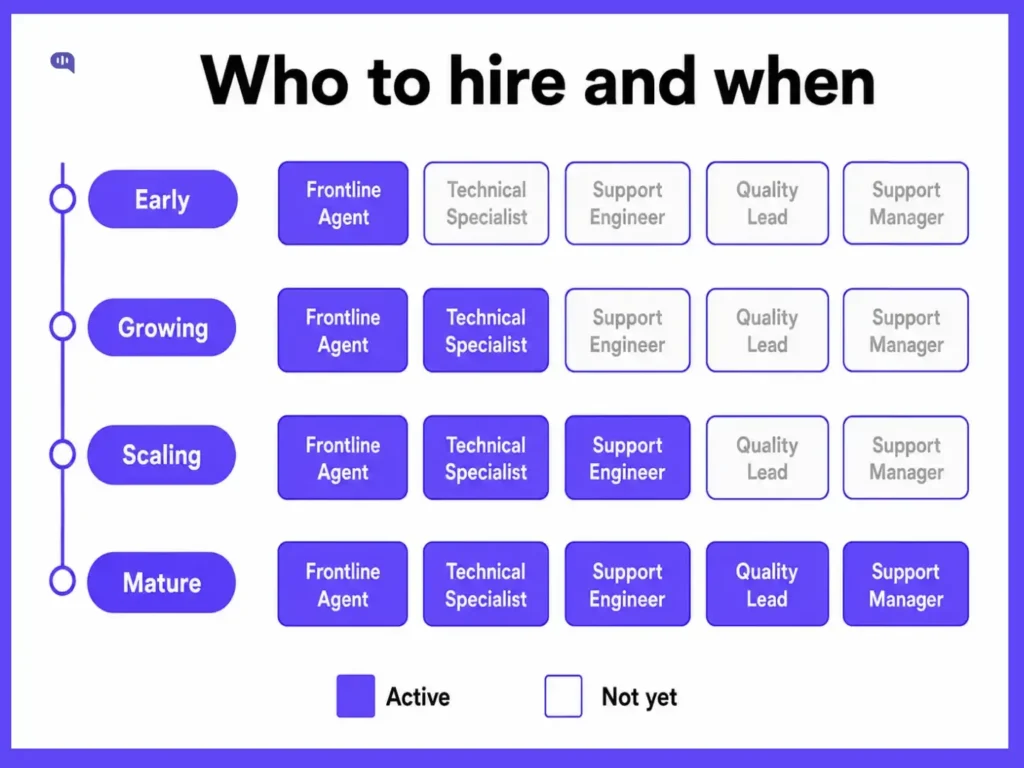
Most early support teams hire generalists and promote the best ones. That’s reasonable at the seed stage. It becomes a trap at Series A and beyond.
- Frontline agents (L1): Your first hires. Broad product knowledge, fast responders, good communicators. In a mature team, their queue should be shrinking because AI is absorbing repetitive volume, and they’re moving into L2 work.
- Technical support specialists: Hire when your L1 escalation rate stays consistently above 25% and the escalated tickets require genuine product depth to resolve. These are often ex-engineers or generalists who’ve gone deep on one product surface.
- Support engineers: Not the same as technical specialists. Support engineers build internal tooling, own helpdesk-to-CRM integrations, and manage the technical infrastructure of your support stack. Hire when ops work is consuming specialist time.
- Quality and ops lead: Hire when you have five or more agents and no one is systematically reviewing conversation quality. CSAT trending down with no clear cause is the signal.
- Support manager: Should be in place before the team exceeds eight people. Don’t promote your best agent into management without intentional preparation.
Don’t hire tier-1 generalists and keep them there indefinitely. Career paths into specialization, ops, quality, or management need to be real.
Which metrics should you own?
This is where most support reporting goes wrong. Teams report on metrics they can’t fully control, which means they can’t actually improve them.
Here’s what your team owns and what it doesn’t:
- CSAT per conversation: Your team owns CSAT directly. It reflects the quality of the interaction. Track it per agent, per channel, and per query type. Don’t average it across the whole team and call it a number.
- Customer Effort Score (CES) at resolution close: How hard did the customer have to work to get their issue resolved? CES is the metric most directly tied to whether customers contact you again. High CES means your resolution process has friction: documentation gaps, too many handoffs, and unclear ownership.
- First Contact Resolution (FCR) rate: What percentage of issues are fully resolved without the customer needing to follow up? FCR is a leading indicator of both agent quality and AI accuracy.
- Contact rate (tickets per active customer): This is the scaling metric. A healthy SaaS support operation lowers its contact rate over time by improving documentation, self-service, and AI coverage. If your contact rate is flat or rising, you’re not scaling; you’re treading water.
- Escalation rate from AI: Specifically for teams using AI agents, this tells you how well-trained and well-scoped your automation is. If your AI is escalating more than 20–25% of conversations, it’s either under-trained or being asked to handle query types it shouldn’t be touching.
For learning more about improving support quality with the right tools, our guide to improving customer support covers the operational levers in detail.
Conclusion
SaaS support at scale is an exercise in intentional design. You should structure your team around query type and product complexity:
- Automate the repeatable
- Hire for judgment
- Measure what your team actually controls
- Hold the line on metrics that don’t belong to support.
The teams that scale well are the ones where agents spend their time on the conversations that actually need them. For more on how AI fits into this model, our AI in customer service guide walks through the automation layer in detail.

Devashish Mamgain is the CEO & Co-Founder of Kommunicate, with 15+ years of experience in building exceptional AI and chat-based products. He believes the future is human and bot working together and complementing each other.