Updated on August 4, 2026
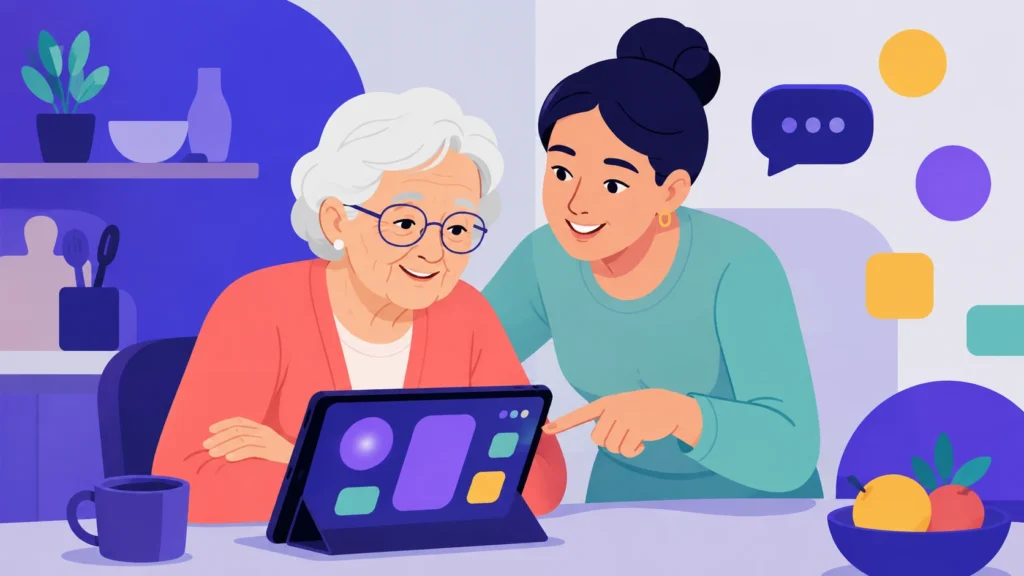
Margaret is 74. She has Type 2 diabetes, mild arthritis, and three separate providers. Last week, her oncologist uploaded an abnormal scan result to the patient portal. The system sent an automated push notification at 11:47 PM.
The notification linked to a login page requiring two-factor authentication through an app Margaret had never installed. The setup screen asked for a QR code displayed inside the same portal she could not yet access. Her daughter, who manages her email, did not see the message until the following morning. By the time Margaret got into the portal, five days had passed.
The technology worked exactly as designed. That is the problem.
You have probably already invested in a patient engagement platform to reduce no-shows, improve care continuity, and automate routine communication. But if that system was not built with older adults in mind, it is actively excluding the patients who need it most. This guide covers the specific design failures driving that exclusion, seven actionable principles your team can implement today, new 2025 and 2026 research on why older patients stop using portals after their first attempt, and a 10-point audit your team can complete in a single half-day session.
Even a fast, technically reliable platform fails older adults if the underlying interface is inaccessible. Our analysis of how slow response times damage patient engagement showed that 62% of patients say long hold times actively discourage them from choosing a provider. Speed matters. But speed without accessibility is not a solution. It is a faster route to the same dead end.
Key takeaways
- Patient engagement software fails older adults primarily because of design gaps, not willingness gaps. The majority of older adults name provider encouragement, not a better app, as the single most effective way to increase their portal use. The barrier is not motivation. It is design and institutional follow-through.
- WCAG 2.2 is the legal and ethical floor for healthcare interfaces, not a stretch goal. Low-contrast text remains the single most common web accessibility failure and is found on the majority of home pages, including healthcare portals that older adults must navigate to access their own medical information.
- The retention problem is now more urgent than the adoption problem. More older adults are attempting patient portals than ever before, but a significant proportion do not continue using them after the first session.
- Voice AI frequently outperforms portal messaging for older adults on appointment reminders, medication check-ins, and post-visit follow-up. Voice-enabled AI interfaces have been shown to improve medication adherence significantly in elderly patient cohorts compared with standard care. (MIVA Trial, JAMA Network Open, 2023)
- Caregiver proxy access should be offered at the point of enrollment as a default, not buried in settings. Older patients rarely discover proxy functionality on their own.
- Tracking engagement metrics disaggregated by age and preferred language is the only way to surface equity gaps before they appear in outcomes data.
- Inaccessibility is not a UX problem. Patients who disengage from portals show lower concordance with care plans, weaker medical decision-making confidence, and reduced survival rates during chemotherapy. (Suresh et al., BMJ Oncology, 2025)
What is accessible patient engagement software?
Accessible patient engagement software is a healthcare communication platform designed so that patients of all ages, abilities, and digital literacy levels can independently complete core tasks: viewing test results, sending messages to their care team, booking or rescheduling appointments, and managing medications. Accessibility in this context means meeting WCAG 2.2 standards for visual and interaction design, offering multiple communication channels, and removing the login, cognitive, and language barriers that cause older adults to disengage.
The distinction matters because most patient engagement software is built and tested by relatively young, digitally fluent teams. The average user persona in product development rarely accounts for age-related vision changes, reduced fine motor control, variable digital literacy, or the emotional weight of receiving unfamiliar health information through a screen. The result is a platform that technically works and practically excludes the patients who would benefit most from using it.
Why patient engagement in healthcare fails older adults
Patient engagement in healthcare fails older adults when digital tools are treated as the default channel without designing for the specific barriers that make those tools inaccessible to this population. Understanding the precise nature of those barriers is the precondition for fixing them.
The scale of the problem
The U.S. adult population aged 65 and older reached 61.2 million in 2024, representing 18% of the total population, up from 12.4% in 2004. as the baby boomer generation ages into retirement. The systems built to support patient engagement will be the primary healthcare communication interface for that population within the next decade.
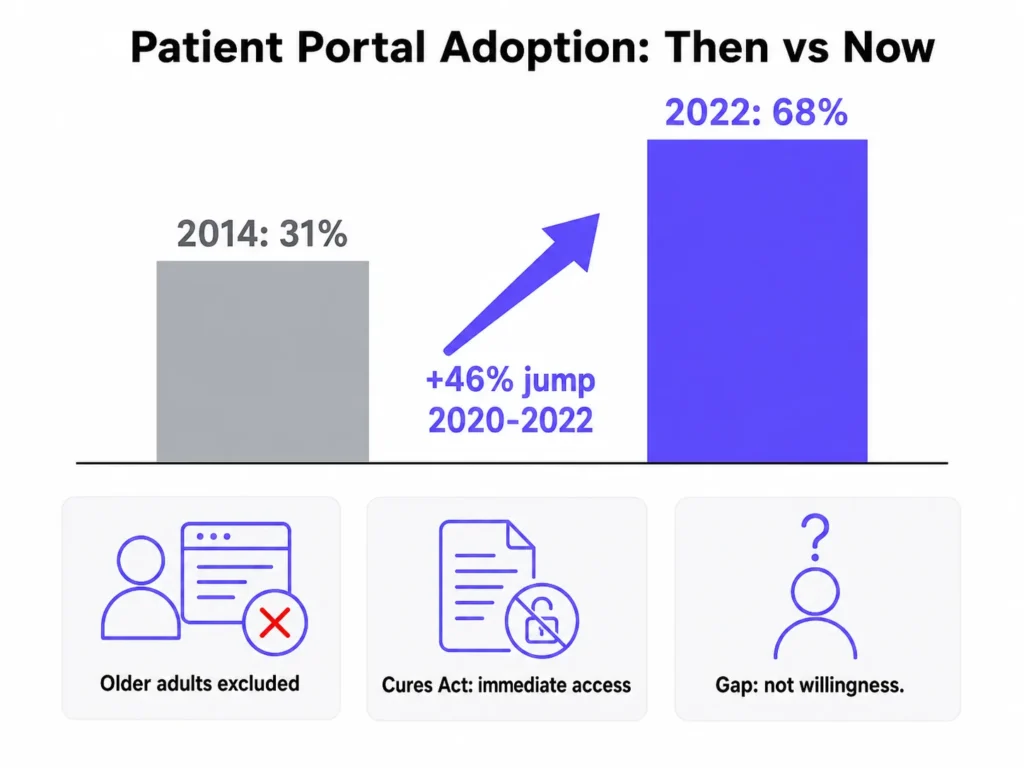
Portal adoption has grown sharply across the general patient population. A 2025 state-of-the-art review in BMJ Oncology found that the percentage of patients accessing a portal increased from 31% in 2014 to 68% in 2022, including a 46% jump between 2020 and 2022 alone, driven partly by the pandemic and partly by federal information-blocking rules that gave patients the right to immediate access to their health data.
Among patients with cancer, portal use is even higher: 45.5% compared with 38% of all patients. The portal has become load-bearing infrastructure for healthcare delivery.
And yet older adults are being systematically left out of that growth. Adults aged 70 to 79 are significantly less likely than 65 to 69-year-olds to be registered on patient portals. Even among those who are registered, older adults are far less likely to have sent messages, viewed lab results, or ordered prescription refills.
Portal access disparities among patients with cancer follow the same fault lines as broader digital health inequities. Persistently lower engagement rates are found among older patients, rural residents, non-English speakers, uninsured individuals, and non-white patients.
What makes this particularly important for healthcare organizations is that the demand is clearly there. When older adult women receiving urogynecologic care were surveyed, 73% said provider encouragement would most effectively increase their portal use, followed by guided clarification of benefits (69%) and active support during enrollment (69%). The gap is not willingness. It is design and institutional follow-through.
The retention gap: why trying is not the same as using
The framing around older patient portal access has historically focused on adoption: getting older adults to register and log in for the first time. The more urgent problem that has emerged from recent research is retention.
Studies find that while more older adults are now attempting to use patient portals than at any previous point, a significant proportion do not continue using them after the initial session. The reasons are distinct from first-use barriers. Patients who tried and stopped cited confusion about where to find specific information, uncertainty about what to do with the information they found, and an absence of follow-up support after registration.
A related finding from technology adoption research reinforces this pattern. Some older patients felt compelled to use patient portals during the COVID-19 pandemic, which bypassed the exploration and intention-building phase that is typically necessary for durable technology adoption. Portal use that began under urgency, rather than genuine comfort, was more prone to dropout once that urgency passed.
For healthcare organizations, this changes the design priority. A registration rate of 70% that decays to 20% active usage within 90 days is not a patient engagement success. It is a retention failure that current metrics often fail to surface. Tracking post-registration engagement at 30, 60, and 90 days, broken down by age group, is the minimum necessary to see this problem clearly.
Where current patient engagement systems fail
Healthcare websites face the same baseline accessibility crisis as the broader web, and in several respects fare worse. The 2024 WebAIM Million report, which analysed the home pages of one million websites, found an average of 56.8 accessibility errors per page, with 95.9% of home pages having detectable WCAG failures. The six most common failure types have remained unchanged for five consecutive years: low contrast text (81% of pages), missing image alt text (54.5%), missing form input labels (48.6%), empty links (44.6%), empty buttons (28.2%), and missing document language (17.1%). Health and Fitness category sites averaged 51.7 errors per page, meaning a patient navigating a typical healthcare portal encounters potential barriers on roughly one in every 21 page elements.
The failures cluster into three distinct layers.
Visual design failures center on color contrast and font scaling. WCAG 2.2 requires a minimum contrast ratio of 4.5:1 for normal text and 3:1 for large text. The 2024 WebAIM Million report found low-contrast text on 81% of home pages, making it the single most common web accessibility failure for the sixth year running. For patients experiencing age-related vision changes, which begin affecting most adults in their 50s, insufficient contrast can make test results, medication dosing instructions, and appointment details effectively unreadable.
Interaction and navigation failures are driven by login friction more than any other single factor. Among 100 community-dwelling older adults surveyed, 36% cited initial portal setup as a primary barrier, 32% cited sign-on difficulties, and 35% cited information-sharing concerns. Two-factor authentication requiring a separate app, mandatory password complexity rules, and session timeout windows that are too short all create dropout points before a patient ever sees their health information.
Psychological and trust barriers are the dimension most frequently missed in accessibility audits. Research on technology acceptance among older adults identifies a category of resistance that is neither visual nor functional: patients who view portals as serving providers rather than themselves, who value the human dimension of care and find digital interactions an inadequate substitute, and who encounter limited social reinforcement because portal use is rarely discussed among peers. These barriers cannot be resolved with WCAG compliance alone. They require human touchpoints embedded into both onboarding and ongoing engagement.
How patient engagement software design assumptions fail older patients
The core functions of patient engagement platforms are built and tested for a young, digitally fluent user. The table below maps where those assumptions break down for older adults, producing the dropout points that aggregate into systematic exclusion.
| Design element | Assumption for younger patients | What older patients actually encounter |
|---|---|---|
| Login flow | Two-factor authentication via smartphone app | Multi-step process requiring an app they have not installed |
| Font size | Default 14-16px fixed size | Unscalable text that breaks layout at 150% zoom |
| Notification delivery | Push notifications at any hour | 11 PM alerts to an unmonitored email address |
| Help pathway | Self-service FAQ or chatbot | No visible human escalation path from within the portal |
| Caregiver access | Not offered at enrollment | Proxy access buried in account settings, rarely discovered |
| Channel preference | Portal-first, mobile app | No voice or SMS alternative offered at enrollment |
| Onboarding | One-time email welcome with a link | No guided walkthrough, no navigator, no follow-up check-in |
| Equity reporting | Aggregate engagement metrics | No age or language breakdowns to surface disparity in dashboards |
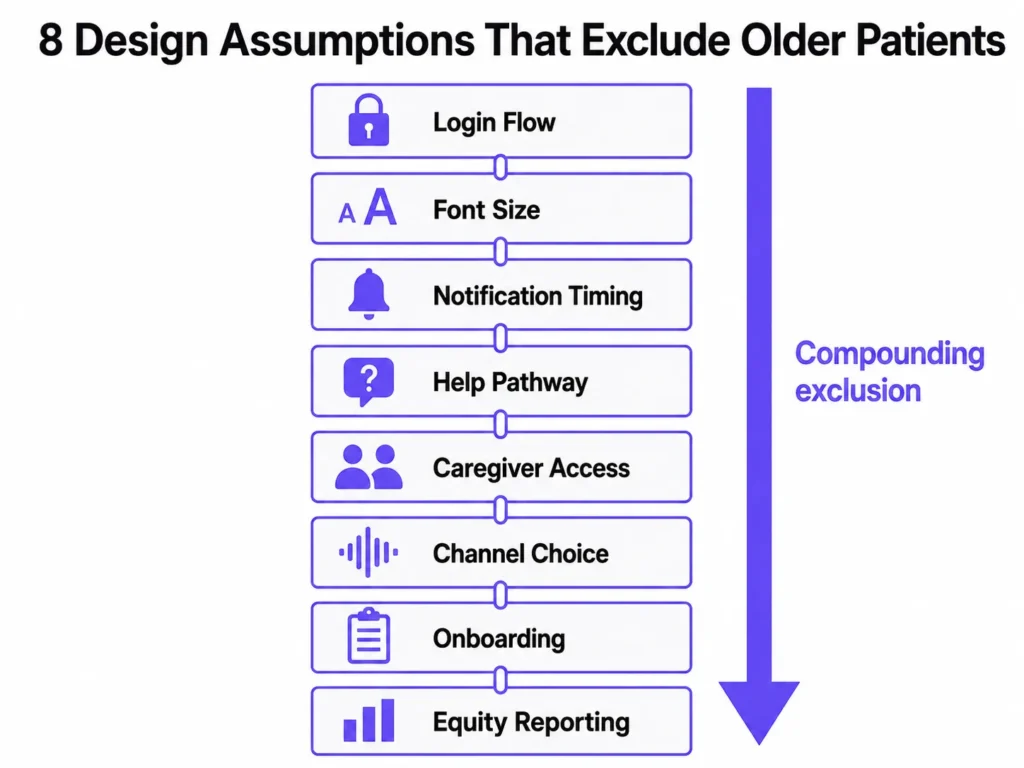
Each row represents a documented dropout point. Together they form a compounding exclusion that no single fix can address. The seven design principles below are structured to work through each layer in order of impact.
7 design principles for accessible patient engagement software
Patient engagement strategies that reach older adults require addressing visual design, interaction design, language, channel access, caregiver integration, result communication, and measurement simultaneously. These seven principles are ordered by the evidence base for their impact on older patient engagement and retention.
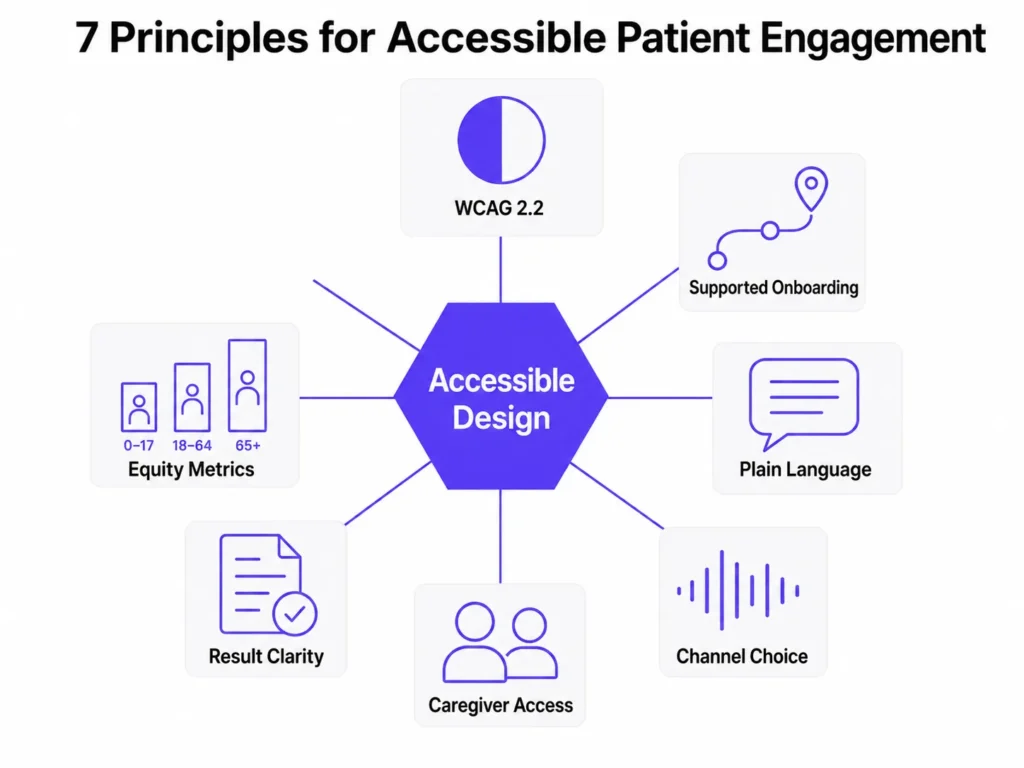
1. Meet WCAG 2.2 as the minimum standard
WCAG 2.2 is the legal and ethical floor for any healthcare interface, not a design aspiration. Meeting it requires a minimum color contrast ratio of 4.5:1 for normal text, font sizes set with relative units so they scale with user browser preferences, touch and click targets of at least 44 by 44 pixels for users with reduced dexterity, and focus indicators that meet the new WCAG 2.2 size and contrast thresholds introduced specifically for users with motor or cognitive impairments.
The practical implementation has two steps: run your portal against an automated WCAG 2.2 checker before every release cycle, and then have an actual older adult attempt to complete a core task without assistance. The automated checker catches measurable violations. The human session catches everything else, including the cognitive friction that compliance tools cannot detect.
Healthcare accessibility compliance has also become a legal risk. The Department of Justice’s 2024 rule under Title II of the ADA explicitly requires WCAG 2.1 compliance for state and local government digital content, and private healthcare organizations are increasingly exposed to similar expectations under Section 1557 of the ACA. WCAG 2.2 exceeds both thresholds and is the appropriate target for any new development work.
2. Redesign onboarding as a supported journey
Account creation for older patients should be fast, jargon-free, and structured to prevent the first-use abandonment that drives retention failures. Instructions should be written at or below an eighth-grade reading level. A short welcome video or guided walkthrough that focuses on the three most commonly needed tasks (viewing a result, sending a message, and booking an appointment) reduces first-session abandonment and builds enough confidence to produce a second session.
Navigator research from safety-net health systems goes further. The most effective onboarding for older patients in those settings was not technology-led. It was human-led, with a trained community health worker accompanying the patient through initial registration and first use. For organizations that cannot staff navigators at scale, a structured video call or phone walkthrough at the point of enrollment replicates the most important element of that model: a real person confirming the patient has successfully completed the first meaningful task. Setting a 30-day active-use follow-up call as a default post-enrollment step captures the patients most at risk of dropping off after registration.
3. Write in plain language throughout the interface
Plain language in patient engagement software means active voice, short sentences, common words, and concrete next steps at every point in the interface. This applies to error messages, button labels, notification text, and onboarding instructions, all of which healthcare portals routinely write in clinical shorthand that is inaccessible to older adults managing multiple conditions.
The most high-stakes application of this principle is not within the portal interface itself. It is in how the system communicates why a patient needs to take action. A notification that reads “Your lab results are available” gives no indication of urgency. A notification that reads “Your care team has reviewed your recent test results and has a message for you. Please log in to read it” provides context, signals human involvement, and frames the action in relational terms that older patients respond to more reliably.
4. Build channel choice into the enrollment flow
Not every older patient will use a portal, and treating portal non-use as a compliance failure rather than a preference is one of the most consequential misframes in healthcare patient engagement technology. Some patients will never be comfortable with an app. That is a legitimate preference the system should accommodate at enrollment, not a gap to be corrected after the fact.
Voice AI agents have shown measurable benefits for older patients specifically. The MIVA randomized clinical trial, published in JAMA Network Open in 2023, found that patients using a voice-based conversational AI application for insulin management achieved optimal dosing in a median of 15 days, compared with more than 56 days for standard care, with insulin adherence of 83% versus 50%. For appointment reminders, medication check-ins, and post-visit follow-up messages, voice AI channels frequently outperform portal messaging for older adults because they bypass the text-and-screen problem entirely.
The design implication is not to choose between portal and voice. It is to build both, integrate them into a single patient record, and offer channel selection at the point of enrollment. Asking “How would you like us to contact you?” at registration and honoring that preference consistently is one of the highest-impact, lowest-cost interventions available to improve older patient engagement retention.
5. Make caregiver delegation a default enrollment option
Caregiver proxy access to patient portals should be offered proactively at the point of first registration, not discoverable only after a patient has already struggled with the interface. The enrollment flow should ask directly: “Is there a family member or caregiver who helps you manage your health? Would you like to give them access to your account?”
Care partners who use a portal to manage their own health are more likely to use it effectively to manage care for someone else. That transfer of comfort and familiarity starts with an enrollment process that treats caregiver onboarding as a default, not an optional feature buried in account settings. Secure messaging with clinical teams is one of the most valued portal functions among patients with cancer, and care partners who are set up with proxy access early in the care relationship are significantly more likely to use that function consistently across the treatment period.
6. Solve for result interpretability, not just result access
Giving patients immediate access to their health data without ensuring they can interpret it shifts the burden of clinical interpretation from trained professionals to patients who may have no context for what a value means. This is not a theoretical risk. It is the documented experience of a significant proportion of older portal users, particularly those managing oncology care.
Every test result page in a patient engagement platform should include: a plain-language summary explaining what the result means in one or two sentences, reference ranges explained in everyday terms rather than clinical notation, a clear statement of what the patient’s next step should be (wait for a call, book a follow-up, no action needed), and a visible pathway to send a question directly to the care team. Most healthcare portals provide none of these elements by default.
The 21st Century Cures Act gave patients the right to immediate access to their health information. Among patients with cancer, 98% wanted access to their oncology notes. But a majority of care partners reported that radiology reports and lab values were easy to misinterpret without guidance. The resolution is not to gate the information. It is to add an interpretive layer so that access produces understanding rather than anxiety.
7. Instrument patient engagement for equity
Most patient engagement platforms track aggregate engagement metrics: total logins, messages sent, appointments booked. Few track those metrics broken down by patient age, preferred language, or geography. The consequence is that equity gaps are invisible in dashboards until they surface in outcomes data, at which point the cost of intervention is significantly higher.
Building age and language filters into standard engagement reporting allows healthcare organizations to see in real time which patient cohorts are falling behind on portal activation, first-message sent, and 90-day retention. Portal use is associated with patients with cancer feeling more agreement with their care plans, having better access to high-quality health information, and improved confidence in medical decision-making. Those benefits only reach the patients who stay active on the platform. Equity instrumentation is what makes the gap visible before it compounds into a clinical outcome disparity.
Is AI chatbot technology helpful or harmful for older patients?
AI chatbot technology in patient engagement software is helpful for older patients when it is designed with adaptive language, proactive escalation, and a visible path to human support, and harmful when it is not. This distinction matters more for older adults than for any other patient cohort, because the failure mode of a poorly designed chatbot for this population is not frustration. It is permanent disengagement.
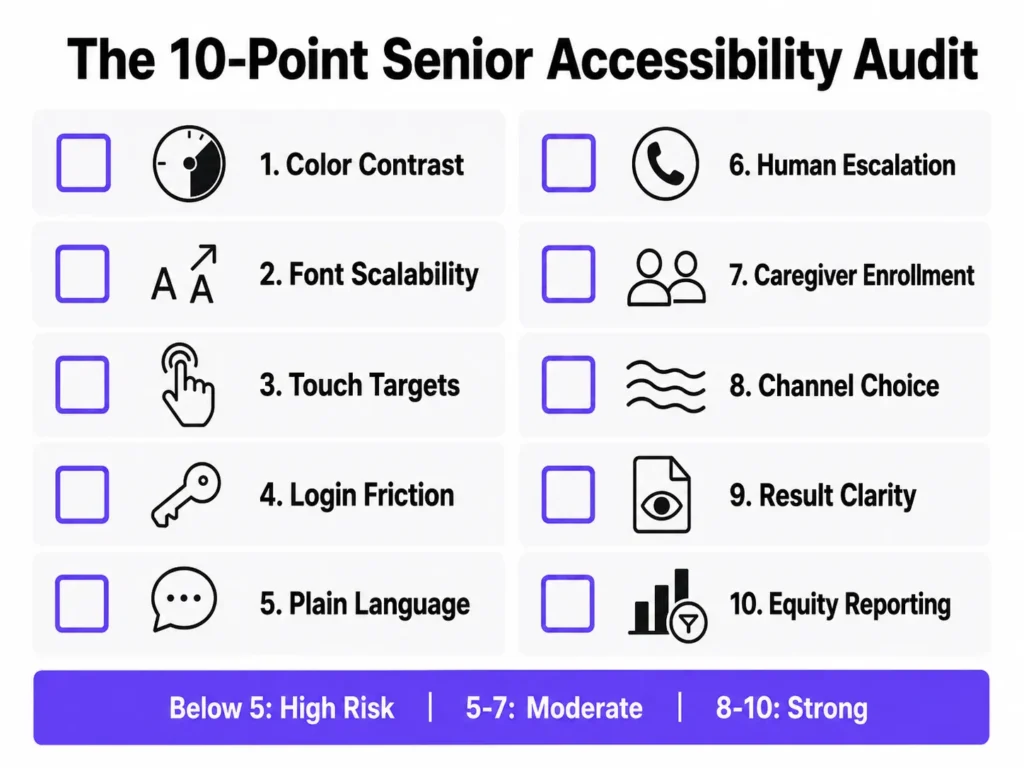
In a mixed-methods study of 617 patient users of a large healthcare system’s chatbot integrated within an electronic health record, 35% felt they could not fully understand the chatbot, and 61.2% felt the chatbot did not fully understand them. Those comprehension gaps are steeper for older adults, for whom ambiguous phrasing, unexpected error messages, or long response delays are more likely to trigger confusion and exit than persistence.
What effective AI-powered patient engagement looks like
The most accessible AI chatbot implementations for older patients share three characteristics.
First, they use shorter, plainer language. Medical terminology is replaced with common-language equivalents. Responses are broken into single-step instructions rather than paragraphs of text that require the user to hold multiple pieces of information in working memory simultaneously.
Second, they include proactive escalation logic. When a conversation pattern suggests confusion, such as repeated rephrasing of the same question, long pauses, or non-sequitur responses, the system initiates a human handoff rather than waiting for the patient to identify the problem and request one.
Third, they treat voice as a primary channel rather than an accommodation. AI voice interfaces bypass the entire text-and-screen problem for patients who find typing, reading small text, or navigating a touchscreen difficult. A patient who would abandon a chat interface after one confusing exchange will often complete the same task successfully through a well-designed voice interaction.
The non-negotiable requirement for any AI-first patient engagement system serving older adults is that a live human is reachable in one step from any point in the conversation, without requiring the patient to leave the current interface, navigate to a separate page, or search for a phone number. This is a clinical safety consideration. A confused older patient who cannot reach a human through the portal will call the practice, occupy phone staff time, or disengage entirely. All three outcomes are preventable with basic escalation design.
For a broader look at how patient experience software compares across platforms, including which tools support voice and human handoff natively, the linked guide covers the current landscape in detail.
What is new in 2025 and 2026: research updates to this guide
The following findings change the practical recommendations from the original version of this article.
The retention framing has shifted. Previous research on older patient portal access focused almost entirely on adoption barriers: how to get patients registered and through their first login. Recent research reframes this as a retention problem. More older adults are now attempting portals than at any prior point. The gap is in continued use. Healthcare organizations that track only registration rates are measuring the wrong outcome.
Psychological barriers are a distinct category. Research on technology acceptance among older adults now identifies a category of resistance that is neither visual nor functional: patients who view portals as serving providers rather than themselves, who value human connection in care and find digital-only interactions an inadequate substitute, and who rarely encounter peer reinforcement for portal use because the topic is seldom discussed among older adult social networks. These barriers require human-centered responses, not interface fixes.
Pandemic-era adoption was structurally fragile. Technology adoption research found that older patients who registered for portals during COVID-19 did so under urgency and social pressure, bypassing the deliberate exploration phase that produces durable technology habits. Post-pandemic dropout rates among older adult portal users are higher than headline registration numbers suggest. Organizations that relied on pandemic-era sign-up growth to demonstrate digital engagement progress may be significantly overestimating their active user base.
The 10-point senior accessibility audit for patient engagement software
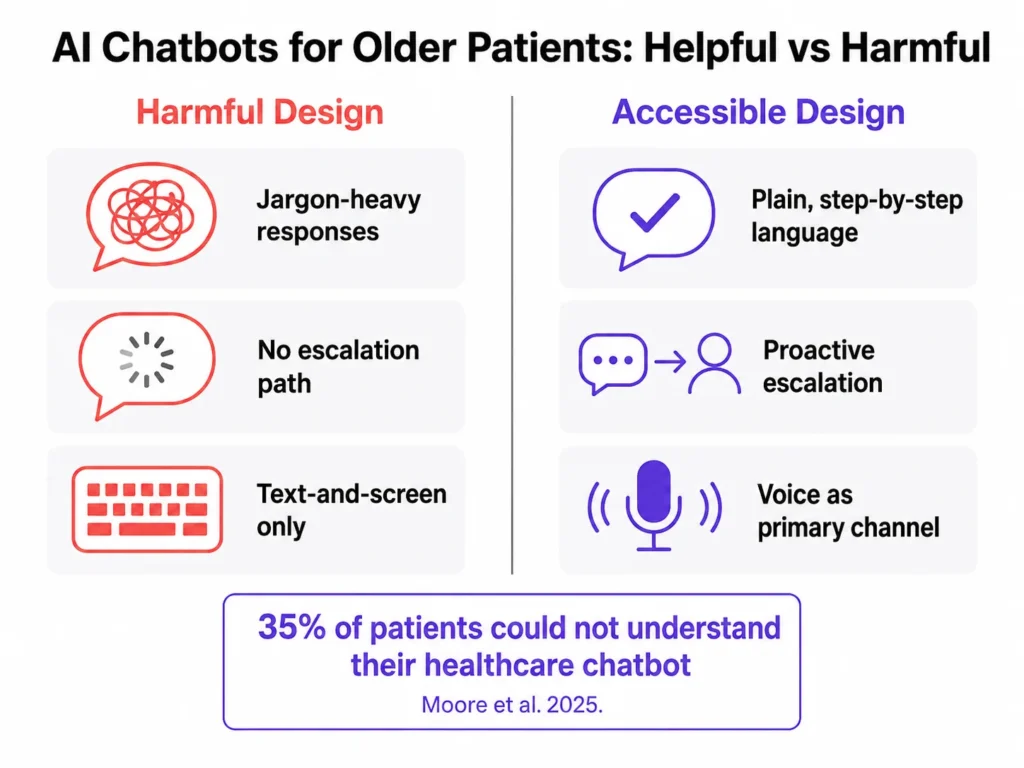
The 10-point senior accessibility audit is a structured half-day evaluation of a patient engagement platform against the most common barriers facing older patients. It is designed to be completed by one product team member and one or two older adult users who have not previously used the platform.
Before you begin: identify the three core tasks you want to test. Standard choices are viewing a recent test result, sending a message to the care team, and rescheduling an upcoming appointment.
Visual and interface design
- Color contrast. Does all body text meet a 4.5:1 contrast ratio? Do interactive elements, including buttons and form borders, meet a 3:1 ratio against their background?
- Font scalability. Can a user increase font size to 200% using their browser’s native controls without content breaking, overlapping, or becoming inaccessible?
- Touch and click targets. Are all buttons, links, and form fields at least 44 by 44 pixels, meeting the WCAG 2.5.8 minimum target size requirement for users with reduced motor precision?
Onboarding and language
- Login and onboarding friction. Can a first-time user over 70 complete registration and log in without assistance in under five minutes? Test this with a real user, not an internal assumption.
- Plain language throughout. Is all interface copy, including error messages, test result labels, and notification text, written below an eighth-grade reading level? This includes clinical shorthand, status codes, and automated notification templates.
Support and escalation
- Human escalation path. Is a phone number or live-chat option visible on every screen without requiring navigation? No patient should reach a dead-end error state with no path to a human.
Caregiver and channel access
- Caregiver and proxy enrollment. Is proxy access offered proactively during enrollment, not just discoverable in settings? Caregiver onboarding should be part of the default registration flow, not an optional step.
- Channel optionality. Can patients choose voice, SMS, email, or portal as their primary communication channel at enrollment? Channel selection should happen at registration, not after the portal has already failed them.
Clinical communication
- Result interpretability. Do test result pages include a plain-language summary, reference ranges explained in everyday terms, and a clear next-step instruction, not just the raw clinical value and numeric range?
Equity and measurement
- Equity instrumentation. Are engagement metrics (logins, messages sent, appointments booked) reportable by age group and preferred language, so equity gaps surface in dashboards before they surface in outcomes?
Scoring: 8 to 10 passes indicates strong baseline accessibility with specific items to refine. 5 to 7 passes indicates moderate risk, with likely dropout at the onboarding or result-interpretation stage. Below 5 passes indicates high risk of systematic exclusion of older patients and warrants a dedicated accessibility remediation project before the next platform release.
Why older patient accessibility is a commercial argument, not just a clinical one
The clinical case for accessible patient engagement software is clear. Older patients carry the highest chronic disease burden, have the most frequent need for ongoing provider communication, and face the most severe consequences when that communication fails. Portal use is associated with better concordance with care plans, stronger medical decision-making confidence, and improved survival during chemotherapy treatment. Those outcomes only reach the patients who can use the platform.
The commercial case is equally strong and less frequently made.
Older patients have the highest healthcare utilization rates. They carry the longest chronic care relationships, often spanning years or decades with the same practice or health system. They have the greatest need for consistent, multichannel communication across multiple providers and care episodes. Retaining an older patient through an accessible engagement experience is one of the highest-return investments a healthcare organization can make, because the value of that retained relationship compounds across every future interaction.
Healthcare organizations that treat older patient accessibility as a compliance checkbox or a future roadmap item are making a financial calculation that does not hold up. The healthcare industry is aging faster than digital health infrastructure is adapting. A review of the top-ranking patient engagement software vendors finds that none of the category’s leading providers have published dedicated documentation on older patient accessibility or WCAG compliance in their feature guides. Organizations that close this gap now do not just serve patients better. They occupy a position that category leaders have left entirely undefended.
Conclusion
Most patient engagement software is not inaccessible because its designers intended to exclude older patients. It is inaccessible because those designers never meaningfully included them in the design, testing, or iteration process.
The problems described in this guide are documented, well-understood, and fixable with existing tools and standards. WCAG 2.2 provides the technical specification. Plain language guidelines provide the content framework. Navigator research and technology acceptance studies on psychological barriers provide the implementation model for human-centered onboarding. The 10-point audit above provides the evaluation mechanism your team can run today.
The recent research adds one dimension that was not fully visible before: adoption is no longer the primary metric. Retention is. A registration rate of 70% that decays to 20% active use within 90 days is not patient engagement. It is a measurement gap dressed up as a success.
Patient engagement technology that is fast but inaccessible has not solved the engagement problem. It has surfaced the exclusion more efficiently. The goal is a healthcare communication system that meets every patient exactly where they are, starting with the patients who need it most.
Want to see how Kommunicate approaches accessible patient engagement for older adults, including voice AI, caregiver delegation, and human escalation? Book a 15-minute demo.

Devashish Mamgain is the CEO & Co-Founder of Kommunicate, with 15+ years of experience in building exceptional AI and chat-based products. He believes the future is human and bot working together and complementing each other.

Aditi is an MBA candidate at IIM Bodhgaya, specializing in Marketing and Strategy. As a dedicated marketer, she brings practical experience in market research, data analytics, and B2B execution to her work. Her expertise in refining product positioning and driving go-to-market strategies consistently supports insight-driven business growth.