Updated on August 29, 2025
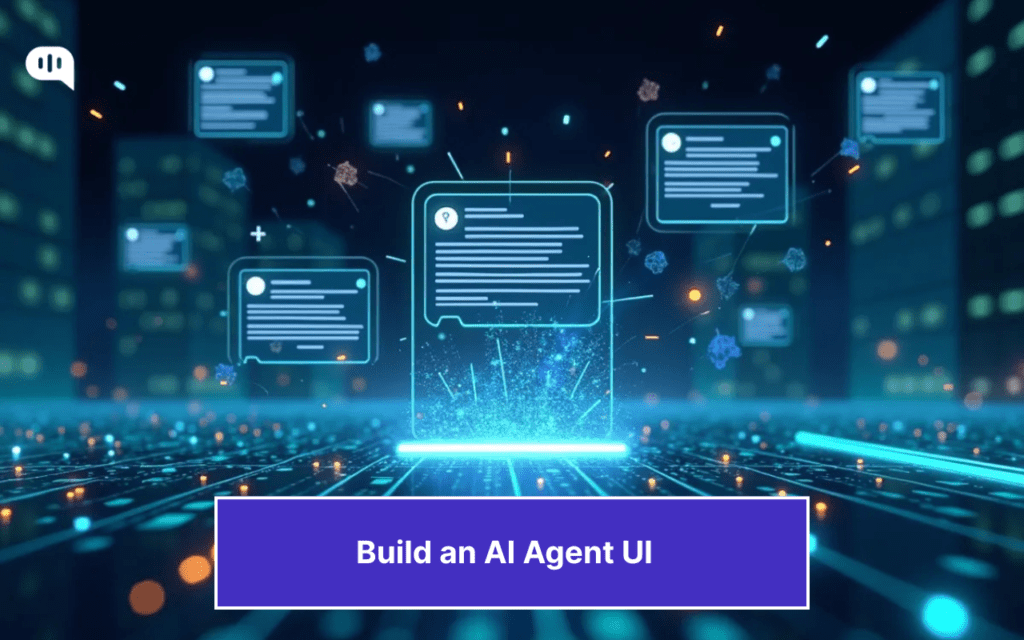
TL;DR: AI agents are more than just a text box. To improve customer experience, you must build AI agents that feel fast (with streaming), personalized (memory), and trustworthy (citations). Code-based and no-code options can make it easier for you to build these experiences.
What makes ChatGPT different from your bank’s AI chatbot?
You might think it’s because ChatGPT is more knowledgeable, but the real secret lies in how the UI is designed. Beyond the simple chat interface, OpenAI has worked to build a agent UI that feels responsive, personalized, and trustworthy.
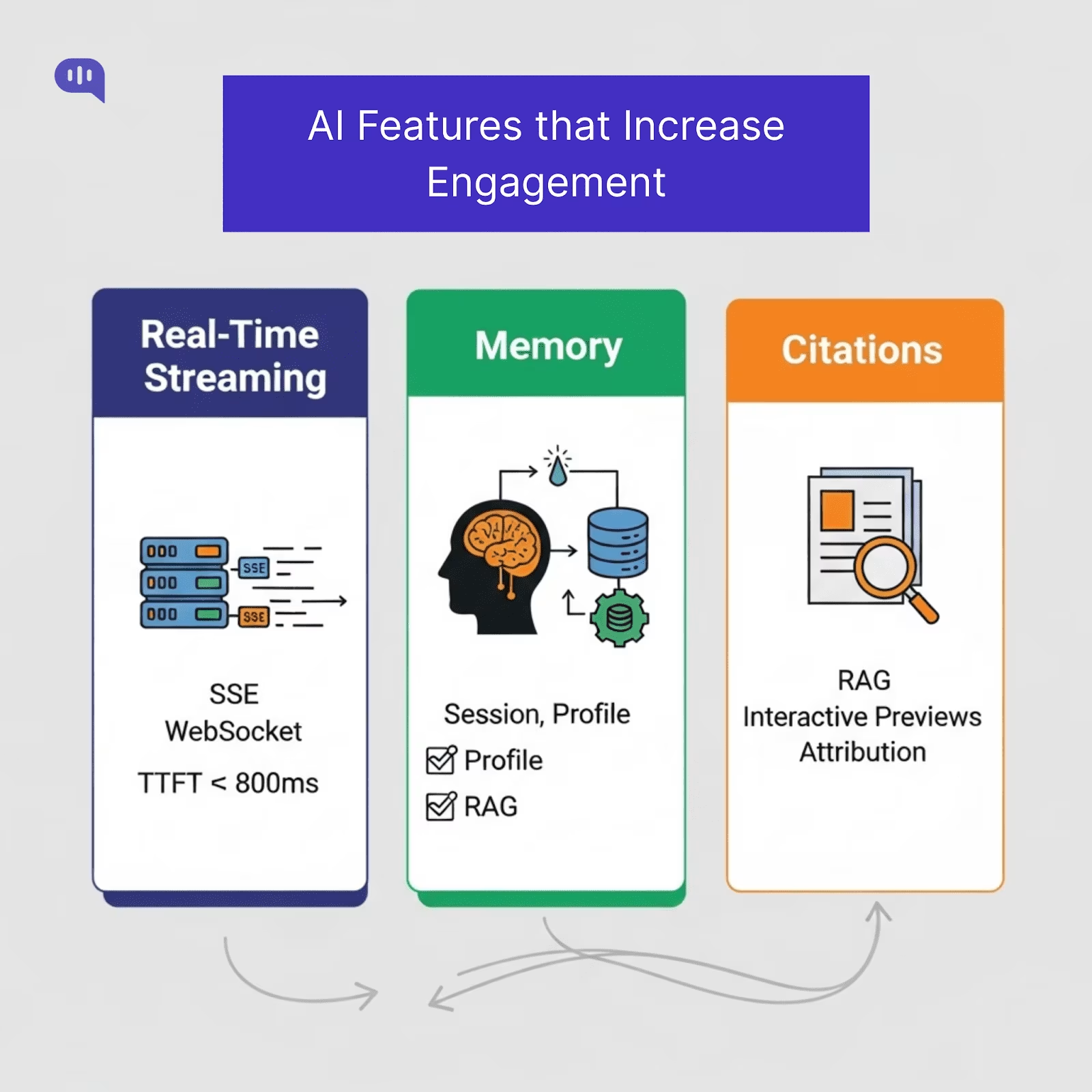
This results in higher engagement at every level. OpenAI still commands 80% of all the traffic to AI tools, and users use the chatbot for deep engagement. The bank’s chatbot answers your questions, doesn’t personalize them, and your problems remain unsolved.
Now, a banking customer service AI agent won’t have the same level of engagement as ChatGPT.
However, adding a few UI elements can improve the customer experience of any website. If an e-commerce website could serve up personalized recommendations or a banking website could remember your preferences, that translates into real revenue. So, how do you build these chat interfaces?
This article will examine the UI components behind memory, personalization, and real-time streaming and explain how to implement them for your business. We’ll cover:
1. What UI Components Do You Need for an AI Agent?
2. How Can You Build Real-Time Streaming, Memory, and Citations for an AI Agent UI?
3. How Can You Design Your AI Agent UI? Frameworks & Web Apps
4. Why Should You Use Kommunicate to Build an AI Agent UI?
5. Conclusion
What UI Components Do You Need for an AI Agent?
OpenAI’s ChatGPT, Google’s Gemini, and Anthropic’s Claude all share some basic UI components that make them engaging. These are:
1. Streaming – Putting out answers in real-time.
2. Citations – Proving claims by linking sources.
3. Memory (Only in ChatGPT) – Remembering the user and personalizing responses.
Users use these features constantly and enjoy an AI agent UI that can give instant, verifiable, and personalized answers to their questions. However, these are only three core building blocks behind ChatGPT. Let’s understand which building blocks are essential for this experience.
The Core Building Blocks of AI Agent UI
| Component | Purpose | Must-have interactions | Acceptance criteria |
| Composer | Input zone for text & controls | Multiline, Cmd/Ctrl+Enter send, attachments, slash-commands | Keyboard-first; paste/drag-drop works; disabled while sending |
| Streaming renderer | Token-by-token output | Show “thinking” state, Abort/Retry, Continue | Time-to-first-token ≤ 800ms; Abort stops tokens within 100ms |
| Citations panel/bar | Trust layer for factual replies | Footnote chips [1], hover preview, deep link | Max 5 sources, ranked; broken links flagged gracefully |
| Memory surfaces | Transparent personalization | View/edit profile facts, reset session memory | One-click “Forget this”; change log visible to user |
| Context banner | Shows active system/context | Reveal/hide prompt summary | Non-technical summary: not intimidating |
| Error & guardrail states | Safe failure UX | Explain, Retry, escalate to human | No dead-ends; keeps thread state intact |
| Feedback widget | Close the loop on quality | 👍/👎 + reason, free-text | Sends telemetry event with message IDs |
| Session list | Multisession productivity | Pin, rename, search | Instant switch; last read position remembered |
| Presence/typing | Turn-taking clarity | “Assistant is thinking…” | Spinner <300ms, then streaming takes over. |
| Voice Control | Improved interactions | Click-to-Talk | One button that lets the user talk to your chat interface |
| Rich rendering | Readability & actions | Code blocks, tables, and copy buttons | Mobile-friendly; no horizontal scroll |
You can design these components on any platform. However, if you want to create these UI components coherently and add the three core features we’ve identified, you must build a shared data foundation.
To inform your UI’s behavior, you must build a minimal data model for your AI chat interface in your backend. This model will:
- Define what a message looks like (status, role, content).
- Ensure your citations, memory, and attachments are always tied back to the right place in the conversation.
- Let’s you stream, retry, and render content without the UI having to guess how the data is structured.
When you have a robust data foundation, your AI agent will be capable of handling different types of questions and content without problems. The schema that most AI agent platforms use is as follows:
| Entity | Fields (suggested) | Why it matters |
| Message | id, threadId, role (user | assistant | system), parts[], status (pending | streaming | final | failed), createdAt | Core building block. Allows streaming state, retries, and mixed content (text, cards, images). |
| Citation | id, messageId, title, url, snippet, score, offsets | Enables verifiable answers and in-message source linking. |
| Attachment | id, messageId, name, type, size, url, hash | Powers file/image uploads with deduplication. |
| Memory | id, scope (session | profile), key, value, updatedAt, source | Allows personalization and controlled resets. |
| Thread | id, title, createdAt, updatedAt, lastMessageId | Organizes multi-session conversations for search and recall. |
| ToolCall | id, messageId, name, args, result, status | Renders structured outputs like order lookups or KB cards. |
Using this schema for the events in your AI applications will help you improve the output.
Additionally, it’s important to build your UI with accessibility, and we will talk about some features you should incorporate.
Agent UI Features for Accessibility
An excellent AI chat interface isn’t just feature-rich, but also accessible. The core features for accessibility that you’ll need to build are:
- ARIA live regions for streaming: Announce incoming messages to screen readers in real time, and keep the composer focused so typing isn’t interrupted.
- Full keyboard navigation: Every control must be reachable without a mouse, with clear focus indicators.
- Readable error states: Use high-contrast colors and a secondary non-color signal (icons, labels) for errors, warnings, and citations.
- Graceful state handling: Design empty, loading, and error states for threads, citations, and uploads so the UI never feels “broken.”
- Offline and poor-network support: Queue outgoing messages, clearly show “Sending…”, and apply automatic retry with backoff.
Once you have the core building blocks and accessibility features, you can start working on the three core features – streaming, memory, and citations.
How Can You Build Real-Time Streaming, Memory, and Citations for an AI Agent UI?
We’re going to address how to build the three features, one by one:
1. Real-Time Streaming
Users perceive systems as faster when responses appear almost immediately, even if the total generation time is the same. Jakob Nielsen’s usability research shows that when your agent interface replies in 0.1–1 second, it maintains user attention and flow.
Use the following Transport protocols:
- Server-Sent Events (SSE) – This protocol is ideal for one-way communication where a server pushes continuous updates to a client. It is simpler to implement than WebSockets and is well-suited for applications like streaming tokens from a large language model, as seen with OpenAI’s APIs. SSE is built on standard HTTP, making it easy to integrate.
- WebSocket – This protocol establishes a persistent, bidirectional communication channel between a client and a server. This two-way interaction is necessary for more complex scenarios such as live chat, online gaming, and collaborative editing tools, where the client and server must send messages independently.
Add these Frontend patterns:
- Show a “thinking” indicator immediately (<300 ms) before the first token arrives.
- Token streaming allows for a responsive UI even when the complete response takes several seconds to generate.
- Provide Abort and Retry controls to give users agency.
Performance target: Reduce Time-to-first-token (TTFT) to under 800 ms for perceived responsiveness. TTFT is a key metric that measures the time from when a request is made to when the first token of the response is generated. A low TTFT is essential for real-time interactions as it directly impacts how quickly a user sees the model’s output. Minimizing TTFT is crucial for a delightful and responsive user experience.
2. Memory
Memory allows your AI agent to remember user preferences, prior context, and relevant facts, enabling personalization and reducing repetitive questions. AI agents can provide more natural and efficient interactions by retaining user preferences, previous context, and pertinent facts. This capability is essential for creating a sense of continuity and preventing user frustration from having to restate information.
According to Statista, using personalized communication increases customer engagement by 53%.
Key Types of AI Memory:
An AI agent can utilize three types of memory:
- Session Memory: Often referred to as short-term or working memory, this is ephemeral and holds the context of an ongoing conversation. It allows the agent to follow the flow of the current interaction, but is typically cleared once the session ends.
- Profile Memory: This corresponds to long-term memory, which persistently stores stable user information like name, preferences, and other details across multiple sessions. Storing this data type requires a secure approach and is foundational for building a truly personalized and stateful user experience.
- Domain Knowledge Memory: This memory is implemented through a technique called Retrieval-Augmented Generation (RAG). Instead of relying solely on its pre-trained knowledge, the AI can access and retrieve information from an external knowledge base, such as indexed documents or FAQs, to provide more accurate and domain-specific answers.
Implementation tips:
- Summarization is a key strategy for long conversations that exceed the context window of a large language model. Tools like LangChain’s ConversationSummaryMemory are designed to condense the dialogue history, ensuring that the essential context is retained without overwhelming the model. This allows for coherent and context-aware responses even in extended interactions.
- When storing persistent user data, security is paramount. It is recommended to use secure databases to give users precise control over their information, including options to view, edit, and delete their data. This not only builds user trust but also aligns with data privacy regulations.
- Maintaining a comprehensive audit log of memory updates is critical for compliance and security. These logs track activities within the AI system, providing traceability essential for debugging, monitoring for misuse, and demonstrating adherence to regulatory frameworks like GDPR and SOC 2.
3. Citations
Citations increase trust, especially for factual answers. By providing a clear trail to the source material, users can verify the information, which is especially crucial in high-stakes fields like healthcare and finance where accuracy is paramount. Google’s AI Principles and OpenAI’s system card emphasize the transparency of sources in high-stakes use cases.
How to implement:
1. Backend Implementation
The process begins on the backend, where a Retrieval-Augmented Generation (RAG) system is employed.
This system retrieves relevant documents from a knowledge base and passes them, along with their metadata (such as title, URL, and snippets), to the Large Language Model (LLM). The LLM is then prompted to use these sources to formulate its answer and to include citation markers within the generated text. Frameworks like LangChain and LlamaIndex provide tools to facilitate this process, including methods for creating and managing in-line citations.
2. Frontend Implementation
Once the backend generates a response with citation markers, the frontend is responsible for presenting this information to the user clearly and intuitively. Key UI best practices include:
- Limiting the number of sources: Presenting the top 3–5 high-confidence sources prevents overwhelming the user.
- Interactive previews: Allowing users to hover over a citation to see a preview with the title and a snippet of the source material provides quick context.
- Clear attribution: Links to external sources should open in a new tab, and proper attribution must be given. It’s also important to clearly label private or internal sources.
- Interactive elements: The user interface should make citations interactive, allowing users to navigate to the source material.
The Final Workflow
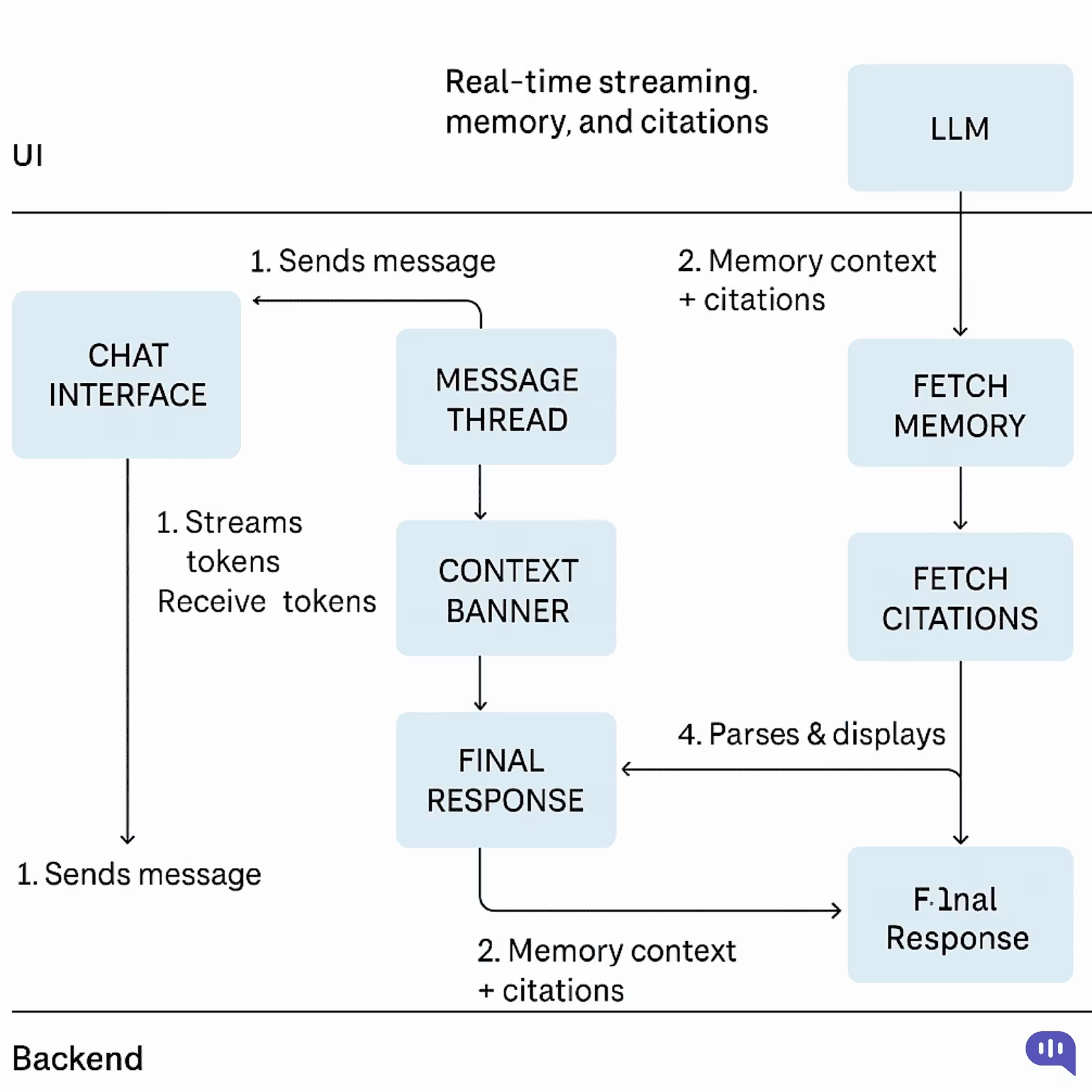
To implement these three features, your workflow would look like this:
- Initiation and Immediate Feedback: When a user sends a message, the backend immediately acknowledges the request. It concurrently initiates two processes:
- It sends a “thinking” indicator to the frontend for instant user feedback.
- It begins a streaming-enabled call to the Large Language Model (LLM).
- Contextual Prompt Engineering: Before the LLM generates a response, the backend enriches the user’s query. It retrieves relevant context by:
- Fetching the recent conversation history from session memory.
- Accessing long-term user details from profile memory.
- Querying a vector database (like Pinecone or Weaviate) to find relevant citation documents using Retrieval-Augmented Generation (RAG).
- Real-Time Streaming Response: The compiled prompt, now rich with context and source material, is sent to the LLM. The model begins generating its response and streams back tokens in real-time.
- The backend pipes these tokens directly to the frontend using a low-latency protocol like Server-Sent Events (SSE) for one-way text streams or WebSocket for more complex, bidirectional interactions.
- The frontend progressively renders the incoming text, creating a smooth, real-time typing effect for the user.
- Finalization and UI Update: The final message object is sent to the client once the LLM completes its generation.
- This object includes a structured array containing the full citation metadata (e.g., source title, URL, snippet).
- The user interface then links the inline citation markers within the message to this data, often displayed in an interactive drawer or panel.
- Memory Persistence and Transparency: The backend updates the AI’s memory to conclude the cycle.
- The latest user query and AI response are summarized and saved to the session memory to inform the next turn in the conversation.
- If any new user preferences were identified, the profile memory is updated, and this change is reflected in the user-facing settings UI, ensuring transparency and user control.
This workflow should help you take your product live. Now, we can discuss the frameworks and tools you can use to build the AI agent UI.
How Can You Design Your AI Agent UI? Frameworks & Web Apps
We have built our agent UI kit at Kommunicate and tried out different tools for creating AI agents. There are other ways to develop your AI chat interface, from fully customizable React frameworks to ready-to-use chat widgets.
Here are the tools we recommend, graded on a scale of 1 (Least complicated) to 5 (Most difficult).
| Approach | Platform | Tech Tools | Best for | Difficulty | Build notes |
| Drop-in chat widget (SaaS) | Website/app | Kommunicate, Intercom, Freshchat, Crisp | Fast launch, out-of-the-box CX | 1 | Copy-paste script, theming, built-in analytics/handoffs; least code, least control. |
| Open-source chat template | Web app | Next.js “Chat”, Chatbot UI, Open WebUI | Customizable but quick | 2 | Fork & wire to your LLM API/RAG; own auth/logging/quotas. |
| React UI kit (headless) | Web app | shadcn/ui + Radix + your chat state | Pixel-perfect UX, extensible | 3 | Build a message list, composer, streaming, file upload, retries, and attachments. |
| Help-center / docs widget | Docs site | Algolia /DocSearch + RAG chat widget | Self-service deflection | 2–3 | Crawl /ingest content, citations, feedback loop, fallback to ticket. |
| Mobile SDK (ready-made) | iOS/Android/RN | Kommunicate SDK, Sendbird, Stream | Mobile chat with minimal code | 2–3 | Handles push, offline queue, attachments; RN easiest, native a bit more work. |
| Mobile custom chat | iOS/Android | UIKit/Jetpack Compose + your API | Fully custom mobile UX | 4 | State mgmt, pagination, voice notes, edge connectivity. |
| CRM/Helpdesk side-panel (Agent Assist) | Zendesk/Salesforce/HubSpot | App frameworks + embeddings | Agent productivity, summaries, suggestions | 3 | OAuth, ticket context, secure data access, and audit logs. |
| Slack/Teams app UI | Slack blocks & modals / Teams cards | Slack Bolt/SDK, Bot Framework | Internal workflows & ops | 3 | Interactive components, permissions, and rate limits. |
| WhatsApp/Instagram/Messenger UI | Inside the channel | BSP (360dialog, Gupshup, Twilio), “Flows”, buttons, lists | Conversational commerce/support | 3 | Limited widgets, template approvals, session rules, and great reach. |
| Voice in the browser (WebRTC) | Website | WebRTC + ASR (e.g., Whisper/Deepgram) + TTS (Polly/ElevenLabs) | Voice concierge, sales demos | 4 | Barge-in, latency tuning, echo cancel, turn-taking UI, captions. |
Which Option Should You Choose for Your AI Agent UI?
Choose from the above frameworks and tools based on speed, control, and channel:
- Need to Ship This Week (MVP / Pilot): Drop-in chat widget (SaaS) on web + Mobile SDK with Kommunicate. You’ll validate flows, prompts, and guardrails, and iterate.
- Want Speed and Code Ownership: Start from an Open-source chat template. Keep the shell and swap it in your authentication, streaming, RAG, and analytics. Good bridge to full custom.
- Design-led Product, Long Runway, Bespoke UX: Choose React UI kit (headless) (shadcn/ui + Radix). Build a message list, composer, streaming, citations, and memory surfaces to spec.
- Deflection for docs/help center: Use Kommunicate for RAG. Enable chatbot-to-human handoff.
- Internal enablement: Use Kommunicate or Intercom, create the agent directly inside the employee channel.
- Messaging-first GTM (commerce/support): WhatsApp/Instagram/Messenger via Kommunicate. Use Flows/templates for acquisition; deep-link to your web chat for richer UI.
- Voice-first web experiences: WebRTC voice when you need real talk + captions. Start here before investing in phone lines.
The rule of thumb for your choice would be to start with a SaaS tool (built-in features + security) and then iterate until you meet your goals. If you want more granular control, use a framework or build with React for better control over your processes.
You’d have noticed that we recommend Kommunicate heavily in the above table. That’s because building an agent UI with Kommunicate offers some distinct advantages.
Why Should You Use Kommunicate to Build an AI Agent UI?
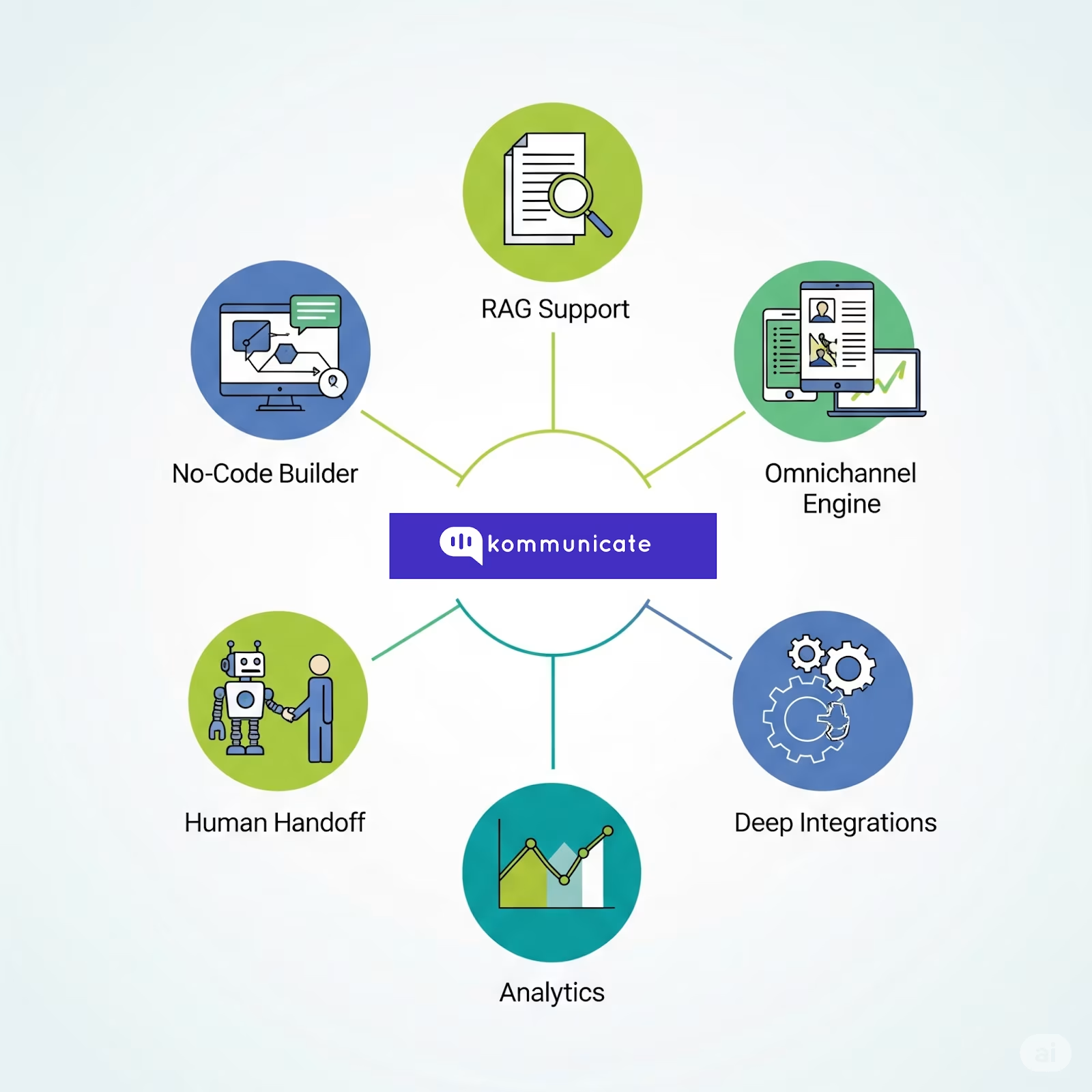
If you’re looking to ship a polished, AI agent UI fast—without compromising personalization, trust, or data governance—Kommunicate offers an appealing combination of features, flexibility, and integrations.
Key Reasons to Choose Kommunicate
- Speed to Launch with Zero Code
- Instantly build and deploy a chatbot using your website or document data with zero coding, just drop in a URL or upload your content, and you’re live.
- Our Kompose builder makes bot creation accessible, even for non-engineers.
- Reliable Streaming, Memory, and Brand-aligned Responses
- Use the latest LLMs (OpenAI, Gemini, Anthropic), with brand-aligned tone and guardrails for consistency in CX.
- Support for RAG ensures citations and responses come from your knowledge base.
- True Omnichannel Reach
- Deploy across web, mobile, email, and popular messaging platforms (WhatsApp, Messenger, LINE, Telegram).
- Unified logic means one backend, any channel.
- Human + AI Handoff—Shared Inbox
- Automate resolving up to 80% of queries while handing complex ones to human agents via a shared inbox.
- Built-in routing and fallbacks for smooth transitions.
- Analytics, AI Insights & Feedback
- Track CSAT, resolution rates, query patterns, and proactively optimize via AI-driven insights.
- Track CSAT, resolution rates, query patterns, and proactively optimize via AI-driven insights.
- Enterprise-grade Integrations & Compliance
- Plug into CRMs (Zendesk, Salesforce), CMSes (WordPress, Wix, Webflow), tooling (Zapier, analytics), and hybrid SDKs.
- Built for enterprise security and reliability, including compliance with GDPR, SOC‑2, and HIPAA.
With Kommunicate, you get the following benefits:
| Feature | Benefit |
| No-code chatbot builder + Kompose | Launch quickly without engineering overhead |
| RAG support + brand tone | Personalized, accurate responses with citations |
| Omnichannel engine | One bot across web, mobile, messaging, email, voice |
| Human handoff capabilities | 80% automated resolution with smooth escalation |
| Operational analytics & AI insights | Data-driven improvement over time |
| Deep integrations + enterprise compliance | Fits into existing systems securely and scaleably |
Kommunicate reduces the friction of building a rich AI agent UI with a unified, secure, and channel-agnostic platform. If you’re looking to balance speed, UX, and control, it positions itself as a pragmatic production-grade choice.
Conclusion
An effective AI agent UI is a competitive advantage.
By combining real-time streaming for speed, memory for personalization, and citations for trust, you can transform routine chatbot interactions into experiences that drive engagement, loyalty, and revenue.
The good news? You don’t have to build it all from scratch. Kommunicate gives you the building blocks, integrations, and enterprise guardrails to go live quickly and scale confidently.
If you’re ready to deliver an AI agent experience your customers will actually want to use, book a demo with Kommunicate.

Devashish Mamgain is the CEO & Co-Founder of Kommunicate, with 15+ years of experience in building exceptional AI and chat-based products. He believes the future is human and bot working together and complementing each other.