Updated on February 19, 2026
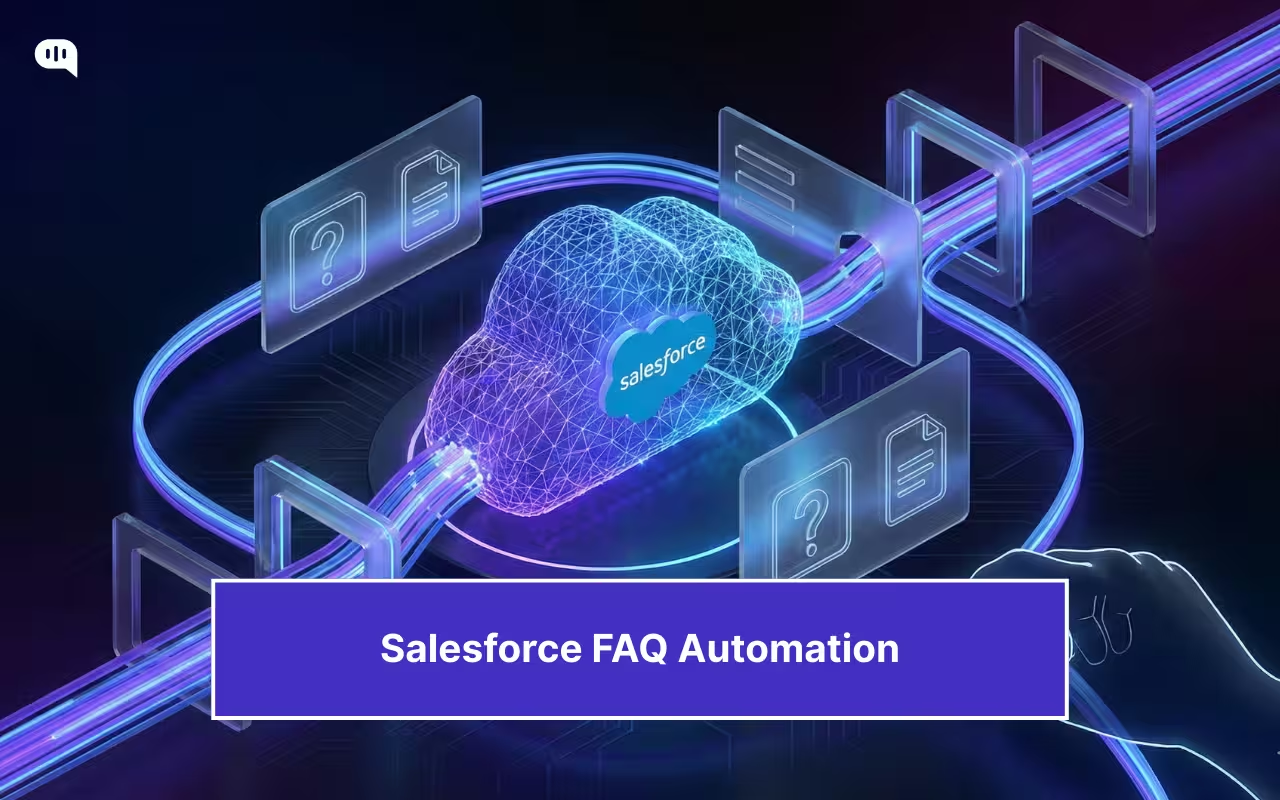
Salesforce has become the system of record for customer support in many mid-market and enterprise organizations. Over time, it accumulates a large and valuable knowledge base containing FAQs, policies, troubleshooting guides, and internal playbooks. Yet, despite this investment, most of that knowledge remains underutilized. Customers still submit repetitive tickets, agents still copy-paste answers, and support teams continue to spend disproportionate effort resolving questions that already have documented solutions.
Automating FAQs on top of Salesforce is an obvious next step. However, many teams hesitate because “automation” is often associated with a loss of control, incorrect answers, or brittle bots that escalate customer frustration rather than reduce it. The risk is not theoretical. Poorly designed FAQ automation can surface outdated articles, miss critical context, or respond confidently when it should defer to a human.
This is where architecture and guardrails matter. Effective Salesforce FAQ automation is not about replacing agents or blindly generating answers. It is about building a controlled system that retrieves the right knowledge, applies confidence thresholds, escalates intelligently, and keeps humans firmly in the loop for edge cases and sensitive scenarios, and supports continuous improvement.
In this article, we will break down how to design and implement Salesforce FAQ automation with that philosophy in mind. We will cover the underlying architecture, a practical setup approach, and the guardrails required to ensure automation improves efficiency without compromising trust, accuracy, or customer experience. We’ll cover:
1. Why Automate FAQs Inside Salesforce?
2. What Business Problems Does Automation Solve?
3. How Does Salesforce FAQ Automation Work?
4. How Should Salesforce Knowledge Be Prepared?
5. Which Automation Model Fits Salesforce Best?
6. How Do You Implement Salesforce FAQ Automation?
7. How Do Escalations Improve Customer Outcomes?
8. What Guardrails Prevent Automation Failures?
9. How Do You Measure Automation Effectiveness?
10. Which Best Practices Ensure Long-Term Success?
11. Conclusion
Why Automate FAQs Inside Salesforce?
Salesforce already contains the most reliable and governed source of customer support knowledge. Automating FAQs within this system enables teams to improve efficiency while maintaining control, accuracy, and accountability.
- Ticket Deflection – Resolve high-volume, repetitive questions without creating or routing cases.
- Response Consistency – Deliver standardized answers sourced directly from approved knowledge articles.
- Agent Leverage – Free support teams to focus on complex, judgment-based customer issues.
- Built-In Governance – Enforce permissions, version control, and auditability across automated responses.
- Context Awareness – Ground answers in live Salesforce data, case history, and customer attributes.
- Scalable Coverage – Extend 24/7 support without increasing staffing costs or operational overhead.
- Safe AI Adoption – Introduce automation with clear confidence thresholds and human override paths.
Efficiency gains are only part of the automation story. The deeper value becomes clear when viewed through recurring operational constraints.
What Business Problems Does Automation Solve?
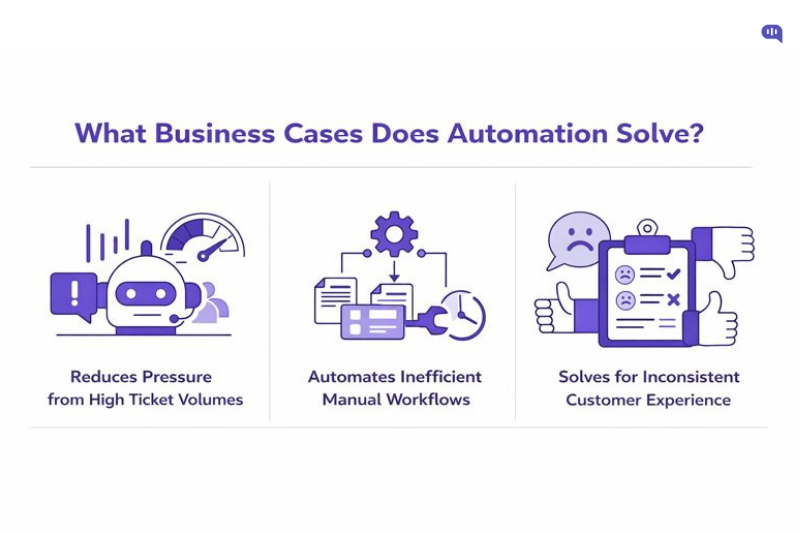
Support organizations struggle not because they lack knowledge, but because they are inundated with repetitive questions and manual workflows that drain time and inflate costs. Automating FAQs tackles these operational shortfalls while preserving control and service quality.
Volume Pressure
High-volume routine questions create unsustainable workloads for support teams. For instance, one enterprise deployment saw over 90% of user interactions handled directly by a chatbot, indicating that automation can absorb a large share of repetitive demand that would otherwise reach agents.
Inefficient Manual Workflows
Manual processes cost time and money. Teams that adopt support automation report substantial productivity gains; for example, automation can save a small support team nearly 200 hours annually by reducing repetitive tasks.
Inconsistent Customer Experience
Without automation, response speed and quality vary across agents and channels, harming satisfaction. Innovative automation strategies have been shown to cut response times by up to 73%, helping organizations meet expectations more quickly and improve the overall experience.
These operational challenges cumulatively slow support teams and frustrate customers. Effective automation directly addresses them with measurable impact. Next, we’ll look at how Salesforce FAQ automation actually works.
How Does Salesforce FAQ Automation Work?
Salesforce FAQ automation works by connecting structured knowledge with intelligent retrieval and controlled response delivery. The goal is not just to answer questions automatically, but to do so accurately, auditably, and safely at scale.
| Feature | Benefit | Value |
| Knowledge Base Integration | Pulls answers directly from Salesforce Knowledge articles | Ensures responses remain accurate, approved, and up to date |
| Intent Detection | Understands what the user is trying to accomplish | Improves answer relevance and reduces unnecessary escalations |
| Context Awareness | Uses case data, account attributes, and history | Prevents generic responses and improves resolution quality |
| Confidence Scoring | Measures how closely an article matches the query | Avoids incorrect auto-responses and limits automation risk |
| Controlled Auto-Reply | Responds only when confidence thresholds are met | Maintains trust while safely deflecting repetitive questions |
| Intelligent Escalation | Routes low-confidence queries to human agents | Ensures complex or sensitive cases receive human judgment |
| Audit and Logging | Records every query, response, and escalation | Enables governance, compliance, and continuous improvement |
These automation features are only as practical as the knowledge they rely on. Correctly preparing Salesforce knowledge determines whether automation scales or breaks under real-world usage.
How Should Salesforce Knowledge Be Prepared?
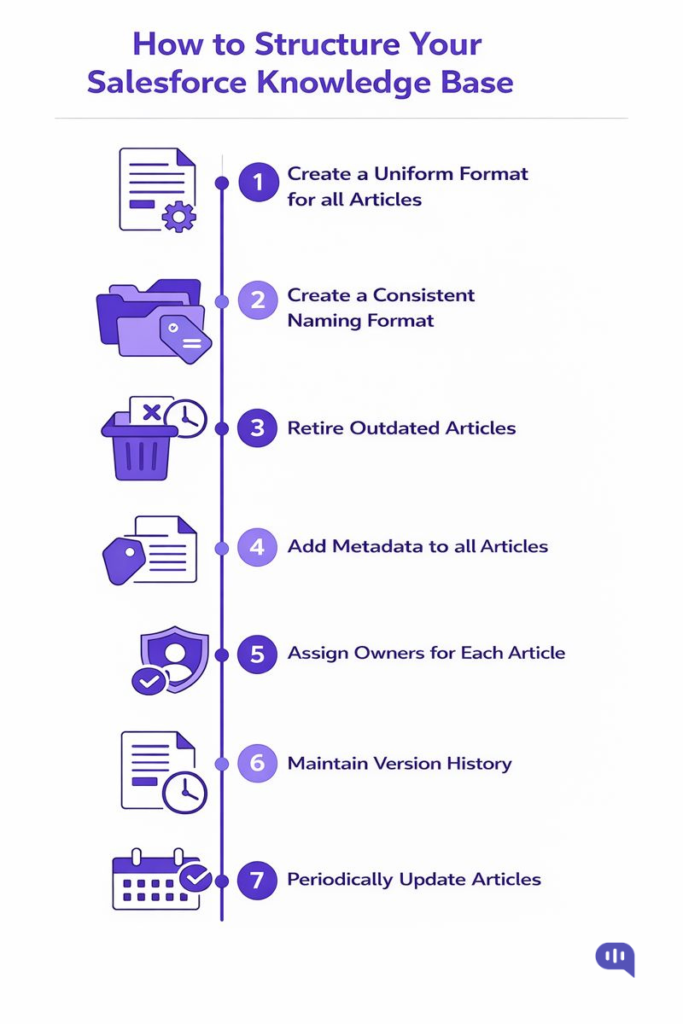
Salesforce FAQ automation depends less on AI sophistication and more on the quality of the knowledge it consumes. Poorly structured or outdated articles will surface quickly through automation, making preparation a critical prerequisite for success.
You can do this in 5 steps:
1. Structure and Taxonomy
- Organize articles by clear categories, data categories, and article types.
- Use consistent titles that reflect real customer questions.
- Break long documents into focused, single-intent articles.
- Apply standardized formatting for steps, warnings, and outcomes.
2. Metadata and Signal Quality
- Add meaningful tags, keywords, and intent labels to each article.
- Use audience, product, and region metadata to enable precise filtering.
- Retire or archive low-performing and duplicate content regularly.
- Track article usage and success metrics to inform prioritization.
3. Governance and Ownership
- Assign clear owners for every article with defined review cycles.
- Enforce approval workflows before articles are published or updated.
- Maintain version history to support audits and rollbacks.
- Align knowledge updates with product, policy, and process changes.
Well-prepared knowledge creates the foundation for reliable automation. The next decision determines how that knowledge is retrieved and delivered at scale.
Which Automation Model Fits Salesforce Best?
Not all automation models offer the same balance of efficiency and control. Choosing the right model determines whether Salesforce FAQ automation becomes a trusted operational asset or a source of risk.
Manual Automation
In a manual model, automation is limited to surfacing suggested knowledge articles to agents. Humans remain responsible for selecting, editing, and sending every response.
- Strengths: Maximum control and minimal risk
- Limitations: Low efficiency gains and limited scalability
- Best Fit: Early experimentation or highly regulated environments
This approach improves agent speed but does not meaningfully reduce ticket volume.
Fully Automated
In a fully automated model, the system responds directly to customer queries without human involvement. Responses are generated or retrieved based on confidence scores and predefined rules.
- Strengths: High deflection and operational efficiency
- Limitations: Greater risk of incorrect or inappropriate responses
- Best Fit: Narrow, low-risk FAQs with stable knowledge
This model scales well but can erode trust if guardrails are insufficient.
Hybrid Automation (Recommended)
Hybrid automation combines automated responses for high-confidence queries with human oversight for edge cases. The system auto-resolves predictable FAQs while escalating uncertain or sensitive requests to agents.
- Strengths: Balanced efficiency, accuracy, and control
- Limitations: Requires thoughtful setup and monitoring
- Best Fit: Most enterprise Salesforce deployments
This model delivers meaningful deflection without sacrificing accountability or customer trust.
Our Recommendation
For most teams, hybrid automation offers the best trade-off between scale and safety. It enables automation where confidence is high while preserving human judgment where it matters most.
Now that we understand the automation modes and the nuances of structuring the Salesforce Knowledge Base, let’s talk about how to implement it for your business.
How Do You Implement Salesforce FAQ Automation?
A reliable Salesforce FAQ automation rollout has two goals: connect your Salesforce Knowledge to a controlled AI layer, and ensure the system only answers when it is confident. Kommunicate’s Salesforce + LLM setup is designed as a no-code workflow where you
(1) Pick the model
(2) Connect Salesforce Knowledge as the source of truth
(3) Train and launch the bot with defined conversational entry points.
We’ve listed the steps below, but we also highly recommend watching the video to get started.
Step-by-Step Implementation Workflow
1. Start in the Kommunicate Dashboard
Go to your Kommunicate dashboard and navigate to the Agents area as the starting point for the build.
2. Create a New Bot
From the bot integrations area, click Create a Agent to initiate a new Salesforce FAQ automation project.
3. Choose Your LLM Provider
Select the provider you want to use for answering questions: OpenAI (ChatGPT), Google Gemini, or Anthropic Claude.
4. Select the Specific Model and Set Parameters
Pick the exact model (the Kommunicate guide lists multiple OpenAI options and supported Gemini/Claude variants) and configure generation parameters such as max tokens and temperature. For customer support, the guide explicitly recommends keeping the temperature at 0 to reduce variability.
If needed, you can also connect your own OpenAI account using an API key.
5. Open the Agent Builder and Choose a Knowledge Source
In the bot builder, go to Knowledge Source and select Knowledge Base as the training source type.
6. Select Salesforce Knowledge as the Knowledge Base
Choose Salesforce from the knowledge base options to indicate Salesforce Knowledge is your system-of-record for answers.
7. Connect Salesforce and Authenticate
Click Connect to Salesforce, then log in via the Salesforce authentication screen to authorize access to your Salesforce Knowledge base.
8. Train the Bot and Define Conversation Entry Points
After connecting, the bot is trained on your Salesforce Knowledge base. The guide also recommends setting up welcome messages and defining intents/entities to improve interaction quality and routing.
9. Validate the Integration Path (Video Walkthrough)
The accompanying walkthrough video demonstrates the practical “connect Salesforce Knowledge Base → link it to the Kommunicate chatbot” flow, which is helpful for implementation validation and internal enablement.
Once the bot is connected and trained, the critical work becomes operational: defining when the bot should answer, when it should defer, and how human agents regain control in the face of uncertainty. This is where escalation logic and guardrails determine whether the rollout builds trust or creates risk.
How Do Escalations Improve Customer Outcomes?
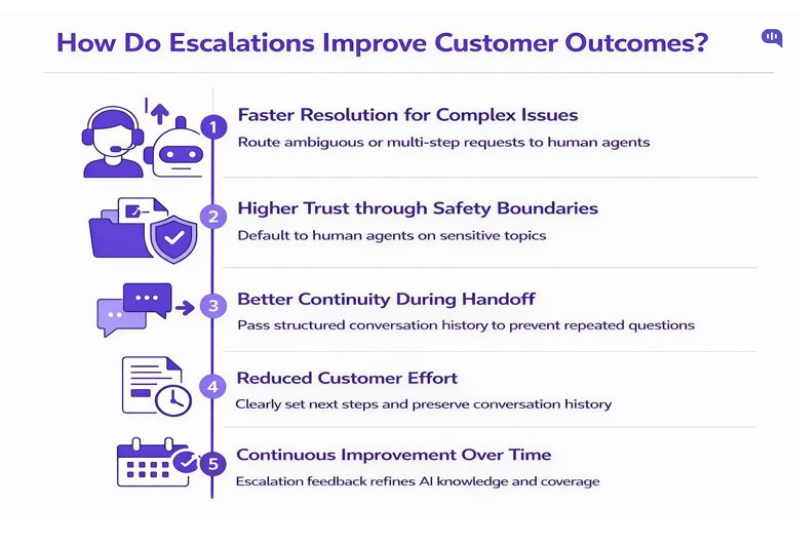
Escalation is not an automation failure. It is a control mechanism that protects the customer experience when confidence is low, risk is high, or the situation requires human judgment. Well-designed escalations reduce friction, preserve trust, and prevent the “repeat yourself” experience that drives dissatisfaction.
1) Faster Resolution for Complex Issues
Escalations ensure customers do not get stuck in loops when the issue is ambiguous, multi-step, or account-specific. Instead of prolonging the interaction, the system routes the request to a human who can complete verification, take action, and close the loop.
2) Higher Trust Through Safety Boundaries
Customers lose confidence when automation answers incorrectly, especially on billing, security, or policy topics. Escalation keeps the bot from overreaching by deferring to humans when the situation is sensitive or the system lacks sufficient certainty.
3) Better Continuity During Handoffs
A strong escalation flow passes structured context to the agent: the customer’s intent, what the bot already tried, and where the conversation stalled. This reduces repeated questions, shortens time-to-resolution, and makes the customer feel heard.
4) Reduced Effort for Customers
Escalation minimizes customer effort by providing clear next steps, setting expectations for response time, and preserving conversation history. Customers do not have to restart the process or re-explain the problem in a new channel.
5) Continuous Improvement Over Time
Escalations create a feedback stream: which questions failed, where knowledge is missing, and which articles are unclear. When escalations are reviewed and categorized, they become a roadmap for improving knowledge quality and expanding safe automation coverage.
Escalations improve outcomes when they are intentional, contextual, and fast. They turn automation into a guided system that keeps humans in control when it matters most.
What Guardrails Prevent Automation Failures?
Automation fails when the system cannot recognize its limits, and customers have no clear exit path. The most reliable safeguard is an escalation architecture that forces “humility” at the right moments and ensures the handoff feels seamless, rather than punitive.
- Clear Triggers – Define explicit conditions where the AI must stop and escalate to a human. Without triggers, customers get trapped in “bot hell,” and even a 0% escalation rate can indicate silent abandonment rather than success.
- Healthy Escalation Range – Design for a realistic escalation rate (often 5–10%) to balance speed with human expertise, instead of forcing automation to “answer everything.”
- Keyword Protocols – Maintain keyword-based escalation lists that trigger immediate handoff for high-stakes intents, especially around billing, security, legal, churn, and high-frustration signals.
- Revenue Protection – Escalate pricing, upgrade, and billing disputes to humans, where persuasion and judgment materially impact outcomes.
- Legal and Compliance – Treat privacy, security, and litigation language as zero-tolerance zones where the AI should not improvise.
- Churn Prevention – Escalate cancellation and “switching” signals quickly, since trapping a churn-intent user in automation is the most damaging failure mode.
- Emotional Distress – Detect frustration and high-arousal language (including profanity, ALL CAPS, urgency) and route to humans before sentiment collapses.
- Customer Segmentation – Apply different escalation rules based on customer tier and context, so enterprise or high-risk accounts receive faster human intervention.
- 3-Second Briefing – Require a structured handoff note so agents never open with “How can I help?” and customers don’t have to repeat themselves. Pass the intent, attempted solutions, and current status in a compact summary.
- Efficiency Metrics – Monitor guardrail health by tracking escalation rate ranges, bot-trap signals, and resolution quality (including whether the issue is truly resolved within a defined window, not merely deflected).
Guardrails prevent failures by defining where the AI must step aside and how humans regain control. When escalation is fast, contextual, and measurable, automation becomes safer and more scalable.
In the next section, we’re going to talk about the metrics you can use to track the effectiveness of your Salesforce FAQ automation.
How Do You Measure Automation Effectiveness?
Automation only “works” if it reduces effort for customers and workload for agents without harming quality. The most reliable measurement approach combines efficiency metrics (volume and speed), quality metrics (accuracy and outcomes), and control metrics (escalation health and safety).
| Metric | What It Measures | How to Calculate or Track | Why It Matters |
| Deflection Rate | How many queries were resolved without agents | (Automated resolutions ÷ total incoming queries) × 100 | Indicates workload reduction and scalability impact |
| Containment Rate | How many conversations stay within automation | (Conversations with no human handoff ÷ total conversations) × 100 | Helps quantify automation coverage for FAQs |
| Escalation Rate | How often does automation hand off to humans | (Escalations ÷ total conversations) × 100 | Validates guardrails and prevents “bot trapping”. |
| First-Contact Resolution | Whether issues are solved in one interaction | % of cases resolved without follow-up within X days | Measures actual resolution, not superficial deflection |
| Time to First Response | Speed of initial reply | Median seconds/minutes from message to first reply | Directly impacts perceived service quality |
| Time to Resolution | End-to-end completion speed | Median time from first message to closure | Shows whether automation improves outcomes |
| Answer Accuracy | Correctness of automated responses | Human QA sampling + user feedback audits | Prevents scale from amplifying wrong answers |
| Fallback Rate | How often does the bot fail to answer | (No-answer events ÷ total queries) × 100 | Signals knowledge gaps and routing issues |
| CSAT Post-Automation | Customer satisfaction with automated flows | CSAT survey after resolution/handoff | Confirms whether automation improves experience |
| Repeat Contact Rate | Customers returning for the same issue | % of users re-contacting on the same topic within X days | Detects unresolved issues and poor answers |
| Agent Assist Lift | Impact on agent productivity | AHT reduction + fewer touches per case | Shows whether automation improves agent workflows |
| Knowledge Health Score | Fitness of articles powering automation | Article age, usage, downvotes, resolution linkage | Prevents outdated knowledge from degrading automation |
A strong measurement system separates “activity” from real outcomes. When you track efficiency, quality, and control together, automation can scale without hidden failure modes.
Since we’ve established most of the parameters required to improve and build your customer service AI agent, we’re going to end this article with some best practices we recommend for enterprises.
Which Best Practices Ensure Long-Term Success?
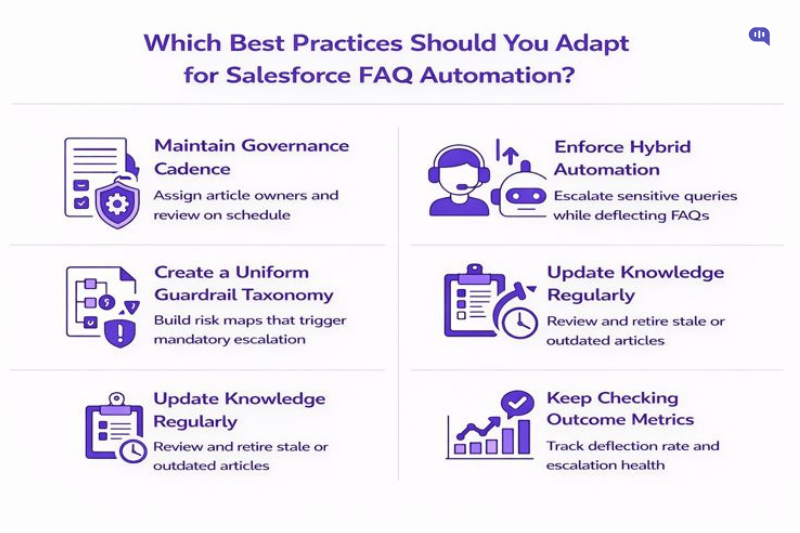
Kommunicate typically recommends the following operating practices for major enterprise deployments, where the cost of an incorrect answer is higher than the cost of an escalation. Across a decade of customer support automation work (since 2017), and deployments trusted by brands such as Amgen, Rakuten, and FCB Health, these are the patterns that consistently prevent drift and protect customer experience at scale.
- Governance Cadence – Assign article owners, enforce reviews, and retire stale content on a fixed schedule.
- Hybrid-by-Default – Auto-resolve only high-confidence FAQs, and escalate the rest with structured context.
- Guardrail Taxonomy – Maintain a clear risk map (billing, security, legal, churn) with mandatory escalation triggers.
- Closed-Loop Learning – Use escalation reasons, negative feedback, and agent edits to update knowledge weekly.
- Outcome Metrics – Track deflection, resolution quality, repeat contact, and escalation health, not just volume.
With these best practices and the automation processes we’ve outlined, you can use your Salesforce knowledge base as the starting point for customer service automation that works.
Conclusion
Salesforce Knowledge is one of the strongest foundations for customer support automation, but outcomes depend on execution. When your knowledge is structured, your automation model is hybrid, and your escalation paths are intentional, FAQ automation becomes a controlled system that reduces workload without compromising trust.
The teams that succeed long term treat automation as an operating discipline, not a one-time deployment. They continuously improve knowledge quality, review guardrail performance, and measure outcomes that reflect real resolution and customer effort. If you apply the architecture, setup steps, and guardrails outlined in this guide, you can scale automation while keeping humans firmly in control of the moments that matter.
If you need to set up Salesforce FAQ automation for your business, feel free to consult with Kommunicate!

Adarsh Kumar is the CTO & Co-Founder at Kommunicate. As a seasoned technologist, he brings over 14 years of experience in software development, artificial intelligence, and machine learning to his role. His expertise in building scalable and robust tech solutions has been instrumental in the company’s growth and success.