Updated on February 5, 2026
Recent research has shown that education chatbots can handle student support queries outside the classroom (administrative and services-oriented intents), because those flows are repeatable and high-frequency.
However, modern LLM-based systems are susceptible to hallucinations (plausible-sounding, incorrect generations), a reliability gap that has become important enough to motivate dedicated research on hallucination detection and uncertainty estimation.
In education settings, this reliability gap collides with governance. Privacy and records obligations mean you can’t treat chatbot conversations as “just chat.”
FERPA grants parents and eligible students rights over education records and constrains disclosure of personally identifiable information (PII). Guidance for schools vetting generative AI tools further flags risks like unauthorized disclosure of student PII, and highlights that generative systems can fabricate information, which raises the need for processes to inspect, correct, and manage inaccurate records and outputs.
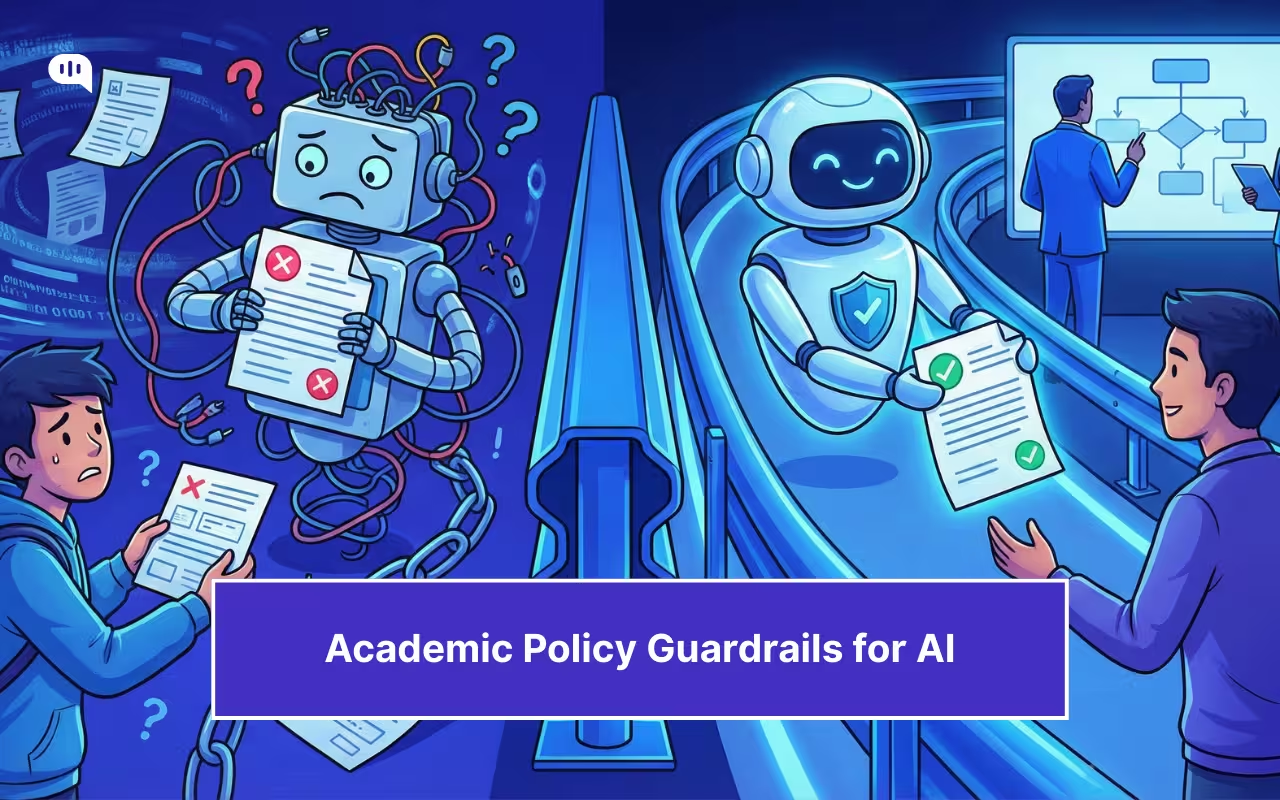
That’s why “more automation” is the wrong goal. The goal is safe automation: where the bot is aggressively helpful inside clearly defined lanes, and equally disciplined about refusing, escalating, or citing official sources when certainty drops. This article lays out a practical guardrail model for any education chatbot that touches policy. We’ll cover:
1. What Is An Education Chatbot?
2. Why Are Wrong Answers Risky In Education?
3. Where Are Education Chatbots Deployed Today?
4. Which Guardrails Prevent Risky AI Automation?
5. How Do You Roll Out Safely?
6. What Failure Modes Should You Expect?
7. How Do You Evaluate Vendors And Systems?
8. Which Education Chatbot FAQs Should You Answer?
9. Conclusion
What Is an Education Chatbot and How Does It Automate Student Support?
An education chatbot is a conversational AI interface deployed on university websites or apps. It acts as a student support bot, automating answers for admissions, enrollment, and administrative workflows while guiding users through academic policies.
In higher education, these bots are most often deployed to support student prospecting and student services, and to “nudge” learners with timely, contextual help.
In practice, many university chatbots focus on closed-domain student support that sits outside classroom instruction, such as administrative queries and service navigation, because these intents are repeatable and can be grounded in institutional knowledge bases. That design choice is intentional: the safer and more maintainable the domain, the more predictable the chatbot’s answers and escalation behavior.
From an implementation standpoint, an education chatbot typically combines two layers:
- Workflow automation (forms, routing, ticket creation, status checks)
- Knowledge-grounded Q&A (answers pulled from approved sources like admissions pages, registrar policies, and service FAQs)
For example, Kommunicate’s education solution positions an AI chatbot as a way to automate student conversations across channels and route complex or sensitive queries to humans (“smart handoff”), with common intents like course details, admission status, exam schedules, fees, campus directions, and administrative procedures.
Despite their obvious usefulness, education chatbots can also be risky for institutions. Let’s quantify that risk in our next section.
Why Are Wrong Answers Risky In Education?
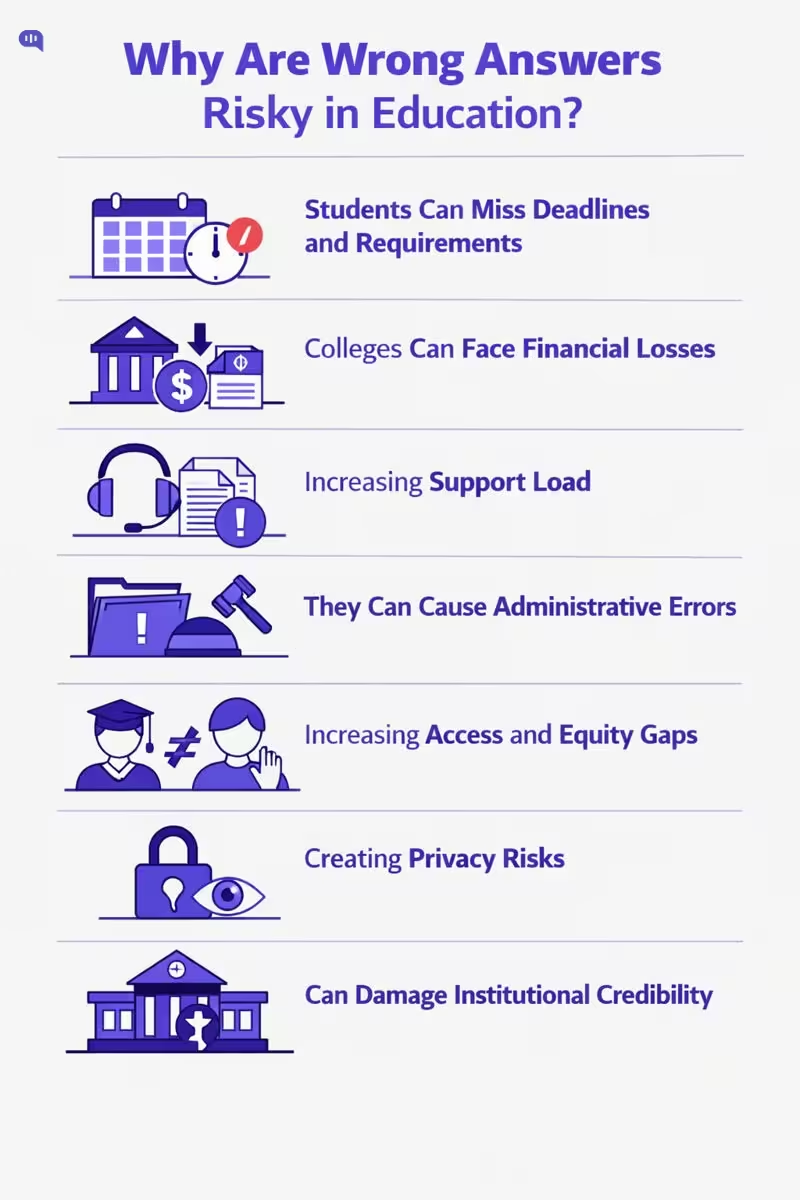
In education, a chatbot is often the fastest path to “the official answer.” That is exactly why accuracy failures are so costly. Students use chatbots to navigate time-sensitive requirements (forms, eligibility rules, deadlines), and even small errors can cascade into missed milestones and preventable churn. In one widely cited example, a university chatbot was designed to remind students about pending enrollment tasks and deadlines, showing how deeply these systems can shape real outcomes.
The core problem is that LLM-based systems can produce plausible but false statements, and standard evaluation incentives can encourage guessing instead of abstaining when uncertain.
1. They Cause Students To Miss Deadlines And Requirements. Many student workflows are deadline-bound (documents, forms, registration steps), so an incorrect instruction can directly translate into missed compliance tasks.
2. They Create Real Financial Harm. Wrong guidance on financial aid steps, payment plans, or eligibility criteria can delay disbursements or push students into avoidable fees and holds.
3. They Multiply Support Load Instead Of Reducing It. A single wrong answer often creates repeat contacts, escalations, and “fix the fix” tickets, which erodes trust and cancels the promised efficiency gains. This risk is amplified because hallucinations remain a known reliability issue for LLM systems.
4. They Turn Language Friction Into Administrative Errors. If the bot misunderstands non-native phrasing or answers in overly academic English, it becomes a barrier and increases the chance of students following the wrong steps. Kommunicate explicitly frames English-first support as a blocker for international cohorts and links language barriers to administrative errors and anxiety.
5. They Increase Equity And Access Gaps. When some students can interpret policy language easily and others cannot (language, disability, neurodiversity), the same wrong or unclear answer disproportionately harms the students who already have the least slack. UNESCO warns that rapid GenAI rollout is outpacing regulatory adaptation, leaving institutions underprepared to validate tools responsibly.
6. They Create Privacy And Records Exposure Risk. Education support routinely touches student identifiers and record-adjacent data. FERPA defines personally identifiable information broadly (direct and indirect identifiers), and “disclosure” includes electronic communication, so an inaccurate or careless response can become a compliance incident.
7. They Damage Institutional Credibility Faster Than Almost Anything Else. In a high-stakes domain, a confident wrong answer is worse than “I don’t know,” because it teaches students to distrust official channels. That tradeoff is exactly why hallucinations are treated as a barrier to adoption in real-world settings.
The takeaway is simple: in education, the cost of a wrong answer is rarely “just misinformation.” It is missed deadlines, unequal outcomes, compliance exposure, and loss of trust that pushes students back to email queues and walk-ins.
Next, we should map where education chatbots are actually deployed (admissions, registrar, financial aid, LMS support) so the guardrails can be tailored to the highest-risk surfaces.
Where Are Education Chatbots Deployed Today?
Education chatbots typically show up wherever institutions face:
- Repetitive, high-volume questions
- Time-sensitive deadlines
- A clear “source of truth” to ground answers
In higher ed, EDUCAUSE groups chatbot deployments into student prospecting, student services, personalized learning, and student-support nudging, which maps well to what campuses actually implement in production.
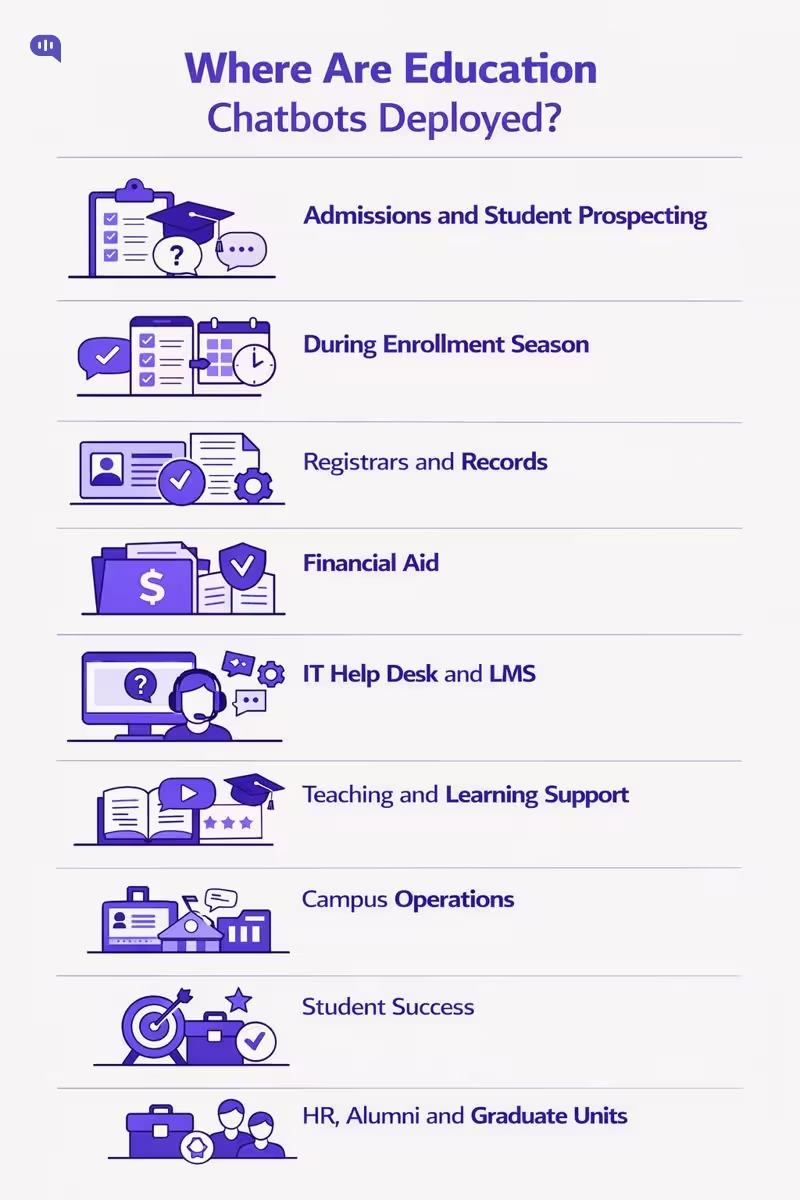
- Admissions and Student Prospecting (Pre-Enrollment): Program discovery, requirements, application steps, and status checks, often on the public website.
- Enrollment and “Summer Melt” Prevention (Admitted Students): Deadline reminders, checklist completion, financial aid forms, placement exams, and registration readiness. Georgia State University describes using an AI-enhanced chatbot (“Pounce”) over SMS to answer incoming-student questions 24/7 while guiding enrollment tasks.
- Registrar and Records (Student Services Core): Add-drop policies, transcripts, residency status, academic calendar queries, and how-to navigation for administrative processes, when backed by authoritative systems
- Financial Aid and Bursar (Payments, Eligibility, Proof): FAFSA status, document receipt, balances, billing due dates, and holds. A campus-wide rollout plan from the University of Houston explicitly prioritizes Enrollment Services (Admissions, Financial Aid, Registrar) and Student Business Services/Bursar as early “high impact” departments.
- IT Help Desk and LMS Support: Password and account access, LMS navigation, common troubleshooting, ticket creation, and targeted escalations. Northwestern University built an AI-enabled “Moodle chatbot” to answer LMS questions 24/7 and integrate with support workflows.
- Teaching and Learning Support (In-Course): Personalized learning assistance, study nudges, and guided resource navigation, usually with tight scope and careful grounding/
- Campus Operations and Student Life Services: Dining, campus store, printing, ID cards, parking, and other operational FAQs are common next-wave expansions after core enrollment services (Rosanes).
- Student Success and Advising Support: Proactive nudges, referrals to human advisors, and routing for complex cases, often positioned as “support” rather than authoritative decision-making (EDUCAUSE).
- Institution-Wide Expansion (HR, Alumni, Graduate Units): After proving value in early departments, institutions often broaden to HR and alumni/advancement and additional academic units (Rosanes).
As chatbots move from low-stakes FAQs into enrollment, financial aid, and student-success workflows, the risk of “plausible but wrong” answers becomes materially higher. That is why policy and governance frameworks increasingly emphasize human-centered controls, privacy protections, and age-appropriate safeguards as adoption scales.
Which Guardrails Prevent Risky AI Automation?
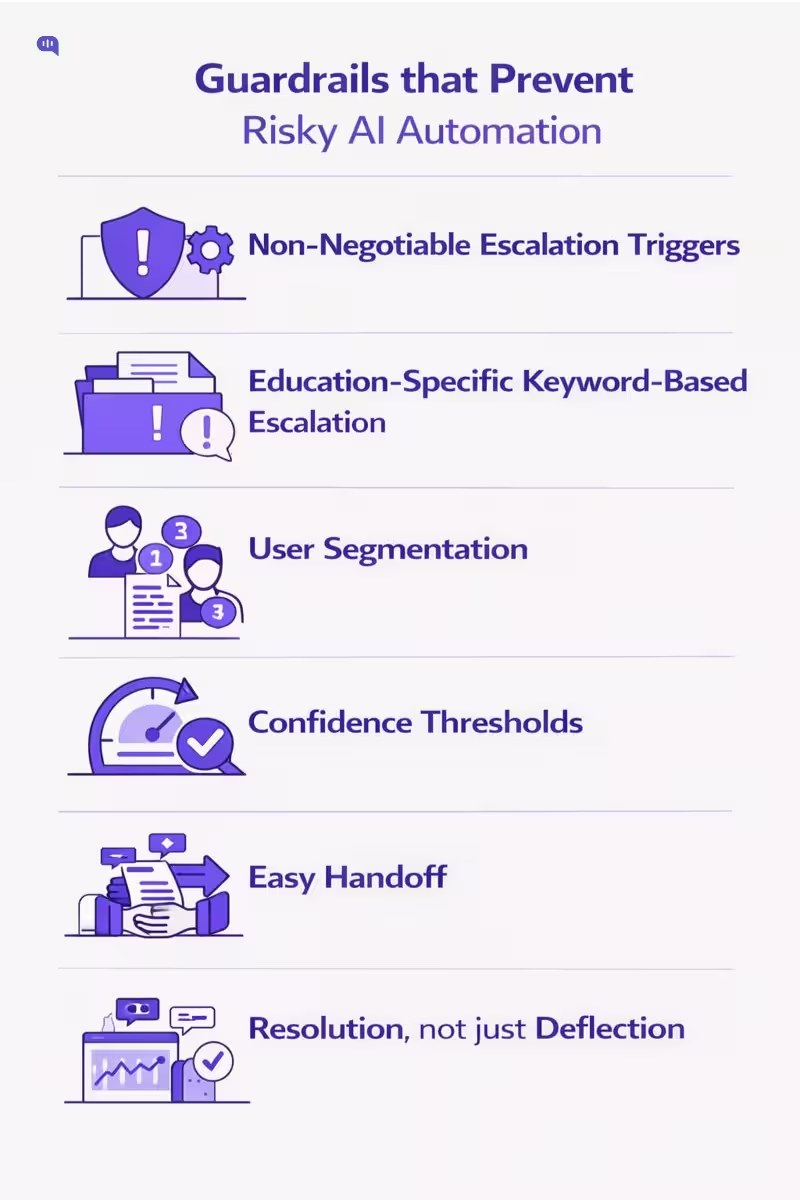
In education, a wrong answer is rarely “just a bad experience.” It can misroute a student through an academic policy, create misinformation about deadlines or eligibility, or mishandle sensitive situations where a human response is the only safe response.
Escalation architecture is the practical way to keep automation useful without letting it become a liability.
This matters because users punish broken automated experiences fast: PwC reports that 52% of consumers say they stopped using or buying from a brand after a bad experience with its products or services. And courts have made it increasingly clear that organizations remain accountable for what their automated systems say.
Meanwhile, “hallucinated” support responses have triggered real churn.
Below are the guardrails that prevent these outcomes—adapted from proven escalation and oversight patterns:
1. Do You Have Non-Negotiable Escalation Triggers?
Treat escalation triggers as an “AI humility mechanism”: explicit boundaries where the bot must stop and hand off. In education, define triggers around stakes, not just “difficulty,” for example:
- Academic policy disputes (grading appeals, misconduct/academic integrity accusations, disciplinary action)
- Identity/account access (SSO lockouts, MFA, suspected compromise)
- Student records and privacy (requests involving personal records, third-party access, data deletion)
- Financial aid, billing, refunds (high sensitivity + high consequences)
- Safety and well-being language (self-harm, threats, harassment, crisis keywords → immediate human path)
- Legal/compliance terms (e.g., privacy rights requests, incident/breach language)
- Any “human/agent” explicit request (make the escape hatch frictionless)
A practical check: a 0% escalation rate is not “perfect automation”—it can be a sign users are getting trapped in loops or abandoning silently.
2. Can You Build Keyword “Emergency Protocols” for Education?
Keyword escalation works best when it’s organized into buckets (or “protocols”) so you can maintain and audit it. Map the framework to education realities:
- Policy & Compliance (Zero-Tolerance Zone): privacy rights, records, legal action, security incident language → never improvise
- Financial Stakes: tuition payment failures, refunds, scholarships/aid eligibility disputes → route to trained staff
- Academic Outcomes: exams, grading, progression, enrollment status → route to registrar/academic advising workflows
- Emotional Distress / High Arousal: angry language, threats, urgent escalation cues → empathy + human takeover
The goal is not to catch every keyword—it’s to ensure high-risk categories cannot be handled by “best effort” text generation.
3. Should You Segment Users and Route by Risk?
Segmentation prevents “one-queue-fits-all” support and lets you apply stricter guardrails for higher-risk users and intents. In education, segmentation is often more about risk and role than revenue:
- Role-based routing: applicant vs enrolled student vs faculty vs parent/guardian
- Risk-based routing: minors, accessibility/accommodations, immigration/international documentation, at-risk students (where delays or wrong answers harm outcomes)
- Complexity-based routing: routine FAQs stay automated; anything that requires judgment goes to specialists
This turns the bot into triage—fast for simple intents, cautious for complex ones.
4. Do You Have Loop-Breakers Like the 3-Strike Rule?
Many trust failures come from “bot loops,” not a single incorrect message. The 3-strike rule is a clean operational guardrail: after repeated failures, the system must hand off.
- Strike 1: clarify + offer guided options
- Strike 2: acknowledge difficulty + offer human option
- Strike 3: automatic handoff + pass transcript/context
In education, this is especially important during time-sensitive windows (registration deadlines, exam schedules), where repeated friction is effectively a denial of service.
5. Are You Using Confidence Thresholds to Prevent Hallucinations?
A low-confidence response is exactly where hallucinations become tempting: the model fills gaps with plausible-sounding policy. Set confidence thresholds so the bot escalates or switches to a safer mode (e.g., “I can connect you to a staff member” or “Here are the official links I can verify”).
This is how you prevent the kind of invented-policy failure that has caused churn and reputational damage in other industries. (Goldman)
6. Does Your Handoff Eliminate the “Repeat Yourself” Trap?
The fastest way to destroy trust is a handoff where the human asks the student to restate everything. The fix is a structured, automatic briefing at the moment of escalation.
Use a “3-second briefing” that includes:
- Intent: what the student is trying to do
- Attempted solutions: what the bot already tried
- Current status: where the conversation stalled
This preserves continuity, reduces handle time, and makes escalation feel like an upgrade—not a penalty.
7. Are You Measuring Resolution, Not Just Deflection?
Guardrails fail silently if you only track “containment.” You need metrics that detect harm and
Start with three practical measures:false success.
- Escalation Rate vs. “Bot Trap” Index: too low can mean abandonment; too high can mean poor automation quality
- Deflection vs. Resolution (48-Hour Rule): count an issue as resolved only if the user doesn’t come back for the same problem within 48 hours
- Post-Handoff CSAT: if CSAT drops after handoff, your escalation experience is broken
For education specifically, add audit-friendly variants: repeat contact by intent, reopen rates, and time-to-human on escalations (because delays can become policy violations in practice).
Once these guardrails are defined, the next step is turning them into academic policy controls: what the bot is allowed to answer, what it must cite, what it must refuse, and the exact escalation pathways for each high-stakes intent.
How Do You Roll Out Safely?
A safe rollout is not “launch a chatbot.” It is progressive automation with controlled scope, where you earn the right to expand by proving accuracy, containment, and escalation quality in small, auditable steps. The most reliable approach is to start with low-stakes, closed-domain intents, enforce non-negotiable escalation triggers, and instrument the system so you can detect failure modes quickly instead of discovering them via student harm or reputational damage.
| Phase | Primary Objective | What You Implement | Key Guardrails | Key Deliverables | Go/No-Go Success Criteria | Primary Owners |
| Phase 0: Scope & Risk Definition | Define “safe lanes” | Intent taxonomy, exclusion list, escalation paths, stakeholder sign-off | Disallowed intent list; human request is instant handoff | Scope doc; escalation matrix; acceptance criteria | Exclusions agreed; escalation ownership defined; baseline metrics captured | Support Lead, Registrar/Student Services, Compliance/IT |
| Phase 1: Knowledge Readiness | Make answers verifiable | Consolidate sources of truth, remove duplicates, define canonical policy pages, set ownership | Grounded-only answers for policy; “cannot verify” fallback | Policy registry; knowledge map; content owners | Top intents have single authoritative source; freshness/ownership assigned | Knowledge Owner, Web/KB Admin, Dept Owners |
| Phase 2: Guardrails & Handoff | Prevent wrong answers by design | Escalation triggers, 3-strike loop breaker, summaries for handoff, role-based routing | Low-confidence refusal; structured handoff brief; “no cold transfer” | Escalation runbook; handoff templates; QA test suite | Handoff includes intent + attempted steps; low-confidence does not guess | Support Ops, IT, Escalation Queue Leads |
| Phase 3: Pilot Launch | Validate in one channel | Launch on one surface (usually website/portal) for a narrow set of intents | Rate limits; conservative thresholds; safe responses only | Pilot dashboard; incident log; weekly review cadence | Accuracy above threshold; time-to-human within SLA; low abandonment | Support Ops, Analytics, Dept Owners |
| Phase 4: Expand Coverage | Scale responsibly | Add more intents, add more departments, expand hours and languages | Escalation stays consistent; policy version control enforced | Updated intent library; multilingual playbook; updated audits | Expansion does not drop accuracy or increase risky completions | Product Owner, Support Lead, Dept Owners |
| Phase 5: Continuous Hardening | Improve without regressions | Ongoing evaluation, red-team tests, sampling audits, policy change workflows | Regression tests; audit trails; metrics anti-gaming bundle | Monthly audit report; content change log; retraining plan | Measurable improvement without higher risk; auditability maintained | Governance Committee, Compliance/IT, Support Ops |
If you roll out this way, you end up with a chatbot that is helpful within defined lanes and disciplined everywhere else. The next step is to anticipate what still goes wrong in production: where answers drift, where users get trapped, where metrics get gamed, and where escalation breaks down under load. That is why the next section should focus on What Failure Modes Should You Expect? and how each one maps back to a specific guardrail and metric.
What Failure Modes Should You Expect?
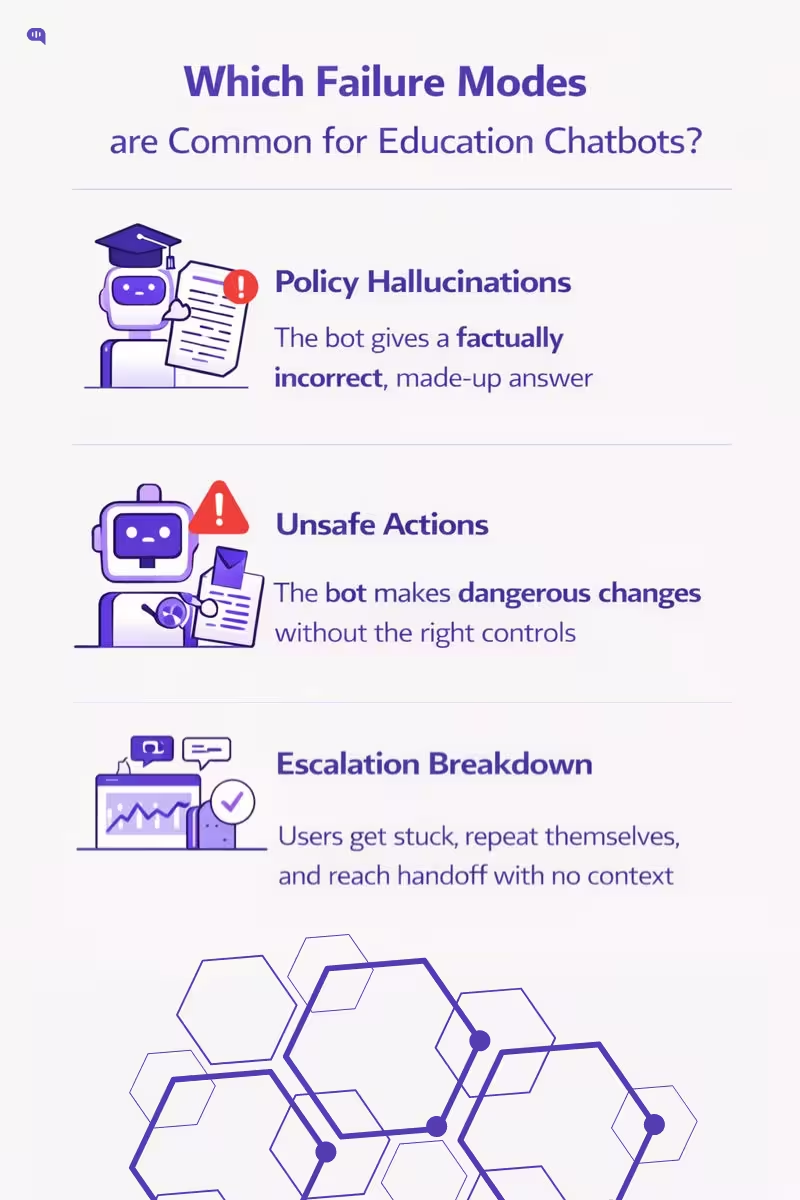
Even with careful scoping, education chatbots fail in repeatable ways. The key is to assume failures will happen, then design the system so those failures are detectable, containable, and auditable.
The most common risks show up when the bot is pressured to “always answer,” when automation is connected too deeply into institutional systems, or when escalation paths aren’t treated as first-class product behavior.
This can happen in the following ways:
1. Confident Policy Hallucinations
The bot produces a fluent, authoritative answer that is not actually supported by official policy.
What it looks like: invented deadlines, incorrect eligibility rules, made-up exception paths.
Why it’s common: LLMs can generate plausible falsehoods, and uncertainty isn’t automatically expressed unless you enforce it. (Farquhar et al.; OpenAI).
2. Unsafe Or Unintended “Actions” In Integrated Workflows
Once the chatbot is plugged into SIS/LMS/registrar workflows, a natural-language request can be misinterpreted as a command.
What it looks like: the bot “helpfully” initiates or implies changes without the right checks, permissions, or confirmation steps.
Why it’s common: institutional data is context-heavy, and AI can be “mathematically correct but institutionally wrong,” especially when governance is weak.
3. Escalation Breakdown: Bot Loops And Cold Handoffs
The bot fails to recognize it’s stuck, repeats itself, and the user either abandons or finally reaches a human who asks them to restate everything—creating the “repeat yourself” trap.
What it looks like: repeated “I didn’t understand,” circular clarifications, escalating frustration, then a handoff with no context.
Why it’s common: without enforced loop-breakers (like a mandatory 3-strike rule) and structured handoff summaries, escalation becomes an afterthought instead of a designed path.
These failure modes are the default outcomes when governance, uncertainty handling, and escalation architecture are missing. The next section should turn this into procurement-grade rigor: How Do You Evaluate Vendors And Systems?—i.e., what capabilities prove a chatbot can abstain safely, stay read-only where needed, enforce permissions, and hand off cleanly with auditability.
How Do You Evaluate Vendors And Systems?
Vendor evaluation for an education chatbot is fundamentally a risk and governance exercise, not a UI comparison. Because language models are incentivized to “answer” even when uncertain, you need procurement criteria that prove the system can abstain, ground, escalate, and audit.
In higher education, chatbots are commonly deployed across student services and prospecting, which means they routinely sit near policy, deadlines, and record-adjacent data.
| What To Evaluate | What “Good” Looks Like | What To Test In A Demo | Evidence To Request | Red Flags |
| Grounded Answers (No Guessing) | Answers are generated from approved sources; shows citations/links | Ask 10 policy questions; include 3 “missing” questions | List of sources used + how citations are produced | “It usually knows” / no citations |
| Abstain Behavior | Clearly says “I can’t verify” when sources don’t support | Ask ambiguous policy questions; see if it refuses | Refusal policy + thresholds | Always answers, never refuses |
| Policy Freshness & Versioning | Policies are versioned; time-bound content expires | Ask about a recent/changed policy | Content ownership + update workflow | “Just upload docs once” |
| Escalation Architecture | Non-negotiable triggers; 3-strike loop breaker; clean handoff | Trigger escalation (low confidence, sensitive intent, user asks “human”) | Escalation rules + handoff payload format | Bot loops; “handoff is manual” |
| Handoff Quality | Passes intent + attempts + current status (no repeat-yourself trap) | Escalate mid-thread; inspect agent view | Sample handoff transcript + summary schema | Agent receives only chat log |
| Identity, Roles, Permissions | Role-aware responses; least-privilege access to actions | Ask the same question as student vs staff | RBAC model + auth methods | Same answers for all roles |
| Data Minimization & PII Controls | Redacts sensitive fields; avoids collecting unnecessary data | Provide PII in chat; see redaction + logging | PII handling + retention settings | Stores everything by default |
| Auditability & Observability | Logs sources used, escalation reason, and outcomes | Ask for “why did it answer this?” | Audit log samples + dashboard screenshots | No traceability |
| Multilingual Support | Supports major student languages with consistent safety | Test same intent in 2 languages | Supported languages + fallback behavior | Language support breaks guardrails |
| Risk Management Maturity | Documented risk process across lifecycle | Ask for risk/incident playbooks | Trust & safety policy + incident response | No governance artifacts |
The escalation and handoff requirements above map directly to the kind of “rules, triggers, and human oversight” design needed to prevent automation from becoming a liability.
For multilingual student support, the same principle holds: language capability must not come at the cost of safe routing and clarity.
Vendor Checklist
Here are some rapid-fire questions you can use to evaluate vendors:
1. “Show me a policy answer with citations, and then show me the refusal path when the source is missing.”
2. “What are your non-negotiable escalation triggers, and what does the human receive at handoff?
3. “How do you handle student-record-adjacent data, and what do you consider PII?”
Once you’ve shortlisted vendors using this scorecard, you can move from “can it answer?” to “what should it answer?” The next section should define the education chatbot FAQ scope—the safe, high-volume intents to automate first, and the policy areas that must always escalate.
Top Student FAQs for Automation: What Your Bot Should Answer
Start with high-volume, low-judgment questions that can be grounded in a single official source and cleanly escalated when uncertainty appears.
1. What Are The Application Requirements For This Program?
2. What Documents Do I Need To Submit, And Where?
3. What Are The Key Admission Deadlines This Term?
4. How Do I Check My Application Or Admission Status?
5. How Do I Register For Classes Or Add/Drop A Course?
6. Where Can I Find The Academic Calendar And Exam Dates?
7. How Do I Access Financial Aid Steps And Required Forms?
8. How Do I Pay Tuition, View My Balance, Or Resolve Holds?
9. How Do I Reset My Password Or Get LMS Help?
10. How Do I Contact A Human Advisor Or Support Agent?
11. How do I create my student portal account?
12. Where do I upload transcripts or test scores?
13. What are the tuition fees for my program and term?
14. How do I find my course schedule and classroom location?
15. How do I access my student ID card or digital ID?
16. How do I request an enrollment verification letter?
17. How do I apply for hostel/housing, and what are the deadlines?
18. How do I update my personal details (address, phone, emergency contact)?
19. How do I submit medical or accessibility accommodations documentation?
20. How do I request a leave of absence or defer enrollment?
21. What are the library hours, and how do I access online resources?
22. How do I get campus Wi-Fi access?
23. How do I book an appointment with academic advising?
24. What is the process to withdraw from a course or the semester?
25. How do I appeal a parking or campus fine?
26. How do I report a technical issue with the LMS or online exams?
27. How do I get internship or placement support?
28. How do I apply for scholarships, and what are the eligibility criteria?
29. How do I get a refund, and how long does it take?
30. How do I contact support outside business hours?
Once these FAQs are stable, you can expand into higher-stakes policy topics only with strict grounding, version control, and non-negotiable escalation triggers.
Conclusion
Education chatbots are no longer experimental. They are already being deployed across admissions, enrollment, registrar, financial aid, and LMS support, which means they increasingly sit close to policy, deadlines, and record-adjacent data. That proximity is exactly why accuracy and governance are not “nice to have” features. They are operational requirements.
The mistake institutions make is optimizing for automation volume. In education, “more containment” is not automatically better. The right goal is safe automation: a system that is fast and helpful inside clearly defined lanes, and equally disciplined about refusing, escalating, and citing official sources when certainty drops. That is what preserves student trust, reduces repeat contact, and prevents policy drift from turning into real harm.
If you apply the framework in this article, the path forward is straightforward:
- Start with repeatable, closed-domain FAQs that have a single source of truth.
- Make policy answers verifiable through grounded retrieval, versioning, and ownership.
- Treat escalation as core product behavior with non-negotiable triggers, loop-breakers, and “no cold handoffs.”
- Instrument the system to measure resolution quality, not just deflection.
- Choose vendors based on auditability, abstain behavior, and governance maturity, not demos that “sound smart.”
Once your first set of FAQs is stable and your escalation system is proven, you can expand into higher-stakes academic policy surfaces with confidence, because the guardrails are already doing their job: preventing wrong answers from becoming institutional risk.
If you want to implement safe automation at your educational institution, feel free to book a call with us.

Adarsh Kumar is the CTO & Co-Founder at Kommunicate. As a seasoned technologist, he brings over 14 years of experience in software development, artificial intelligence, and machine learning to his role. His expertise in building scalable and robust tech solutions has been instrumental in the company’s growth and success.