Updated on February 19, 2026
Most accountants deal with a set list of frequently asked questions daily. During tax filing, hundreds of customers rush in with questions about required documents, reporting deadlines, and service availability. This constant stream of questions can slow down your customer service desk and affect vital customer satisfaction metrics.
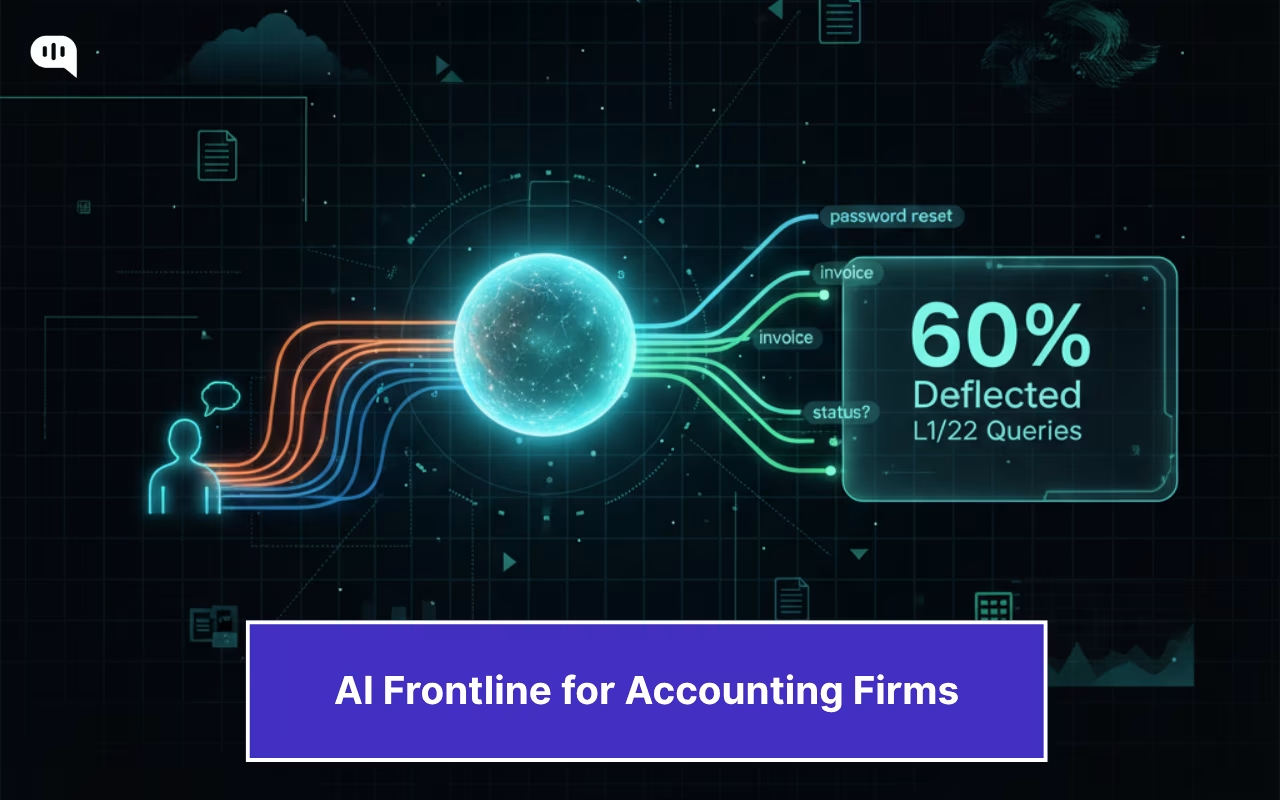
AI agents can help accounting firms navigate this. These agents deflect these queries using your internal knowledge base and systems, and escalate queries that need human help. The result is a reliable front-line that absorbs 60% of incoming queries.
This article will break down the entire process through which AI agents can reduce incoming queries for accounting firms. We’re going to cover:
- Which L1 and L2 Requests Burden Accounting Firms?
- Why Do Traditional Ticketing, IVR, and Human-Based Support Fail to Scale?
- How Can AI Agents Deflect 60% of Incoming L1 and L2 Queries?
- How Can You Set Guardrails to Improve the Security of Your AI Agents for Accounting?
- How Can You Implement an End-to-End AI Agent for Accounting Customer Support?
- Which Metrics Should You Measure to Track the Success of Your AI Agent Implementation?
- How do AI Agents Improve Customer Service for Accounting Firms? A Crunch UK Case Study
- Conclusion
Which L1 and L2 Requests Burden Accounting Firms?
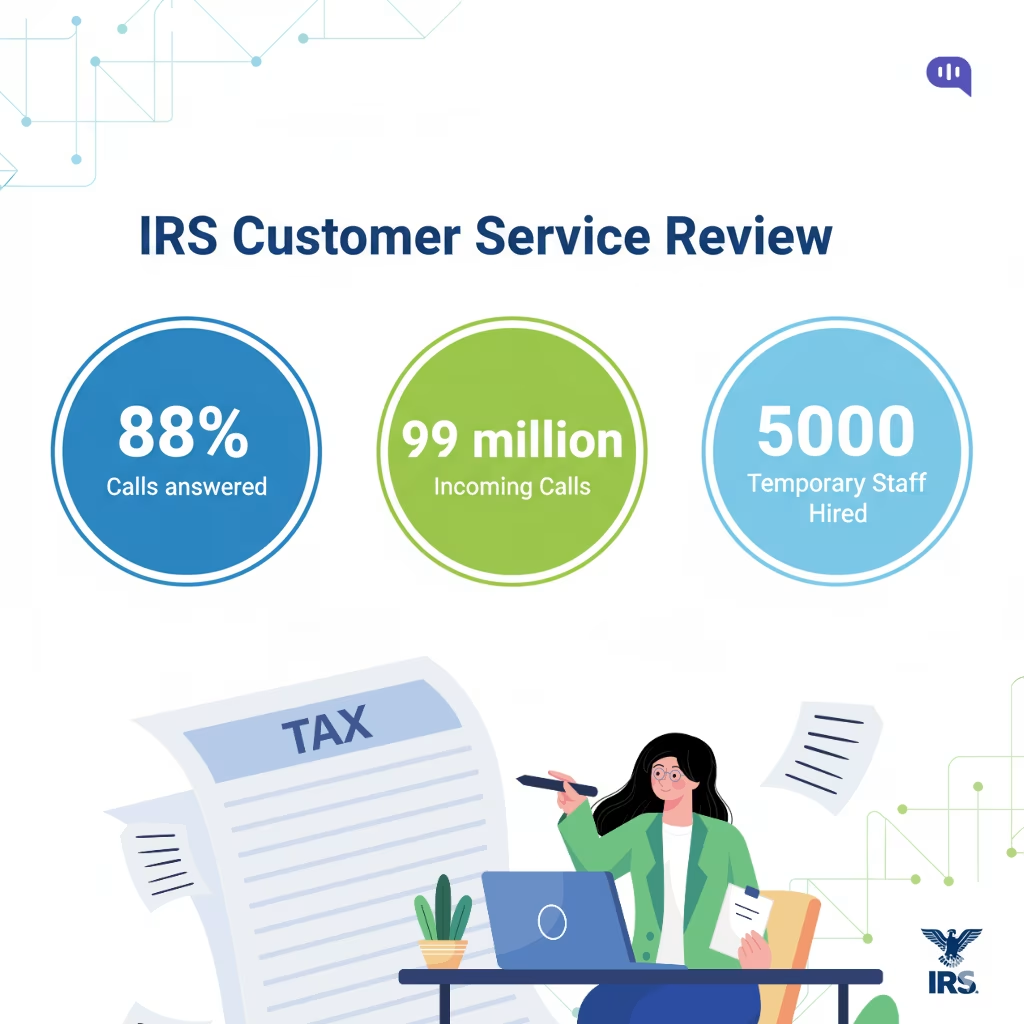
During the 2024 filing season, the IRS was only able to answer 88% of incoming calls. This is due to the constant stream of repetitive queries that came into the agency (resulting in 99 million calls). People also used the online IRS portal 317 million times to ask questions around “Where’s my Refund?”
Now, the national agency can mitigate this demand by escalating its hiring practices. They hired 5000 temporary workers in 2023 to handle the increased volume. But for any accounting firm, even a modest increase in the number of queries can affect service availability.
This is further complicated if you’re using a white-label mobile or web application to manage your client’s finances. Your incoming queries now include hundreds of “How to log in?” and “My invoice is missing” questions.
A lot of these L1 and L2 questions can be automated through AI agents. Just as a sample, let’s talk about questions we’ve automated for some of our clients.
Which L1 Questions Can You Automate with AI Agents?
Some FAQs that you automate with AI agents are:
- “I can’t log in to the client portal—can you send a password reset or unlock my account?”
- “Please resend my latest invoice/statement and confirm the amount due.”
- “Where do I upload documents for this year’s return or monthly close?”
- “What records do you need from me and by when?”
- “What are your service tiers, fees, or how do I change my plan/users?”
- “What’s the status of my return/refund or month-end close items?”
Which L2 Questions Can You Automate with AI Agents?
Some complicated questions that accounting firms can automate with AI agents are as follows:
- “Why isn’t my bank balance reconciling correctly, and what entries are missing?”
- “I received an IRS CP2000 notice—what does it mean and what documents do you need from me?”
- “My GL vs. subledger doesn’t match. What should I do?”
- “This invoice looks wrong. Can you verify line items and issue a corrected copy?”
These L1 and L2 queries are not a problem for any support team. However, traditional support systems often begin to strain and fail as they scale.
Why Do Traditional Ticketing, IVR, and Human-Based Support Fail to Scale?
Most traditional accounting firms use the following routes to meet their SLAs:
- Ticketing Systems – These systems centralize intake and enforce SLAs, but turn simple requests into slow, serialized queues. Ticketing captures every request with IDs, priorities, and workflows, but even trivial issues (such as resending an invoice or resetting a password) wait in line for human action, creating long queues and increasing waiting times for customers.
- IVR Trees – Deflect with phone menus, but fragment context and frustrate during high volume. IVR can triage by intent and route to teams, yet rigid menus rarely match the messy, multi-step accounting queries. Your customers have to repeat information, and abandon when hold times spike, and agents receive minimal context beyond “pressed 2 for billing.”
- Human-Only Support – High empathy and judgment, but inherently unscalable and inconsistent. Your staff can resolve nuanced issues and reassure anxious clients, but capacity is tightly controlled by headcount. This means that demand surges at tax season and month-end repeatedly outstrips the available workforce, and knowledge remains trapped in people and scattered documents.
All of these routes fail because they’re directly and tightly controlled by headcount. Therefore, you can only scale support during crunch times by hiring additional personnel. However, even adding people comes with its own hurdles; you need to spend time and money training these professionals and managing them. This creates several problems.
How Do Traditional Customer Service Processes Fail at Scale?
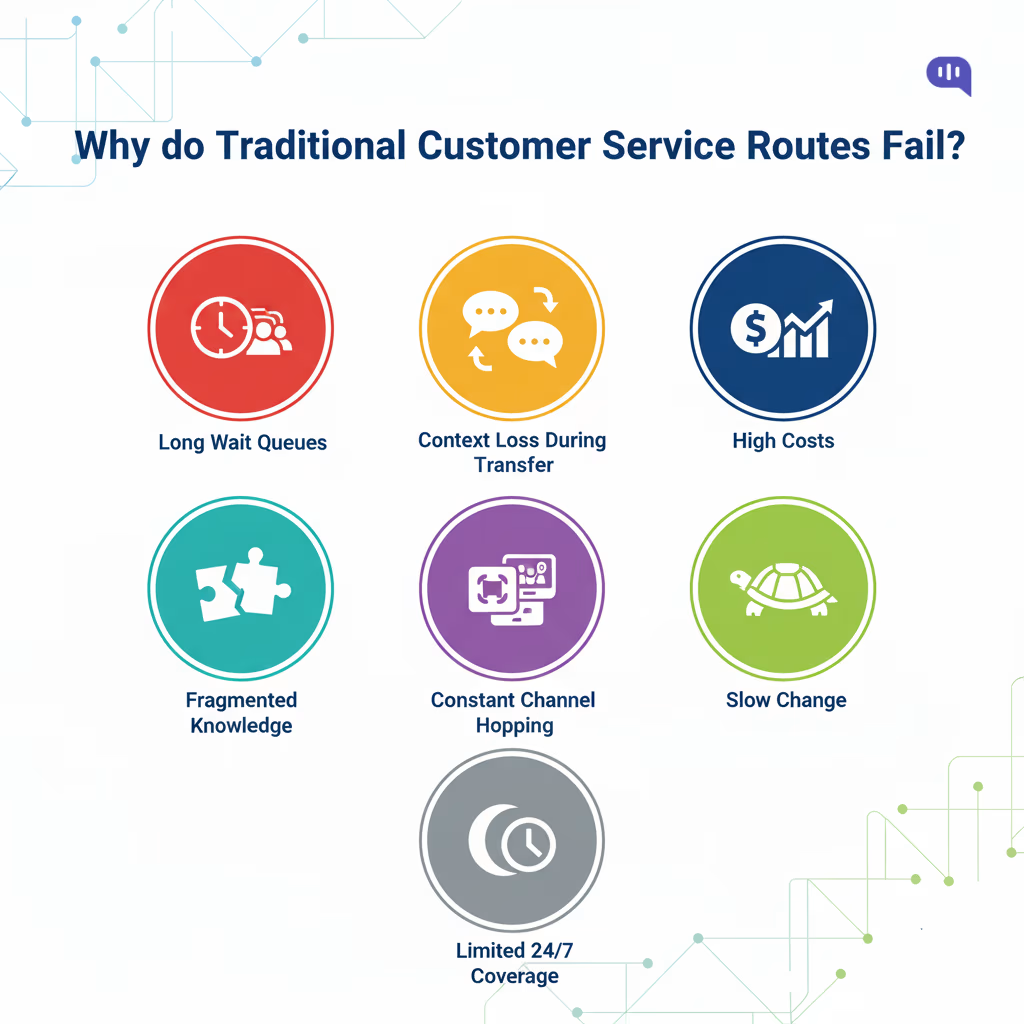
- Queueing Delays Compound During Spikes – Government reports show how headline phone/ticket metrics can hide congestion and uneven coverage across lines, underscoring how serialized workflows buckle under demand.
- Rework from Context Loss – IVR and basic forms capture fragments, so customers repeat themselves and agents rediscover details. Customers across domains have reported this frustration.
- High Cost per Trivial Task – Each human-handled call typically costs a few dollars, making password resets and “status” checks an expensive way to burn capacity.
- Knowledge Fragmentation – SOPs spread across email, drives, and personal notes cause inconsistent answers and unnecessary escalations.
- Channel Hopping and Duplicated Effort – Customers dislike switching channels to resolve the same issue, yet backlogs prompt them to email, call, and WhatsApp, asking, “Any update?” This creates parallel threads.
- Rigid Logic Can’t Keep Up with Change – IVR trees and static macros lag behind portal UX changes and policy updates, resulting in misroutes and outdated instructions.
- Limited After-Hours Coverage – Most customers expect near-immediate responses. Without automation, off-hours tickets inevitably fall short of that bar.
These problems can be mitigated mainly by utilizing well-placed AI agents for accounting firms.
How Can AI Agents Deflect 60% of Incoming L1 and L2 Queries?
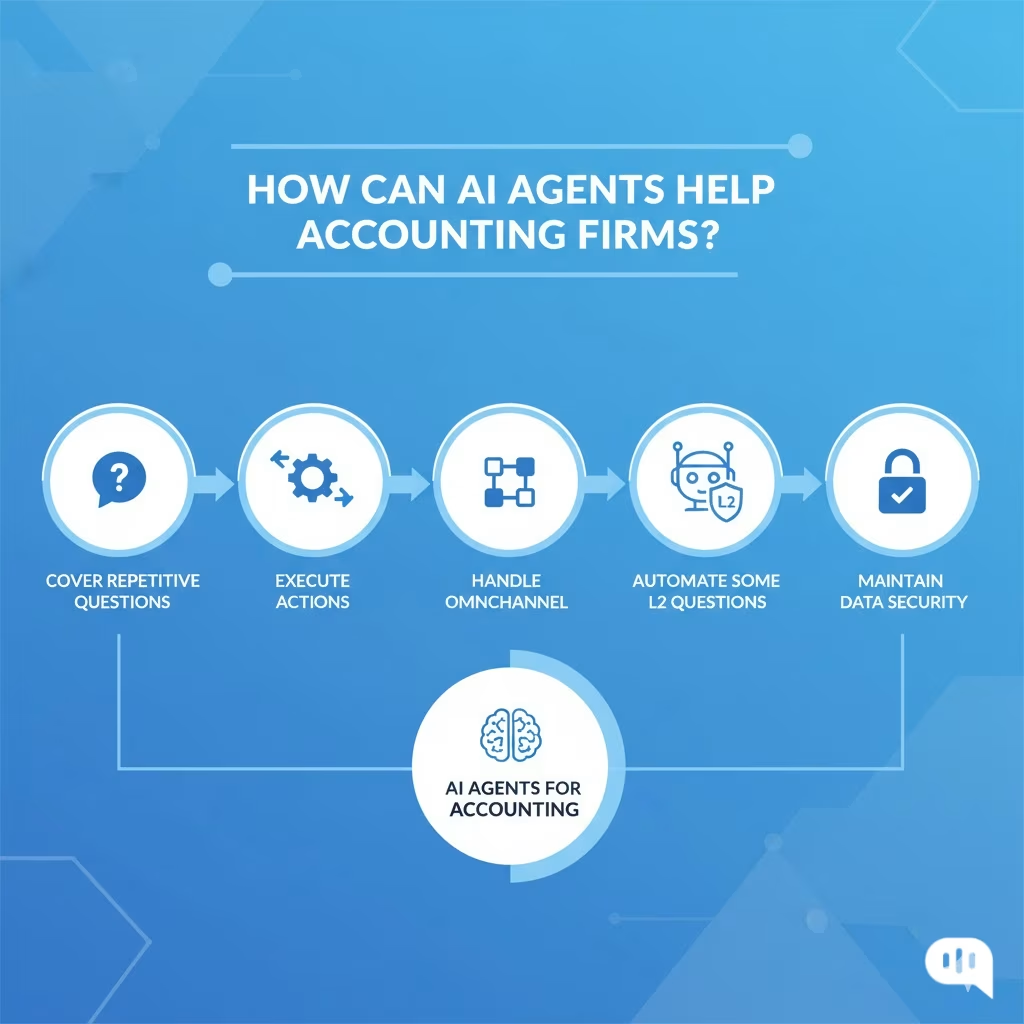
AI agents cut the bulk of front-line volume by answering routine questions with grounded knowledge and executing simple account/billing actions through integrations. This happens in the following ways:
- Cover High-Frequency Intents with Self-Service
IRS’ latest report clarifies that most customers want to resolve simple issues themselves, but are unable to do so with existing self-service portals. AI agents bridge this gap by giving precise, policy-aligned answers across chat, email, and WhatsApp.
This includes typical L1 intents, such as login help, password resets, invoice copies, “where do I upload?”, and “what’s the status?”—all ideal for automation when answers are pulled from a controlled KB/FAQ.
- Execute Simple Actions
AI agents can fulfill customer requests (e.g., trigger a password reset, resend an invoice PDF, or initiate an upload request) via secure integrations. This ensures that each of these tasks happens seamlessly inside the self-service window.
- Handle Omnichannel Conversations
Instead of a portal with help documents, AI agents don’t need to reroute customers for simple questions. Instead, they can assist customers over services like Email, Telegram, WhatsApp, and Instagram.
- Automate Some L2 Queries
While AI agents can’t automate all L2 queries, they can answer questions about reconciliations, tax codes, and other essential matters. Combined with client data, it can also help customers navigate through forms and documents.
- Maintain Data Security for Clients
Most AI agents currently don’t upload their data to foundational model providers. The customer data is encrypted and centralized, enabling you to maintain an audit trail and ensure the safety of PII data.
To provide additional context, let’s examine the standard automations that an accounting firm can perform with its AI agents.
Which Standard Automations can Accounting Firms Implement in a Week?
- Access & Account Help: Unlock/Forgot Password Flows, 2FA Guidance, Profile and User-Seat Changes.
- Billing & Documents: resend invoices/statements, explain line items, share receipts, and engagement letters.
- Status Updates & Reminders: “Where is my return/refund/close?” Proactive nudges and due-date reminders via WhatsApp/web.
- Intake & uploads: Checklist-driven document collection with secure links and confirmation.
- L2 pre-work: Reconcile-mismatch questionnaires, and tax-notice triage (collect docs, draft response for review).
Despite these advantages of AI agents, accounting firms nationwide haven’t widely adopted them. One of the primary anxieties around this comes from the perceived lack of security. Let’s address how AI agents can be modified to be more secure in the next section.
How Can You Set Guardrails to Improve the Security of Your AI Agents for Accounting?
We’ve covered the technical topic of AI agent security in another blog, but we’ll provide the key takeaways for the best security measures here. You can use this list as a to-do list for vendors and internal teams that will be developing your AI agents.
- Scope & Least Privilege: Restrict the agent to approved knowledge bases and APIs, granting read/write access only where necessary.
- Strong AuthN/Z: Enforce SSO/MFA for staff actions; use per-tenant API keys/OAuth scopes and signed webhooks.
- Data Minimization & Redaction: Mask PII (SSNs, PANs) at capture; strip sensitive fields from prompts, logs, and analytics.
- Content Controls: Use allow/deny lists for actions and retrieval; add output filters to block sensitive disclosures.
- Prompt Hardening: Freeze system prompts, template user intents, and defend against prompt injection/“overrides.”
- Transaction Safeguards: Require confirmations for irreversible actions; implement thresholds and dual-control for payments/changes.
- Auditability: Log every request/response, retrieved sources, and actions with user, time, and hashes for tamper evidence.
- Encryption & Residency: Encrypt data in transit/at rest; pin regions and set retention windows aligned to policy.
- Human-in-the-Loop Escalation: Auto-route edge cases or low-confidence answers with collected context and redacted artifacts.
- Continuous Testing & Governance: Run red-team and regression tests, monitor drift, and review against SOC 2/ISO 27001/IRS Pub. 4557 controls.
Now, this list is technical, but it can be implemented across your organization. In the next section, we will introduce you to a standard playbook that our clients have used to scale their AI agent systems.
How Can You Implement an End-to-End AI Agent for Accounting Customer Support?
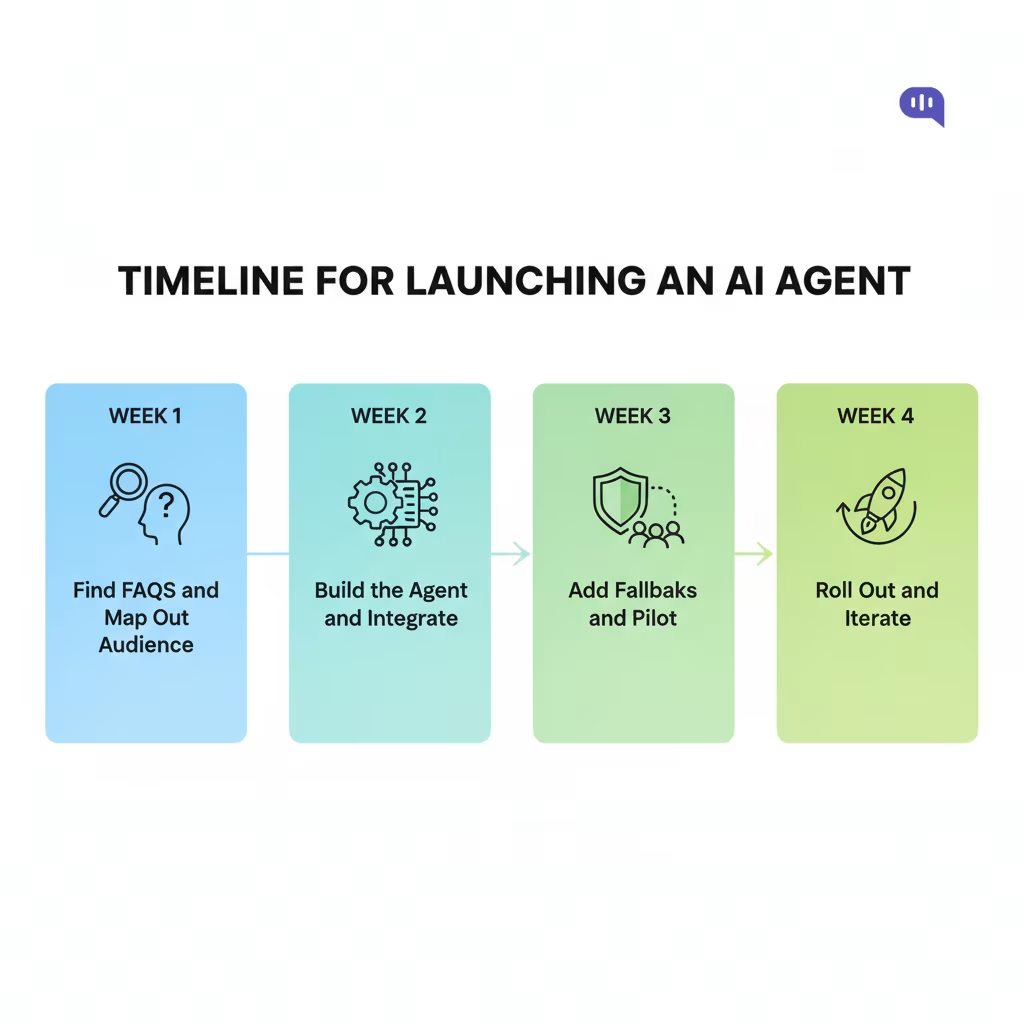
Here’s a standardized plan that builds a ready-to-deploy AI frontline for your firm in four weeks. We’ve previously used similar processes to implement AI agents for several premier accounting firms in Europe and the US.
Week 1: Discovery & Blueprint
Goals: Identify high-frequency intents and data paths; define success.
Tasks
- Review tickets, calls, and WhatsApp conversations to identify the top 20 intents, including login help, invoice resend, upload link, status, and portal navigation.
- Map systems, including portals like QuickBooks or Xero, CRM, and customer support tools such as HubSpot, Zendesk, or Freshdesk, identity management (SSO/MFA), billing, and file storage.
- Write guardrails for allowed actions, PII redaction, audit logging, escalation rules, and data retention.
- Draft playbooks for the first 6–8 intents detailing inputs, validations, actions, responses, and fallbacks.
Owners: CX lead (intents), Ops/IT (systems), Compliance/Security (policies).
Outputs: Intent catalog, integration specification, security checklist, KPI baseline (AHT, FCR, CSAT, L1 share).
Week 2: Build the Agent & Integrations
Goals: Create a functional agent that can respond and complete simple tasks from day one.
Tasks
- Connect knowledge sources such as knowledge bases, SOPs, and macros with retrieval scoping and answer citations.
- Wire transactional APIs for password resets, invoice resends, upload link generation, and case status fetching.
- Implement security policies in code using least-privilege keys, redaction, rate limits, and tamper-evident logs.
- Configure communication channels, such as the web widget and WhatsApp, and set intents to actions. Define the language and brand tone.
Owners: Platform engineer (APIs), Bot/Flow builder, SecOps (keys/secrets).
Outputs: Working agent in staging with 6–8 intents fully automated and a sandbox-ready WhatsApp/web setup.
Week 3: Pilot & Human-in-the-Loop
Goals: Validate the agent with real users, maintain close human oversight, and measure performance.
Tasks
- Roll out to 10–20% of traffic or two client segments and enable “agent assist” for human reviewers.
- Configure low-confidence thresholds to trigger auto-escalation with pre-collected context like documents and notes.
- Track KPIs such as deflection rate, FCR, AHT, CSAT, containment by intent, and escalation quality. Conduct daily reviews to refine intents, guardrails, and responses based on transcripts.
Owners: CX lead (triage), QA analyst (labeling), Data/Analytics.
Outputs: Tuning backlog, confusion matrix by intent, and red-team test results for prompt injection and data leakage.
Week 4: Harden, Roll Out, and Operate
Goals: Move to production safely and establish continuous improvement.
Tasks
- Scale to 100% coverage for initial intents and add proactive workflows like due-date reminders and document nudges.
- Enable alerts to monitor containment dips, latency, API errors, and sensitive-term triggers.
- Publish Runbook v1 with rollback steps, ownership assignments, retraining cadence, and access reviews.
- Finance and operations teams sign off on an ROI dashboard to track performance.
Owners: SRE/Platform (reliability), CX Ops (runbook), Finance (ROI).
Outputs: Production-grade AI agent, monitoring and alerting setup, governance calendar, and ROI report.
Once you’ve started building this AI agent for streamlining your operations, you can focus on improving its performance. We will discuss the standard metrics used to measure the ROI and performance of AI frontline agents.
Which Metrics Should You Measure to Track the Success of Your AI Agent Implementation?
Here’s a compact scorecard to prove your AI front line is working and safe. Start with coverage and quality, then monitor cost/time wins, as well as risk controls, to keep leadership confident.
- Deflection (Containment) Rate: % of contacts resolved by the agent without humans. Target – ≥60% on scoped L1 intents, ≥30% on light L2.
- First-Contact Resolution (FCR): % of issues fully solved in one interaction. Target – ≥70% for contained chats.
- CSAT (Post-Chat Rating): Customer satisfaction after the interaction. Target – ≥4.4/5 (≈≥88% positive).
- Answer Accuracy (Groundedness): Correct, policy-aligned responses on top intents. Target – ≥90% on gold-set tests.
- Average Handle Time (AHT) Reduction: Time saved on escalated cases vs. baseline. Target – ≥20–30% faster.
- Escalation Quality Score: Handoffs with complete context and artifacts. Target – ≥95% completeness.
- Latency / Time-to-First-Response: Time to first helpful reply. Target – ≤2s on web chat, ≤5s on WhatsApp.
- Self-Service Completion Rate: Users finishing tasks end-to-end (reset, resend, upload). Target – ≥75% completion.
- After-Hours Coverage: Off-hours contacts auto-handled by the agent. Target – ≥80% contained off-hours.
- Safety & Compliance: PII redaction success and data-leak incidents. Target – ≥99.9% redaction, zero leak incidents.
Tools like Kommunicate provide access to a live dashboard that helps you track these metrics in one place. Want to see how these tools change accounting firms in real-time? We’ll see the example of Crunch UK next.
How do AI Agents Improve Customer Service for Accounting Firms? A Crunch UK Case Study
Crunch is an all-in-one accounting platform serving 30,000+ UK customers. They wanted to reduce the phone/email load and speed up responses to repetitive questions without diverting core engineers from their roadmap work. They selected Kommunicate for its no-code capabilities, agentic AI, Dialogflow NLP, and out-of-the-box integrations.
What did Crunch implement?
- Low-code AI agent that Integrated with Their Tech Stack – Crunch connected Dialogflow for intent/answering and plugged into Salesforce CRM and Slack to fit current workflows—minimizing new tooling and enabling faster iteration.
- Self-Service First, Human when Needed. The bot went live on the marketing site and both free/paid product surfaces, each tied to tailored knowledge bases. The live-chat handoff remained available for paying customers via bot-to-human transfer.
- Continuous Improvement Loop. Teams retroactively added new Q&A to Dialogflow as queries appeared, steadily improving answer coverage and quality (the agent “Luca” earned positive user feedback).
- Cost-Effective Channel Shift. Kommunicate replaced an expensive live chat setup while maintaining quick replies as a design goal.
What were the Results?
Crunch experienced the following results after deploying Luca (The AI Agent)
- Reduced inbound and faster answers
- Early sentiment around “Luca” was positive
- Massive cost reduction compared to Salesforce Live Chat
You can also start where Crunch started. You just need to:
- Deploy a low-code agent on your busiest channels
- Scope knowledge for your audience
- Limit human handoff to paid tiers
- Feed new questions back into the KB weekly
In our experience, this playbook reliably shrinks L1 load while improving time-to-answer for clients.
Conclusion
AI agents provide accounting firms with a dependable, always-on frontline that absorbs repetitive L1 work, pre-works L2 issues, and preserves human time for judgment and advisory services. With disciplined guardrails and a focused rollout, achieving a 60% deflection rate on scoped intents is a realistic near-term target—without sacrificing CSAT, accuracy, or compliance.
Crunch UK’s experience shows the path: start with high-frequency intents, integrate simple actions (reset, resend, status), keep clean human handoffs, and tune weekly. Keep a close watch on customer service metrics, and use the response to expand into other channels.
Your 2-week next steps
- Pick 6–8 L1 intents (access, billing docs, upload links, status) and define success thresholds.
- Connect a KB and 2–3 transactional APIs; enable WhatsApp + web chat.
- Turn on guardrails (least privilege, redaction, audit logs) and a human-in-the-loop fallback.
- Pilot to 10–20% of traffic; iterate daily from transcripts until KPIs clear targets.
When you’re ready, you can book a demo with us to set up a secure pilot, benchmark results against your peers, and scale the automations that move the needle the fastest.

Devashish Mamgain is the CEO & Co-Founder of Kommunicate, with 15+ years of experience in building exceptional AI and chat-based products. He believes the future is human and bot working together and complementing each other.