Updated on February 16, 2026
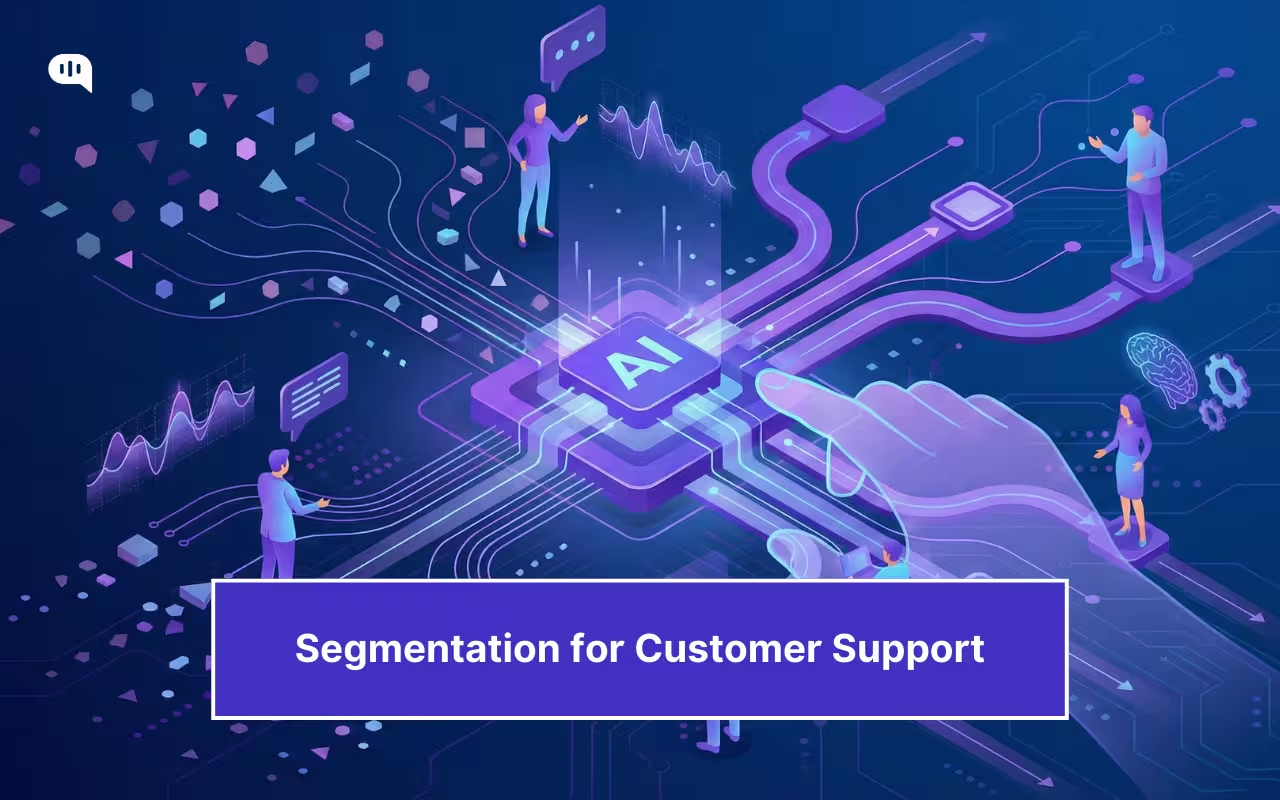
The best support teams route smarter, so that the right customers get the right level of help with the least possible effort. That efficiency doesn’t come from treating everyone the same. It comes from designing support that adapts across customer segments: what can be automated, what needs a human, what requires guardrails, and what must be prioritized.
At its core, customer segmentation means dividing a customer base into groups based on shared characteristics to deliver more relevant experiences.
But in 2026, that idea has to move from “lists and labels” to real-time decisioning inside your support system.
Because the same message can represent completely different situations:
- “Cancel my account” could be a low-stakes trial exit, or a high-stakes renewal escalation.
- “This doesn’t work” could be a simple how-to or the early signal of a churn event.
- “Refund” could be routine, or a fraud/compliance scenario where automation is risky.
So in AI-powered support, segmentation is no longer just about who the customer is. It’s a runtime classification of:
- Context: Identity, plan, history, and account state
- Need-state: What they’re trying to do right now
- Risk: What can go wrong if the AI is wrong
- Policy: What the AI is allowed to do (and when to escalate)
That’s how you design AI support without treating users like buckets: you keep segments actionable, explainable, and tightly tied to decisions (routing, automation boundaries, escalation triggers). We’ll cover:
1. Why Does Customer Segmentation Matter Now?
2. Which Segmentation Types Should You Use?
3. Which Type of Behavioral Segmentation Works Best?
4. When Does Needs-Based Segmentation Outperform Demographics?
5. What Customer Segmentation Models Should You Use?
6. How Do You Activate Segments in Support?
7. How Do AI Agents Use Segments?
8. How Do You Measure Segmentation Performance?
9. What Are the Best Segmentation Examples?
10. Where Can You Get Segmentation Templates?
11. Conclusion
12. FAQs
Why Does Customer Segmentation Matter Now?
Support efficiency is no longer tied to deflection.
In 2026, support efficiency means delivering the right experience to each customer segment.
That shift is happening because customer expectations are rising, self-service is the default entry point, and AI is being adopted despite absolute trust and governance constraints.
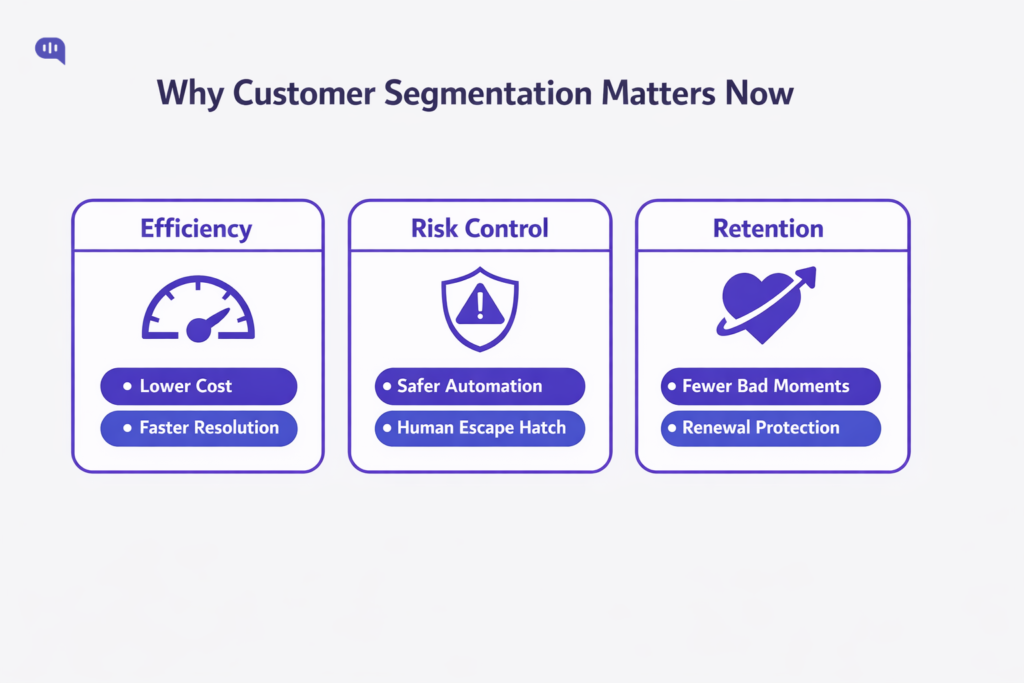
In this environment, segmentation adds some core benefits:
Reduces Cost Without Harming CX
Customers start with self-service, but they don’t reliably finish there. Harvard Business Review reports that 81% of customers try to handle matters themselves before reaching a live representative. Yet Gartner found that only 14% of customer service issues are fully resolved through self-service, and even for “straightforward” issues, only 36% are fully resolved there. That gap is exactly where segmentation matters.
Segmentation lets you design two different efficiency systems at once:
- Automation-first for low-risk, high-clarity needs (fast answers, fewer touches)
- Assisted-first for high-friction, ambiguous, or repeat-contact patterns (guided troubleshooting, fewer loops)
This is also how you avoid “cheap” automation that creates expensive downstream workload. Segmentation helps you decide when to invest in better self-serve pathways versus when to route to humans early.
Protects Business in High-Risk < Moments
AI is expanding in support, but customer trust is not guaranteed. Gartner reports 64% of customers would prefer companies not to use AI for customer service, and 53% would consider switching if they found out a company was going to use AI for customer service. Their top concern is that AI will make it more challenging to reach a person.
That’s why segmentation is now a risk-control layer, not a marketing exercise. It enables “selective automation” policies like:
- Always-human for fraud, legal threats, charge disputes, safety, and regulated workflows
- Stricter guardrails for segments where a wrong answer has a high blast radius
- Guaranteed human escape hatches when frustration, uncertainty, or escalation signals appear
Governance expectations are also tightening. Gartner emphasizes that guardrails and granular permissions matter to prevent AI systems/agents from exposing private data, especially when they interact with external tools.
Segmentation provides a practical mechanism for applying those guardrails differently across contexts (e.g., which actions are allowed, which data can be used, when approvals are required).
Improves Retention and Expansion
Support is one of the few functions that touch customers at their highest-stakes moments. That makes segmentation a retention lever, not just an ops lever.
Two data points capture the economic reality:
- Bain’s loyalty research popularized the finding that a 5% increase in retention can raise profits by 25% to 95%.
- Zendesk reports 52% of customers will switch after a single negative impression.
Segmentation is how you prevent those negative impressions from landing on the wrong customers at the wrong time. It lets you prioritize “retention-critical” segments (renewal windows, repeated friction, high-value workflows) with:
- Faster routing and tighter SLAs
- Better context carryover
- Higher-quality human handoff
- Proactive outreach before churn signals harden into cancellation
In short, customer segmentation matters now because support has become both an efficiency engine and a trust engine, and AI makes the consequences of “treating everyone the same” show up faster.
In the next section, we’ll talk about the types of segmentation we can use.
Which Segmentation Types Should You Use?
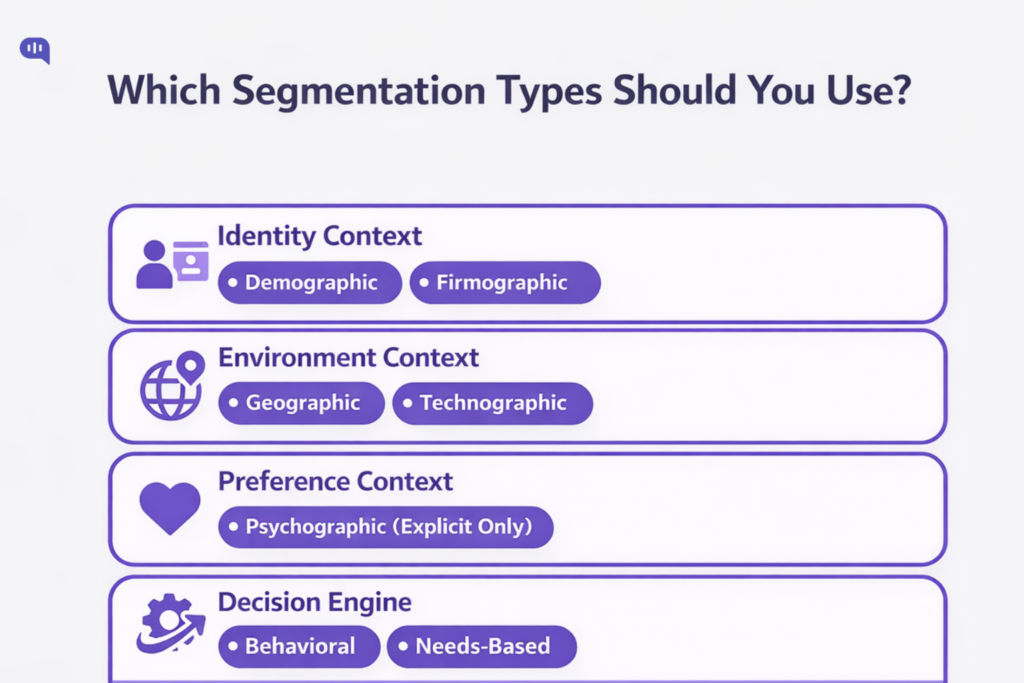
Most segmentation discussions start with four classic categories: demographic, geographic, psychographic, and behavioral.
For AI support in 2026, the question isn’t “which type is best?”
It’s: which types are safe and helpful to operationalize as routing logic, automation boundaries, retrieval filters, and escalation policies.
A practical rule: use each segmentation type only for the decisions it’s good at, and treat everything else as supporting context.
The six segmentation types that actually matter in support:
1. Demographic Segmentation
Demographic segmentation groups people by characteristics like age, income, education, etc. (Investopedia)
Use demographic segmentation in support of
- Language/localization defaults
- Accessibility needs (when explicitly provided)
- Time-zone aware routing and hours-of-coverage logic
Don’t use demographic segmentation for:
- Predicting complexity, urgency, or “who deserves” better support (it’s a weak proxy and a fast path to unfair experiences)
2. Firmographic Segmentation
Firmographic segmentation is the B2B analog to demographics: grouping companies by attributes like industry, size, revenue, and related factors.
Use firmographic segmentation in support of:
- SLA policy (enterprise vs SMB), support entitlement, and queue priority rules
- Compliance posture (regulated industry playbooks)
- Routing to specialized teams (e.g., “SSO-heavy enterprise admins”)
Don’t use firmographic segmentation for:
- Deciding whether to trust automation. Firmographics alone don’t tell you if the current request is low-risk or high-risk.
3. Geographic Segmentation (Environment + Policy Constraints)
Geographic segmentation groups by location (country/region/time zone) and is most valuable for policy and availability decisions.
Use geographic segmentation in support of:
- Regional incident routing and outage banners
- Data residency and jurisdiction-specific workflows
- Language/legal copy variations (where required)
4. Technographic Segmentation (Stack-Driven Support Reality)
Technographic segmentation groups customers by their technology ownership and usage—the tools, platforms, devices, and integrations they run.
Use technographic segmentation in support of:
- Troubleshooting paths (OS/browser/device)
- Integration-aware routing (Salesforce/Zendesk/Shopify/SSO/etc.)
- Retrieval filtering (serve the proper docs for the customer’s stack)
In AI support, technographics often outperform firmographics for determining what help is relevant right now.
5. Psychographic Segmentation (Use Sparingly)
Psychographic segmentation groups people by attitudes, values, lifestyle, interests, and related traits.
Use Psychographic segmentation in support only when explicit:
- Customer-selected preferences (“keep answers short,” “be technical,” “avoid phone calls”)
- Opt-in communication style settings
Avoid inferred psychographics because they can feel invasive, and they create stereotype risk.
Where Does Value-Based and Needs-Based Segmentation Fit?
Value-based segmentation groups customers by the economic value they provide (often LTV), so you can allocate resources accordingly. It’s helpful to use this as a prioritization input, not as a blanket “VIP experience” that overrides context.
Needs-based segmentation groups people by shared needs and priorities rather than by traits such as age or location. This is your bridge from “customer attributes” to what the customer is trying to accomplish in this moment.
A simple customer segmentation strategy for AI support
Use a layered approach (not buckets):
- Identity context: Firmographic/demographic (entitlements, SLA, compliance posture)
- Environment context: Geographic/technographic (policy constraints, relevant troubleshooting/retrieval)
- Preference context: Psychographic (explicit only)
- Decision engine: Behavioral + needs-based (what will resolve this fast and safely?)
That combination gives you a customer segmentation framework that’s actionable, explainable, and safer to automate.
Identity segments (demographic/firmographic) tell you who the customer is. Environment segments (geographic/technographic) tell you what constraints they operate under. But neither reliably tells you what matters most in support: what is happening right now.
That’s why behavioral segmentation becomes the highest-leverage layer in an AI support system.
Which Type of Behavioral Segmentation Works Best?
Behavioral segmentation groups customers based on their actions, interactions, and usage patterns.
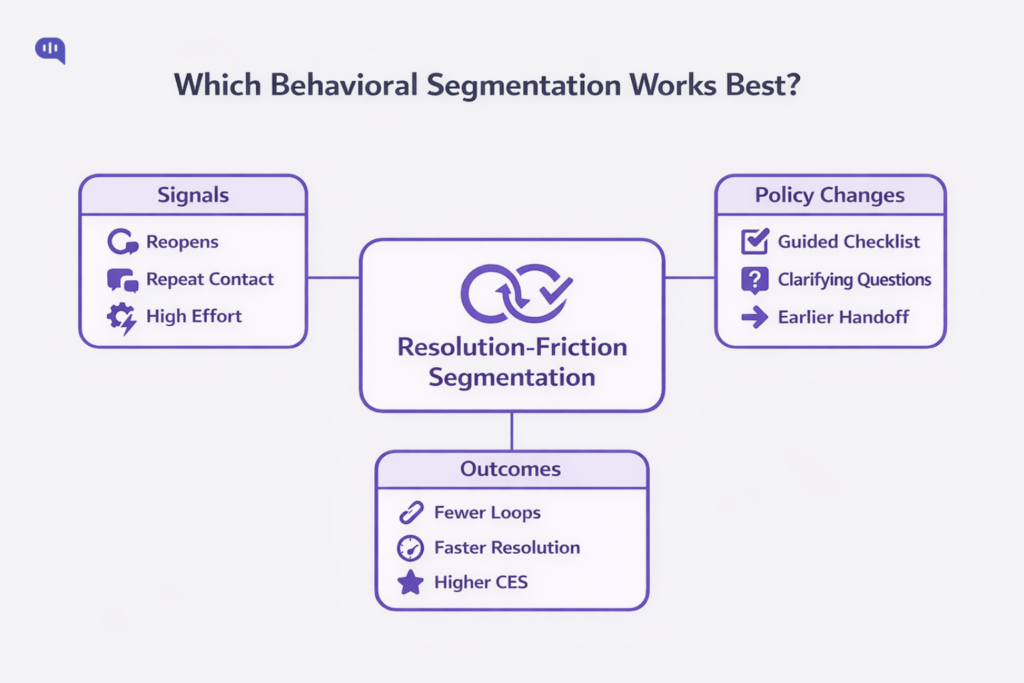
For AI support in 2026, the behavioral segmentation that works best is resolution-friction (outcome-linked) behavioral segmentation: segments built from signals that predict whether a customer will resolve quickly or get stuck and loop (and therefore needs a different support experience).
Why this type works best (in support, not marketing):
- It maps cleanly to operational decisions (route, escalate, guide, or automate).
- It’s measurable from support + product telemetry, not inferred personas.
- It improves the two things self-service commonly fails at: relevance and understanding the customer’s intent.
A behavioral segment is “best” when it meets three criteria:
- Predictive of resolution risk (Will this customer finish, or bounce and return?)
- Actionable (Does it change bot scope, retrieval depth, UX pattern, or handoff timing?)
- Explainable (Agents and ops can answer: “Why did we treat this customer differently?”)
Let’s explore the types of behavioral segmentations that enterprise support processes use:
1. Resolution-Friction Segmentation (Best Overall)
This is your highest-leverage system: segment customers by signals that indicate incomplete resolution and avoidable effort.
High-signal inputs (support-native):
- Ticket reopens (A closed issue needed more work).
- Following issue avoidance / repeat issue patterns (Customers returning for the same problem).
- Customer effort (How hard it was to resolve the issue).
What you do with it (policy implications):
- If friction signals are high → Switch from “answer” to “guided resolution” (checklists, structured troubleshooting, confirmations, fewer open-ended replies).
- If friction repeats → Earlier human handoff with context (summary, prior steps attempted, account state).
Ship-fast segments:
- Reopen-prone: Ticket reopened within X days → route to senior queue + force verification step before closing.
- Repeat-issue: Same intent/topic repeated within X interactions → skip generic KB response; use guided flow or agent.
- High-effort: Low CES / high friction feedback → prevent “deflection loops”; offer a clear escalation path.
2. Self-Service Journey Segmentation
Most orgs over-measure “containment” and under-measure self-service failure modes.
That’s a segmentation opportunity: group customers by their journey pattern, not their plan.
Ship-fast segments:
- Content-bouncer: Starts in self-service but can’t find relevant content → route to concierge/bot flow that asks 1–2 clarifying questions and narrows retrieval. (Gartner)
- Assisted-after-self-serve: Touched self-service then escalated → treat as “already tried,” skip basics, acknowledge prior effort. (Gartner)
Why self-service journey segmentation works: it directly targets relevance and intent matching, without guessing who the customer is.
3. Product-Usage Maturity Segmentation
Product-Usage maturity segmentation segmentation groups customers by how they use the product (new, adopting, power-user, admin) and is most useful for:
- Choosing depth of explanation (quick fix vs guided training)
- Selecting the proper docs (beginner quickstart vs advanced configuration)
- Controlling automation scope (what the bot should attempt before escalating)
This works best when you keep it operational (events, features used, setup completion), not identity-based assumptions.
4. Escalation-Propensity Segmentation
This segmentation segments customers by patterns that correlate with escalation likelihood (e.g., repeated back-and-forth, prior escalations, unresolved history) and translates into:
- Stricter confidence thresholds
- Faster “human option” surfacing
- Safer tool permissions for AI
You should use this as a guardrail amplifier, not a priority system.
Resolution-friction behavioral segmentation works best for customer support because it uses observable signals (reopens, repeats, effort) to predict resolution risk and drive clear policy changes without stereotyping customers.
Another way to go beyond demographic segmentation is to focus on need-based segmentation.
When Does Needs-Based Segmentation Outperform Demographics?
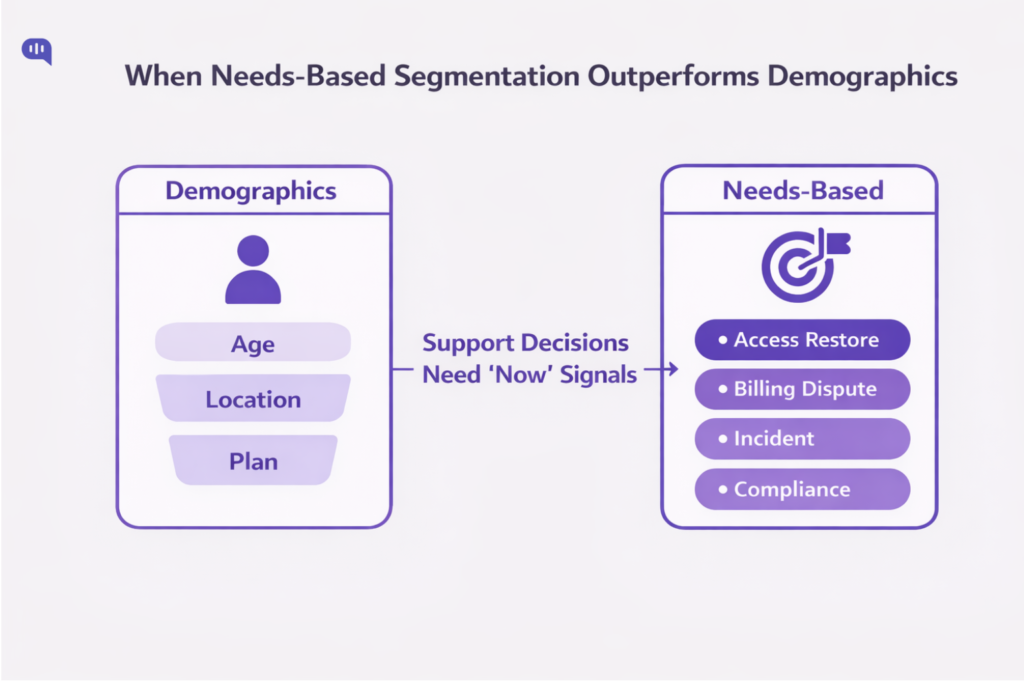
Needs-based segmentation wins when “who they are” doesn’t predict “what they need”
Needs-based segmentation groups customers by the outcomes/benefits they’re trying to achieve.
In support, that distinction matters because the same demographic segment can contain customers with radically different intents, risks, and urgency. This is an old lesson in segmentation: demographic-only cuts often don’t provide enough strategic direction compared with segmentation based on what customers require or seek.
When Should You Use Need-Based Segmentation?
1. When the Same Segment Shows Multiple “Jobs” – If one customer message could mean several different underlying needs (“cancel,” “refund,” “this doesn’t work”), demographics won’t disambiguate. Needs-based segmentation (often implemented as intent + outcome) will.
2. When Risk Varies More than Identity – Risk is often the hidden variable: fraud, charge disputes, compliance, safety, account access, and irreversible actions require different guardrails regardless of the user. Needs-based segmentation captures that by grouping by what’s at stake (benefit sought + consequence of error), not by profile.
3. When Self-Service Fails Because Relevance is Wrong – Many customers report that companies don’t understand what they’re trying to do and can’t surface relevant content. That’s a segmentation failure as much as a content failure—your system isn’t grouping people by the right need state.
4. When Roles Differ Inside the Same Account – In B2B, a single “enterprise customer” includes admins, agents, IT, finance, and end users. Their needs are different, even though the “customer segment” is identical in CRM. Needs-based segmentation outperforms demographics because it clusters by role-specific outcomes (e.g., SSO setup vs invoice correction).
5. When Outcomes Matter More Than Targeting – If the goal is resolution quality (FCR, reduced repeat contact, safe automation), needs-based segmentation performs better than demographics because it directly connects segments to service design decisions (routing, workflows, permissions). This is consistent with classic segmentation research, which argues for segmenting on underlying needs/benefits alongside descriptive data.
Support States and Automation Policies
If you want needs-based segmentation that’s operational (not academic), start with a small set of support “need states” and map each to automation policy:
- Access & Identity Restore (login, MFA, lockouts) → Guided flow + fast human option
- Billing & Charges (refunds, disputes, invoices) → Strict guardrails, confirmation steps, human-required for exceptions
- Break/Fix Incident (outage, degraded performance) → Incident-aware responses, status-first, priority routing
- How-To Guidance (configuration, setup, best practices) → Structured troubleshooting + contextual docs
- Policy & Compliance Clarification (DPA, data handling, security posture) → Authoritative sources only, human escalation for commitments
- Account Changes (cancellations, plan changes, data deletion) → High-friction verification + explicit consent + human approval gates
Where do Demographics Help?
Demographics (and firmographics in B2B) remain useful for constraints, but they should not be the primary determinant of how support behaves in a specific conversation.
The segmentation literature has warned for decades that traditional demographic segmentation often provides limited strategic guidance compared to non-demographic criteria tied to requirements and behaviors.
Now that we have a primer on the different types of segmentation and the roles they play, we can start understanding the frameworks you can use in your business.
What Customer Segmentation Models Should You Use?
Start with a simple premise: a “model” is only helpful if it changes a decision (routing, automation boundaries, retrieval filters, escalation triggers).
Customer segmentation, at its simplest, is grouping customers by how/why they buy or behave so that you can act differently by group.
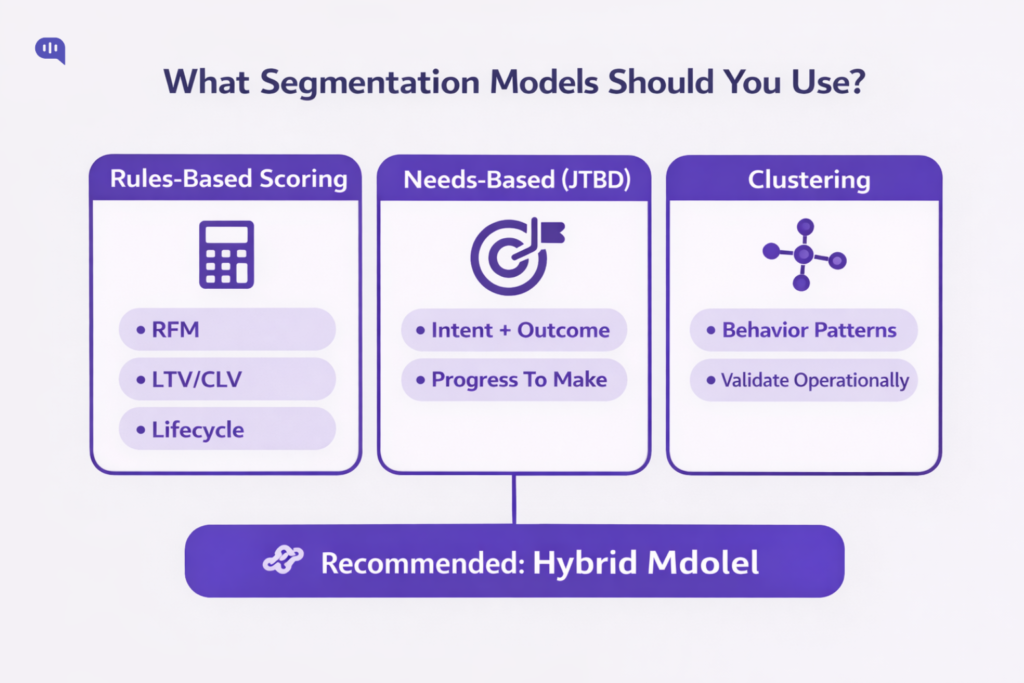
In practice, you’ll usually combine three model families:
Rules-Based Scoring Models
- RFM (Recency, Frequency, Monetary): best when you have meaningful transaction/usage cadence and want simple “engagement/value” tiers.
- CLV/LTV-based: best when you can estimate forward-looking value (subscriptions/renewals/expansion) and need priority logic that reflects long-term economics.
- Lifecycle/maturity (onboarding → adoption → scale → renewal): best when the “right answer” depends heavily on customer stage rather than account size.
Needs-Based Models
- JTBD / needs-based segmentation: best when the same “type of customer” shows up with different intent states. It groups by the progress customers are trying to make, not their profiles.
Data-Driven Clustering
- Unsupervised clustering (e.g., k-means) is functional when you have many behavioral features and want clusters to emerge from similarity rather than hand-written rules. (It’s powerful—but you must validate that clusters map to fundamental operational differences.)
Our recommendation: Use a hybrid: needs-based for what’s happening now, friction/value scoring for how carefully you should behave, and clustering only after you’ve stabilized the first two.
Now, let’s talk about what a functional framework looks like.
Which Framework Prevents Segmentation Chaos?
Segmentation chaos happens when segments multiply faster than your team can explain, activate, and audit them.
A reliable constraint from classic segmentation work: effective segmentations focus on one or two issues and must be redrawn once they lose relevance.
Use this framework to keep segmentation tight:
1. Limit the “Decision Surface.” – Write down the few decisions segmentation is allowed to control:
- Routing / SLA
- Automation eligibility
- Tool permissions (what the AI can do)
- Retrieval scope (which sources it can use)
- Escalation triggers
Anything else is “context,” not a segment.
2. Run a Two-Tier Segmentation Architecture –
- Tier A: Stable segments (slow-changing) — plan/entitlements, region/compliance constraints, tech stack
- Tier B: Runtime segments (fast-changing) — need-state (intent/JTBD), friction signals (repeat/reopen), and risk flags
3. Require “Segment Reasons.” – Every segment assignment must be explainable in one line (what signal caused it), otherwise it’s not operational.
4. Govern it Like an AI Risk System – If AI is using segments to make or constrain decisions, treat segmentation as a governance surface: map context, measure performance, and manage drift and harms.
Once you build the framework, implement a standardized segmentation strategy to operationalize it.
How do you Build a Segmentation Strategy?
A workable segmentation strategy follows this sequence:
1. Start from Outcomes – Pick 2–3 outcomes segmentation must improve (e.g., reduce repeat contact by intent, improve first-contact resolution, reduce time-to-human for high-risk needs).
2. Choose the Unit of Segmentation – For AI support, this is often conversation-level (runtime) plus account/user-level (stable).
3. Pick your Model Mix.
- Needs/JTBD for routing and retrieval relevance
- RFM/CLV/lifecycle for prioritization and resourcing
- Clustering only if you have sufficient clean telemetry and a plan to validate cluster operationally
4. Validate with “Policy Tests” – Before rolling out, run a small set of scenarios: “If we classify X as Segment Y, do we take the right action?”
5. Activate in the Workflow – If segments don’t change routing, bot behavior, or escalation, they’re not a strategy—they’re labels.
6. Redraw periodically – Segments that were useful in Q1 can become noise by Q3; treat segmentation as a living system.
To construct your segments, you should collect all available data on your contacts and prospects.
What Data Should Power Your Segments?
Use a minimum viable dataset that’s purpose-bound, auditable, and strong enough to drive decisions.
Core Sources :
- CRM/account: Plan, entitlements, industry, owner, renewal window
- Billing: Payment failures, disputes, refunds, contract terms
- Product analytics: Onboarding completion, key feature events, error states
- Support system: Intents, reopen/repeat contact, escalation history
- Conversation telemetry: Intent classification, confidence, sentiment/urgency signals
Two guardrails matter:
1. Purpose Limitation / Relevance – Collect and use data only for specified purposes and keep it relevant to those purposes—privacy principles emphasized in OECD guidance.
2. Data Quality over Data Volume – If fields are stale or inconsistent, you’ll create unfair routing and brittle automation. Prefer fewer, reliable signals to dozens of noisy ones.
Once you have the operational segments created in your database, focus on activating them across your support funnel.
How Do You Activate Segments in Support?
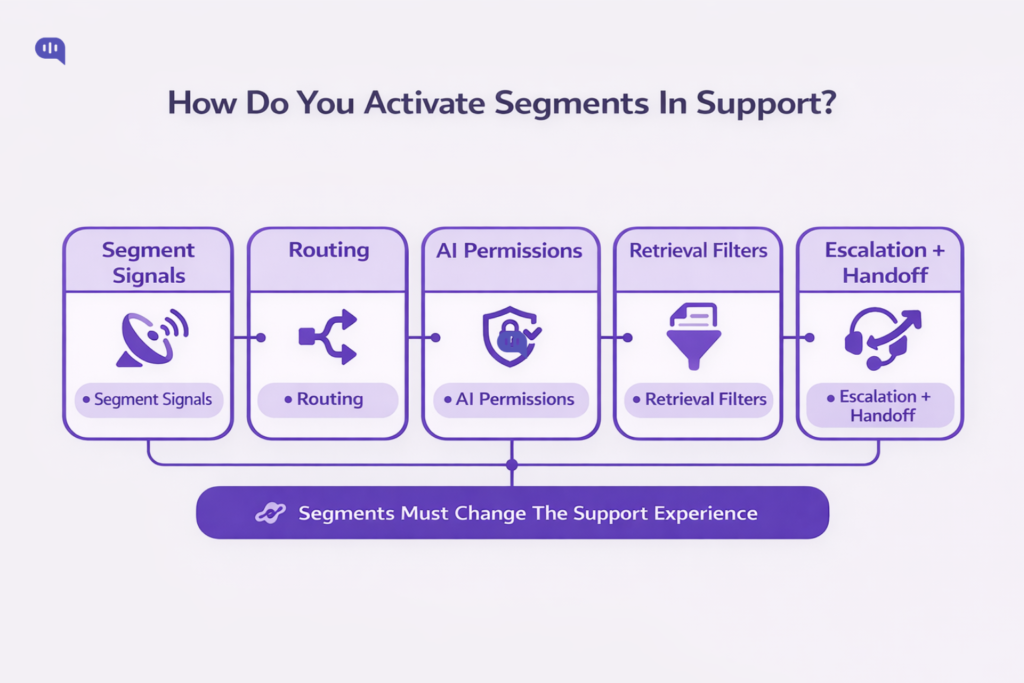
Segmentation only matters when it changes the support experience. Activation is the work of converting segments into operational controls so the right customers get the right level of help at the right time.
1. Start with a Segment-to-Decision Map
Before you touch tooling, define the only decisions segmentation is allowed to influence:
- Routing: Which queue/team/agent gets it
- Priority: What gets handled first
- Automation scope: What the AI can do vs what it must not do
- Retrieval scope: What sources the AI is allowed to use
- Escalation: When and how handoff happens
This prevents “segments everywhere” and keeps activation explainable.
2. In your Routing Engine
Most support orgs already have routing infrastructure; segmentation makes it intent- and policy-aware.
Omnichannel routing is the simplest activation point because it routes requests across channels while factoring in agent status, capacity, skill set, and ticket priority.
What to implement
- Queue design by segment: e.g., Billing & Disputes, Renewal Risk, Technical Integrations, Outage/Incident (small number, high clarity).
- Skills-based routing for specialization: route by skills (product area, language, customer/account expertise). Zendesk explicitly describes using skills in omnichannel routing to route calls from specific customers to the agents responsible for those accounts.
- Tags/triggers to attach segment context: Zendesk’s setup flow highlights using triggers to assign groups/skills and to mark which email-origin tickets should be routed (via an auto-routing tag), and recommends planning configuration to minimize disruption.
- Comparable setup in Salesforce ecosystems: Salesforce’s Trailhead covers enabling Skills-Based Routing as part of Enhanced Omni-Channel routing.
Rule of thumb: Use routing to determine who should handle a ticket; don’t overload it with profound personalization logic.
3. In Self-Service
Self-service is where segmentation has the highest ROI because most failures are mismatch failures (wrong path, wrong content, wrong understanding).
What to Implement:
- Segment-Aware Concierge Prompts: If a user’s segment indicates “already tried self-serve” (doc-bouncer, repeat contact), the AI should skip basics and ask 1–2 high-signal questions to narrow the need-state.
- Segment-Aware Retrieval Filters: Technographic segments (stack/integration) and role segments (admin vs end-user) should constrain which documents are eligible, improving relevance without bloating the KB.
- Proactive Segment Triggers: Use customer account, interaction, and product usage data to predict customer needs and improve self-service resolution.
4. As Automation Boundaries and Permissions
Translate segments into “allowed actions.”
- Low-risk, high-clarity segments: AI can answer, guide, and verify outcomes.
- High-risk segments (billing disputes, compliance commitments, account changes): AI can inform and collect context, but must require confirmations, approvals, or immediate handoff.
Keep it binary where possible: allowed / not allowed, with a short “why” attached.
5. Through Escalation Design
Do not wait for the user to type “human.” Escalation should be segment-driven:
- Needs-based triggers: fraud/dispute/legal/compliance → human-first
- Behavioral triggers: repeat contact, reopens, “already tried” patterns → earlier handoff
- Self-service failure triggers: doc-bounce patterns → guided flow or agent
Design handoffs so they carry context (what they tried, what the system inferred, what’s at stake); otherwise, segmentation just moves pain between queues.
A Practical Activation Template
Use this as your “definition of done” for every segment:
Segment name:
- Entry criteria (signals): (what must be true)
- Exit criteria: (when it stops applying)
- Routing: (queue/skills/priority)
- AI behavior: (tone + depth + flow)
- Allowed actions: (tools/changes permitted)
- Escalation triggers: (hard + soft)
- Success metrics: (segment-level FCR, repeat contact, time-to-human, post-handoff CSAT)
Now that you’ve activated your segments, let’s talk about how AI agents can use customer segmentation at scale.
How Do AI Agents Use Customer Segments?
In AI support, segments aren’t “labels.” They’re a control plane: they decide what the agent is allowed to do, what it should retrieve, how it should respond, and when to hand off: so automation stays useful, safe, and consistent. Modern AI governance frameworks emphasize risk management, transparency, privacy, and fairness as core requirements for trustworthy AI systems.
How do AI agents use Segments?
AI agents typically use segments in four concrete ways:
1. Policy gating (what the agent may do)
2. Retrieval scoping (what knowledge it may use)
3. Workflow routing (who should handle it, and how fast)
4. UX/tone control (how the interaction should feel)
Practically, this looks like:
| Segment dimension | Typical signals | How the AI should change its behavior | What to log (“reason code”) |
| Need-state (JTBD/intent) | “refund,” “cancel,” “SSO,” “outage,” “invoice.” | Switch to the proper flow: guided troubleshooting vs status-first vs policy explanation | Detected intent + confidence |
| Risk tier | billing disputes, fraud keywords, legal/compliance topics, irreversible actions | Restrict tool use, require confirmations, escalate earlier, and avoid “commitments.” | Risk trigger fired + rule ID |
| Behavioral friction | repeat contact, reopens, “doc bounce,” lengthy back-and-forth | Skip basics, ask 1–2 clarifiers, switch to guided resolution, and earlier human option | Friction signal + threshold crossed |
| Value/relationship context | renewal window, critical account, SLA entitlement | Priority routing and tighter response targets; preserve context in handoff | Priority rationale (e.g., “renewal<30d”) |
| Environment/tech context | integration detected, OS/browser, region | Filter retrieval to the proper docs; apply jurisdiction constraints | Retrieval scope + sources used |
| User preference (explicit) | “keep it short,” “technical details,” channel preference | Adjust verbosity, formatting, and channel-appropriate tone | Preference flag source |
The “Reason Codes” listed in the last column are what help you when you try to audit AI agent behavior.
How do you Govern AI Segmentation?
Governance is what keeps segmentation from turning into “silent discrimination” or “random personalization.” It’s also how you prove that segment-driven automation is purpose-bound, auditable, and stable under drift.
A practical governance model maps well to widely used risk-management approaches:
| Control | What it prevents | What you implement | Cadence/owner |
| Segment registry | “Shadow segments” and untraceable logic | One source of truth: segment definition, entry/exit rules, allowed actions, KPIs | Monthly / Ops + Eng |
| Policy-as-code | Inconsistent behavior across channels | Versioned rules that gate tools, retrieval sources, and escalation triggers | Per release / Eng |
| Reason codes + audit logs | “Why did the AI do that?” gaps | Log segment assignment + triggers + action taken + sources used | Always-on / Eng |
| Holdout tests | Vanity “containment wins” that harm CX | Keep a control group with baseline policy; compare outcomes by segment | Quarterly / Analytics |
| Drift monitoring | Segments decaying over time | Track shift in intent mix, thresholds, misroutes, escalation rates | Weekly / Ops |
| Human oversight paths | Automation trapping users | Always-available human option + agent override of segment | Always-on / Support |
| Incident playbooks | Slow response to harms | Defined SEV paths for: wrongful automation, biased routing, unsafe actions | As needed / Ops |
If you operate in regulated contexts (or deploy higher-risk automation), it’s helpful to align oversight to external expectations: transparency when users interact with chatbots, human oversight, and continuous risk management are recurring themes in major regulatory/government guidance.
A significant theme in AI governance is bias mitigation, and there are a few steps you can use for that process in particular.
How do you Prevent Segmentation Bias?
Bias in segmentation rarely shows up as an explicit “protected class” feature. It shows up as proxy bias (e.g., geography, language, channel, device, payment method, usage patterns) that yields systematically worse outcomes for specific groups.
Good practice is to combine:
- Purpose Limitation + Data Quality (privacy and governance)
- Fairness-Aware Design and Testing (bias detection + mitigations)
- Human Intervention and Recourse (users can escape bad automation)
Here’s how you can manage some common biases that show up:
| Bias risk | Where it appears in support | How to detect it | Mitigations |
| Proxy discrimination | Certain regions/languages get slower routing or “bot-only” loops | Compare time-to-human, escalation success, CSAT by region/language/channel | Remove/limit proxy features; set fairness constraints; add guaranteed human path |
| Unequal error rates | Intent detection misclassifies particular dialects or writing styles | Measure misroute rates and “wrong answer” flags by locale/channel | Add locale training data; tighten confidence thresholds; add clarifying questions |
| Value bias (“rich get humans”) | Low-tier users are trapped in automation, even in high-risk needs | Audit by need-state + risk tier, not plan tier | Risk-first escalation rules; decouple risk from account value |
| Feedback loop bias | Segments learn from biased historical outcomes (“they always escalate”) | Monitor drift and re-segmentation patterns; look for self-fulfilling loops | Use holdouts; cap reinforcement; periodic reset + human review |
| Content access inequality | Retrieval favors docs written for one persona | Lower resolution rates for specific roles (admins vs end-users) | Retrieval filters by role/stack; diversify KB; measure resolution by cohort |
Regulators and standards bodies emphasize fairness, transparency, and human-centered safeguards as part of trustworthy AI.
Before using an AI agent to automate L1 across your support flows, it is helpful to prepare the axes outlined above. So, we’ve prepared a minimum viable checklist for the same.
Minimal “Ready-to-Ship” Checklist
- Define 6–10 runtime segments (need-state + risk + friction) before adding more
- Attach a reason code to every segment assignment
- Gate tools/actions by risk tier (not by customer stereotypes)
- Log: segment → policy → action → outcome end-to-end
- Run holdouts to verify you’re improving outcomes, not just containment
- Audit outcomes by proxy attributes (channel/locale/region) to catch bias early
Once you’ve set up your AI agents for segmentation success, you can start regularly measuring their performance.
How Do You Measure Segmentation Performance?
Segmentation “works” only if it improves outcomes per segment. The goal is to prove that segment-driven routing, automation, and guardrails increase resolution quality, reduce customer effort, and protect trust/safety.
Measure Segmentation on Three Layers
1. Outcome KPIs (Did customers get resolved?)
2. Mechanism KPIs (Did the segment change behavior as intended?)
3. Risk/Fairness KPIs (Did we avoid harm and unequal outcomes?)
| KPI | What does it tell you | How to calculate | Why it matters for segmentation |
| First Contact Resolution (FCR) | Did the segment help resolve in one touch? | One-touch tickets ÷ total tickets | Best “resolution quality” anchor metric per segment |
| First Response Time (FRT) | Did priority/entitlements routing work? | Total first response time ÷ tickets | Validates routing + staffing impact by segment |
| Time-to-Human (TTH) | Did high-risk/high-friction segments reach humans faster? | Time from start → first human message | Ensures no segment is trapped in automation |
| Repeat Contact Rate (by intent) | Did we actually solve, or just deflect? | Repeat contacts for the same intent within X days ÷ customers | Detects “contained but unresolved” failure modes |
| Reopen Rate | Are we closing too early in some segments? | Reopened tickets ÷ resolved tickets | Flags false positives in “resolved” classification |
| Customer Effort Score (CES) | Did the segment reduce the effort to resolve? | Standard CES survey after resolution; trend by segment | CES is closely tied to loyalty; it excels at identifying “support loops.” |
| Post-handoff CSAT | Did segmentation improve handoff quality? | CSAT for conversations that escalated | Measures whether “routing right” actually helped humans finish |
Additionally, there are some specific metrics that you can use for risk management.
| Guardrail metric | Definition | Why it matters |
| Wrongful automation rate | % of conversations that should have escalated but didn’t | Direct measure of “AI shouldn’t have handled this.” |
| Wrongful escalation rate | % escalations that AI could have resolved I safely | Measures wasted human capacity |
| Policy breach rate | AI made prohibited commitments/actions (by segment) | Core governance proof-point |
| Sensitive-topic containment | % high-risk intents (billing disputes, compliance, account changes) contained | Should generally be low unless explicitly designed safe paths |
| Human escape success | % users who can reach a human when they try | Direct trust metric; prevents “trap” perception |
| Incident rate by segment | SEVs tied to segment logic (misroute, unsafe action) | Detects “segment caused harm” clusters |
When you measure these metrics consistently, you can start building conviction on which way to proceed. We’re also going to arm you with the methodology we use with our clients to validate these improvements.
How to Validate Improvements?
1. Always use Holdouts – Run a small % of traffic with baseline policies (no segment-based changes) to separate “seasonality/case mix” from actual gains.
2. Report Segment Performance – Overall averages hide regressions in minority cohorts (classic Simpson’s paradox problem).
3. Measure by “Intent × Segment” for Accuracy – The same segment can perform well overall while failing on specific high-stakes intents (billing dispute, cancellation, outage).
4. Tie Metrics to Decisions – If a segment doesn’t change routing/automation/escalation, you can’t claim impact.
Now that we understand how to operationalize segmentation and measure its performance, we can discuss examples of effective segmentation.
What Are the Best Segmentation Examples?
Let’s understand how segmentation performs in real life through a couple of cases we’ve heard on our customer success calls. The pattern is simple: the segment triggers a different support path (different questions, different guardrails, different handoff timing).
Example 1: “Self-Serve Failed” (Behavioral Segment)
A D2C brand told us they kept seeing the same loop: customers would browse Help Center articles, then jump into chat/WhatsApp with “still not working” or “I tried this already.” The bot would respond with generic KB snippets, and the customer would repeat themselves—creating repeat contacts and frustration.
What changed with segmentation: once a user matched the “self-serve failed” behavior (multiple article views + quick chat entry, or repeated intent within a short window), the AI stopped giving broad answers.
It asked 1–2 clarifying questions, switched to a guided checklist, and surfaced a “talk to a human” option earlier.
Result: Fewer loops, faster resolution, and lower repeat contact for those intents.
Example 2: “Billing Dispute / Unauthorized Charge” (Needs-based + Risk segment)
A SaaS team shared that their biggest escalation spikes weren’t from “how-to” questions—they were from billing disputes (“charged twice,” “unauthorized,” “chargeback”). Treating these like regulartickets was risky: the wrong automated response could cause trust issues or compliance problems.
What changed with segmentation: The moment the conversation matched a billing-dispute need-state, automation was restricted.
The AI collected structured details (invoice/date/payment reference), avoided policy commitments, and escalated to a human immediately—with a clean summary attached.
Result: Safer handling, quicker time-to-human for high-stakes cases, and fewer back-and-forth messages.
When you have a good segmentation setup, the performance of your customer service stack improves. So, to help you further, let’s give you some usable templates.
Where Can You Get Segmentation Templates?
Templates matter because segmentation only becomes real when it’s repeatable: clear entry criteria, clear “what changes,” and clear metrics. Below are three copy-paste templates you can drop into your ops doc or Notion.
Template 1: Behavioral Segmentation (Resolution Friction)
Use this when you want to catch “loops” early so the AI switches from generic answers to guided resolution or faster handoff.
Segment name: Self-Serve Failed / Looping
Purpose: Prevent repeat contacts and bot loops after unsuccessful self-service
Entry criteria (choose 2–3):
- Viewed ≥ 2 Help Center articles within 15 minutes and started chat within 10 minutes
- Same intent detected ≥ 2 times within 7 days
- Ticket reopened within 7 days (or “still not fixed” message detected)
Exit criteria: Issue resolved/verified or no repeat contact for 14 days
AI behavior changes:
- Ask 1–2 clarifying questions before answering
- Switch to a step-by-step checklist (guided flow)
- Offer “Talk to a human” earlier (after 1 failed attempt)
Routing/Escalation: Escalate immediately if frustration signals spike or verification fails
What the AI must NOT do: Repeat the same KB snippet twice without new info
Success metrics:
- Repeat contact rate by intent ↓
- Reopen rate ↓
- Time-to-resolution ↓
- CES/ “effort” feedback ↑
Template 2: Needs-Based Segmentation (Billing & Disputes)
Use this when the “need-state” carries risk—money, fraud, chargebacks—where the downside of incorrect automation is high.
Segment name: Billing Dispute / Unauthorized Charge
Need statement: “I need you to investigate and fix a billing problem safely.”
Entry triggers (keywords + signals):
- “charged twice,” “unauthorized,” “chargeback,” “dispute,” “refund not received”
- Payment failure + angry sentiment (optional)
What the AI should do:
- Collect structured info: invoice ID, date, amount, payment method last 4 digits, screenshots (if available)
- Explain the process and expected timelines (no promises)
- Generate a clean summary for the agent
What changes in automation policy:
- Restricted mode: AI cannot issue refunds/credits or make account/billing commitments
- Human-first escalation for chargeback/fraud terms
Escalation rule:
- Escalate immediately if fraud/chargeback terms appear
- Otherwise escalate after details are collected
Success metrics:
- Time-to-human ↓ (for disputes)
- Back-and-forth messages ↓
- Complaint reopen rate ↓
- Post-handoff CSAT ↑
Template 3: Needs-Based Segmentation (Access Restore / Account Lockout)
Use this for login/MFA/lockout flows where customers need fast resolution, but verification and guardrails matter.
Segment name: Access Restore (Login / MFA / Lockout)
Need statement: “I need access restored quickly without compromising security.”
Entry triggers (keywords + signals): “can’t log in,” “MFA,” “2FA,” “locked out,” “reset password,” “OTP not working.”
What the AI should do:
- Confirm identity-safe steps (non-sensitive prompts)
- Walk through a short decision tree (device/time sync/app codes/recovery codes)
- Verify success (“Are you able to log in now?”) before closing
What changes in automation policy:
- Guided mode: AI must use a checklist, not open-ended troubleshooting
- Escalate if verification fails or the user is stuck after X steps
Escalation rule:
- Escalate immediately for account takeover suspicion (“someone changed my email”)
- Escalate after 2 failed guided attempts for lockout loops
Success metrics:
- Time-to-resolution ↓
- Repeat contact rate ↓
- Security-related incidents (wrongful access advice) ↓
- CES ↓
The best segmentation templates don’t describe customers; they define triggers and policies that cause support to behave differently when needed.
Conclusion
Customer segmentation in 2026 is no longer a marketing exercise. It’s the operating system that determines how efficiently your support stack works across different customers and situations.
The best teams don’t “handle more tickets.” They route smarter, so the right users get the right level of help with the least possible effort. That requires moving beyond static buckets (“SMB vs Enterprise”) and designing segmentation as real-time decisioning: the same message (“cancel,” “refund,” “this doesn’t work”) can represent low-stakes guidance, renewal-risk churn, or high-risk billing disputes. In AI-powered support, segmentation becomes a runtime classification of context (identity, plan, history), need-state (what they’re trying to do now), risk (what can go wrong), and policy (what the AI is allowed to do and when to escalate).
Once you treat segments as a control layer, everything becomes measurable and governable. Behavioral segmentation catches loops early (repeat contact, reopens, self-serve failure) so AI can switch from generic answers to guided resolution or faster handoff. Needs-based segmentation outperforms demographics when intent and risk vary more than identity.
The goal is simple: activate segments into routing, automation boundaries, retrieval filters, and escalation triggers, then validate performance using segment-level outcomes such as FCR, time-to-human, repeat contact rate, and policy breach rate. Done right, segmentation lets you scale AI support without treating users like buckets.
FAQs
- What Is Customer Segmentation In Customer Support?
It’s grouping customers (or conversations) in ways that change support behavior so different needs are handled appropriately. - How Is Customer Segmentation Different In 2026?
Segmentation shifts from static labels (plan, company size) to real-time decisioning based on context, need-state, risk, and policy—so AI support stays accurate and safe. - What Are The Most Useful Segmentation Types For AI Support?
Behavioral and needs-based are usually the highest impact, supported by firmographic/technographic (entitlements and stack context) and explicit preferences. - How Many Segments Should We Start With?
Start with 6–10 operational segments that cover your highest-volume and highest-risk needs. Add only when you can explain, activate, and measure them. - How Do We Prevent “Bot Loops” With Segmentation?
Create a “self-serve failed / looping” behavioral segment and switch the experience: ask clarifying questions, use guided checklists, and offer earlier human handoff. - How Do Segments Affect What AI Is Allowed To Do?
Segments should control permissions: low-risk segments allow broader automation, while high-risk segments restrict actions, require confirmations, or mandate escalation. - What Metrics Prove Segmentation Is Working?
Track outcomes per segment: first contact resolution, repeat contact rate by intent, time-to-human, reopen rate, post-handoff CSAT, and policy breach rate.

Devashish Mamgain is the CEO & Co-Founder of Kommunicate, with 15+ years of experience in building exceptional AI and chat-based products. He believes the future is human and bot working together and complementing each other.