Updated on June 24, 2026
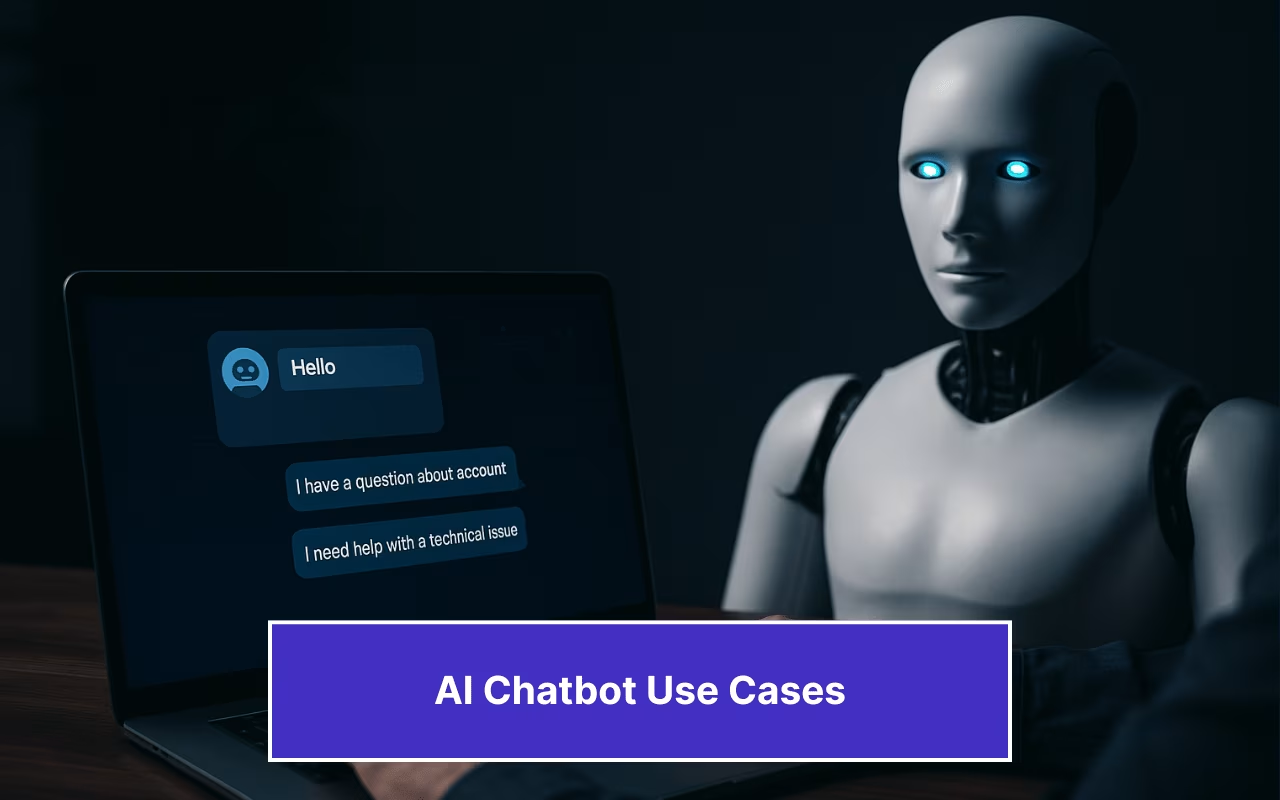
AI chatbots have quickly become indispensable for SaaS customer service teams, acting as always-on virtual agents that handle common questions, automate repetitive tasks, and free up human agents for higher-value work.
With the help of natural language processing and real-time integrations, these bots cut response times, boost customer satisfaction scores (CSAT), and deliver actionable insights. All without adding headcount.
In the following sections, we’ll explore eight use cases that drive measurable ROI and share actionable tips to help you get the most from your AI assistant:
1. 24/7 Automated Customer Support
2. Intelligent Ticket Triage and Routing
3. Proactive Issue Detection and Alerts
4. Self-Service Knowledge Base Integration
5. Customer Onboarding and Product Tours
6. Feedback Collection and Sentiment Analysis
7. Multi-Language Support and Localization
8. Appointment Scheduling and Service Booking
9. Best Practices for Seamless Implementation
Use Case 1 – 24/7 Automated Customer Support
AI chatbots are virtual assistants that operate 24/7. Chatbots can handle customer interactions around the clock, so your human agents can focus on the most complex queries.
They integrate with your knowledge base and internal customer relationship management (CRM) systems, enabling them to deliver instant responses to common questions, such as “How do I reset my password?” or “Can I upgrade my plan?”
They also guide users through a series of questions to resolve basic issues without any human intervention.
Chatbots provide answers in real time. This means that customers no longer have to wait for email replies, as their problems are solved immediately. This not only boosts customer experience, but it also drives higher customer engagement.
And since repetitive tasks, such as password resets or basic troubleshooting, are fully automated, your support team experiences a dramatic drop in ticket volume. Zapier reports that Learn It Live, an e-learning platform, saw a 40% reduction in support tickets after using support chatbots.
Use Case 2 – Intelligent Ticket Triage and Routing
AI-powered chatbots can categorize and prioritize incoming requests using machine learning models trained on historical chat logs. They can identify whether your query is a simple or complex task. So, once a customer submits their concern and answers a few questions, they can transfer your message to the right specialist. This could be, for example, a customer support agent or a sales agent, depending on what the user needs help with.
When you automate this process, you eliminate manual sorting and accelerate resolution times, allowing human agents to focus on strategic, revenue-driving conversations rather than repetitive tasks.
Use Case 3 – Proactive Issue Detection and Alerts
Rather than waiting for customer interactions, chatbots can continuously monitor user behavior, such as failed logins, repeated error messages, or unusual drops in feature usage. Then, they trigger proactive outreach before problems escalate.
Let’s say a user encounters a payment gateway error twice in a row. The bot can send a real-time alert (“We noticed you had trouble processing your invoice—can we help?”) and even walk them through a workaround or automatically create a high-priority support ticket.
By shifting support from reactive firefighting to preventive care, chatbots not only resolve issues faster but also reduce churn and enhance the customer experience.
Use Case 4 – Self-Service Knowledge Base Integration
AI-powered IT chatbots can automate 80% of repetitive tasks, according to Workativ. Chatbots can answer frequently asked questions (FAQs), solve common issues, and guide users through the features of their products.
Instead of waiting for a human agent to become available, customers can type their questions into the chat window and receive step-by-step answers right away.
Let’s take Mixbook’s technical support chatbot as an example.
Upon launch, the chatbot greets the user with questions like “How do I upload photos from my Mac?” “How to add pages or spreads in Mixbook Studio?” “How to add text?” These are common questions users ask when making a digital scrapbook or customizing cards.
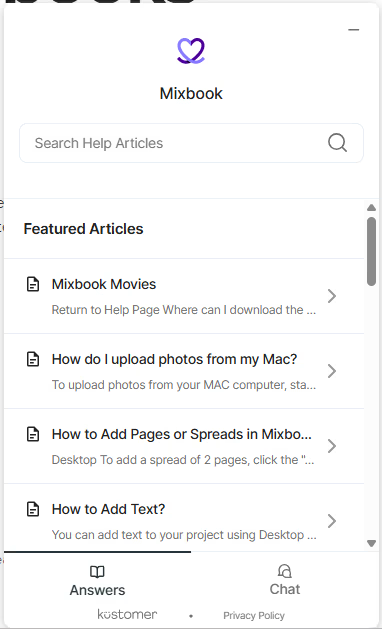
And, this is a great way for your team to analyze which articles people search for the most. You can continuously refine your knowledge bases by adding new how-to guides, improving existing content, and identifying gaps in your documentation.
Use Case 5 – Customer Onboarding and Product Tours
From the moment a new user signs up, chatbots act as friendly digital assistants, asking a series of questions to understand each customer’s needs and guiding them through the setup process with human-like responses. For organizations using an lms for onboarding, this pairing can help automate training reminders and provide contextual learning tips directly within the chatbot experience.
The chatbot may offer tailored product recommendations. For example, they might ask, “Would you like a quick tour of our analytics dashboard?” This ensures that users access valuable content immediately.
For example, SoFi, a digital financial institution, is leveraging AI-powered chatbots to streamline access to financing options for women entrepreneurs. The chatbots guide users through loan applications, automate FAQs and pre-qualification steps, and deliver personalized product recommendations based on credit history and business needs.
This way, SaaS platforms targeting business loans for women can significantly improve user engagement and conversion rates, ultimately driving return on investment (ROI) while promoting financial inclusivity.
Use Case 6 – Feedback Collection and Sentiment Analysis
You can use AI chatbots as real-time customer listening tools, prompting users in the chat window for net promoter scores (NPS). This is where you ask, “On a scale of 0–10, how likely are you to recommend us?” or “What could we improve?” as soon as your customer’s issue is resolved.
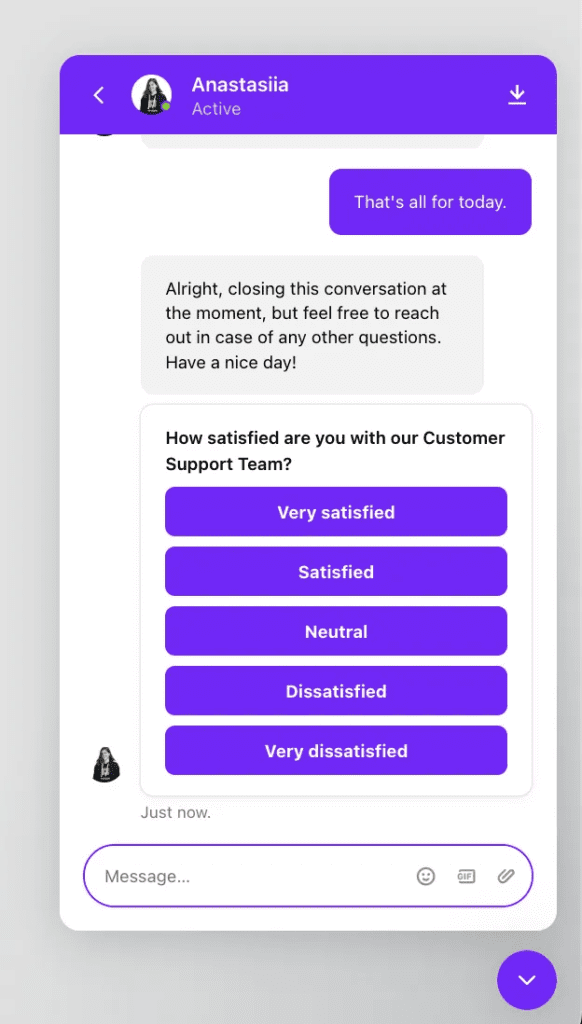
And, this is how your chatbots help you collect and analyze sentiment analysis information. It automatically classifies comments as positive, neutral, or negative and extracts key themes, such as “performance” or “usability,” without requiring manual intervention.
But whenever a user’s feedback contains urgency cues, like “I can’t” or “always fails,” the chatbot flags the conversation and hands it off to a human agent or account manager. This ensures at-risk customers receive immediate, personalized follow-up.
All quantitative scores and qualitative comments then feed directly into your analytics dashboards, giving product and support teams live, actionable insights on customer health across segments and regions.
This continuous feedback loop helps prioritize bug fixes, refine in-product messaging, and drive data-backed roadmap decisions, turning raw sentiment into a strategic advantage.
Use Case 7 – Multi-Language Support and Localization
Global SaaS brands can use conversational agents that help international audiences in their native language. This involves leveraging advanced technology in machine translation to ensure that the information provided by chatbots is of consistent quality across different regions.
This not only broadens your market reach but also reinforces localized marketing strategies, allowing your support team to engage users with the appropriate tone and examples.
Beyond translation, multilingual bots must also navigate regional data protection laws (like CCPA in California or GDPR in Europe), ensuring that personal information is processed and stored securely. Robust localization means adapting not only text but also workflows, like scheduling appointment reminders in local time zones or formatting dates and currencies according to regional conventions.
Furthermore, as chatbots become more deeply integrated into SaaS workflows—handling everything from license renewals to product feedback—companies should consider frameworks like the AI Bill of Rights to ensure their tools respect user privacy, transparency, and accountability, especially when handling sensitive customer data.
Use Case 8 — Appointment Scheduling and Service Booking
AI chatbots can streamline appointment and service bookings for SaaS and service-based businesses, offering 24/7 availability, instant confirmations, and reduced operational overhead.
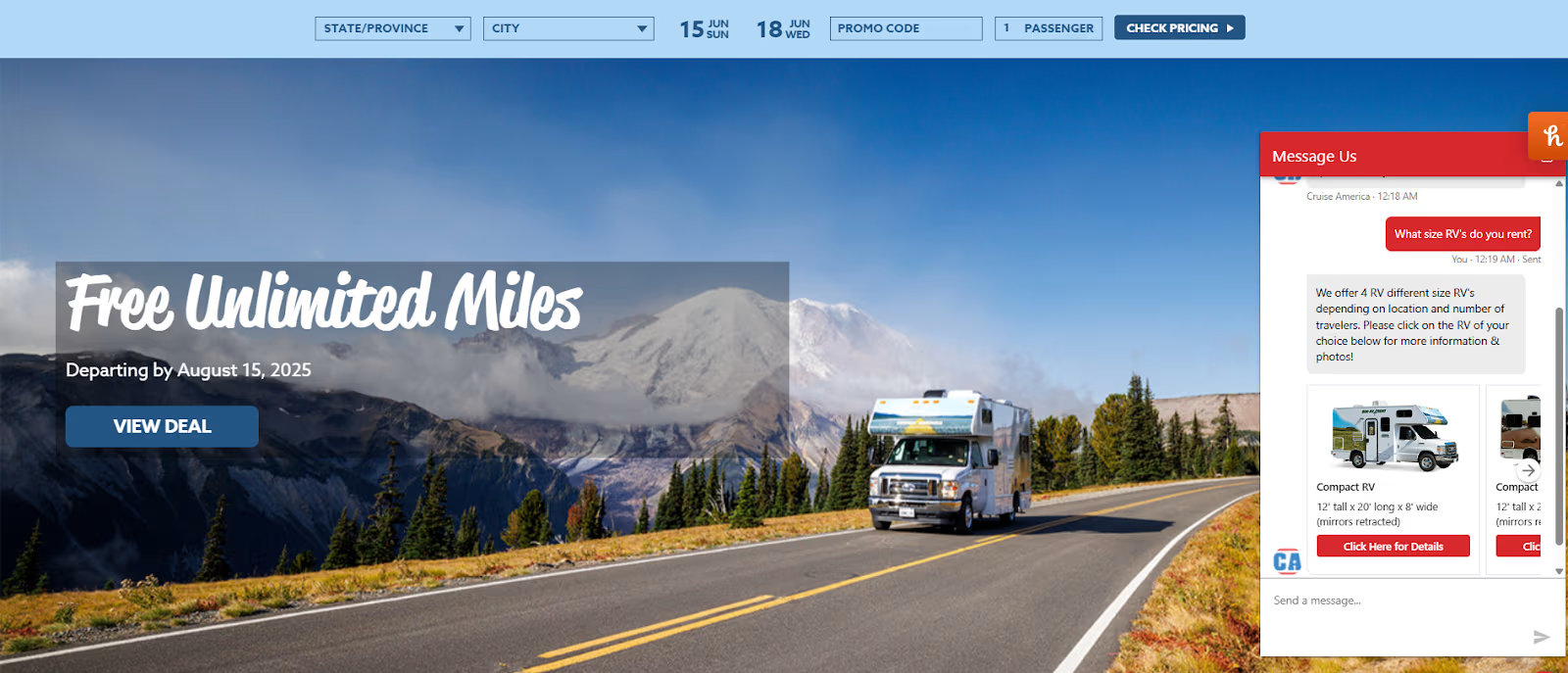
For example, Cruise America, a leading RV rental provider in the Bay Area, uses chatbots to automate RV bookings. Their bot displays real-time availability, vehicle details, rental pricing, and locations, guiding users through the entire process at any time, day or night. This improves customer experience and drives higher booking rates without increasing staff workload.
Best Practices for Seamless Implementation
Rolling out an AI chatbot doesn’t have to feel like rocket science. These simple, practical tips will help you launch faster, keep your bot learning, and ensure it works hand-in-hand with your human team.
Data-Driven Training
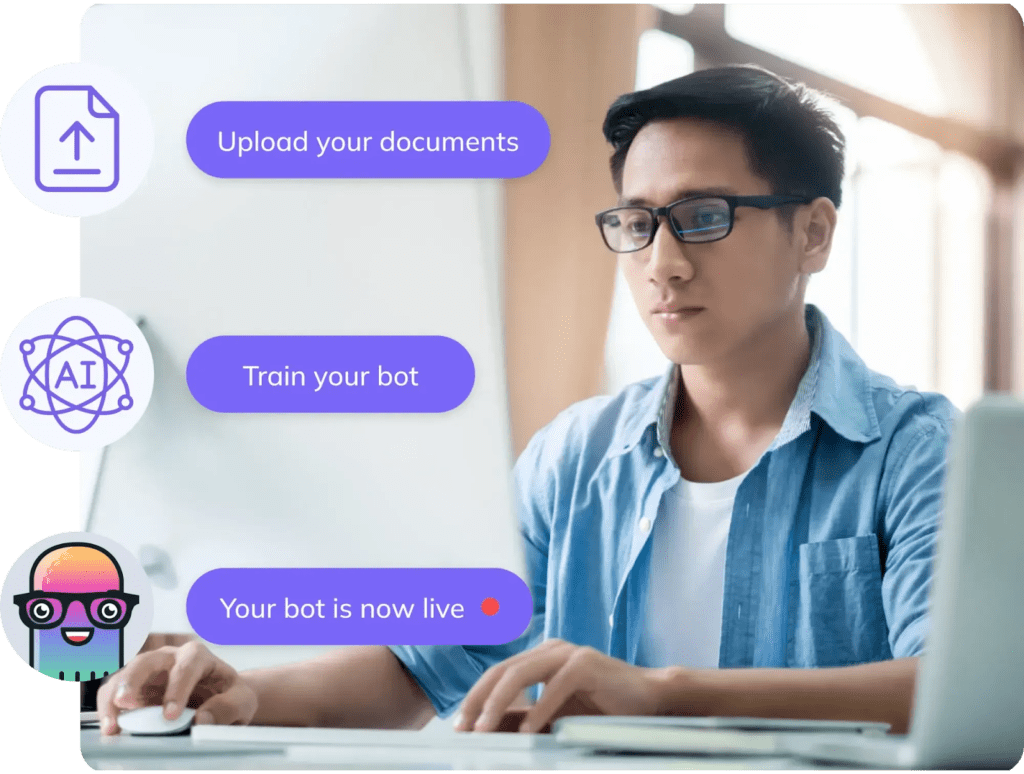
Kick things off by feeding your bot real chat logs, support tickets, and analytics. That way, it learns from actual customer questions, both the simple and the complex. And, it gets better at natural language understanding.
As you collect more interactions, keep expanding your bot’s training set to cover new scenarios and reduce misunderstandings.
Smooth Human Handoff
No bot can handle everything, so build in clear escalation paths. When your chatbot encounters a complex query or senses a frustrated customer, it should flag the conversation and instantly loop in a human agent. This handoff keeps customers feeling cared for and frees your support team to tackle the toughest issues.
Continuous Analytics and Tuning
Treat your bot like a living product. Monitor key metrics (first response time or resolution rate) and regularly review transcripts to spot gaps. Use those insights to refine intents, sharpen scripts, and even tweak related workflows, from email campaigns to appointment scheduling. That way, your chatbot stays in peak form.
End-to-End Workflow Integration
AI chatbots don’t only address FAQs. They’re now integral to intelligent workflows that boost revenue and streamline operations. By integrating chatbots with back-end systems (CRM, billing, analytics) and Agentic AI tools, you enhance not just customer support but also decision-making across the lifecycle.
From lead qualification to personalized onboarding and upselling, these advanced systems empower chatbots to act with more autonomy, automating smarter, context-aware decisions that deliver measurable ROI.
Conclusion
There you have it. Eight powerful chatbot use cases that are reshaping the SaaS industry.
Whether you’re:
- Automating 24/7 customer support
- Triaging tickets with machine learning
- Guiding new users through product tours
- Or gathering real-time NPS feedback
AI chatbots deliver efficiency, scale, and ROI without overloading your agents. Pair these capabilities with thoughtful best practices, like data-driven training and smooth human handoffs, and you’ll create a support ecosystem that feels both personal and proactive.
If you’re ready to see how Kommunicate.io’s advanced chatbot software can plug into your CRM, knowledge base, and analytics tools to drive growth across your sales funnel and customer lifecycle, get in touch. Let’s turn those routine tasks into revenue-generating opportunities—and make your support team’s life a whole lot easier.

Devashish Mamgain is the CEO & Co-Founder of Kommunicate, with 15+ years of experience in building exceptional AI and chat-based products. He believes the future is human and bot working together and complementing each other.