Updated on June 24, 2026

Recently, Mark Zuckerberg said, “The rest of this decade seems likely to be the decisive period for determining the path this technology (AI) will take.”
Zuckerberg and other technology CEOs are already working towards building superintelligent AI that will influence our everyday lives. AI agents and their capability to solve complex tasks without human intervention is going to play a huge role in making this possible.
Currently, these agents use LLMs to understand your goals, divide them into tasks, and complete them. They can be used for coding, marketing, sales, customer service, and back office work. Unlike basic AI applications that create content or answer questions, AI agents handle end-to-end actions and orchestrate complex, multi-step workflows aligned with your objectives, often using OpenAI function calling to trigger tools, APIs, and backend systems.
The field is evolving fast, and 2026 has seen hundreds (if not thousands!) of new AI agents launch. Seeing this hype and the potential $231 billion opportunity, the team at Kommunicate and I have been focused on testing out many of the best AI agents.
This article will tell you about the best AI agents and the best AI agent frameworks in the market. We’ll give you our unbiased opinion and help you get started!
11 Best AI Agents
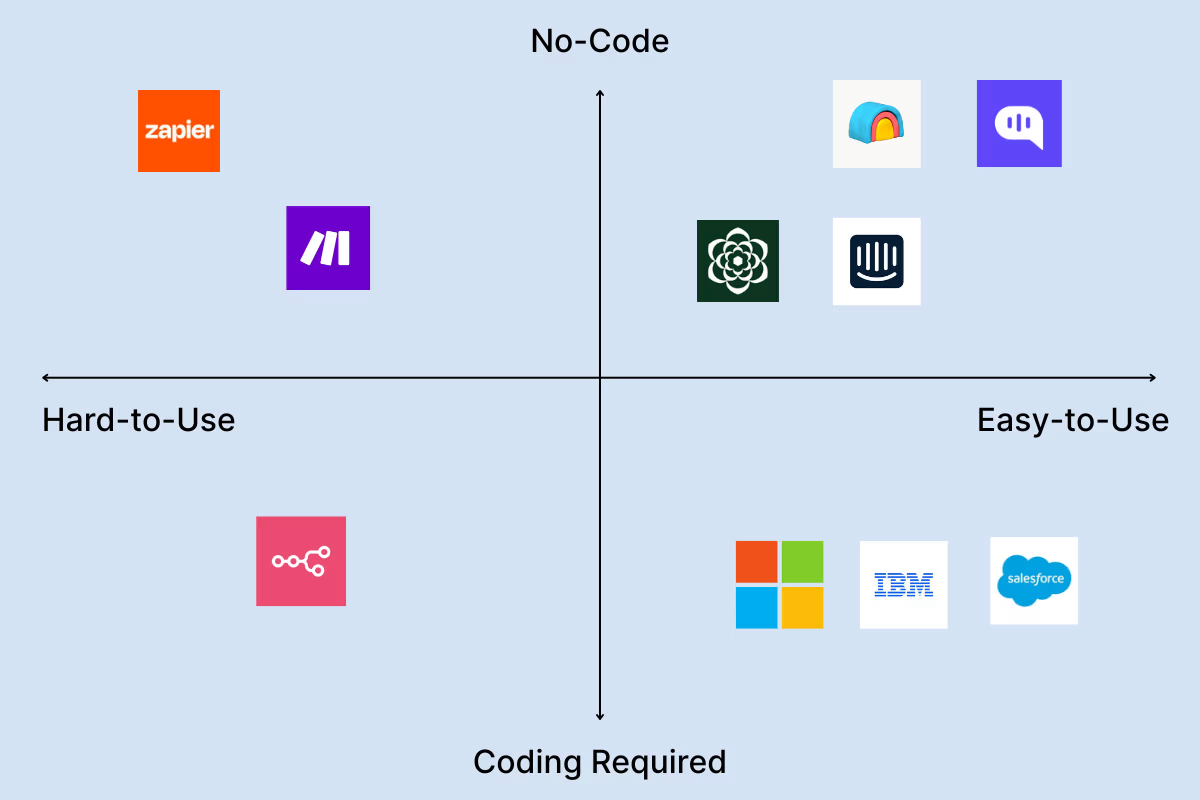
1. Clay – Marketing & Sales Automation
Clay is a centralized platform that connects businesses – particularly sales and marketing teams – to over 100 premium data sources. Instead of acting as a single data provider, it aggregates data to simplify lead generation, enrich contact details, and automate outreach using AI and workflow tools. By combining first-party, intent, and third-party data, Clay creates a unified, actionable workspace for discovering, qualifying, and engaging prospects.
We used Clay to get started on our outbound sales process at Kommunicate. We wanted to expand our customer service offering to APAC, and we had scouted some FinTech companies.
The blocker was also fairly straightforward; as a lean startup, we didn’t have an extensive sales team to create personalized reach-outs for all the relevant accounts. Clay helped us automate our email sequences and personalize our messaging for multiple personas.
The response rate was excellent (around 20%)!
Also, since we work in an enterprise space, we would reach out to several leads across an organization, and with Clay, sequencing all of these marketing automations at scale was easy. For context, with Apollo’s custom playbooks, it would have taken us 3-4 days to set everything up before sending the first mail. With Clay, we sent one in 2 hours.
One of the benefits of Clay is that it is intuitive if you’ve worked in marketing automation. The lead scoring process and automations are relatively easy if you have a handle on Hubspot or Salesforce. But, it’s also a very pricey platform.
We were paying over $700/month to manage everything we wanted, and we’d often cross the allocated credits. Technically speaking, we could have built these same integrations cheaper with n8n.
However, that subscription is worth it if you’re mostly non-technical. The API integrations are built-in and relatively intuitive for getting started with Clay. Our marketing team needed no help to set up Clay, but they needed a lot of technical expertise when they began with n8n.
A Clay subscription is a great way to get your B2B outbound started. Relatively straightforward, intuitive, and can be operated by a threadbare marketing team. But the costs will be tough to manage if you’re on a startup budget.
Pros of Clay (What we Liked)
- Extensive convenience in lead generation
- Strong lead scoring capabilities
- Easier to learn compared to competitors
- Personalized outreach strategies
- Seamless integrations
Cons of Clay(What we Hated)
- Limited customization options
- Buying APIs from Clay can be costly
- Hard to calculate platform costs (credits are hard to track)
- High costs
- Lack of some advanced features
Pricing
- Tiered pricing starting from $134/month (goes up $720/month)
- Email sequencing and custom API subscriptions start at $314/month
Verdict
Clay is an excellent tool for outbound sales and lead generation, perfect for small teams looking to scale. Integrating into the sales workflow might be expensive, but Clay is the most intuitive platform for non-technical people to build sales AI agents if costs are not an immediate blocker.
2. n8n – Best for Marketing Automation
We moved on from Clay because of the high costs and started using n8n. While learning and using the automations on n8n is not trivial, it scales fairly easily and is open-source.
We worked with our tech team to build an SDR automation. We used cold email templates that ChatGPT would refine according to each account, and set up a sequence.
Since the APIs were already set up because of Clay, setting up the end-to-end automation was easy. What we liked about N8N was that it was open-source and feature-complete. You could host it privately and run the platform at scale.
One of the significant problems with the platform is that handling data and mapping out everything on the platform can be needlessly complicated.
During one of our implementations, the platform started listening to our emails while building the flow, and everything was blocked for a while.
However, with some help from the tech team, we could scale up the platform, and the effectiveness was similar to Clay. The costs are fairly minimal (we were able to run our automations on the $50/month plan, and then scaled up a bit with their enterprise offering. Additionally, the n8n community is much more extensive than the Clay one, so whenever we got stuck, we had someone to help us get back on track.
Pros
- Excellent user experience (UX)
- Stable and mature product
- Highly customizable
- Open-source with fair-code licensing
- Self-hosting capabilities
Cons
- Implementation can be challenging
- Potential complexity for non-technical users
Pricing
- Plans have three tiers starting at $20/month
- Can be self-hosted
Verdict
n8n should currently be the go-to platform for marketing and bizops automations. It’s easy to scale and open-source, so your team can easily scale their operations. However, it is a bit complex and unintuitive, so having a dev team that sets it up for you might be better.
3. Kommunicate – Best AI Agent for Customer Service
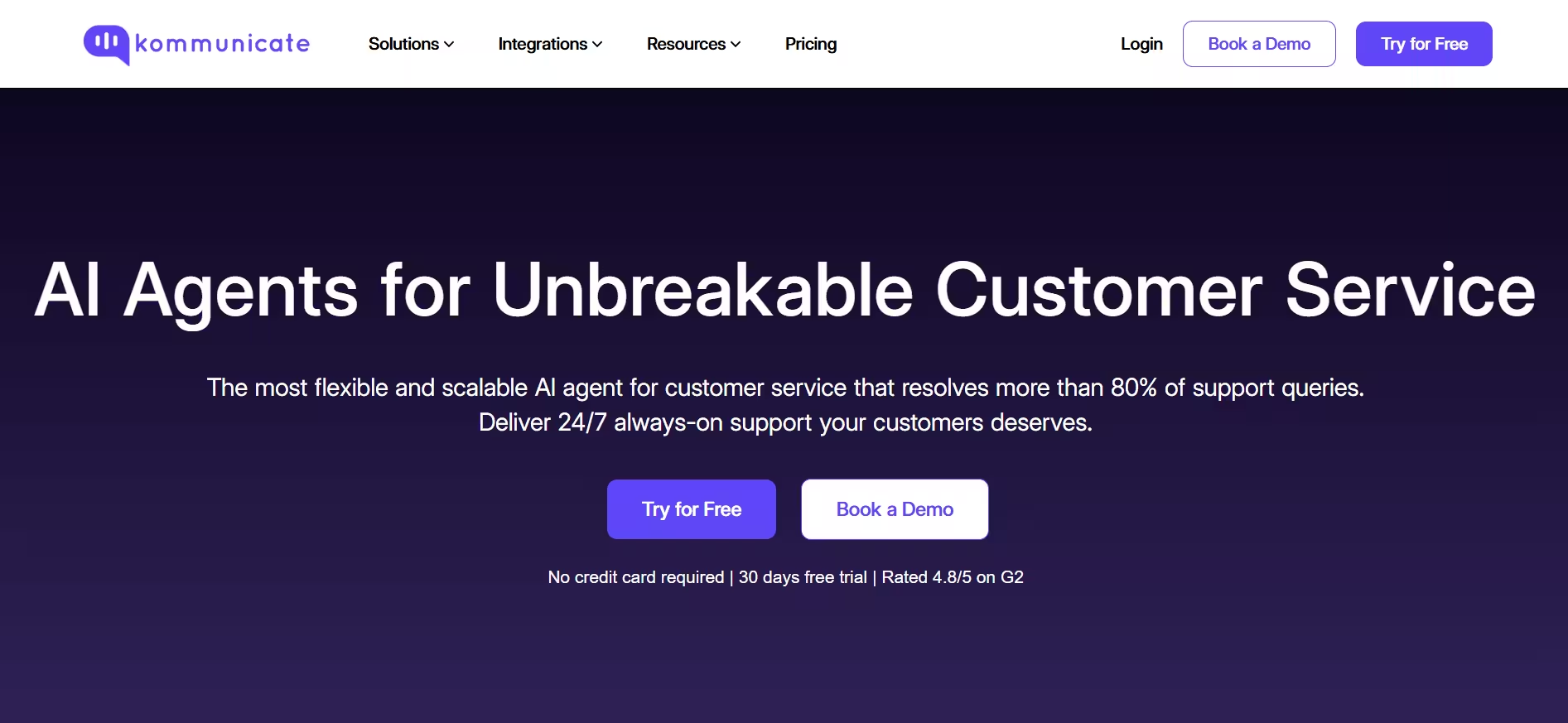
You can use Kommunicate to build conversational AI agents designed specifically for customer service use cases. The platform supports multiple AI models and allows teams to deploy AI agents that handle common L1 and L2 customer queries while escalating more complex or sensitive conversations to human agents with full context.
Kommunicate follows a controlled automation approach where AI agents are used to reduce repetitive workload without removing human oversight. Support teams can define clear boundaries around what the AI handles and when conversations should be transferred to agents. This makes the platform suitable for organizations that want reliability and predictable customer experience rather than fully autonomous AI.
The no code AI agent builder is designed for teams without dedicated engineering resources. It enables faster implementation across multiple channels including web, mobile apps, WhatsApp, and social messaging platforms. Kommunicate also supports integrations with common customer support tools, allowing teams to fit AI agents into existing workflows.
Kommunicate performs well in terms of implementation speed, accuracy of query resolution, and seamless transition from AI agents to human support. The platform is particularly effective for teams that want to launch AI agents quickly and improve support efficiency without long setup cycles.
There are, however, a few considerations to keep in mind.
While the AI agent builder is intuitive, more advanced workflows may require configuration support during initial setup. Teams are encouraged to work closely with Kommunicate’s support team to design and optimize these flows.
Additionally, AI agents require ongoing training and optimization during the first few months to achieve consistent accuracy. Kommunicate provides tools and analytics to support this process, but teams should expect an iterative rollout rather than a one time setup.
Kommunicate’s support team is responsive and helps teams resolve issues quickly. Compared to enterprise first AI agent platforms, Kommunicate remains relatively affordable and accessible for small and mid sized businesses.
Pros of Kommunicate
- Quick and straightforward implementation for customer service teams
- Clear handoff between AI agents and human agents with full context
- Strong multi channel support including web, mobile, WhatsApp, and Instagram
- No code configuration suitable for non technical teams
Cons of Kommunicate
- Advanced workflows may require additional setup effort
- User interface prioritizes simplicity over deep customization
Pricing
- Starter plans start at $34 and support AI agents deployed across basic customer service channels
- Professional plans start at $167 and support higher automation volume and advanced integrations
- Enterprise plans offer fully customizable pricing based on security, data hosting, and scale requirements
Verdict
Kommunicate is a practical choice for teams that want to deploy AI agents for customer service without the complexity of enterprise focused platforms. While it does not aim to be a fully autonomous AI system, it strikes a strong balance between usability, control, and affordability. This makes it especially well suited for growing teams that want to improve support efficiency while keeping humans firmly in the loop.
4. Zapier – Best for Quick Setup
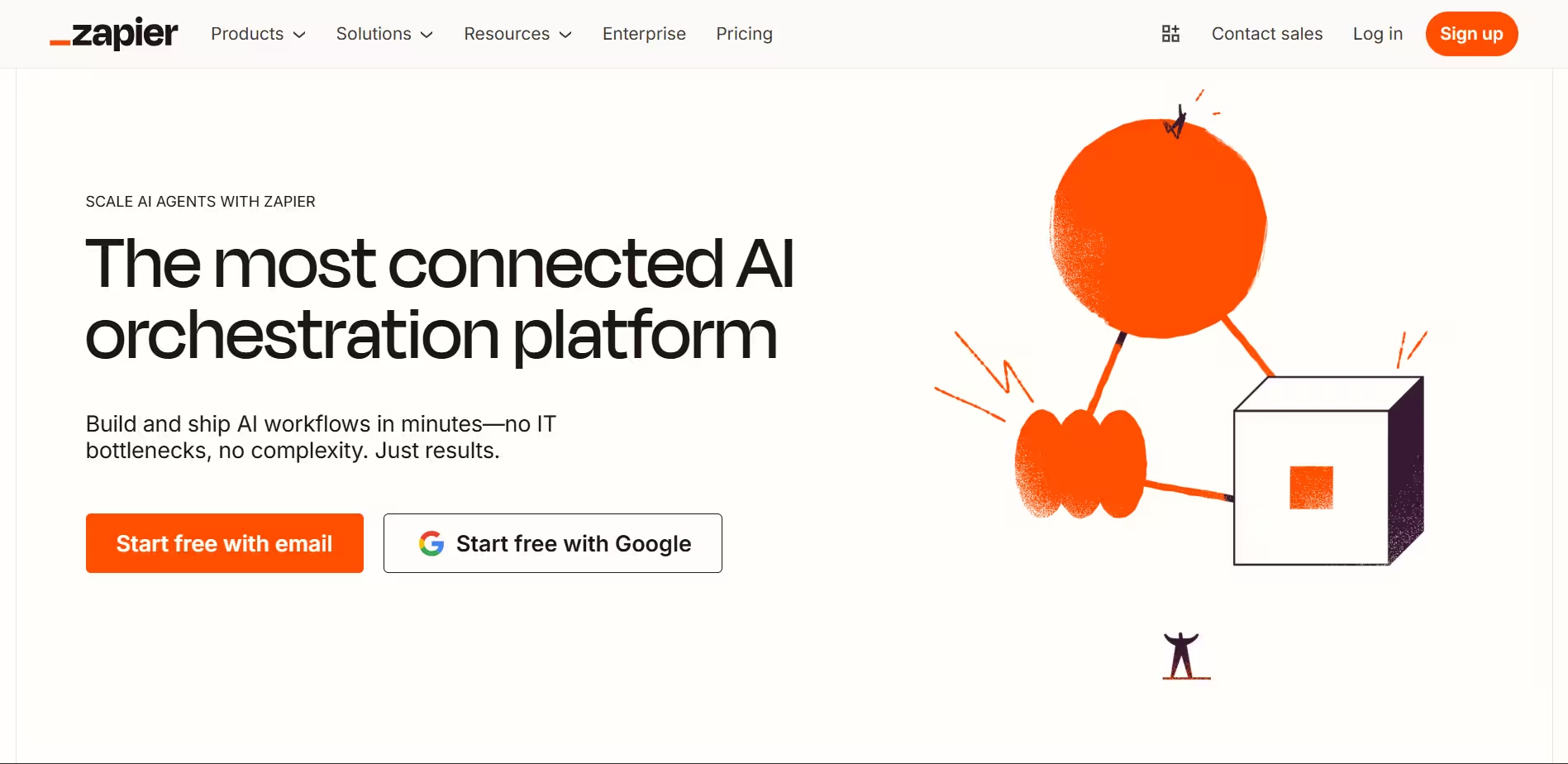
Zapier is almost omnipresent in B2B workflows because of its status as a connector app. Even at Kommunicate, we manage a lot of our integrations through Zapier.
We use Zapier to connect Chartmogul with our Slack and track our revenue live. This was fairly easy to set up. We have also added the new AI agent tracker to our Mixpanel integration with Zapier to learn about product usage and track the adoption of our latest features.
Zapier’s tools suit their integrations, but effort is needed to make different AI tools work together. So, while we found some use cases where Zapier could reply to our emails (now automated with our ticketing platform) and could give a list of leads we needed to reach out to, we didn’t have a lot of overall use from Zapier.
Zapier’s pricing is also tricky. The pricing was pretty low for our basic automations, but we’ve heard reviews that the pricing scales significantly with more complex automations.
Pros
- Extensive app ecosystem
- User-friendly interface
- Trusted by millions of businesses
- Comprehensive automation capabilities
Cons
- Limited agentic AI capabilities
- Can become expensive with complex workflows
- Limited customization for advanced users
Pricing
- You need to pay $169/month for 10,000 tasks/month.
Verdict
What works for Zapier is that the platform is already deeply integrated with your other tools. From a purely marketing and bizops automation perspective, the platform does excellent work.
On the other hand, it’s not exactly made for AI like Clay, n8n, or even Make, and that reduces the viability of making several AI agents work together. Pricing is pretty okay with the platform, and even though it won’t fulfill all of your AI agent needs, we think Zapier is a good addition to the B2B marketing arsenal purely for how good the integrations are.
5. Salesforce Agentforce – Great Data Cloud Integration, at a Very High Price
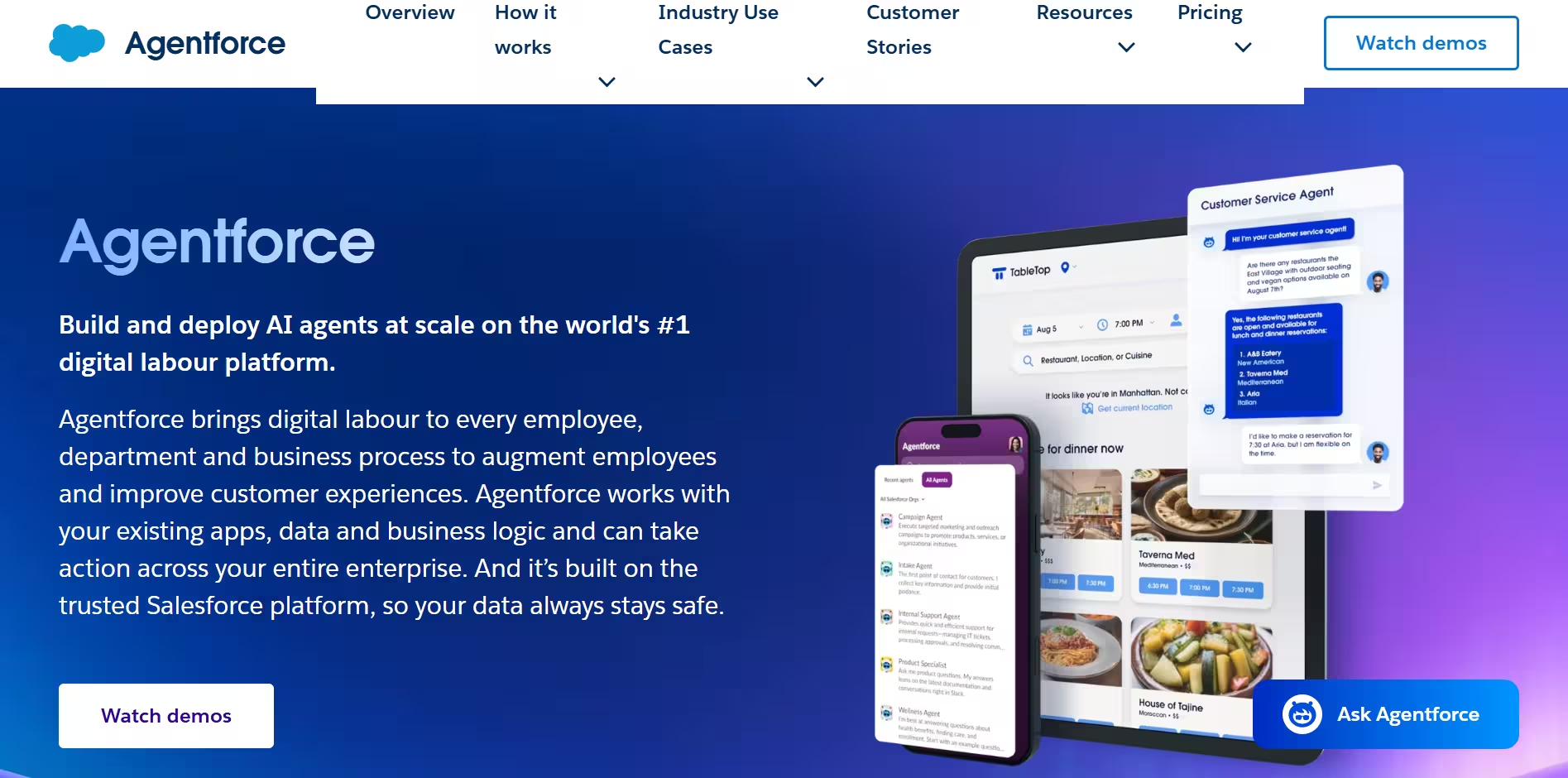
Salesforce is the granddaddy of most SaaS applications you see around right now, and it’s only fair that they’re spending so much money on their AI agent platform. We didn’t use this for a business use case because Salesforce costs can creep up quickly, but we did have a chance to work with a business using the Agentforce agents.
Now, Einstein chatbots are nothing new. And $2/conversation is an atrocious price for them (our client came to us specifically because our Generative AI chatbot was around 10x cheaper). But their new tooling around autonomous agent creation is excellent.
With a Salesforce account, you can create an AI agent with just a prompt. Their prompt builder and agent builder tools require no training and are helpful if you use Salesforce as your go-to CRM.
Plus, what I liked about the platform is that the recent Data Cloud addition lets you connect with many data providers. You can also collect product usage data and other metrics. One of the automations we built for our clients on Salesforce used their Snowflake database to construct a customized lead list, which the AI agent then contacted. They have said it was a successful product and significantly improved their revenue.
The main problem with Salesforce is that it is very pricey. Plus, the experience can be very disjointed as a new user. The platform is very big, meaning some features seem honed in. I share this opinion with a long-time Salesforce consultant, Ben McCarthy.
Pros
- Enterprise-level capabilities
- Strong integration support with Data Cloud
- Autonomous agent functionality
- Business-focused features
Cons
- Requires Salesforce ecosystem knowledge
- High enterprise pricing
Pricing
$2/conversation, which can become a hindrance at any high-volume project
Verdict
Salesforce is doing good work expanding its capabilities and building new things. Their prompt builder and agent builder are significant innovations. However, the platform is being held back because of its pre-existing tech debt.
Enterprise companies will likely use Salesforce, and the AI agent capabilities are good. But, overall, the product is at par in performance with products priced 10x less.
6. Make.com – Zapier at a Lower Price
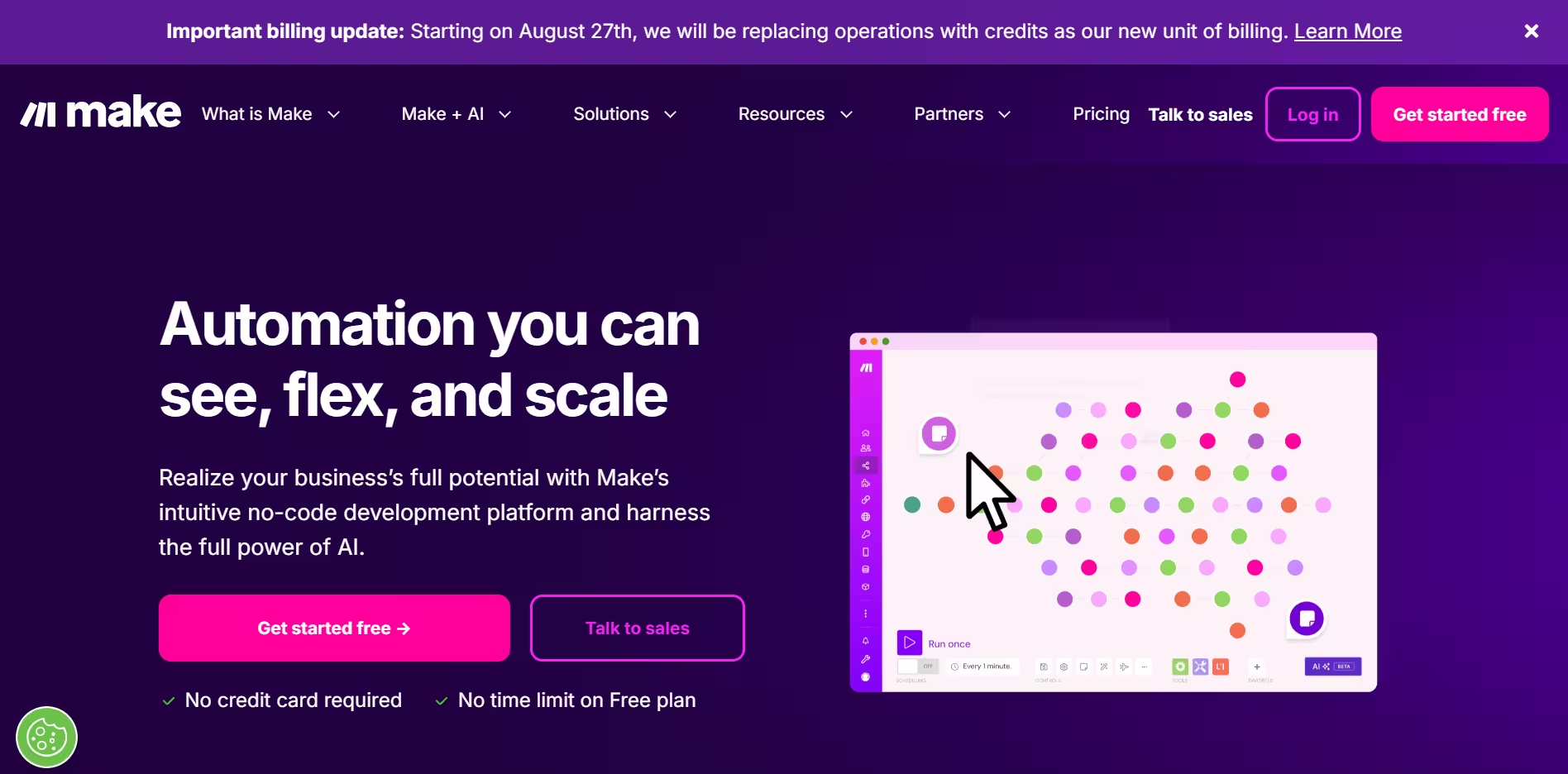
Make (formerly Integromat) is a marketing automation platform that can also be used to create AI agents. The prospect was similar to Zapier, and in an earlier job, I used Make to build some basic email automations.
Even with AI integrations and the platform makeover, not much has changed. Having AI tools that personalize your emails and analyze data from different places is a good addition. Perplexity searches are an essential business intelligence tool for your arsenal, but the agents are not autonomous.
What we wanted to build with Make.com was a way to enrich our signups with information about their company, and then push that data forward to our existing pipeline at n8n. It was fairly easy to use Make (because of my prior experience, I have been told that the platform is confusing for beginners). We also used the platform to automate some responses to the backlink requests we get on social media.
We found that Make is a much more powerful version of Zapier with a slightly more difficult UI. The integrations are easy to use and cost much less than other platforms.
None of our operations exceeded the $9/month plan, so I can’t say that Make will perform well at scale. But it’s an excellent tool for running operations in a marketing or sales setup. One problem is that “Make” is an awful term to Google when you want to troubleshoot a problem, and finding reviews about the product is also quite tricky.
Another obvious problem is the lack of a code editor. While I don’t use coding much in marketing automations, it’s useful when using a less well-documented API. Also, Make probably has the worst error messages out of all the platforms here, and it can make the debugging process fairly tricky.
Pros
- Intuitive visual interface
- Powerful automation capabilities
- Flexible workflow design
- Good Zapier alternative
Cons
- Learning curve for complex scenarios
- Pricing can escalate with usage
Pricing
- Usage-based charges with a free tier
- 10,000 operations/month starts at $9/month
Verdict
Make.com is the cheaper cousin of Zapier, which allows for slightly more powerful automations. There are two chief problems here –
- Debugging is hard
- It’s hard to program multiple AI steps for automation
Otherwise, the platform is excellent and user-friendly. We’ve heard that it can become pricey when you reach a particular scale, but we haven’t experienced that limitation yet.
7. Fin.AI – Intercom’s AI Bet
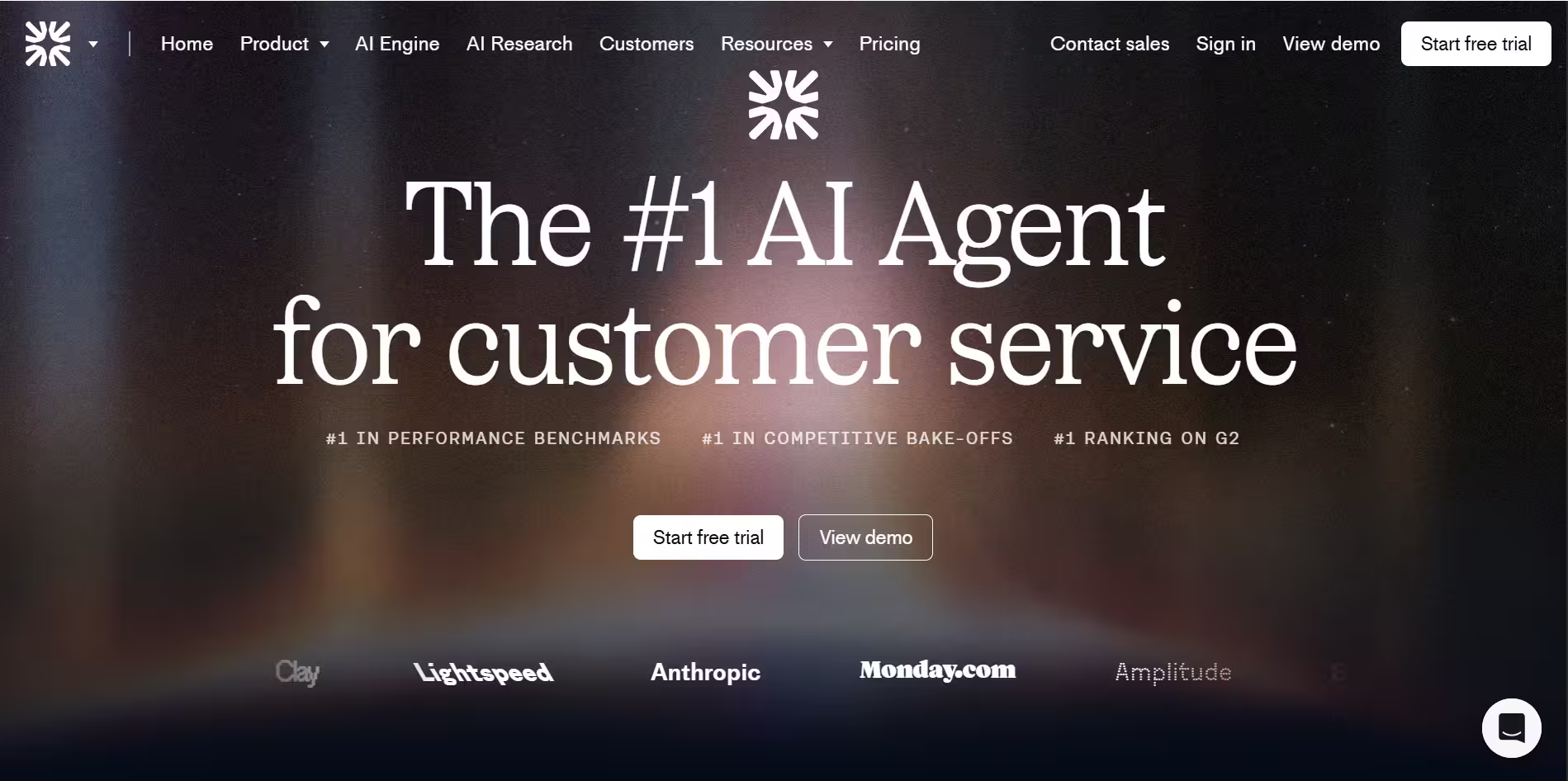
Intercom has made a bold move with Fin, and it’s paying off. Unlike Zendesk, which has been struggling with AI implementation, Fin from Intercom has had good enterprise uptake and seems a good go-to platform for conversational agents.
We have mostly tested Fin against our conversational AI agents (we’re more accurate!), and we feel the platform has greatly improved. The current Fin platform lets you combine some agentic capabilities with the chatbots you have on your website. This means that the AI agents on your websites can cancel orders, check on shipping status, and give out better, more contextual information.
Intercom’s marketing and support automation capabilities are well-documented. The ticketing platform is mature, and its chatbots are reasonably easy to deploy. From our rather technical testing, we’ve found that Intercom can have latency in replies (taking 5 seconds or more to reply to a chat message), and has some problems with providing good answers (the answers sound a bit robotic.
However, most clients can and will accept these drawbacks because of the useful custom support platform. We’ve also found that Fin’s pricing can be higher. So, if you’re an enterprise platform with a high volume of messages, the platform can affect your budgeting decisions. If you are looking for an alternative, Kommunicate scores higher on latency & accuracy, and is much cheaper.
Pros
- Specialization in customer service
- Complex query handling
- Industry-leading positioning
Cons
- Less accurate answer
- Response latency is around 5 seconds
- Users have expressed frustration over Fin’s unexpected billing charges, which can become quite expensive
Pricing
- $1/resolution with $29 for access to the Intercom helpdesk
Verdict
Despite early growing pains, fin.ai is one of the market’s leading conversational AI agent platforms. It can handle complex queries and comes bundled with a mature customer service solution, perfect for mid-market firms.
There are some issues with the latency and accuracy of the responses. And the pricing of $1/resolution can be high when you’re an enterprise with a high volume of support messages.
8. Microsoft CoPilot – Good for Enterprise Security, Meh for Anything Else
A Reddit comment I liked said, “I can’t imagine any programmer who Microsoft does not pay will want to use this.”
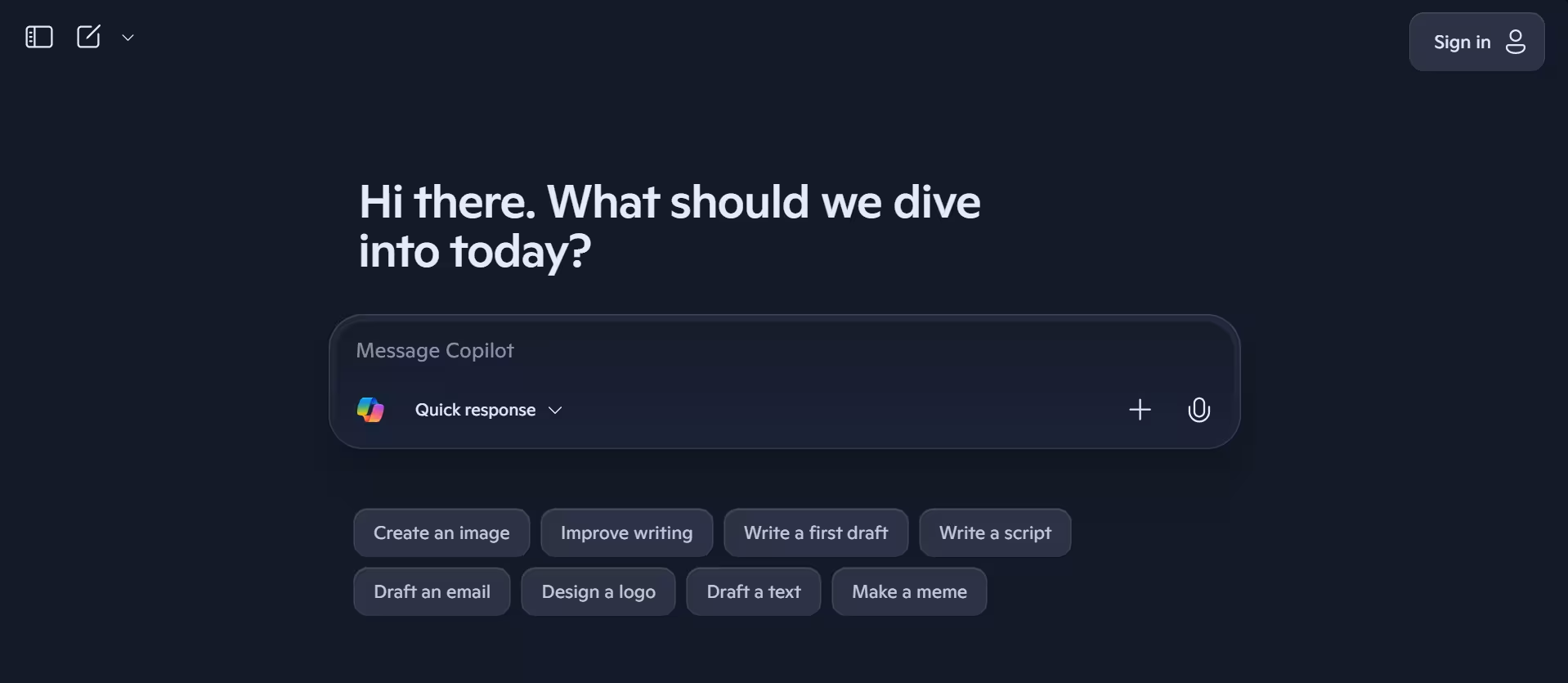
Microsoft Copilot was the first AI agent product we had access to, which was confusing. Unlike ChatGPT 4.0 or O3, which can perform many tasks immediately, the Copilot studio wants you to break every task down and make many programming decisions to make even basic workflows work.
The templates work well, and being Microsoft, the product has many integrations. However, the product is incomplete, and any workflow with multiple steps needs to be reworked again and again.
Copilot is the product of choice for enterprises because of its excellent data protection. However, many other startups offer the same functionality with a better UI and price. While the product has a lot of potential, at the current juncture, it doesn’t feel like a product worth using at scale.
Microsoft has slowly started including more orchestration features, and the tool calls are good. There is much evidence that the product will outperform its peers in a year or two. However, right now, even Microsoft employees prefer ChatGPT over Copilot.
Pros
- Strong enterprise integration
- Microsoft ecosystem benefits
- Enterprise-grade security
Cons
- Requires the Microsoft ecosystem
- Complex enterprise setup
- Difficult platform to use
Pricing
Microsoft Copilot agents are pricey at $200 for 25000 messages per month.
Verdict
Despite integrating into the deep Microsoft ecosystem, better and cheaper options exist. However, keep an eye out for product updates. Microsoft has an excellent AI team, and they might build a better product over time.
9. IBM WatsonX – Best for Enterprise
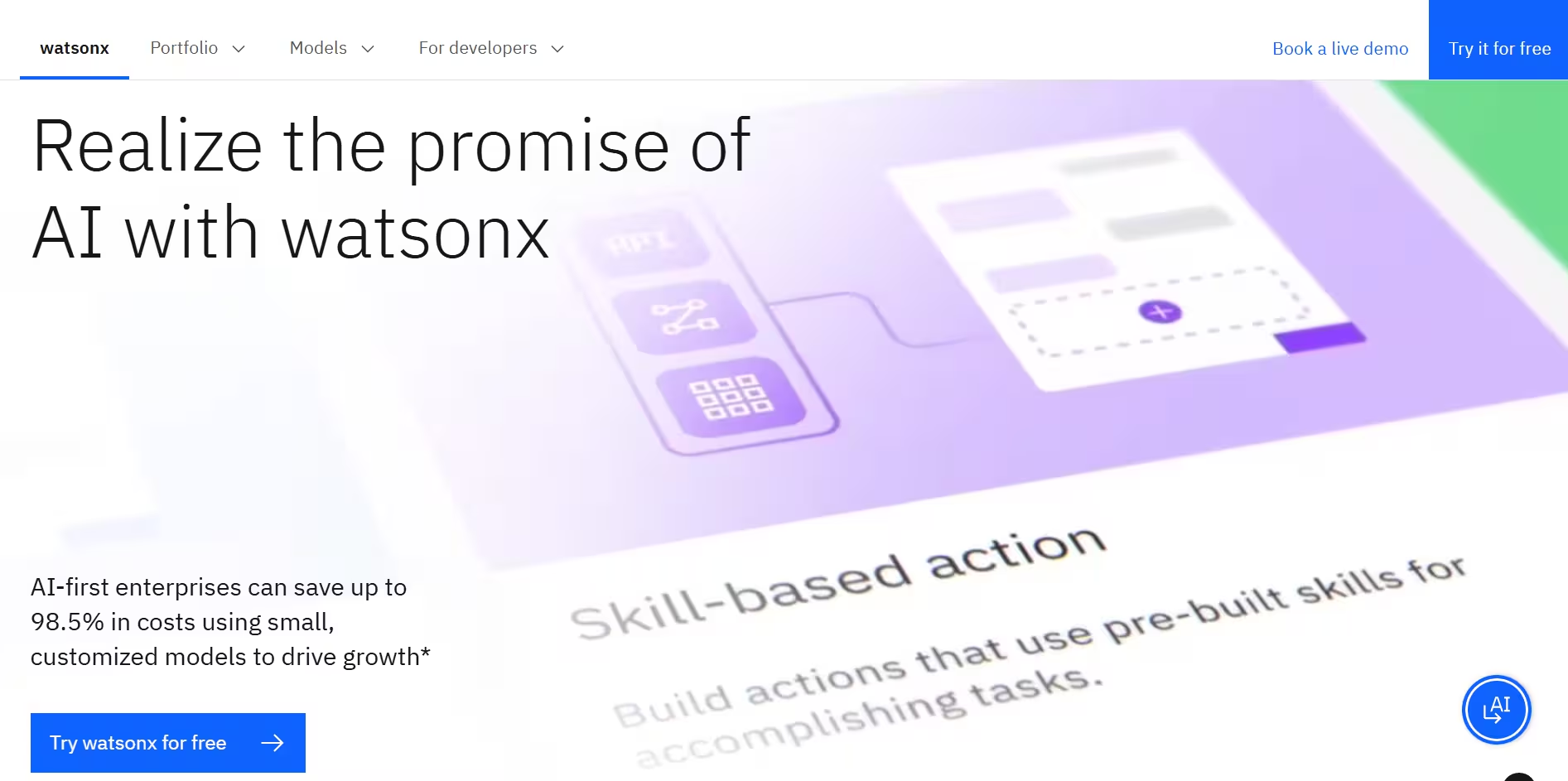
IBM has used the trademark “Watson” for years for their AI/ML products, and their new AI agent product is no different. We’ve only used WatsonX in partnership with clients, and it’s a good product if you want conversational AI built for customer service.
The primary benefit of IBM WatsonX is similar to that of Microsoft Copilot. The IBM infrastructure is scalable, providing enterprise-level data governance that will be useful for highly regulated industries. The product is also code-heavy and difficult to deploy (which is why we often have clients who deploy these AI agents through the Kommunicate platform)
The problem with Watson is the same as that with Copilot. While it has access to a wide range of integrations and has a mature ecosystem to support it, the AI models underneath it aren’t as powerful. We’ve heard good things about the customized AI agents built by the IBM team, but it just doesn’t work as a standalone DIY product.
Watson uses Llama and Granite models under the hood, which are not as powerful as the current crop of models and can produce inaccurate results. However, these models work well if you want your AI agents deployed in your cloud, with full data governance.
Pros
- Enterprise-focused
- Business process optimization
- IBM ecosystem integration
Cons
- Complex enterprise setup
- High enterprise costs
Pricing
- Enterprise deployments start at $1050/month
Verdict
WatsonX is a mature enterprise product that promises full data governance. However, better and cheaper products are available for any business that does not have a very stringent regulatory framework. Just like Copilot Studio, keep an eye on product improvements here because IBM has a great AI team, and they might deliver a great product one or two years later.
10. Sierra – Customer Experience AI Agents

When OpenAI’s chairman, Bret Taylor, started Sierra AI, there was a lot of excitement with the platform. Sierra is a capable conversational AI platform, and it has brought in a lot of enterprise clients.
You can use Sierra to create complex customer service agents that answer complicated questions with the proper context. These agents are made on the platform without the use of code. With their recent iterations, they’ve also added tool-calling capabilities to their AI agents, so just like Fin, you can also use these AI agents to solve basic customer queries with up-to-date information.
Sierra’s Ui is top-notch, and their accuracy is usually on point. We’ve tried out the product as a part of our competitive intelligence efforts at Kommunicate, and the AI agents work well. In my opinion, Sierra has two primary concerns.
First, they’re an obvious enterprise platform, and the pricing can be pretty high for anyone with a large volume of conversations. Second, it takes a lot of time and training to become familiar with the platform, which might be an issue for leaner teams.
Despite all this, the customer support from the Sierra team is stellar, and their AI product is quite mature. The ticketing features are evolving, and the integration ecosystem is already great.
Pros
- Human-like interactions
- Empathetic responses
- Multi-channel capabilities
- Customer satisfaction focus
Cons
- Specialized domain
- Implementation complexity
- High pricing
Pricing
- Unclear pricing structure, outcome-based
Verdict
Sierra’s AI agents are an excellent solution for enterprises looking for customer service AI agents. However, the pricing can be high, and implementing and designing AI agents on the platform is difficult, which is why many teams look at Sierra AI alternatives.
11. AgentFlow – Best for Financial Services Automation
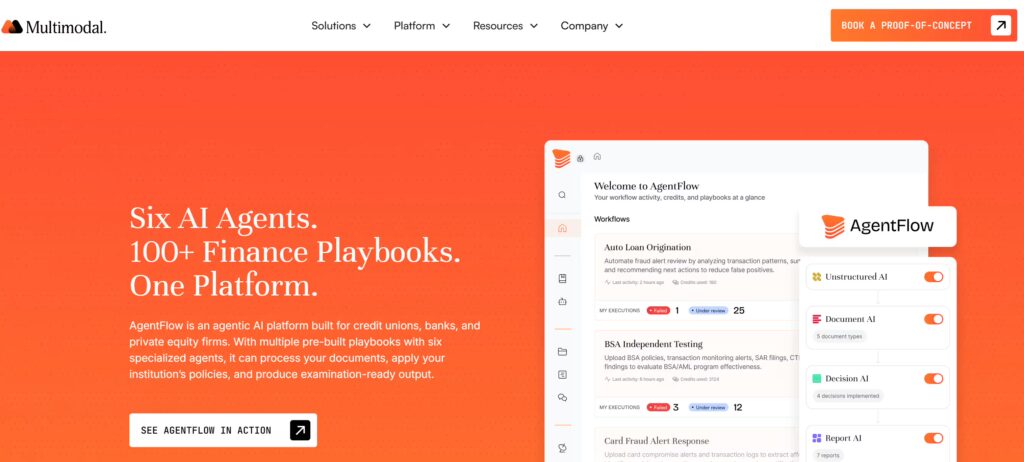
AgentFlow is Multimodal’s agentic AI platform, purpose-built for financial services workflows. Unlike horizontal automation tools like Zapier or n8n, AgentFlow ships with pre-built playbooks for workflows like loan origination, loan servicing, commercial lending, claims processing, and private equity deal sourcing. Teams at banks, credit unions, and PE firms can deploy production workflows without assembling them from scratch.
What sets AgentFlow apart is the playbook model. Playbooks are deployment-ready workflow templates that encode real operating logic, tool access, and decision flow for specific financial workflows. Rather than prompting a generic LLM to reason through your credit policy, AgentFlow’s AI agents execute against codified processes that mirror how credit or operations teams already work. This matters in finance, where accuracy, auditability, and compliance are non-negotiable.
We looked at AgentFlow when evaluating options for clients in lending and insurance. The platform handles document-heavy workflows well, from loan packet reviews and income verification to servicing requests and claims intake. Its agents can extract structured data from complex documents, cross-check against core banking or LOS systems, and route exceptions to human reviewers. For regulated workflows, this human-in-the-loop design is a meaningful advantage over platforms that push for full autonomy.
On the integration side, AgentFlow connects with common financial services systems, including Jack Henry, Fiserv, Symitar, and major LOS platforms. This removes a lot of the integration work that usually stalls AI deployments in regulated environments.
The tradeoff is focus. AgentFlow is built for financial services, so if you need a horizontal automation tool for marketing ops or general B2B workflows, other platforms in this list will serve you better. It is best suited for mid-market and enterprise financial institutions with the volume and complexity to justify a vertical AI platform.
Pros of AgentFlow
- Pre-built playbooks for lending, servicing, claims, and PE deal sourcing
- Strong document intelligence across unstructured financial documents
- Integrations with Jack Henry, Fiserv, Symitar, and common LOS platforms
- Human-in-the-loop design aligned with regulated workflows
- Governance and audit trails built for financial services compliance
Cons of AgentFlow
- Narrow to financial services; not a horizontal automation tool
- Enterprise-focused, less accessible for very small teams
- Advanced workflows may need customization during initial deployment
Pricing
- Custom enterprise pricing based on workflow scope, integration needs, and volume
Verdict
AgentFlow is a strong choice for banks, credit unions, and PE firms that need AI agents for specialized financial workflows rather than general-purpose automation. Its playbook library and domain focus make it faster to deploy than building on horizontal platforms, and its governance model fits regulated environments. Teams outside financial services will find better options elsewhere in this list, but for the industries it targets, AgentFlow is one of the more production-ready agentic AI platforms available today.
Which AI Agent Should You Choose?
Okay, now that you’ve gone through the reviews, it might be hard to pinpoint the tool you want to use. To help you choose, look at this table and pick the AI agent that fits your use case.
| Platform | Ideal For / Primary Use‑Case | Key Strengths | Key Limitations / Cost |
| Clay | Small B2B teams wanting quick, highly‑personalised outbound sales sequences | Intuitive “drag‑and‑drop” UI Rich lead‑scoring & built‑in data sources Full email sequencing in hours | High price (often ≥ $700 / mo) and credit overages; limited deep customisation |
| n8n | Growth & RevOps teams that can involve developers and need open‑source scalability | Fully self‑hostable; highly custom nodes/logic Vibrant OSS community | Steeper learning curve; non‑technical users may struggle; troubleshooting can be tedious |
| Zapier | Business teams needing the fastest “no‑code” connector across thousands of SaaS apps | Huge integration library Extremely easy to launch simple flows | Limited agentic AI; costs climb with multi‑step/complex tasks (e.g. $169 / mo for 10k tasks) |
| Salesforce Agentforce | Enterprises already deep in Salesforce seeking AI on top of the Data Cloud | One‑prompt agent builder Native CRM & Snowflake links Strong enterprise governance | $2 per conversation; sprawling UX; steep Salesforce learning curve |
| Make.com | Marketers who outgrow Zapier but want budget‑friendly, visual automations | Powerful flow designer Perplexity & other AI modules Low entry cost (10k ops at $9 / mo) | Debugging/errors opaque; “Make” hard to Google; lacks in‑canvas code editor |
| Kommunicate | SMBs & enterprise teams automating L1/L2 support with human hand‑off | No‑code bot builder Multichannel (WhatsApp, FB, etc.) Fast onboarding Affordable ($40 / mo) | Complex workflows still need tech help; NLU accuracy depends on good training |
| Fin (AI) – Intercom | Mid‑market firms already on Intercom need AI‑powered resolutions | Mature ticketing + AI that can call tools (cancel order, check status) Strong branding | Latency (~5 s), “robotic” tone; $1 per resolution + $29 base; accuracy trails peers |
| Microsoft Copilot Studio | Large enterprises prioritising data security within the M365 stack | Deep Microsoft integrations Enterprise‑grade compliance | Rigid workflow design; high entry ($200 for 25k msgs); UI feels unfinished |
| IBM WatsonX | Regulated industries require strict data governance on the private cloud | Granular governance, IBM ecosystem & consulting support | Starts ≈ $1050 / mo; Granite/Llama models are less capable; heavy‑code deployment |
| Sierra | Enterprises wanting best‑in‑class, empathetic CX agents | Highly accurate multi‑channel bots, sleek UI, outcome‑driven tool calls | Outcome‑priced & premium; long ramp‑up/training curve for lean teams |
| AgentFlow | Banks, credit unions, and PE firms automating financial workflows (lending, servicing, claims, deal sourcing) | Pre-built playbooks for financial workflows. Strong document intelligence. Integrates with Jack Henry, Fiserv, Symitar, and common LOS platforms. | Limited to financial services. Enterprise-focused pricing. Custom quotes based on scope and volume. |
That’s the round-up for AI agents. But what if you have well-defined, granular tasks? What if you want to control every aspect of the AI agents you create? We also reviewed some popular AI agent frameworks to get you started.
What are the Best AI Agent Frameworks?
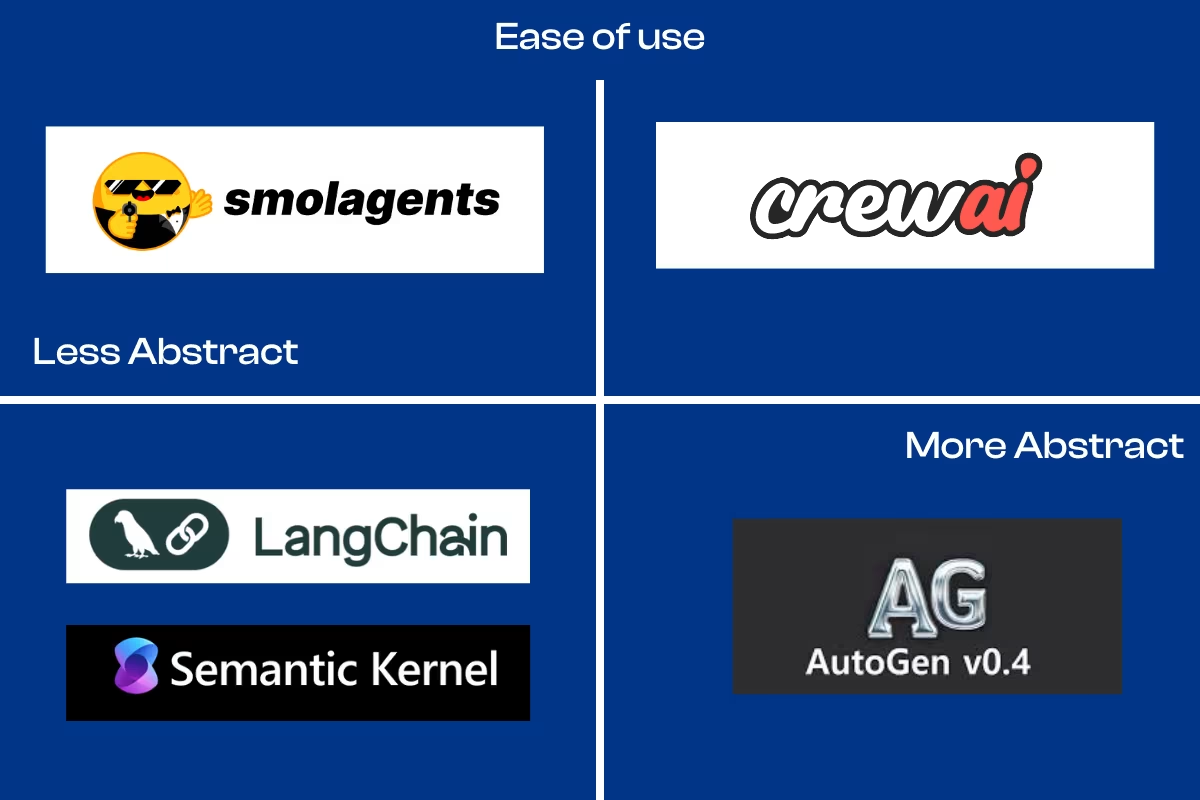
AI agent frameworks act as scaffolding with which you can code your AI agents. Since you need to code your AI agents with these frameworks, they offer granular control and let you connect and create very involved agents.
We surveyed five frameworks hand-picked by our tech team, and here are the results!
1. LangChain – Mature Framework with the Biggest Community
LangChain is an open-source framework designed to simplify the creation of applications powered by large language models (LLMs). It provides a toolset to manage everything from creation to production and deployment of AI agents.
LangChain lets you create chains of tools, memory, and LLM actions to develop your AI agents. It is one of the most widely adopted AI agent frameworks and supports multiple model providers.
Features
- Broad integration support with APIs, databases, and vector stores.
- Modular components include chains, tools, memory, and agents.
- Strong support for Retrieval-Augmented Generation (RAG) and tool-augmented workflows.
- Mature documentation and a large, active community.
- Flexible, offering both short-term and long-term memory management through integrations.
- Provides LangChain Expression Language (LCEL) for declarative component chaining with features like streaming and asynchronous support.
Drawbacks
- The core architecture is primarily designed for single-agent flows, and multi-agent setups require manual orchestration.
- It can be complex and has a steep learning curve, especially for beginners.
- Some sources claim it’s not ideal for production environments due to issues with error handling and control over agent behavior.
- The framework writes prompts for the user, making it challenging to steer and control the agent’s responses.
Verdict
LangChain can be a valuable tool for building sophisticated LLM-powered applications. However, its complexity, steep learning curve, and documentation issues make it a challenging choice for beginners or those seeking a more straightforward solution.
2. Autogen 4.0 – Best for Microsoft-Based Agents
Autogen is an open-source framework developed by Microsoft Research that enables the development of LLM applications using multiple agents that can converse with each other to solve tasks. It is designed to simplify the creation and orchestration of AI agents, enabling multi-agent collaboration to solve complex problems. Autogen 4.0 is a significant update that redesigns the library to improve code quality, robustness, and scalability in agentic workflows, addressing previous architectural constraints and inefficient APIs with a new asynchronous, event-driven architecture.
Features
- Multi-agent Conversation: Autogen’s core feature enables multiple agents to collaborate by conversing, leading to better performance than single LLM methods.
- Custom control: It provides a layered API, with a Core API for building scalable, event-driven workflows.
- Human-in-the-Loop Multi-agent Conversation: AutoGen’s core strength is its ability to create collaborative teams of AI agents. The framework supports autonomous and human-in-the-loop workflows, allowing human oversight and intervention to solve complex tasks.
- Asynchronous and Event-Driven Architecture: Version 4.0 introduced an asynchronous, event-driven architecture,4.0 version introduces an asynchronous, event-driven architecture, which allows for more efficient and scalable multi-step pipelines, making the framework more robust, extensible, and scalable.
- Modular and extensible: The framework is designed to be modular, supporting pluggable logic for agents, memory, tools, and models.
- Memory: AutoGen uses message lists for short-term memory and can integrate with external solutions for long-term storage.
- Performance Tracking includes built-in tools for metric tracking, message tracing, and debugging to provide better control over agent interactions.
- Observability and Debugging: AutoGen has built-in tracing and logging, supporting OpenTelemetry to help track and debug multi-agent workflows.
Drawbacks
- Coding Expertise Required: Autogen requires a certain level of coding knowledge, which could be a barrier for non-technical users
- Scalability and Complexity Concerns: While it has shown promise in production, there are concerns about its scalability and the ability to manage complexity as the number of agents increases
- Complexity: Optimizing multi-agent systems to outperform single LLMs can be challenging.
- Migration: Version 4.0 is a complete rewrite, meaning that even experienced users may face a steep learning curve.
Verdict
Autogen is helpful for developers who want to build applications that leverage the power of multiple AI agents working together. Its asynchronous architecture makes it suitable for representing specific skills and collaborating to achieve a goal.
The inclusion of AutoGen Studio also makes it accessible for those who prefer a no-code or low-code approach.
While it requires coding skills and has some scalability concerns, its ability to orchestrate complex workflows makes it a valuable tool.
3. CrewAI – Best for Marketing or Sales AI Agents
CrewAI is a Python-based open-source framework for orchestrating role-playing, autonomous AI agents. It’s designed to enable agents to work together seamlessly, tackling complex tasks through collaborative intelligence.
CrewAI provides a high-level interface that simplifies the building of multi-agent systems by handling the low-level details of agent interaction and workflow orchestration.
Features
- Role-Based Agents: CrewAI’s design is centered around defining agents with specific roles, goals, and backstories. This structured approach helps in creating clear and consistent prompts for the LLMs.
- Task-Oriented: Tasks are assigned to agents. Each task has a description and an expected output, clearly defining what the agent needs to accomplish.
- Autonomous Inter-Agent Delegation: Agents within a crew can autonomously delegate tasks and inquire among themselves to enhance problem-solving efficiency.
- Collaborative and Hierarchical Structures: CrewAI supports both collaborative and hierarchical structures for agent teams.
- Simple Workflow: The framework provides intuitive abstractions that allow developers to focus on designing the tasks for the agents rather than writing complex orchestration and state management logic.
Drawbacks
- Highly Opinionated Framework: The simplified and structured nature of CrewAI means it is a highly opinionated framework, which can make it more challenging to customize for specific or complex use cases down the road.
- Less Control: Compared to lower-level frameworks like LangGraph, CrewAI offers less granular control over the workflow and agent interactions
- Large Systems Might Become Complex: While it simplifies initial setup, managing a growing system of agents can still become complex.
Verdict
CrewAI is best for developers and teams looking to quickly build and prototype multi-agent systems for business process automation, collaborative workflows with clear roles (like content creation or sales automation), and other structured tasks. Its ease of use makes it accessible to a broader audience, including those who are not AI experts.
While it may not offer the same level of granular control as some other frameworks, its simplicity and ease of use make it a powerful tool for a wide range of applications, especially in business automation.
4. Microsoft Semantic Kernel – Best Cross-Language Framework
Semantic Kernel is an open-source SDK from Microsoft that allows developers to build AI agents that can interact with users and automate processes. It acts as an AI orchestration layer, enabling the integration of AI models from services like OpenAI and Azure OpenAI with conventional programming languages such as C#, Python, and Java. This allows developers to create AI applications that combine the capabilities of large language models with existing code.
Features
- Pluggable Architecture: Semantic Kernel uses a “plugin” architecture to encapsulate functionalities. These plugins can be semantic (based on natural language prompts) or native code, allowing for high customization and extensibility. This design enables developers to create single-responsibility functions that can be chained together.
- AI-Powered Planners: The framework includes “planners” that can automatically generate a plan to achieve a user’s goal by combining available plugins. This allows for creating autonomous and semi-autonomous systems that can dynamically orchestrate tasks.
- Support for Multiple Programming Languages: Semantic Kernel supports C#, Python, and Java, making it accessible to many developers.
- Memory and RAG: The SDK provides capabilities for implementing short-term and long-term memory in AI applications, including support for Retrieval-Augmented Generation (RAG).
- Open-Source and Extensible: Semantic Kernet is open-source and supports various AI models, including proprietary models from OpenAI and open-source models like Llama and Phi.
Drawbacks
- Learning Curve: The framework introduces several new concepts, which can present a learning curve for new users.
- Maturity and Documentation: As a relatively new and evolving framework, some of the documentation may not be up-to-date with the latest releases, making it challenging to find information.
- Enterprise Focus: While powerful, the framework is heavily integrated into the Microsoft and Azure ecosystem, which might not be ideal for all development environments.
Verdict
Semantic Kernel is best suited for developers and enterprises already using the Microsoft technology stack. Its support for multiple programming languages makes it versatile for various development teams. The framework is ideal for building complex AI agents, copilots, and chatbots that require high orchestration and integration with external systems. While there is a learning curve and some challenges with documentation, the framework’s enterprise-ready features and backing from Microsoft make it a reliable choice for building scalable and responsible AI solutions.
5. SmolAgents – Best Lightweight Framework

SmolAgents is a lightweight and simple open-source AI agent framework developed by Hugging Face. With a core logic of only about 1,000 lines of code, it is designed for efficiency and ease of use, allowing developers to build robust agentic systems with minimal code.
The framework’s key philosophy is enabling “Code Agents” to generate and execute Python code to perform tasks rather than relying on a more rigid JSON-based tool calling.
Features
- Lightweight and Simple: The framework is intentionally small, making it easy for developers to understand, modify, and deploy quickly.
- Code-First Design: SmolAgents champions “Code Agents” that write and execute Python code directly to use tools and perform actions. This offers greater flexibility and composability than structured formats like JSON.
- Model Agnostic: It provides broad compatibility and support for various large language models, including those on the HuggingFace Hub, and models from OpenAI, Anthropic, and others through LiteLLM.
- Secure Execution: To mitigate the risks of executing generated code, SmolAgents facilitates sandboxed environments, ensuring operations are handled securely.
- HuggingFace Hub Integration: The framework is integrated with the Hugging Face Hub, allowing developers to share and load tools for their agents easily.
Drawbacks
- Optimized for Lightweight Tasks: The framework best suits focused, streamlined workflows and may require external solutions for large-scale parallel processing or distributed execution.
- No Built-in Memory: SmolAgents does not include built-in long-term memory handling, requiring developers to integrate external tools for state persistence and context retention.
- Potential for Code Errors: The reliance on LLMs to generate correct and executable code can be a point of failure, as bugs in the generated code can cause the agent to malfunction. This risk is higher with less capable models.
Verdict
SmolAgents is best for developers who need a simple, fast, and efficient framework for building AI agents, particularly for rapid prototyping and automating focused tasks. Its code-first approach makes it ideal for scenarios requiring dynamic code execution, such as research and development, custom tool integration, and automating complex data analysis workflows. While it may not be the best choice for large-scale applications requiring robust, built-in memory and state management, its security features and model-agnostic design make it an excellent tool for rapidly developing and deploying secure, code-driven AI agents.
Which is the Best AI Agent Framework for You?
To help you choose an AI agent framework that works for your business, we’ve created a snapshot summarizing them.
| Framework | Stand‑Out Strengths | Primary Limitations | Best Suited For |
| LangChain | Widest library of modules (chains, tools, memory, agents) Rich RAG & tool‑augmented workflows Mature docs and vibrant OSS community | Steep learning curve, verbose APIs Multi‑agent flows need manual orchestration. Harder to steer prompts & control errors | Teams with LLM expertise who need maximum flexibility and a large integration ecosystem |
| Autogen 4.0 | Native multi‑agent, event‑driven architecture Layered APIs (core + high‑level) for custom control Built‑in tracing with OpenTelemetry | Requires solid Python skills Version‑to‑version migration hurdles (v4 rewrite) Complexity rises as agent count grows. | Developers building Microsoft‑centric or research projects that demand scalable, conversational agent teams |
| CrewAI | Role‑based, task‑oriented abstractions Agents can delegate among themselves. Simple, Pythonic setup for quick prototyping | Opinionated; less granular control Large crews can become unwieldy | Marketing/sales automation use‑cases where speed and ease of collaboration matter more than deep custom logic |
| Semantic Kernel | Cross‑language SDK (C#, Python, Java) “Plugin” architecture + planners for autonomous task chaining Enterprise‑grade Azure & OpenAI integrations | New concepts → learning curve Docs lag behind releases. Tied to the Microsoft ecosystem | Enterprises on the MS stack wanting copilots or agents tightly fused with existing services and data |
| SmolAgents | Ultra‑light (~1k LOC) & easy to modify Code‑first: LLMs write/exec Python directlyModel‑agnostic; Hugging Face tool sharing | No built‑in long‑term memory Best for lightweight tasks; scaling needs extras Risky if the generated code has bugs | Researchers or hackers needing rapid, secure prototyping of small, code‑driven agent workflows |
We’re Heading Towards an Agentic Future
AI agents are building new workflows and changing the way people do business. Most businesses we work with today handle parts of their sales, marketing, tech, or customer service workflows through AI agents.
In this article, we reviewed the hand-picked AI agents and AI agent frameworks that have worked well for us. Take this context, and build the agentic future.
If you need help building conversational AI agents for customer service, book a demo with Kommunicate!

A Content Marketing Manager at Kommunicate, Uttiya brings in 11+ years of experience across journalism, D2C and B2B tech. He’s excited by the evolution of AI technologies and is interested in how it influences the future of existing industries.