Updated on April 22, 2026

If you’re one of the 800 million weekly users of ChatGPT, you probably use it to write code or text, or to design images and videos. It’s become the default “do-it-all” assistant—part writer, part analyst, part creative studio.
We’re writing this guide to help you choose the best alternatives for each of these use cases.
We’re grouping the best ChatGPT alternatives into three practical categories (Text Generation, Image Generation, and Video Generation) because the “best” alternative depends on what you’re actually trying to produce.
We’re going to cover:
- Which ChatGPT Alternatives Are Best for Text Generation (Writing + Coding)?
- Which ChatGPT Alternatives Are Best for Image Generation?
- Which ChatGPT Alternatives Are Best for Video Generation?
- Do You Need a Cross-Model Platform Instead of a Single Model (Fal, HeyGen)?
- How Do You Choose the Right Alternative for Your Exact Use Case?
- Conclusion
Which ChatGPT Alternatives Are Best for Text Generation (Writing + Coding)?
Most people use ChatGPT for generating text and code. Which is why ChatGPT alternatives are the most abundant for this category.
We’re going to be picking models that can draft, reason, debug, refactor, and keep its footing when the request turns into a sprawling, multi-step mess. Let’s first talk about our methodology.
Why did we Choose These Models?
These four models show up again and again in real production stacks because they hit the same core needs: writing quality, coding competence, long-context stability, and pricing you can defend.
Here are the parameters we used to rank them (the “four criteria” in the table):
- Quality (Writing + Coding): How well it handles hard prompts, real code, and non-trivial reasoning.
- Context Handling: How reliably it stays consistent across long conversations / large inputs.
- Speed: Latency + throughput, is it fast enough for your needs?
- Cost Efficiency: How expensive it gets once you run it at scale (including caching options where relevant).
Pricing matters too, obviously. So, we’ve evaluated the current published API pricing.
Our Rankings
| Rank | Model | Quality (1–10) | Context (1–10) | Speed (1–10) | Cost (1–10) | Pricing (USD) |
| 1 | Claude Opus 4.6 | 10 | 10 | 7 | 5 | $5 / 1M input · $25 / 1M output |
| 2 | Kimi K2.5 | 8 | 9 | 8 | 8 | $0.10 / 1M input (cache hit) · $0.60 / 1M input (cache miss) · $3.00 / 1M output |
| 3 | Gemini 3 Flash | 8 | 8 | 10 | 8 | $0.50 / 1M input · $3.00 / 1M output · caching $0.05 / 1M |
| 4 | DeepSeek (chat/reasoner) | 7 | 8 | 8 | 10 | Current pricing page lists $0.028 / 1M input (cache hit) · $0.28 / 1M input (cache miss) · $0.42 / 1M output |
Quick note: Some vendors publish multiple pricing tables across docs, so treat pricing as “verify at checkout,” not scripture.
Next, we’ll talk about each model individually.
1) Claude Opus 4.6
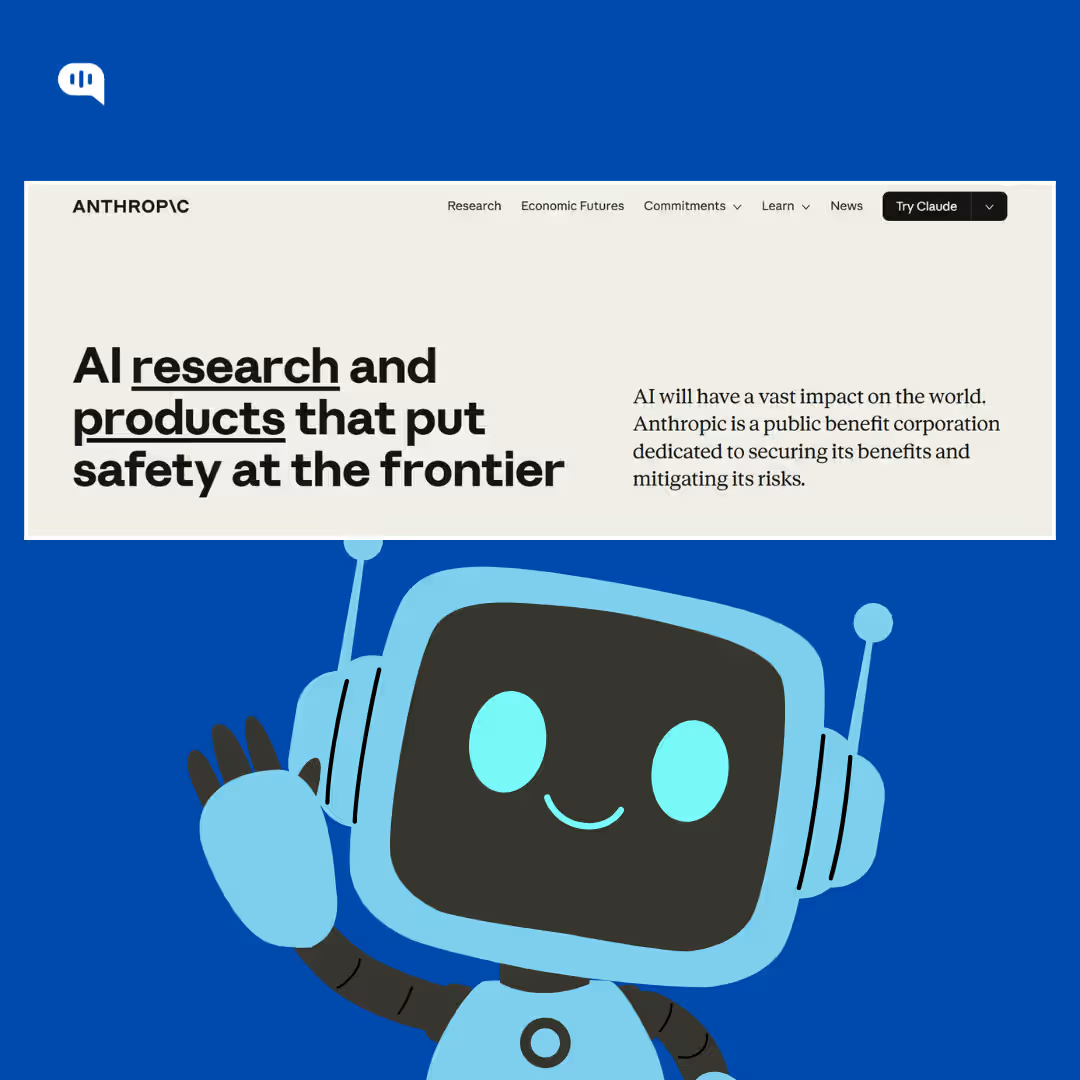
Claude Opus 4.6 is the “deep work” pick: the model you use when the task is high-stakes, multi-step, and painfully specific, like debugging a weird production issue, planning an architecture change, or writing a long technical doc that needs to sound confident without becoming delusional. It’s also explicitly positioned for stronger coding, longer agentic tasks, and a 1M token context window (beta), which is a big deal if your prompts include large codebases or sprawling internal docs.
Pros of Claude Opus 4.6
- Very strong at complex coding, code review, and debugging, especially when the problem spans multiple files or systems
- Handles long-form reasoning without drifting into “confident nonsense” as quickly as many peers
- Pricing is clear for the flagship tier, with documented savings via prompt caching and batch processing
Cons of Claude Opus 4.6
- It’s not cheap if you generate lots of output tokens, long answers are where cost climbs
- For lightweight prompts, you may feel like you’re paying for a rocket engine to drive to the grocery store
Pricing of Claude Opus 4.6
- $5 per million input tokens
- $25 per million output tokens
- You can reduce your costs by prompt caching and batch processing
Claude Opus 4.6 Verdict
If you want the best “thinking + coding” alternative and you value consistency more than cost, Opus 4.6 is the top pick.
2) Kimi K 2.5
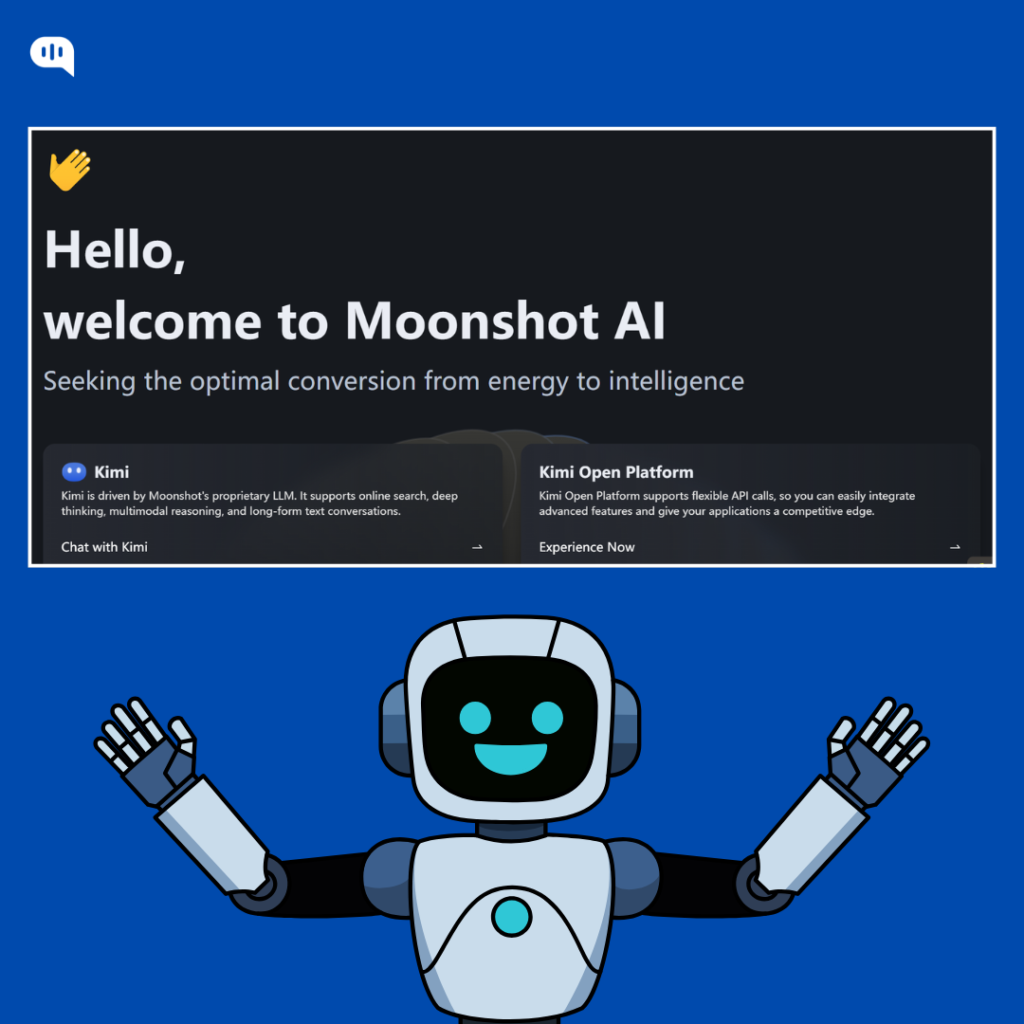
Kimi K 2.5 is the pragmatic builder’s model, less “luxury sedan,” more “fast utility vehicle that doesn’t guzzle fuel.” It’s designed to be used frequently, in agentic or workflow-y setups where you reuse chunks of context and you need the economics to stay sane over thousands (or millions) of calls.
The big story here is the pricing structure: cache hits are dramatically cheaper, which makes K2.5 especially appealing when your app includes stable system prompts, repeated instructions, or persistent context.
Pros of Kimi K 2.5
- Excellent cost-performance for real workloads, especially with caching in play
- Strong fit for “agent swarms” / multi-step pipelines where the model keeps returning to shared context
- Long-context orientation makes it easier to feed bigger briefs, code, or docs without constantly trimming
Cons of Kimi K 2.5
- Smaller ecosystem mindshare than Google/Anthropic, so your team may need more hands-on evaluation and tuning
- Depending on your market and compliance needs, vendor/hosting preferences might influence adoption
Pricing of Kimi K 2.5
- $0.10 / 1M input tokens (with cache)
- $0.60 / 1M input tokens (without cache)
- $3.00 / 1M output tokens
Kimi K 2.5 Verdict
If you’re building at scale and you want strong economics without falling off a quality cliff, Kimi K2.5 is the smartest “value-premium” option here.
3) Gemini 3 Flash
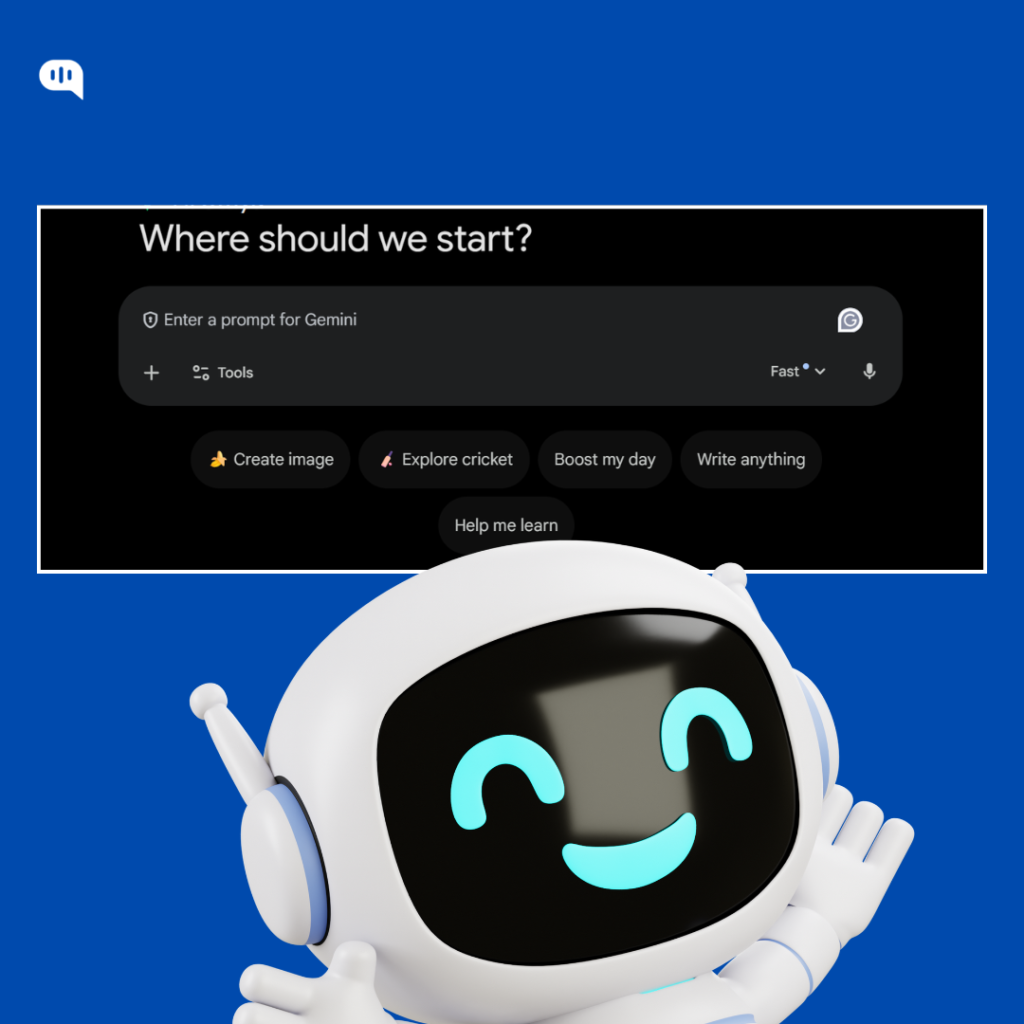
Gemini 3 Flash is the sprinter. Short. Sharp. Fast.
It’s built for speed-first experiences where latency actually changes product behavior—live assistants, in-app copilots, high-volume content generation, and anything user-facing where “thinking for too long” feels like failure.
Pros of Gemini 3 Flash
- Excellent speed and throughput, making it ideal for real-time usage
- Clear published pricing for input/output plus context caching
- Strong “default choice” when you need scale and predictable performance rather than maximal depth
Cons of Gemini 3 Flash
- Variant naming (Flash/previews/tiers) can be confusing—make sure you’re benchmarking the exact SKU you’ll deploy
- For the hardest reasoning and most intricate debugging, you may still prefer a flagship “deep work” model
Pricing of Gemini 3 Flash
- $0.50 / 1M input tokens (text/image/video)
- $3.00 / 1M output tokens
- Context caching: $0.05 / 1M tokens
Gemini 3 Flash Verdict
If your product needs low latency and high volume, Gemini 3 Flash is the most “production-fast” alternative on this list.
4) DeepSeek
DeepSeek is the “scale without drama” pick.
It’s popular in high-volume pipelines because it’s priced aggressively, and the API docs make the token math straightforward, including cache behavior and context details. Their “Models & Pricing” page spells out that deepseek-chat and deepseek-reasoner map to DeepSeek-V3.2 with 128K context, and it lists remarkably low per-1M token rates, especially on output.
Pros of DeepSeek
- Extremely cost-efficient for large-scale usage (summaries, routing, coding helpers, automation)
- Clear model details and pricing published directly in API docs
- Good “default backend” when you want lots of calls without constantly watching the bill.
Cons of DeepSeek
- For your hardest coding tasks, you should run evals—cheap models can be expensive if they cause rework
- Pricing pages can vary across docs; always verify the current one for your account
Pricing of DeepSeek
- $0.028 / 1M input tokens (cache hit)
- $0.28 / 1M input tokens (cache miss)
- $0.42 / 1M output tokens
DeepSeek Verdict
If cost-per-token is your north star and you’re running high-volume text + coding workflows, DeepSeek is the most economical alternative here.
Claude tops this ranking because it wins on sustained “hard thinking” for writing and coding, while the others deliberately trade some depth for speed or dramatically better economics.
Which Model Should You Use for Which Use Case?
Each of the above models are suitable for different use cases:
- Deep Debugging + Architecture Decisions + Long Specs: Claude Opus 4.6
- Agentic Workflows + Budget-Conscious Scale: Kimi K2.5
- Real-Time Apps + High Throughput: Gemini 3 Flash
- High-Volume Automation + Lowest Unit Cost: DeepSeek
Now that we’ve evaluated the text generation models, let’s talk about the image generation ones.
Which ChatGPT Alternatives Are Best for Image Generation?
Image generation is where “ChatGPT alternative” starts diving into the creative director category.
With these models we’re for taste, control, consistency, and speed-to-usable.
We’re also aware that different teams want different wins.
Some want cinematic, art-directable visuals. Others want accurate text inside images (yes, still a minefield). And some just want a “commercial-safe” pipeline that plugs into the tools designers already live in.
Why did we Choose These Models?
We picked these three because they map cleanly to the three most common image-gen realities:
- Midjourney: Best-in-class aesthetics and style range for marketing-grade visuals, with simple subscription pricing.
- Nano Banana Pro: A multimodal, prompt-faithful generator built on Gemini 3 Pro Image architecture, priced per image via API—great for scale and structured creative briefs.
- Adobe Firefly: The “workflow-native” choice—Firefly plans, generative credits, and deep Creative Cloud integration when you need production and governance, not just pretty pictures.
The Parameters we Ranked on
- Quality (1–10): visual realism, style richness, composition, “would you ship this?” factor
- Control (1–10): prompt adherence, editing capability, consistent characters/branding, usable knobs
- Speed (1–10): iteration velocity and how quickly you get to a “keeper”
- Cost Efficiency (1–10): price-to-output, especially at scale (subscriptions vs per-image economics)
Our Rankings
| Rank | Model | Quality (1–10) | Control (1–10) | Speed (1–10) | Cost (1–10) | Pricing (high-level) |
| 1 | Midjourney | 10 | 8 | 8 | 7 | $10/$30/$60/$120 per month (Basic → Mega) |
| 2 | Nano Banana Pro | 9 | 9 | 7 | 8 | $0.15 per image (4K = 2×) via fal |
| 3 | Adobe Firefly | 8 | 8 | 8 | 7 | Firefly Standard $9.99/mo · Pro $19.99/mo Premium $199.99/mo (credits-based) |
1) Midjourney
Midjourney is still the aesthetic heavyweight. Period.
When you want images that look art-directed, Midjourney tends to land “closer to the poster” faster than most.
It’s not a tool you choose because it’s mathematically obedient. You choose it because it has taste, and because the subscription tiers make budgeting straightforward, especially if you generate a lot and you like the idea of “unlimited” workflows through Relax Mode on higher plans.
Pros of Midjourney
- Generates consistently high-quality, “marketing-ready” visuals across many styles.
- Subscription plans scale cleanly from casual to heavy usage.
- Relax Mode offers unlimited image generations on Standard/Pro/Mega (great for exploration).
Cons of Midjourney
- Control can feel indirect compared to API-first systems—sometimes it’s coaxing, not commanding.
- Some teams will want more deterministic editing pipelines than Midjourney’s typical flow.
Pricing of Midjourney
- Basic: $10/mo
- Standard: $30/mo
- Pro: $60/mo
- Mega: $120/mo
Midjourney Verdict
If you care most about aesthetics and brand-grade visuals, Midjourney is the #1 pick.
2) Nano Banana Pro
Nano Banana Pro is the “serious briefs welcome” generator.
It’s positioned around multimodal understanding (Gemini 3 Pro Image architecture) and the practical outcomes that matter in production: better semantic interpretation, better composition fidelity, and notably strong text rendering, so you can create things like infographics, diagrams, and headline-heavy creatives without cringing at the typography.
This is the model you pick when you want API economics and repeatable output.
It follows instructions surprisingly well.
And because it’s priced per image (not “vibes per month”), it’s easier to plug into pipelines where you generate dozens of variants, run A/B tests, or create high-volume creative sets without hand-holding every prompt.
Pros of Nano Banana Pro
- Strong prompt faithfulness and semantic understanding (less prompt-gymnastics)
- Notable text rendering improvements, useful for ads, posters, labels, and diagrams
- Clean per-image pricing for scale, with clear resolution options (1K/2K/4K)
Cons of Nano Banana Pro
- Not optimized for raw speed—quality-first systems can feel slower in rapid ideation loops
- If your only goal is “maximum artistic flair,” Midjourney can still feel more magical
Pricing of Nano Banana Pro
- $0.15 per image on fal (about ~7 generations per $1)
- 4K outputs cost double the standard rate
Nano Banana Pro Verdict
If you need prompt fidelity + usable text + API scale, Nano Banana Pro is the most production-friendly choice here.
3) Adobe Firefly
Firefly is the “workflow-native” image generator.
It matters less whether it wins a beauty contest and more that it fits into real creative operations: teams already living in Adobe tools, assets moving through review cycles, and a desire for predictable governance via plans and a generative-credits system.
Short sentence: It’s built for production.
Firefly also isn’t just a single-model experience, it’s an ecosystem where credits, feature access, and integrations shape what you can generate and how you refine it across tools like Photoshop and Express, which is exactly why many teams choose it even when other generators look flashier on first glance.
Pros of Firefly
- Clear plan tiers and a credit system that aligns with “team usage,” not one-off experiments
- Tight integration with Adobe workflows (where creative work actually happens)
- Plans list monthly generative credits (e.g., 2,000 / 4,000 / 50,000) depending on tier
Cons of Firefly
- Credits add mental overhead: usage depends on the feature, and “unlimited” can apply to some standard generations depending on plan/feature
- If you want the most striking visuals with minimal workflow context, Midjourney often wins faster
Pricing of Firefly
- Firefly Standard: $9.99/mo (2,000 credits)
- Firefly Pro: $19.99/mo (4,000 credits)
- Firefly Premium: $199.99/mo (50,000 credits)
- Credit behavior varies by feature; Adobe documents how credits are consumed and what happens when you hit limits
Firefly Verdict
If your priority is enterprise-friendly creative ops inside Adobe, Firefly is the most practical choice.
This ranking puts Midjourney first because it wins on pure visual quality, while Nano Banana Pro and Firefly win when your constraints are instruction fidelity, text accuracy, scale economics, or workflow governance.
Which model should you use for which use-case?
Image generation models diverge highly in terms of style and quality, and depending on your use case, the model you use will change too.
- Campaign Visuals, Stylized Art, “Wow” factor: Midjourney
- Infographics, Text-in-Image, Structured Prompts, API Pipelines: Nano Banana Pro
- Creative Cloud Workflows, Credits-Based Governance, Production Teams: Adobe Firefly
Alongside these, we highly recommend using the Flux series of models from Bytedance if you want realistic imagery for daily usage. Content creators especially evangelize the Flux models.
Next, let’s move on to the new frontier for these creative models, video.
Which ChatGPT alternatives are best for video generation?
ChatGPT’s Sora 2 made headlines when it launched, as did Veo 3.1. Despite being a newer series of models, video models have become popular.
It’s a different game entirely. You’re buying motion quality, temporal consistency, camera control, and a workflow that doesn’t make you want to throw your laptop out the window.
Short clips are easy.
Longer, usable sequences are the real test, especially when you want consistent characters, coherent scenes, and outputs that don’t melt on frame 47.
Why did we Choose These Models?
These three show up in serious creator + product pipelines for one simple reason: they’re not novelty toys anymore.
They’re real engines with clear access paths (subscription and/or API), and enough control knobs to iterate toward something shippable.
Here’s what we ranked on (the same four criteria, adapted for video):
- Quality (1–10): realism, motion coherence, scene stability, “would you publish this?” feel
- Control (1–10): prompt fidelity, reference control, camera/scene tooling, editability
- Speed (1–10): iteration velocity—how fast you can try, tweak, regenerate
- Cost Efficiency (1–10): effective cost per usable second once you account for retries and credits/tokens
Our Rankings
| Rank | Model | Quality (1–10) | Control (1–10) | Speed (1–10) | Cost (1–10) | Pricing (high-level) |
| 1 | Veo 3.1 | 10 | 9 | 8 | 6 | Google AI Pro: $19.99/mo (1,000 AI credits) Google AI Ultra: $249.99/mo |
| 2 | Seedance (1.5 Pro) | 9 | 8 | 8 | 8 | $1.2/M tokens (no audio) $2.4/M tokens (with audio) (official API) |
| 3 | Kling 3.0 | 8 | 8 | 7 | 7 | Credit-based subscriptions; examples disclosed by Kuaishou include RMB 66/266/666 tiers tied to 660/3,000/8,000 credits |
One quick clarification, because it affects budgeting.
For Veo inside Google’s Flow/Whisk ecosystem, Google documents AI credits per generation (e.g., Veo 3.1 Fast uses 20 credits and Veo 3.1 Quality uses 100 credits) under Google AI Pro limits.
Now let’s break these down, properly.
1) Veo 3.1
Veo 3.1 is the “cinematic toolchain” option.
It’s a workflow that’s tightly wrapped inside Google’s creative surfaces like Flow, which is built for assembling scenes, iterating on shots, and creating story-like sequences rather than treating every generation as a one-off miracle.
It feels production-minded.
And because Google structures access through monthly plans and a credit system, you can estimate output without doing token algebra in your head, which is weirdly calming once you’ve lived through chaotic credit schemes elsewhere.
Pros of Veo 3.1
- Strong overall video quality and “cinematic” polish, especially when used through Flow’s scene-building workflow
- Clear credit mechanics for Veo generations (Fast vs Quality) and documented monthly credit allowances by plan
- Flexible entry: Google AI Pro is widely available and explicitly includes Veo 3.1 Fast access
Cons of Veo 3.1
- Credit limits can make iteration expensive if you regenerate obsessively (and video tempts you to regenerate obsessively)
- Plan details and availability can vary by country and product surface, so you still need to confirm what your account actually unlocks
Pricing of Veo 3.1
- Google AI Pro: $19.99/month (includes 1,000 monthly AI credits; credit use applies across Flow/Whisk)
- Under AI Pro limits, Google documents examples like Veo 3.1 Fast: up to 50 videos at 20 credits each and Veo 3.1 Quality: up to 10 videos at 100 credits each
- Google AI Ultra: $249.99/month in the U.S. (higher limits and broader access)
Veo 3.1 Verdict
If you want the best “make it look like a film” alternative with a workflow that supports iteration, Veo 3.1 is the #1 pick.
2) Seedance 2
Seedance is the “API-first studio.”
It’s designed for people who want video generation as infrastructure—something you can integrate, scale, and programmatically control—rather than a purely consumer-facing creative playground.
It’s built to ship.
And because the official API pricing is expressed in tokens (with and without audio), you can treat it like a production service: measure inputs, model costs, optimize prompts, and get predictability over time, even if the token math is a little unromantic.
Pros of Seedance
- $41/month for 600 credits (Around 24 videos/year)
- $83/month for 1320 credits (Around 52 videos/year)
- $167/month for 2880 credits (Around 115 videos/year)
Cons of Seedance
- Tokens introduce complexity: cost depends on resolution, duration, FPS, and how many retries you need to get a usable clip
- If you want a “creative UI” that feels like directing with knobs and timelines, you may need to build or adopt that layer yourself
Pricing of Seedance
- $1.2 per million tokens (without audio)
- $2.4 per million tokens (with audio)
- BytePlus also highlights a free trial token allowance for getting started
Seedance Verdict
If you want video generation you can integrate and scale like a real service, Seedance is the cleanest “builder’s choice” here.
3) Kling 3.0
Kling is the “creator-forward workbench.”
It’s popular because it makes experimentation feel accessible: credit-based, iterative, and oriented around the kind of fast, visual storytelling loops creators actually use (generate, tweak, regenerate, post, repeat).
It’s fun to explore.
And while it’s not always as “enterprise-predictable” as a pure API service, Kling’s credit model and subscription tiers (with disclosed examples from Kuaishou) give it a real on-ramp for creators who want consistent output without engineering overhead.
Pros of Kling
- Strong creative flexibility for text-to-video and image-to-video workflows, with creator-centric iteration loops
- Credit-based subscriptions lower the barrier to entry for regular use (you’re not forced into token accounting)
- Kuaishou has publicly described tier structures tied to credits and estimated output volume (useful for rough budgeting)
Cons of Kling
- Credit systems can be opaque once you vary resolution, modes, and length, your effective cost per usable clip depends on your workflow discipline
- Subscription details can differ by region and over time, so the safest move is to verify in-product before committing
Pricing of Kling
- There are subscription tiers at RMB 66/ RMB 266/ RMB 666 corresponding to 660/ 3,000/8,000 credits, with approximate standard video output estimates
- Kling’s own paid-service and credits policy docs explain how credits function, even when exact regional prices vary
Kling Verdict
If you want a creator-friendly video generator that’s easy to iterate with and strong for social-first storytelling, Kling is the most approachable pick.
Veo leads this ranking because it combines top-end quality with an unusually cohesive creation workflow, while Seedance wins for API-native scale and Kling wins for creator accessibility.
Which model should you use for which use-case?
- Cinematic scenes + story-building workflows: Veo 3.1
- Product integration + programmable generation at scale: Seedance
- Creator iteration + social content experimentation: Kling 3.0
Next up, we’ll briefly talk about cross-platform models like OpenCode, HeyGen and fal and whether you should be using them in your workflows.
Do You Need a Cross-Model Platform Instead of a Single Model (Fal, HeyGen)?
Sometimes the smartest “model choice” is not a model at all.
If your real goal is repeatable output at scale, then a platform layer can beat a single-model bet, even if your favorite model looks shinier in a demo. Platforms reduce regret. And yes, that matters once you’re generating hundreds of assets a week.
A platform makes sense when you need:
- Model optionality (swap or A/B models without rebuilding prompts + integrations)
- Production plumbing (queues, retries, concurrency, monitoring, spend limits)
- Predictable unit economics (per image / per second / per token)
- Team governance (who can use which models, how much they can spend)
And you can skip it when:
- One model consistently wins for your workload
- Your volume is low and a single UI/tool is “good enough”
- You want peak quality over operational convenience
Here are some platforms we use at Kommunicate.
fal: When You Want Cross Model Image & Video Infrastructure
fal is a developer-oriented platform layer for running generative media models with usage-based pricing and a strong “treat models like interchangeable components” philosophy.
A practical bonus: fal documents a model pricing API, which is useful if you want programmatic cost controls or cost estimation inside your product.
Choose fal if: you’re generating lots of images/videos programmatically, you want to compare models quickly, or you’re allergic to vendor lock-in.
HeyGen: When you Want a Video Workflow

HeyGen is best thought of as a video production system (especially avatar-led video) where the real value is workflow: templates, team collaboration, repeatability, and output that marketers can ship without thinking about tokens.
Choose HeyGen if: your goal is “publish videos weekly” and you’d rather buy a workflow than build one.
OpenCode: When you Want a Multi-Model Coding Agent
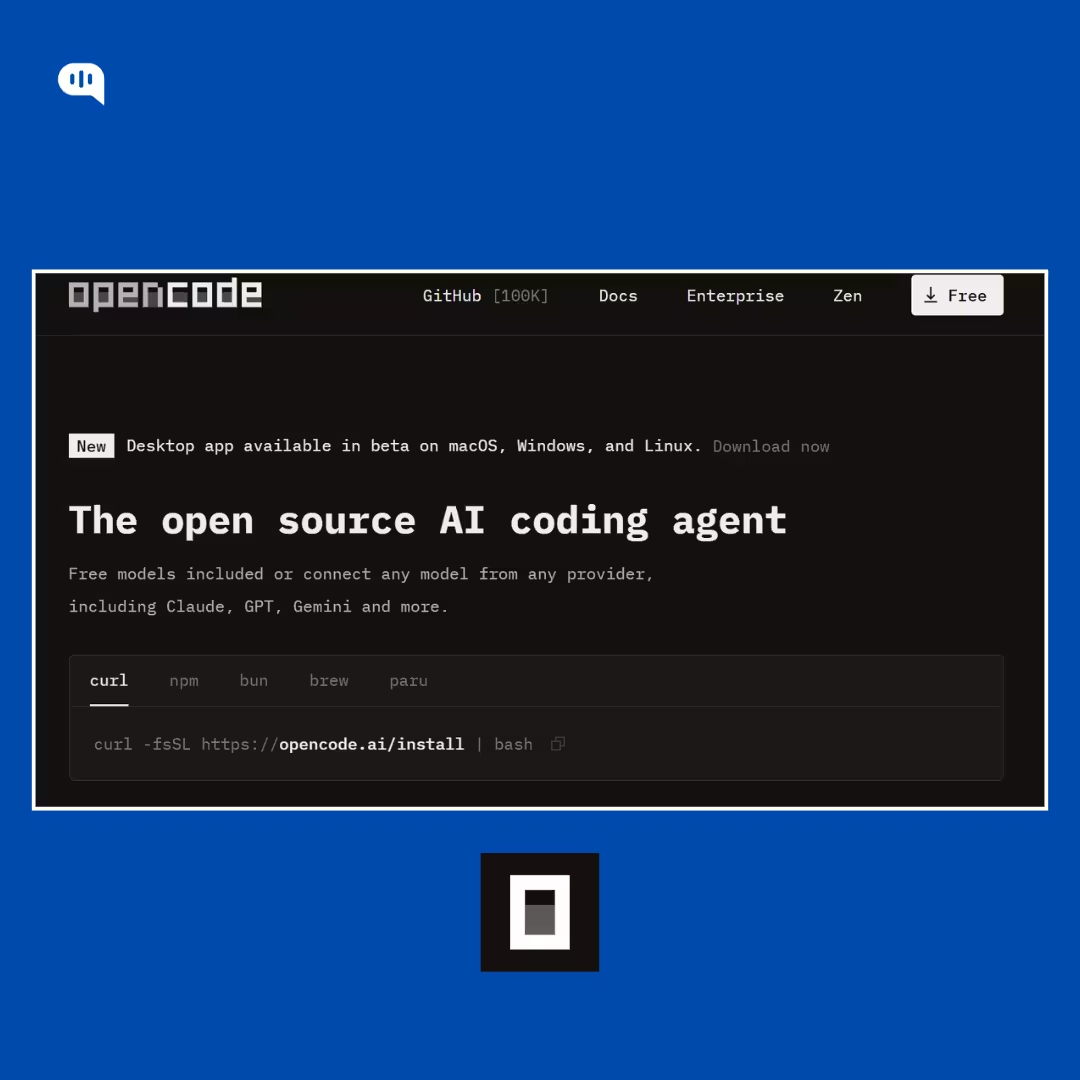
OpenCode is a multi-model AI coding agent that runs in your terminal / IDE / desktop, and it’s explicitly designed to let you connect “any model from any provider” (Claude, GPT, Gemini, local models, etc.).
It also supports practical dev ergonomics like LSP support, multi-session agents, and shareable session links—i.e., it’s not just a chat box glued to a model picker.
What makes OpenCode platform-like (instead of “just a tool”) is Zen: a curated model layer with published per-token pricing, free model promos, auto-reload, and monthly spend limits for teams.
Zen even lists token pricing for multiple frontier models (including Claude Opus 4.6 and Gemini Flash) plus caching rates, which is exactly the kind of control you want if you’re managing real usage across a team.
Choose OpenCode if: your main “ChatGPT alternative” need is coding + agentic dev workflows, and you want the freedom to switch underlying models without switching your entire environment.
Quick decision cheat sheet
- Building image/video generation into a product: pick fal.
- Making marketing/training videos with a team workflow: pick HeyGen.
- Coding with multiple LLMs in one agent UI (terminal/IDE) + team cost controls: pick OpenCode.
Now that we know the ChatGPT alternative models and platforms, we can start talking about which one fits which use case.
How Do You Choose the Right Alternative for Your Exact Use Case?
Choosing a ChatGPT alternative is easier when you stop hunting for “the best” and start matching tools to outcomes.
Pick based on what you’re producing, and what is necessary for the product to work.
1) Start With the Output
Don’t pick a “ChatGPT alternative” by brand. Pick it by what you need to generate: text, images, or video.
Choose the lane first. Once you’re clear on the lane, everything else becomes a simple trade-off conversation instead of a week-long tool-hopping spiral.
2) Name your Constraints
Most teams fail because they never admitted what they actually care about: speed, cost, context length, or governance, and then they act surprised when the tool behaves exactly like it was designed to behave.
Constraints beat preferences.
If latency matters, you’ll skew toward fast variants; if volume matters, you’ll care about caching and unit economics; if reliability matters, you’ll pay for the model that stays coherent when prompts get gnarly and real-world messy.
3) Decide if yo want a Dedicated Tool or a Feature
Here’s the fork: are you a human using a UI to get work done, or are you shipping generation inside a product or pipeline?
Shipping changes everything.
The moment you integrate, you start caring about retries, throughput, spending limits, monitoring, and the ability to swap models without rewriting half your stack—which is exactly when platform layers like fal (media infrastructure) and HeyGen (video workflow) start looking less like “nice-to-have” and more like oxygen.
4) Document your Workflow
If your team lives in code, a “multi-model coding agent” can be a better alternative than yet another chat tab, because it’s designed to let you route across models inside a developer-native environment instead of forcing devs to context-switch between tools all day.
Context-switching kills velocity.
And if you’re producing a high volume of assets (creative variants, localized videos, batch generation), the ability to standardize prompts, templates, and budgets often matters more than squeezing out the last 3% of quality in a single lucky generation.
A quick 30-second decision framework
1) What are you producing most often?
- Text + code → Text Gen models
- Visual assets → Image Gen models
- Motion content → Video Gen models
2) What’s the main constraint?
- Depth/reliability → pick the “deep work” model
- Speed/latency → pick the “fast default” model
- Volume/cost → pick the “economics-first” model
- Governance/workflow → pick the platform layer
3) Are you using it or shipping it?
- Using → subscriptions + UX can win
- Shipping → APIs + routing + predictable unit costs win
Quick Choices that Fit Your Use Case
- Deep reasoning + serious coding + long specs: Claude Opus 4.6
- Agentic workflows + budget-sensitive scale: Kimi 2.5 or DeepSeek
- Low-latency, high-throughput apps: Gemini 3 Flash
- Marketing-grade image aesthetics: Midjourney
- Prompt-faithful images + text-in-image + API scale: Nano Banana Pro (often via fal)
- Creative ops inside Adobe workflows: Adobe Firefly
- Cinematic video + story-style iteration: Veo 3.1
- Programmable video generation in pipelines: Seedance
- Creator-first experimentation: Kling 3.0
- When you want model optionality + production plumbing: fal
- When you want a repeatable video workflow for teams: HeyGen
- When you want a developer-native, multi-model coding agent: OpenCode
Pick one “daily driver,” then add one specialist.
Most teams win by routing (fast model for routine tasks, deep model for hard problems, and a media specialist for visuals) because it keeps costs sane while still giving you a “break glass” option when the request is complex.
Choose for your workflow first, then optimize the model choice, the right alternative is the one you’ll actually ship and use consistently.
Conclusion
If you take one thing from this list, let it be this: there isn’t one “best” ChatGPT alternative. Text and coding workloads reward models that can reason, stay consistent, and scale economically; image workloads reward taste and controllability; video workloads reward temporal stability and an iteration workflow that doesn’t punish you for experimenting.
For most businesses, the winning setup isn’t a single model, it’s a small, intentional stack. Use a “deep work” model when correctness matters (Claude), a cost-efficient model when volume matters (Kimi or DeepSeek), and a speed-first model when latency matters (Gemini Flash). Then layer on specialists for media: Midjourney for aesthetics, Nano Banana for prompt-faithful production, Firefly for Creative Cloud governance; Veo for cinematic workflows, Seedance for API pipelines, Kling for creator iteration.
And when you’re shipping this into real workflows you’ll feel the tipping point quickly: platform layers beat model loyalty once scale, governance, and cost controls enter the room. That’s why tools like fal, HeyGen, and OpenCode belong in the conversation.
Pick your lane. Admit your constraints. Route intelligently.
That’s how businesses turn “ChatGPT alternatives” from a curiosity into an advantage.
Meanwhile if you want a platform that uses frontier models to help you automate your customer service workflows, feel free to try Kommunicate.

A Content Marketing Manager at Kommunicate, Uttiya brings in 11+ years of experience across journalism, D2C and B2B tech. He’s excited by the evolution of AI technologies and is interested in how it influences the future of existing industries.