Updated on February 19, 2026
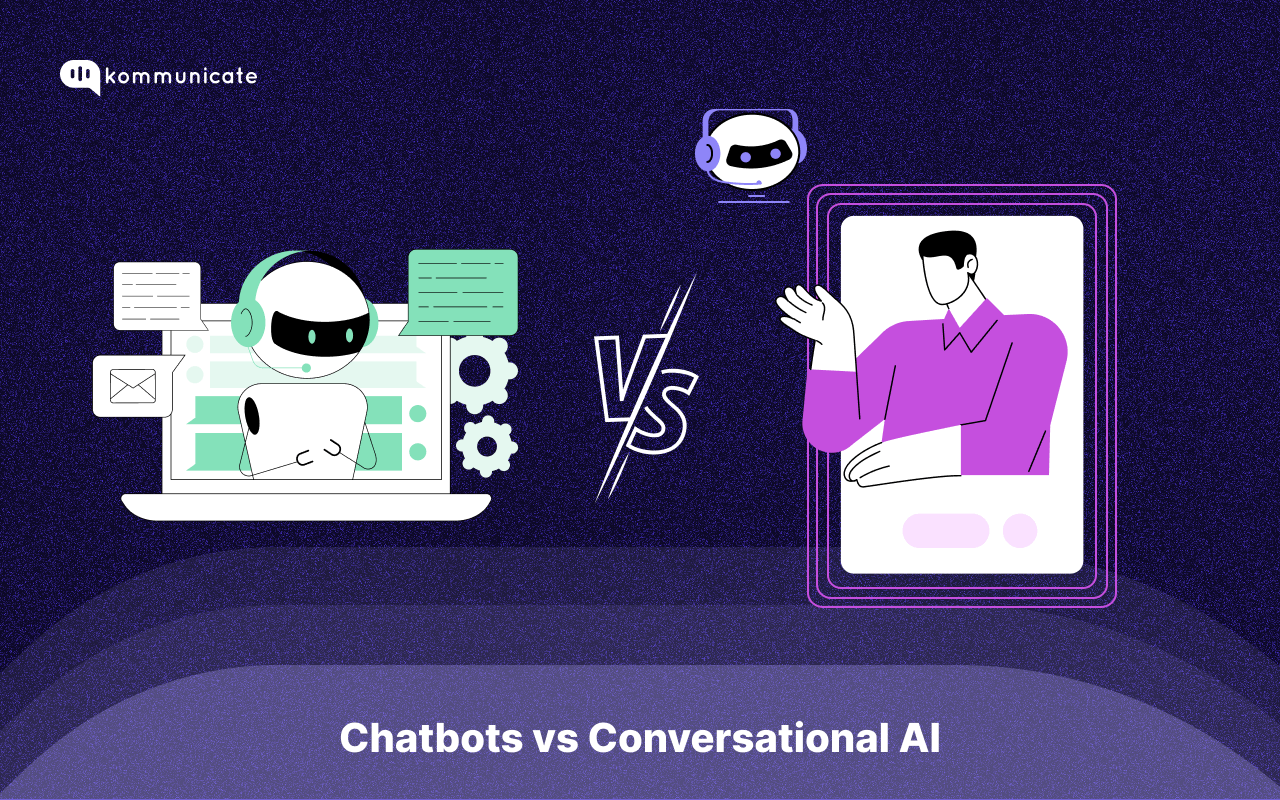
For most of the world, the AI cycle started in late 2022 with the launch of ChatGPT 3.5. Three years later, in 2025, the industry has reached new heights, with projections estimating a revenue of over $1 trillion by 2031.
However, despite the growth in AI applications, most consumers and businesses still struggle to differentiate between conversational AI and bots.
Over the past three years, you’ve probably interacted with both of these versions of customer service software. If you’ve received instant responses to emails, chat widgets, or even voice calls, some type of AI or bot was probably involved.
So, how can you differentiate between conversational AI and chatbots? We’ll try to explain that through this article, we’ll cover:
- What is a Chatbot?
- Examples of Chatbots in Action
- What is a Conversational AI Agent?
- Examples of Conversational AI Agents in Action
- What’s the Difference between Chatbots and Conversation AI?
- How Can Kommunicate Help You Level Up Your Customer Service?
Let’s dive in!
What is a Chatbot?
Simply put, a chatbot is software that provides automated responses. It was created to mimic human interaction and has frequently been used to automate customer service needs.
How Does a Chatbot Work?
- Through Rules and Triggers – The bot scans for signals like “track order,” “reset password,” or “refund.” When it detects a match, it fires a preconfigured message.
- Canned Responses – Popular in WhatsApp support, these chatbots have a set of prewritten responses that are used as replies to customer questions.
- Decision Trees – Users click through buttons or quick replies that branch the flow. Each choice narrows the path to a fixed outcome.
- Lookup Tables – Some chatbots just look up answers and get facts they can use for replies.
While many of these techniques use some form of machine learning and “narrow AI,” they’re not generative AI. That’s why the classic chatbots lack a few features.
What Chatbots Can’t Do?
- No deep reasoning – It does not plan multi-step tasks or make autonomous decisions.
- Limited understanding – Many chatbots do not accept free-text input. They rely on buttons and rigid options. If they accept text, they still tend to key off a few terms rather than understand intent in context.
- No generative depth – Unlike modern conversational AI, a classic chatbot does not synthesize nuanced answers, maintain long-term memory, or coordinate tools to complete tasks.
The significant difference between chatbots and AI agents is that chatbots don’t understand context and nuance like AI agents. This leads to generic answers that might be frustrating for a customer.
When Should You Use a Chatbot?
While chatbots are not as performant as AI agents, they can still be helpful. In fact, most customer service teams we serve use both technologies to create a balance between performance and costs.
You should use a chatbot for:
- Fast answers to repetitive questions.
- Consistent, on-brand messaging.
- Low cost and quick to launch on websites or messaging apps.
Chatbots are relevant for providing quick support to your customers. They are useful for pulling up specific terms and conditions that your customers might ask about, helping answer repetitive questions, and other similar projects.
Let’s see how they are used in real life with three examples.
Boost support efficiency and resolve queries faster with
AI-powered email ticketing from Kommunicate!
3 Examples of Chatbots in Action
Whether you’re an insurance company, sales representative, or technical support service, you need some kind of automation to make your customer service workflow easier.
Ensuring that customers have the option for immediate responses from your brand is a way to solidify your great customer service.
This can help you build a strong brand reputation for your business.
Let’s take a look at 3 examples of chatbots in action when it comes to customer service.
#1 Uniqode
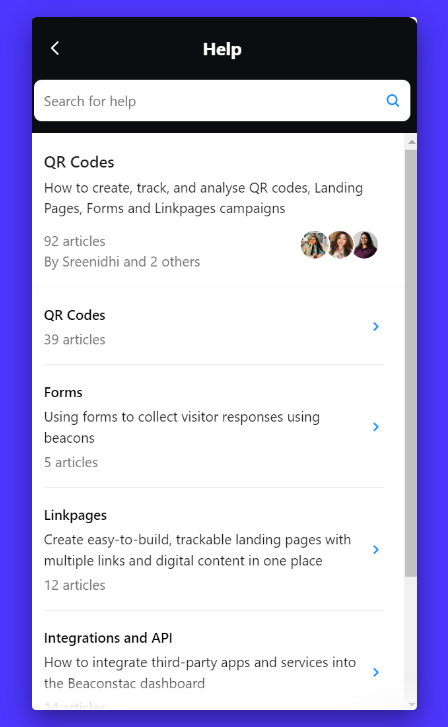
Not every QR code generator website has the greatest customer service, but Uniqode takes it to the next level. The brand allows visitors to select different options they need help with for automated replies and articles.
#2 Duolingo
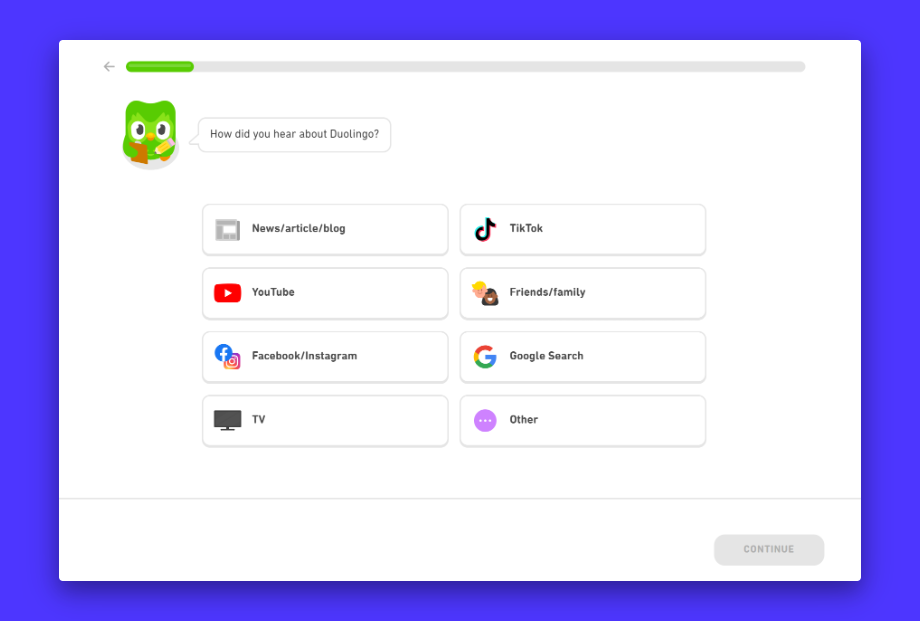
This little green owl knows how to keep customers happy! When prospects visit its website, they are taken through a series of questions and answers that provide further insight into their language skills.
#3 Epic Sports
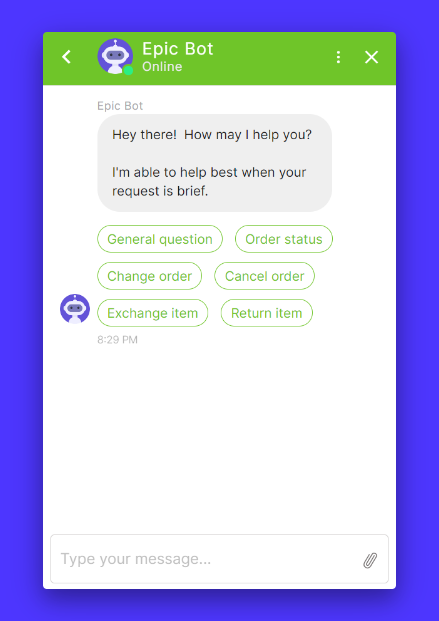
Epic Sports taps into the power of chatbots by providing predetermined options for customers to quickly resolve any questions or issues.
What is a Conversational AI Agent?
Chatbots are a rather simple technology where the tech doesn’t really understand your question, and you get a generic answer. A conversational AI agent is a more intelligent version of this tech that understands what you mean and then decides the next best action. It can fetch knowledge, call tools, and complete multi-step tasks with guardrails.
The technical building blocks of chatbots and conversational AI share many similarities, but there are distinct differences that set them apart. Let’s take a look at what those look like for conversational AI
How do Conversational AI Agents Work?
- Large Language Models (LLMs) – Foundation models trained on vast text corpora power intent understanding, language generation, and reasoning.
- Transformers – The neural architecture behind modern LLMs, enabling attention over long context, better coherence, and more accurate intent parsing.
- RAG (Retrieval-Augmented Generation) – The agent searches approved knowledge sources at query time, injects the results into context, then generates grounded answers. This reduces outdated or made-up responses and keeps outputs aligned with your docs.
- Tool use and APIs – The agent can call external systems, such as CRM, ticketing, payments, and shipping, to execute tasks rather than just describe them.
- Short- and Long-term Memory – Session memory keeps the conversation coherent, profile or case memory personalizes experiences across sessions, subject to privacy controls.
These technologies make AI agents very good at some tasks.
When Should You Use Conversational AI Agents?
- Complex Customer Service Flows – Returns and refunds with eligibility checks, warranty claims, plan changes, KYC steps, and multi-system troubleshooting.
- Natural Language Understanding. Let customers type or speak in their own words, including slang, mixed languages, or long descriptions.
- Accurate Intent Detection and Routing. Classify the request, gather missing details, fetch the account context, then route or resolve automatically.
- Personalized, Cross-Channel Support – Continue context across web, mobile app, WhatsApp, and email, maintain history, and tailor responses.
- Agent-Assist – Summarize threads, suggest next best actions, draft replies, and escalate with clean hand-offs.
While these AI agents are powerful when used properly, they do come with a host of drawbacks.
What AI agents are not good at
- Cost and latency – High-quality LLMs can be expensive at scale, and complex prompts or long contexts can increase response time.
- Hallucinations – Without retrieval and guardrails, agents may generate confident but incorrect answers. Always pair LLMs with RAG, validation, and narrow tool scopes.
- Determinism and Control – Purely generative systems are probabilistic. Use policies, human-in-the-loop for sensitive actions, and approval steps for high-risk workflows.
- Data Governance Complexity – Memory and integrations require access controls, audit logs, and clear retention policies.
Essentially, for security-first organizations where factuality is important, you might need to build AI agents that are more compliant and helpful. Most businesses do this with RAG, and by designing intents and entities through a conversational design engine like Kommunicate’s Kompose.
Now that you understand how to use these AI agents, let’s talk about how it is being used in real life.
3 Examples of Conversational AI in Action
Having a conversation with AI isn’t as weird as it may seem. In fact, it’s very common in today’s world.
Let’s take a look at 3 examples of conversational AI in action.
1. The Patel Firm
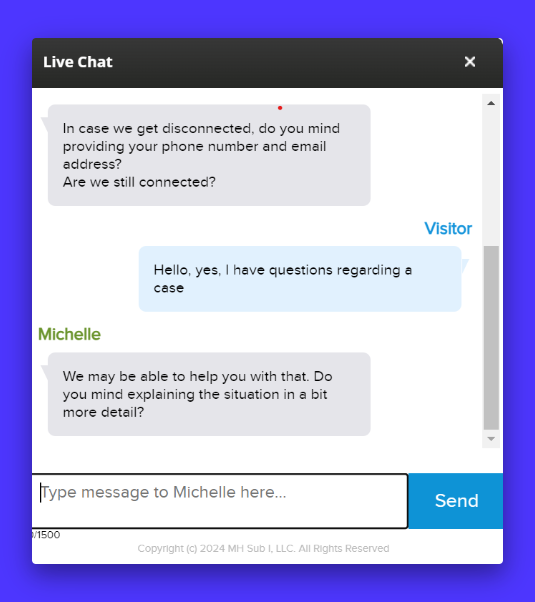
The Patel Firm understands that when people are looking for a lawyer, they want answers, and they want them quickly. On their website, you can see this in action through the use of conversational AI.
Once you arrive on the website, you are shown a pop-up chat box that starts a conversation with you and responds. The responses are based on the conversation you have with the bot and adapt as needed.
2. Ulta
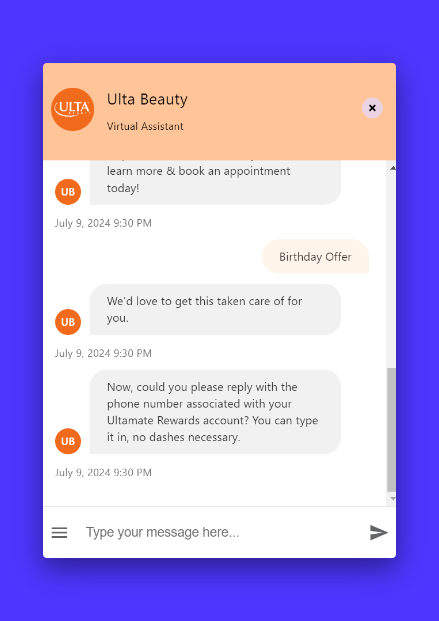
This cosmetics company prides itself on its swift customer service, so it’s no surprise that it is using conversational AI to help customers find answers to their questions.
From checking on birthday offers, like the example above, to checking in on the status of your order, Ulta encompassed the main questions and needs that their customers have.
3. Dell
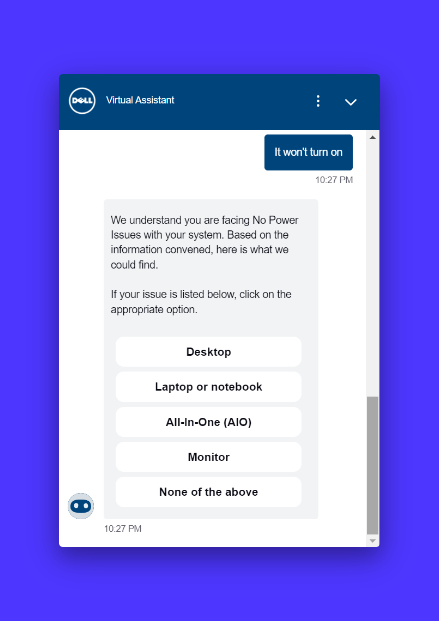
Dell embraces conversational AI to allow customers to troubleshoot technical issues they may have.
In the example above, you can see where a customer described the issue they were having, and through conversational AI, Dell can help customers receive the information they need to either troubleshoot the issue or connect them with the right person who can assist them.
By allowing customers this access, they can provide quick resolution, or at least steps toward it, to their customers.
What’s the Difference between Chatbots and Conversation AI?
Knowing what chatbots and conversational AI do is key to having success with these features. I mean, you wouldn’t run a Google campaign without understanding the ranking factors, so knowing all the ins and outs behind these is important to their success.
Sadly, poor communication may cost a company with more than 100 employees more than $524,569 annually. Customers need a quick solution to their questions or issues in this current era.
By tapping into chatbots and conversational AI, a brand ensures that it is easily accessible for the customer to engage and connect with them, which can help protect their business.
So, let’s take a look at the key differences between the two.
| Dimension | Chatbots (rule-based or basic NLP) | Conversational AI |
|---|---|---|
| Core approach | Heuristics, buttons, decision trees, canned replies | LLM/NLU driven understanding, generative responses |
| Input style | Mostly buttons or short keywords | Natural language (free text or voice), multi-turn dialogue |
| Intent understanding | Keyword or pattern matching | Intent + entities + context across turns |
| Memory & context | Little to none; each turn is isolated | Maintains session context; can store profile or case context with controls |
| Personalization | Limited; hard-coded variants | Learns preferences, tailors replies using history and metadata |
| Response quality | Fixed templates; narrow variations | Adaptive, more fluent, can synthesize information |
| FAQs, hours, shipping updates, and password resets | Simple lookups (FAQ, order status) | Can call APIs, search knowledge (RAG), and coordinate steps |
| Integration depth | Shallow integrations (KB, single API) | Deeper, multi-system workflows (CRM, ticketing, billing) |
| Typical use cases | Hallucinations without RAG, policy compliance, and latency under load | Complex troubleshooting, returns and refunds, plan changes, intent-based routing |
| Setup time | Fast; drag-and-drop flows | Longer; requires data prep, integrations, testing |
| Maintenance | Manual updates to flows and scripts | Ongoing tuning; data quality, prompts, guardrails |
| Costs | Lower to start; predictable | Higher model and inference costs; scales with usage and context length |
| Risks | Rigid UX, dead-ends, low containment for novel queries | LLM/NLU-driven understanding, generative responses |
| Success metrics | Click-through on buttons, flow completion, deflection | First contact resolution, time to resolution, CSAT, containment with accuracy |
| Best fit | High-volume, repetitive, predictable questions | Variable queries needing reasoning, memory, and multi-system actions |
| Example UX | “Pick one: Track order, Return item, Store hours” | “I ordered shoes last week, size 9 is tight. Can I exchange and update my address?” |
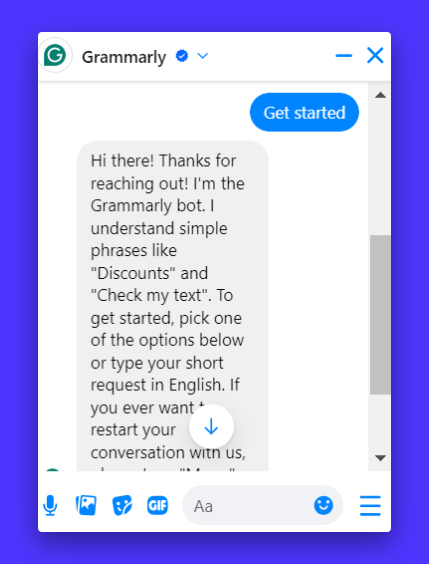
Grammarly’s Facebook messenger is a great example of a Facebook Messenger chatbot; it even identifies itself as a Grammarly bot and explains how it can understand simple phrases. The fact that Grammarly provides examples of simplistic phrases can help users understand that this is a chatbot and not a conversational AI.
Conversational AI is a form of chatbot, but it is taken much further as it uses more sophisticated technology.
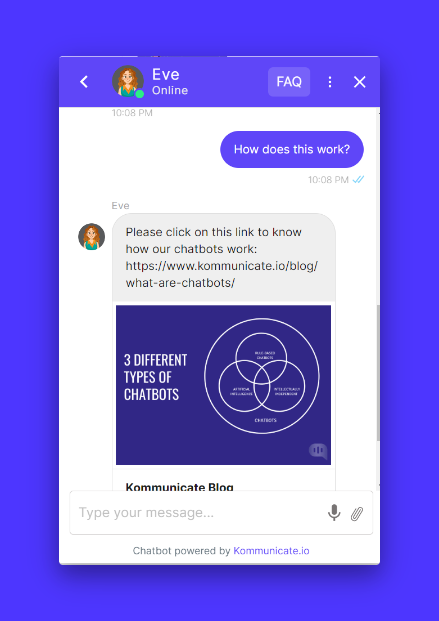
Take our own Kommunicate chatbot as a great example of conversational AI. We have ours set up so that you can ask direct questions instead of just clicking on an option.
Yes, the simple chatbot option is there for more frequently asked questions, but it is also possible for customers and prospects to send more conversational questions that conversational AI can respond to.
Here’s a short video explaining the differences between Chatbots and Conversational AI:
Now that we understand these differences, it’s helpful to understand when each of these technologies should be used.
When Should You Use Chatbots or Conversational AI Agents?
We handle thousands of customers through our chatbots and AI agents at Kommunicate. In our expert opinion, you should:
- Use a chatbot if requests are repetitive, predictable, and resolved with a short lookup or a single step.
- Use a conversational AI agent if requests vary in wording, need reasoning across multiple systems, or benefit from memory and personalization.
- Use a hybrid if you have both patterns at meaningful volume: chatbot as the front door, agent for action-taking flows, human for exceptions.
If you want a more detailed answer, we’ve created a detailed AI vs bot table:
| Criterion | Chatbot | Conversational AI Agent |
|---|---|---|
| Query complexity | Low. One question, one answer. | Medium to high. Multi-step, branching, or ambiguous. |
| Input style | Buttons and short keywords. | Natural language across multiple turns or voice. |
| Context and memory | Not required. | Required to personalize and keep history straight. |
| Systems touched | One source. FAQ or single API. | Two or more systems. CRM, ticketing, billing, logistics. |
| Risk tolerance | Prefer deterministic replies. | Can allow controlled autonomy with guardrails. |
| Timeline and budget | Need a fast, low-cost launch. | Will invest in data prep, integrations, and tuning. |
| Metric focus | Deflection, time to first response. | First contact resolution, time to resolution, CSAT. |
Finally, if you’ve made a choice between the two, let’s talk about how we can use AI agents and chatbots from Kommunicate can improve your customer service efforts.
How Can Kommunicate Help You Level up Your Customer Service?
At Kommunicate, we have everything you need to automate your customer service. Whether you decide to implement a chatbot with a simple structure or more advanced conversational AI, we’re here to help.
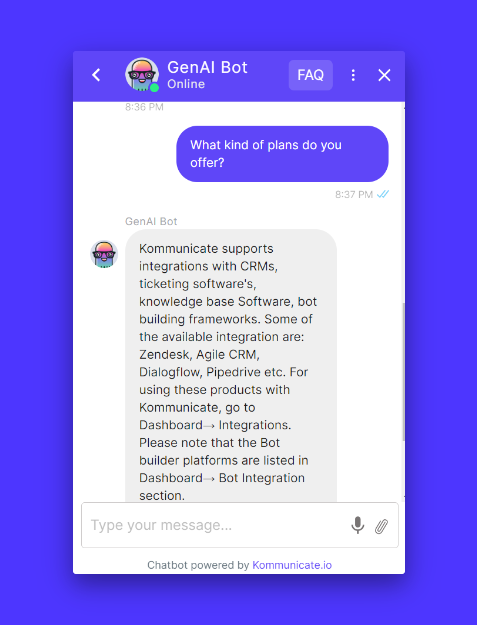
With Kommunicate, we have a simple, no-code-needed chatbot builder that will help you create the responses your customers need to their frequently asked questions and issues.
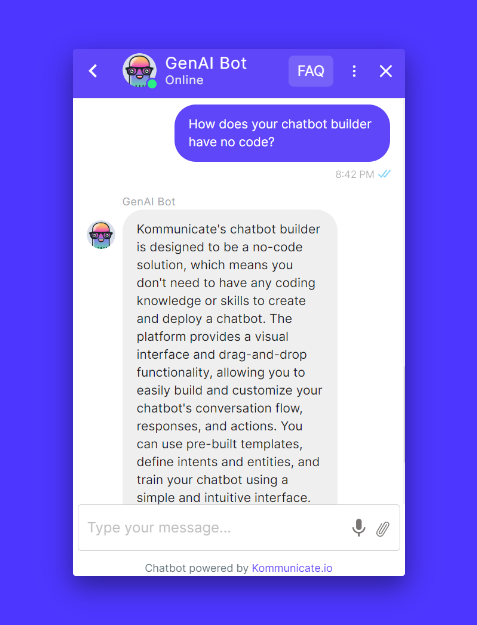
By putting your customer service on auto-pilot, you can enhance your self-service resolution rate, reduce average handling times, and cut down on operational costs with human-like conversations powered by generative AI.
You can deliver personalized service by assisting your customers at precisely the right time, at the right place, and in the language of their preference.
When it comes to chatbots and conversational AI, we’re here ready and waiting to help you take the next steps in amping up your customer service.
Wrapping It Up
Knowing how to tap into chatbot and conversation AI can be a game changer for how your brand handles customer service through AI.
While both chatbots and conversational AI make human-computer interaction easier, their underlying technologies, capabilities, and user experiences can, in fact, vary significantly.
So just keep in mind, chatbots are best for straightforward tasks with predictable inputs, while conversational AI excels in more complex and adaptive interaction scenarios.
Both are beneficial and can go hand in hand, especially when it comes to improving your brand’s customer response. So, evaluate what your brand’s current needs are and if you should implement a chatbot or a chatbot with conversational AI. The complexity of your customer’s needs should be the determining factor behind what you choose to implement for your brand.
Either way, your brand can be quickly set up for customer service success and, subsequently, increased brand loyalty, thanks to the swift resolutions they may receive.
Ready to try out chatbots and conversational AI for yourself? Sign up today for our free trial!

Freya Laskowski is the founder of SERPManiac, an agency focused on helping brands scale their organic growth with content marketing and SEO services.
She is a quoted contributor in online publications like Business Insider, Fox Business, Yahoo Finance, and the Huffington Post. She also owns CollectingCents– a personal finance blog that she grew from the ground up.