Updated on May 4, 2026
With 3B+ monthly active users, WhatsApp is the largest messaging app in the world. It’s also where customers increasingly talk to businesses: over 1 billion people message a business each week across Meta’s apps, with WhatsApp a major driver of that behavior.
This works because WhatsApp supports rich, business-grade interactions so you can deliver confirmations, troubleshooting steps, PDFs, and CTAs without channel-hopping. And it’s trusted: WhatsApp provides end-to-end encryption by default for personal messaging, helping customers feel safe engaging on a familiar channel.
Finally, customer expectations demand speed. 90% of customers rate an “immediate” response as necessary, and 60% define “immediate” as 10 minutes or less. That’s precisely the responsiveness an AI-assisted WhatsApp flow can deliver.
To offer customer service on WhatsApp at an accurate scale, AI agents are the most reliable approach. A WhatsApp AI chatbot provides 24/7 global coverage, instant answers in multiple languages, rich interactions (media, documents, buttons), and intelligent data capture.
Your customers get the quickest answers on a platform they use every day, and you resolve more tickets in a shorter timeframe without increasing headcount. This article will guide you through creating a WhatsApp chatbot for customer service and using the platform to scale support processes. We’ll cover:
1. Why is WhatsApp the Right Channel for Customer Support Today?
2. What Exactly Are We Deploying on WhatsApp: Bot, AI Agent, or Hybrid?
3. What Prerequisites Do We Need Before Building?
4. How Can We Build a WhatsApp Customer Service Chatbot?
5. How Do We Design Conversations Customers Actually Love?
6. What’s Our Go-Live Plan and Pilot Strategy?
7. How Do We Drive Traffic to Our WhatsApp Channel Post-Launch?
8. How Do We Measure Success and Iterate?
9. How Do We Ensure Quality, Safety, and Compliance Over Time?
10. Conclusion
Why is WhatsApp the Right Channel for Customer Support Today?
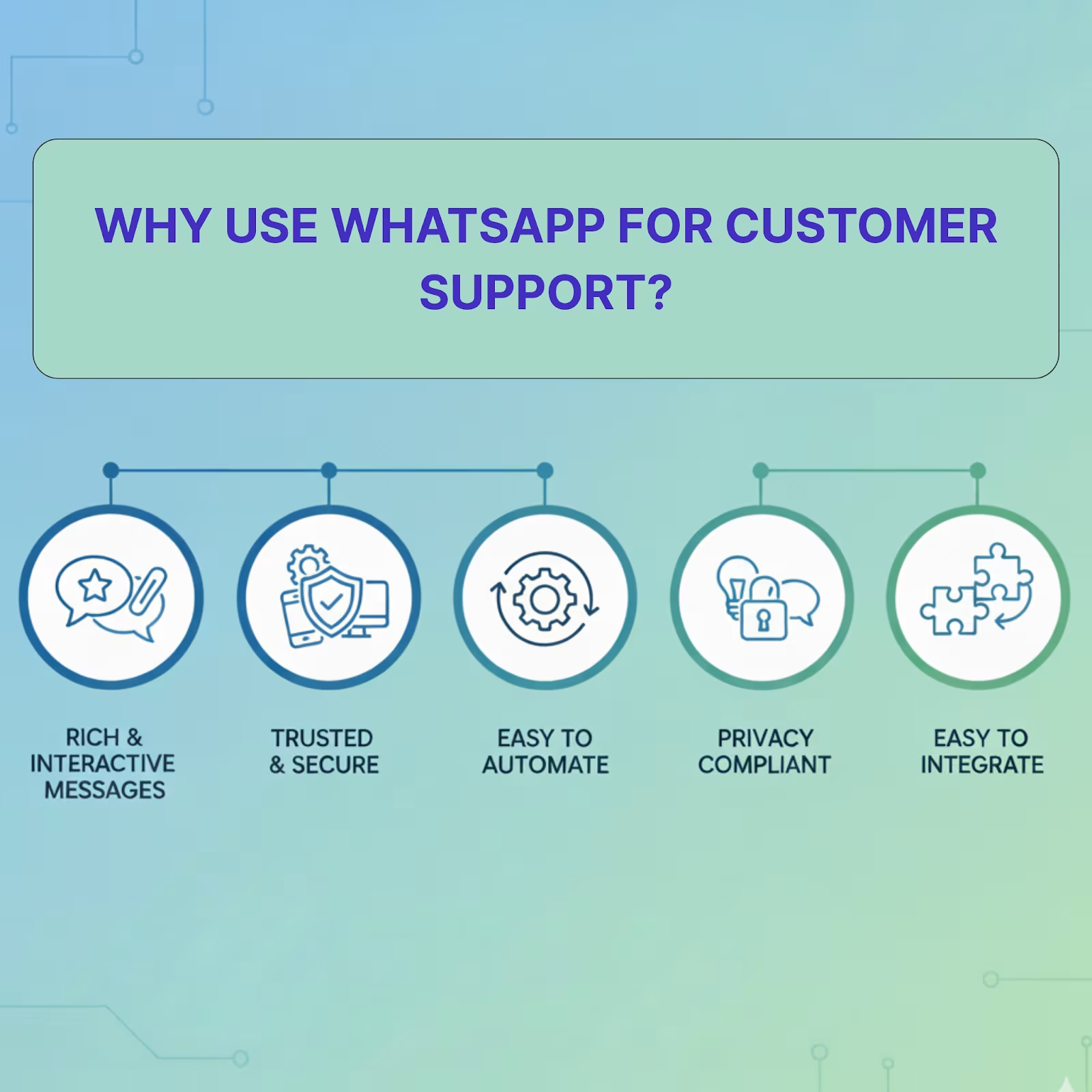
We’ve discussed the role of WhatsApp in customer support at length in other blogs, so we’re going to focus on the five core reasons here:
- Built-in Rich Interactive Messages – You can send images, videos, PDFs, and even location pins, creating a 360-degree support channel. You can also use approved templates with buttons for structured actions (e.g., confirm, pay, track).
- Trusted and Secure Design – WhatsApp provides end-to-end message encryption, and Business/API accounts support verified profiles. This boosts authenticity and customer confidence in your support experience.
- Automation and 24/7 Availability – Setting up AI agents on the platform is relatively easy. This provides automated responses and after-hours coverage, giving customers instant answers to common queries anytime.
- Proactive, Compliant Customer Updates – You can use pre-approved template messages across categories (Marketing, Utility, Authentication) and operate within WhatsApp’s 24-hour customer service window for session messages.
- Enterprise-Grade Integration & Scale – The Business API is designed to plug into your CRM/helpdesk/ERP and handle high conversation volumes—so identity, order lookups, and context pass seamlessly between systems.
The popularity of WhatsApp and the business-friendliness of its business app and API make it a viable support platform for all businesses. Even enterprises like FedEx and DHL use WhatsApp as a platform to connect with their customers.
So, how can we get started? First, let’s understand the type of customer service portal we’ll build on WhatsApp.
What Exactly Are We Deploying on WhatsApp: Bot, AI Agent, or Hybrid?
Since WhatsApp is a conversational platform, there are three options for the customer service portal you’ll end up building:
1. Bot (Rule-Based): Here, you have predetermined flows and keyword triggers. Customers can use specific keywords or click on buttons to get their answers. This will be highly predictable and safe.
2. AI Agent (LLM-Powered): Here, you use a model that understands natural language, pulls answers from your KB/CRM, and can execute tasks like status lookups or ticket creation through OpenAI function calling. Customers can type naturally and get precise, contextual replies. This will be flexible and powerful, but requires guardrails for consistency and safety.
3. Hybrid (Bot + AI + Humans): You combine button-driven flows for routine tasks with AI for open-text questions, plus seamless escalation to a human when needed. Customers can tap quick options for speed or type freely for nuance, with agents stepping in for judgment calls. This will be both scalable and predictable, with depth when it matters.
Which Mode of Customer Support Should You Build?
Your choice in this case will depend on the questions your customers ask, and we’ll give you a quick list that will make the choice easier. But, before that, let’s understand the capabilities of each of the modes:
| Capability | Bot (Rule-Based) | AI Agent (LLM + RAG) | Hybrid (Recommended) |
| Handles Free-Text | Low (use menus/buttons) | High | High |
| Setup Time | Fast | Moderate | Moderate |
| Governance/Compliance | Very High (deterministic) | High (with guardrails) | High |
| Answer Depth | Low–Medium | High (KB/SOP-grounded) | High |
| Cost Predictability | Very High | Medium | High |
| Multilingual | Template-driven | Strong (model-native) | Strong |
| Proactive Templates (HSM) | Strong | Strong | Strong |
| Data Capture (IDs, files) | Strong (interactive messages) | Strong | Strong |
| Human Handoff | Yes (manual/logic) | Yes (confidence-based) | Best (rules + confidence) |
These capabilities give us a fairly robust idea of which portal suits which type of business. To make it simple:
- Choose a Bot if you have 10-15 frequently-asked-questions (FAQs), require strict scripts, or provide ROI in <2 weeks.
- Choose an AI Agent if you face many questions, need multilingual support at scale, and have a reasonably organized KB/SOPs.
- Choose Hybrid (Best for WhatsApp) when you want speed + quality: use flows for repetitive tasks (order status, returns), AI for natural questions, and seamless human handoff for judgment calls.
On WhatsApp, Hybrid wins: it gives you the governance of bots, the flexibility of AI, and the safety of smooth human handoffs, all while leveraging WhatsApp’s interactive messages and compliant templates.
Let’s build a WhatsApp customer service chatbot combining AI and pre-defined templates.
What Prerequisites Do We Need Before Building?
To build a hybrid AI customer service chatbot on WhatsApp, you need the following:
1. Kommunicate Account – We will use Kommunicate to handle the backend for our AI agent. This will also help us connect with WhatsApp without problems. You can sign up here.
2. A WhatsApp Business Service Provider (BSP) – Meta licenses its API to certified Business Service Providers (BSPs). You can integrate with WhatsApp through the WhatsApp Cloud API, Twilio, and 360Dialog. We’re going to use Twilio as an example.
3. A Dedicated WhatsApp Business Number – Connect your business’s number to your BSP to make the connection quick and seamless.
You can easily build a WhatsApp customer service chatbot with these accounts and a number.
How Can We Build a WhatsApp Customer Service Chatbot?
You can quickly build a WhatsApp customer service chatbot using Kommunicate and Twilio by following the video below:
We have also added a brief explanation below to help you do this easily:
1. Create your bot in Kommunicate.
In the Kommunicate dashboard, spin up a bot using Kompose. Add greetings, 8–12 FAQs, and one “talk to a human” path for your first version. You can use the following tutorial if you need more help.
2. Sign up for Twilio and enable WhatsApp.
Create a Twilio account and activate WhatsApp (start with the WhatsApp Sandbox for quick testing). This lets you send/receive WhatsApp messages while you build.
3. Collect the credentials you’ll need from Twilio.
From Twilio, grab your Account SID, Auth Token, and a WhatsApp-enabled number (sandbox for test; production sender after approval). If you’re applying for production, have your Facebook Business Manager ID handy.
4. Connect Twilio WhatsApp to Kommunicate
In Kommunicate → Integrations → WhatsApp, choose Twilio and paste the Account SID, Auth Token, and WhatsApp number. Save and finish the connection.
5. Test end-to-end in the Twilio Sandbox.
From your phone, join the sandbox and message your connected number. Validate greetings, FAQs, file sending (PDF/image), and the bot→human transfer inside the Kommunicate inbox. Fix copy and branching before you go live.
6. Prepare for production sending.
In Twilio, submit your WhatsApp Sender for approval and set up message templates for out-of-window or proactive notifications (shipping updates, reminders). Keep using session messages for replies within the 24-hour window.
7. Move to scale
Switch from sandbox to your approved production number, roll out more entry points (Click-to-WhatsApp ads), and monitor template quality and compliance.
Our blog provides a more detailed guide about integrating Twilio and WhatsApp with Kommunicate. Next, we’ll briefly discuss how you can design your intents to foster better customer conversations.
How Do We Design Conversations Customers Actually Love?
Designing lovable WhatsApp conversations is about reducing effort, not adding flair. Customers come with a job to get done, and they want clear next steps, minimal typing, and a graceful path to a human when needed. Use WhatsApp’s native patterns (quick replies, lists, media, templates) to make each turn obvious, fast, and reassuring.
- Start with Jobs-To-Be-Done: Map the top 10 intents (track order, returns, reset, appointments) and make each a 3–5 step path.
- Design for Thumbs: Keep messages <2–3 lines, one ask per turn. Use quick replies/list messages for speed over free text.
- Progressive Disclosure: Offer the best action (Track → Refund → Replacement) instead of long menus.
- Collect Data Smartly: Validate inputs inline (order ID, email) and confirm what you captured before proceeding.
- Be Clear on Limits: Add a friendly fallback (“I didn’t get that—try these options”) and avoid dead ends.
- Human Handoff That Feels Native: Escalate on low confidence, policy/PII, or frustration; pass transcript + fields so customers never repeat themselves.
- Personalize Lightly: Use name, history, and locale; default to the customer’s language and tone (formal/informal) where possible.
- Close the Loop: Summarize the resolution, share any reference ID/links, and ask “Did this solve it?” to catch misses.
- Continuously Improve: Review transcripts weekly, tag gaps, and ship minor copy/flow fixes.
Nail these conversation basics, and you will have removed the most significant source of friction. Next, we’ll map a lean go-live and pilot plan: who to launch to, how to test end-to-end flows, and what to monitor in week one.
What’s Our Go-Live Plan and Pilot Strategy?
We’re going to follow a fundamental plan to bring our AI customer service chatbot to WhatsApp:
- Define Scope, Guardrails, and Success Criteria (Day −14 to −10)
- Pilot Scope: 1–2 geos or a single product line; business hours + limited after-hours.
- Guardrails: Handoff on low-confidence, policy/PII, or sentiment spikes; keep human SLAs published.
- Success Criteria: Target ≥40% containment, ≤60s FRT, TTR within policy, CSAT ≥4.3/5.
- Prepare the Stack (Day −10 to −7)
- WhatsApp Readiness: Sender approved, templates live, quality tier green; 24-hour window rules documented.
- Integrations: CRM/helpdesk/Order DB verified; identity mapping (phone → customer profile) working.
- Knowledge Base Freeze: Lock the KB/SOP version you’ll ship with; note known gaps.
- Dry Runs & UAT (Day −7 to −3)
- Scripted Journeys: Run “happy path” + 10 edge cases (no order, wrong ID, refund denial, abuse).
- Human Handoff: Validate routing (skills/queues), transcript pass-through, and macros.
- Load Test: Simulate peak (e.g., 50–100 concurrent conversations) to check rate limits and inbox triage.
- Agent Enablement (Day −3 to −1)
- Playbooks: Greeting rules, tone, verification steps, refund/escalation SOPs.
- Dashboards: FRT, containment, TTR, CSAT/CES, repeat contact, template sends/blocks.
- On-call: One person should handle all incidents, there should be one point person to update documentation, and one person who handles the integration.
- Soft Launch (Day 0)
- Limited entry points: Add QR on order page/email footers; keep homepage CTA off for now.
- Shadow period (first 4 hours): Agents monitor live chats; force handoff on any uncertainty.
- Issue log: Central board with timestamps, sample chats, root cause, and fix a owner.
- Week-1 Operating Cadence
- Daily standup (15 min): Talk about daily KPIs, questions where the AI failed, and how to improve the intents.
- KB hotfix window: Publish two edits a day, don’t add any ad-hoc tasks.
- Quality watch: Monitor template quality rating, block rates, opt-in health; adjust sends if needed.
- Measurement & Exit Criteria (End of Week-1)
- Expand If: You consistently meet your SLAs and metric target for two or more days.
- Pause If: Your chatbot keeps hitting dead ends and increases agent workload instead of decreasing it.
- Scale Plan (Week-2 to Week-4)
- Add More Entry Points: Add a CTA to the homepage, add QR codes to your channels, and start Click-to-WhatsApp ads.
- Add Intents in Batches: Improve your chatbot by adding 5-6 questions and answers to intents every week.
- Experimentation: Change language, and A/B test messaging to measure performance.
- Communication & Governance
- Internal: Maintain a daily digest and share quick wins with executives.
- Customer-facing: Set expectations in greeting (“instant answers; complex issues go to a human”).
- Compliance: Weekly review of transcript samples to check for any data leakage or policy violations.
- Quick Go-Live Checklist
✅ Sender approved + templates live
✅ 24-hour window & re-engagement rules documented
✅ AI guardrails + handoff thresholds set
✅ Dashboards live; alerts configured
✅ Runbooks published; on-call named
✅ Issue log + hotfix cadence in place
Now that you understand how to launch and scale WhatsApp support with an AI customer service chatbot, let’s address how you deflect traffic into the channel.
How Do We Drive Traffic to Our WhatsApp Channel Post-Launch?
We’re going to use three channel groups to drive users to the WhatsApp support channel:
1. On-Site Entry Points
Place a “Chat on WhatsApp (24×7)” CTA in your top navigation and a persistent floating button on high-intent pages (pricing, checkout, order status, contact). Pair the CTA with a short value line (“Instant answers, no forms”) and a wa.me deep link that opens WhatsApp directly. Add a small “what I can do” preview to set expectations and nudge structured starts. For desktop users, include a QR code near the CTA so they can scan and continue on mobile without friction.
2. Owned Channels
Add a WhatsApp footer CTA to all lifecycle emails and a slim support strip in invoices, renewals, and onboarding sequences. In SMS, offer a one-step switch (“Prefer WhatsApp? Reply ‘WA’ to switch”) and carry context over so customers don’t repeat details. Inside your product (order tracking, account, help screens), prefill the first message with relevant metadata (order ID, plan) to speed resolution and reduce back-and-forth. Print a QR + short wa.me link on receipts, booking confirmations, and warranty PDFs to turn static docs into live support entry points.
3. Social Media Profiles
Enable WhatsApp as the primary action button on Instagram and Facebook, and pin a post announcing 24×7 support with a simple promise (“<60s first response”). Add the WhatsApp number to your Google Business Profile as a messaging option and align hours and categories for consistency. In YouTube descriptions and LinkedIn posts, include a clear call to action with the wa.me link and mention two everyday tasks (e.g., “Get a quote” or “Track an order”) so users know what happens after they click.
In our experience, most businesses can deflect support volume by positioning their WhatsApp solution more prominently on their channels. Since users are already on the platform, they gravitate towards it and use it to get help for their queries.
But now that you have some traffic on your WhatsApp support number, it’s time to measure and improve support performance. We’ll discuss that in the next section.
How Do We Measure Success and Iterate?
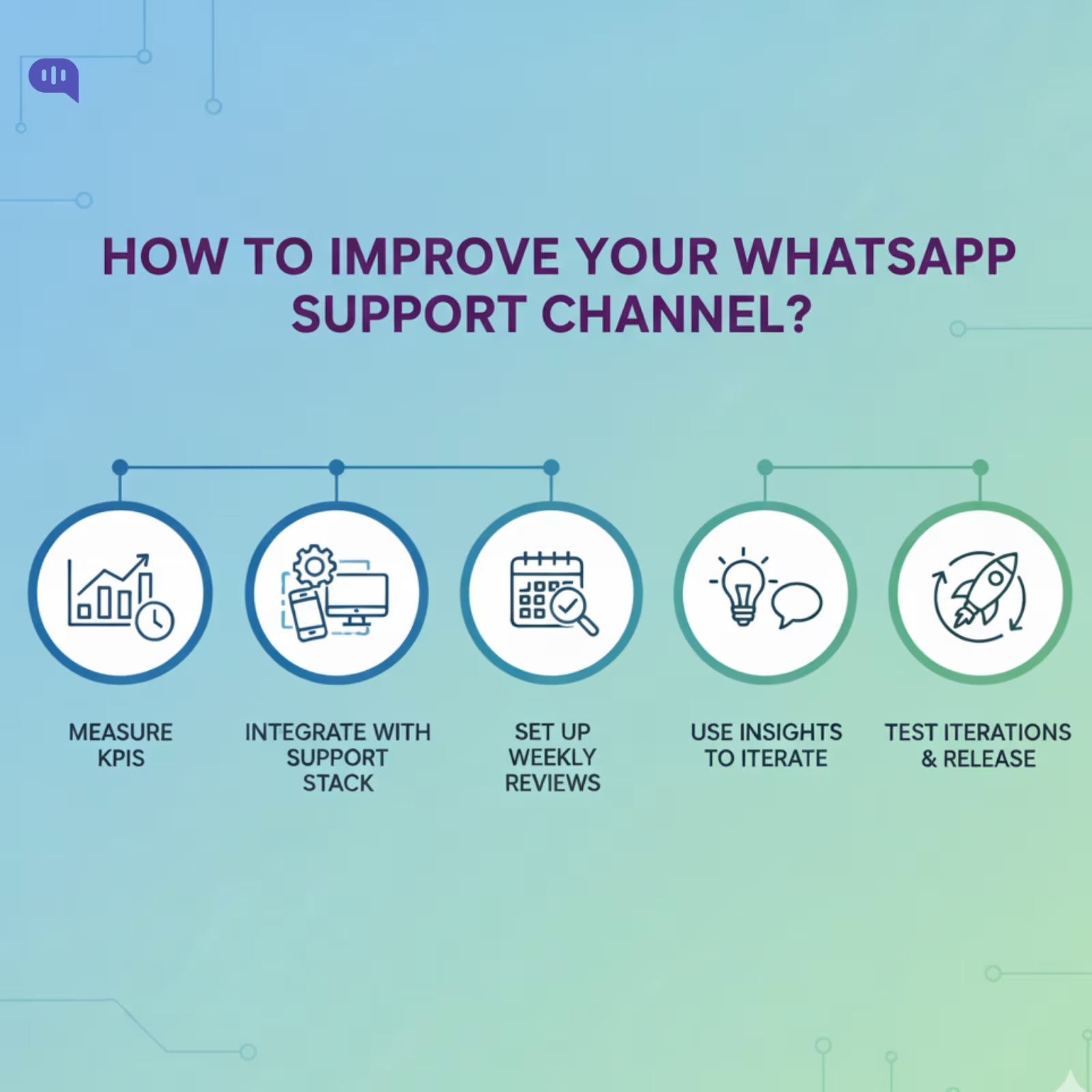
You must treat WhatsApp as any other support channel and improve it over time. We recommend the following steps:
1. Set Your KPIs and Measure Them
The standard set of KPIs we measure for all our clients is Customer Satisfaction (CSAT), Containment Rate, First Response Time (FRT), and Average Handling Time (AHT).
Measuring cost savings on the channel is also helpful in understanding your ROI. An integration partner like Kommunicate will help you automatically calculate these KPIs on your dashboard.
2. Integrate the Funnel
You must add the WhatsApp channel to your support dashboard for easy tracking. Ensure you maintain separate conversation IDs and track requests and resolutions in one place.
3. Set Targets and Guardrails
While the pilot will give you a brief overview of the achievable metrics on the channel, it’s essential to set up guardrails, check if there’s a decline in CSAT or NPS scores on the platform, and add a conversation monitoring task to your daily cadence to ensure compliance.
4. Meet Weekly and Decide on Action Items
Weekly meetings and checking on channel health are essential until the WhatsApp channel stabilizes (predictable number of requests, steady CSAT, FRT, and AHT scores). Decide on the documentation that will improve bot responses, understand if agent workload is exceeding your preset thresholds, and determine action items.
5. Iterate, Test, and Release
Your customer service chatbot on WhatsApp will improve with iteration. This includes creating new documentation and adding more intents to improve customer responses. Keep these iterations low in number (5-7 per week) and test their effectiveness in small pilots before releasing to everyone.
6. Check on Insights
Some WhatsApp customer service chatbots will give you access to insights. Here, you can check on the questions being asked and understand how the chatbot is performing. Keep a watchful eye on these insights and use them to find areas of improvement.
A simple plan that transforms your WhatsApp channel into a complete customer support solution will help you scale faster. It will also help you adhere to compliance at scale, a topic we will tackle next.
How Do We Ensure Quality, Safety, and Compliance Over Time?
You must look beyond quick replies to maintain your support metrics on WhatsApp. You must focus on repeatable quality, predictable safety, and documented compliance. Treat the channel like a product: instrument, review, and evolve it under change control.
Here’s what we recommend:
- Transcript QA, Weekly: Sample 10–20 chats per segment (new users, returns, VIPs). Score for accuracy, tone, resolution, and effort; log defects with owners and due dates.
- Guardrails & Fallbacks: Enforce confidence thresholds, profanity/abuse filters, and PII detection. Hand off to a human on low confidence or policy triggers and summarize context automatically.
- Source-of-Truth Grounding: Keep KB/SOPs versioned; require citations/links for AI answers where possible. Ship KB updates on a fixed cadence (e.g., twice weekly) with release notes.
- Template & Policy Compliance: Track template quality tier, approval status, and block/complaint rates. Respect the 24-hour service window; use approved templates for re-engagement with an explicit opt-out.
- Data Protection: Minimize data collection; mask sensitive fields; rotate API tokens; restrict agent access by role. Maintain audit logs and retention policies aligned to legal/regulatory needs.
- Change Management: Gate changes behind feature flags. Use sandbox + shadow tests before production; roll out with canaries, monitor KPIs for 24–48 hours, and prepare rollback plans.
- Model & Prompt Reviews: Periodically evaluate prompts and retrieval quality (precision/recall on test sets). Track “no-answer” rate, hallucinations, and agent rework; fix root causes, not symptoms.
- Accessibility & Inclusivity: Validate readability (short messages, plain language), multilingual coverage, and alt text for images. Offer human escalation paths for users with assistive needs.
- Incident Response: Define severities, on-call roles, runbooks, and comms templates. After any Sev incident, run a blameless post-mortem with concrete prevention actions.
- Vendor & Legal Oversight: Review BSP and AI vendor SLAs, DPAs, and sub-processors annually. Revalidate consent flows, privacy notices, and regional requirements.
Quality, safety, and compliance are continuous processes. With routine QA, strict guardrails, disciplined change management, and clear audit trails, your WhatsApp support stays dependable as volume grows.
Conclusion
Launching an AI customer service chatbot on WhatsApp is ultimately about scale with control: meeting customers on the world’s most familiar channel, automating repetitive tasks with precision, and escalating the nuanced with context. With a hybrid approach (deterministic flows + AI + human handoff), clear guardrails, and the right integrations, you can deliver fast, consistent resolutions while protecting quality, safety, and compliance as volume grows.
From here, the path is simple: set up your WhatsApp connection (Cloud API/Twilio/360dialog), wire it to Kommunicate, run a contained pilot, and iterate weekly on intents, copy, and handoff rules against a tight KPI set. If you’d like a faster start, we can help you design the first flows, connect your data sources, and ship a pilot in days—not months. Book a quick demo to see this running on your data and leave with a go-live checklist tailored to your stack.

Devashish Mamgain is the CEO & Co-Founder of Kommunicate, with 15+ years of experience in building exceptional AI and chat-based products. He believes the future is human and bot working together and complementing each other.