Updated on August 27, 2026
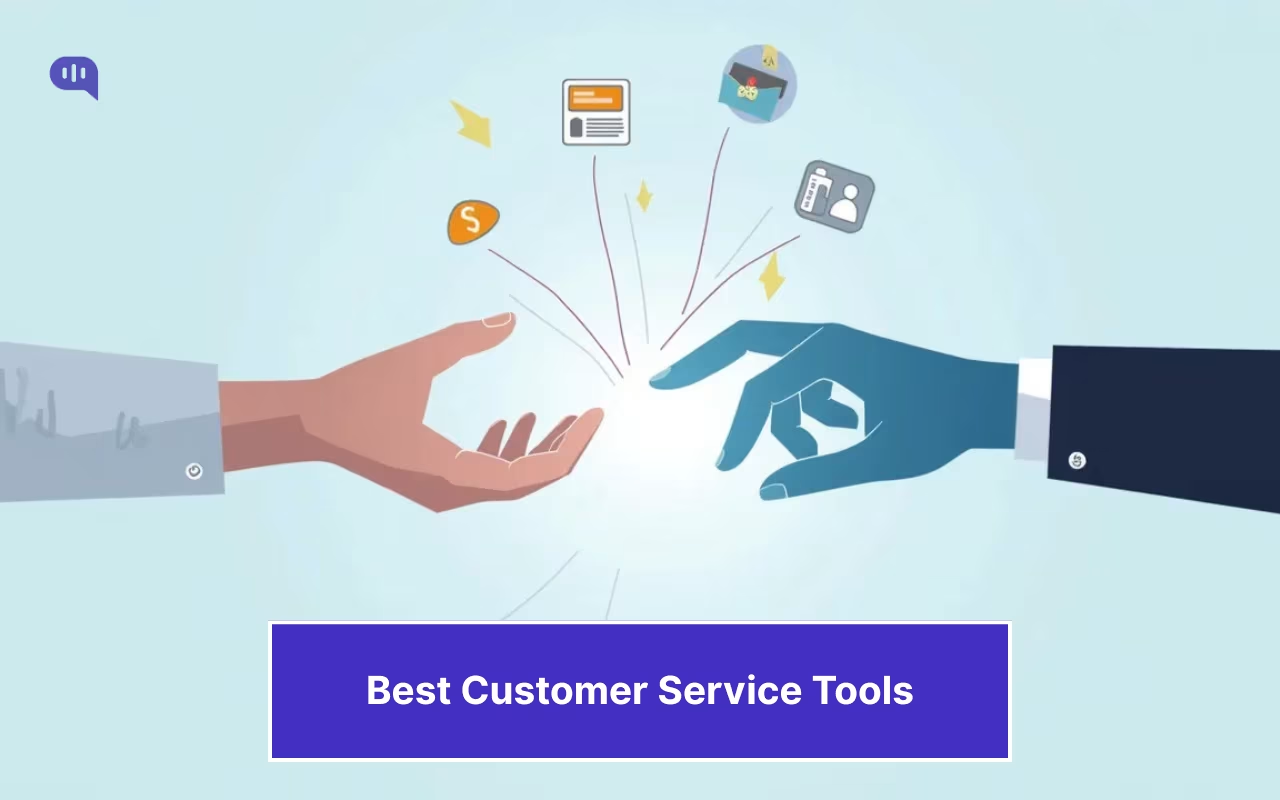
Customer service tools help support teams manage conversations, automate repetitive questions, route issues, track performance, and hand complex cases to human agents when needed.
We’ve talked at length about how customer support is changing in 2026. Teams aren’t just “answering tickets” anymore; they’re designing end-to-end resolution systems where AI handles L1 and L2 questions, humans handle the complex problems, and both share context, guardrails, and customer support KPIs.
This shift shows up in the numbers: 73% of agents say an AI copilot would help them do their job better, and a growing share of CX leaders expect most interactions to be handled without human intervention in the next few years.
This is reflected in the technology stacks that customer service teams use. Most customer service teams are moving onto modular tech stacks with AI agents, ticketing platforms, email dashboards, and voice of customer (VoC) software.
To account for this, we’re designing this round-up to cover all these categories so your team can choose the right tool (or mix). The right tool is essential because even now, when service demands are higher than ever, your customer service representatives only spend 39% of their time serving customers.
These tools automate the monotonous work that falls on your reps and help them build better relationships. This article will cover:
1. What Are AI Customer Service Tools?
2. Key Features to Look for in the Best AI Customer Service Tools
3. Benefits of Using AI Customer Service Tools
4. How We Evaluated the 13 Tools? (Methodology)
5. Quick Comparison (2026): Feature & Pricing Snapshot
6. Category 1: No-Code AI Chat & Omnichannel
7. Category 2: Help-Desk & Ticketing Platforms
8. Category 3: Shared Inbox & Email-First AI Copilots
9. Category 4: Good-to-Have Layers for End-to-End Automation
10. Bonus: Want a Managed AI + Human CX Service Instead of a Tool?
11. Picking the Right Stack: Which One Do I Need?
12. Implementation Playbook: From Pilot to Scale in 4 Weeks
13. Conclusion
What Are AI Customer Service Tools?
AI customer service tools are software platforms that use conversational AI, natural language processing (NLP), and automation workflows to resolve customer queries across chat, voice, email, and messaging channels without requiring human intervention for every interaction.
Unlike traditional helpdesk software that routes tickets, AI customer service tools actively resolve them.
They can:
- Answer FAQs using knowledge bases
- Automate repetitive workflows
- Authenticate users
- Trigger backend actions
- Escalate complex cases intelligently
Modern platforms operate across L1 and L2 support layers, blending self-service automation with human handoff when required.
This shift moves support from queue-based resolution to real-time, AI-assisted service delivery.
Key Features to Look for in the Best AI Customer Service Tools
Not all AI support platforms deliver the same automation depth. The best AI customer service tools differentiate themselves through orchestration, intelligence, and governance.
Here are the core capabilities buyers should evaluate:
Natural Language Understanding (NLU)
Determines how accurately the AI interprets user queries, intent, and sentiment.
Omnichannel Support
Supports deployment across:
- Website chat
- Mobile apps
- Voice
AI to Human Handoff
Ensures seamless escalation with:
- Context summaries
- Conversation transcripts
- Intent detection
- Priority routing
Knowledge Base Integration
Grounds AI responses in verified data sources to prevent hallucinations.
Automation Workflows
The best platforms do not stop at answering FAQs; they let AI agents trigger backend actions through OpenAI function calling patterns, such as:
- Refund processing
- Order tracking
- Account updates
- Appointment scheduling
Analytics and AI Insights
Tracks:
- Containment rate
- Escalation triggers
- Resolution accuracy
- CSAT impact
Security and Compliance Guardrails
Critical for BFSI, healthcare, and enterprise deployments.
Benefits of Using AI Customer Service Tools
Organizations adopting AI support automation see both operational and customer experience gains.
1. 24/7 Availability
AI agents provide uninterrupted coverage without staffing constraints.
2. Reduced Support Costs
Automation lowers cost per ticket by deflecting repetitive queries.
3. Faster Resolution Times
Instant responses eliminate queue wait times.
4. Improved Agent Productivity
Human agents focus on complex, high-value cases.
5. Scalable Support Operations
AI scales elastically during spikes without hiring surges.
6. Higher Customer Satisfaction
Faster responses and consistent answers improve CSAT and CES.
How We Evaluated the AI Customer Service Tools? (Methodology)
For this evaluation, we looked at these tools’ measurable effect on your customer support outcomes. So, we’ve chosen platforms that improve your CSAT, FCR, AHT, and other metrics.
Our current framework evaluated them based on the following criteria:
Evaluation Pillars & Weights
1. Automation & AI Effectiveness: Can the AI reliably take routine work off your team’s plate? We looked at how well it deflects common questions, how accurate answers are, whether it handles multiple languages gracefully, and how quickly it responds (typical and slowest cases).
2. Time-to-Value & Admin Experience: How fast can you get functional automation live—and keep improving it? We measured setup speed, ease of building flows without code, quality of templates, safeguards like confidence thresholds, and how simple it is to experiment and roll back changes.
3. Omnichannel Depth – Will your experience feel consistent across web, app, WhatsApp, email, social, and voice? We checked native channel coverage and whether routing, context, and handoffs work the same everywhere.
4. Integrations & Data – Does it plug cleanly into your CRM/help desk and move data both ways? We evaluated out-of-the-box connectors, webhooks/events, APIs/SDKs, identity (SSO), and how easily you can export your data.
5. Pricing & ROI – Is the total cost fair for the value you get? We modeled realistic “all-in” pricing (seats + usage + add-ons) and estimated payback based on deflection and handle-time savings.
For each of these pillars, we will rate the tool from 0 → 5 (0 = missing, 1 = basic, 2 = usable, 3 = strong, 4 = excellent, 5 = best-in-class).
Now, let’s talk about the categories we’re evaluating.
Categories We’ve Evaluated
1. No-Code AI Chat & Omnichannel
Tools that let you launch AI chat on web/mobile and messaging channels (e.g., WhatsApp) with minimal setup. They focus on fast deflection of repetitive questions, multilingual support, and smooth handoffs: prioritizing time-to-value and consistent experiences across channels.
2. Help-Desk & Ticketing Platforms
Full-stack systems for running support operations at scale. They anchor the workflow for agents while layering in AI to speed resolutions, maintain context, and standardize processes across teams.
3. Shared Inbox & Email-First AI Copilots
Email-centric tools built for teams living in the inbox. They emphasize AI drafting, intelligent triage, summarization, and collaboration, helping high-volume queues move faster without adopting a heavyweight help-desk.
4. Good-to-Have Layers for End-to-End Automation
Specialized platforms extending your core stack include CRM-aligned service work, voice-of-customer analytics, or IT service workflows. These tools deepen data integration, close the feedback loop, and automate adjacent tasks so more of the customer journey can run hands-off.
Now, let’s list the best AI customer support tools.
Quick Comparison – Top 13 AI Customer Service Tools
To help you make the decision quicker, we’ve summarized our evaluation for the top tools in the following table:
| Tool | Automation & AI Effectiveness | Time-to-Value & Admin | Omnichannel Depth | Integrations & Data | Pricing & ROI | Best for |
|---|---|---|---|---|---|---|
| Kommunicate | Strong – high FAQ deflection, multilingual, fast responses | Excellent – no-code builder, quick setup, safe rollbacks | Strong – web, mobile, WhatsApp; smooth handoffs | Good – popular help desks/CRMs, webhooks | Strong – low lift, fast payback via deflection | Fast, no-code automation across web & WhatsApp |
| Intercom | Strong – agent + bot blend, in-app strength | Good–Strong – fast for PLG teams | Strong – in-product + messaging depth | Good–Strong – product/data-friendly APIs | Good – pays off with PLG deflection | Product-led, in-app support at scale |
| Tidio | Good–Strong – solid automation for SMB FAQs | Excellent – very quick to launch | Good–Strong – web + social; basic voice | Good – mainstream ecommerce/CRM hooks | Excellent – budget-friendly SMB value | SMB teams wanting quick deflection |
| Ada | Excellent – enterprise-grade automation, proactive flows | Good – powerful, needs thoughtful setup | Strong – broad messaging & web, robust handoffs | Strong – deep APIs, enterprise connectors | Good – higher cost, strong returns at scale | High-volume automation and proactive CX |
| Botpress | Strong – handles complex, action-required tickets; refunds, account changes | Excellent – connects to existing stack, live in days | Good – web plus Zendesk/Intercom channels | Strong – native connectors for major help desks | Excellent – conversation-based, no per-seat cost, scales well | Heads of support with L2+ complexity or teams past first-gen AI tools |
| Zendesk | Strong – mature AI assist + workflows | Moderate – more admin depth | Strong – broad channels with consistent routing/SLAs | Excellent – rich ecosystem, SSO, exports | Good – higher base, scales well | Complex teams needing governance & SLAs |
| Zoho Desk | Good–Strong – Zia assists across workflows | Good – quick inside the Zoho stack | Strong – solid channel coverage | Good–Strong – best inside the Zoho ecosystem | Excellent – compelling TCO in-suite | Cost-efficient suite-aligned operations |
| Help Scout | Good – great drafting/triage; moderate deflection | Excellent – minimal change mgmt | Moderate – email-first; chat optional | Good – core CRM/help desk hookups | Excellent – low lift, quick gains | Email-heavy teams prioritizing simplicity |
| CanaryMail | Good – drafting, summaries, prioritization | Excellent – quick start | Moderate – email-led | Moderate–Good – lighter on enterprise hooks | Excellent – strong ROI for small teams | Solo/SMB email queues with AI assist |
| Front | Good–Strong – triage/rules + AI assist | Good–Strong – fast to adapt for teams | Moderate–Strong – email-centric, chat via integrations | Strong – robust integrations, APIs | Good – priced for teams, solid ROI | Collaborative inboxes with workflows |
| Kustomer | Strong – CRM-centric automation on unified timeline | Moderate – setup depth | Strong – omnichannel within CRM view | Excellent – deep CRM data model/APIs | Good – ROI via context-driven resolution | CRM-aligned service with full customer view |
| Qualtrics | Good–Strong – insights drive automation | Moderate – powerful but specialized | Moderate – complements, not replaces channels | Excellent – data/analytics depth | Good – ROI from VoC close-the-loop | VoC analytics powering support improvements |
| Atera | Strong – IT ticket automation, remote actions | Good – quick for IT/MSP (Managed Service Provider) teams | Moderate – service channels + RMM (Remote Monitoring and Management) context | Good–Strong – ITSM/RMM integrations | Good–Strong – ROI from technician efficiency | Internal IT & MSP workflows with automation |
To summarize, these are our ratings for the tools:
- Kommunicate — 20/25 (Automation 4, Time-to-Value 5, Omnichannel 4, Integrations 3, Pricing/ROI 4)
- Intercom — 19/25 (Automation 4, Time-to-Value 4, Omnichannel 4, Integrations 4, Pricing/ROI 3)
- Tidio — 21/25 (Automation 4, Time-to-Value 5, Omnichannel 4, Integrations 3, Pricing/ROI 5)
- Ada — 19/25 (Automation 5, Time-to-Value 3, Omnichannel 4, Integrations 4, Pricing/ROI 3)
- Botpress – 20/25 (Automation 5, Time-to-Value 4, Omnichannel 3, Integrations 4, Pricing/ROI 4)
- Zendesk — 18/25 (Automation 4, Time-to-Value 2, Omnichannel 4, Integrations 5, Pricing/ROI 3)
- Zoho Desk — 20/25 (Automation 4, Time-to-Value 3, Omnichannel 4, Integrations 4, Pricing/ROI 5)
- Help Scout — 18/25 (Automation 3, Time-to-Value 5, Omnichannel 2, Integrations 3, Pricing/ROI 5)
- CanaryMail — 18/25 (Automation 3, Time-to-Value 5, Omnichannel 2, Integrations 3, Pricing/ROI 5)
- Front — 18/25 (Automation 4, Time-to-Value 4, Omnichannel 3, Integrations 4, Pricing/ROI 3)
- Kustomer — 18/25 (Automation 4, Time-to-Value 2, Omnichannel 4, Integrations 5, Pricing/ROI 3)
- Qualtrics — 16/25 (Automation 4, Time-to-Value 2, Omnichannel 2, Integrations 5, Pricing/ROI 3)
- Atera — 17/25 (Automation 4, Time-to-Value 3, Omnichannel 2, Integrations 4, Pricing/ROI 4)
Next, we will divide these products into categories and provide a more in-depth look.
Category 1: No-Code AI Chat & Omnichannel
1. Kommunicate
You can use Kommunicate to build conversational AI agents powered by Claude, Gemini, or ChatGPT. The hybrid agent model sets it apart for 2026 (AI handles L1 and many L2 requests, then escalates nuanced or policy-heavy cases to the correct human queue with full context). The no-code bot builder is approachable for non-engineering teams and pairs well with multi-channel distribution, including WhatsApp, Facebook Messenger, and web/mobile SDKs.
Where Kommunicate shines is speed to implementation and handoff quality: you can stand up an MVP quickly, then layer guardrails (confidence thresholds, fallbacks) and smooth agent transfers as you scale. Before you scale, make sure your customer support team structure is set up to handle the handoffs effectively.
That said, there are trade-offs. Advanced automations (e.g., multi-step transactions with external systems) may still need technical guidance. And while multiple foundation models are available, NLU quality depends on proper training and corpus setup.
The team is responsive, support is quick, and pricing is friendlier than many enterprise-first suites (e.g., Sierra, Zendesk AI), making it attractive for fast-growing businesses.
Pros
- Quick to implement for real deflection
- Clean AI→human handoff with full transcript/context
- Solid multi-channel coverage (incl. WhatsApp)
- Affordable for SMB and mid-market teams
Cons
- Complex workflows may require technical help
- UI feels utilitarian vs. some newer platforms
Pricing
Transparent plans based on conversation volume and team size.
- Starter: $40/month
- Professional: $200/month
- Enterprise: Custom pricing
Verdict
Kommunicate is a pragmatic pick for teams that want end-to-end automation without enterprise overhead. It may not ship every cutting-edge AI feature out of the box, but it balances capability, usability, and cost.
2. Intercom
Intercom blends in-app messaging, bots, and help-desk in a single, product-led package. You can deploy an AI agent for common queries, use proactive messages/product tours, and route escalations into a lightweight ticketing workflow—ideal for SaaS and mobile apps where support lives inside the product.
Intercom stands out in the in-product experience: banners, tours, and targeted messages sit alongside chat, so you can guide users and resolve issues without leaving the app. Its AI assist plus a clean inbox helps agents move fast, and the developer-friendly APIs play nicely with product data.
Trade-offs: while strong for product-led teams, it’s not the deepest ticketing/governance engine versus dedicated help-desks. Complex back-office automations may need custom logic or external systems. Pricing can scale with seats, contacts, and add-ons.
Pros
- Excellent in-app support: proactive messages, tours, and chat together
- Fast agent workflows with AI assist and modern inbox
- Good APIs and data model for PLG/SaaS use cases
- Smooth bot→human handoffs within the same experience
Cons
- Ticketing/governance depth lighter than enterprise-first help-desks
- Complex automations may require additional tools/integrations
- Costs can rise with usage and add-ons
Pricing
Plans for startups/SMB through custom enterprise; pricing typically mixes seats and usage with add-ons for AI, proactive messaging, and tours:
- $29/agent/month – Starter
- $85/agent/month – Advanced
- $132/agent/month – Expert
- $0.99/ resolved conversation – Fin AI
Verdict
Intercom is ideal if you’re product-led and want support that feels native to your app. It’s not a heavy governance platform but delivers high time-to-value and a great user experience for SaaS teams.
3. Tidio
You can use Tidio to spin up conversational AI for your website and messaging channels fast, combining an AI bot (Lyro) with live chat, shared inbox, and lightweight ticketing. Its no-code flow builder and ready-made templates make it easy for non-engineering teams to deflect FAQs, qualify leads, and route conversations. Tidio also supports multi-channel communication (web widget plus popular social/messaging channels) so you can meet customers where they already are.
Where Tidio stands out is time-to-value. You can launch a working bot in hours, then iterate with visual flows, intent groups, and guardrails. Handoffs from AI to humans are straightforward, and teams get quality-of-life features like canned responses, inbox automations, and basic analytics that help small teams punch above their weight.
There are trade-offs. You may need custom logic or external integrations for complex, multi-system workflows (e.g., multi-step refunds or policy-heavy edge cases). And while the AI bot handles common questions well, accuracy depends on how you structure content and training data so that higher-stakes scenarios can require careful setup.
Pros
- Extremely quick to implement with templates and a visual builder
- Smooth AI→human handoff inside a simple shared inbox
- Solid coverage for web + primary messaging channels
- Friendly for SMB budgets and smaller teams
Cons
- Limited depth for complex, back-office automations
- Analytics and admin controls are lighter than enterprise suites
Pricing
Transparent, tiered plans based on features/volume (including a Free tier), with paid tiers for advanced AI, automations, and higher limits. Custom options available for larger teams. Plans include:
- Starter -$25/month
- Plus – $50/month
- Pro – $749/month
- Custom tier for enterprise
Verdict
Tidio is an excellent fit if you want fast, no-code AI deflection and a clean agent inbox without the overhead of an enterprise help desk. It may not cover every complex use case out of the box, but for most SMB scenarios, it delivers substantial value, quick wins, and an easy path to iterate.
4. Ada
Ada is built for high-volume automation with enterprise needs in mind. You can use it to create conversational AI agents that deflect a large share of L1 and L2 inquiries across web and messaging, then proactively reach customers with targeted campaigns. Ada’s strength is pairing powerful NLU with orchestrated flows and actions, so bots don’t just answer, they help customers get things done (reset, refund, update, schedule) and escalate to humans when policy or risk requires it.
Where Ada stands out is automation depth at scale. You get robust intent management, multilingual capabilities, proactive messaging, and tools for safe AI→human handoff with full context. Admins can standardize content, run experiments, and enforce guardrails. The platform also offers rich APIs and enterprise integrations, making connecting to CRMs, commerce platforms, and back-office systems easier.
Trade-offs? With great power comes setup. Complex, cross-system workflows and strict policy logic usually need thoughtful implementation (often with solutions engineers). Ada’s performance also depends on clean knowledge and content operations—you’ll see the best results when FAQs/policies are well-structured and continuously maintained. Pricing skews enterprise, which delivers ROI at volume, but can be overkill for tiny teams.
Pros
- Excellent automation depth and multilingual support at scale
- Proactive campaigns alongside reactive support
- Strong guardrails and clean AI→human handoff with context
- Mature integrations and APIs for enterprise back ends
Cons
- Heavier initial setup and governance for complex use cases
- Best results require disciplined knowledge/content management
- Pricing is oriented to mid-market/enterprise
Pricing
Custom/enterprise pricing is typically based on volume, channels, and feature set. Expect higher upfront investment with value realized through deflection and reduced handle time at scale.
Verdict
Ada is a top choice if you need enterprise-grade automation that moves beyond FAQ answers to real task completion and proactive support. It’s not the lightest lift, but for organizations ready to standardize content, connect systems, and scale globally, Ada delivers powerful outcomes and durable ROI.
5. Botpress
Botpress is an enterprise-grade AI agent platform built for customer support teams that have outgrown first-generation AI tools. Founded in 2017, it has shipped over 750,000 AI agents and built a full AI-native helpdesk on top of that infrastructure. It connects directly to Zendesk or Intercom with no migration required, so teams layer it onto an existing stack rather than rebuilding around it.
Where Botpress stands out is the type of work it handles. Rather than deflecting FAQs, it takes on complex, action-required tickets like refunds, account changes, and multi-step workflows. The kind of interactions that most AI tools quietly escalate back to the queue. Teams typically go live in days, not months.
There are trade-offs. Botpress works best when you already have a defined ticket taxonomy and clear workflow documentation. Teams still working through basic L1 automation will not see the same return, and its channel footprint is narrower compared to omnichannel-first platforms in this category.
Pros
- Handles action-required tickets like refunds, account changes, and multi-step workflows without escalating to a human
- Connects to Zendesk and Intercom without requiring migration or rebuilding your existing stack
- Conversation-based pricing means costs stay predictable and scale better than per-seat models
- Teams typically go live in days, not months
Cons
- Not the right fit for teams still working through L1 automation basics
- Narrower channel footprint compared to omnichannel-first platforms in this category
Pricing
Conversation-based pricing with no per-seat cost. Plans include:
- Free tier (100 conversations/month)
- Plus: $150/month (250 conversations)
- Team: $750/month (1,500 conversations)
- Custom tier for enterprise
Verdict
Botpress is the right pick for heads of support managing genuine L2+ complexity, or for teams that have already deployed a first-generation AI tool and run into its limits.
Category 2: Help-Desk & Ticketing Platforms
1. Zendesk
Zendesk is a full-stack help-desk and ticketing platform with AI layered onto mature workflows. You can use it to centralize email, chat, social, and voice while enforcing SLAs, skills-based routing, macros, and knowledge management. Zendesk’s AI (answer suggestions, intent detection, content cues) complements agents and helps standardize responses across large teams.
Where Zendesk stands out is operational governance at scale. For the full breakdown, read our Kommunicate vs Zendesk comparison. It’s strong on queues, roles/permissions, auditability, and analytics. The ecosystem (apps/marketplace, SSO, exports) is deep, which helps it slot into complex enterprise stacks.
Trade-offs: Admin depth means more setup and ongoing configuration. Truly automated, cross-system flows may require apps, middleware, or custom work. Teams without a transparent process might feel the learning curve.
Pros
- Robust SLAs, routing, roles/permissions, and audit trails
- Mature omnichannel (email/chat/social/voice) with consistent handoffs
- Strong ecosystem of apps/integrations and reporting
- AI assist improves agent speed and content quality
Cons
- Heavier admin overhead vs. lightweight tools
- Advanced automation often needs custom apps/integrations
- Can feel complex for small teams
Pricing
Tiered plans with add-ons for AI/advanced analytics and channels. Priced per seat, with usage-based components in some features:
- $19/agent/month – Support Team
- $55/agent/month – Suite Team
- $115/agent/month – Suite Professional Team
- $169/agent/month – Suite Professional Enterprise
Verdict
If you run complex support operations and need governance, analytics, and an ecosystem to extend, Zendesk is a reliable anchor. It’s not the quickest to master, but it scales cleanly once processes are in place.
2. Zoho Desk
Zoho Desk is a help-desk platform that shines when you’re already in the Zoho ecosystem (CRM, Analytics, Flow). It covers the fundamentals—SLAs, routing, KB, multi-channel—and adds Zia AI for suggestions, sentiment, and productivity boosts. Setup is straightforward, especially if your customer/contract data already lives in Zoho.
Zoho Desk stands out in value and suite synergy. You get good coverage of channels and analytics at a lower total cost, plus native connections to Zoho CRM, projects, and BI. For many mid-market teams, that means faster time-to-value and fewer vendors to manage.
Trade-offs: beyond the Zoho suite, integrations can take more effort. Some advanced admin and analytics controls are lighter than top enterprise suites, and complex workflows may need Zoho Flow/Creator or custom work.
Pros
- Compelling TCO, especially if you use Zoho CRM/Analytics
- Solid omnichannel core with helpful Zia AI features
- Straightforward setup and admin for most teams
- Native suite integrations reduce tool sprawl
Cons
- Deepest capabilities are within the Zoho ecosystem
- Advanced analytics/governance is lighter than high-end suites
- Complex automations may require Zoho Flow/Creator
Pricing
Tiered plans (Standard, Professional, Enterprise) are typically per seat; AI and add-ons vary by tier. Attractive bundle pricing when paired with other Zoho products:
- $7/agent/month – Express
- $14/agent/month – Standard
- $23/agent/month – Professional
- $40/agent/month – Enterprise
Verdict
Zoho Desk is a smart pick for teams that want capable help-desk fundamentals with substantial value, especially if they’re on Zoho CRM. It won’t match every enterprise need, but it offers a balanced feature set and fast wins at a friendly price.
3. Intercom
Intercom blends in-app messaging, bots, and help-desk in a single, product-led package. You can deploy an AI agent for common queries, use proactive messages/product tours, and route escalations into a lightweight ticketing workflow—ideal for SaaS and mobile apps where support lives inside the product.
Intercom stands out in the in-product experience: banners, tours, and targeted messages sit alongside chat, so you can guide users and resolve issues without leaving the app. Its AI assist plus a clean inbox helps agents move fast, and the developer-friendly APIs play nicely with product data.
Trade-offs: while strong for product-led teams, it’s not the deepest ticketing/governance engine versus dedicated help-desks. Complex back-office automations may need custom logic or external systems. Pricing can scale with seats, contacts, and add-ons.
Pros
- Excellent in-app support: proactive messages, tours, and chat together
- Fast agent workflows with AI assist and modern inbox
- Good APIs and data model for PLG/SaaS use cases
- Smooth bot→human handoffs within the same experience
Cons
- Ticketing/governance depth lighter than enterprise-first help-desks
- Complex automations may require additional tools/integrations
- Costs can rise with usage and add-ons
Pricing
Plans for startups/SMB through custom enterprise; pricing typically mixes seats and usage with add-ons for AI, proactive messaging, and tours:
- $29/agent/month – Starter
- $85/agent/month – Advanced
- $132/agent/month – Expert
- $0.99/ resolved conversation – Fin AI
Verdict
Intercom is ideal if you’re product-led and want support that feels native to your app. It’s not a heavy governance platform but delivers high time-to-value and a great user experience for SaaS teams.
Category 3: Shared Inbox & Email-First AI Copilots
1. Help Scout
Help Scout is a shared inbox and email-first platform with a light layer of AI to speed up drafting, triage, and summarization. You can centralize support@ inboxes, route messages with rules, and keep replies human without adopting a heavyweight help desk. Its clean UI, knowledge base (Docs), and Beacon chat make it easy for small teams to move quickly while maintaining a consistent tone.
Where Help Scout stands out is ease of adoption; most teams can start in a day. AI helps with suggested replies and summaries, while collaboration features (private notes, collision detection, saved replies) keep the queue organized. It’s opinionated in a good way: fewer knobs, less admin, faster outcomes.
There are trade-offs. Automations and analytics are simpler than enterprise suites, and omnichannel depth skews email-first (chat is available but lighter). If you need complex SLAs, skills routing, or deep workflow governance, you may outgrow it.
Pros
- Very fast to onboard; minimal change management
- Helpful AI drafting/summarization for email-heavy queues
- Clean collaboration: notes, collision detection, saved replies
- Built-in KB (Docs) and lightweight chat (Beacon)
Cons
- Limited for complex SLAs/routing and advanced analytics
- Omnichannel is email-led; chat/voice depth is lighter
- Fewer admin “power features” than enterprise tools
Pricing
Tiered per-seat plans with higher tiers unlocking advanced workflows, reporting, and user permissions:
- $0/month – Free
- $50/month – Standard
- $75/month – Plus
- Custom pricing for enterprise
Verdict
Help Scout is ideal for teams that live in email and want AI speed-ups without moving to a full-blown help desk. If you value simplicity, human tone, and quick wins, it’s a strong pick—just confirm your SLA/governance needs are modest.
2. Canary Mail
CanaryMail brings AI assistance to the inbox for individuals and small teams: smarter drafts, thread summaries, follow-up nudges, and prioritization. It’s built to reduce cognitive load in busy mailboxes without requiring a platform migration. Encryption and privacy controls are a plus for teams that care about security but don’t need a complete help desk.
Where CanaryMail shines is the personal productivity boost: instant summaries, suggested replies tailored to the thread, and gentle automation that helps you stay on top of conversations. Setup is quick, and the learning curve is low.
Trade-offs: It’s not a ticketing system, with no complex SLAs, queues, or deep analytics. Integrations are more lightweight than dedicated support platforms, and omnichannel remains email-centric.
Pros
- Excellent personal productivity: summaries, smart drafts, reminders
- Quick setup; little to no process change required
- Useful privacy/encryption options for sensitive threads
- Affordable for solo users and small teams
Cons
- Not built for advanced ticketing or team governance
- Limited integrations vs. help-desk/CRM ecosystems
- Email-first; minimal coverage for chat/voice/social
Pricing
Free and paid tiers; advanced AI and security features on paid plans. Cost-effective for individuals and small teams.
- $0/month – Free
- $3/month – Growth
- $10/month – Pro +
Verdict
Canary Mail is best for solo users or small teams that want AI to tame overflowing inboxes. It won’t replace a help desk, but delivers substantial value and speed as an email copilot.
3. Front
Front combines a collaborative shared inbox with workflow automation and a growing set of AI features. It’s designed so teams can treat email like a team sport: assign conversations, comment inline, build rules, and pull data from apps, all without losing the familiarity of an inbox. AI assists with triage and drafting, while regulations and tags keep large queues in control.
Where Front stands out is team collaboration and workflow clarity; SLA-style alerts, assignments, and analytics make it easier to support from email. Integrations and APIs are strong, so you can connect CRM, billing, or order data to give agents context without toggling tools.
Trade-offs: although powerful for email-led teams, it’s still email-centric by default; live chat/voice rely more on integrations. Deep, enterprise-grade ticketing features (complex skills routing, multi-brand governance) are lighter than in dedicated help desks, and costs can rise for larger teams.
Pros
- Excellent collaboration: assignments, comments, SLAs in the inbox
- Solid automations/rules and helpful AI assistance
- Strong integrations/APIs to surface customer context. Transparent reporting for team performance
Cons
- Email-first; other channels depend more on integrations
- Lighter on deep ticketing/governance vs. enterprise help desks
- Pricing can scale with seats and usage
Pricing
Tiered per-seat plans for teams, with advanced workflows, analytics, and integrations on higher tiers. Add-ons for specific capabilities may apply.
- $25/seat/month – Starter
- $65/seat/month – Professional
- $105/seat/month – Enterprise
Verdict
Front is an excellent fit for collaborative, email-heavy teams that need structure, speed, and context without migrating to a traditional help desk. If your support DNA is inbox-first and you want scalable workflows plus AI, Front delivers a strong middle path.
Category 4: Good-to-Have Layers for End-to-End Automation
1. Kustomer
Kustomer is a CRM-centric service platform that unifies every touchpoint (email, chat, social, phone) on a single customer timeline. Agents see orders, subscriptions, and prior conversations in one view, while AI assists with suggestions and workflows. Instead of bouncing between tools, you orchestrate service directly on first-party data, which is helpful for high-context issues like refunds, loyalty status, or multi-order problems.
Kustomer stands out in terms of the unified timeline and data model. Automation can trigger on events (e.g., “order shipped,” “payment failed”), and routing can factor in customer value, lifecycle stage, or past sentiment. With strong APIs and app integrations, you can surface critical context inside the agent desktop and reduce handle time.
Trade-offs: The power comes with a deeper setup; you’ll want clean data and explicit schemas. Teams without a CRM strategy may find initial modeling slow, and some advanced automations still require custom logic or partner help.
Pros
- Unified customer timeline reduces switching and speeds resolution
- Event-driven workflows tied to real customer data
- Robust APIs/integrations for CRM, billing, and commerce
- Strong fit for revenue-adjacent service (returns, upsell, retention)
Cons
- Heavier initial implementation and data modeling
- Best results require disciplined CRM hygiene
- Pricing and complexity can be high for small teams
Pricing
Typically tiered, per-seat enterprise plans with add-ons for advanced automation and channels. Expect implementation services for complex data models.
- $85/seat/month – Enterprise
- $139/seat/month – Ultimate
- AI Agents for Customers – $0.60 per engaged conversation
- AI Agents for Reps – $40 per user/month
Verdict
Choose Kustomer if you want a service that is on top of a customer context. It’s a powerful option for brands that treat support as part of the revenue engine and can invest in tight CRM alignment.
2. Qualtrics
Qualtrics focuses on Voice of Customer (VoC) and experience analytics that feed back into support. It ingests feedback from surveys, chat logs, calls, and reviews, then applies text/speech analytics to surface themes, drivers, and churn risks. The value is insight: find friction in policies, products, or journeys, and route fixes into your help desk and product roadmap.
Where Qualtrics shines is analytics depth and governance. You get robust dashboards, role-based access, and workflows to close the loop (auto-alerts, playbooks). For organizations with multiple brands/regions, its measurement framework helps standardize KPIs and align CX, product, and support leaders.
Trade-offs: it’s not a help desk. You’ll still rely on your ticketing system for resolution. Implementation can be heavier (taxonomy, data pipelines), and ROI depends on acting on insights; if teams don’t execute, the analytics won’t move outcomes.
Pros
- Best-in-class VoC measurement with text/speech analytics
- Driver analysis to pinpoint “what to fix” for CSAT/retention
- Strong governance, dashboards, and alerting to close the loop
- Scales across brands, geos, and teams
Cons
- Requires disciplined taxonomy and data integration
- Separate from day-to-day ticketing, change management is needed
- Enterprise-oriented pricing and implementation
Pricing
Custom enterprise pricing is based on modules, data volume, and users, and it is often paired with professional services for rollout and taxonomy design.
Verdict
Pick Qualtrics if you need actionable CX intelligence that guides where automation, policy, or product changes will create the most significant support impact. It completes the loop between customer feedback and operational fixes.
3. Atera
Atera combines IT help desk + RMM (Remote Monitoring & Management) for internal IT teams and MSPs. You can auto-create and prioritize tickets from alerts, run remote actions and scripts, patch fleets, and give employees a simple portal, all with AI assists for drafting, triage, and suggested resolutions.
Where Atera stands out is technician productivity: one pane to see device health, execute fixes, and close tickets. Automation handles routine tasks (patching, disk cleanup, software deploys), while rules escalate issues that need human eyes. For lean IT teams, this consolidation reduces context-switching and time-to-resolution.
Trade-offs: Atera is IT-focused, not a marketing/sales-facing help desk. Omnichannel for external customers is limited, and very advanced workflows require scripting or third-party tools. Reporting is practical but won’t replace a complete BI stack.
Pros
- Unified RMM + help desk speeds IT resolutions
- Automation for patching, scripts, and common fixes
- Agent assist for triage and knowledge recommendations
- Efficient for lean IT or MSP operations
Cons
- Built for internal IT/MSP use cases, not public CX
- Complex automations may need scripting expertise
- Analytics depth is functional, not enterprise BI
Pricing
Typically, per-agent plans have tiers for remote monitoring and management features, automation, and add-ons. Predictable for IT teams; usage grows with managed endpoints.
Verdict
Choose Atera if your priority is internal IT service efficiency, fewer tools, faster fixes, and automation that keeps endpoints healthy. It’s a strong fit for companies that want to lower MTTR and ticket volume without building a sprawling ITSM stack.
Bonus: Want a Managed AI + Human CX Service Instead of a Tool?
Unlike the tools above, this category isn’t self-serve software you configure yourself. It’s AI customer support delivered as a managed service, where the vendor’s team builds, staffs, and runs the stack on your behalf. It’s a different buying decision: slower to launch, with no free tier, but hands-off for teams that don’t want to own the implementation.
SupportYourApp
SupportYourApp is a Support-as-a-Service company pairing an AI stack with trained human agents, bundled into four connected products: SupportResponse (AI agent for chat, email, social), SupportVoice (AI voice agent), SupportBrain (AI assist for live agents), and SupportCRM (the omnichannel workspace tying it together). Teams can start with one product and add the rest over time.
The core pitch is AI plus human, not AI instead of human. According to SupportYourApp, SupportResponse resolves up to 80% of L1/L2 chat tickets autonomously, trained on your knowledge base and past tickets. SupportVoice answers calls in 30+ languages, with the company reporting 95% faster first-reply times. When a case exceeds AI scope, it’s handed to a trained human supporter with full context instead of being routed back to your internal team.
The trade-off is that this is a managed engagement, not a software license you self-serve. There’s no free plan, onboarding takes 20-24 days as the SupportYourApp team integrates your systems and trains agents, and it’s built for mid-market/enterprise teams. Smaller teams may find it heavier than a self-serve tool.
Pros
- Reported up to 80% autonomous chat resolution, including action-required tickets
- Voice support in 30+ languages, around the clock
- Human supporters handle escalations with full context, not blind handoffs
- Compliance coverage claimed for PCI DSS Level 1, ISO/IEC 27001, GDPR, CCPA, and HIPAA (verify before publishing)
- Broad channel coverage: voice, chat, email, WhatsApp, social
Cons
- No free plan; pricing requires a sales conversation
- 20-24 day onboarding, longer than any self-serve tool in this list
- Built for mid-market/enterprise; likely overkill for small teams
- SupportCRM is required to run SupportVoice, adding setup scope
Pricing Custom, sales-quoted across four tiers (Limited, Growing, Substantial, Enterprise). No published rates or free tier.
Verdict SupportYourApp is worth considering if you want AI customer support delivered as a managed partnership rather than a tool you configure yourself, particularly if you want voice coverage and human backup behind every AI interaction. It’s not a fit if you want to self-serve, see pricing upfront, or go live quickly.
Now that we’ve reviewed these tools, we’ll talk about the tool stack that will fit into your company.
Picking the Right Stack: Which One Do I Need?
Most companies will end up using at least one category from the above. We recommend exploring at least the first three categories before you land on the customer service stack you need. Before that, if you need a cheat sheet, we’ve created a small list that will help you choose the right stack for the customer service team:
Early-stage / SMB (lean team, high amount of repetitive questions)
- Anchor now: Kommunicate (no-code AI chat + WhatsApp)
- Add next (email-heavy): Help Scout or Front (shared inbox)
- Optional later: Zoho Desk (graduate to help desk when SLAs/analytics matter)
- Why this works: Fast deflection without engineers; simple inbox for humans when needed.
- KPIs to watch: Containment %, first response time (FRT), cost/conversation.
- Set up tip: Start with the top 10 FAQs; enable confidence thresholds + human handoff in Kommunicate.
PLG SaaS (in-app support, product experiments)
- Anchor now: Intercom (in-app messages, bot, lightweight ticketing)
- Add next (front-door deflection): Kommunicate or Ada (if volume/complexity is high)
- Optional later (insights): Qualtrics (VoC) to inform roadmap
- Why this works: Native in-product guidance + experiments; bot handles repetitive L1/L2; insights steer features.
- In-app resolution rate, activation/retention lift, AHT KPIs to watch.
- Set up tip: Trigger proactive messages on product milestones; route edge cases to a small Intercom queue.
E-commerce / Logistics (order updates, returns)
- Anchor now: Zendesk (omnichannel help desk, SLAs, macros)
- Add next (web/WhatsApp bot): Tidio or Kommunicate (fast L1 deflection)
- Optional later (CRM-centric actions): Kustomer (unified timeline; refunds/returns in-context)
- Why this works: Scalable ticketing + fast front-door automation; unified data speeds refunds and RMAs.
- KPIs to watch: Refund/return cycle time, deflection on “where’s my order?”, FCR.
- Setup tip: Create “order status/return” flows first; pass order IDs to Zendesk macros via bot context.
Mid-market / Enterprise (multi-brand, regulated)
- Anchor now: Zendesk or Zoho Desk (governance, roles, audit, multi-brand)
- Add next (front-door automation): Ada (enterprise automation, multilingual)
- Optional layers: Qualtrics (driver analysis, close-the-loop) + Kustomer (deep CRM context)
- Why this works: Strong governance and reporting with enterprise-grade automation and analytics.
- KPIs to watch: SLA compliance, containment by intent, CSAT driver movement, and audit exceptions.
- Setup tip: Stand up a compliant sandbox; enforce redaction/PII rules; phase rollouts by brand/region.
Internal IT / Operations focus
- Anchor now: Atera (IT help desk + RMM automation)
- Add next (employee front door): Kommunicate (IT FAQ + request intake on web/Slack/WhatsApp)
- Optional later: Zendesk (if you need broader SLAs/reporting)
- Why this works: Preemptive fixes shrink MTTR; bot triages routine access/password/device requests.
- KPIs to watch: MTTR, tickets prevented (preemptive scripts), first-contact resolution.
- Setup tip: Automate patching and standard scripts first; expose bot intents like “reset password,” “VPN access.”
Now that you know which tools to buy to set up your customer service team, let’s briefly discuss the implementation journey.
Implementation Playbook: From Pilot to Scale in 4 Weeks
The implementation process should be relatively quick and straightforward unless you have a robust tech stack already plugged into your business. We recommend a 4-week plan that scales quickly to meet all your needs. This follows the following steps:
Week 1 — Define, Wire, and Safeguard (Pilot Scope)
Outcomes by Friday
- The top 10 intents were documented (FAQ + 2 “real actions” like refund/status update).
- Guardrails in place (confidence thresholds, fallback prompts, PII redaction).
- One front door lives in pilot mode (web widget or WhatsApp) behind a feature flag.
Do this
- Scope & metrics: Set targets for Containment %, AHT, FCR, CSAT, cost/conv.
- Taxonomy: Name intents, entities, and escalation paths; map “owner” for each (bot vs. human queue).
- Data & auth: Connect CRM/help desk; enable SSO; set roles/permissions and audit logs.
- Handoff: Configure AI→human transfer with full transcript, user attributes, and next-best actions.
- Privacy: Turn on PII redaction; limit training data; add opt-out copy where required.
- Content: Seed KB/articles; create 10 answer patterns.
Who’s on point
- CX lead (owner), Bot builder/admin, Analyst, One engineer (data/SSO), Agent champion
Week 2 — Build, Test, and Shadow Launch
Outcomes by Friday
- 10 intents built; 2 action flows (e.g., order status, plan change) executing safely.
- WhatsApp or webwidgetstanswerg real queries during business hours (limited audience).
Do this
- Flow build: Visual flows + guardrails (clarify ≥2 attempts → escalate); add multilingual variants if needed.
- Retrieval (RAG): Connect to docs/tickets; add glossary/stop-lists; test with 50 real questions.
- Shadowing: Run AI suggestions side-by-side with agents; compare answers for 100 tickets.
- A/B experiments: Variant A (concise) vs. B (step-by-step) replies on two intents.
- Analytics: Stand-up dashboards (intent volume, containment, latency, handoff reasons).
- Agent training: 45-minute enablement; how to accept/override AI drafts; macro hygiene.
Actions
- Create a test set (100 queries/expected answers)
- Map out a decision tree documenting when a human agent will be needed.
Week 3 — Limited Production & Feedback Loops
Outcomes by Friday
- 30–50% of inbound calls are routed to AI during business hours on 1–2 channels.
- First closed-loop: defects shipped from VoC/agent feedback → content/flow fix.
Do this
- Go-live slice: Roll out to a small geo/brand or 30% traffic; maintain a manual override queue.
- Improve accuracy: Label 100 conversations; fix the top 5 failure modes (missing entity, policy mismatch, unclear prompt).
- Proactive deflection (optional): Trigger message/cards for high-intent pages (shipping, pricing, returns).
- Back-office actions: Add one more safe action (e.g., “reship with cap,” “credit under ₹X/USDX”).
- Governance: Weekly review (accuracy, safety incidents, escalations)—update runbook.
- Change mgmt: Share “What shipped / What’s next” in Slack/Teams; log wins (AHT down, CSAT comments).
Week 4 — Scale, Harden, and Hand Off to Ops
Outcomes by Friday
- 70–90% of front-door traffic is eligible for AI with safe fallbacks.
- The Operations Playbook is signed and ready to deploy.
Do this
- Scale traffic: Expand to all hours + extra channels (Instagram/FB/Email Copilot) as relevant.
- Performance: Tune response time; set error budgets; capacity test peak (IST evenings/weekends).
- Quality ops: Launch weekly sampling (50 convos) and rubric; create “golden set” for regression.
- Deeper integrations: CRM-timeline actions (refund/credit), IT scripts (Atera), or VoC alerts (Qualtrics).
- Cost & ROI: Calculate cost/conv, payback; decide on plan tiers/add-ons for next quarter.
- Ops handoff: Finalize runbook, dashboards, alerting; train backups; document rollback.
This should help you get started and ready to use customer service tools at scale.
Conclusion
AI in customer support isn’t about swapping humans for bots: it’s about designing an end-to-end resolution system where automation handles the repetitive 60–70% and your team leans into judgment, empathy, and complex edge cases. The right stack is modular:
- Front door automation (No-Code AI Chat & Omnichannel) to deflect and resolve quickly.
- Operational backbone (Help-Desk & Ticketing) to govern SLAs, routing, and analytics.
- Email copilots (Shared Inbox) to speed up queues without heavy change management.
- Good-to-have layers (CRM-centric actions, VoC, IT/RMM) to bring context, close feedback loops, and automate real work.
You now have: a transparent methodology, a tool-by-tool snapshot, category deep dives, a “pick your stack” guide, and a 4-week playbook to go from pilot to scale. The final piece is making the numbers work.
If you’re modeling budgets or fighting for stakeholder buy-in, use our guide on measuring and improving customer service ROI—it walks through deflection, AHT, FCR, CSAT, and cost-per-conversation, plus how to forecast payback with real assumptions:
👉 Measure and Improve Customer Service ROI
Ready to turn the plan into outcomes?
- Book a 15-minute demo, and we’ll map your top intents and a quick win for Week 1: Book a demo →
- Prefer to try it yourself? Spin up Kommunicate now and launch an MVP bot in hours: Sign up →
FAQs: Best AI Customer Service Tools
AI customer service tools are software platforms that use conversational AI, natural language processing (NLP), and automation workflows to resolve customer queries across chat, voice, email, and messaging channels. They can answer FAQs, execute backend actions, authenticate users, and escalate complex issues to human agents. Unlike traditional helpdesk software that only manages tickets, AI tools actively resolve support requests in real time.
AI cannot fully replace human agents but can significantly reduce their workload. It handles repetitive, high-volume queries such as order tracking, password resets, and appointment scheduling. Human agents remain essential for complex troubleshooting, emotional interactions, compliance-sensitive cases, and revenue-impacting conversations.
Most organizations adopt a hybrid AI + human support model.
Pricing varies widely depending on scale and functionality:
SMB tools: $20–$100/month
Mid-market platforms: $100–$500/month
Enterprise AI suites: Custom pricing
Cost drivers include automation volume, monthly active users, channel integrations, AI model usage, and workflow complexity.
AI customer service tools operate through three core layers:
Understanding – NLP interprets customer intent and sentiment.
Retrieval – AI pulls answers from knowledge bases and systems.
Action – Automation workflows execute tasks or escalate cases.
Advanced platforms also use machine learning to improve resolution accuracy based on historical conversations and outcomes.
AI support automation delivers strong ROI in industries with high query volumes and repeatable workflows, including: E-commerce, SaaS, Banking and financial services, Healthcare, Telecom, Education. Industry-specific training and integrations improve containment and resolution accuracy.
Implementation timelines vary by complexity:
Basic chatbot deployment: 1–2 weeks
Knowledge automation: 3–6 weeks
Enterprise orchestration: 2–4 months
Timelines depend on knowledge readiness, workflow integrations, and compliance configuration.

A Content Marketing Manager at Kommunicate, Uttiya brings in 11+ years of experience across journalism, D2C and B2B tech. He’s excited by the evolution of AI technologies and is interested in how it influences the future of existing industries.