Updated on August 30, 2026
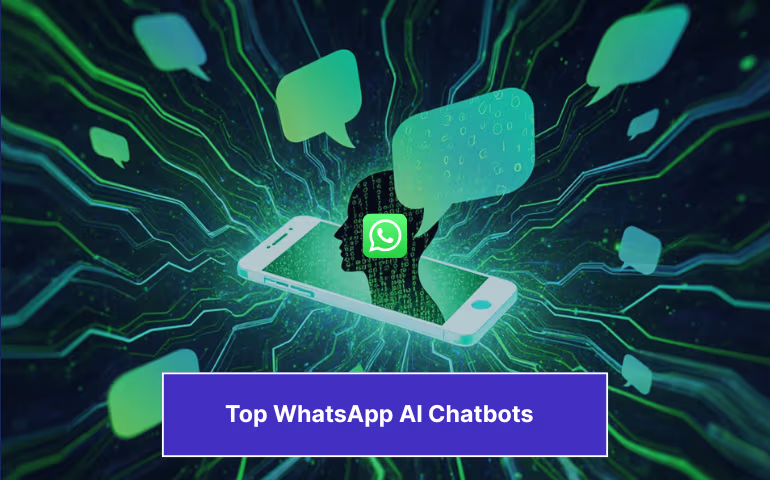
If mobile-first was the buzzword for tech in the 2010s, AI-first is the buzzword for this decade.
WhatsApp sits at the intersection of these trends. The messaging app has gained traction worldwide, boasts 3 billion monthly users, and has become many businesses’ go-to marketing and support channel.
Multiple WhatsApp AI chatbots have popped up over the past few years to support businesses using WhatsApp as a key marketing channel. As players in the arena, we’ve seen the competition closely and mapped out which apps are the best in performance, value-for-money, and integrations.
In this article, I will introduce you to the best WhatsApp AI chatbots currently in business and discuss their pros and cons. But, before we get started, here’s a small primer on how we’re evaluating these startups.
How Did I Test These WhatsApp AI Chatbots?
To evaluate the best WhatsApp AI chatbot of 2026, I signed up an demoed each of these platforms and checked out the feedback from G2 and Capterra. Each chatbot was assessed across four key dimensions:
1. Ease of Setup: How quickly and intuitively could I connect the bot to WhatsApp and begin testing without developer support?
2. AI Features: AI quality, including NLP accuracy, fallback behavior, and ability to hand off to human agents.
3. WhatsApp Integration: Depth of WhatsApp-specific features, i.e, support for templates, message types, multimedia, opt-ins, and conversation-based pricing, For teams managing multiple WhatsApp accounts, this also means checking how each platform handles inbox visibility, templates, permissions, and conversation workflows across different business use cases.
4. Value for Money: How the features stack up relative to the pricing tiers and business use cases.
I then rated these features on a scale of 1 (Poor) to 5 (Excellent).

The Best WhatsApp AI Chatbots
At a glance, this is how our choices performed overall.
| Chatbot | Pricing (USD/mo) | Best For | G2 / Capterra | Key Caveat |
|---|---|---|---|---|
| Kommunicate | Free → $34 → $167 → Custom | Mid-market & enterprise support | 4.8 / 4.6 | Advanced integrations need Enterprise tier |
| Kayako | $1/resolved ticket (usage-based) | Mid-market & enterprise support with high ticket volume | 4.1 / 4.0 | Dated interface, weak reporting, and pricing-transparency complaints alongside expert-led onboarding |
| Wati | $59 → $119 → $279 | WhatsApp-first SMB marketing | 4.6 | Costs rise fast at scale |
| Landbot | Free → $42 → $418 | Visually branded conversational flows | 4.7 / 4.4 | WhatsApp tier is expensive |
| ManyChat | Free → $15 (+ $29 AI) | D2C brands with social-first strategy | 4.5 / 4.6 | Pricing scales with contact list |
| SendPulse | Free (no WhatsApp) → $9.60 → scales with subscribers | WhatsApp + CRM alongside email and SMS | 4.6 / 4.6 | The free plan does not include WhatsApp |
| Chatbase | Free → $32 → $120 → $400 | SMBs training AI on own content | 4.7 / 4.3 | Limited customization at scale |
| AiSensy | Free → $40 → $89 → Custom | Indian SMBs & WhatsApp payments | 4.3 / 4.4 | Chatbot billed separately at $72/mo |
| JotForm | Free → $34 → $39 → $99 | FAQ & lead capture forms | 4.7 / 4.7 | Not a deep WhatsApp-native platform |
| Tidio | Free → $24 → $49 → $749 | E-commerce & Shopify stores | 4.6 / 4.7 | AI add-ons inflate total cost |
| Botpress | Free → $79 → $445 → $995 | Developers & technical teams | 4.5 / 4.5 | Steep learning curve for non-technical users |
| Freshchat | Free → $19 → $49 → $79/agent | Freshworks ecosystem users | 4.4 / 4.1 | Per-seat pricing costly for small teams |
Let’s look at these platforms in a bit more detail.
1. Kommunicate
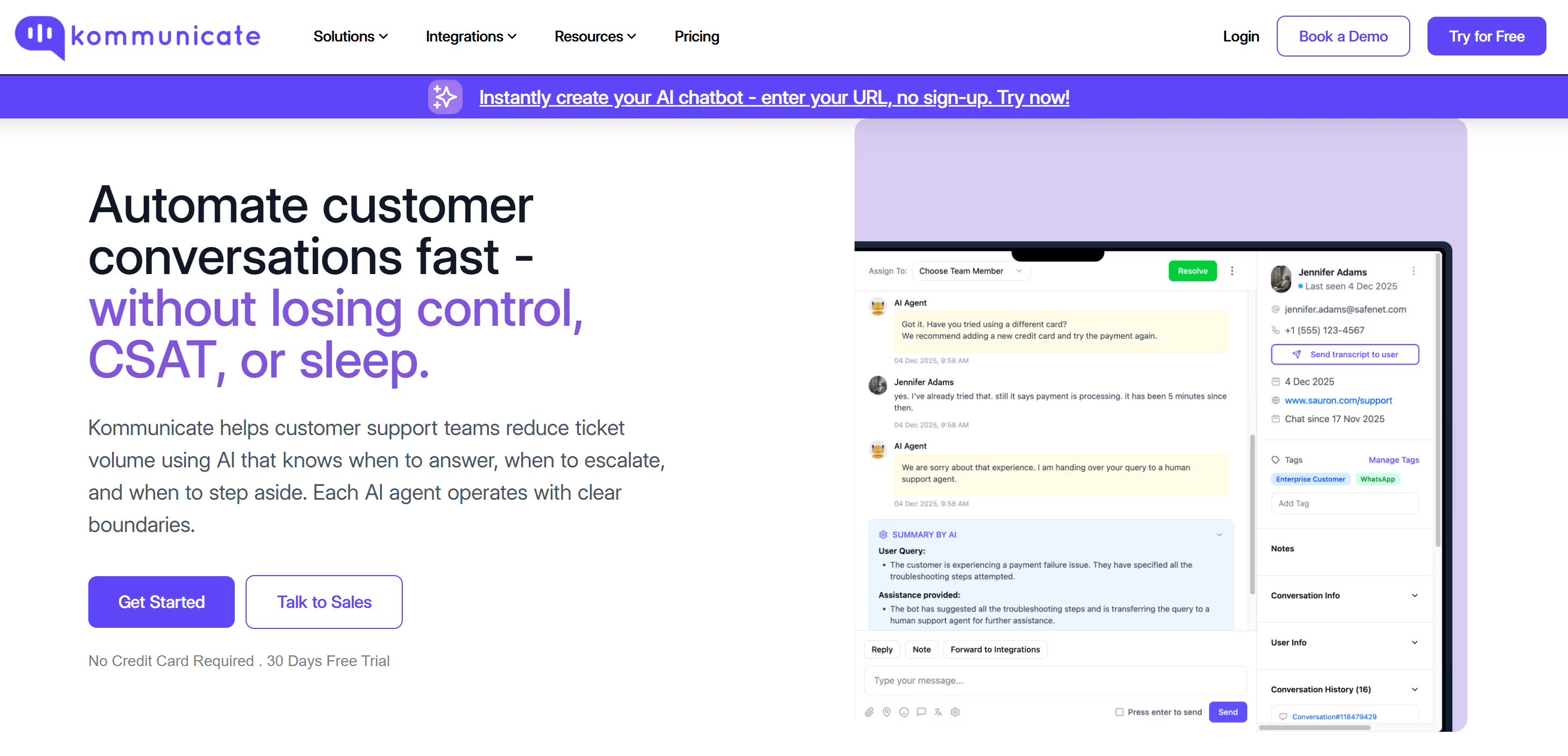
We’re slightly biased about Kommunicate, but we like how it handles chatbot-human handoff. The interface is intuitive, and the platform supports over 40 integrations. Building WhatsApp AI chatbots on Kommunicate is simple, and the platform offers a wide range of customizations with AI intents and workflows. However, several users have said there’s a learning curve when developing, and some integrations can be slow.
Our users love our live dashboard, which helps them track support conversations on WhatsApp in real time. The product also scales well and is suited to any mid-market or enterprise teams that want to scale their support fast.
Pros of Using Kommunicate
- AI agents, human hand-off & multilingual support.
- Solid CRM integrations; easy widget customization.
Cons of Using Kommunicate
- Free/entry tiers are limited; scaling seats can get pricey.
- Slight learning curve on advanced flows.
Kommunicate Pricing
Three tiers:
- Starter – $34/month
- Professional – $167/month
- Enterprise – Custom pricing
- WhatsApp conversations are billed separately (according to Meta rates)
Best For:
Mid-market to enterprise customer support teams that need seamless AI-to-human handoff, a live conversation dashboard, and deep CRM integrations — especially those scaling support across multiple channels.
Voice of Customer
“The chatbot-human handoff is smooth and the live dashboard gives our team full visibility.” Users on G2 praise the range of intent-creation options and API integrations, though some note specific integrations can be slow to configure and there is a learning curve on advanced flows.
Verdict: An excellent all-rounder for mid-market to enterprise companies looking to scale customer support. It shines in its ability to seamlessly hand off AI conversations to human agents, though smaller teams may find the advanced features initially complex.
Also Read:
1. How to Create a WhatsApp Bot in 5 Simple Steps
2. How to Add WhatsApp Chat Button to Your Website
3. 11 AI Tools For Customer Support Teams
2. Kayako
Kayako took a different route to WhatsApp than most tools on this list. Instead of broadcast campaigns and drip flows, it puts an autonomous AI agent, Agent Kay, on the channel to resolve support tickets outright. Kay reads the incoming WhatsApp message, pulls the customer’s full history through SingleView, drafts a reply, and where it has permission, takes the action too: issuing a refund, updating an order, or resetting an account, then closing the case.
What stood out during testing was how far the resolution went without a human. On repetitive queries like billing questions or order status, Kay handled the conversation end to end. It also runs across email, live chat, voice, and social, so a WhatsApp thread and an email from the same customer sit in one timeline rather than two disconnected inboxes.
Pros of Using Kayako
- Autonomous resolution on WhatsApp, beyond assist mode. Kay closes tier-1 tickets without an agent.
- One timeline across WhatsApp, email, chat, voice, and social through SingleView.
- Usage-based AI pricing. You pay per resolved ticket rather than per seat for the AI.
- White-glove onboarding with a team that trains Kay on your data before go-live.
Cons of Using Kayako
- Interface and performance can feel clunky, with users reporting sluggish load times on busy ticket queues.
- Reporting and analytics are a weak point. Charts and views offer limited customization, and pulling non-standard reports often means opening a support ticket.
- Pricing has drawn criticism for lack of transparency. Some long-time customers report steep, unannounced increases after moving off legacy plans.
- Built for support, so it does not handle WhatsApp broadcasts or marketing campaigns.
- Expert-led setup means a higher entry cost and longer runway than plug-and-play tools.
Kayako Pricing
- $1 per AI-resolved ticket (counts only when Kay resolves without a human)
- No per-seat licensing on the AI model; WhatsApp conversations billed at Meta rates
Best For:
Mid-market and enterprise support teams in retail, e-commerce, SaaS, fintech, and healthcare that field high, repetitive ticket volumes on WhatsApp and other channels, and want AI to resolve those tickets rather than only route them. It suits teams measured on cost per ticket and resolution time, whereas marketers running promotional blasts will be better served elsewhere on this list.
Voice of Customer
On G2, reviewers describe rolling Kay out one ticket category at a time, starting with predictable billing queries and expanding to account questions once they trusted the responses. Several highlight the depth of resolution, with one reviewer noting Kay worked through a ticket carrying multiple attachments and a large debug log, then returned accurate troubleshooting steps in minutes. The onboarding also draws repeated praise, since a dedicated team configures and trains the agent across the first 90 days instead of handing over a login. The recurring complaint is on the pricing side: one reviewer noted the per-resolution model is fair next to the cost of a human agent, but had to walk finance through it three times before they stopped expecting per-seat pricing.
Verdict: A strong pick for support teams that want WhatsApp handled by an AI agent capable of closing tickets on its own, going deeper on resolution than the marketing-first tools on this list. That same focus makes it the wrong choice for broadcast campaigns, and the dated interface and thin reporting are worth weighing against the resolution gains. Its expert-led, usage-based model fits established support operations more than small teams testing the channel.
3. Wati
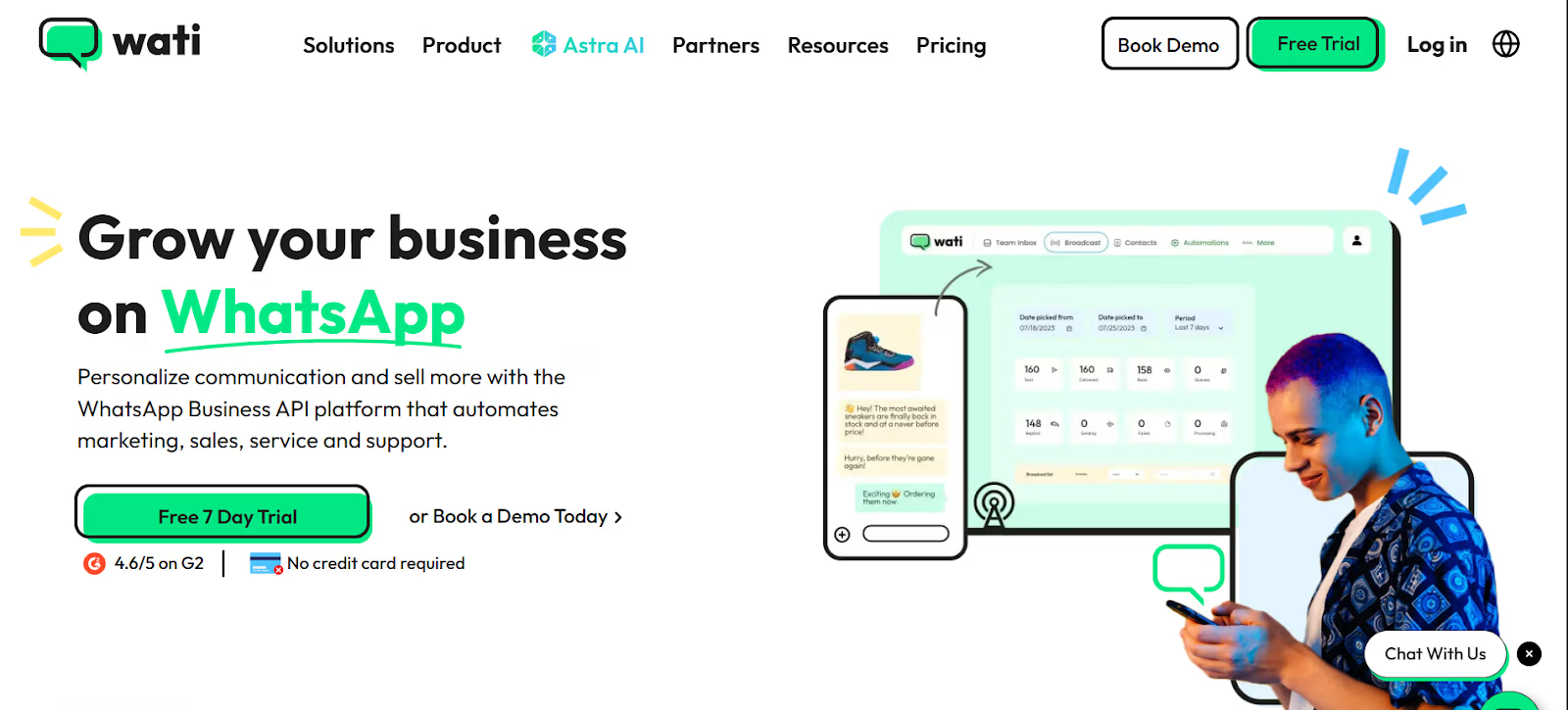
When I need WhatsApp-centric broadcasts, flows, and a team inbox, I default to Wati. The drag-and-drop builder and broadcasts are straightforward.
Wati is easy to set up and features detailed documentation for every use case. Building marketing campaigns and WhatsApp AI chatbots on the platform is straightforward. And their shared inbox is an outstanding feature for smaller teams.
However, the platform can become quite costly at scale.
Pros of Using Wati
Cons of Using Wati
- Add-ons/usage can raise costs and cause slowness on the phone
- Conversations are priced per Meta rates and can be expensive at scale
Wati Pricing
Three tiers:
- Growth – $59
- Pro – $119
- Business – $279
Best For:
SMBs that are WhatsApp-first and need a dedicated platform for broadcast campaigns, team inbox management, and basic automation — without needing deep AI or complex integrations.
Voice of Customer
“Setup was fast and the team inbox changed how we manage customer conversations.” G2 reviewers consistently highlight the broadcast feature and ease of onboarding. The most common frustration is that conversation costs at scale add up faster than expected, and the interface can feel complex once you go beyond basic flows.
Verdict: The go-to choice for SMBs specifically focused on WhatsApp marketing and broadcasts. While it offers a great team inbox and easy setup, costs can rise significantly as your team or conversation volume grows.
4. Landbot
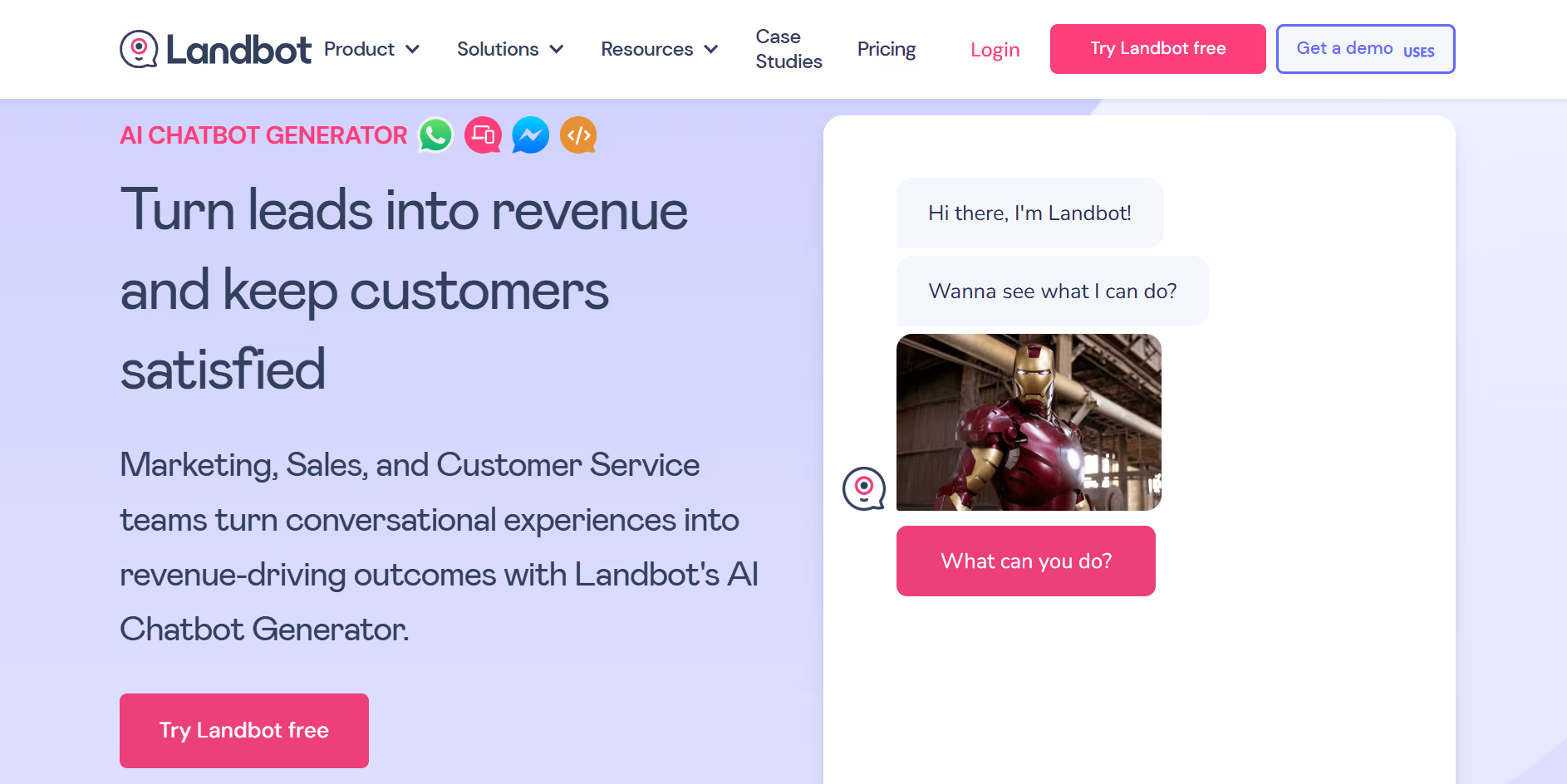
I like Landbot because of its no-code visual flows and branded chat UI. It’s easy to ship the product to production. The Zapier integrations work well, but the WhatsApp features can get costly at scale.
Landbot also offers excellent templates around lead capture, appointment scheduling, and customer support, reducing the time you need to build your conversation flows.
Pros of Using Landbot
- Excellent visual builder and templates.
- Multichannel (Web, WhatsApp, Messenger) and API hooks.
Cons of Using Landbot
- The WhatsApp tier is priced higher, and extra chats cost more.
- Essential integrations are only available from $200/month.
Landbot Pricing
- Standardbot plans from ~$88 – $110.
- WhatsApp Pro starts at €200 (~$220)/mo incl. 2,500 chats.
Best For:
Marketing teams and agencies that prioritize branded, design-forward conversation experiences — especially for web-based lead capture flows where visual identity matters as much as functionality.
Voice of Customer
“The visual builder is the best I’ve used — our non-tech team shipped a full lead flow in an afternoon.” Capterra reviewers love the builder and templates. The recurring pain point is cost: WhatsApp-specific plans start high, extra conversations add up, and essential integrations are locked behind the $200/month tier.
Verdict: Best for businesses that prioritize visual branding and design. Its no-code builder is perfect for creating beautiful conversational flows, but it may become too expensive for companies with high-volume WhatsApp usage.
5. ManyChat
Automation templates for Messenger and WhatsApp make Manychat the go-to for many D2C brands. I liked how they integrated DM automations and comment triggers into the platform for social listening.
My only problem was that my account integration with Facebook failed initially. The situation resolved itself with time, but the integration faced some issues. Otherwise, this is a strong platform for anyone running WhatsApp-first or Instagram-first businesses.
Pros of Using Manychat
- Quick to ship multi-channel automations; lots of growth widgets.
- AI add-on improves intent recognition and authoring.
Cons of Using Manychat
- Pricing grows with contacts + AI add-on.
- Messages often need per-channel builds.
Manychat Pricing
- Pro from $15 (scales with contacts)
- AI add-on: $29/mo on top of Pro
Best For:
D2C e-commerce and creator brands running campaigns across Instagram, Facebook, and WhatsApp simultaneously — especially those who want social comment triggers and DM automations in a single platform.
Voice of Customer
“We grew our WhatsApp subscriber list 3× using ManyChat’s Instagram comment triggers — the cross-channel flows are genuinely powerful.” G2 and Capterra reviewers praise the intuitive builder and multi-channel reach. Complaints center on pricing that escalates quickly as your contact list grows, and the need to rebuild flows per channel.
Verdict: Ideal for D2C brands that rely heavily on social media (Instagram/Facebook) alongside WhatsApp. It offers powerful marketing automation, but be prepared for a pricing model that scales up quickly with your contact list.
6. SendPulse
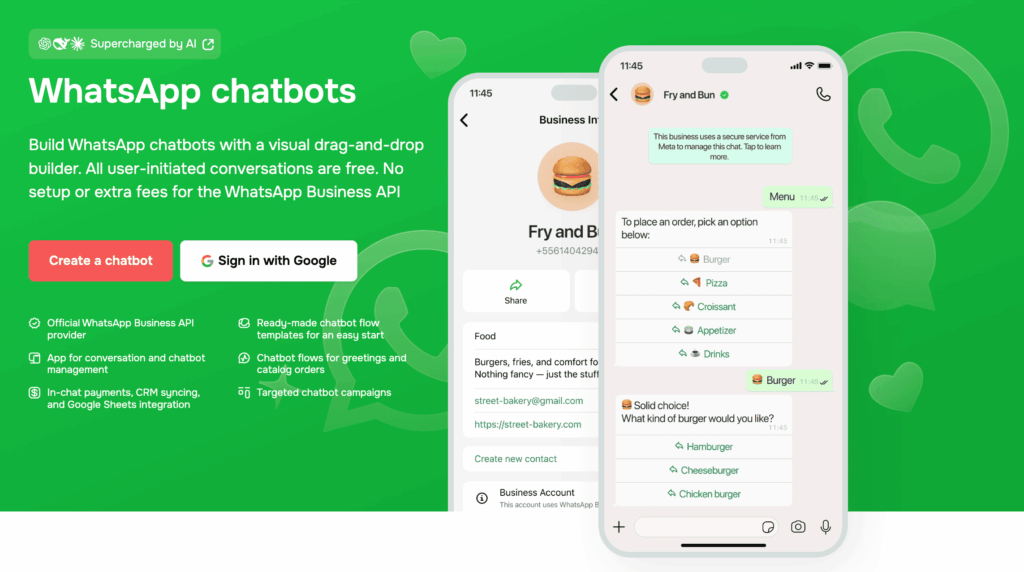
SendPulse bundles WhatsApp chatbots with email, SMS, and a built-in CRM, so it appeals to teams that don’t want to stitch together separate tools.
It’s an official WhatsApp Business Solution Provider, with a no-code flow builder, product catalog cards for in-chat sales, and an AI assistant add-on that tracks conversation context and hands off captured leads straight into its CRM.
Pros of Using SendPulse
- Omnichannel from one dashboard: WhatsApp, Instagram, Facebook, and TikTok messaging alongside email/SMS.
- Native CRM, deal tracking, and Google Sheets/ChatGPT integrations included.
- Catalog/product cards and in-chat payments for WhatsApp sales flows.
Cons of Using SendPulse
- The free plan does not include WhatsApp. You need a paid plan (7-day trial, credit card required) to connect a WhatsApp number.
- Several reviewers report confusion over per-message charges stacking on top of the subscriber-based plan fee.
- Mobile app and page-load speed complaints sometimes show up in reviews.
SendPulse Pricing
- Free includes basic marketing automation only (no WhatsApp)
- Pro from $9.60/month (500 subscribers, billed annually), scales with subscriber count
- WhatsApp conversations/templates billed separately at Meta-based per-message rates
Best For:
Scaling businesses that want WhatsApp folded into a broader email + CRM + automation stack, rather than a WhatsApp-only tool.
Voice of Customer
Reviewers on Capterra frequently cite “great value for money,” while flagging the 500-subscriber ceiling on entry tiers and a desire for clearer usage limits before upgrading.
Verdict: A strong value pick if you want WhatsApp alongside email/SMS/CRM in one place, but might be an overkill for teams that just want WhatsApp automation.
7. Chatbase
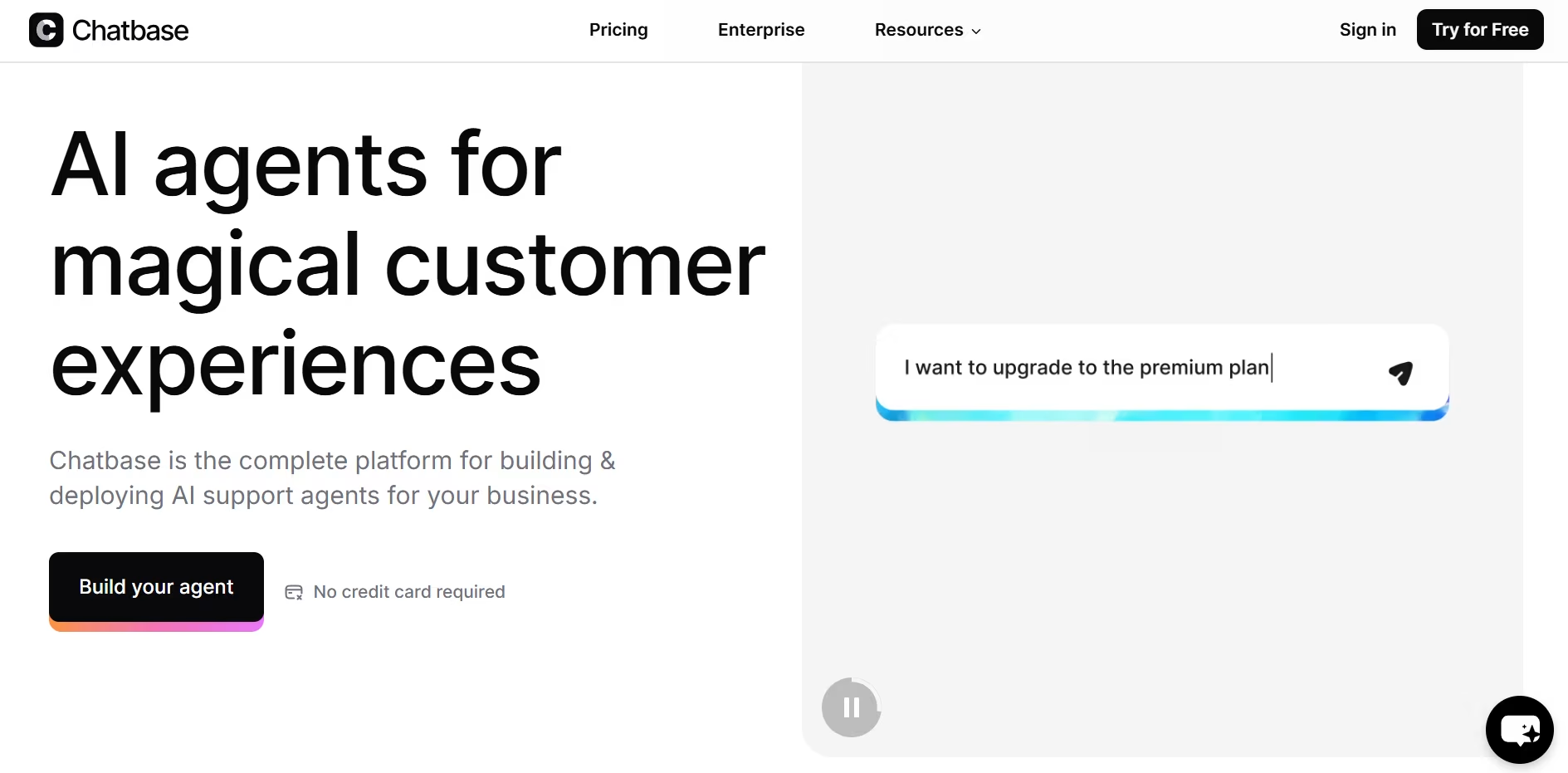
Chatbase offers WhatsApp AI chatbots that work well. Their URL scraper and document-reader features are well-built, and the chatbots work without lag.
However, the platform isn’t very customizable, which makes it difficult to deploy for mid-market and enterprise businesses. This cost-efficient solution works well across SMBs and is excellent for e-commerce.
Pros of Using Chatbase
- Easy to ship with website and document scraping.
- Clean widget and API options.
Cons of Using Chatbase
- Price jumps across tiers.
- Not a lot of customization options.
Chatbase Pricing
Five tiers
- Free
- $40/month Hobby Plan
- $150/month Standard Plan
- $500/month Pro Plan
- A customizable Enterprise Plan
Advanced analytics are only available on the Pro plan onwards.
Best For:
SMBs and e-commerce stores that want to quickly deploy a chatbot trained on their own website, PDFs, or knowledge base — without any developer involvement or technical complexity.
Voice of Customer
“I had a chatbot live on WhatsApp, trained on our entire help center, in under an hour.” G2 reviewers consistently praise the fast onboarding and document ingestion. The main criticism is steep tier jumps — going from Hobby to Standard is a significant price leap — and the lack of branding control on lower plans.
Verdict: A strong, cost-efficient solution for SMBs and e-commerce stores that need to train an AI on their own data (like websites or PDFs) instantly. It is easy to set up but lacks the deep customization required by larger enterprises.

8. AISensy
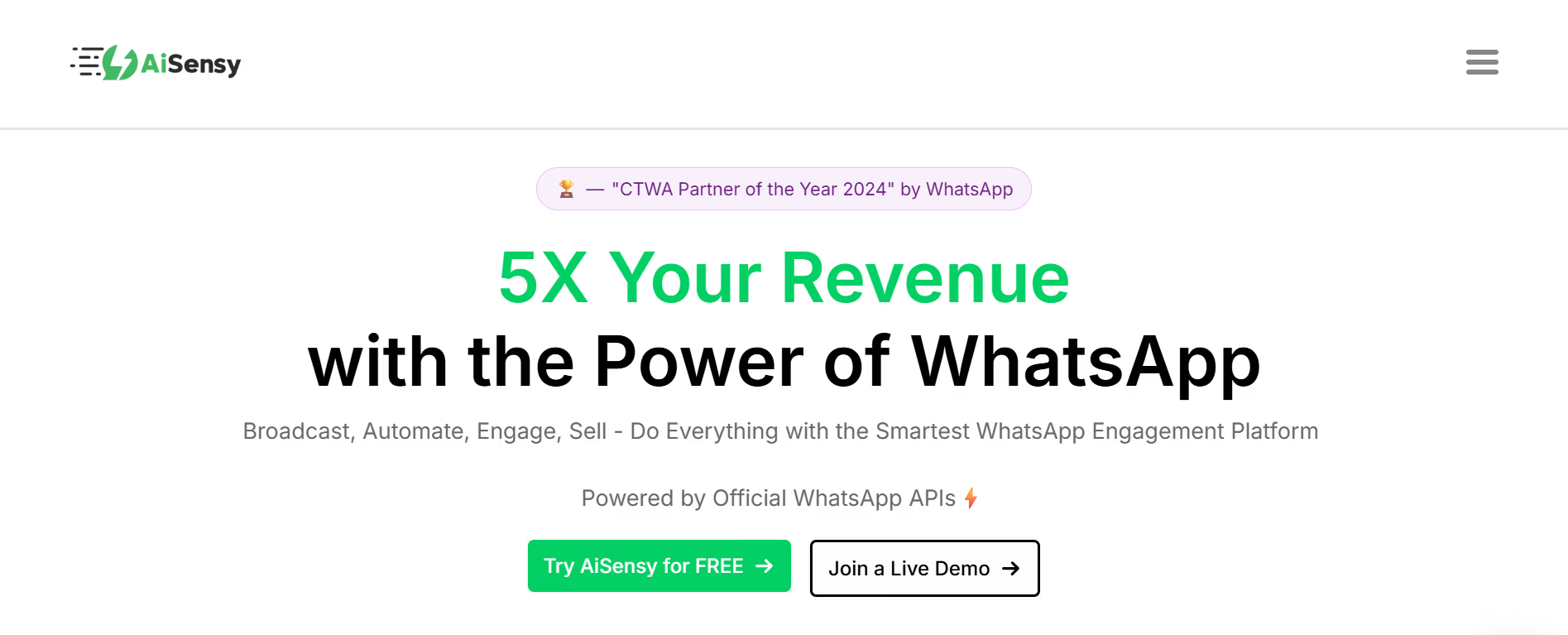
AISensy is a relatively new platform that has been onboarding many Indian businesses. The UI is simple, easy to understand, and perfect for basic WhatsApp marketing campaigns.
It was pretty easy to set up a marketing campaign on the platform. The chatbot isn’t that strong and is intent-based chiefly. They also support integration with WhatsApp payments, which can be great for smaller businesses.
However, some customers have complained about slow customer support responses.
Pros of Using AISensy
- Quick WhatsApp setup, broadcasts, and flows for SMBs.
- Transparent India pricing; fits local budgets.
Cons of Using AISensy
- Fewer third-party reviews vs. larger BSPs; enterprise features may need custom plans.
- Conversations are charged at a markup (compared to Meta)
- Lack of AI-native features, and the chatbot is not advanced.
AISensy Pricing
Four tiers
- Free
- Basic – $45/month
- Pro – $99/month
- Enterprise – Customized pricing
Chatbots are billed separately at $72/month.
Best For:
Indian SMBs and regional businesses that need WhatsApp marketing campaigns, broadcast messaging, and payment collection via WhatsApp Pay — with pricing calibrated to local market budgets.
Voice of Customer
“For our India-based e-commerce store, AISensy’s WhatsApp Pay integration was the deciding factor — no other tool made payments this seamless.” Reviewers on G2 and Capterra note the easy setup and affordable entry pricing. The consistent complaint is slow customer support response times and markup on per-conversation charges compared to direct Meta rates.
Verdict: A budget-friendly option tailored for Indian SMBs needing basic WhatsApp marketing and payment integrations. It is great for getting started quickly, though it lacks the advanced “native AI” capabilities of global competitors.
9. Jotform AI WhatsApp Agent
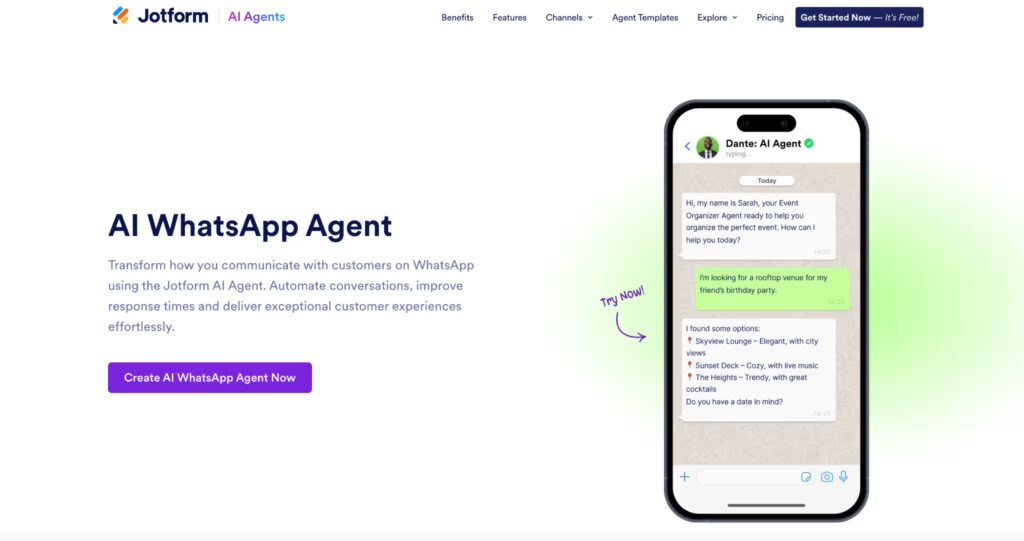
Jotform AI WhatsApp Agent is an easy starting point for businesses that want to automate conversations on WhatsApp. It allows you to launch AI-powered chat experiences for lead capture, FAQs, and customer support without complex setup.
You can use pre-built templates or create your own by defining intents and conversation flows, then train the agent with example phrases. It integrates directly with WhatsApp Business and supports real-time automated responses, making it simple to deploy and iterate.
The platform works best for basic use cases like FAQs and lead qualification. For more complex conversations, you may need to refine flows carefully, as the AI can make mistakes. Lower-tier plans also have some customization and branding limitations.
Pros of Using Jotform AI WhatsApp Agent
- Fast no-code setup for WhatsApp automation
- Ready-to-use AI agent templates
- Easy integration with WhatsApp Business
- Customizable flows, tone, and training
- A wide range of integrations and scalable workflows
Cons of Using Jotform AI WhatsApp Agent
- Not a fully advanced WhatsApp automation platform
- AI can make mistakes in complex conversations
- Limited customization and branding on lower tiers
Jotform Pricing
Five tiers
- Free plan available
- $34/month Bronze
- $39/month Silver
- $99/month Gold
- Custom Enterprise plan
HIPAA and advanced compliance features are available on higher tiers.
Best For
SMBs, healthcare providers, and service teams that want to automate WhatsApp conversations for lead capture, FAQs, and basic customer support without coding.
Voice of Customer
“Versatile and easy to use, with a wide range of features from forms to AI agents, workflows, and tools that make it easy to collect data, manage processes, and streamline customer interactions.” A 5/5 G2 reviewer highlights Jotform’s flexibility and ability to handle multiple use cases, including AI-powered workflows and customer engagement. Users consistently praise its ease of use and broad feature set, though some note that design and customization options can feel limited.
Verdict
Jotform AI WhatsApp Agent is a solid choice for businesses that want to automate WhatsApp conversations quickly without coding. It works best for lead capture, FAQs, and basic customer support, but may require additional setup and training for more advanced conversational workflows.
Also Read:
1. How to Build A WhatsApp Chatbots in Node.js
2. How to Build Enterprise Customer Service Chatbots with ChatGPT
3. How to Integrate ChatGPT with Your Enterprise WhatsApp
10. Tidio
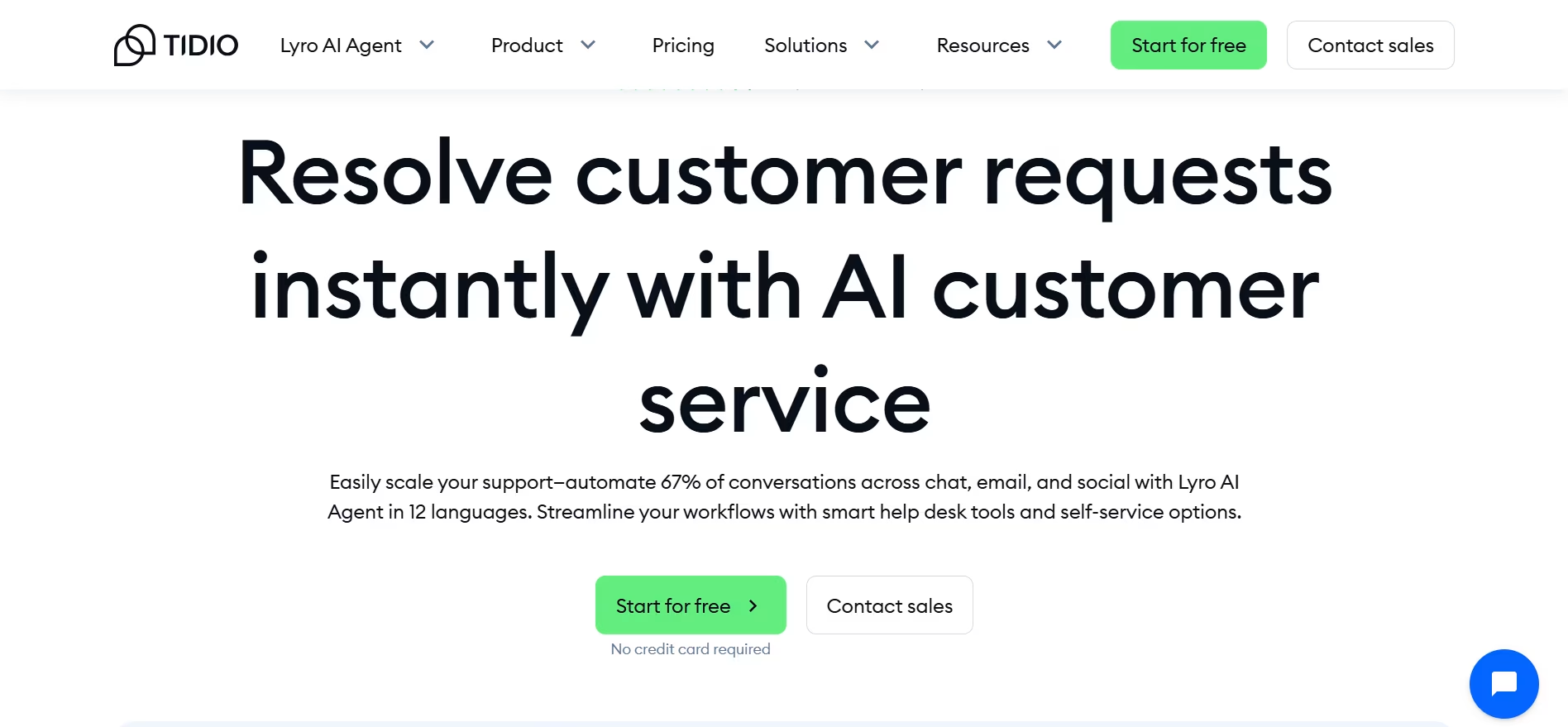
Tidio is built for e-commerce websites, and their WhatsApp AI chatbot is quite advanced. If you want to make a shopping partner for your customers on WhatsApp, this should be your go-to platform.
Some of their more advanced AI features are locked behind their higher-tier plans, making it expensive to scale. Additionally, the add-ons can become quite costly over time.
Pros of Using Tidio
- Slick inbox + drag-and-drop flows; easy ecommerce fit.
- Lyro handles common support with minimal setup.
Cons of Using Tidio
- AI and volume add-ons can raise costs quickly.
- Can’t combine Lyro and classic flows in specific scenarios (plan-dependent).
Tidio Pricing
- Core plans start from $29.
- Lyro AI add-on starts at $39/mo for 50 AI conversations (scales by volume).
Best For:
E-commerce stores — especially Shopify merchants — that want a unified support inbox combining live chat, WhatsApp, and email, with an AI agent (Lyro) that can handle returns, order status, and product FAQs automatically.
Voice of Customer
“Lyro handles about 60% of our incoming WhatsApp queries without any agent involvement — the ROI was visible within the first month.” Capterra reviewers (4.7/5) love the polished inbox UI and seamless Shopify integration. The consistent pain point is add-on fatigue: the base plan is affordable, but Lyro AI conversations are metered separately and costs accelerate with volume.
Verdict: A top contender for e-commerce websites (especially Shopify users) looking to automate sales and support. The “Lyro” AI is powerful, but accessing advanced features and scaling up can get expensive.
11. Botpress
Botpress stands out to me because it strikes a rare balance: it’s approachable for non-developers, yet powerful enough for advanced use cases. I’ve built chatbots with a solid idea and no prior coding experience.
The visual flow builder makes it intuitive, and the platform supports rapid LLM integration, API connections, and multi-agent workflows. While beginners might find some parts overwhelming initially, the learning curve is worth the flexibility it unlocks.
Pros of Using Botpress
- No-code flow builder that feels intuitive, even for non-tech users
- Fast and flexible LLM/API integration (e.g., OpenAI, Make.com, Twilio)
- Excellent tutorials (YouTube) and an active Discord support community
- Multi-agent workflows and rich AI automation tools are evolving rapidly
Cons of Using Botpress
- Some features are locked behind paid tiers; the free plan has tight usage caps.
- Processing can slow down in large, complex workflows
- Webchat customization can be buggy; rate-limiting and KB search need refinement
- Sudden page reloads in the studio can disrupt workflow
Botpress Pricing
- Free plan available (limited features, usage caps)
- Plus: $89/month
- Team: $446/month
- Additional costs apply for LLM/API usage
Best For:
Technical teams and developers who need maximum flexibility — custom LLM integrations, multi-agent orchestration, and API-first architectures — and are comfortable with a steeper setup investment in exchange for full control.
Voice of Customer
“Botpress is the only platform where I could build a multi-agent workflow that connects our CRM, inventory system, and WhatsApp without writing a custom backend.” G2 reviewers praise the LLM flexibility and the YouTube tutorial ecosystem. The sticking points are sudden studio reloads that disrupt workflow, rate-limiting issues on complex bots, and the fact that webchat customization can be buggy.
Verdict: The best choice for developers and technical teams who want full control. It offers rich AI tools and open-ended customization, but it is likely too complex for non-technical users looking for a plug-and-play solution.
12. Freshchat (from FreshDesk)
I turn to FreshChat from FreshDesk when I need a support suite that connects chat, email, and WhatsApp AI chatbots into a single flow. I like how it streamlines inter-team communication using linked tickets, shared ownership, and customizable views.
Freddy AI can easily integrate with your support workflows. These features help reduce first response time and improve internal collaboration across complex support workflows.
Pros of Using Freshchat
- Freddy AI gives actionable suggestions and drafts replies automatically.
- Great for inter-team workflows with features like Shared Ownership and Linked Tickets.
- Customizable views, automation rules, and insights help agents stay focused.
- Modern UI, intuitive setup, and good reporting tools.
Cons of Using Freshchat
- Custom notification settings are limited, which can cause alert overload or misses.
- Can’t open multiple tickets in separate tabs (hurts multitasking).
- Pricing can escalate quickly for small teams with mixed experiences and support response times.
- SMBs may feel deprioritized compared to large enterprise accounts.
Freshchat Pricing
- Free plan (up to 10 agents)
- Growth: $19/agent
- Pro: $49/agent
- Enterprise: $79/agent
- WhatsApp conversations are billed separately via Meta
Best For:
Teams already embedded in the Freshworks ecosystem (Freshdesk, Freshsales) who want native WhatsApp automation without switching platforms — particularly mid-sized support teams managing complex, multi-department ticket workflows.
Voice of Customer
“If you’re already using Freshdesk, adding Freshchat for WhatsApp is a no-brainer — the linked tickets feature alone saves our team hours every week.” G2 reviewers highlight Freddy AI’s reply drafting and the reporting tools. Common criticisms include the inability to open multiple tickets in separate tabs and the feeling that smaller accounts receive slower support compared to enterprise customers.
Verdict: A logical choice for teams already in the Freshworks ecosystem. It handles basic automation and agent hand-offs well, but the per-user pricing model often makes it less economical for smaller teams compared to standalone chatbots. For the full picture beyond WhatsApp, see our Freshdesk Omni comparison against Kommunicate.
Our Verdict
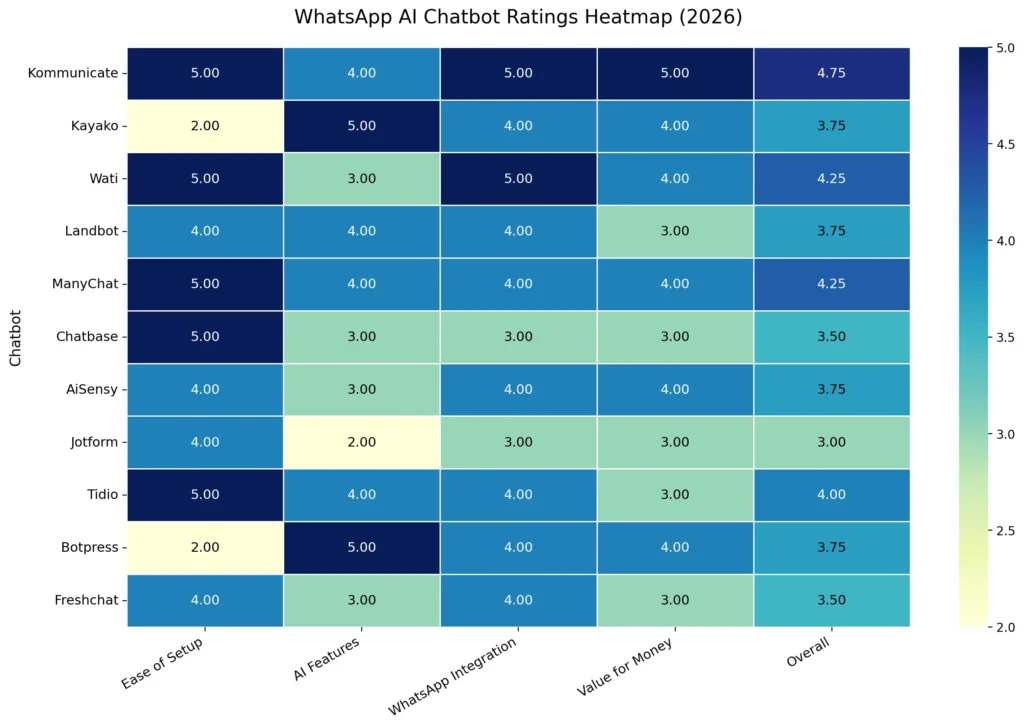
We’ve summarized our reviews of these platforms into a table. The four dimensions we rated each platform are rated from 1 to 5.
Based on my hands-on testing and ratings across key dimensions, Kommunicate and Wati emerge as the strongest all-around performers, balancing setup simplicity, AI depth, and WhatsApp-native capabilities.
Tools like Botpress and Tidio score high on AI flexibility and UX polish, respectively, while AiSensy offers substantial value for India-first teams.
Parting Thoughts
Looking at the comprehensive evaluation of WhatsApp AI chatbots in 2026, it’s clear that businesses have numerous excellent options to choose from, each with distinct strengths depending on their specific needs. Whether you’re a small business looking for cost-effective automation, an e-commerce brand needing sophisticated customer support, or an enterprise requiring scalable multi-channel capabilities, there’s a platform that can deliver results. The key is matching your business requirements with the right combination of AI features, integration depth, and pricing structure that makes sense for your growth trajectory.
Among all the platforms tested, Kommunicate consistently stands out for its balanced approach to AI-powered customer support, offering intuitive setup, robust integrations, and seamless human handoff capabilities that scale with your business needs. The platform’s strength lies in handling complex support workflows while maintaining the flexibility that growing businesses require. If you’re ready to transform your WhatsApp customer experience with a proven, feature-rich solution, get started with Kommunicate today.

A Content Marketing Manager at Kommunicate, Uttiya brings in 11+ years of experience across journalism, D2C and B2B tech. He’s excited by the evolution of AI technologies and is interested in how it influences the future of existing industries.